
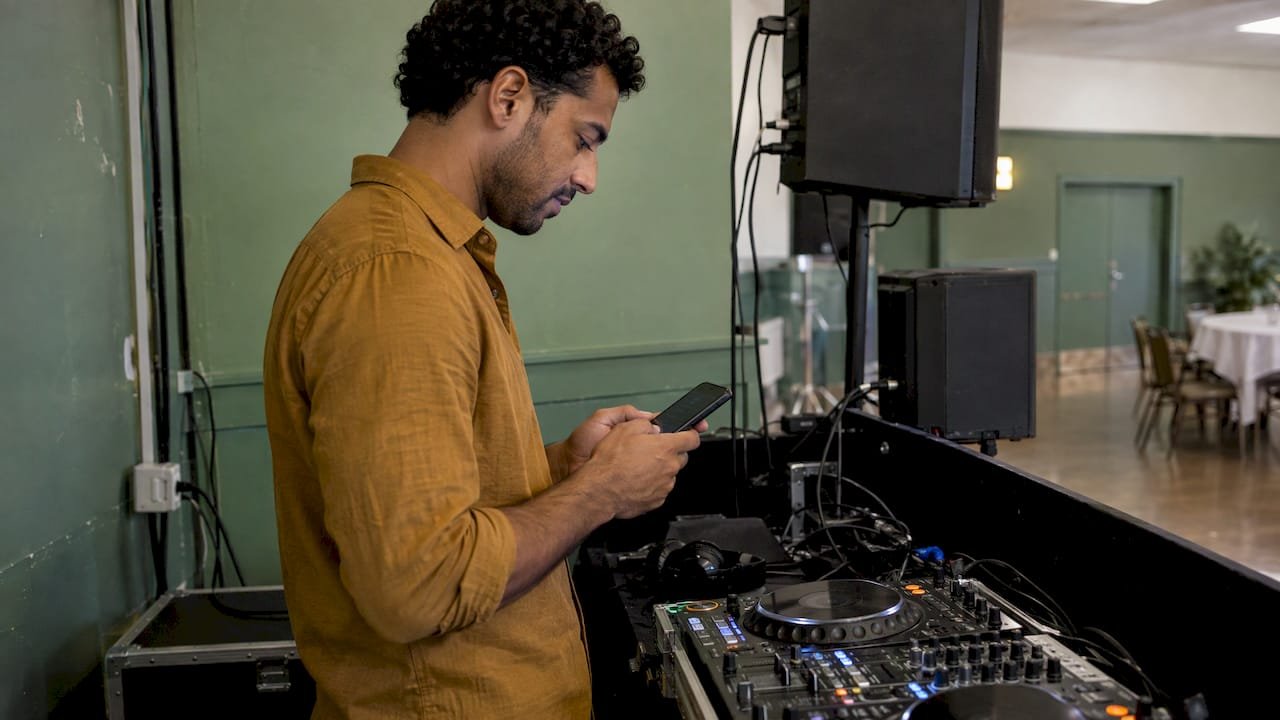
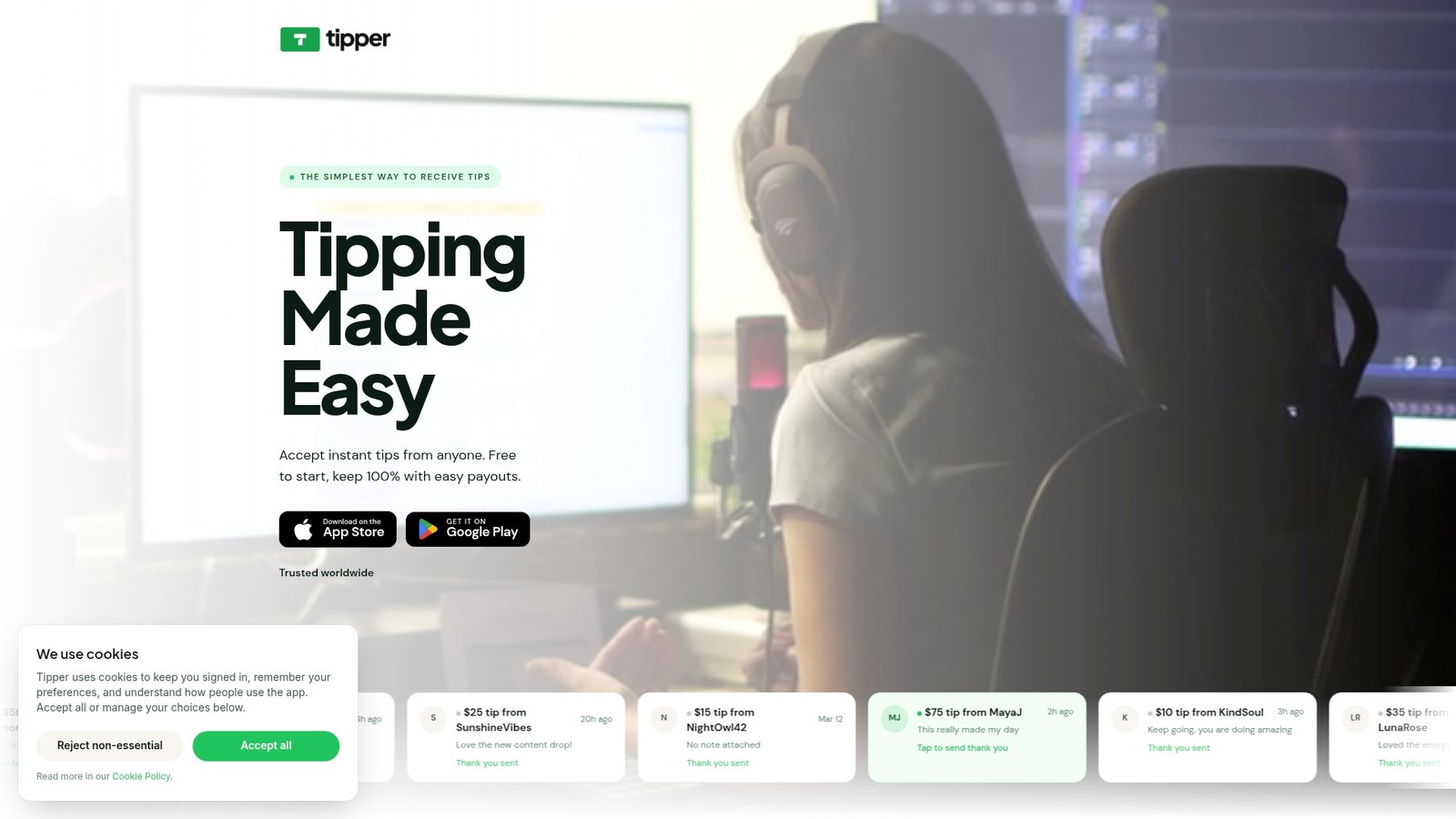
A DJ tip link is a short web address (and the QR code that opens it) that takes a listener straight to a page where they can tip you from their phone. The best version asks nothing of the person tipping: no app download, no sign-up, just a tap on Apple Pay or Google Pay. That is how Tipper works. You create a free personalized link, put it on a sign at your booth and in your bio, and tips arrive while the crowd is still feeling the set.
This guide covers what a tip link is, what you need to set one up, where to put it at a live gig and online, how to test it, and how to think about fees so small tips don’t get eaten.
TL;DR
- A tip link is one URL plus a QR code. Fans open it, pick an amount and pay, and with Tipper they don’t need an account to do it.
- Make the link work for the person standing in a dark room with one hand free: Apple Pay or Google Pay, big QR code, short call to action.
- Set up under your real legal details so payouts don’t stall, and keep the same link everywhere: booth sign, Instagram, TikTok, Twitch, Linktree.
- Fixed per-payment fees hurt small tips most, so a $3 tip can lose about 12.9% to card processing alone. Know your fee structure before you pick a tool.
- Tipper is free to create and maintain, and you keep 100% of your earnings.
Table of Contents
- What a DJ tip link actually is
- Why DJs are a natural fit for tip links
- What you need to set up a tip link
- Setting up your Tipper link, step by step
- Where to put your tip link at a gig
- Where to share your tip link online
- What fees do to small tips
- Make the tip feel personal
- Perspective
- Get your DJ tip link live
- FAQ
- Sources
What a DJ tip link actually is
Think of a tip jar that lives on a URL. Instead of dropping a bill into a bucket, a listener scans a QR code or taps a link, lands on your tip page and pays. You see the tip arrive and can say thanks in a message, photo or video.
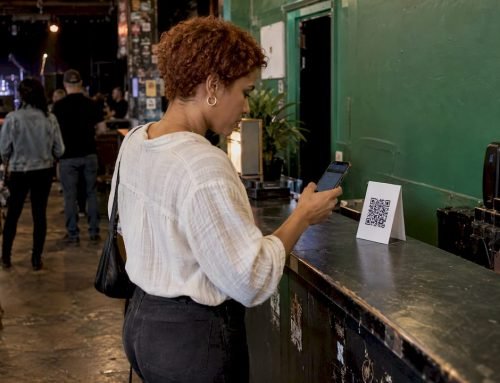
For DJs this solves a specific problem. Fewer people carry cash, and the ones who want to tip you in the middle of a packed dance floor often can’t get to the booth. A QR code on the front of your table or a link on the screen behind you lets them tip without leaving the floor.
There are really three things to judge in any tip link:
- Friction for the tipper. Every extra step (creating an account, typing a card number, confirming an email) loses tips. Tipper lets supporters tip without an account, using Apple Pay, Google Pay or a card.
- What you keep. Platform fees, card processing and payout fees stack up. More on this below.
- How personal it feels. A tip that gets a quick thank you is more likely to be repeated. Tipper supports thank-you messages as text, photo or video.
Why DJs are a natural fit for tip links
A DJ’s audience is unusually well placed to tip. They’re in a good mood, their phones are already out, and they often want something from you: a song, a shout-out, a mix to listen to again. Requests and tips go together naturally, which is why a sign reading something like “Love the set? Scan to tip” works in a way an unlabeled jar often doesn’t.
The same link also travels beyond the room. A wedding guest can find it in your Instagram bio. A viewer on your Twitch or Kick stream can tap it from a panel. A listener of your recorded mixes can find it in your YouTube description. One link, many places, and it works the same way every time.
If you play parties, you can pair the link with crowd moments that give people a reason to tip. Our guide to party dance games for DJs covers ideas for getting a room engaged enough to reach for their phones.
What you need to set up a tip link
Setting up the page itself is fast: choose a name, add a photo, write a short line about who you are, and get your link and QR code. The part that takes longer is the payout side, where a payment provider has to verify who you are before it can send you money.
US payment setups usually ask for the same core details. As one example, the help page of the DJ booking platform DJfindr lists the information it collects for US DJs: legal name and date of birth, address, a government ID, US bank account details, and business details plus a tax ID if you operate as a business.
The same page flags the most common reason setup stalls: a mismatch between the name on your account and the name on your ID. Stage names are great for flyers and bad for verification. Use your real legal name for the payout profile, and keep “DJ Whatever” for the public tip page, where fans will recognize you.
A short prep list:
- Your legal name exactly as it appears on your ID
- A current address that can be verified
- A clear, unblurred photo of your ID if asked
- The bank account you actually want paid into
- Your business name and tax ID, if you invoice as a company
If you play under an LLC, decide before you start whether tips should go to the business or to you personally, so you don’t have to change details later. The same DJfindr page notes that a payout already on its way goes to the bank account that was on file when it was sent, so the sensible time to change bank details is between payout cycles, not in the middle of one.
For a wider look at how US platforms get money into your account, see our breakdown of creator payout methods.
Setting up your Tipper link, step by step
1. Create your free account
Creating and maintaining a Tipper account costs nothing and there is no subscription. Tipper earns when a tip goes through, with a platform fee and a small payment processing fee added at checkout. Because creators keep 100% of their earnings, the fees are not taken out of what you earn.
2. Customize your tip page
Pick the name your crowd knows. Add a clear photo (your logo or a booth shot), and keep the text to one line. Your page is what a listener sees after scanning, so it should confirm in a second that they’re tipping the right DJ.
3. Get your link and QR code
Your personalized link is the one thing you’ll reuse everywhere. Your QR code points to the same page, so you can print it for the booth and share the link online without managing two things.
4. Add your payout details
Enter the legal details described above. Take your time here, because this is the step where a typo or a stage-name mismatch causes delays.
5. Test it like a guest
Before you play a gig, open your own link on a phone that isn’t signed in to anything, and run through it as a stranger would. Check that the page loads quickly, that your name and photo look right, that Apple Pay or Google Pay appears, and that you can see the tip land on your side. Then scan your printed QR code in the lighting of a real venue, not on your kitchen table.
Where to put your tip link at a gig
Placement decides whether anyone sees it. Treat it like a menu: it has to be readable at a glance, from a few feet away.
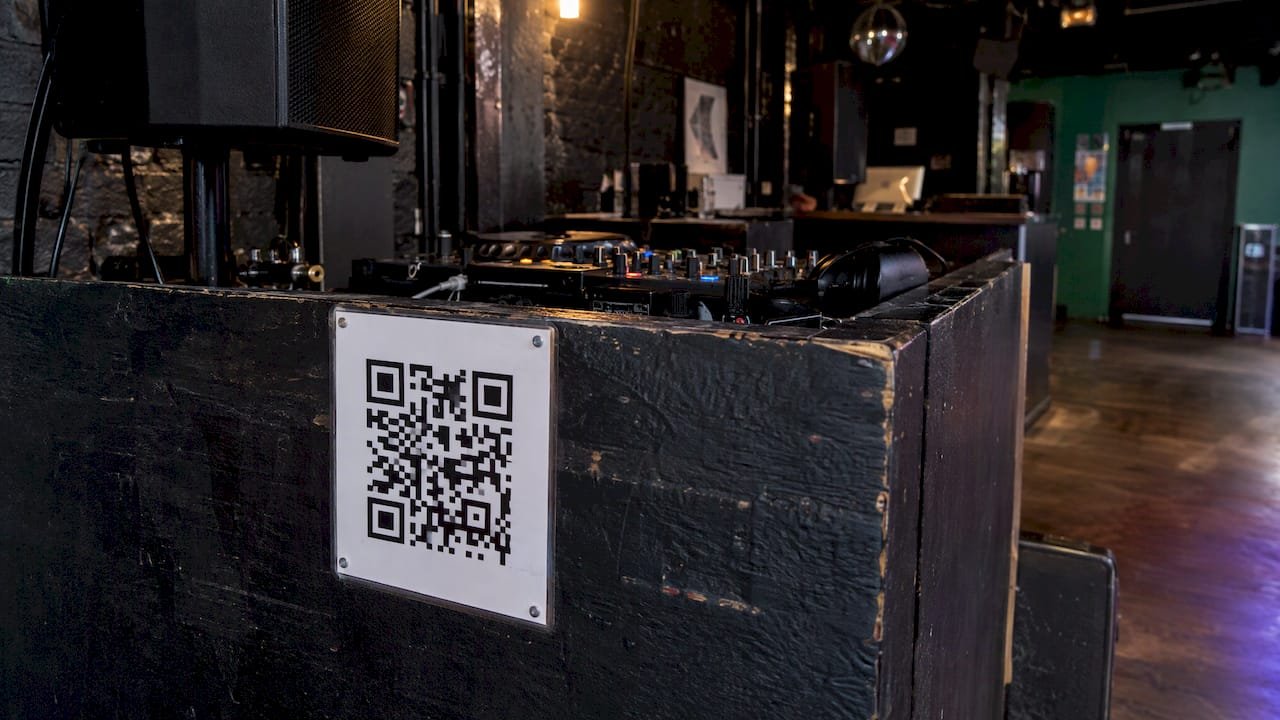
On the front of the booth. This is the classic spot. A printed sign with a large QR code and three or four words (“Scan to tip the DJ”) is enough. Keep it at hand height for someone standing, not buried below the table edge.
On a screen or projector. If the venue has a screen behind you, flash the QR code between songs or during a break. A code that’s visible for ten seconds at the right moment can do more than a sign nobody looks at all night.
On the mic. A short announcement works if it fits your style: “If you’re loving this, the tip link is on the front of the booth.” Say it once or twice, not every song. Our guide to digital tipping etiquette goes into how to ask without making the room uncomfortable.
On business cards and flyers. Corporate clients and wedding planners often like to tip after the event. A card with your QR code gives them a way to do it the next morning.
Near song requests. If you take requests, put the tip prompt right beside them. People who’ve just asked for a song are already in a giving mood.
A few design basics keep the sign effective:
- Make the QR code at least a few inches wide, with plenty of blank space around it
- Use high contrast: dark code on a light background, even if your booth lighting is moody
- Add one line that says what happens next, such as “Tip the DJ in seconds”
- Mention Apple Pay and Google Pay so people know it will be quick
For more ideas on how creators and performers collect tips in person, our overview of tipping for musicians covers a simple combination of cash and one digital option.
Where to share your tip link online
Your audience doesn’t end at the venue. The same link can work across everything you publish.
- Instagram and TikTok: Put it in your bio, and mention it in a caption when you post a set clip or a crowd moment.
- Twitch, Kick and YouTube: Add it to a panel, your channel description and a pinned chat message, especially during live mixes.
- Link-in-bio pages: If you already use Linktree, Throne or Buy Me a Coffee, add your Tipper link as one of the buttons so fans have a direct way to tip with no account.
- Email and event pages: Include it in post-event emails and in the thank-you message after a booking.
The rule is to keep a single link. If you scatter several different tip methods, you split your audience’s attention and make the choice harder than it needs to be. Our guide on sharing a no-account tip link goes deeper on where creators put theirs.
If you also release mixes of your own, make sure they sound as good as your live sets. A mixing and mastering checklist can help you judge the work before you approve it, which matters because a mix people love is a mix people tip for.
What fees do to small tips
DJ tips are often small: a few dollars from a lot of people. That makes fee structure matter more than it does for a creator who gets one $100 payment.
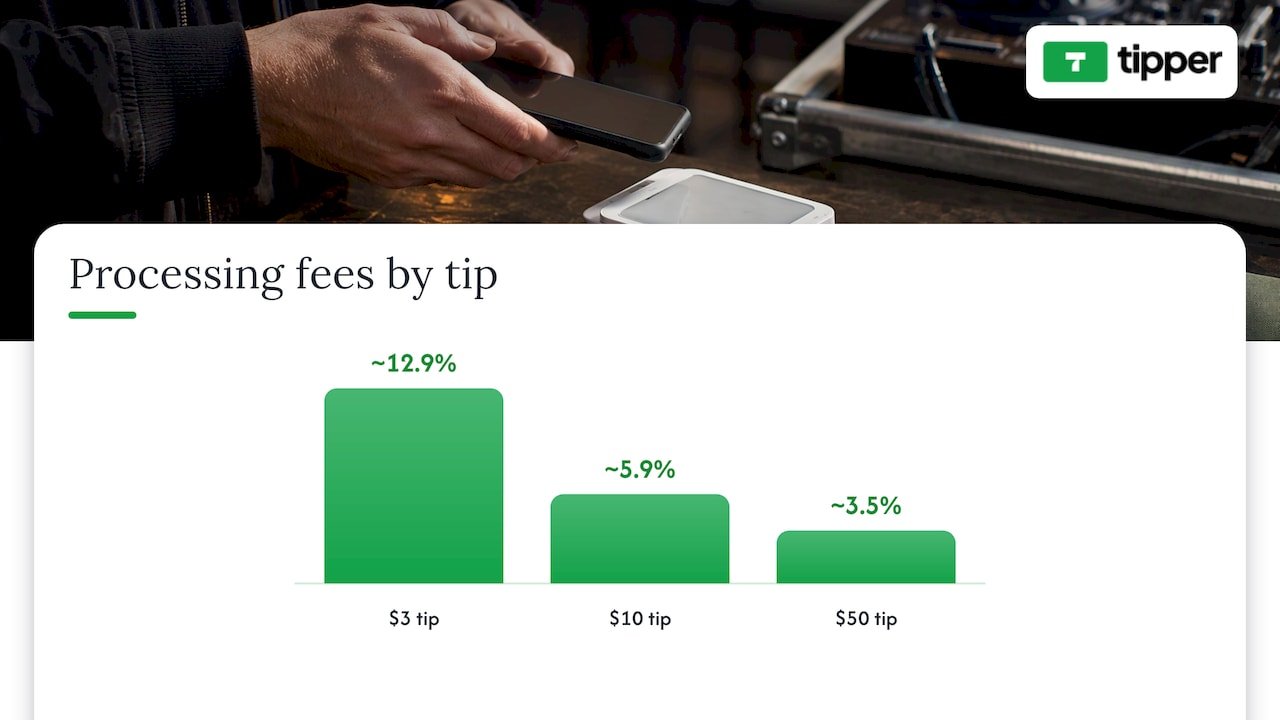
According to CreatorPaper’s October 2026 guide, Stripe’s standard US rate is 2.9% plus $0.30 per domestic card payment, with an extra 1.5% for international cards and 1% for currency conversion. The same guide works through the effect of the fixed $0.30: on a $3 tip, processing alone takes about 12.9%, while on a $50 tip it takes about 3.5%.
Here is that math laid out:
| Tip amount | Fixed $0.30 as share of tip | Total card processing at 2.9% + $0.30 |
|---|---|---|
| $3 | 10% | about 12.9% |
| $10 | 3% | about 5.9% |
| $50 | 0.6% | about 3.5% |
The lesson is not that small tips are bad. It’s that the setup you choose should be clear about every fee, and that you can nudge the average up with the way you ask. Preset amounts on a tip page, a sign that suggests a figure, or a quick spoken thank-you for “anyone who wants to throw in a few bucks” all help.
When you compare tools, check four things:
- The platform fee, if any
- The card processing fee, and whether it includes a fixed amount per tip
- Payout and currency fees
- Whether the supporter has to create an account, since that affects how many people actually finish a tip
With Tipper, creators keep 100% of their earnings, and a payment processing fee is added at checkout on each tip. Creating and keeping an account is free. You can see how it works on the Tipper site.
Make the tip feel personal
A tip isn’t only a payment. It’s a small exchange between you and someone who liked what you did. The DJs who build repeat supporters tend to close that loop.
Tipper lets you answer with a thank-you note, photo or video. A ten-second video clip from the booth, filmed between tracks or the morning after, turns a one-time tip into a relationship. It also reflects your personality in a way a generic receipt can’t.
A few habits that work:
- Thank people by name when the message gives you one
- Keep videos short and honest: “Thanks for dancing with us last night”
- Don’t promise what you can’t deliver, such as a specific song next time
- Be consistent, so supporters know a tip always gets a reply
Perspective
We built Tipper around a simple observation: the person who wants to tip you in the moment is rarely the person who wants to sign up for something. A DJ’s crowd is standing, moving and holding a drink. If a tip takes an account, a password and an email confirmation, it simply doesn’t happen.
That’s why supporters can tip through your personalized link or QR code without an account, with Apple Pay, Google Pay or a card. It’s also why creators keep 100% of their earnings, and why we let you reply with a note, photo or video. For a DJ, the tip is the start of a connection with someone who enjoyed the night, and we want the payment to get out of the way of that.
Our advice: choose one link, put it where people already look, and thank every supporter. Do those three things consistently and the link does the rest.
Tipper
Get your DJ tip link live
Tipper gives DJs a personalized tip link and QR code that supporters can use with Apple Pay, Google Pay or a card, with no account needed on their side. It is free to create and maintain, with no subscription, and you keep 100% of your earnings. A payment processing fee is added to each tip at checkout. You can create your tip link at Tipper and have it printed for your next gig.
FAQ
Do my fans need an account to tip me through a Tipper link?
No. Supporters open your link or scan your QR code and pay with Apple Pay, Google Pay or a card. Skipping the sign-up is the point: it removes the step where most spontaneous tips are lost.
What information do I need to get paid?
US payout setups generally ask for your legal name, date of birth, address, a government ID and bank account details, plus a tax ID if you operate as a business. DJfindr’s payout help page gives an example of this list. Use your legal name for verification and your stage name on the public tip page.
How much of each tip do I keep?
On Tipper, creators keep 100% of their earnings, and a payment processing fee is added at checkout on each tip. Card processing in the US commonly includes a fixed per-payment amount, so the percentage taken is higher on very small tips and lower on larger ones, as CreatorPaper’s fee guide shows.
Where should I put the link at a gig?
Put a large QR code on the front of your booth at hand height, show it on a screen between tracks if you can, and mention it briefly on the mic once or twice a night. Online, use the same link in your Instagram and TikTok bios, your stream panels and your link-in-bio page.
How do I test my tip link before a gig?
Open it on a phone that isn’t signed in to your accounts, confirm that Apple Pay or Google Pay appears and that your name and photo are right, then scan your printed QR code under venue-like lighting. Check that the tip shows up on your side before you rely on it.
Sources
- Creator platform fees explained: what you keep in 2026, CreatorPaper
- Setting Up Payments and Payouts, DJfindr for DJs
Leave A Comment