About Tipper

This author has not yet filled in any details.
So far Tipper has created 134 blog entries.

Apple Pay Tipping Setup for Your Business in 2026

Apple Pay tipping setup for businesses is the process of configuring a payment system to prompt customers to add a gratuity during checkout using their Apple Wallet. Done right, it removes every barrier between a satisfied customer and a tip: no app download, no account creation, no fumbling for cash. Digital tipping systems using NFC and wallet technology can launch in under 24 hours without disrupting your existing point-of-sale setup. For freelancers and small business owners, that speed and simplicity translates directly into higher staff earnings and better client relationships.

What tools do you need for Apple Pay tipping setup?

The hardware and software requirements for accepting Apple Pay tips depend on whether you want a dedicated card reader or a fully software-based solution. Both paths are viable. The right choice depends on your transaction volume and existing setup.

Hardware options:

  • Contactless NFC card reader: Any reader that supports NFC contactless payments will work with Apple Pay. Square Reader, Stripe Terminal, and similar devices fall into this category.
  • Tap to Pay on iPhone: This is the zero-hardware option. Tap to Pay on iPhone requires only a compatible iPhone and a supported payment app. No card reader purchase needed.
  • Traditional POS terminals: Terminals from providers like Clover or Toast support Apple Pay if NFC is enabled in their settings.

Software and subscription requirements:

Requirement Details
Payment processor Must support Apple Pay and have a tipping feature built into the app
QuickBooks Payments subscription Required to access the Tips feature in QuickBooks GoPayment
Compatible payment app Apps like QuickBooks GoPayment, Stripe, or Square must have tip prompts enabled
iOS version iPhone must run a current iOS version to support Tap to Pay

QuickBooks GoPayment requires an active QuickBooks Payments subscription before the tip settings become available. This is a common sticking point for new users who expect tipping to be on by default.

Pro Tip: If you are a freelancer or solo operator, Tap to Pay on iPhone is the fastest path to accepting Apple Pay tips. You skip the hardware cost entirely and can be ready to accept tips the same day.

Hands holding iPhone using Tap to Pay

How do merchant-collected and customer-prompted tips differ?

Two distinct tipping models exist for wallet-based payments, and choosing between them shapes both the customer experience and your back-end reconciliation process.

Merchant-collected tip means your payment app or POS presents a tip screen before the customer taps their device. The customer selects a tip amount, and that total is added to the bill. Your staff or the app then presents the final amount for Apple Pay authorization. This model gives you full control over tip suggestions, screen design, and prompt timing.
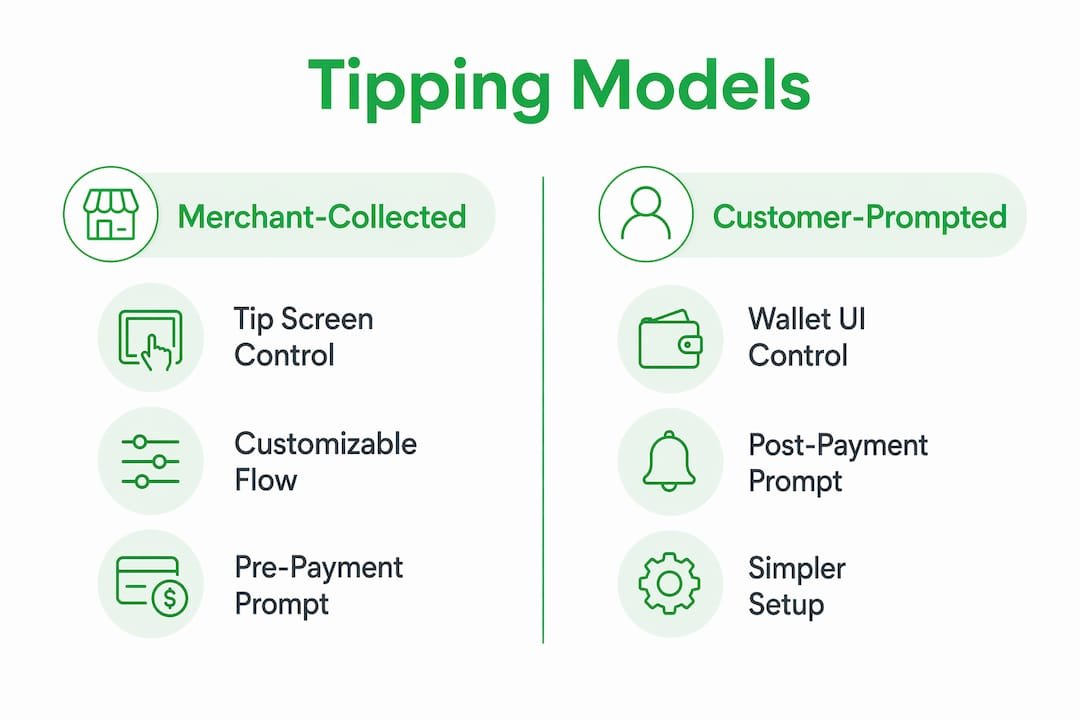
Infographic comparing Apple Pay tipping models

Customer-prompted tip means the Apple Wallet UI itself asks the customer to add a tip after the payment amount is presented. The merchant does not control the tip screen. This approach reduces development work because Apple handles the prompt, but you lose the ability to customize suggested percentages or dollar amounts.

Feature Merchant-collected tip Customer-prompted tip
Who controls the tip screen Merchant / payment app Apple Wallet UI
Customization of tip options Full control Limited
Development overhead Higher Lower
Customer familiarity Depends on app design Consistent Apple UI
Reconciliation tipAmount in webhook payload tipAmount in webhook payload

Regardless of which model you use, tip and base amount are authorized in a single transaction. This matters for accounting: you cannot split the tip from the base charge in your payment records after the fact. Both amounts arrive together in the authorization, and your webhook payload will include a "tipAmount` field for reconciliation.

Pro Tip: If you are building a custom checkout flow, merchant-collected tipping gives you the most flexibility to test different tip suggestion amounts and prompt placements. Start with three options: a low percentage, a mid percentage, and a custom dollar entry.

Choosing between the two models also affects payment flow UX in ways that directly influence whether customers tip at all. Prompts that appear at the wrong moment, or that feel like an interruption, reduce tip acceptance. Position the tip screen as a natural step in the checkout sequence, not an afterthought.

How to enable Apple Pay tipping with QuickBooks GoPayment

This walkthrough covers the most common setup path for small businesses: QuickBooks GoPayment with Tap to Pay on iPhone. The same logic applies to other processors, but the menu labels will differ.

  1. Confirm your QuickBooks Payments subscription is active. Log into QuickBooks Online and verify that your payment processing plan is current. The Tips feature is locked behind this subscription. If you are on a free trial, tip settings will not appear.

  2. Open QuickBooks GoPayment and navigate to Settings. Tap the menu icon, select “Settings,” then find the “Tips” section. Toggle tips on. You will see options to show the tip prompt before or after the customer selects their payment method.

  3. Configure your tip options. QuickBooks tip settings let you offer percentage-based tips, fixed dollar amounts, or both. For transactions under $10, the app automatically switches to dollar-based tip options. This reduces customer hesitation on small purchases where a 20% tip might feel disproportionate.

  4. Set up Tap to Pay on iPhone. Open your payment app, select “Tap to Pay on iPhone” as your payment method, and enter the transaction amount. The app will display a prompt for the customer to hold their iPhone or Apple Watch near yours.

  5. Present your iPhone to the customer. The customer taps their device or card near the back of your iPhone. Authentication via Face ID, Touch ID, or passcode completes the transaction. No card reader, no receipt printer, no extra hardware.

  6. Verify tip capture in your transaction records. After your first tipped transaction, check the QuickBooks GoPayment transaction history to confirm the tip amount appears separately from the base charge. This confirms your webhook and reporting are capturing tips correctly.

  7. Train your staff on the flow. Walk every team member through a test transaction before going live. Staff who understand the tap proximity requirement and authentication steps prevent the most common failure point: customers who hold their phone too far from the reader.

Pro Tip: Run a $1 test transaction with tips enabled before your first real customer interaction. This confirms your settings are live and gives your staff hands-on practice with the tap-and-authenticate sequence.

Adjusting tip prompt timing based on transaction size is one of the most underused levers in mobile payment tipping setup. Showing the tip screen before payment method selection works well for service businesses where tipping is expected. Showing it after works better in retail contexts where tipping is optional and a pre-payment prompt can feel awkward.

What causes Apple Pay tipping to fail, and how do you fix it?

Most Apple Pay tipping failures fall into three categories: physical setup issues, customer unfamiliarity, and refund handling errors. Each has a direct fix.

Physical and authentication issues:

  • Device proximity: The customer’s iPhone or Apple Watch must be within a few centimeters of the NFC reader or your iPhone. Failure to be close enough is the single most common cause of Apple Pay not working. Post a small sign near your reader showing the correct tap position.
  • Authentication failure: If a customer’s Face ID fails in low light or with a mask, the device falls back to passcode. Train staff to reassure customers that this is normal and not a security issue.
  • NFC disabled on terminal: Some POS terminals ship with NFC turned off. Check your terminal’s settings menu or contact your processor’s support line to enable it.

Customer adoption barriers:

  • No app download is required for Apple Pay. This is your strongest selling point. A small sign that reads “Tap to tip with Apple Pay. No app needed.” removes the most common customer objection before they voice it.
  • Subtle, non-pressuring prompts outperform aggressive tip screens. Customers who feel pressured to tip leave with a worse impression of your business, even if they do tip.

Refund handling:

When a transaction includes a tip, the refund must cover the entire transaction or a partial amount per your business policy. Tips cannot be refunded independently because the tip and base amount are combined in a single authorization. Build this into your refund policy and communicate it to staff before they face a customer dispute.

Removing friction for customers by using their existing Apple Pay wallet without additional apps improves tip conversion and builds goodwill. Every extra step you remove from the tipping process increases the likelihood that a satisfied customer follows through.

Key takeaways

Successful Apple Pay tipping setup requires the right payment processor, a clear choice between merchant-collected and customer-prompted tip flows, and staff trained to handle proximity and authentication issues before they become problems.

Point Details
Hardware flexibility Tap to Pay on iPhone eliminates card reader costs for freelancers and small businesses.
Two tipping models Merchant-collected tips offer more control; customer-prompted tips reduce development work.
Single authorization Tips and base amounts are combined in one transaction, limiting independent refunds.
Prompt timing matters Showing tip screens before or after payment selection affects acceptance rates by transaction size.
Staff training is critical Proximity and authentication coaching prevents the most common Apple Pay failures at checkout.

Why the friction you ignore is costing you real money

I have watched business owners spend weeks debating which POS terminal to buy while ignoring the fact that their current setup already supports Apple Pay. The hardware conversation is a distraction. The real question is whether your tip prompt appears at the right moment and whether your staff can guide a customer through the tap in under five seconds.

The businesses I have seen get tipping right share one habit: they treat the tip prompt as part of the service experience, not a technical afterthought. They test the flow themselves, they time the prompt to feel natural, and they brief their staff the same way they would brief them on a new menu item. The ones who skip that step end up with tip settings enabled but tip rates that barely move.

There is also a longer-term shift worth watching. Consumer expectations around contactless tipping are moving fast. Customers who tip via Apple Pay at a coffee shop now expect the same option at a food truck, a hair salon, and a freelance photography session. Businesses that set this up now build the habit with their customers before it becomes table stakes.

The one thing I would push back on in conventional advice: do not obsess over which tip percentages to suggest. The difference between 18%/20%/25% and 15%/20%/25% is marginal. What moves the needle is removing every possible reason for a customer to abandon the tip screen entirely. That means fast authentication, clear signage, and a staff member who can say “just tap your phone right here” without hesitation.

— Steve

How Tipper makes Apple Pay tipping setup simple

Setting up Apple Pay tipping through a traditional POS system works, but it requires a subscription, hardware decisions, and ongoing configuration. Tipper takes a different approach.

https://tipper.app

Tipper gives you a personalized tipping link that customers open and pay through instantly using Apple Pay or Google Pay. No account required on their end. No app to download. You keep 100% of every tip. Setup takes minutes, not days. For freelancers, creators, and service businesses that want to start accepting tips without touching their POS configuration, get started with Tipper today and have your first tip link live before your next client interaction.

FAQ

Does Apple Pay tipping require a card reader?

No. Tap to Pay on iPhone lets you accept Apple Pay tips using only a compatible iPhone and a supported payment app, with no additional hardware required.

Can customers tip with Apple Pay without creating an account?

Yes. Apple Pay uses the customer’s existing Wallet app, so no new account or app download is needed. Platforms like Tipper extend this further by letting customers tip through a link without any account at all.

What happens if a customer wants a refund that includes a tip?

Tips processed through Apple Pay are combined with the base amount in a single authorization. Refunds must cover the full transaction or a partial amount per your policy. Tips cannot be refunded as a separate line item.

How do I enable tipping in QuickBooks GoPayment?

Go to Settings in the QuickBooks GoPayment app, find the Tips section, and toggle it on. An active QuickBooks Payments subscription is required before this option appears.

Why is Apple Pay not working at my NFC reader?

The most common cause is device proximity. The customer’s iPhone or Apple Watch must be within a few centimeters of the reader. If proximity is correct and payment still fails, check that NFC is enabled in your terminal settings and that the customer’s authentication method (Face ID, Touch ID, or passcode) completed successfully.


Apple Pay Tipping Setup for Your Business in 20262026-09-24T18:05:24+00:00

Instant Tip Payment Explained for Creators in 2026

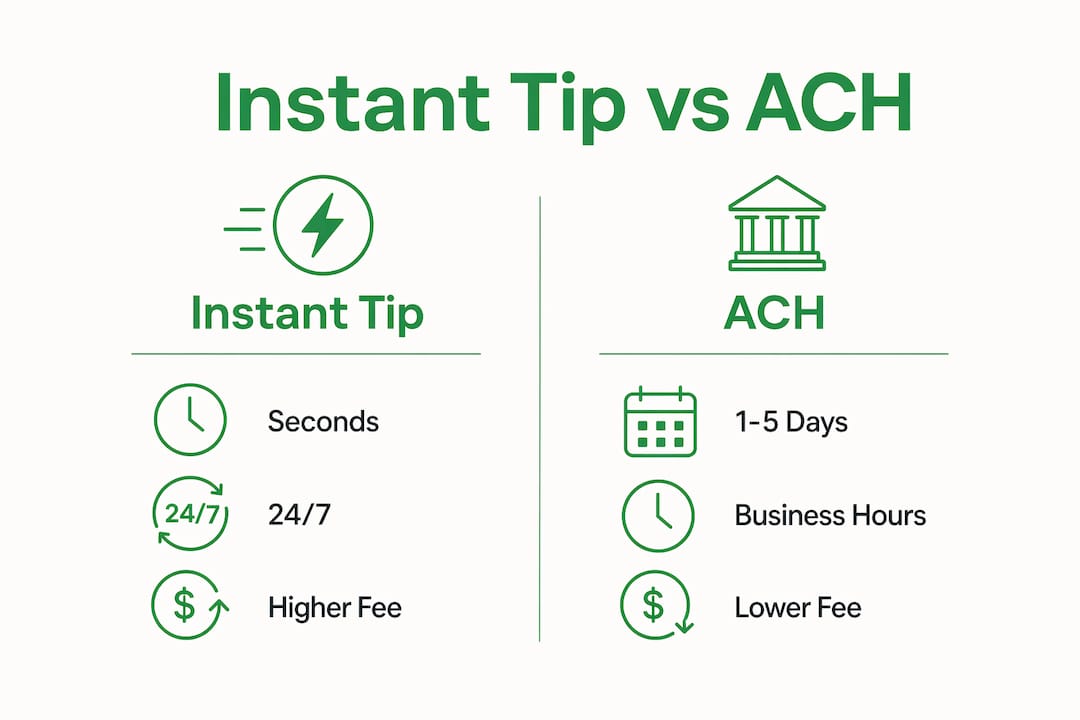
Instant tip payment is the immediate transfer of a gratuity from a supporter to a creator, settling within seconds to minutes rather than the 1 to 5 business days typical of ACH transfers. Platforms like Uber Instant Pay, Square, and Visa Direct have normalized this technology in the gig economy, and now content creators, freelancers, and influencers are using the same infrastructure to get paid the moment their audience appreciates their work. This guide covers how the technology works, what it costs, how platforms implement it, and how it compares to traditional payout schedules so you can make a fully informed decision about adding instant tipping to your revenue mix.

How does instant tip payment technology work?

Instant tip payment runs on two primary payment rails: push-to-debit networks and real-time payment networks. Understanding the difference tells you a lot about speed, cost, and availability.

Engineer working on payment network code at desk

Push-to-debit networks

Push-to-debit uses Visa Direct or Mastercard Send to route funds over existing card networks directly to a recipient’s debit card. Funds reach accounts in seconds to 30 minutes, operating 24 hours a day, 365 days a year. This is the backbone behind Uber Instant Pay, DoorDash cashouts, and many creator payout tools. The trade-off is cost: the card network charges interchange fees that platforms typically pass on to users.

Real-time payment networks

The Clearing House’s RTP network and the Federal Reserve’s FedNow service are bank-to-bank rails that settle in seconds. These networks are growing fast, and their adoption is expected to push fees down significantly over the next few years. Unlike push-to-debit, RTP and FedNow do not require a debit card on file. They work directly between bank accounts, which makes them attractive for platforms building next-generation payout systems.

How it differs from ACH

Standard ACH transfers batch transactions and settle once or twice per business day, creating delays of 1 to 5 days. Same-day ACH is faster but still limited to business hours and specific cutoff windows. Instant transfers settle in under 20 seconds for the majority of transactions, a difference that matters enormously when a creator needs to cover an expense today, not next Tuesday.

Here is a quick comparison of the three main settlement methods:

Method Typical settlement time Operates 24/7 Typical fee
Standard ACH 1 to 5 business days No Low or free
Same-day ACH Same business day No ~$0.25 to $0.75
Push-to-debit (Visa Direct) Seconds to 30 minutes Yes ~$0.50 to $1.99

Infographic comparing instant tip payments and ACH transfers

Pro Tip: If your platform offers both same-day ACH and instant payout options, use instant only when you need the money immediately. Batching non-urgent payouts to ACH saves you real money over a month.

The economic model behind instant tip payments is straightforward. The platform pays the card network a per-transaction fee to guarantee speed and availability. That fee is either absorbed by the platform, charged to the sender, or deducted from the recipient’s payout. Knowing which model your platform uses is the first question to ask before you commit.

What are the benefits and costs of instant tip payments?

The core benefit of instant tip payment is financial autonomy. Instant payouts eliminate paycheck delays, giving creators immediate access to earnings they can use for daily expenses without relying on credit or short-term loans. For a freelance video editor waiting on a client invoice, or a musician who just finished a live stream, that difference is not abstract. It is rent money available now instead of Thursday.

Beyond cash flow, instant tipping creates a feedback loop between creators and their audiences. When a supporter taps a tip button and the creator can acknowledge it within seconds, the interaction feels real and reciprocal. That immediacy drives repeat tipping behavior and strengthens platform loyalty in ways that delayed payouts simply cannot replicate.

The costs, however, deserve equal attention:

  • Transaction fees. Uber charges $0.85 and DoorDash charges $1.99 per instant cashout. These fees cover interchange and network costs. On small tip amounts, a $1.99 fee on a $5 tip is a 40% cut of your earnings.
  • Who pays the fee. Some platforms charge the sender, some deduct from the recipient, and some split the cost. Always confirm this before choosing a platform.
  • Fee negotiation. High-volume creators may negotiate lower or waived fees, but this is rare for individual creators just starting out. Standard fees apply to the vast majority of users.
  • Budgeting complexity. Variable per-transaction fees make monthly income harder to forecast. Tracking net earnings after fees requires a simple but consistent system.
  • Liquidity management. Platforms must maintain enough liquidity to fund instant payouts at all times. This operational cost is why fees exist and why some smaller platforms cannot offer true instant settlement.

Pro Tip: Use a fee calculator to model your actual net earnings at different tip amounts and fee structures before committing to a platform. A $0.50 flat fee is better than a 3% fee once your average tip exceeds $17.

The net result for most creators is positive. Faster access to earnings, stronger audience connection, and the ability to manage cash flow without a buffer account outweigh the per-transaction cost, provided you choose a platform with a transparent and reasonable fee structure.

How do platforms implement instant tip payments effectively?

Two distinct tip flow patterns exist in the market, and each produces different engagement outcomes. Merchant-collected tips are added at checkout by the business before the customer confirms payment. Customer-prompted tips appear inside digital wallet interfaces, with fixed or percentage suggestions presented after the transaction. Research consistently shows that customer-prompted flows generate higher engagement because the supporter feels the choice is voluntary rather than embedded.

Square’s implementation is a useful benchmark. Square sets tipping presets as fixed dollar amounts for payments under $10 and percentage-based options for payments of $10 and above. This smart preset logic reduces decision fatigue for the tipper and increases the likelihood of a tip being given at all. Creators building their own tip flows should borrow this logic: present concrete, easy choices rather than open-ended input fields.

Here is how the two main implementation approaches compare:

Approach When tip is requested User experience Engagement level
Merchant-collected Before payment confirmation Feels embedded in checkout Moderate
Customer-prompted After transaction, inside wallet UI Feels voluntary and personal Higher

Effective implementation also requires attention to onboarding and fraud prevention. Platforms adopting instant tipping must verify payer and payee identities securely to prevent abuse. For creators, this means completing identity verification steps upfront, which protects both you and your supporters. Skipping or delaying verification is the most common reason instant payouts get blocked at the worst possible moment.

Cotton Patch Cafe offers a strong case study in combining instant tips with earned wage access. The restaurant reports improved employee experience and reduced payroll complexity after integrating both systems on a single platform. For creators managing multiple revenue streams, the same principle applies: consolidating instant tips and other earnings into one payout system reduces administrative overhead and gives you a cleaner picture of your finances.

How do instant tip payments compare with traditional tipping methods?

Traditional tipping methods fall into three categories: cash handed directly to the recipient, tips pooled and distributed through payroll, and digital tips settled via standard ACH. Each carries a different speed, cost, and operational burden.

Cash tips are instant by nature but create record-keeping problems and are increasingly rare as digital payments dominate. Payroll-distributed tips can take two weeks or more to reach workers, and the administrative process is error-prone. Standard ACH digital tips are cleaner but still subject to multi-day delays that frustrate creators who need immediate access to their earnings.

“Instant payment infrastructure is evolving fast; fees are likely to shrink as RTP and FedNow adoption increases.” — Fintek Cafe

This trajectory matters for creators making platform decisions today. Choosing a platform already built on RTP or FedNow rails positions you to benefit automatically as fees decrease. Platforms still running on legacy ACH infrastructure will struggle to compete on speed and cost as the market matures.

The competitive retention angle is also real. Creators who offer instant tipping report that their audiences perceive the experience as more personal and responsive. When a supporter knows their tip lands in your account within seconds, the act of tipping feels meaningful rather than transactional. That perception difference is a genuine competitive advantage over creators using delayed payout systems.

Key takeaways

Instant tip payments give creators real-time access to earnings through push-to-debit networks like Visa Direct, with fees of $0.50 to $1.99 per transaction that are outweighed by the cash flow and engagement benefits for most active creators.

Point Details
Settlement speed Instant payments settle in seconds to 30 minutes, versus 1 to 5 days for ACH.
Fee awareness Per-transaction fees range from $0.50 to $1.99; model your net earnings before choosing a platform.
Customer-prompted tips Voluntary tip prompts inside digital wallet UIs generate higher engagement than merchant-collected flows.
Fraud and verification Completing identity verification upfront prevents instant payout blocks at critical moments.
Future fee trends RTP and FedNow adoption will likely reduce instant payment fees, rewarding creators who choose forward-looking platforms now.

Why instant tipping is the creator economy’s most underrated revenue lever

I have spent years watching creators obsess over subscriber counts and brand deals while leaving the most direct revenue channel on the table. Instant tipping is not a tip jar. It is a real-time signal from your audience that they value what you just created, and it pays you before the algorithm decides whether to reward you.

The fee conversation trips people up more than it should. Yes, $1.99 per transaction sounds steep on a $5 tip. But the creators I see thriving with instant tipping are not optimizing for the smallest fee. They are optimizing for the highest frequency of tips, which means building a tipping experience so frictionless that supporters do it without thinking. A supporter who can tap Apple Pay or Google Pay and send a tip in three seconds will tip far more often than one who has to create an account, enter card details, and wait for a confirmation email.

The platforms that get this right share one characteristic: they remove every possible barrier between the supporter’s impulse and the creator’s payout. No account creation. No login. No friction. The technology exists today to deliver that experience, and the creators who adopt it early are building audience relationships that delayed-payout platforms simply cannot replicate.

My advice is straightforward. Evaluate platforms on three criteria: settlement speed, fee structure, and whether the tip flow is customer-prompted or buried in a checkout process. Get those three right, and instant tipping becomes one of the most reliable and emotionally resonant revenue streams you can build.

— Steve

How Tipper makes instant tip payments work for you

Tipper is built specifically for creators, freelancers, and influencers who want to receive tips without the friction that kills conversions on most platforms.

https://tipper.app

With Tipper, supporters send tips through a personalized link using Apple Pay or Google Pay, with no account creation required on their end. You keep 100% of your earnings, which means the fee model is transparent from day one. The platform supports thank-you messages via notes or video, turning each tip into a genuine moment of connection rather than a silent transaction. If you are ready to add instant tipping to your revenue mix, Tipper gives you the infrastructure to do it without the complexity. Set up your personalized link and start receiving real-time appreciation from your audience today.

FAQ

What is instant tip payment?

Instant tip payment is the real-time transfer of a gratuity from a supporter to a creator or worker, settling in seconds to 30 minutes through push-to-debit networks like Visa Direct or Mastercard Send, rather than the 1 to 5 days required by standard ACH.

How much does an instant tip payment cost?

Per-transaction fees typically range from $0.50 to $1.99. Uber charges $0.85 and DoorDash charges $1.99 per instant cashout, with costs covering card network interchange fees.

Do creators need an account to receive instant tips?

It depends on the platform. Tipper allows supporters to send tips without creating an account, using Apple Pay or Google Pay, which significantly reduces friction and increases tip frequency.

Can instant tip payment fees be negotiated?

High-volume creators may negotiate lower or waived fees, but standard rates apply to most individual users. Modeling your net earnings at current fee levels before choosing a platform is the most reliable approach.

How do instant tip payments differ from ACH transfers?

ACH transfers batch and settle over 1 to 5 business days during business hours. Instant tip payments use card network rails or real-time payment networks to settle around the clock, typically in under 30 minutes.

Instant Tip Payment Explained for Creators in 20262026-06-13T21:10:28+00:00

Point-of-Sale Tipping Alternatives for Business Owners

A point-of-sale tipping alternative is any digital or non-traditional method that lets customers leave gratuities outside the conventional POS terminal tip screen, including QR code platforms, digital tip jars, and app-free web-based tipping tools. Platforms like eTip, TipMee, and Tipper have made these alternatives mainstream in 2026, giving business owners real options beyond the awkward tablet flip. Digital tipping solutions can increase average gratuity amounts by 15 to 20% compared to traditional cash or manual methods, and that figure alone explains why operators across hospitality, food service, and personal care are rethinking how they collect tips. The shift matters because it affects not just revenue, but customer comfort and staff retention in equal measure.

What is a point-of-sale tipping alternative?

A point-of-sale tipping alternative replaces or supplements the standard tip prompt on a POS terminal with a method that gives customers more control, privacy, and convenience. The traditional POS tip screen places the customer on the spot at the moment of payment, often with the service worker standing directly in front of them. That dynamic creates pressure, and pressure creates resentment over time.

The alternatives fall into several categories: QR code scanning at the table or counter, NFC tap-to-tip cards, post-transaction digital links sent by text or email, and standalone digital tip jar platforms. Each removes the face-to-face pressure point while keeping the tipping option visible and accessible. For business owners, the added benefit is that every transaction is logged automatically, which eliminates the compliance headaches that come with cash tip handling.

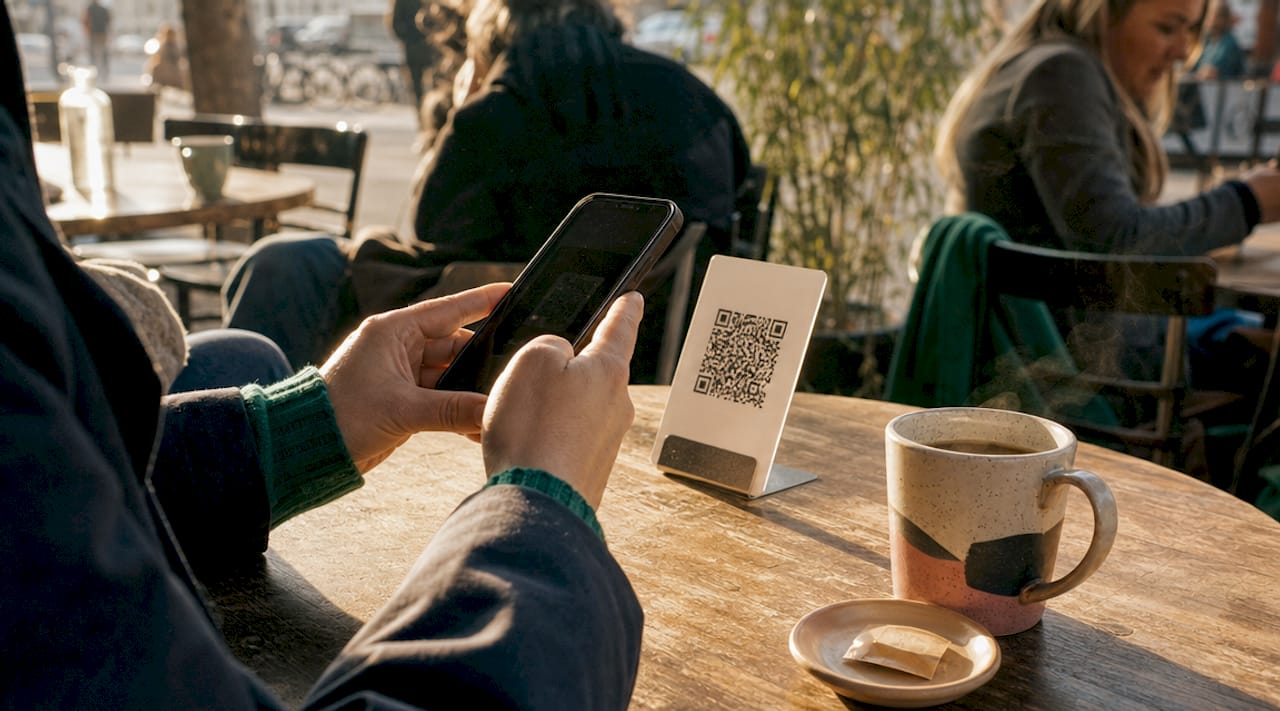
Customer scanning QR code on smartphone at table

Non-cash tipping options are also aligned with how customers already pay. Contactless and mobile payments now dominate transaction volumes in most service sectors, so a tipping method that works through Apple Pay or Google Pay fits naturally into an existing behavior rather than asking customers to do something new.

How do digital tipping solutions work?

Digital tipping solutions operate through a web-based interface that customers access without downloading an app. A QR code displayed at the counter, on a receipt, or on a table card opens a branded tipping page directly in the customer’s browser. The customer selects a tip amount, pays through their preferred method, and the transaction is recorded instantly.

QR code tipping platforms now operate across 1,000 or more major hospitality venues, and the technology supports automated compliance reporting alongside diverse payout options. Tips can be routed to individual employees or pooled and distributed according to preset rules, with payouts delivered to debit cards, PayPal, or Venmo accounts. That flexibility matters because different business models require different distribution logic.

The compliance and reporting benefits deserve specific attention. Manual cash handling introduces security risks and audit burdens that automated, bank-integrated payout platforms eliminate entirely. For multi-location operators or businesses with high staff turnover, that reduction in administrative work is a genuine operational gain.

Key features to look for in any digital tipping platform:

  • App-free access so customers face zero friction at the tipping step
  • Automated tip distribution with configurable pooling or individual routing
  • Real-time reporting that integrates with payroll and accounting systems
  • Multiple payout methods including debit, PayPal, and Venmo
  • Branded interface that matches your business identity

Pro Tip: Place your QR code in at least three locations: the receipt, the table or counter surface, and a small card near the exit. Customers who feel rushed at checkout often tip more generously when given a second, lower-pressure moment.

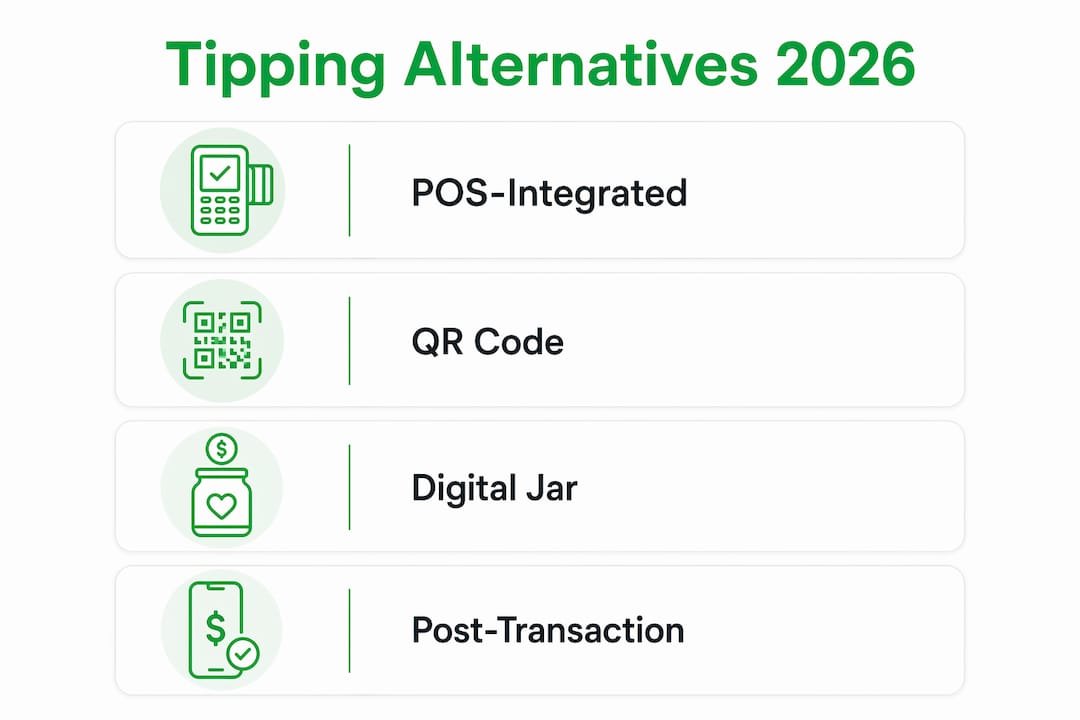
What are the main types of tipping alternatives in 2026?

The market in 2026 offers four primary formats, each suited to different service environments and customer behaviors.

Method Best for Customer pressure Tracking Staff payout speed
POS-integrated digital tip screen Full-service restaurants, retail High Automatic Varies by processor
QR code tipping platform Cafes, salons, food trucks Low Automatic Real-time
Digital tip jar (standalone link) Freelancers, creators, pop-ups None Automatic Instant
Post-transaction tip link (SMS/email) Hotels, delivery, remote services None Automatic Real-time

Infographic outlining main tipping alternatives in 2026

The POS-integrated digital tip screen is the most familiar format. It appears on the payment terminal at checkout and prompts the customer before the transaction closes. It generates the highest tip rates in the short term, but aggressive prompt configurations drive customer tip fatigue and long-term brand damage when overused.

QR code platforms are the fastest-growing category. They decouple the tipping moment from the payment moment, which removes the social pressure that makes many customers uncomfortable. For quick-service businesses like coffee shops and food trucks, a QR code on the counter or cup sleeve gives customers a genuine choice without holding up the line.

The digital tip jar, popularized by creator-economy platforms, translates directly to physical service businesses. A barber, personal trainer, or food vendor can share a personalized link that customers tap through Apple Pay or Google Pay in seconds. Personalized digital tipping experiences also allow for thank-you notes and branded interactions, which turn a routine transaction into a moment of genuine connection.

Post-transaction links sent by SMS or email work particularly well for hotel housekeeping, delivery services, and any situation where the customer and worker are not in the same place at payment time.

How do tipping alternatives affect customers and employees?

The customer experience impact of alternative tipping methods is more nuanced than most operators expect. Removing the face-to-face tip prompt does not reduce tips. It reduces reluctant tips, which are the ones that generate negative reviews and eroded loyalty. Moderate prompt configurations tailored to customer profiles consistently outperform aggressive defaults over a full business cycle.

“Digital tipping should be considered part of the overall guest experience, not merely a revenue tool. Tailoring prompts to customer preferences reduces backlash and builds the kind of loyalty that brings customers back.” — Tip Screen Guide 2026

For employees, the single biggest factor is speed of access. Instant tip payouts significantly boost motivation, retention, and workplace satisfaction by removing the frustration of delayed or opaque tip distribution. A server who knows their tips from Tuesday night are already in their account by Wednesday morning has a fundamentally different relationship with their job than one waiting for a weekly cash envelope.

Personalization features add another layer. Platforms that let customers attach a note or short video message to their tip transform the interaction from a financial transaction into a moment of recognition. Branded tipping interfaces with personalized notes increase customer engagement and loyalty beyond what any static POS screen can deliver. For businesses competing on experience rather than price, that distinction is worth real money.

Pro Tip: Train your staff to mention the tipping option naturally, not as a request. A simple “You can also tip through the QR code on your receipt if you’d like” removes awkwardness and increases follow-through without pressure.

Tip fatigue is a documented pattern, not a theory. Customers who encounter aggressive tip prompts at every transaction, including self-checkout kiosks and digital ordering screens, begin to tune them out or actively resent them. Businesses that offer a clear, low-pressure alternative tipping method position themselves as respectful of the customer’s choice, which is a brand differentiator in a market where that respect is increasingly rare.

How to implement a point-of-sale tipping alternative

Selecting and deploying the right alternative tipping method requires a structured approach. Moving too fast leads to poor adoption; moving too slowly means leaving staff satisfaction and revenue on the table.

  1. Audit your current tipping setup. Document what percentage of transactions currently include a tip, the average tip amount, and any staff complaints about distribution delays or disputes. This baseline makes it possible to measure the impact of any change.

  2. Match the method to your service model. Quick-service businesses benefit most from QR code platforms that work post-transaction. Full-service restaurants may prefer a hybrid approach that keeps the POS screen for dine-in but adds a QR option for takeout and delivery.

  3. Evaluate platforms on payout speed, compliance features, and integration. Confirm that any platform you consider connects to your existing payroll or accounting software. Standalone systems that require manual data export create the same administrative burden you are trying to eliminate.

  4. Configure prompts using best-practice settings. Offering three tip options such as 10%, 15%, and 18%, alongside a clearly visible No Tip button, reduces friction and customer resentment. For transactions under $10, fixed dollar amounts like $1, $2, and $3 produce clearer decisions than percentages.

  5. Train your team before launch. Staff who understand how the new system works and why it benefits them will advocate for it naturally. Explain the payout timeline, show them how to check their balance, and address questions about tip pooling rules before the first customer interaction.

  6. Monitor results and iterate. Track tip rate, average tip amount, and customer feedback for the first 30 days. Adjust QR code placement, prompt wording, or default tip amounts based on what the data shows. Small changes in prompt design can produce measurable differences in outcome.

Key takeaways

The most effective point-of-sale tipping alternative combines low customer pressure with instant employee payouts and automated compliance reporting, making QR code and post-transaction platforms the strongest choice for most service businesses in 2026.

Point Details
Definition matters A POS tipping alternative is any method beyond the standard terminal tip screen, including QR codes and digital tip jars.
Digital tools outperform cash Digital tipping platforms increase average gratuity by 15 to 20% while eliminating manual distribution errors.
Pressure reduction builds loyalty Low-pressure tipping formats reduce tip fatigue and protect long-term customer relationships.
Instant payouts retain staff Real-time tip access is a proven driver of employee motivation and frontline retention.
Prompt design is operational strategy Offering three tip amounts plus a visible No Tip option consistently outperforms aggressive default configurations.

Why I think most businesses are still getting this wrong

I have watched operators spend months debating which POS system to upgrade while their tip setup stays exactly as it was in 2019. The tablet flip is still the default in most coffee shops, salons, and quick-service restaurants, and it is costing them on both ends of the transaction.

The mistake I see most often is treating the tipping interface as a fixed feature of the payment system rather than a customer experience decision. When you frame it as a customer experience decision, the priorities change immediately. You stop asking “how do we get the highest tip percentage?” and start asking “how do we make this interaction feel good for everyone involved?” The second question produces better long-term numbers.

The businesses I have seen get this right share one habit: they piloted a QR code or post-transaction link for a single shift or a single location before committing to a full rollout. That pilot almost always surfaces something unexpected, whether it is a placement issue, a staff communication gap, or a customer segment that responds differently than expected. The businesses that skip the pilot tend to either abandon the new system too quickly or stick with a configuration that is underperforming because they have no baseline to compare it against.

One more thing worth saying directly: the transparency argument for digital tipping is not just about compliance. Employees who can see exactly what they earned, from which transactions, and when it will arrive trust their employer more. That trust is harder to build than any tipping platform, and easier to lose.

— Steve

How Tipper makes digital tipping simple for your business

If you are ready to move beyond the POS tip screen, Tipper gives you a direct path to setup without the technical overhead. Tipper lets customers tip through a personalized link using Apple Pay or Google Pay, with no app required on either side. Creators and service providers keep 100% of their earnings, and the platform supports thank-you notes and video messages that turn a tip into a genuine moment of recognition.

https://tipper.app

Tipper works for coffee shops, freelancers, personal trainers, and anyone who wants a low-pressure, branded tipping experience that customers actually use. Setup takes minutes, payouts are instant, and the platform handles the reporting so you do not have to.

FAQ

What is a point-of-sale tipping alternative?

A point-of-sale tipping alternative is any tipping method that operates outside the standard POS terminal tip screen, including QR code platforms, digital tip jars, post-transaction SMS links, and app-free web-based tipping tools.

Do digital tipping alternatives increase tip amounts?

Digital tipping platforms increase average gratuity by 15 to 20% compared to traditional cash or manual methods, according to data from platforms like eTip, primarily because they reduce friction and support post-transaction tipping.

How do customers tip without cash or a POS screen?

Customers scan a QR code or tap an NFC card that opens a branded tipping page in their browser, then pay through Apple Pay, Google Pay, or a card without downloading any app.

Which tipping alternative works best for quick-service businesses?

QR code and post-transaction link platforms work best for quick-service environments because they remove the face-to-face pressure of the checkout moment and allow customers to tip at their own pace.

How do I avoid tip fatigue with digital tipping tools?

Offering three moderate tip options alongside a clearly visible No Tip button, and avoiding aggressive default percentages, reduces customer resentment and protects long-term brand loyalty according to 2026 tipping best practices.

Point-of-Sale Tipping Alternatives for Business Owners2026-06-13T20:51:18+00:00

Types of No-Fee Customer Tipping Systems in 2026

No-fee customer tipping systems are defined as gratuity platforms that charge businesses zero platform fees while routing payments directly to service providers, creators, or freelancers. The industry term for the broader category is digital tipping infrastructure, and it covers everything from app-less paylinks to NFC tap-to-tip hardware and crypto wallet transfers. The types of no-fee customer tipping systems available today vary widely in speed, technical complexity, and customer experience. Choosing the wrong one costs you tips, not just fees. This guide breaks down each type so you can match the right solution to your business and your customers.

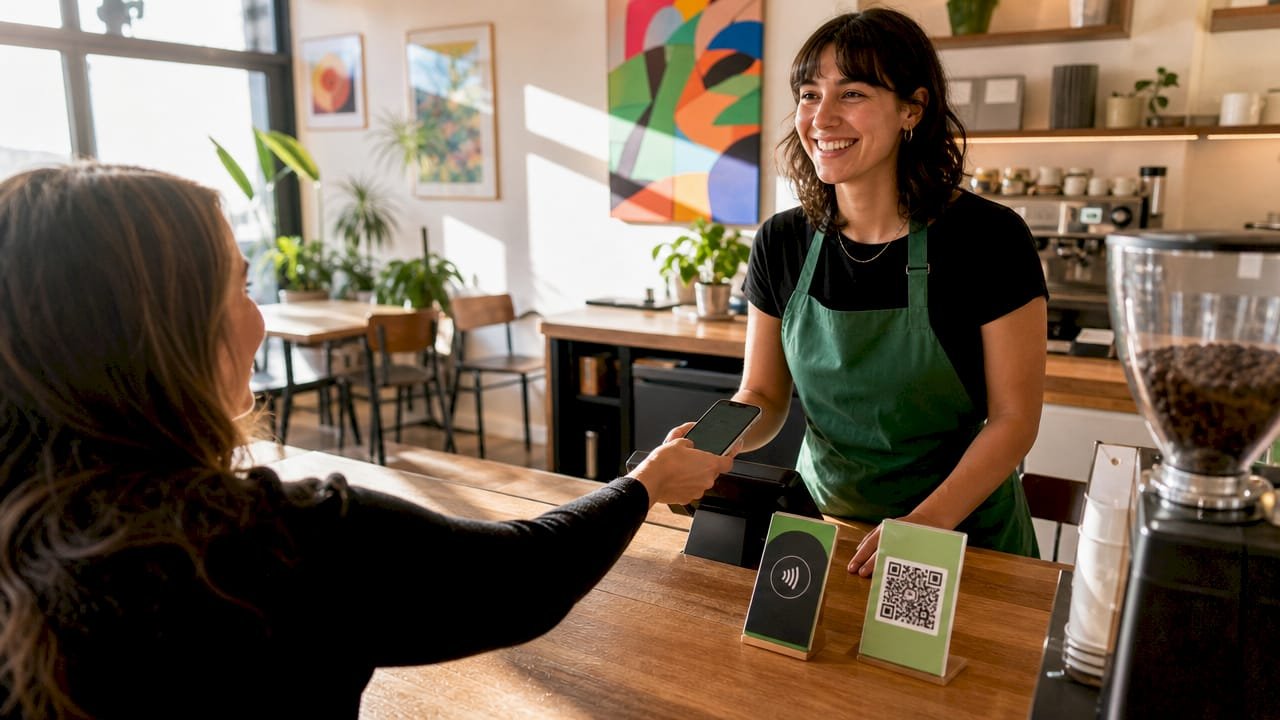
App-less paylinks are the most frictionless type of no-fee tipping solution available. A single shareable URL or QR code lets customers tip without downloading an app, creating an account, or entering card details manually. Merchant notifications arrive in under 3 seconds, and no point-of-sale hardware or payment processor contract is required.

Barista assisting customer with app-less paylink

That speed matters more than most business owners realize. Standalone apps create significant friction through download and profile creation steps, leading to high drop-off in tipping behavior compared to app-less solutions. Every extra step between a customer’s impulse to tip and the completed transaction is a lost tip.

App-less paylinks work across a wide range of contexts:

  • Cafes and food stalls display a QR code at the counter or on a receipt
  • Event performers share a link in a bio or on a screen
  • Freelancers and creators embed the link in email signatures, invoices, or social profiles
  • Market vendors print the link on a business card or product tag

Pro Tip: Place your paylink QR code at the exact moment of peak satisfaction, right after a customer receives their order or finishes watching your content. Conversion drops sharply when the prompt comes too early or too late.

Tipper is built on this exact model. Anyone can send a tip through a personalized link using Apple Pay or Google Pay, with no account required on either side. Creators keep 100% of what they receive.

2. qr-code tipping systems: wide reach, moderate friction

QR-code tipping is the most widely deployed no-cost gratuity system in physical retail and hospitality. A customer scans a printed or displayed code with their phone camera, which opens a payment page directly in the browser. No app download is needed, and the system works on virtually every modern smartphone.

The tradeoff is speed. QR codes require approximately 15 seconds to scan and complete, compared to 2 seconds for NFC tap. That gap is small in isolation but meaningful in high-volume service environments like coffee shops or food trucks where customer flow is constant.

QR-code tipping systems also depend on good UX design to perform well. Best practices include tip tiers and fallback prompts even in no-fee systems, because the absence of suggested amounts reduces tip rates noticeably. A QR code that opens a blank payment field converts far worse than one that presents three preset tip options.

Pro Tip: Print your QR code at a minimum of 2 inches by 2 inches and test it under your actual lighting conditions before deploying. Poor contrast or glare is the most common reason QR tipping fails silently.

3. NFC tap-to-tip: fastest customer tipping alternative

NFC (Near Field Communication) tap-to-tip is the fastest tipping system without fees currently available for physical businesses. A customer taps their phone or contactless card against an NFC tag or wearable device, and the tip processes in approximately 2–8 seconds with zero app required.

Here is how QR-code and NFC-based tipping systems compare directly:

Feature QR Code Tipping NFC Tap-to-Tip
Transaction speed ~15 seconds ~2–8 seconds
Required tech Smartphone camera NFC-enabled phone or card
Hardware cost Near zero (print only) Low to moderate (tags, wearables)
Device compatibility Near universal Modern smartphones and cards
Interaction style Scan and wait Tap and done
Best use case Counters, receipts, signage Wearables, table tags, events

NFC wearables are a particularly strong option for service staff in restaurants, salons, and event venues. A server wearing an NFC-enabled wristband or badge lets customers tip with a single tap at the table, without any device being passed between hands. That frictionless quality protects both the service flow and the customer experience.

Pro Tip: Use waterproof NFC tags for outdoor venues or food service environments. Standard paper-backed tags degrade quickly in humid or wet conditions, which kills your tipping system at the worst possible moment.

4. crypto wallet-to-wallet tipping: true zero-platform-fee transfers

Crypto-based tipping routes value directly from sender wallet to recipient with no platform tax and no custodian holding funds. This is the purest form of no-platform-fee tipping available, though it comes with real onboarding complexity for mainstream customers.

The two most practical implementations are Lightning Network zaps and crypto QR codes. Lightning zaps send satoshis (fractions of Bitcoin) directly between wallets, with routing fees in single-digit satoshis and no platform cut. Crypto QR codes use standards like BIP21 and EIP-681 to encode recipient addresses and optional amounts, supporting multiple cryptocurrencies and enabling direct wallet-to-wallet payments with no signup.

The audience for crypto tipping is specific. It works best for:

  • Independent creators and podcasters whose audiences already use Lightning wallets
  • Freelancers serving international clients who want to avoid card processing fees and currency conversion costs
  • Nostr and Bitcoin-native communities where zapping is a standard social interaction
  • Tech-forward small businesses willing to invest in customer education

The honest limitation is onboarding. A customer who does not already have a Lightning wallet or crypto app will not set one up just to tip. Crypto tipping is a powerful no-cost gratuity system for the right audience and a near-zero-conversion option for everyone else.

5. embedded tip widgets: one-click tipping for websites and creators

Embedded tip widgets are web components that sit directly inside a webpage, newsletter, or content platform. A reader or viewer clicks once to tip without leaving the page. These widgets often create automatic wallets without requiring signup and support multiple payment systems, making them one of the most flexible tipping systems without fees for digital creators.

The contrast with standalone paylinks is meaningful. A paylink takes a customer away from your content to a separate page. An embedded widget keeps them exactly where they are, which reduces drop-off and increases the likelihood of a completed tip. For journalists, bloggers, and video creators, that difference in placement directly affects revenue.

Nonprofits get an additional benefit. Nonprofit nodes enable tax-deductible tips and transparent tip records, while open-source implementations give organizations full control over payment rails and data. For-profit nodes typically charge processing fees, so the no-fee claim depends on which infrastructure you build on.

Key advantages of embedded widgets for creators and small businesses:

  • No redirect required. The tip happens inside your existing content experience.
  • Repeat tipping is easier. Returning visitors see the widget immediately without searching for a link.
  • Flexible payment rails. Open-source projects like SimpleTip support card, crypto, and wallet-based payments.
  • Transparent records. Tip history is visible and auditable, which matters for nonprofits and grant-funded creators.

For insights on embedding tip widgets into creator monetization strategies, Revenue Operator’s blog covers the technical and business side of one-click tipping in depth.

6. what “no-fee” actually means and what to watch for

“No-fee tipping” most commonly means no platform fee, not the total absence of all costs. Payment methods like card processing or blockchain gas fees may still apply, and businesses should verify who actually pays those costs before committing to a system.

The three most common fee structures in no-fee tipping systems are:

  • Business pays nothing, customer absorbs card fees. The platform charges zero to the business but adds a processing surcharge to the customer’s tip amount. The customer pays more than they intended.
  • Business pays nothing, fees come from the tip. Card processing fees are deducted from the tip before it reaches the recipient. A $5 tip becomes $4.65 after fees.
  • True zero-fee routing. Crypto and some wallet-based systems route the full amount with minimal or no deduction on either side.

Harvard Business Review identifies tipping design and placement as a customer satisfaction lever, not just a revenue tool. Unexpected or invasive tipping prompts reduce satisfaction even when the transaction itself is free. The fee structure you choose affects your customers’ perception of your brand, not just your bottom line.

A practical checklist before choosing any no-fee tipping system:

  • Who pays card or network processing fees?
  • Does the customer see the full tip amount before confirming?
  • Is the fee structure disclosed at the point of tipping?
  • Does the system match your customers’ existing payment habits?
  • Can you test the full customer flow before going live?

Key takeaways

The most effective no-fee tipping system is the one with the least friction for your specific customer base, whether that means an app-less paylink, NFC hardware, or an embedded widget.

Point Details
App-less paylinks lead on friction No app download or account needed; notifications arrive in under 3 seconds.
NFC beats QR on speed Tap-to-tip completes in 2–8 seconds versus ~15 seconds for QR scanning.
Crypto suits specific audiences Lightning zaps and BIP21 QR codes work best for crypto-native creators and international freelancers.
“No-fee” needs verification Always confirm who absorbs card or network processing costs before deploying any system.
Widget placement drives conversion Embedded widgets outperform redirect paylinks for digital creators by keeping users on-page.

What i’ve learned choosing tipping systems for real businesses

After watching dozens of small businesses deploy tipping systems, the pattern is consistent. Owners choose based on what sounds good in a demo, not what their actual customers will use. A restaurant installs NFC wearables because they look impressive, then discovers their older customer base finds them confusing. A freelancer sets up a crypto wallet because the fees are genuinely zero, then gets zero tips because their clients use Venmo.

My honest recommendation: start with an app-less paylink. It works for almost every customer on almost every device, and it costs nothing to deploy. Once you have baseline tip data, you can layer in NFC for your highest-volume service moments or an embedded widget if you run a content-heavy website.

The fee transparency issue is the one most businesses underestimate. Customers notice when a $10 tip becomes $10.38 at checkout. That surprise does not just reduce the tip. It damages trust. Tipping design and placement directly affect customer satisfaction, and a poorly designed prompt can cost you more in goodwill than you gain in gratuity revenue.

Test your full customer flow before you go live. Tip yourself. Time it. Count the steps. If it takes more than 15 seconds or more than two taps, you will lose tips at scale.

— Steve

Start collecting tips with zero platform fees

If you want a no-fee tipping solution that works out of the box, Tipper delivers exactly that. The platform supports app-less paylinks, QR code sharing, and NFC-compatible workflows, all with zero platform fees and real-time notifications.

https://tipper.app

Anyone can tip through Tipper using Apple Pay or Google Pay, with no account required. Creators and service providers keep 100% of every tip they receive. The setup takes minutes, and the personalized link works across social profiles, invoices, websites, and physical signage. For small business owners and freelancers who want to reward great service without losing a cut to a platform, Tipper is the direct path from customer appreciation to your pocket.

FAQ

What is the fastest no-fee tipping method?

NFC tap-to-tip is the fastest method, completing transactions in approximately 2–8 seconds with no app required. QR codes take around 15 seconds, making NFC the better choice for high-volume service environments.

Do no-fee tipping systems still have processing costs?

Most no-fee tipping platforms eliminate platform fees but may still pass card processing or network fees to the customer or recipient. Always confirm the full fee structure before deploying any system.

Who benefits most from crypto tipping systems?

Crypto wallet-to-wallet tipping works best for creators, freelancers, and international clients who already use Lightning wallets or crypto apps. Mainstream customers without existing wallets rarely complete the onboarding process.

Embedded widgets let customers tip without leaving the page, while paylinks redirect to a separate payment screen. Widgets reduce drop-off for digital creators and are particularly useful for nonprofits that need transparent tip records.

Can small businesses use app-less tipping without technical setup?

Yes. App-less paylinks require no hardware, no payment processor contract, and no technical integration. A shareable URL or printed QR code is all you need to start accepting tips immediately.

Types of No-Fee Customer Tipping Systems in 20262026-06-16T11:00:22+00:00
Go to Top