
The best Kick streaming tips come down to three habits: pick one niche, stream on a schedule you can keep, and give viewers an easy way to support you the moment they feel like it. Kick’s own Help Center backs the first two. The third is where a personal tip link comes in: with Tipper, a viewer can tip you through your link with Apple Pay, Google Pay or a card, without creating an account, and you keep 100% of what you earn.
This guide walks through the full path, from first setup to your first tip, using Kick’s official guidance wherever it exists.
TL;DR
- Verify your account, turn on two-factor authentication, and do a private test stream before your first public broadcast.
- Choose one niche and stream two or three times a week at the same hours. Consistency is Kick’s own growth advice.
- Announce every stream on social media 30 to 60 minutes ahead, and clip your best moments into vertical short videos.
- Subscriptions unlock after 5 cumulative hours of streaming. A tip link gives viewers a second way to support you in the moment.
- Add your Tipper link to your panels and bio so a fan can tip in a few taps, with no signup.
Table of Contents
- Set up your channel before you go live
- Choose one niche and stay in it
- Build a schedule you can actually keep
- Get new viewers to find you
- Keep viewers around once they arrive
- How you get paid on Kick: subscriptions and tips
- Add a tip link to your Kick channel, step by step
- Stream within Kick’s rules
- Tipper for Kick streamers
- Our view: support should take seconds
- FAQ
- Sources
Set up your channel before you go live
Kick’s beginner checklist is short and worth following in order. Create your account and choose a username people can remember. Verify your email and enable two-factor authentication. Then fill out your profile with a picture, an About section and links to your social accounts.
Next, build the look of the channel: a banner, panels, and an OBS layout. OBS is the free broadcasting software most streamers use to send video to Kick. Do a private test stream before you go public, so you catch audio or scene problems when nobody is watching.
Two setup details pay off later:
- Your About section and panels are your storefront. Put your schedule, your social links and your tip link there. A viewer who likes you at minute 40 of a stream should not have to search for a way to support you.
- Audio matters more than most beginners expect. Kick’s audience guide tells streamers to keep audio and video clear. If you read from notes or scripts on camera, a livestream teleprompter can keep your eyes on the lens instead of drifting to another screen.
Choose one niche and stay in it
Kick’s Help Center advises new streamers to pick one niche and stay consistent. Viewers are more likely to return when the category appeals to them, and switching content types often makes it harder to keep people engaged.
In practice, “niche” does not have to mean a tiny game. It can be a format (speedruns, just chatting with a theme, learning a game from scratch) or a personality angle. A useful test: could a stranger describe your channel in one sentence after watching ten minutes? If not, narrow it.
The same guide asks you to think about who your audience is: their age, their time zone, the hours they are free. That feeds directly into your schedule.
Build a schedule you can actually keep
Kick’s scheduling guide says consistency builds trust, helps Kick surface your content and builds viewer habit. It defines consistent as predictable, for example three streams a week on the same days at the same time. For new streamers it suggests starting with two or three streams a week, each two to three hours long.
The guide also puts it plainly: the schedule that works is the one you can keep. It is easier to add a stream later than to scale back and let your community down.
Once you pick your slots:
- Post the schedule in a channel panel.
- Repeat it on your social profiles.
- Say it at the start and end of every stream (“see you Thursday at 8”).
Get new viewers to find you
Kick’s guide to attracting new viewers recommends a simple announcement routine:
- Post on social media 30 to 60 minutes before you go live, with a clear start time.
- Post a “going live” message when you start.
- Share in community spaces such as Discord.
- Turn on Live Notifications so followers know when you are on.
Titles and presentation count too. A specific, honest title beats a vague one: “Playing Elden Ring for the first time” tells a browsing viewer what they will get, while “stream” tells them nothing. Keep your face or the action on screen rather than parking on a “starting soon” card, since the live preview is often the first thing a viewer sees.
Then make the stream work after it ends. Clip your best moments into vertical videos for TikTok, YouTube Shorts or Instagram. One three-hour broadcast can supply a week of short clips that point back to your channel. For a wider view of building a loyal audience, this piece on audience-centric content is a good companion.
Keep viewers around once they arrive
A new viewer who feels noticed is far more likely to come back. Kick’s audience guide recommends asking simple questions, bringing up trending topics, addressing people by username, responding to comments and using moderators to keep chat healthy. It also says you may thank or shout out subscribers and offer rewards, especially for gifted subscriptions.
The same principle applies to any kind of support. When someone tips, a personal reply tells them their gesture mattered. If you want more ideas on this, we cover ways to strengthen audience connection in a separate guide.
One more Kick feature worth knowing: the Host button on your Creator Dashboard lets you send your viewers to another Kick streamer’s channel. According to the Creator Dashboard guide, you need at least 5 viewers for it to become active. Hosting a fellow streamer is a friendly way to build relationships in your niche.
How you get paid on Kick: subscriptions and tips
Most streamers end up with more than one income stream. Here is how the two main direct ones fit together.
| Kick subscriptions | Tips through a Tipper link | |
|---|---|---|
| Unlocks when | You reach KICK Streamer status (5 cumulative hours streamed) | You create a free account |
| Who pays | Viewers with a Kick account | Anyone with your link or QR code, no account needed |
| Payment methods | Handled by Kick | Apple Pay, Google Pay, card |
| Amount | Flat $5 per month, so $4.75 reaches you | The supporter chooses what to give |
| Thank-you | Shout-outs and rewards in your stream | Text, photo or video thank-you message |
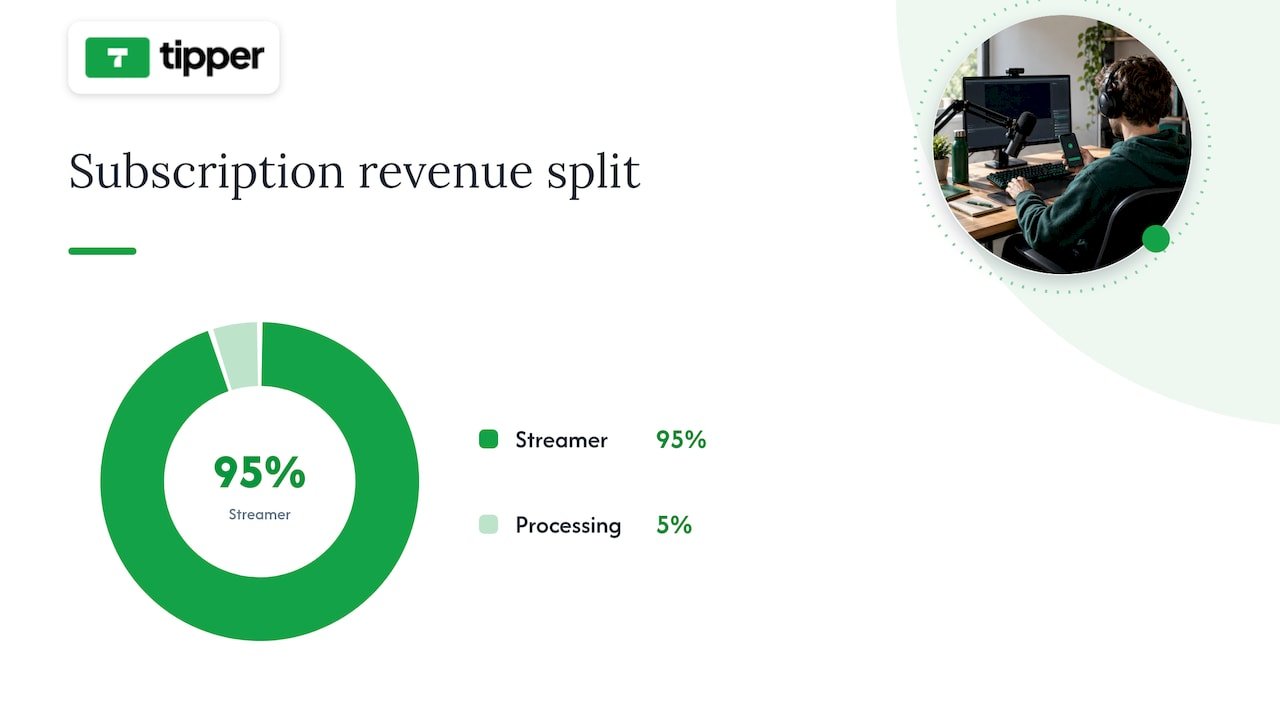
The subscription figures come from Kick’s revenue split page: streamers keep 95%, the other 5% covers payment processing, and a $5 monthly sub means $4.75 to you. The route to Streamer status is 5 cumulative hours of streaming.
Subscriptions reward a viewer who commits month after month. Tips catch the other moments: a clutch play, a funny rant, a long stream that helped someone through an evening. Those fans often will not set up a recurring payment or create another account, but they will tap Apple Pay. Having both in place means you do not lose any of that goodwill. If you want a deeper comparison of the two models, read our guide to tips versus subscriptions.
Add a tip link to your Kick channel, step by step
This is where the tip link turns viewer goodwill into income.
- Create your Tipper account. It is free to create and maintain, with no subscription. Tipper’s model is a transaction-based platform fee, with a small processing fee added to each tip at checkout. You keep 100% of your earnings.
- Customize your tip page. Add your name, picture and a short message that matches your channel. Your page is built to feel like you, not like a generic checkout.
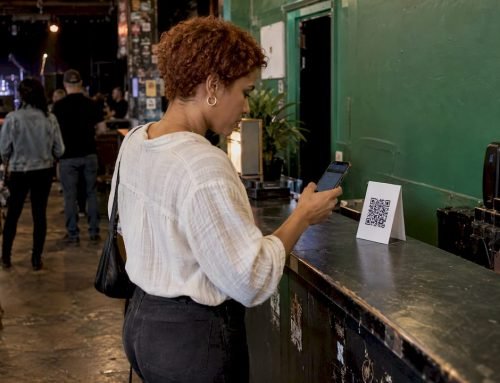
- Copy your personalized link or QR code. The link works anywhere you can paste a URL. The QR code is useful for in-person events or a graphic on stream.
- Place it where viewers look. Put it in your Kick About section, in a channel panel, in your social bios and under your short clips. Mention it casually at natural moments instead of repeating it every few minutes.
- Say thank you. Tipper lets you reply with a text note, a photo or a video. A 15-second video reply to a first-time tipper is the kind of personal touch that makes people return.
- Learn the notification routine. Our guide to instant tip notification setup shows how to make sure you see a tip as it lands.
Why this beats sending viewers through a signup: every account creation is a point where a casual supporter drops off. With Tipper, the supporter opens your link, picks an amount, pays with Apple Pay or Google Pay, and is done. If you are comparing options, we also put together a look at the best tipping platforms for livestreamers, and a page on how creators who streamed elsewhere handle this, such as our Twitch monetization guide.
A simple example
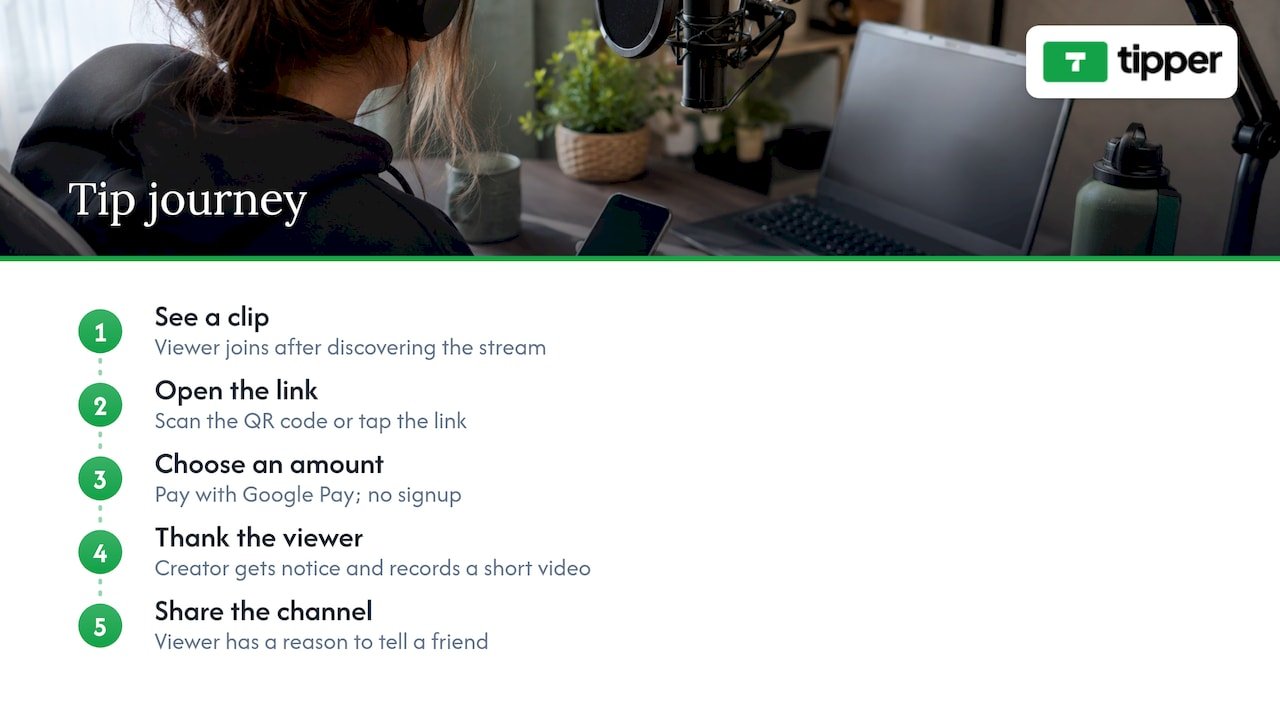
Suppose you stream three nights a week and a viewer joins after seeing one of your clips. They enjoy a long boss fight and want to say thanks. They scan the QR code on your panel or tap your link, choose an amount, and pay with Google Pay. No signup, no password. You get notified, record a short thank-you video, and that viewer now has a reason to tell a friend about your channel.
Stream within Kick’s rules
Growth means little if a suspension interrupts it. Kick’s Community Guidelines cover the essentials every US streamer should know:
- Pornography, hate speech, doxxing, botting, scams and impersonation are prohibited.
- Use the right category and the 18+ label where appropriate.
- Any stream featuring minors must be with a parent or legal guardian’s knowledge and supervision, and you must disengage if you reasonably believe someone is underage.
- Paid promotions need the Branded Content tool plus visual and verbal disclosures.
- You must follow local laws, including copyright.
Kick’s suspension page adds that playing copyrighted music without rights can lead to action under its DMCA policy, and that undisclosed AI-generated content, deepfakes and voice clones are also listed triggers. The guidelines were rewritten in March 2026: according to Streams Charts, the update added a “Context and Intent” framework and rules on labeling AI-generated realistic content. Read the current guidelines before you start, and again whenever you change your content style.
Tip money is also income. If you are in the United States, keep a record of what you earn from tips alongside your other creator income, and ask a tax professional how to report it.
Tipper for Kick streamers
Tipper is a tipping platform for creators, freelancers and influencers. You share a personalized link or QR code, and supporters tip with Apple Pay, Google Pay or a card, with no account required. You customize your tip page, answer with a text, photo or video thank-you, and receive direct payouts. Creating and maintaining your account is free, and creators keep 100% of their earnings.
If your Kick channel is ready for it, create your tip link on Tipper and add it to your panels today.
Our view: support should take seconds
We built Tipper around a simple belief: when a viewer feels appreciation, the path from that feeling to a payment should be as short as possible. Every extra form is a chance for the moment to pass.
That is why supporters can tip through your personalized link with Apple Pay, Google Pay or a card, without creating an account. It respects their privacy and their time, and it lets your audience support you right when they are watching.
We also believe the relationship matters as much as the money. A thank-you note, photo or video turns a payment into a connection, and that connection is what brings people back to your stream next week.
For a Kick streamer, we see tips as a natural partner to everything Kick offers: subscriptions for steady commitment, a tip link for the spontaneous moment. And because creators keep 100% of their earnings with us, the support your community gives goes where they meant it to go.
Tipper
FAQ
How often should I stream on Kick?
Kick recommends starting with two or three streams a week, each two to three hours long, at the same days and times. Pick a schedule you can sustain, announce it publicly, and add streams later if you want to.
How do I make money on Kick?
Once you reach KICK Streamer status with 5 cumulative hours streamed, you can enable paid subscriptions, which are a flat $5 a month and pay you $4.75 each. You can also add a Tipper link to your panels and bio so supporters can tip you directly with Apple Pay, Google Pay or a card.
Do my viewers need an account to tip me with Tipper?
No. Supporters can tip through your personalized link or QR code without creating an account, paying with Apple Pay, Google Pay or a card. You can reply with a text, photo or video thank-you.
What is the best way to grow as a new Kick streamer?
Start with one niche, keep a predictable schedule and announce each stream 30 to 60 minutes before it starts. Use specific titles, keep the action visible in your preview, and clip highlights into vertical videos for other platforms.
Sources
- Getting started as a Streamer: a beginner’s checklist (Kick Help Center)
- How to build a live streaming audience on Kick.com (Kick Help Center)
- Stream scheduling and consistency best practices (Kick Help Center)
- How to attract new viewers (Kick Help Center)
- Understanding your KICK Creator Dashboard (Kick Help Center)
- Understanding KICK’s revenue split (Kick Help Center)
- How to become a KICK Streamer and enable subscriptions (Kick Help Center)
- Community Guidelines (Kick)
- What gets you suspended on KICK (Kick Help Center)
- Kick Community Guidelines 2026 (Streams Charts)


Leave A Comment