

Threads does not have a built-in tip button, so tipping on Threads works through a link. You put a tip page in your profile or a post, and supporters pay there. Tipper is built for that: your link takes anyone to a tip page where they can pay with Apple Pay, Google Pay or a card, with no account required for the sender. Creators keep 100% of their tips.
This guide covers what Threads does and doesn’t offer, how to set up a tip link that works, what to say in posts, and what to know about taxes and privacy in the U.S.
TL;DR
- Threads has no native tipping, paywalls or ad-revenue sharing for creators, so tips have to come through an external link.
- Threads allows up to five links in your bio, and it now shows link-click insights, so you can see whether your tip link is getting taps.
- A Tipper link lets supporters pay with Apple Pay, Google Pay or a card without creating an account, and you keep 100% of your tips.
- Tips are income. Track them from day one, because the IRS expects taxable income to be reported whether or not you get a form.
- Never ask supporters to send money or personal details in replies or DMs. Point everyone to one link instead.
Table of Contents
- Does Threads have a tip button?
- Why a tip link is the right fit for Threads
- How to set up tipping on Threads, step by step
- What supporters see and do
- Wording that gets tips without being pushy
- Taxes: treat every tip as income
- Safety and privacy when asking for support
- Tips, subscriptions and paywalls: what’s different
- Our view: Threads is where people find you, not where they pay you
- Start collecting tips from your Threads profile
- FAQ
- Sources
Does Threads have a tip button?
No. In a December 2025 interview, The Verge described Threads as a channel that sends traffic to platforms where creators get paid, not a place that pays them directly. The same report said Threads had no plan for on-platform paywalls or ad-revenue sharing, and that it was open to partnerships with outside services.
A 2026 creator guide from Promote reports that Meta ended its invite-only Threads bonus program in July 2025 and that Threads offers no built-in payouts or tipping. So whatever you earn that traces back to Threads comes indirectly: brand deals, affiliate links, and traffic to things you own.
For a creator, that is less of a limit than a job description. Threads is where people discover you and talk to you. The place where they pay you is a link you control.
Why a tip link is the right fit for Threads
Threads is a text-first feed. People scroll, react to a thought, and decide in seconds whether they like you. A tip works best when it takes just as few seconds. If a fan has to create an account, confirm an email and type in a card number, most of that moment is gone.
This is the problem Tipper is built around. Supporters tip through your personalized link or QR code without creating an account, using Apple Pay, Google Pay or a card. Because most people on Threads are on their phones, a wallet payment is often a tap and a glance at Face ID.
Three things matter when you pick where that link goes:
- No account for the sender. The fewer steps between a reaction and a payment, the more reactions turn into tips.
- Keeping what you earn. Tipper creators keep 100% of their tips. A small payment processing fee is added at checkout.
- A personal reply. You can answer a tip with a thank-you note, a photo or a video, which suits a platform built on conversation.
If you want the mechanics behind this kind of page, our guide on how tipping links work for creators walks through it.
How to set up tipping on Threads, step by step
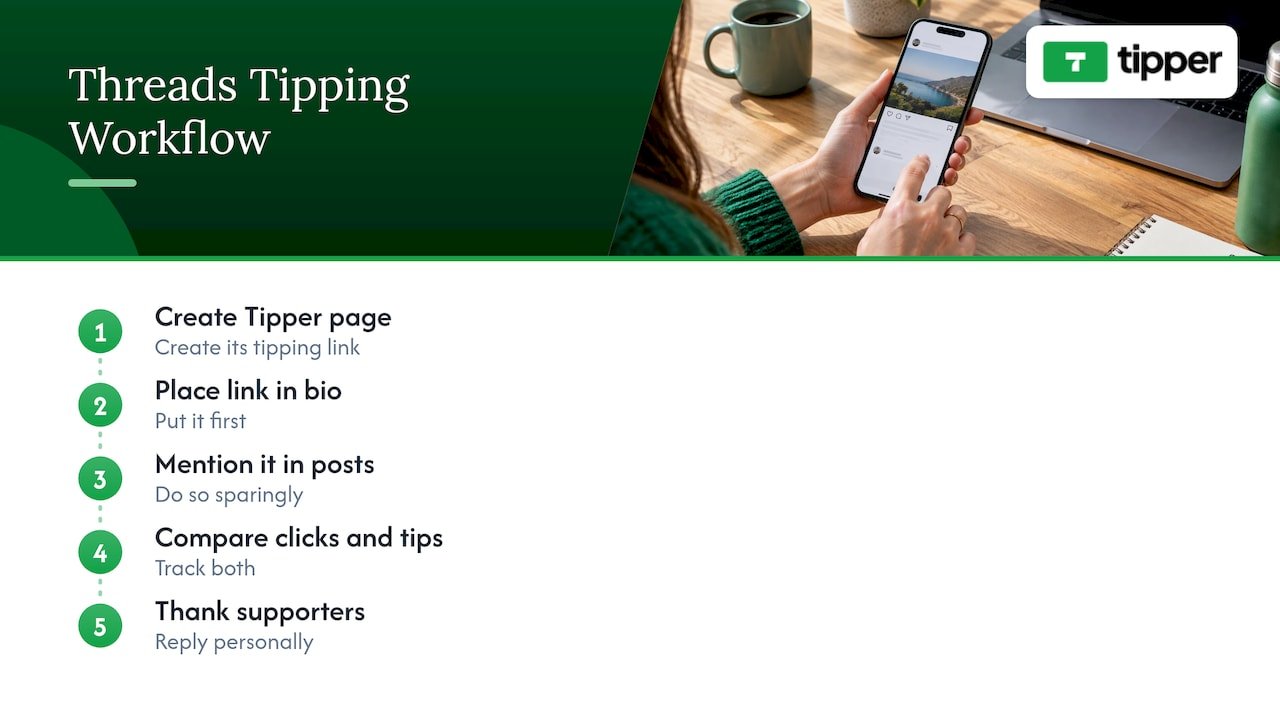
1. Create your tip page and link
Sign up at Tipper. Creating and keeping an account is free, with no subscription. You get a personalized link and a QR code. Add your name, a short line about what the tips support, and your thank-you message style: text, photo or video.
Keep the page’s promise simple. “Tips keep this account going” works better than a long pitch. Fans decide fast.
2. Put the link in your Threads bio
The bio is your permanent spot. Meta lets you add up to five links to a Threads profile and gives you tools to see how those links perform. That is enough room for your tip link, your newsletter, your YouTube channel and your store, with the tip link first.
Order matters here. Put the link you most want people to tap at the top of your list, and make your bio line say what it’s for. A bio that says “Tip jar below” gives a first-time visitor a reason to tap.
3. Mention it in posts, sparingly
A post that points to your profile link is the safe, reliable route. Some guides say Threads also lets you place a clickable link directly in a post, but those claims come from marketing blogs, so test a post of your own and see how it displays before you rely on it.
The reach question matters too. Instagram and Threads head Adam Mosseri has said the company doesn’t place much value on links, though it doesn’t intentionally downrank them. Meta has since been making links more prominent, and Engadget reports link posts are being surfaced more often in recommendations. Even so, a feed of nothing but “tip me” posts won’t build an audience. Ask once in a while, and let your useful posts do the work.
4. Watch the click data
Threads now shows insights on link clicks, per the same Engadget report. Check which posts led to taps on your bio link. Then compare that with the tips you received. If a lot of taps lead to few tips, the fix is usually on the tip page: a clearer sentence about what tips support, or a better thank-you message.
5. Thank people personally
Every tip is a chance to build a relationship. A short note or a quick video reply is more memorable than an automatic receipt. On a conversational platform like Threads, mention supporters by first name only if they’ve said they’re fine with it. Respecting that is part of the personal touch.
What supporters see and do
The sender’s side is the part to get right, because it decides how many people finish a payment. With a Tipper link, a supporter opens your page, chooses an amount and pays with Apple Pay, Google Pay or a card. They don’t need to sign up. We built the tool to emphasize privacy and a personal thank-you interaction, so the exchange feels like leaving a tip, not filling out a form.
The same link also works as a QR code. If you appear at events, post screenshots in your Threads feed, or share a flyer, anyone can scan it and land on the same page.
Wording that gets tips without being pushy
The best asks on Threads sound like a person, not a campaign. A few patterns work across niches:
| Situation | What to post |
|---|---|
| After a useful thread | A short line saying that if the thread helped, the tip link is in your bio |
| After a live stream or video | A thank-you to the people who watched, with a pointer to your profile link |
| Behind-the-scenes post | Show what tips pay for: a new microphone, editing time, a trip to shoot |
| Milestone post | Thank your followers and mention the link once, at the end |
Two habits keep the ask healthy. First, tell people where the link is instead of pasting it everywhere. Second, give a reason. People tip when they know what it supports.
Taxes: treat every tip as income
This is not the exciting part, but it protects your earnings. In the U.S., tips from fans are income, and you should set up a record from the first payment.
The IRS explains that income is taxable and reportable whether or not you receive a Form 1099-K, unless the law excludes it. It also notes that for 2026 earnings, payment processors will send a 1099-K to people who earned over $20,000 from more than 200 transactions through online marketplaces or payment apps. Many creators earn well below that and get no form at all, but they still owe tax on what they receive.
Practical habits:
- Keep a simple spreadsheet or export of every tip, with date and amount.
- Record related costs you’ll deduct, such as software and equipment.
- Set aside part of each payout so a tax bill doesn’t come as a surprise.
We’ve written a separate walkthrough on what U.S. creators owe and how to track tips, including the $2,000 1099-NEC threshold for 2026. If you’re starting a side income and want a checklist and templates, Profitomics has a guide to side hustle taxes in the U.S. For your own situation, a CPA or enrolled agent can tell you how much to set aside and when.
Safety and privacy when asking for support
A tip link is a safe way to take money, as long as it’s the only way you ask.
- Use one link. Don’t ask people to send money in replies or DMs, and don’t post account numbers or addresses. Meta’s policy on privacy violations prohibits sharing or soliciting sensitive personal information, including financial and residential information, when it could cause harm.
- Watch for impersonators. Copycat accounts sometimes post fake tip links. Pin a post with your real link and keep your bio link current so followers know where the genuine one is.
- Be clear what a tip is. A tip is a thank-you, not a purchase. If you’re selling a product or a subscription, say so separately.
If an impersonator is using your name, report the account to Threads from the profile menu.
Tips, subscriptions and paywalls: what’s different
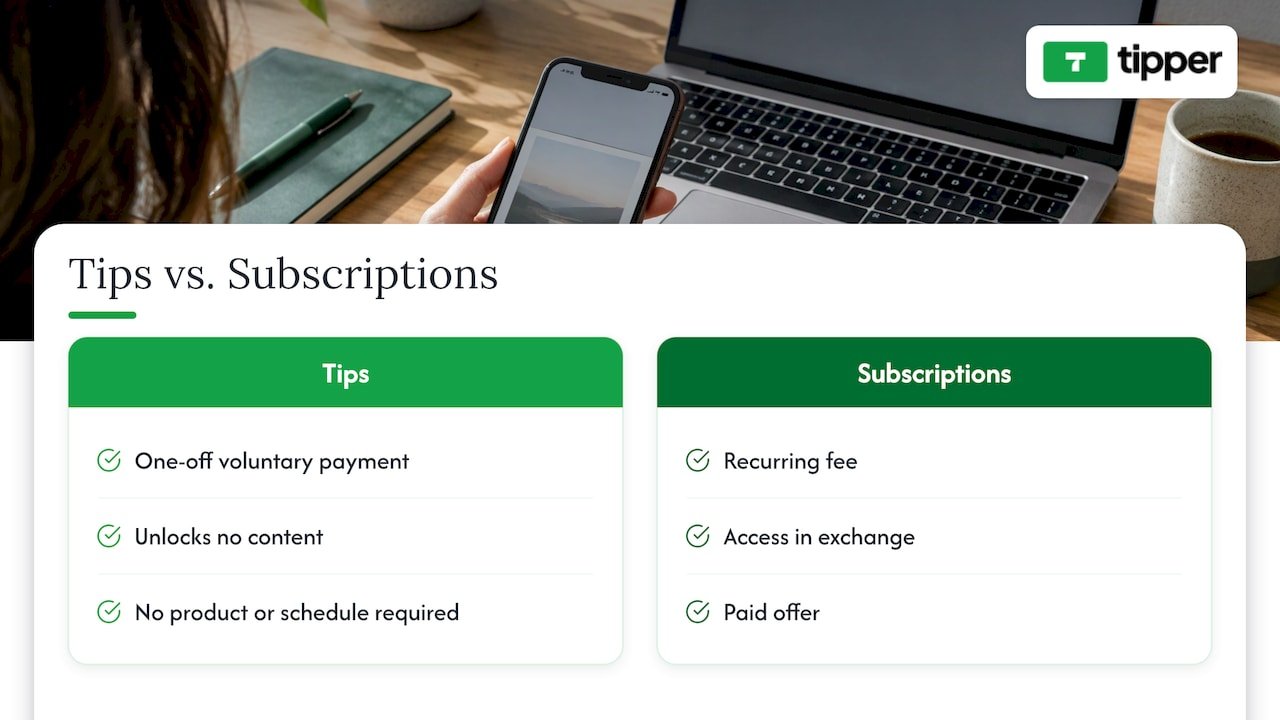
A tip is a one-off, voluntary payment. It doesn’t unlock anything. A subscription gives access in exchange for a recurring fee. Threads has no plan to let creators paywall content directly, according to The Verge’s reporting, though you can link out to whatever you offer elsewhere.
That makes tips a good first step. You don’t have to build a product, set a price or promise a schedule. You let people who already like your posts say thanks. If you later add a paid newsletter or course, your Threads bio can hold those links next to the tip link.
For a closer look at why this model suits creators who can’t count on platform payouts, read how instant tips replace ad revenue for creators and the benefits of tip-based revenue.
Our view: Threads is where people find you, not where they pay you
We think the lack of a tip button on Threads is a reason to build your own front door.
Platform payouts come and go. Meta ended its invite-only bonus program in 2025, and creators who relied on it had to find another way. A tip link that you own, with your name on it, stays with you whatever any feed decides to do.
That is why Tipper works the way it does. Supporters can tip with Apple Pay, Google Pay or a card without creating an account, because we think a kind impulse should not be slowed down by a sign-up form. Creators keep 100% of their tips, because the money is the thank-you. And you can answer with a note, a photo or a video, because a personal reply is what turns a one-time supporter into a regular one.
For creators on Threads, that adds up to a simple routine: post something worth reading, keep one link in your bio, and thank people properly.
Tipper
Start collecting tips from your Threads profile
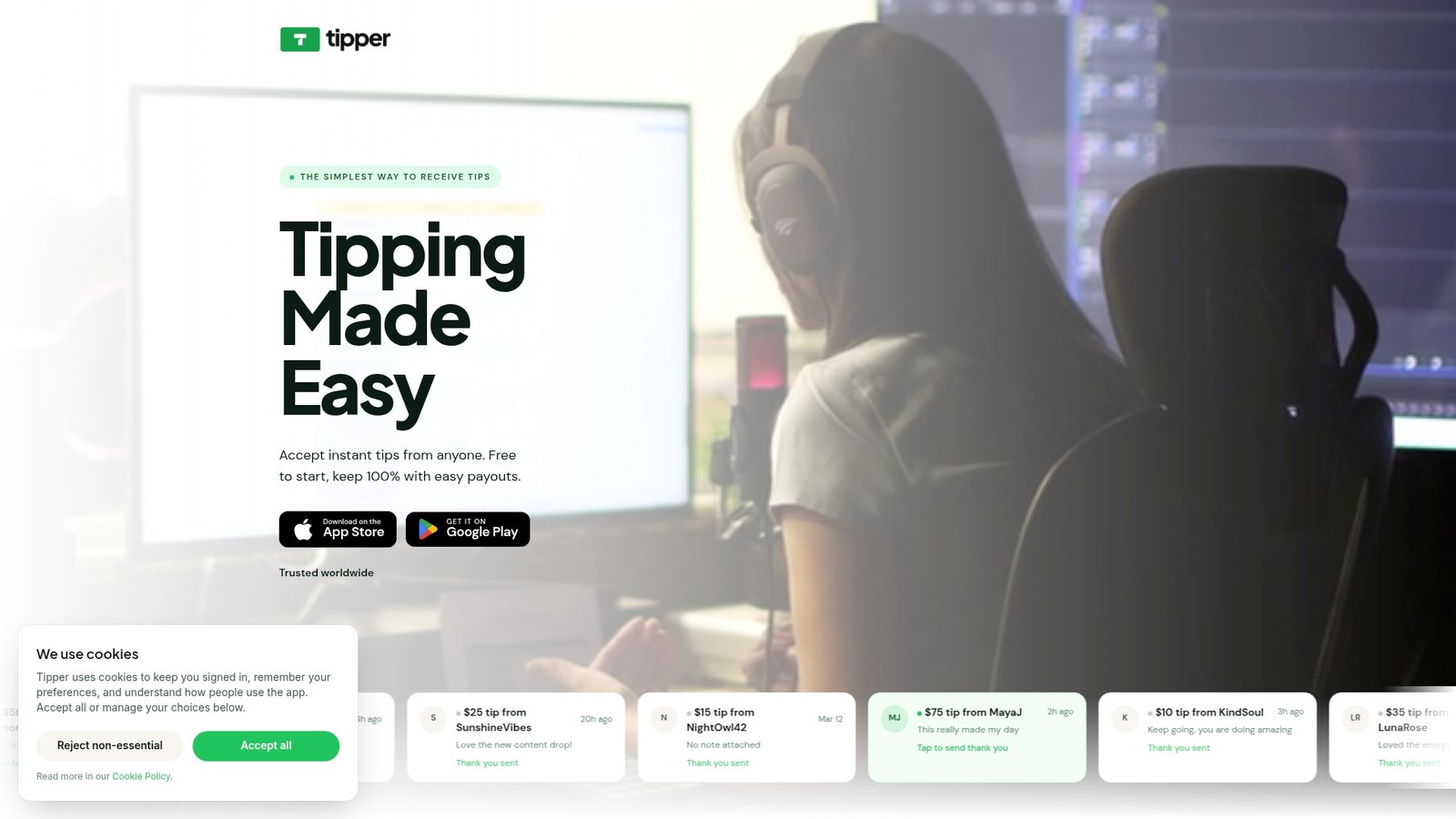
Tipper gives you a personalized tip link and QR code in minutes. Creating and keeping an account is free, with no subscription. Supporters pay with Apple Pay, Google Pay or a card without an account, you keep 100% of your tips, and a payment processing fee is added at checkout.
Create your tip link at Tipper and add it to your Threads bio today. If you also want to take tips at your business or in person, see our Apple Pay tipping setup for your business.
FAQ
Can I get tips on Threads directly?
Not through Threads itself. Reports from 2025 and 2026 agree that Threads has no native tipping, and Meta’s Threads leadership has said it has no plan to add paywalls or ad-revenue sharing. The practical route is a tip link in your bio, which Tipper provides.
Can I put my tip link in a Threads post?
Yes, you can try it, and some guides say posts support clickable links. The most dependable method is to put the link in your bio and mention it in a post. Check how your own post displays before you build a routine around it.
Do supporters need an account to tip me?
Not with Tipper. Supporters open your link or scan your QR code and pay with Apple Pay, Google Pay or a card. The no-account flow is meant to keep the step from a kind thought to a finished tip as short as possible.
Do I owe taxes on tips from Threads followers?
In the U.S., tips are income, and the IRS says income is reportable whether or not you receive a Form 1099-K. Keep a record of every tip and talk to a CPA or enrolled agent about how much to set aside and when to pay.
How often should I ask for tips?
Occasionally. Mention your link after posts that clearly helped people, after a stream or video, or at a milestone, and keep it in your bio all the time. A feed made of requests tends to lose followers.
Sources
- The Verge: Threads wants to be the app you can’t wait to open
- Promote: Threads for Creators 2026
- TechCrunch: Threads now lets creators add up to 5 links to profiles
- Engadget: Threads is finally embracing links
- Marketing Agency SG: Threads Marketing guide
- IRS: Get ready to file your taxes
- Meta Transparency Centre: Privacy violations
- Profitomics: 2026 U.S. Side Hustle Taxes




Leave A Comment