


Cashless tipping is defined as a digital gratuity system that lets customers tip service staff via QR codes, NFC devices, or web-based links without handling physical currency. The cashless tipping small business setup process is faster and more affordable than most owners expect, with platforms like GratifID, Tipmee, and Tipper getting businesses live in as little as 24 to 72 hours. The urgency is real: 80% of consumers carry less than $20 in cash, and physical currency is projected to fall below 10% of global point-of-sale transactions by end of 2026. That shift has already produced a 30% drop in tip income for service staff at businesses still relying on cash. Moving to a digital tipping solution is no longer optional for businesses that want to retain good employees and stay competitive.
What tools do you need for cashless tipping small business setup?
Three core technologies power most digital tipping deployments: QR codes, NFC wearables, and standalone web-based apps. Each fits a different business model, budget, and customer interaction style. Understanding the differences before you buy hardware or sign a subscription saves time and money.
QR codes are the most accessible entry point. You print or display a code at the point of service, the customer scans it with their phone camera, and a tipping page opens instantly in their browser. No app download required on either end. This is the format most small businesses start with because the cost is minimal and setup takes hours, not days.

NFC wearables and tap devices are a step up. Staff wear a badge or wristband embedded with a chip. A customer taps their phone to the device and the tipping page opens automatically. This format works especially well in environments where a QR code display is impractical, such as mobile service providers, event staff, or hotel housekeeping.
Standalone web-based apps sit at the center of most modern deployments. Simple, standalone solutions that require no app installation or POS integration consistently outperform complex enterprise systems for small businesses. Customers tip through a mobile browser using Apple Pay or Google Pay, which means no account creation and no friction at the payment step.
| Technology | Typical cost | Best for | Key limitation |
|---|---|---|---|
| QR code (printed) | Near zero | Cafés, salons, countertop service | Requires visible display placement |
| NFC wearable/badge | $10–$30 per device | Mobile staff, hotel housekeeping | Small upfront hardware cost |
| Standalone web app | $2.90–$99/month | Most small businesses | Subscription ongoing cost |
| POS-integrated tipping | Varies by POS vendor | Restaurants with existing POS | Complex setup, higher cost |
Pro Tip: Choose a platform that accepts Apple Pay and Google Pay natively. Customers who can tip with a single thumb tap convert at significantly higher rates than those asked to enter card details manually.
How to prepare your small business and staff for digital tipping
Preparation determines whether your cashless tipping system gets embraced or ignored. The most common mistake is deploying the technology without auditing where tipping actually happens in your business first.
Start by walking your space as a customer would. Identify every moment where a tip is natural: checkout counters, service chairs, delivery handoffs, hotel room turnover. These are your “tipping touchpoints,” and each one needs a physical or digital prompt. Businesses that skip this audit often place QR codes where customers never look, then wonder why adoption is low.
Next, register each staff member with a payout profile. Most platforms allow direct bank transfers or digital wallet payouts so tips reach employees the same day. 78% of service staff report increased motivation when they receive instant tip access rather than waiting for a weekly cash envelope. Frame this to your team as a pay upgrade, not a monitoring system.
Here is a practical preparation checklist for small business owners:
- Map every customer touchpoint where tipping is appropriate
- Choose a platform that matches your tip distribution model (individual or pooled)
- Create a staff profile for every tipped employee with verified payout details
- Set tip amount presets that reflect your industry norms (10%, 15%, 20%, custom)
- Order or print QR code displays and NFC devices before your launch date
- Brief your team on how the system works and what customers will see
Pro Tip: When introducing the system to staff, show them the real-time earnings dashboard first. Transparent earning visibility builds trust immediately and removes the fear that the employer is skimming or monitoring their income.
Step-by-step guide to launching your cashless tipping system
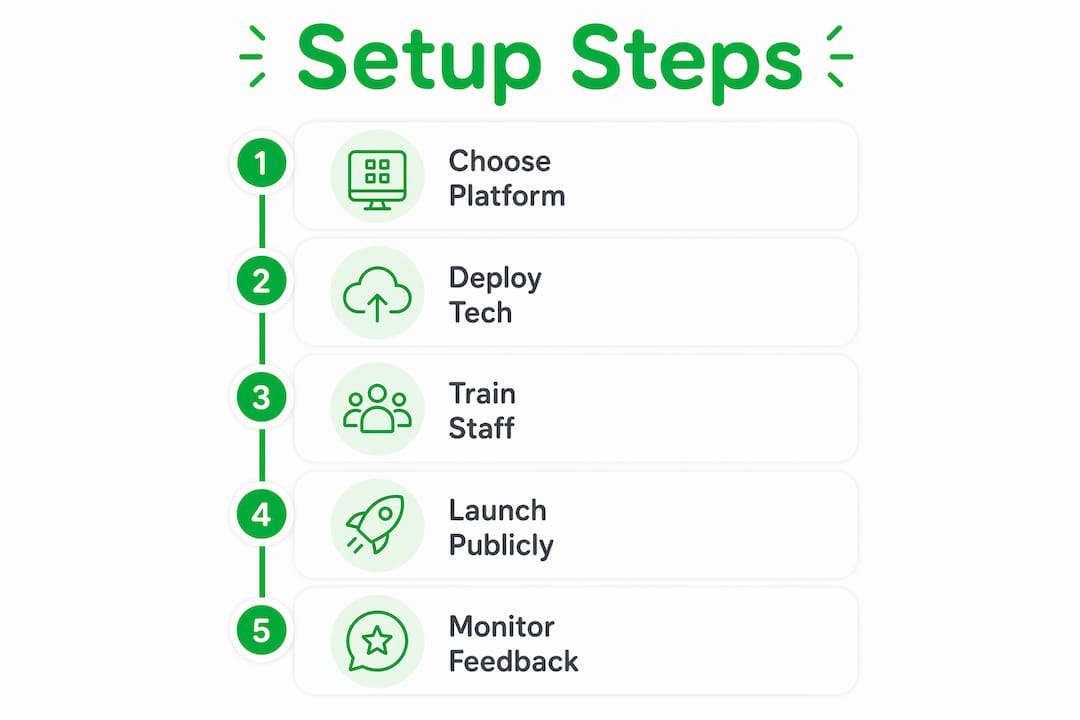
A structured launch prevents the two most common failures: confused staff and invisible tipping prompts. Follow these five steps in order.
Step 1: Choose the right platform for your labor model. If your business pools tips across a team, you need a platform with configurable tip distribution. Platforms that match your existing labor model avoid staff disputes and improve acceptance from day one. If staff keep individual tips, a simpler per-profile link system like Tipper works perfectly.
Step 2: Deploy your chosen technology. Print QR codes and place them at every mapped touchpoint. If using NFC devices, distribute them to staff and confirm each device links to the correct employee profile. Test every code and device yourself before opening.
Step 3: Train staff and run a test transaction. Have each employee complete a test tip using their own phone. This takes five minutes and eliminates the “I don’t know how it works” response when a customer asks. Staff who have personally used the system explain it confidently.
Step 4: Launch with visible guest communication. Place table tents, counter cards, or digital signage that explains the tipping option clearly. A simple message like “Tap or scan to leave a tip” outperforms elaborate explanations. Customers act on clear, low-effort cues.
Step 5: Monitor analytics and gather staff feedback in the first two weeks. Most platforms provide dashboards showing tip volume, average tip size, and peak tipping times. Use this data to reposition underperforming QR codes or adjust tip preset amounts.
| Common pitfall | What causes it | Fix |
|---|---|---|
| Low scan rate | QR code placed out of sightline | Move to eye level at point of payment |
| Staff resistance | No payout transparency | Show real-time dashboard during onboarding |
| Guest confusion | No signage or verbal cue | Add table tent and train staff to mention it |
| Tip pooling disputes | Wrong platform architecture | Switch to configurable distribution |
What are the most common challenges in cashless tipping setups?
Even well-planned deployments hit friction. Knowing the most frequent problems in advance lets you solve them before they affect staff morale or customer experience.
Guest friction is the top barrier. Any step that requires a customer to download an app, create an account, or enter card details manually will cut your conversion rate sharply. The solution is choosing a platform that opens in a mobile browser and accepts Apple Pay or Google Pay with a single tap. Avoiding app-based guest requirements is the single most effective way to maximize adoption.
Staff privacy concerns surface in almost every rollout. Employees worry that digital tracking means employer surveillance of their earnings. The answer is giving staff their own dashboard access from day one. When employees can see their own earnings in real time, the concern dissolves. Automated payout systems that transfer funds directly to staff accounts also remove the employer as a financial middleman, which builds trust structurally rather than just rhetorically.
Tax and compliance anxiety affects owners more than staff. The good news is that digital tipping automates IRS-compliant reporting with real-time dashboards, which is a significant improvement over the honor-system tracking most businesses use for cash tips. You gain more transparency, not less control.
Here are the most common challenges and their practical solutions:
- Guest won’t scan: Add a verbal prompt from staff and reposition the QR code to the payment moment, not before
- Staff distrust: Grant individual dashboard access on day one and explain the direct payout flow
- Low tip amounts: Set default presets at 18% or higher; customers tend to select the middle option
- Tax confusion: Use a platform with automated tax reporting to generate records automatically
- High staff turnover undermining setup: Build onboarding into your standard new-hire process so the system scales with your team
“Digital tipping platforms are no longer amenities. They are retention tools.” Industry leaders now treat cashless gratuity infrastructure the same way they treat health benefits: as a factor in whether good employees stay or leave.
My take: why simple beats sophisticated every time
I have watched dozens of small business owners overcomplicate this. They spend weeks evaluating enterprise platforms with POS integrations, tip pooling algorithms, and payroll sync features, then delay launch by two months because the IT setup is too complex. Meanwhile, the business next door put up a QR code linked to a Tipper profile, trained staff in an afternoon, and started capturing tips the same week.
The research backs this up. Annual turnover in housekeeping often exceeds 70%, and businesses that give staff reliable, fast tip access see that number drop. The motivation gain is not about the technology. It is about the signal the technology sends: your earnings matter and you get them now.
My honest advice is to start with the simplest deployment that covers your actual touchpoints. A web-based link that opens in a browser, accepts Apple Pay, and pays out directly to your staff’s bank account solves 90% of the problem. You can add NFC hardware or POS integration later once you know your volume and staff preferences. Complexity added before you understand your own tipping patterns is just expensive guesswork.
The businesses I have seen get this right share one trait: they treated the launch as a staff benefit announcement, not a technology project. That framing changes everything about how employees receive the change and how enthusiastically they mention it to customers.
— Steve
Start accepting digital tips with Tipper today
Tipper gives small businesses a fast, no-friction path to accepting digital tips without complex hardware or POS integration requirements.
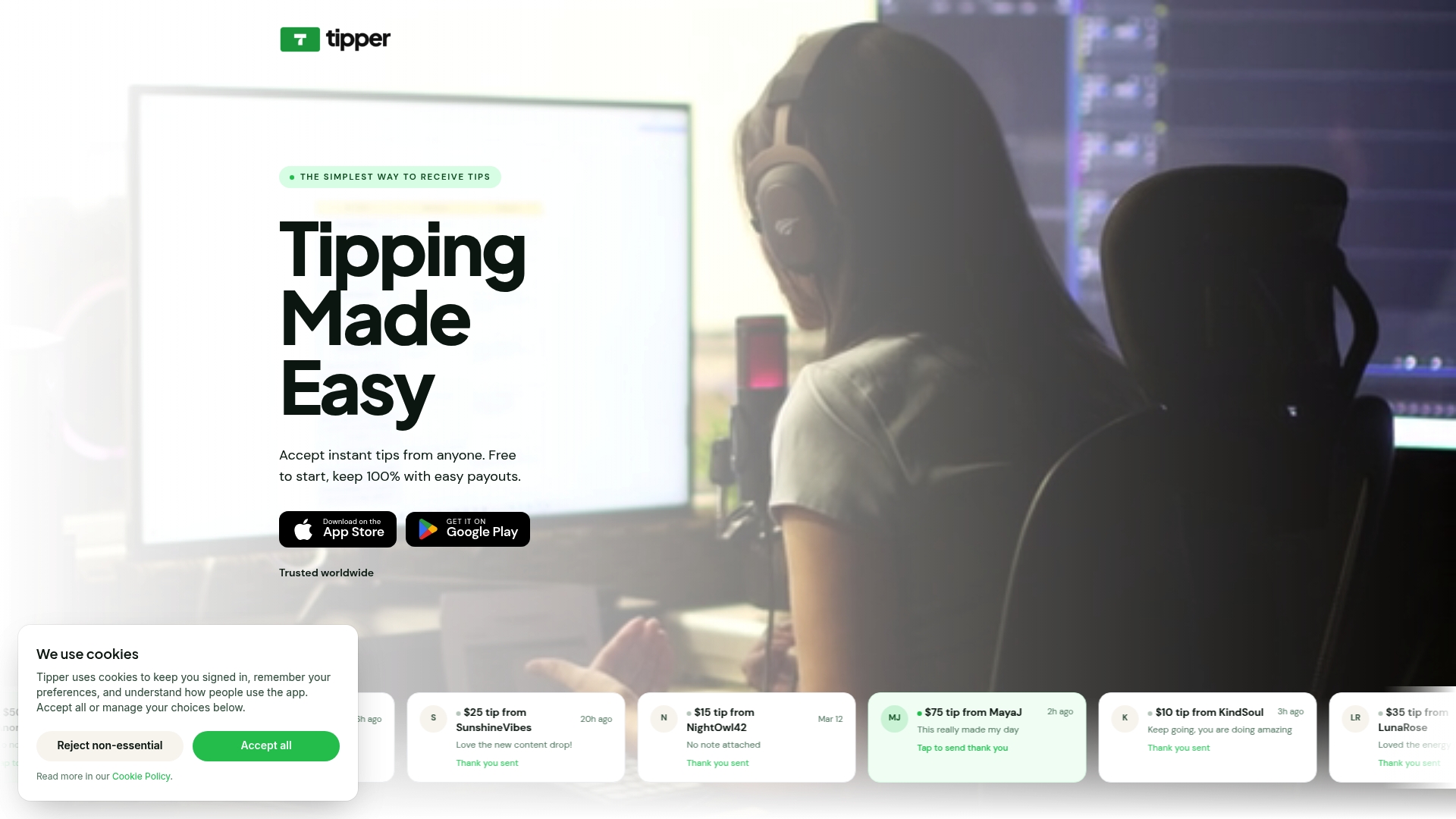
Setting up a Tipper profile takes minutes, not days. Customers tip through a personalized link using Apple Pay or Google Pay with no account required on their end. Your staff keeps 100% of every tip, paid out directly. Tipper works for any business model, whether tips go to individual staff members or a shared pool. For small business owners who want to capture more gratuities, improve staff retention, and remove the cash-handling headache, Tipper is the place to start.
Key takeaways
A cashless tipping small business setup succeeds when you choose a simple, app-free platform, match it to your labor model, and launch with clear staff training and visible guest prompts.
| Point | Details |
|---|---|
| Cash is declining fast | Physical currency will fall below 10% of transactions by 2026, making digital tipping a necessity. |
| Setup is fast and affordable | Most platforms go live in 24 to 72 hours with costs starting under $3 per month. |
| Match platform to labor model | Choose individual or pooled tip distribution before signing up to prevent staff disputes. |
| Staff transparency drives adoption | Real-time earning dashboards remove privacy fears and increase staff motivation by 78%. |
| Simplicity beats complexity | App-free, browser-based solutions consistently outperform complex POS-integrated systems for small businesses. |
Steve’s perspective on cashless tipping for small businesses
I have spent years watching the service industry struggle with the gap between what customers want to do (tip generously) and what the infrastructure lets them do (find exact change). The cashless tipping shift closes that gap permanently, and the businesses that move first are the ones retaining their best staff while competitors keep losing people to higher-paying roles elsewhere.
The piece most owners miss is that this is a retention investment, not a payment feature. Digital tipping as a retention tool changes the calculus entirely. When your staff knows tips arrive same-day and every cent is accounted for, the job becomes more attractive without you raising base wages. That is a meaningful competitive advantage in a tight labor market.
— Steve
FAQ
What does cashless tipping mean for small businesses?
Cashless tipping means customers leave gratuities digitally via QR codes, NFC devices, or web links instead of physical currency. For small businesses, it captures tips that would otherwise be lost as cash-carrying declines.
How long does a cashless tipping setup take?
Most small businesses go live within 24 to 72 hours. Basic plans start at approximately $2.90 per month, making the barrier to entry low for businesses of any size.
Do customers need to download an app to leave a cashless tip?
No. The best digital tipping solutions open in a mobile browser and accept Apple Pay or Google Pay with a single tap, requiring no app download or account creation from the customer.
How does cashless tipping handle tax reporting?
Digital tipping platforms automate IRS-compliant tracking with real-time dashboards, replacing the manual honor-system records most businesses use for cash tips and reducing compliance risk for owners.
Will staff accept a switch to digital tipping?
Yes, when the rollout is framed correctly. Giving staff access to a real-time earnings dashboard from day one and using automated direct payouts removes the two main concerns: surveillance and delayed access to earnings.


[…] a cashless tipping setup guide to map out which customer touchpoints in your specific business will generate the most tip […]
[…] your cashless tipping setup periodically to confirm the flow still matches your current menu prices and transaction […]
[…] Cashless Tipping Small Business Setup Made Easy […]