


A one-time tip link is a personal URL that lets a fan send you a single payment, with no subscription, no membership and, on the right platform, no account. You share the link in a bio, a chat, a video description or a QR code. The supporter taps it, picks an amount, pays and leaves. This guide covers how that works, how to set one up, what to check on fees and payouts, and how to keep the link safe.
TL;DR
- A one-time tip link is a shareable URL for a single payment: the supporter chooses an amount, pays once and is never billed again.
- The best ones let supporters pay with Apple Pay, Google Pay or a card without creating an account, which removes the biggest reason people abandon a tip.
- Before you pick a service, check the platform fee, the processing fee, the payout schedule and any minimums.
- Put the link where attention already is: Twitch panels, YouTube descriptions, link-in-bio pages, and a QR code for in-person moments.
- Never confuse a public tip page with a single-claim link: a link that pays the first person who clicks it must stay private.
Table of Contents
- What a one-time tip link actually is
- How it works for you and for your supporter
- Does the supporter need an account?
- How to set up a one-time tip link
- Fees, payouts and minimums to check first
- Where to share your tip link
- Keeping the link safe and clear
- Our perspective: make tipping the easiest thing a fan does
- Get your own tip link with Tipper
- A simple plan for your first month
- FAQ
- Sources
What a one-time tip link actually is
The phrase covers two different things, and it helps to separate them.
The first, and the one most creators want, is a reusable page that accepts one-time payments. You have one permanent URL. Each supporter who opens it makes a single, standalone payment. Nothing recurs. Stripe describes this model in its documentation as letting customers choose what to pay, and notes it suits donations, tipping and pay-what-you-want pricing. That same documentation points out the model does not support recurring payments, which is exactly what makes it “one-time”.
The second is a single-claim link: a unique URL that holds a specific amount of money, and whoever clicks it first gets the funds. An early example was ChangeTip’s feature, which let users send tips through unique URLs. The 2015 coverage noted the sender was responsible for keeping the link private, because the first person to receive and click it got the money. Crypto wallet tools work in a similar way today.
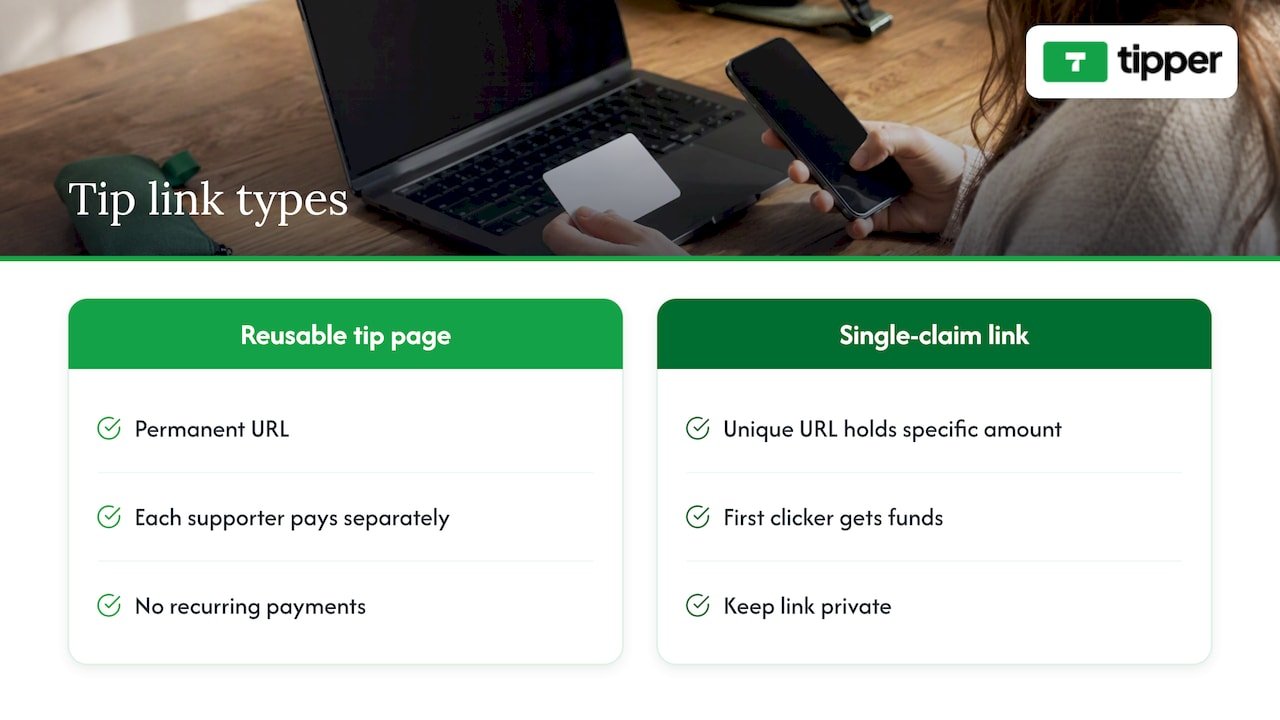
This article is about the first kind, because that is what a creator, freelancer or small business uses to get paid by an audience. We touch on the second in the safety section, since the privacy lesson carries over.
How it works for you and for your supporter
The flow is short on purpose.
On your side:
- You create a tip page and get a personal link, and often a QR code.
- You share it wherever your audience already is.
- Each tip triggers a notification, and the funds move toward your payout method.
On the supporter’s side:
- They open the link on a phone or computer.
- They choose a preset amount or type their own.
- They pay with a wallet or card, optionally attach a message, and they are done.
Stripe’s own product page for Payment Links describes the same pattern: you can accept one-time or pay-what-you-want payments through a shareable link, get dashboard notifications, and have funds deposited into your bank account. Dedicated tipping tools wrap that idea in a page designed for appreciation rather than checkout: a personal photo, a short message, preset amounts that make a tip feel natural.
The difference between a generic payment link and a tip link is small but real. A payment link is built for invoices and products. A tip link is built for an impulse: someone enjoyed your stream, your haircut, your tutorial, and they want to say thanks in under ten seconds.
Does the supporter need an account?
This is the question that decides whether your link earns money or collects dust.
Every step you ask a supporter to take, such as signing up, verifying an email or saving a card, costs you tips. Most impulse tips are small, and a fan will not go through a registration to send a few dollars.
The good news is that card payments without an account are standard in online payments. PayPal’s US help center states that donors without PayPal accounts can generally pay or donate with a credit or debit card on most of its online products. Checkout pages that offer Apple Pay or Google Pay go one step further: the card is already stored in the phone’s wallet, so payment is a double-tap or a fingerprint.
When you compare services, ask three things:
- Can a supporter pay as a guest, start to finish?
- Are Apple Pay and Google Pay offered, or only a card form?
- Does the supporter have to see a login prompt before the payment screen?
That last point is easy to miss. Some platforms technically allow guests but nudge them toward creating a profile first. Test the link yourself on a phone, signed out, before you share it.
How to set up a one-time tip link
Setup varies by platform, but the sequence is the same everywhere. Expect to finish in well under an hour.
Step 1: Choose the service and create your page
Pick a tipping platform or a payment-link tool. With a payment processor, you create a product with the “customer chooses price” option. With a tipping platform, you sign up as a creator and the page is generated for you. Our walkthrough on setting up credit card tipping in 20 minutes covers the details of the second route.
Step 2: Connect a payout method
This is where most delays happen. Payment services verify who you are before they send money out, and you will typically need to confirm your identity and add a bank account or other payout destination. Do this first, not last, so the first tip you receive does not sit waiting. Our guide to payment processing for tips explains what to prepare.
Step 3: Make the page feel like you
Add a clear photo, a one-line reason for tipping, and a name people recognize from your content. Set two or three preset amounts. Presets are what turn “I should tip” into “done”. We go deeper on this in our piece on tip link strategy, presets and payouts.
Step 4: Decide on your thank-you
A short thank-you message, photo or video after payment is cheap to produce and turns a transaction into a relationship. Record one reusable video and you are covered.
Step 5: Test it as a stranger
Open the link in a private browser window on your phone. Pay a small amount from a different card or wallet if you can. Confirm the notification arrives and the amount shows up in your dashboard.
Step 6: Share it
See the next section. A link nobody sees earns nothing.
Fees, payouts and minimums to check first
Every tip link has a cost somewhere. The question is who pays it and how clearly it is shown. Read these five things before you commit.
| What to check | Why it matters |
|---|---|
| Platform fee | Some services take a percentage of every tip; others take none and earn elsewhere. |
| Payment processing fee | Card networks charge for every transaction. It is either deducted from your tip or added at checkout for the supporter. |
| Payout schedule | Instant, daily, weekly or monthly changes how quickly you see money. |
| Minimum payout or minimum tip | A high threshold traps small tips for months. |
| Fee transparency | The supporter should see the total before paying, with no surprise at the last step. |
Here is a concrete reference point. Stripe says Payment Links are included in its integrated pricing, and that customers can be shown a conversion fee starting at 2% when currencies differ. That is a general-purpose processor, not a tipping tool, but it shows how processing charges are normally presented: per transaction, and tied to the payment itself.
Do a quick test of the math. If a platform takes a percentage and the processor takes a percentage plus a fixed amount, a $3 tip loses a bigger share than a $30 tip. Small tips are the backbone of most creator income, so a fixed per-transaction fee matters more than the headline percentage.
Why payout method matters too: if your audience is mostly in the US and you are paid in dollars, you avoid currency conversion entirely. If fans tip from abroad, check whether conversion costs are charged to them or to you.
Where to share your tip link
A tip link works when it shows up at the moment of appreciation. Here is where it fits for each type of creator.
Twitch. Twitch lets you add up to five social links to your channel profile in Creator Dashboard settings, and Info Panels support links and images. Put the tip link in a panel with a clear label and mention it in a chat command your moderators can trigger.
Kick and YouTube. Use the channel description, the pinned comment and the first line of each video description. Viewers read the top of a description and almost never scroll.
TikTok and Instagram. Both give you one clickable spot in the bio, so the link usually goes there or inside a link-in-bio page. We wrote a full guide on getting a TikTok tip link without a login. If you also produce promotional clips, formats like shoppable video ads show how a link can sit directly inside video content.
Link-in-bio pages. If you already use a hub for your links, add the tip link near the top and label it in plain words: “Leave a tip”. Fancy names get fewer clicks.
Messages and email. PayPal’s US page for Payment Links states that these unique, shareable URLs accept payments without a website or coding, and can be sent by email, text, social media or messaging apps. The same logic applies to any tip link: freelancers can add it to an invoice footer or a project handoff message.
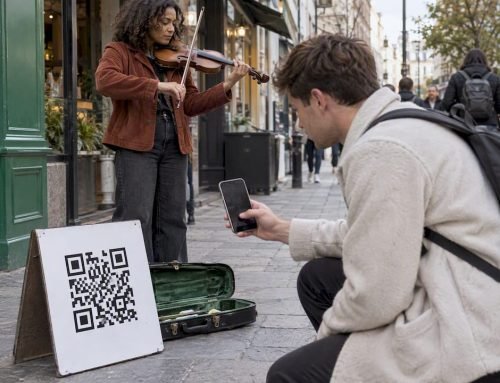
In person. A QR code on a business card, a table sign, a tote bag or a sticker works for musicians, hairdressers, tour guides and market vendors. We cover the freelance side in designer tipping online.
A useful rule: say the link out loud. A mention in a video or stream, paired with a visible link, beats a link alone.
Keeping the link safe and clear
Safety with a tip link has two parts: protecting yourself and protecting the supporter’s trust.
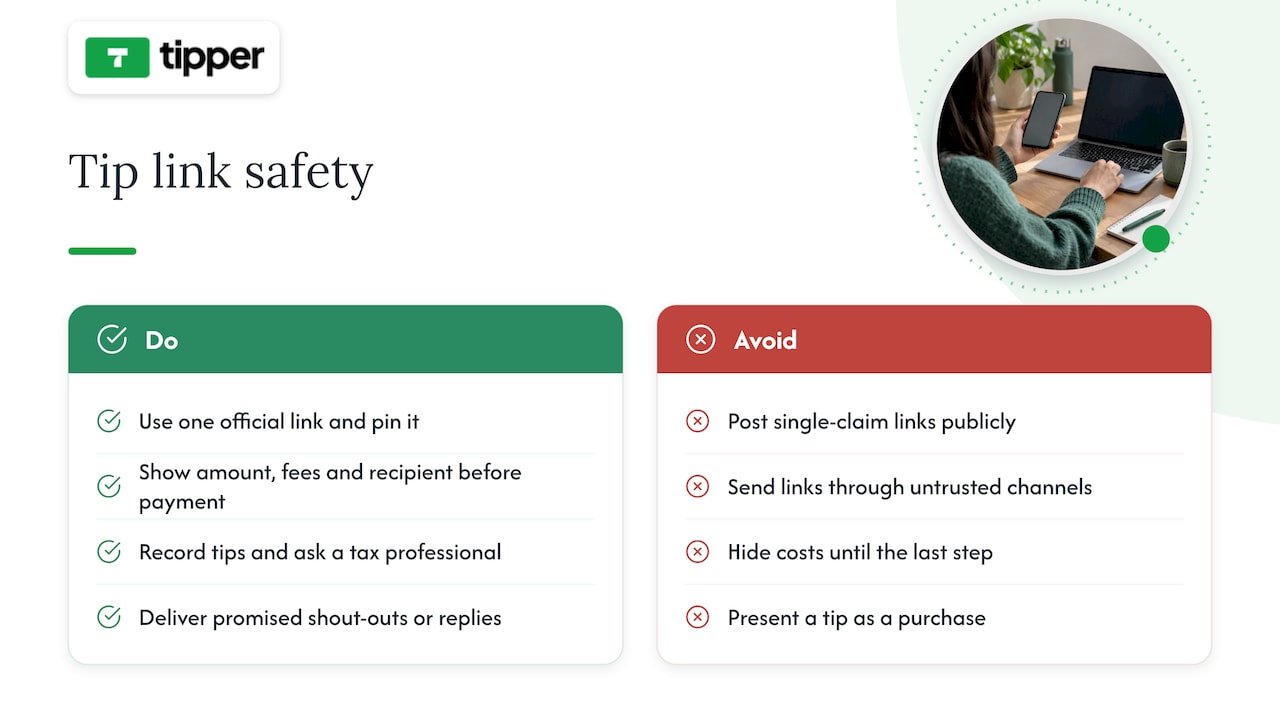
Keep single-claim links private. If you ever use a link that pays whoever clicks first, treat it like cash in an envelope. The ChangeTip coverage made the point plainly: the sender is responsible for message privacy. Never post such a link publicly, and send it only through a channel you trust.
Use one official link. Scammers copy creator names and post lookalike payment links under videos. Pick one address, pin it, and always point to it. If you change it, announce the change on every platform at once.
Show the full price. Supporters should see the amount, any fee and the recipient name before paying. A page that hides costs until the last step earns one tip and loses the next hundred.
Be honest about what a tip is. A tip is a gift, not a purchase. If you promise something in return, such as a shout-out or a reply, deliver it, and say so on the page.
Mind taxes. Tips are income. Keep a record of what you receive, and ask a tax professional how to report it in your state. We cover the paperwork side in our guide to tax-ready creator donation platforms.
Our perspective: make tipping the easiest thing a fan does
We built Tipper around one belief: the moment a fan wants to support you is short, and every obstacle shortens it. That is why supporters can tip without creating an account, using Apple Pay, Google Pay or a card. They do not hand over a profile to say thanks, and that also keeps their privacy intact.
We also think creators should keep what they earn. Creators keep 100% of their tips on Tipper; the payment processing fee is added at checkout instead of being carved out of your share. We would rather the cost be visible to the supporter than hidden in a payout statement.
Then there is the human part. A tip link that only moves money is a payment tool. A tip link that lets you answer with a note, a photo or a short video is a way to keep an audience. Our experience is that the thank-you matters as much as the amount, because it is what makes someone tip a second time.
And one-time is often the right shape. Not every fan wants a monthly commitment. Many would rather give once, when they feel like it. If you are weighing both models, we compared them in tips versus subscriptions.
— Tipper
Get your own tip link with Tipper
If you want a one-time tip link that supporters can use without signing up, you can create one on Tipper. It is free to create and maintain an account, with no subscription. You get a personalized link or QR code, customizable tip pages, thank-you messages as text, photo or video, and direct payouts. Payment processing fees are added at checkout. For a quick start, see how to collect tips in five minutes.
A simple plan for your first month
Setup is the easy half. Here is how to make the link actually earn.
Week one: launch quietly. Put the link in your bio and one panel. Ask two or three friendly followers to try it and tell you where they hesitated.
Week two: add a reason. People tip for something. Say what the money supports: a better microphone, a weekly series, a trip to a convention. Specific beats vague.
Week three: say thanks in public. With permission, thank tippers on stream or in a post. It signals that tipping is normal and noticed.
Week four: review. Look at which placement produced tips. Move the link to where it works and drop the places that did not. Adjust presets: if everyone picks the middle amount, raise the lowest one.
A small creator should not expect tips to replace a salary. Treat them as a signal of appreciation that grows with the audience and with how well you ask. Our guide on sharing a tip link and keeping 100% and the one on getting paid with a personalized tip link add more examples for creators in the US.
Common mistakes
- Burying the link under three taps in the bio.
- Offering only high presets, such as $20 and $50, which scares off casual supporters.
- Forgetting to test the link signed out.
- Using a different link on each platform and losing track of which one is real.
- Skipping the thank-you.
FAQ
What is a one-time tip link?
It is a shareable URL that lets a supporter send you a single payment of an amount they choose. Nothing renews, and no membership is created. Some older tools used the same name for single-claim links that pay whoever clicks first, so check which kind a service offers.
Do supporters need an account to tip me?
Not on every platform, but they should not have to. Many checkout systems accept guest card payments, and PayPal’s US help center says donors without PayPal accounts can generally pay by credit or debit card. On Tipper, supporters can pay with Apple Pay, Google Pay or a card without creating an account.
What fees should I expect?
Expect a processing fee on every card payment, and possibly a platform fee on top. Some services deduct the cost from your payout, while others add it at checkout. Read the fee page before you share your link, and test with a small amount to see exactly what you receive.
Where should I put my tip link?
Put it where fans already look: your Twitch panels and profile links, video descriptions, your bio or link-in-bio page, and a QR code for in-person moments. Use one link everywhere so supporters never wonder which is real.
Is a one-time tip better than a subscription?
It depends on your audience. One-time tips suit fans who want to say thanks without a commitment, while subscriptions give steadier income to creators who post on a regular schedule. Many creators offer both and let the supporter choose.
Sources
- Stripe Payment Links
- Stripe: Create a payment link
- PayPal: Donors without PayPal accounts
- PayPal: Payment Links
- Twitch: Channel Page Setup
- ChangeTip: Send Tips Using Unique URLs



Leave A Comment