


Finding a creator monetization link that maximizes earnings and fits with payment preferences is more complicated than it should be. Most platforms take a percentage of each tip or limit payment methods and integrations for global audiences. This comparison lists four creator monetization link alternatives so creators can pick the best match for their payment needs, integration preferences, and fees.
Table of Contents
Tipper

At a Glance
Tipper reports creators keep 100% of tips. That claim matters when small gifts add up over time. The platform accepts instant, no-signup payments via Apple Pay, Google Pay, and cards using a shareable link or QR code.
Core Features
Tipper uses a personalized link or QR code so supporters can pay online or in person without creating an account. The profile page is customizable with links and photos, and creators can send thank-you messages as text or short videos. According to the company, withdrawals arrive to bank accounts within 7–10 business days.
Key Differentiator
That figure and the sign-up free payments make tipping behave like cash for creators. Supporters pay with familiar wallets or cards, and creators receive the tip amount without a platform cut. This setup reduces friction for one-time supporters and casual viewers.
Pros
You keep the full tip amount, which improves the economics of frequent small donations and single contributions. Setup takes minutes and sharing works through a link or a printed QR code for live events. The platform supports Apple Pay and Google Pay and lets you reply with personalized thank-you notes or short videos to deepen supporter ties.
Cons
- Requires creators to actively share and promote their link or QR code, which limits discoverability without an existing audience.
Who It’s For
Creators, performers, and freelancers who already have an audience or a place to post a link will benefit most. People who rely on in-person events or social bios to collect small payments will find the workflow straightforward. Those who are uncomfortable with mobile payments or who need discoverability tools built in may want an alternative.
Unique Value Proposition
Customizable personal profile pages let you add links and photos so the tip link blends into your existing bio and social feeds. That presentation makes it easier to convert followers into supporters. Combined with optional thank-you videos, it turns a raw tip into a repeatable relationship touchpoint.
Real World Use Case
A YouTuber drops their Tipper link in video descriptions and pins it in bios. Viewers send one-off tips via Apple Pay or card, and the creator sends short thank-you videos to top supporters. Tips land in the creator’s bank account without a platform cut, and the creator controls messages and profile branding.
Website: https://tipper.app
Waylight
At a Glance
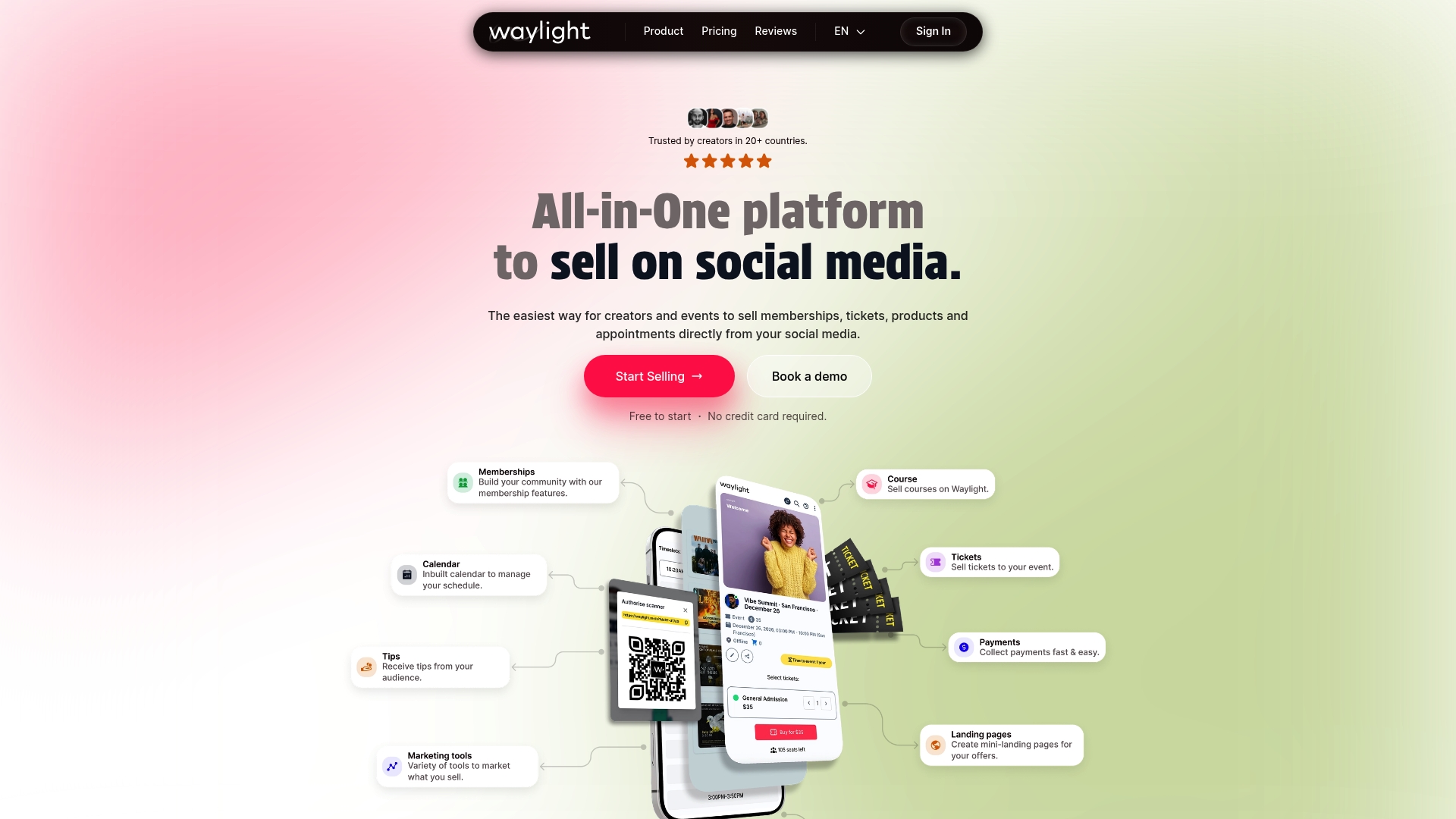
Waylight accepts payments in 195 countries and 135 currencies, letting creators charge fans across geographies. Waylight’s marketing materials state up to 30% more completed sales from instant checkout, and up to 3× higher open rates through Telegram. The product offers free, Basic, and Pro plans so creators can test features before committing.
Core Features
Waylight lets creators build subscription communities on Telegram and manage memberships from a single interface. The platform sells tickets, manages live events, and grants paid access to virtual streams and online courses. It also hosts digital products and handles scheduling and bookings for video calls and client appointments.
Key Differentiator
Waylight combines membership, ticketing, product storefronts, and appointment booking into one social selling workflow. That consolidation reduces the number of separate tools creators must operate and maintain. Built-in checkout with Apple Pay and Google Pay aims to raise conversion and shorten the path to purchase.
Pros
Instant checkout with Apple Pay or Google Pay reduces friction at checkout and supports higher completion rates, according to the vendor claim. Delivering invites and updates via Telegram can increase message open rates and audience engagement compared with email only. Worldwide payment coverage and an internal CRM plus marketing tools let creators replace multiple apps and automate common sales and follow up tasks.
Cons
- Limited publicly available third party reviews and buyer feedback make independent validation difficult.
- Pricing and feature details are plan oriented rather than shown through broad user case studies.
- The product does not list enterprise grade limits or large scale deployment case studies publicly.
When It May Not Fit
Large organizations that need documented enterprise level SLAs or third party audits may find Waylight’s public information thin. Teams that require deep integration with legacy CRMs or bespoke reporting will likely need a platform with a published integrations catalog. Buyers seeking extensive independent reviews and case studies might prefer a solution with broader public validation.
Who It’s For
Creators and influencers who sell memberships, digital products, or one off tickets from social profiles will benefit most. Small to medium event organizers who want ticketing and streaming under one roof can run shows and follow ups from the same account. Coaches and consultants who need booking, paid calls, and product delivery in one place will also find this approach useful.
Real World Use Case
A YouTube influencer sells exclusive memberships and online courses while promoting live ticketed events directly through social posts. Waylight handles payments, sends Telegram invites, and schedules member video calls without extra apps. That setup reduces manual work and keeps community management inside a single platform.
Pricing
Waylight offers a free entry plan with no credit card required so creators can start without upfront cost. Paid tiers include Basic $9/month (billed annually) and Pro $59/month (billed annually) for heavier use and advanced features. Annual billing is the published model for the paid plans.
Website: https://waylight.me
pretopay.com
At a Glance
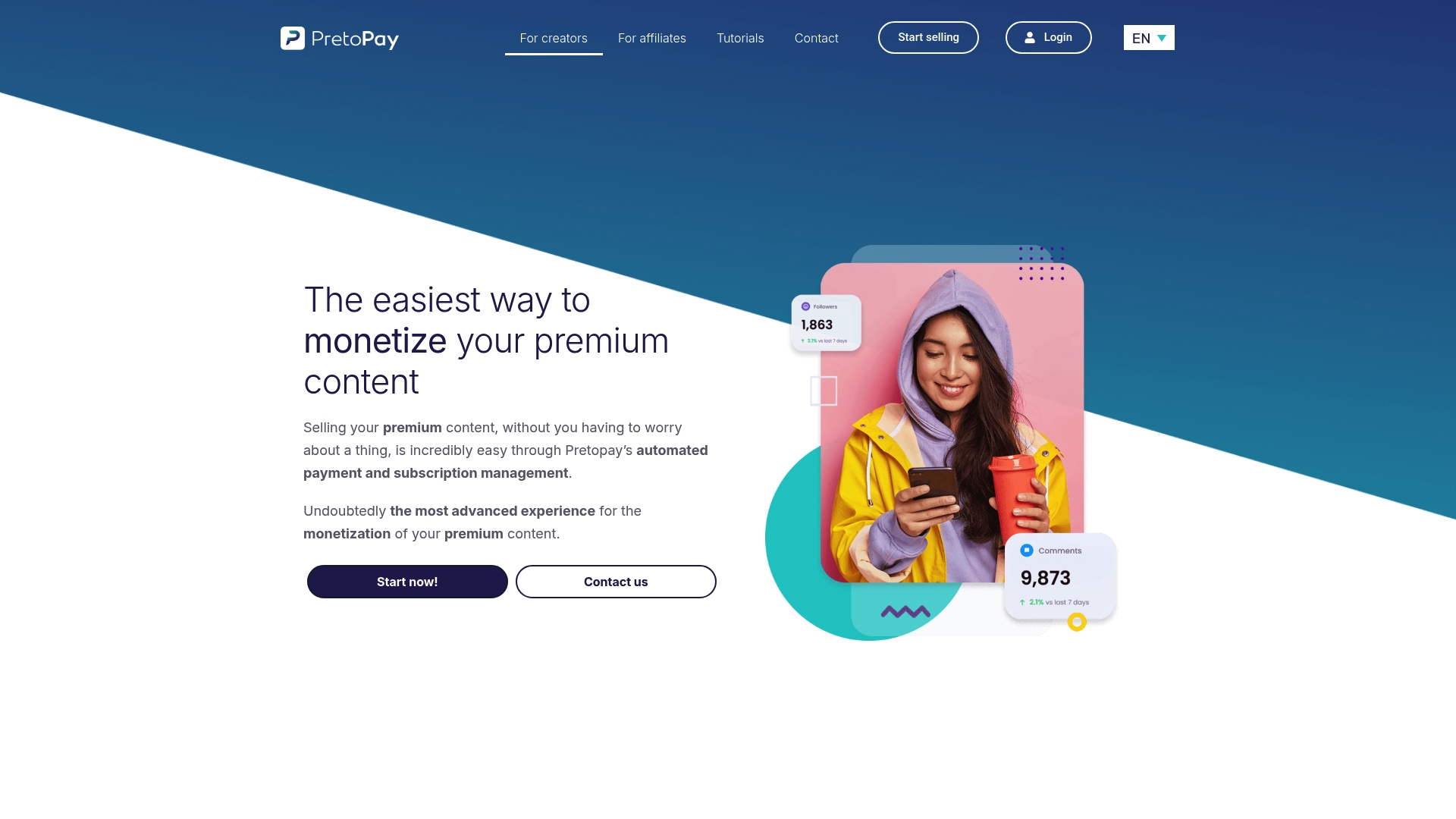
The site focuses on Cloudflare challenge troubleshooting and verification guidance for administrators. It gathers step by step documentation and targeted troubleshooting notes for challenge loops and bot detection conflicts. The content reads like a technical reference rather than a commercial offering.
Core Features
The site collects technical troubleshooting resources that walk through common challenge failure modes and misconfigurations. It explains challenge types and configuration options while addressing browser compatibility and network settings that commonly trigger repeat challenges. Developer and administrator resources and community feedback channels round out the documentation set.
Key Differentiator
The primary distinction is a narrow focus on Cloudflare challenge and verification issues. That focus produces deeper, scenario driven guidance than general web security help pages. For teams dealing specifically with challenge loops, the material tends to be practically oriented.
Pros
The documentation provides clear, task oriented troubleshooting steps for challenge related problems and misconfigurations. It covers browser and network factors that often cause verification failures and offers troubleshooting moves administrators can apply immediately. The site also collects developer facing guidance and community feedback channels that help resolve edge cases and unusual deployments.
Cons
- No direct product or paid service is visible; the site functions as documentation and support only.
- The content stops at guidance and does not include tooling or managed services for remediation.
- No pricing or integration information is provided because the offering is informational rather than commercial.
- The material assumes technical knowledge and can feel terse for less technical readers.
When It May Not Fit
Teams seeking a purchasable mitigation service or a hosted solution will not find one here. Organizations that need vendor support contracts, managed remediation, or turnkey integrations should look elsewhere. Nontechnical stakeholders will find the documentation too technical for policy or stakeholder reporting.
Who It’s For
Website administrators, security engineers, and developers who manage challenge systems will get the most value. Small security teams troubleshooting site specific challenge loops can apply the guidance directly. Contractors or consultants diagnosing verification failures will also find the stepwise notes useful.
Real World Use Case
A security team sees repeated challenge loops after a DNS change. Following the site’s troubleshooting steps, they confirm a misconfigured proxy header and adjust network rules. That change stops the loop and restores normal verification for affected visitors.
Pricing
Not applicable. The site presents technical documentation and support resources and does not list pricing or paid tiers.
Website: https://pretopay.com
TillyPay
At a Glance
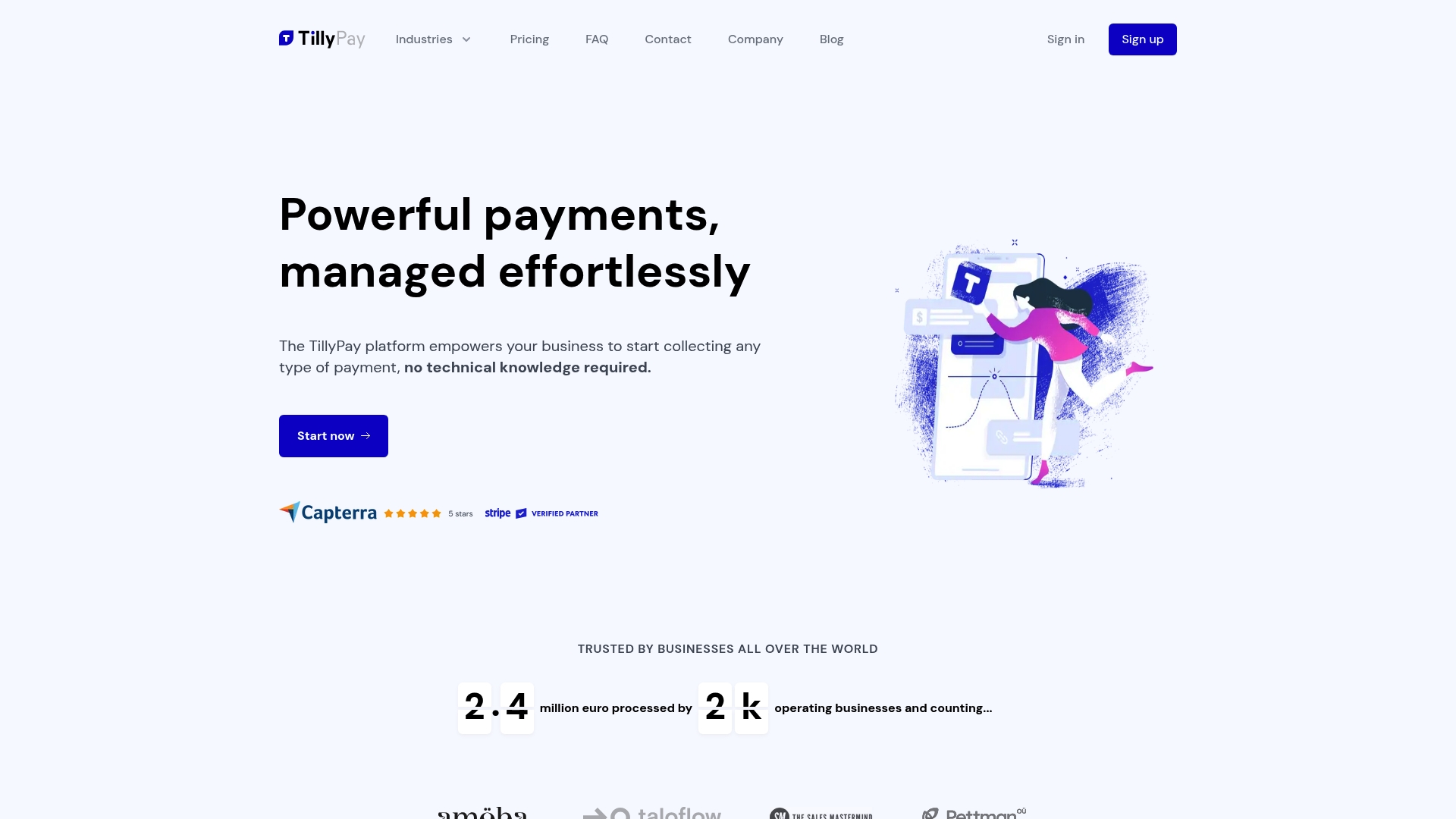
The vendor advertises integration with over 2,000 tools, which makes automation options unusually broad for a small business payment tool. The vendor states compliance with PCI & PSD2 standards. TillyPay follows a freemium model and offers a free trial period, so you can test core features before committing.
Core Features
TillyPay offers customizable payment forms for subscriptions and one off payments, plus checkout pages you can host under your own domain. The platform includes a customer payment portal that lets clients manage subscriptions and invoices, and it supports multiple currencies and major card methods including Apple Pay and Google Pay. Those integration options tie into accounting and workflow tools so you can automate bookkeeping and notifications.
Key Differentiator
TillyPay lets you brand checkout pages and host them on your own domain without writing code. This design keeps the payment flow on your site and preserves brand consistency during checkout. For creators who want a polished payment surface without developer work, that brand control is the main selling point.
Pros
Setup requires no coding, so you can launch payment pages quickly and keep the technical overhead low. Branded checkouts hosted on your domain help projects look professional and reduce friction when sharing links with clients. The platform supports a wide set of payment methods and currencies, and Zapier and accounting integrations let you automate routine tasks like invoice syncing and payment notifications.
Cons
- Pricing varies by plan, and transaction fees on the free tier may add up for very small operations.
- Public documentation includes limited detail about advanced customization or specific integration edge cases.
- Buyer flexibility may be constrained if you need enterprise grade features or custom, high volume workflows.
When It May Not Fit
If you plan to scale into enterprise level volume or need advanced fraud controls, TillyPay may lack the specialized tooling you need. Complex bespoke integrations beyond Zapier and the listed partners could require additional development. Businesses that must meet highly specific compliance or procurement requirements should verify capabilities before migrating.
Notable Integrations
TillyPay connects with common workflow and payment platforms, including Zapier, Stripe, and QuickBooks. These integrations cover automation, card processing, and accounting syncs so you can reduce manual work without custom code.
Who It’s For
TillyPay fits small business owners, solopreneurs, freelancers, and agencies that need an easy to manage payment solution with branding control. It suits anyone who wants subscription billing and one off payment options without hiring a developer. Teams that already use Zapier or QuickBooks will find the workflow integrations practical.
Real World Use Case
A freelance consultant creates a branded checkout page on their agency domain to collect deposits and monthly retainers. Clients pay with Apple Pay or cards and manage recurring invoices in the customer portal. The consultant links payments to QuickBooks and saves time on bookkeeping.
Pricing
TillyPay has a free plan with transaction fees and a Pro plan priced at $30/month that reduces fees and unlocks additional features. The free trial period lets you test core flows before upgrading.
Website: https://tillypay.com
Comparison of alternatives
Creators evaluating platforms for tips and payments will notice meaningful distinctions in features and fees. The inherent benefits often correlate with specific creator workflows and audience engagement strategies.
Transaction fees and payout policies
Tipper stands out by enabling creators to retain 100% of their earnings, resulting in direct benefits for those handling minor transactions or accepting sporadic tips. In contrast, TillyPay features a pricing model where free-tier transactions incur fees, emphasizing scalability but impacting lower-margin users. Here, Tipper offers unique benefits tailored to creators seeking maximum net income per transaction.
Advanced integrated functionalities
Waylight assigns priority to feature integration, providing creators with tools for memberships, events, and digital product management while maintaining a unified interface. These options appeal to creators requiring solutions. TillyPay escalates this integration even further by integrating with over 2,000 tools, supporting expansive automation for broader business operations. For those valuing diverse functionality, Waylight and TillyPay present compelling alternatives.
Best fit
- Transparent tipping with full income retention: Choose Tipper if earning the full attributed tip amount maximally aligns with your strategy.
- Integrated audience revenues and automation-ready systems: Utilize Waylight if managing a sophisticated engagement workflow such as memberships is critical.
- Professional and branded client transactions: Employ TillyPay for subscription models requiring branded payment portals and advanced interconnection workflows.
Our pick
For creators who depend on personalized, fee-free payments and require user-friendly workflows, Tipper is our recommendation. Its distinctive offering of 100% tip retention and versatile QR code integration supports creators whose emphasis lies in maximizing earnings with minimal management overhead. However, for those pursuing expansive feature sets or unique branding tools, platforms like Waylight and TillyPay provide suitable solutions. Choose the platform that aligns best with your goals and operational preferences.
Identify the creator monetization platform that matches your needs based on core features and intended use cases.
| Product Name | Key Differentiator | Best For | Pricing | Notable Limitation |
|---|---|---|---|---|
| Tipper | Zero platform fees for tips received | Creators managing tips via QR or link | Price not published | Requires active sharing of links/QR codes |
| Waylight | Consolidated tools for memberships and events | Social media influencers and small event organizers | Free; Basic $9/month; Pro $59/month | Limited third-party reviews and enterprise-level public information |
| pretopay.com | Focus on Cloudflare challenge troubleshooting | Security teams managing web verification challenges | Not applicable | No product or paid service offered |
| TillyPay | Branded checkout pages hosted on your domain | Freelancers and small business owners | Free; Pro $30/month | Limited support for large-scale or high-volume operational needs |
How Can You Overcome Challenges with YouPay.co Alternatives Like Tipper?
Creators, performers, and freelancers often struggle with payment platforms that take fees or complicate tipping. Tipper solves this by letting you keep 100 percent of tips and accept payments instantly through Apple Pay, Google Pay, or cards without requiring accounts. This means supporters can send one-time tips easily, and you get full earnings with simple withdrawals.
If you want a personalized tip link or QR code to share during live events or social bios, Tipper offers exactly that. Its thank-you message features deepen supporter relationships by adding a personal touch. Learn how Tipper helps creators connect with their audience and receive tips directly at Tipper. Get started by creating your custom tip profile to increase your income from small donations and one-off support.
FAQ
What unique feature does Tipper offer for creators looking to monetize tips?
Tipper allows creators to keep 100% of the tips they receive without any deductions. This feature enhances the financial appeal of frequent small donations, making it ideal for creators relying on such contributions. Creators using Tipper can maximize their earnings from supporters immediately.
How does Tipper compare with Waylight for managing digital products?
Waylight offers integrated ticketing, membership management, and digital product sales, providing a comprehensive community and product management solution. Tipper, on the other hand, excels in direct monetization of tips through shared links and QR codes, making it a better fit for creators focused on one-time contributions. Each platform serves distinct needs in the creator economy.
Which platform offers a simpler setup for monetizing tips, Tipper or Waylight?
Tipper provides a quick setup process, taking only minutes for creators to share their personalized link or QR code for receiving tips. Waylight, while robust, includes more features that may add complexity to the initial setup. Creators seeking a straightforward and rapid solution will find Tipper advantageous.
Can creators use Tipper for in-person events?
Yes, creators can use Tipper effectively at in-person events by sharing a QR code or link for tips. This approach allows supporters to contribute easily and instantly, enhancing the donation experience during live interactions. Creators should consider using printed QR codes to facilitate immediate support during their events.
What are the withdrawal timelines for creators using Tipper?
Withdrawals from Tipper typically arrive in creators’ bank accounts within 7–10 business days. This timeframe ensures that creators can access the funds from their tips relatively quickly, providing better cash flow for their activities. Creators should plan accordingly based on this withdrawal timeline for their financial management.




[…] Top 4 YouPay.co Alternatives for 2026 […]