


TL;DR:
- Using wallet-enabled payment links with stream overlays provides low friction for supporters and builds supporter data. Native platform tips are easy but limit data control, while third-party tools enable campaign management and automation. Combining native tipping with independent links maximizes revenue and long-term supporter engagement.
The five main types of real-time supporter contribution tools are: native in-platform tipping, payment links with one-click wallet checkout, third-party fundraising platforms, text-to-donate and chatbot triggers, and overlay/stream-integration tools. For most creators, the fastest path to consistent tips is a wallet-enabled payment link paired with an on-screen overlay, with native tools layered in for impulse moments. The core trade-off is simple: native tools reduce friction but surrender your data; independent links cost a little more setup but give you the supporter relationship.
Table of Contents
- What counts as a real-time supporter contribution tool?
- 1. Native in-platform tipping: YouTube, Twitch, Instagram, and more
- 2. Payment links and one-click wallet tipping
- 3. Third-party fundraising and donation platforms
- 4. Text-to-donate, SMS, and chatbot-triggered contributions
- 5. Overlay and stream-integration tools
- How to pick the right tool for your stream
- Practical ways to increase real-time contributions
- After the tip: turning one-off tippers into repeat supporters
- Fees, payouts, privacy, and a U.S. tax reminder
- Key Takeaways
- What actually works for creators
- Tipper: instant, no-signup tips for creators
- Sources and further reading
- FAQ
What counts as a real-time supporter contribution tool?
A real-time supporter contribution tool is any mechanism that lets a supporter send money to a creator during or immediately after live or synchronous content, with confirmation visible to both parties within seconds. That covers in-chat payments, external tipping links, SMS short codes, and stream overlays. It does not cover delayed invoicing, subscription billing, or post-event crowdfunding campaigns where the money moves days later.
Creators who benefit most from these tools include:
- Livestreamers on YouTube, Twitch, and Instagram
- Podcasters running live recording sessions or listener Q&As
- Performers hosting virtual concerts or ticketed shows
- Influencers running community AMAs or content drops
- Nonprofits and creator-led fundraisers running charity marathons
1. Native in-platform tipping: YouTube, Twitch, Instagram, and more
Native tipping is built directly into the platform where you stream. YouTube Super Chats, Twitch Bits, Instagram Stars, and Facebook’s donate button all work this way. A supporter taps a button inside the app, pays through the platform’s checkout, and the tip appears in your chat or feed within seconds.
The friction here is genuinely low. No redirect, no new tab, no account creation. That impulse moment converts well precisely because nothing gets in the way.
The catch is control. The platform owns the transaction data, the supporter’s contact information, and the payout schedule. Fees vary by platform and region, and payout minimums can hold funds for weeks. You also get limited branding: the tip looks like a platform feature, not your brand.
Quick setup checklist:
- Enable the tipping or monetization feature in your creator dashboard
- Link a verified bank account or payout method
- Configure chat moderation so tip alerts surface cleanly
- Set up on-screen alerts through the platform’s native tools or a third-party overlay
| Factor | Native tipping | Independent link |
|---|---|---|
| Friction for supporter | Very low | Low (with Apple/Google Pay) |
| Creator data ownership | Platform retains | Creator captures |
| Branding control | Minimal | Full |
| Payout speed | Platform schedule | Varies by tool |
2. Payment links and one-click wallet tipping
A payment link is a short URL or QR code that opens a pre-configured checkout. With Apple Pay or Google Pay enabled, a supporter taps once and the tip goes through. No account, no form, no friction worth mentioning. In-chat or one-click payments consistently outperform tools that redirect supporters to external forms.

This is where Tipper fits. A creator sets up a personalized Tipper link, shares it in their bio, pins it in chat, or displays it as a QR code on stream. Supporters pay with Apple Pay or Google Pay without creating an account, and the creator keeps 100% of the tip. Real-time notifications confirm each tip as it arrives.
How to get a one-click link running:
- Create your account and personalized link
- Set a suggested tip amount or leave it open
- Add a thank-you note or video for post-tip delivery
- Pin the link in your stream chat and bio
- Connect a webhook or Zapier integration to push tip events into your CRM or email list
The cross-platform advantage is real. The same Tipper link works in a YouTube chat, a Twitter/X bio, a Discord server, and a printed QR code at a live event. You are not locked into one platform’s ecosystem, and you capture the supporter’s contact info when they opt in, which native tools rarely allow. For a deeper look at how these mechanics play out, how real-time tips work covers the technical side in detail.
Pro Tip: Pre-fill a suggested amount (say, $5) rather than leaving the field blank. Supporters given a default convert at higher rates than those facing an open-ended input.
3. Third-party fundraising and donation platforms
Full-featured fundraising platforms go well beyond a single tip link. They offer campaign pages, team fundraising, recurring gift options, donor CRM, and built-in stream overlays. Third-party tools often include donation goals, real-time alerts, and customizable thank-you journeys that native platform configurations lack.
These platforms make sense when:
- You are running a month-long campaign with a public goal tracker
- Multiple hosts or team members are each raising funds toward a shared target
- You need donor receipts, recurring gift management, or nonprofit compliance features
- The event is a charity marathon where donor stewardship matters beyond the stream itself
The trade-off is setup time and, sometimes, higher platform fees. For a solo creator running spontaneous streams, the overhead is usually not worth it. For a structured campaign or charity event, the donor data and automation tools justify the extra work.
4. Text-to-donate, SMS, and chatbot-triggered contributions
Text-to-donate works like this: you display a short code on screen, a viewer texts it, and they receive a payment link or a one-time charge confirmation by reply. Chatbot triggers follow a similar path inside platforms like Discord or Messenger.
The appeal is mobile reach. Supporters who are watching on a second screen and not actively in your chat can still contribute without switching apps. Automation paired with CRM integrations helps convert one-time tippers into long-term supporters by moving them into follow-up sequences after the initial gift.
Drawbacks to plan around:
- Requires phone number capture, which adds a compliance step (opt-in language is mandatory under TCPA rules)
- Carrier fees can reduce the net amount received
- The flow has more steps than a one-click wallet payment, so conversion rates tend to be lower for impulse moments
- Best suited to post-stream nurturing rather than peak-moment conversion
5. Overlay and stream-integration tools
Overlays are browser sources you add inside OBS, Streamlabs, or a similar encoder. They display recent donors, progress bars toward a goal, and trigger on-screen effects when a tip arrives. Donation-triggered actions like soundboard effects, live poll changes, and custom alerts make contributions feel immediately impactful, which increases the rate at which other viewers follow.
Integration paths include:
- Browser source URLs from your donation platform dropped into OBS or Streamlabs
- Native Twitch or YouTube extensions that surface alerts without a separate encoder
- Webhook or REST API connections that push tip events to custom overlays or Discord bots
The production requirement is real. You need a stable enough stream setup that a donation alert does not spike your CPU and drop frames. Low-latency confirmation matters: if a tip confirmation is delayed by several seconds, donors sometimes abandon the action mid-session.
Pro Tip: Pre-configure your donation-triggered interactions (sound effects, poll unlocks, shout-out templates) and run a 10-minute rehearsal before going live. Discovering a broken webhook on air kills the moment and the conversion.
For a practical walkthrough of alert configuration, instant tip notification setup covers the steps in detail.
How to pick the right tool for your stream
Run through this checklist before committing to a setup:
- Audience device mix: Mobile-heavy audiences need one-tap wallet checkout or SMS; desktop audiences tolerate a short redirect
- Friction tolerance: Impulse moments need native tipping or a one-click link; structured campaigns can absorb a multi-step form
- Data needs: If you want to email supporters after the stream, you need a tool that captures contact info or exports it via webhook
- Fee sensitivity: Compare the platform cut on native tipping against the processing fee on an independent link
- Integration requirements: Does the tool connect to your email platform, Discord bot, or CRM via Zapier or a native API?
- Cross-platform plans: Multi-platform consolidation tools simplify acknowledgement when you stream to YouTube and Twitch simultaneously
A hybrid approach — native tipping for impulse moments, an independent link for data and retention — is what experienced creators typically land on.
Practical ways to increase real-time contributions
- Pin your tip link in chat at the start of the stream and re-pin it after every milestone
- Announce a timed match window (“next 15 minutes, every tip gets a shout-out”) to create urgency
- Display a visible progress bar so viewers can see how close you are to a goal
- Use pre-filled amounts to remove the decision friction of an open input field
- Trigger an immediate on-screen reaction for every tip, even a small one, so the crowd sees it pays off
Track donations per minute, the conversion rate on your pinned link, average tip size, and repeat donor rate. Those four numbers tell you which tactics are actually working.
After the tip: turning one-off tippers into repeat supporters
The tip is the start of the relationship, not the end. Capturing contact info at the moment of tip and wiring it into your marketing stack is what separates creators who build communities from those who just collect one-time payments.
Immediate post-tip actions:
- Send an automated, personalized thank-you (note or short video)
- Deliver any promised digital reward (exclusive content, Discord role, early access)
- Invite the supporter to your community space
| Workflow step | Tool example | Goal |
|---|---|---|
| Tip event fires | Webhook / Zapier | Capture contact and tip amount |
| Automated thank-you | Email platform / CRM | Acknowledge within minutes |
| Community invite | Discord bot | Move supporter into inner circle |
| Recurring gift prompt | Email sequence (Day 3) | Convert to monthly supporter |
Track donor retention rate, lifetime value, and next-action conversion (did they join your community or upgrade to a recurring gift?). Those metrics reveal whether your follow-up is working.
Fees, payouts, privacy, and a U.S. tax reminder
Most independent tipping tools charge a processing fee in the range of a percentage of the transaction plus a small fixed amount per transaction. Native platforms take a larger cut, often 20–50% of the gross tip depending on the product (Twitch Bits, for example, pay out at roughly $0.01 per Bit after the platform’s share). Payout minimums and hold periods vary widely.
On data ownership: native platforms retain the direct supporter relationship. You get the money; they keep the contact. Independent tools that integrate with a CRM via webhooks give you both.
U.S. tax reminder: Tips received through any of these tools are reportable income. Track gross receipts by platform, keep records of payout reports, and categorize tip income separately from other revenue. The IRS treats tips as ordinary income regardless of the payment method. Consult a tax professional for your specific situation.
Key Takeaways
A wallet-enabled payment link combined with a stream overlay is the most effective setup for creators who want low-friction tips and long-term supporter data.
| Point | Details |
|---|---|
| Lowest friction wins | One-click wallet checkout (Apple Pay, Google Pay) converts better than any multi-step form. |
| Hybrid approach works best | Combine native tipping for impulse moments with an independent link for data capture and retention. |
| Data ownership matters | Native platforms keep supporter contact info; independent tools with webhooks let you build your own list. |
| Follow up immediately | Automated thank-yous and community invites sent within minutes of a tip drive repeat support. |
| Tipper as a starting point | Tipper’s no-signup, wallet-enabled link lets creators keep 100% of tips and integrate with overlays and CRM tools. |
What actually works for creators
The biggest mistake creators make is treating the tip as the finish line. They set up a Super Chat or drop a link in bio, collect a few dollars, and move on. The creators who build real tip-based revenue treat every tip as an entry point into a relationship.
The hybrid model works because it meets supporters where they are. Native tipping captures the viewer who will not leave the chat for anything. An independent link captures the viewer who wants to tip more than the platform’s micro-payment ceiling allows, and it hands you their contact info in the process. Overlays close the loop by making every tip visible to the whole room, which triggers more tips.
The one thing most guides skip: rehearse your donation triggers before you go live. A broken overlay or a silent webhook on a big stream night is a conversion killer. Spend 10 minutes the day before. It is the lowest-effort, highest-return prep step in live fundraising.
Tipper: instant, no-signup tips for creators
Every creator who has spent time building a native tipping setup knows the frustration: the platform takes a significant cut, you never get the supporter’s email, and the whole thing stops working the moment you stream somewhere else.
Tipper is built around a different premise. You get a personalized link that works anywhere, supporters pay with Apple Pay or Google Pay without creating an account, and you keep 100% of the tip. Real-time notifications confirm each payment as it lands, and webhook support means every tip can trigger a thank-you email, a Discord role, or a CRM entry automatically.
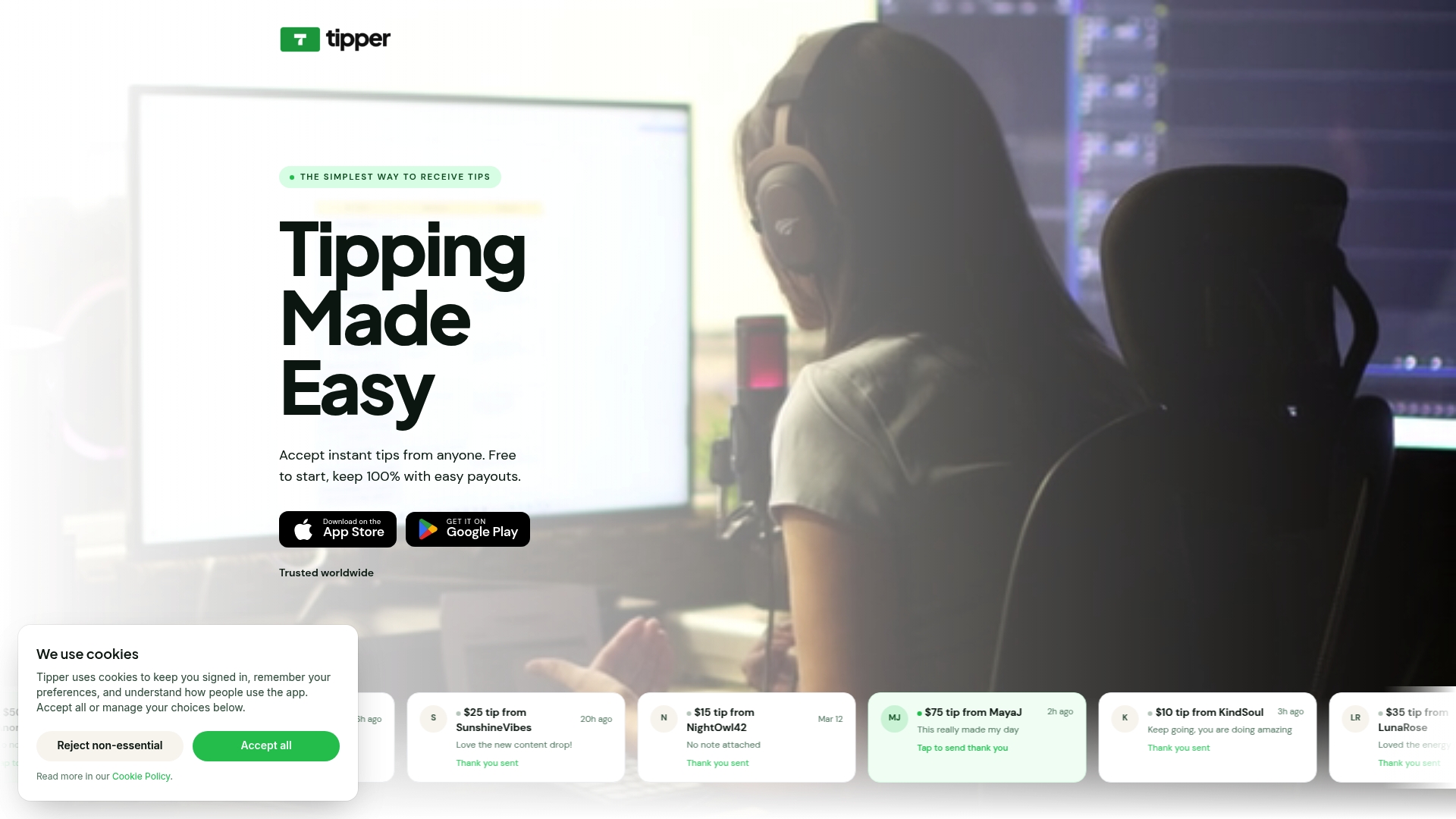
It takes minutes to set up, and the link travels with you across platforms. Whether you pin it in a YouTube chat, drop it in a Twitter/X bio, or display it as a QR code at a live event, the checkout experience stays the same. Start receiving tips at tipper.app.
Sources and further reading
- In-Stream Social Media Donations: A Complete Guide — covers friction reduction and in-chat payment mechanics; supports the native tipping and one-click link sections
- Interactive Fundraising: Live Content That Converts — hybrid strategy, overlay triggers, and multi-platform consolidation; used in the overlay and how-to-choose sections
- Livestream Fundraising: How to Host a Charity Stream — latency, donation-triggered actions, and conversion tactics; supports the overlay and best-practices sections
- Virtual Fundraiser Tech Stack — third-party platform features and multistreaming setup; used in the fundraising platforms and checklist sections
- Daisychain automation — SMS and CRM automation for post-tip follow-up; supports the text-to-donate and post-tip workflow sections
- Supporter Experience Platform (Thread Fundraising) — data ownership and CRM integration; used in the post-tip workflow and fees sections
FAQ
What is the lowest-friction real-time tipping option?
A one-click wallet payment link supporting Apple Pay or Google Pay is the lowest-friction option outside native platforms. Supporters complete the tip in a single tap without creating an account.
Do tips count as taxable income in the U.S.?
Yes. The IRS treats tips received through any payment tool as ordinary income. Track gross receipts by platform and keep payout records for tax filing.
How do I capture supporter contact info from tips?
Use an independent tipping tool that supports webhooks or Zapier, then route tip events into your CRM or email platform. Native platforms typically retain supporter contact data themselves.
What is a donation overlay and do I need one?
A donation overlay is a browser source added to OBS or Streamlabs that displays tip alerts and progress bars on screen. It is not required, but donation-triggered on-screen effects increase contribution velocity by making tips visible to the whole audience.
Can I use multiple types of contribution tools at the same time?
Yes, and most experienced creators do. A common setup combines native tipping for in-platform impulse moments with an independent link like Tipper for cross-platform reach and data capture.




[…] they’re not your only option once a supporter wants to give more. Tipper lets creators generate a personalized tip link or QR code that fans can pay through instantly, using Apple Pay or Google Pay, with no account required on […]
[…] command, a pinned message, and a video description. For a deeper look at the different types of real-time supporter contribution tools, we have a separate […]
[…] of formats, from tip jars to real-time supporter tools, our overviews of digital tip jar tools and real-time supporter contribution tools are a good next read. New to the idea? Start with what digital tipping is and how it […]