


Instagram tipping means fans can send creators money directly through Gifts on Reels or Live Badges during broadcasts. Both convert into real payouts once you connect a payout account. The fastest path forward: open your Professional Dashboard, check eligibility, and turn on Gifts if it’s available to you.
TL;DR:
- Creators need to have a professional account and meet follower and regional eligibility criteria to turn on Gifts or Badges features.
- Instagram pays about $0.01 per Star sent via Gifts, but app store fees reduce actual earnings, especially on larger tips.
- Both Gifts and Badges are driven by different user habits: Gifts favor frequent Reels posting, while Badges are better for regular live streamers.
- Using a personalized tipping link off-app can help supporters give larger tips directly, bypassing platform fees and increasing actual earnings.
- Consistent engagement and active promotion of tipping features significantly boost support from followers.
Table of Contents
- What Instagram Tipping Features Actually Do
- How Do You Qualify for Gifts and Badges?
- What Do Creators Actually Earn From Tips?
- How Can You Get More Tips on Reels and Live?
- When Does an Off-App Tipping Link Make Sense?
- Building Tips Into a Real Income Strategy
- Get Paid Directly With a Tipper Link
- Sources
- FAQ
What Instagram Tipping Features Actually Do
Instagram tipping comes in two distinct forms, and confusing them will cost you money and momentum. Gifts work on Reels: fans buy Stars, a virtual currency purchased inside the app, and send them on any Reel through the Send Gift button. It’s asynchronous, meaning a fan can tip a Reel you posted three weeks ago while scrolling at 2 a.m. Live Badges only work during live broadcasts. A viewer buys a badge, and it shows up next to their name in the comment thread instantly, giving you the chance to shout them out on camera.
The mechanics shape who should focus on what:
- Gifts favor consistent Reels posters. If you upload multiple times a week, Gifts accumulate quietly in the background without you doing anything extra.
- Badges favor regular live streamers. The real-time recognition is the entire draw, so if you rarely go live, badges will sit unused as a feature.
- Badges tend to convert better per interaction because the buyer gets instant social proof (their name lighting up on screen), while Gifts rely on the fan feeling generous after watching a clip.
Neither replaces the other. Most active creators eventually run both, since they serve completely different viewing habits.
How Do You Qualify for Gifts and Badges?
Instagram doesn’t hand tipping access to every account. You need a professional account (Creator or Business), and Meta reviews follower counts, age, and location before turning on either feature. Typical thresholds run in the low hundreds of followers for Gifts and the low tens of thousands for Badges, though Meta adjusts these as it rolls features out by region.
Here’s the setup sequence that actually works:
- Switch to a professional account if you haven’t already, under Settings.
- Check your Professional Dashboard for a Gifts eligibility notice; toggle it on if it appears.
- Confirm you’re 18 or older and located in an eligible country since Instagram restricts payouts by region.
- Set up payouts by linking a bank account or PayPal and submitting tax documentation. In the US, that means a completed W-9.
- Confirm your payout minimum of $25 before expecting your first deposit.
- Enable badges separately inside your Live settings once you meet the follower threshold.
If Gifts or Badges never appear as an option, the usual culprits are a personal (not professional) account, a recent community guidelines strike, or simply not yet qualifying by follower count.
Pro Tip: Check your Professional Dashboard every few weeks even if you were previously ineligible. Meta rolls these features out gradually by account activity and region, so a “not available” status today can flip without warning.
What Do Creators Actually Earn From Tips?
The published rate is straightforward: Meta pays creators $0.01 per Star a fan sends through Gifts. Badges work differently, sold in price tiers that start at $0.99 and climb from there depending on the tier a viewer selects.
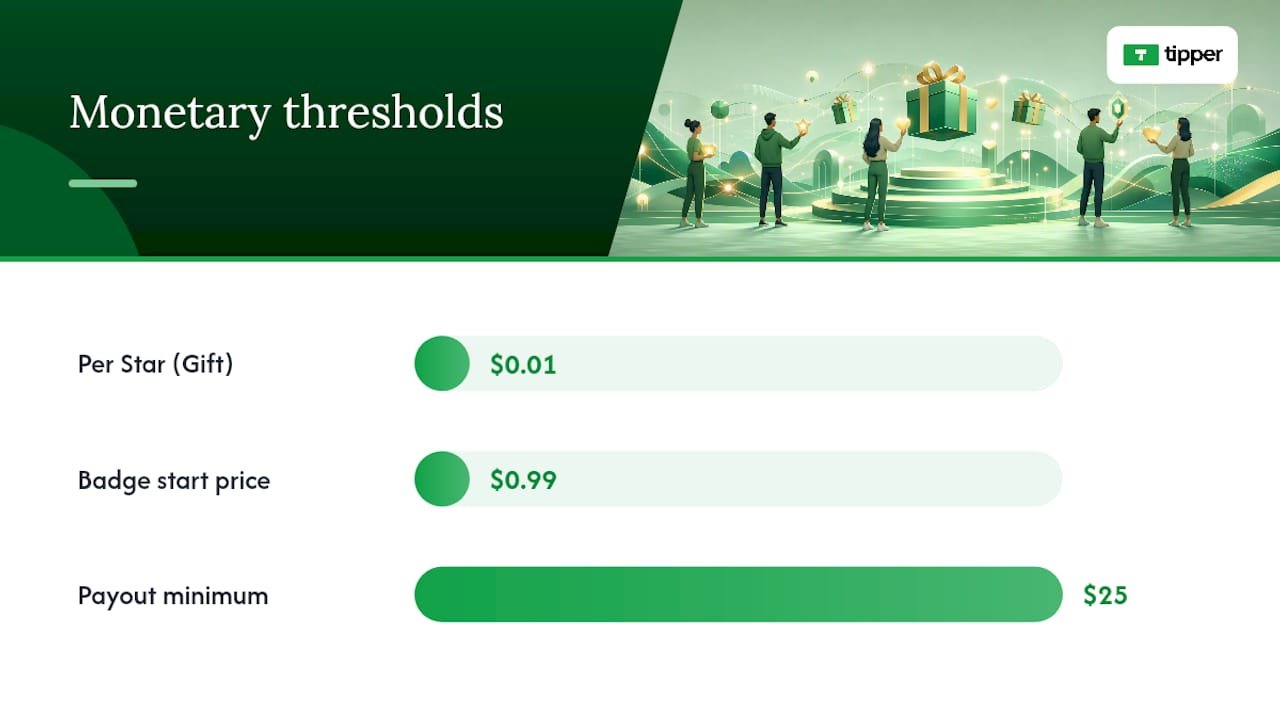
The gross number isn’t what lands in your account, though. In-app purchases run through Apple’s or Google’s payment systems, and those platforms take a cut of roughly 30% on the purchase side before Stars or badge revenue ever reaches Instagram’s ledger. Meta itself doesn’t add an extra platform fee on top of that for badges, but the app-store cut still shapes what a fan’s dollar is actually worth to you.
Payout logistics matter just as much as the rate:
- Payouts process on a monthly cycle, generally around the 21st.
- You need a $25 minimum balance before Instagram releases anything.
- US creators file a W-9 for tax reporting, and earnings count as taxable income.
A nano creator posting a few Reels a week might see tips amount to grocery money. A micro creator with an engaged live audience could see meaningfully more. For most people, though, tipping supplements brand deals and subscriptions rather than replacing them, since creators generally rely on stacked income streams rather than any single source.
How Can You Get More Tips on Reels and Live?
Fans rarely tip unprompted. They tip when a creator makes the ask feel natural instead of desperate.
- Say it out loud during Lives. A simple “if you’re enjoying this, badges show up right in the comments” works better than a hard sell.
- Use text overlays on Reels that mention Gifts without derailing the content itself.
- Announce new features in your Stories the first time you enable Gifts or Badges, since a lot of your audience won’t notice the button otherwise.
- Thank tippers by name, live, the moment their badge appears. That immediate acknowledgment is what makes Badges convert better than almost any other prompt.
- Pin a comment during Lives thanking recent supporters to keep the momentum visible to new viewers.
- Follow up in DMs for larger Gifts, and send a Story shout-out for repeat supporters.
Your Instagram Insights will tell you which Reels or Live topics actually drove Gifts, not just views. Creators who treat that data seriously, testing formats and adjusting based on what earns tips rather than just what earns likes, tend to build steadier tipping habits among their audience over time.
Pro Tip: Recognition compounds. A fan who gets a genuine thank-you the first time they tip is far more likely to tip again than one who sends a Gift into the void.

When Does an Off-App Tipping Link Make Sense?
Native Gifts and Badges are frictionless for small, spontaneous tips, but they’re not your only option once a supporter wants to give more. Tipper lets creators generate a personalized tip link or QR code that fans can pay through instantly, using Apple Pay or Google Pay, with no account required on their end.
That matters because routing larger or recurring payments off-app sidesteps the app-store fees that eat into Stars and badge purchases. Creators also keep 100% of what comes through Tipper, which changes the math meaningfully on a $50 tip compared to the equivalent in Stars.
A practical hybrid approach:
- Keep Gifts and Badges on for casual, in-the-moment tipping during Reels and Lives.
- Drop your Tipper link in bio, Stories, or during a Live when you want to invite a bigger, direct contribution.
- Use Tipper for audiences or platforms where native tipping isn’t available at all, like a podcast or a newsletter tied to your Instagram presence.
Running both isn’t redundant. It’s covering two different moments in how someone decides to support you.
Building Tips Into a Real Income Strategy
Creators who treat tipping as a bonus, not a backup plan, tend to build it into something sustainable. The mistake we see most often is over-asking, mentioning tips in every single post until it reads as pressure instead of appreciation. The second mistake is worse: creators enable Gifts, forget to finish payout setup, and leave earnings stuck in limbo for months.
Stack your income sources deliberately. Native tipping catches the casual, impulsive supporter. A direct link catches the fan who wants to give more and skip the app-store cut entirely. Neither works if you treat it as an afterthought instead of a real part of how you get paid.
— Tipper
Get Paid Directly With a Tipper Link
Native Gifts and Badges are great for casual support, but if you want fans to send you a real tip without app-store fees eating into it, Tipper gives you a direct alternative. Set up a personalized link or QR code in minutes, and supporters can pay instantly with Apple Pay, Google Pay, or a card, with no account or sign-up required on their end.

You keep 100% of what comes through, and every tip can carry a thank-you note, photo, or video back to the person who sent it. That’s the kind of connection Stars and badge tiers can’t replicate. If you’re ready to add a direct option alongside your native Instagram tools, create your tipping link and drop it in your bio today.
Sources
FAQ
What is the 5-3-1 rule for Instagram?
It’s a posting framework suggesting five pieces of curated content, three original posts, and one video per week to keep an account active without burning out on content creation. It has nothing to do with tipping eligibility, but consistent posting under a rhythm like this helps Gifts accumulate since more Reels means more chances for fans to tip.
What is the 3-2-1 rule on Instagram?
It’s a content-mix guideline: three engagement-focused posts, two educational posts, and one promotional post per week. Creators who diversify content this way tend to keep audiences engaged longer, which supports both organic reach and tipping activity over time.
How do I start receiving tips on Instagram?
Switch to a professional account, check your Professional Dashboard for Gifts eligibility, and set up your payout method with tax information. Once approved, you can also enable Live Badges separately if you meet the higher follower threshold.
What are the best tips for posting on Instagram to encourage tips?
Announce new tipping features in Stories, thank supporters by name during Lives, and use text overlays on Reels that mention Gifts without disrupting the content. Consistency matters more than any single tactic, since regular posting gives fans more opportunities to tip.
Can I use both Instagram Gifts and an off-app tipping link like Tipper?
Yes, and many creators run both simultaneously. Native Gifts and Badges handle small, impulsive tips inside the app, while a Tipper link works better for larger contributions since it avoids app-store fees and lets creators keep 100% of what they receive.




Leave A Comment