


Content appreciation payments are one-off or recurring tips supporters send to creators via personalized links, in-platform tools, or micropayment protocols. The flow is short: supporter pays, processor handles checkout, funds reach the creator minus any applicable fees.
Here’s the three-step version:
- Supporter side: A viewer clicks a tipping link, scans a QR code, or taps an in-platform button, then pays with Apple Pay, Google Pay, a card, or a connected wallet.
- Technical layer: A payment processor (Stripe, PayPal, or a gateway like those powering Tipper) handles authentication, fraud checks, and settlement.
- Creator side: Funds arrive in the creator’s connected account, either instantly or on a scheduled payout cycle, net of processing fees.
Platforms like Tipper take this further by removing the account requirement for senders entirely, which cuts the biggest drop-off point in most tip flows. The rest of this guide covers every content payment model available, how the money actually moves, U.S. tax basics, and a step-by-step checklist to get your own system live.
Key Takeaways
Content appreciation payments work because they remove friction between a supporter’s impulse to give and the creator’s ability to receive, and the platforms and processors that handle the middle layer determine how much of each tip actually lands.
| Point | Details |
|---|---|
| Core definition | Tips and appreciation payments are ordinary income in the U.S., reported in the year received. |
| Best starting method | Direct tipping links with no-account-required checkout convert better than in-platform tools for creators below monetization thresholds. |
| Fee reality | On a $5 tip with a 2.9% + $0.30 processing fee, a creator nets approximately $4.41; know your processor’s rate before setting suggested amounts. |
| Top implementation step | Test Apple Pay and Google Pay on both iOS and Android before launch; broken payment flows are the most common conversion killer. |
| Conversion tip | Personalized thank-you messages (text, photo, or short video) increase repeat giving by strengthening the creator-supporter relationship. |
| Tipper’s approach | Tipper provides instant tipping links with no sender account required, Apple Pay/Google Pay support, and direct payouts to creators. |
This article is general information, not a substitute for advice from a qualified financial advisor. Consult a qualified financial professional about your own circumstances before acting on anything here.
Table of Contents
- How content appreciation payments work across different models
- How the money actually moves from supporter to creator
- U.S. tax and legal basics every creator needs to know
- A practical checklist for implementing appreciation payments
- What Tipper’s platform data shows about instant tipping links
- Why appreciation payments change the creator-supporter relationship
- Tipper makes instant tipping simple for creators
- Sources
- FAQ
How content appreciation payments work across different models
Not every creator needs the same payment type. The right model depends on your audience size, platform, and how often you publish.
- In-platform tipping (Super Thanks-style): Viewers pay directly inside a platform like YouTube. YouTube reports creators receive a majority share of Super Thanks revenue after taxes and fees. Pro: zero friction for the viewer. Con: you must meet platform monetization thresholds to qualify, and the platform controls the feature.
- Direct tipping links and QR codes: A personalized URL or scannable code takes supporters to a branded checkout page. Newer monetization gateways enable instant, no-account-required payments via these links, supporting Apple Pay and Google Pay. Pro: works everywhere, no platform dependency. Con: you drive the traffic yourself.
- One-time donations: A fixed or open-amount payment, often through PayPal or Stripe-powered forms. Pro: familiar to audiences. Con: no built-in recurring mechanism.
- Micropayment streaming (Web Monetization / Coil): Protocols like Coil and the Interledger standard stream fractions of a cent per second while a visitor reads or watches. Token-based models like Brave/BAT extend this with peer-to-peer settlement. Pro: passive, attention-proportional income. Con: tiny audience penetration today; treat it as supplemental, not primary.
- Content rewards / view-based CPM pools: A brand funds a pool; creators submit clips; approved clips earn a stated rate per 1,000 verified views until the budget runs out. Pro: scalable for high-volume creators. Con: per-submission caps and review delays often matter more than the headline CPM rate.
- Subscriptions and memberships: Recurring monthly payments for exclusive content. Pro: predictable revenue. Con: high churn risk if content cadence slips.
- Pay-per-content / paid downloads: Supporters pay a fixed price for a specific piece of content. Pro: clear value exchange. Con: limits organic reach.
- Gifting or product-as-payment: Brands send physical products or gift cards in exchange for coverage. Pro: low cash-flow friction. Con: fair-market value is still taxable income.
- Flat fees and performance / commission models: A sponsor pays a set amount upfront, or a percentage of tracked conversions. Industry experts report a shift toward pay-per-demonstrated-value models that tie creator compensation to measured attention rather than flat fees, a trend accelerated by AI-driven attribution. Pro: aligns incentives. Con: attribution tracking adds complexity.
Pro Tip: If your audience is under 10,000 followers, direct tipping links often convert better for smaller creators who have not met platform eligibility thresholds. Start there, then layer in platform tools as you grow.
How the money actually moves from supporter to creator
Understanding the technical path helps you choose the right processor and avoid surprises on payout day.
The payment flow, step by step:
- Supporter clicks a tipping link, scans a QR code, or taps an in-platform button.
- Checkout loads, pre-filled with suggested amounts and a message field.
- Supporter authenticates via Apple Pay, Google Pay, a saved card, or PayPal.
- Processor (Stripe, PayPal, or a gateway) runs verification and anti-fraud checks.
- Funds are authorized and held briefly, then released to the creator’s connected account.
- Creator receives a payout, either instantly, on a rolling schedule, or on demand.
UX elements that move conversion numbers:
- No-account-required checkout removes the single biggest abandonment trigger.
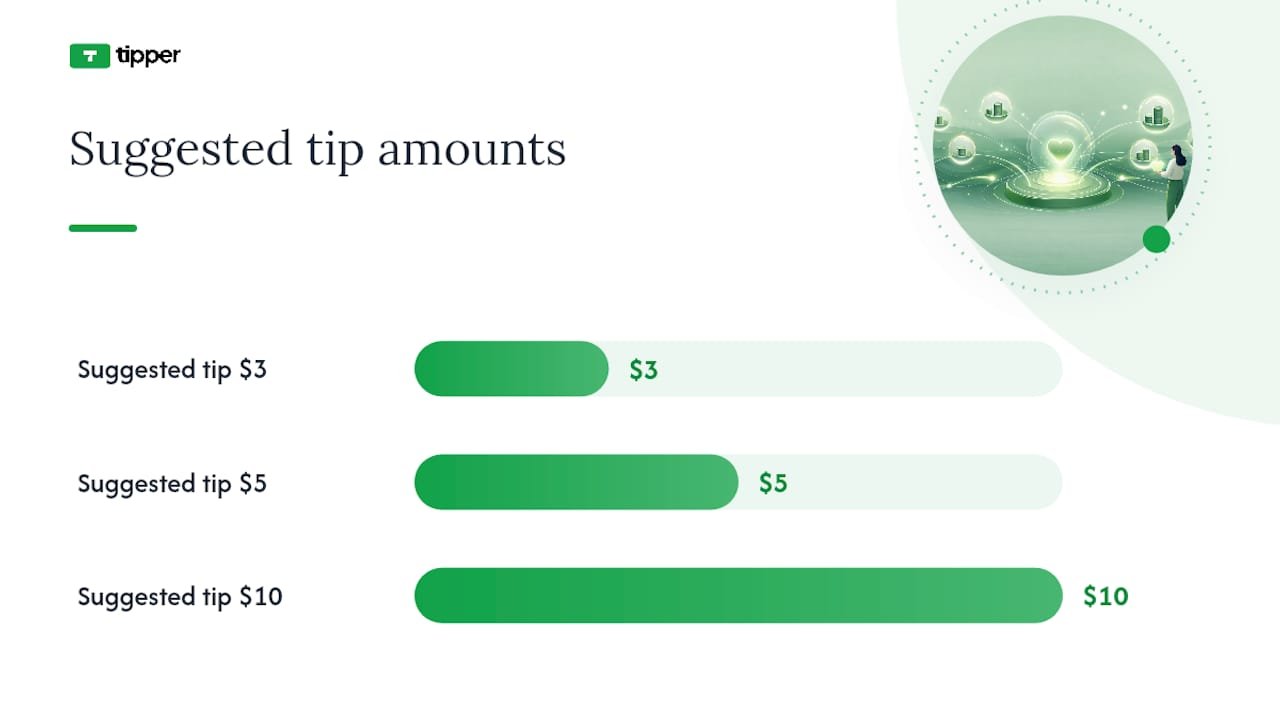
- Pre-filled suggested amounts (e.g., $3 / $5 / $10) reduce decision fatigue.
- A personal message field increases emotional investment and repeat giving.
- Mobile-first design with Apple Pay / Google Pay reduces tap count to two or three.
Common processors and what to expect:
Stripe supports instant payouts to debit cards (for an additional fee) and standard ACH transfers. PayPal offers fast transfers to linked bank accounts. Apple Pay and Google Pay are payment methods that sit on top of Stripe or similar processors; they don’t hold funds themselves. Emerging sub-second, direct-to-wallet settlement patterns are beginning to eliminate the multi-day payout window entirely for some platforms.
Sample fee illustration (labeled assumptions):
Assume a $5 tip with a typical card processing fee, the creator nets a bit less than the full amount. On a $10 tip under similar conditions, the creator nets correspondingly more after fees. These are illustrative; actual rates vary by processor, card type, and volume.
Chargebacks and privacy: Credit card chargebacks are a real risk on tip flows. Keeping transaction records and using processors with built-in fraud tools (Stripe Radar, PayPal’s fraud filters) reduces exposure. On the privacy side, tokenization means the processor stores card data, not your platform, so creators never handle raw payment credentials. Collect only what you need: name (optional), email for receipt, and tip amount.
The IAB Tech Lab’s Content Monetization Protocol (CoMP) v1.0 signals where structured commercial terms for content are heading at the industry level, particularly for AI-consumed content, though it’s not yet a creator-facing tool.
U.S. tax and legal basics every creator needs to know
Appreciation payments are generally treated as ordinary income in the U.S. You report them in the year you receive them, at your marginal income tax rate. They are not deferred compensation, and they are not analogous to equity instruments like stock appreciation rights.
What to record for every payment received:
- Date of receipt
- Gross amount paid by the supporter
- Platform or processing fees deducted
- Net amount deposited to your account
- Platform or payer name (when available)
Platform reporting thresholds: Payment processors and platforms are required to issue a Form 1099-K when payments cross IRS reporting thresholds. These thresholds have changed in recent years and are subject to further revision, so check the current IRS guidance or ask a tax professional rather than relying on a static number here.
Wage vs. non-wage distinction: Tips and appreciation payments to independent creators are generally non-wage income, not employee compensation, unless a formal work-for-hire arrangement exists. That distinction affects how you file and whether self-employment tax applies.
Pro Tip: Open a dedicated bank account or sub-account for creator income the day you start collecting tips. Mixing personal and creator funds is the most common recordkeeping mistake, and it makes year-end reporting significantly harder.
Tax callout: The IRS treats tips received by self-employed individuals as self-employment income, meaning you may owe both income tax and self-employment tax (currently 15.3% on net earnings up to the Social Security wage base). Quarterly estimated payments are worth discussing with a CPA if your tip income is consistent.
This article provides general information only. Consult a qualified tax professional for advice specific to your situation, as rules change and individual circumstances vary.
Platform terms of service and AML: Most platforms prohibit using tipping features for goods or services that violate their terms. Anti-money laundering (AML) regulations also apply to payment processors; large or unusual tip volumes may trigger review. Stay within platform guidelines and keep records that demonstrate the payments are genuine appreciation for content.
A practical checklist for implementing appreciation payments
Follow this in order. Skip nothing in the setup phase; the testing phase is where most creators lose money.
Setup
- Choose your primary method (direct tipping link for most creators starting out; in-platform if you’re already monetization-eligible).
- Create your tipping link or QR code and brand the checkout page with your name, photo, and a one-line description of what supporters are tipping for.
- Connect your payment processor (Stripe or PayPal are the most widely supported in the U.S.).
- Set three suggested tip amounts appropriate for your audience (a common starting range: $3, $5, $10).
- Write your thank-you message, either a short automated text note or a brief video, and configure it to send on payment confirmation.
- Set your payout cadence (daily, weekly, or on-demand) and confirm your tax settings with your processor.
- Add a one-line privacy note to your tip page: “We collect only your payment information to process your tip. We don’t store card details.”
Testing
- Complete a live test transaction on mobile (iOS and Android) and desktop.
- Verify Apple Pay and Google Pay load correctly and complete without errors.
- Test the refund flow: issue a test refund and confirm it processes cleanly.
- Check that your analytics platform (Google Analytics 4 or equivalent) registers the conversion event.
- If you’re running campaigns, add UTM parameters to your tipping link so you can attribute tips to specific posts or videos.
Launch
- Place your tipping link in your bio, pinned comment, video description, and end-screen CTA.
- Use a short, direct ask: “If this helped you, a $5 tip keeps more content like this coming. No account needed.”
- For live content, mention the link verbally once, mid-stream, not just at the end.
Measure and iterate
- Track: conversion rate on your tipping link, average tip amount, percentage of repeat tippers, and retention of tippers vs. non-tippers over 90 days.
- A/B test suggested amounts: try $3/$5/$10 vs. $5/$10/$20 for one month each and compare average tip size.
- Review cross-platform tipping data monthly to see which content type drives the most tips.
For view-based reward campaigns specifically, some platforms approve submissions within 48–72 hours and pay in fiat or crypto; factor that review window into your cash-flow planning.
What Tipper’s platform data shows about instant tipping links
The clearest finding from instant-link tipping flows: removing the account-creation step is the single highest-leverage change a creator can make to tip conversion. When a supporter has to sign up before paying, a large share of them leave. When they can tap Apple Pay and be done in under ten seconds, they don’t.
Platform benchmark: Personalized thank-you features, including text notes, photos, and short video messages, increase repeat giving because they strengthen the creator-supporter relationship. Payment flows that surface a personalization step drive higher repeat-contributor rates. (Cloudflare monetization gateway research)
Two thank-you message templates that work:
- Text note (send immediately on payment): “Thank you so much for the tip, [Name]. It genuinely means a lot and helps me keep making [content type]. I’ll see you in the next one.”
- Short video note (record once, update monthly): A 15–20 second clip where you say the supporter’s name (or “everyone who tipped this month”), describe one specific thing their support made possible, and sign off warmly. Specificity is what separates a memorable thank-you from a generic one.
Fee transparency builds trust. Displaying the net amount the creator receives, or at least noting that a small processing fee applies, reduces the friction of “where does my money actually go?” Tipper’s model adds a platform fee plus payment processing fees at checkout, so supporters see the full cost before confirming. Creators keep their earnings directly; funds go to their connected account.
Pro Tip: Tell your audience what their tip makes possible. “Your $5 tip covers the software I use to edit these videos” converts better than a generic ask because it makes the value exchange concrete.
For a deeper look at how tipping links are configured and tested, the technical setup is worth reviewing before you go live.
Why appreciation payments change the creator-supporter relationship
The mechanics matter, but the shift they enable is more interesting than the plumbing. When a supporter sends a tip, they’re not buying a product. They’re signaling that your work has value to them personally, and that signal, when acknowledged, creates a different kind of loyalty than a subscription ever does.

The ask doesn’t have to feel awkward. Creators who do it well treat it the same way a musician thanks the crowd: briefly, genuinely, and without making it the whole show. One mention per video, one link in the bio, one honest sentence about what the support enables. That’s enough. Pressure kills the goodwill that makes appreciation payments work in the first place.
For creators exploring token-based and micropayment models, creator economy operators like Naomi Lennon have written thoughtfully about how these newer compensation structures fit into a broader monetization strategy.
Tipper makes instant tipping simple for creators
Tipper gives creators a personalized tipping link and QR code that supporters can use to send a tip in seconds, with no account required on the sender’s side. Apple Pay, Google Pay, and card payments all work out of the box. Supporters can attach a text note, photo, or short video to their tip, and creators receive funds directly to their connected account.

Creators keep their earnings; Tipper adds a platform fee plus payment processing fees at checkout, so the cost is transparent before anyone confirms a payment. There’s no subscription to maintain and no minimum payout threshold that locks your money up for weeks.
If you’re ready to see how it works with your own audience, set up your tipping link at Tipper and run a live test before your next post goes out. The setup takes under ten minutes, and you’ll know immediately whether the flow works on your phone.
Sources
- Cloudflare: Monetization gateway
- Digiday: WTF is pay-per-demonstrated-value in AI content licensing?
- ClipAffiliates: What Is a Content Rewards Program?
- YouTube Help: Super Thanks eligibility, availability, and policies
FAQ
How do influencers accept appreciation payments?
Influencers typically accept tips through personalized tipping links, QR codes, in-platform features like YouTube’s Super Thanks, or payment processors like PayPal and Stripe. Platforms like Tipper let supporters pay via Apple Pay or Google Pay with no account required, which reduces checkout friction significantly.
What is a thank-you payment?
A thank-you payment is a voluntary, one-time tip a supporter sends to a creator to express appreciation for content they found valuable. It carries no expectation of a product or service in return, though it is still treated as ordinary income for U.S. tax purposes.
What is the purpose of a token of appreciation in creator payments?
A token of appreciation, whether a monetary tip or a platform-specific token like Brave’s BAT, signals that a supporter values a creator’s work beyond passive consumption. These payments strengthen the creator-supporter relationship and, when acknowledged with a personalized thank-you, tend to increase repeat giving.
How do I thank a client or supporter for making a payment?
Send an immediate automated text note on payment confirmation, then follow up with a short personalized message or video. Naming the supporter and describing specifically what their tip enables converts a generic receipt into a genuine connection, which is the most reliable driver of repeat tips.




Leave A Comment