

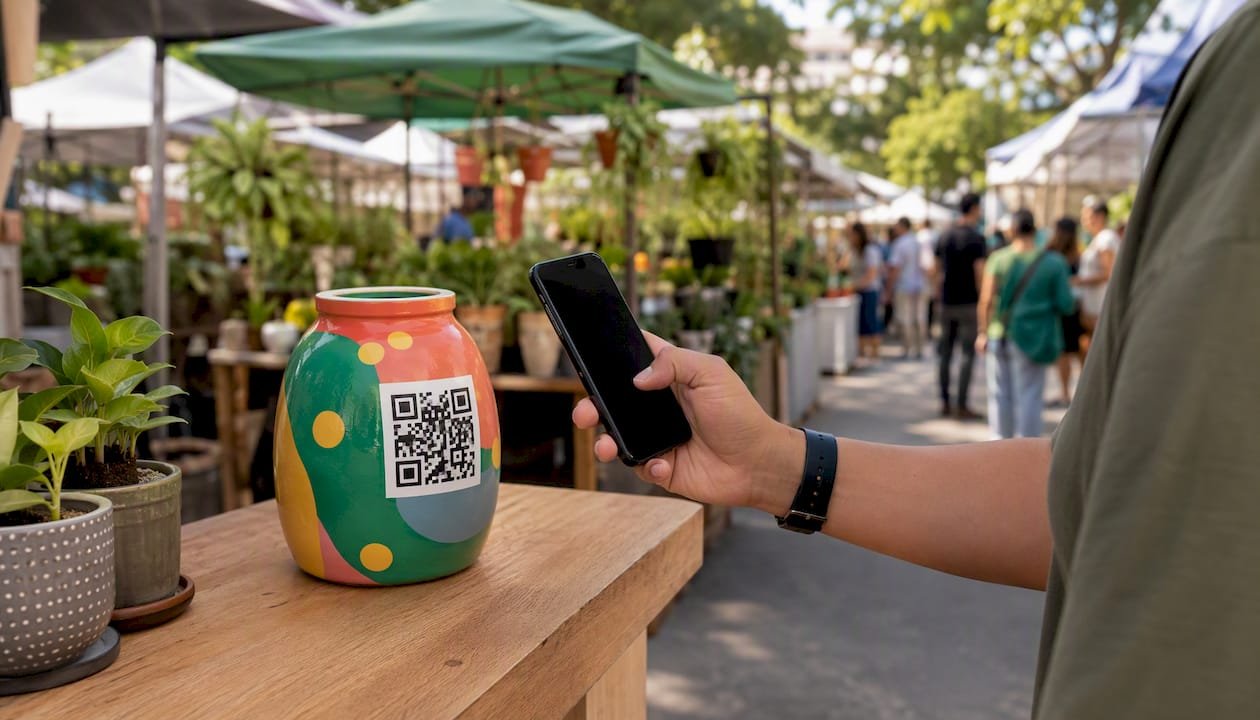
Set up a personalized tipping link and a matching QR code today, and you can collect instant appreciation payments from supporters within the next 30 minutes. The fastest path to digital customer loyalty rewards isn’t a points program or a punch card. It’s a direct tip link that accepts Apple Pay, Google Pay, or a card, with no account required from the person sending money.
Here’s what to complete in your first session:
- Create a free account on Tipper and set your payout method
- Customize your branded tip URL (e.g., tipper.app/yourname)
- Generate a downloadable QR code pointing to that URL
- Drop the link into your bio and test it from your phone
For a cleaner, trackable short link, Bitly’s branded link tools let you customize the back-half of any URL and monitor clicks, geography, and referral sources per link.
Pro Tip: Test your link from inside Instagram and TikTok before you share it publicly. In-app browsers behave differently from Safari or Chrome, and catching that early saves you from losing tips on launch day.
Key Takeaways
A personalized tip link with three preset amounts, a tested QR code, and a personal thank-you message is the fastest way to reward loyal customers digitally and build repeat support.
| Point | Details |
|---|---|
| Set up first | Create a Tipper account, set payout method, and test your link before sharing. |
| Optimize the tip page | Use three preset amounts with a highlighted middle option and one line of social proof. |
| Share after delivering value | Place the link in your bio, video captions, email footer, and on printed receipts or QR signage. |
| Track four core metrics | Monitor clicks, conversion rate, average tip, and referral source weekly via CSV export. |
| Tipper as your platform | Tipper supports Apple Pay, Google Pay, and card checkout with customizable thank-you messages and no account required from tippers. |
Table of Contents
- How does a tipping link actually process a payment?
- Step-by-step setup: create your tip link and QR code
- How do you design a tip page that actually converts?
- Where should you share your tip link and QR code?
- Tracking and analytics: which metrics actually matter?
- What fees and taxes should creators expect?
- Real use cases: creators, freelancers, and small businesses
- Your 30-to-90-day launch plan
- How do you protect your tip link from fraud?
- What legal compliance applies to digital tipping?
- How to personalize tips based on supporter loyalty
- How do you get supporters to share your tip link?
- How does Tipper connect to your existing marketing tools?
- How are refunds and disputes handled for tips?
- Why direct tipping builds stronger loyalty than points programs
- Tipper makes it easy to start collecting tips today
- Sources
- FAQ
How does a tipping link actually process a payment?
The flow is simpler than most creators expect: supporter taps the link or scans the QR, lands on your tip page, picks an amount, pays via Apple Pay, Google Pay, or card, and you get a payout notification. That’s it.
The friction points live in the handoffs. In-app browsers on Instagram, TikTok, and Snapchat can intercept the payment handoff before it reaches Apple Pay or Google Pay, dropping the transaction entirely. linkboo documents this “vanishing visitor” problem and shows that forcing the destination into the system browser preserves deep links and prefilled amount parameters, which materially improves conversion from social apps.
On the back end, you need four things working before you share anything: a branded link, a secure checkout that handles authentication, configured payout settings, and an email or push notification so you know when a tip lands.
Pro Tip: If your link opens inside a webview and the payment never completes, add an escape flow. Some link-in-bio tools include an “open in browser” redirect. Test this before launch.
Step-by-step setup: create your tip link and QR code
- Create your Tipper account and complete identity verification (KYC) so payouts aren’t held.
- Set your payout method (bank transfer or connected wallet) before you share anything.
- Choose your branded link — customize the URL slug to your name or brand handle.
- Configure payment options — confirm Apple Pay, Google Pay, and card checkout are all active.
- Build your tip page — add a short headline, three preset amounts, and a profile photo.
- Generate a dynamic QR code from your dashboard and download a high-resolution version for print.
- Test end-to-end in Instagram’s in-app browser, in Safari, and on Android Chrome. Run a $1 test tip through each payment method.
Required settings checklist before going live:
- KYC and payout details confirmed
- Privacy settings reviewed (what data you collect from tippers)
- Refund and dispute policy noted in your tip page footer
- Notification email verified
Linkly’s comparison of link-in-bio vs. custom short links is worth a quick read here. Link-in-bio tools use the provider’s domain and are fast to set up; custom short links on your own domain give stronger brand control and cleaner analytics. For most creators starting out, the hosted option is fine.
Pro Tip: Add a prefilled amount parameter to your link (e.g., ?amount=5) for specific placements like email footers or receipts. A link that opens with $5 already selected converts better than a blank tip page.
How do you design a tip page that actually converts?
Simple pages convert best. Three preset amounts, a clear call-to-action, and one line of social proof outperform elaborate pages every time. The creator tips playbook from Linkos recommends starting with an external tip link to validate demand before moving to native tipping, and it highlights preset amounts with an emphasized middle option as a consistent conversion driver.
Copy and layout guidance:
- Headline: One short sentence. “Support my work” or “Buy me a coffee” both work. Keep it under 8 words.
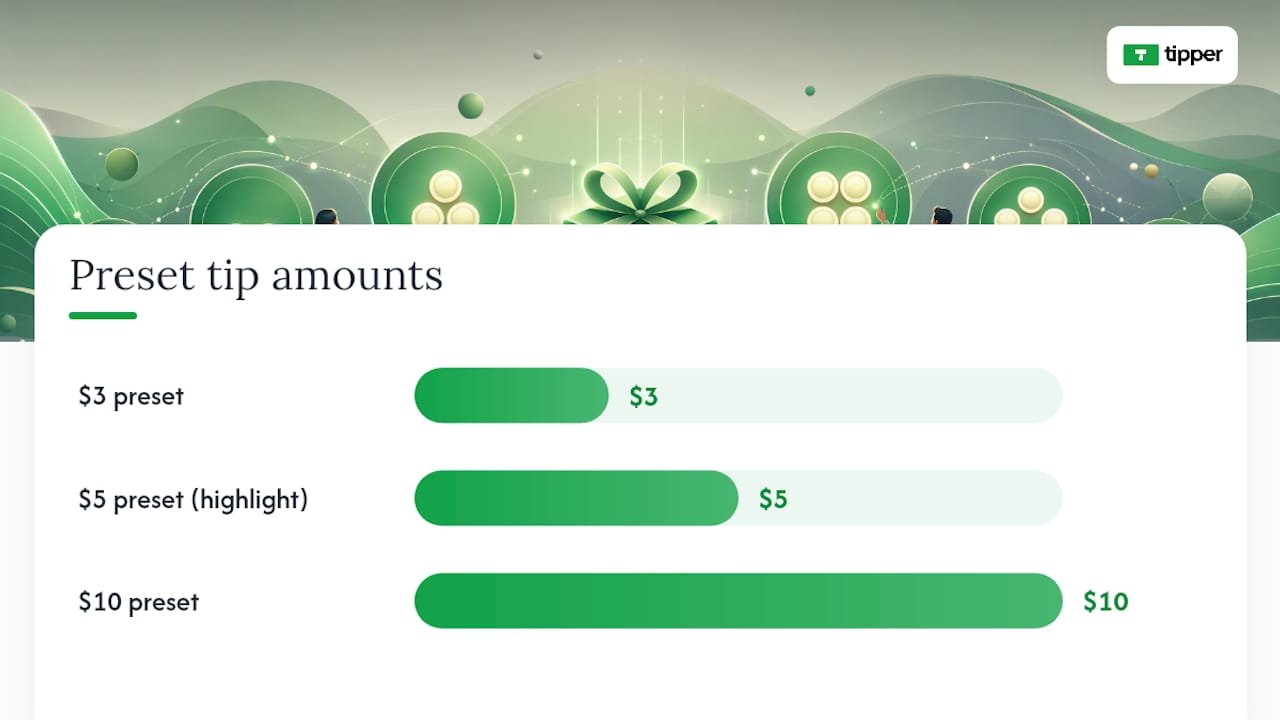
- Amounts: Three presets ($3, $5, $10 works well). Bold or highlight the middle option. Add one custom-amount field below.
- Social proof line: “Join 120 supporters” or “47 people tipped this month” anchors the decision.
- Microcopy: One sentence explaining what tips fund (“Keeps the newsletter free and ad-free”).
- Fee disclosure: A small, unobtrusive line noting that a processing fee is added at checkout.
The thank-you flow matters as much as the tip page itself. An immediate onscreen confirmation plus an automated thank-you message (text, photo, or short video) turns a one-time transaction into a relationship. Tipper lets you configure this message per campaign, which means a supporter who tips after a livestream gets a different note than one who tips from your email footer.
Pro Tip: Add an opt-in checkbox on the confirmation screen for supporters who want updates. This is your most engaged audience. Don’t skip it.
Where should you share your tip link and QR code?
Put the link where intent is highest, right after you’ve delivered value.
- Bio link: Your tip link or a link-in-bio page with the tip link as the top destination. Cutt for creators shows how a single branded URL can host multiple tracked destinations and a QR code for offline use.
- Video captions and end cards: “If this helped, tip here” placed at the end of a tutorial or review.
- Livestream overlays: A persistent lower-third with your short link during the stream.
- Printed receipts and packaging: A QR code on the receipt pointing to your tip page. QR code placement for small businesses covers print sizing and signage best practices.
- Email footer: A one-line ask with a prefilled-amount link.
- Event signage and table cards: Print the QR at 2 inches minimum for reliable scanning.
Timing matters. Ask after you’ve delivered something, not before. A “buy me a coffee” anchor works because it gives the supporter a concrete mental frame for the amount.
Pro Tip: The in-app webview problem hits hardest on TikTok. If your audience is primarily TikTok, test your link with a tool that forces a real browser redirect before you run any promotion.
Tracking and analytics: which metrics actually matter?
Track clicks, conversion rate, revenue per link, and creator-level attribution. That four-number stack tells you what’s working and where to cut.
| Metric | Definition | Why It Matters | Export Tip |
|---|---|---|---|
| Clicks | Total link taps | Measures reach and placement effectiveness | Bitly dashboard or UTM report |
| Unique visitors | Deduplicated sessions | Filters bot traffic from real intent | Google Analytics audience report |
| Conversions | Completed tips | Core revenue signal | Tipper transaction export |
| Conversion rate | Tips ÷ clicks | Diagnoses page or placement problems | Calculate from CSV |
| Average tip | Revenue ÷ conversions | Guides preset amount optimization | Tipper dashboard |
| Geography | Country/city of tipper | Informs content timing and language | Bitly or GA geo report |
| Referral source | Where the click came from | Shows which channel drives paying supporters | UTM parameters |
For deeper reporting, connect your tip link clicks to Gleanit’s real-time engagement analytics or pipe UTM data into Google Analytics. Schedule weekly CSV exports from Tipper and name each link with a consistent pattern (e.g., creator-name-channel-date) so filtering by creator or campaign takes seconds. Loyalty-linked tipping automation covers how naming patterns and API calls can scale this reporting across multiple creators or campaigns.
What fees and taxes should creators expect?
Expect a platform transaction fee plus a payment processor fee on each tip. Tips are taxable income in the United States and require recordkeeping from day one.
Cost items to verify before launch:
- Platform fee per transaction (check Tipper’s current rate at checkout)
- Card processing fee (typically a percentage plus a flat cent amount per transaction)
- Apple Pay and Google Pay processing rates (usually the same as card)
- Payout minimums and hold times
- Chargeback and dispute handling policy
- Refund policy and who bears the cost
On taxes: the IRS treats tips as ordinary income. Track gross receipts, not net, because the gross amount is what gets reported. If your tip volume grows, set aside a portion of each payout for quarterly estimated taxes. The 1099-K reporting threshold has shifted in recent years, so confirm the current threshold with a tax professional or the IRS directly rather than relying on platform estimates.
Pro Tip: Export your transaction CSV at the end of every month and drop it into a dedicated folder. Twelve monthly files are far easier to hand to a CPA than one year-end scramble.
Real use cases: creators, freelancers, and small businesses
Newsletter writer. Adds a prefilled $5 tip link to every email footer. After six months of consistent sends, repeat tippers make up the majority of monthly tip revenue. A short video thank-you sent within 24 hours of each tip is the single tactic she credits for turning one-time supporters into regulars.
Freelance designer. Adds a QR code to every invoice PDF pointing to a tip page with a $10 preset. The note reads: “If this project exceeded expectations, a tip means a lot.” No pressure, no awkwardness. Roughly one in eight clients tips.
Local coffee shop. Prints a QR code on the counter card and receipt. The tip page has three amounts and a photo of the team. Digital tipping for local businesses shows how this setup increases per-visit revenue without changing the service model.

The common thread: a personal thank-you message sent within hours of the tip consistently increases the chance of a second tip. It doesn’t need to be long. Two sentences and a name is enough.
Your 30-to-90-day launch plan
Days 1–30: launch and collect your first 10 tips
- Complete account setup and KYC on day one.
- Add the tip link to your bio and one content piece by day three.
- Share the link in at least three channels by day seven.
- Run a test tip from a friend’s device to confirm the full flow.
- Hit 10 completed tips before day 30.
- If conversion rate stays below 1% after 200 clicks, change the CTA copy or the preset amounts.
- Export your first CSV at the end of week four.
Days 30–60: optimize
- A/B test two headline variants on your tip page.
- Try a prefilled-amount link in one channel and compare conversion to the standard link.
- Send a personal thank-you to every tipper from the first month.
Days 60–90: scale and systematize
- Build an automated thank-you workflow triggered by each completed tip.
- Offer a small recognition to supporters who tip three or more times (a shoutout, early access, or a personal note).
- Review geo data and referral sources. Double down on the channel with the highest conversion rate.
- Set up offline conversion tracking if you use QR codes in person.
How do you protect your tip link from fraud?
Use a platform that handles PCI compliance and payment authentication at the processor level. Tipper’s checkout runs on a compliant payment stack, so card data never touches your server.
Practical steps for creators:
- Use a unique link per campaign so you can disable a compromised link without killing all traffic.
- Monitor for unusual tip patterns (many small tips in rapid succession from the same geography).
- Never share your payout credentials or dashboard login. Use two-factor authentication.
- For QR codes in physical locations, check them periodically to confirm no one has placed a sticker over yours.
Chargebacks are the most common fraud vector. Keep your refund policy visible on the tip page and respond to disputes promptly through your payment processor’s portal.
What legal compliance applies to digital tipping?
In the United States, digital tipping platforms that process payments must comply with anti-money laundering (AML) rules under the Bank Secrecy Act, which is why KYC verification is required before payouts. As a creator, your obligation is to complete that verification honestly and report income accurately.
Data protection: collect only what you need. If your tip page includes an opt-in for updates, your handling of those email addresses falls under CAN-SPAM for email and, if you have European supporters, GDPR. Use a reputable email tool and honor unsubscribe requests immediately.
If your tip volume crosses certain thresholds, your platform is required to issue a 1099-K. Keep your own records regardless, because the platform’s reporting and your actual receipts should match.
This is general information, not legal or tax advice. Confirm current thresholds and obligations with a qualified professional or the relevant government agency.
How to personalize tips based on supporter loyalty
Not every supporter is at the same stage. Someone who has tipped five times deserves a different experience than a first-timer.
Segment by behavior, not by assumption:
- First-time tippers: Send a warm welcome message and explain what their support funds.
- Repeat tippers (2–4 tips): Acknowledge the pattern. “You’ve supported me three times now” lands differently than a generic thank-you.
- High-frequency supporters: Offer something exclusive — early access to content, a personal Q&A, or a shoutout. This is the group most likely to share your link.
Use your tip link naming convention and transaction export to identify these tiers. A simple spreadsheet with tipper email (if provided), tip count, and total amount is enough to run a basic segmentation. Loyalty-linked tipping strategies covers how to automate this at scale using API patterns.
How do you get supporters to share your tip link?
The most reliable referral tactic is a personal ask to your most engaged supporters. People who have already tipped are your best advocates.
- After a tip, include a line in the thank-you message: “If you know someone who’d enjoy my work, sharing this link means a lot.”
- Create a shareable version of your tip page with a short, memorable URL (Bitly’s personalized URL tools make this easy to generate at scale).
- Run a milestone campaign: “Help me reach 100 supporters this month” gives existing tippers a concrete goal to rally around.
- Offer a small recognition for referrals, like a shoutout or early access, without making it transactional enough to trigger payment regulations.
The key is making sharing feel natural, not obligatory. A supporter who shares because they’re genuinely proud of backing you is worth more than one who shares for a reward.
How does Tipper connect to your existing marketing tools?
Tipper’s transaction data exports as CSV, which plugs into any CRM or analytics tool that accepts spreadsheet imports. For pixel-based retargeting, add your Meta or Google pixel to your tip page where the platform allows, so you can retarget visitors who clicked but didn’t tip.
For CRM integration, tag tippers in your email platform (Mailchimp, ConvertKit, or similar) using the email address they provide at checkout. This creates a high-intent segment you can message separately from your general list.
Gleanit’s engagement analytics can layer on top of your tip link data to give real-time campaign reporting, which is useful if you’re running a time-limited promotion and need to monitor conversion as it happens.
How are refunds and disputes handled for tips?
Tips are generally non-refundable by design, but chargebacks can still occur if a supporter disputes a charge with their bank. When that happens, the payment processor initiates a dispute process and may hold the funds temporarily.
Keep your refund policy visible on your tip page. A one-line statement (“Tips are voluntary and non-refundable, but contact me if you have a concern”) reduces disputes by setting expectations upfront. Respond to any dispute through your processor’s portal within the deadline they specify, typically 7–10 days, or the chargeback is automatically decided against you.
For large or unusual tips, it’s reasonable to wait for the standard clearing period before spending the funds, since chargebacks on larger amounts carry more financial exposure.
Why direct tipping builds stronger loyalty than points programs
Points programs create obligation. A tip creates a moment. When a supporter sends $5 because your tutorial saved them two hours, that’s a signal no algorithm can replicate. The transaction is voluntary, immediate, and personal, which is exactly why it reinforces loyalty more durably than a discount earned after ten purchases.
The creators who see the highest repeat tip rates share one habit: they respond personally. Not with a form email, but with a note or a short video that references something specific. That response closes a loop the supporter didn’t expect to be closed, and it’s the reason they come back.
There’s also an ethics dimension worth naming. Don’t harvest tipper data beyond what’s necessary to process the payment and send a thank-you. Supporters who tip are extending trust. Using their email address to add them to a marketing list without explicit consent breaks that trust faster than any thank-you message can rebuild it. Collect what you need, use it for what you said you’d use it for, and let the relationship grow from there.
Tipper makes it easy to start collecting tips today
Creators who want to reward loyal supporters digitally without building a complex loyalty system have a direct path: a personalized tip link, a matching QR code, and a thank-you message that feels human.

Tipper gives you all three in one place, with no subscription fee and no account required from the person tipping. Supporters pay via Apple Pay, Google Pay, or card in seconds. Set up takes under 30 minutes. Create your free Tipper account and collect your first tip today.
Sources
- Personalized URLs for direct campaigns — Bitly blog
- URL Shortener for Influencers and Content Creators in 2026: Brand Links, Analytics and Link in Bio
- Link in Bio vs Custom Short Links: What Creators Should Use in 2026 — Linkly
- Creator Tips Playbook — How to Earn From Your Audience With Tips | Linkos
- linkboo for tip-jar creators — recover the Venmo, Cash App, and PayPal tips TikTok quietly loses | linkboo
This article is general information, not a substitute for advice from a qualified financial advisor. Consult a qualified financial professional about your own circumstances before acting on anything here.
FAQ
How do I reward loyal customers digitally without a points program?
Set up a personalized tip link or QR code on a platform like Tipper. Supporters tip instantly via Apple Pay, Google Pay, or card, with no account required, and you send a personal thank-you to reinforce the relationship.
Does Tipper charge a subscription fee?
Creating and maintaining a Tipper account is free. A transaction fee plus payment processing fee applies to each completed tip, with no monthly subscription required.
How do I handle taxes on tips I receive in the United States?
The IRS treats tips as ordinary income. Track gross receipts from day one, set aside a portion for quarterly estimated taxes if volume grows, and confirm current 1099-K reporting thresholds with a tax professional.
What’s the best way to share a tip link on social media?
Place the link in your bio and add a short ask at the end of posts where you’ve delivered clear value. For TikTok and Instagram, test that your link opens in the system browser rather than the in-app webview to avoid payment handoff failures.
How do I turn one-time tippers into repeat supporters?
Send a personal thank-you message within 24 hours of each tip, referencing something specific about the supporter’s contribution. Creators who respond personally consistently see higher repeat tip rates than those who rely on automated generic confirmations.




Leave A Comment