For live events, the best tipping app is the one your audience can use in a few seconds without signing up for anything. For creators, streamers and performers, we think that is Tipper: supporters tip through a personalized link or QR code with Apple Pay, Google Pay or a card, no account needed, and creators keep 100% of their earnings. Below you will find how the main options compare on fees, payouts and supporter experience, so you can pick the right one for a stream, a meetup, a live show or a convention table.
TL;DR
- Fastest checkout for supporters: Tipper lets anyone tip with Apple Pay, Google Pay or a card without creating an account, from a link or a QR code.
- Fees: Tipper creators keep 100% of their earnings, with a small payment processing fee added at checkout. Other apps take a platform fee of 0% to 10% before processing.
- Online or in person: a link works on a stream or in a bio, a QR code works on a stage screen, a table sign or a badge.
- Memberships and merch: Patreon, Fourthwall and Ko-fi Gold are built for recurring revenue and shops. They are a different job from a live-moment tip.
- Before you commit: check payout speed, supporter messages and how the app handles disputes.
Table of Contents
- What an event tipping app actually has to do
- Event tipping apps compared
- Tipper: the pick for in-the-moment tips
- The other options, and what each is for
- Fees and payouts: where the money actually goes
- Online events versus in-person events
- What to check before you choose
- Our perspective
- Set up a tip page for your next event
- FAQ
- Sources
What an event tipping app actually has to do
An “event” for a creator is rarely a ticketed conference. It is a livestream, a watch party, a charity stream, a meetup, a live podcast recording, a workshop, a pop-up or a convention appearance. In all of them the tip happens in a burst: the audience is excited for a few minutes, and then attention moves on.
That shapes what matters:
- Checkout friction. Every form field you add costs tips. An audience member on a phone should be able to pay with the wallet already on that phone.
- Reach. The tip page has to work from a chat command, a link in a bio, a panel under a video and a printed QR code.
- Cost per small tip. Most event tips are small. A fixed per-transaction charge takes a larger share of a $3 tip than of a $30 one.
- Speed to your bank. If you are traveling to the next event, waiting weeks matters.
- The thank-you. A tip that gets a personal reply gets repeated.
Most of the apps you will see recommended were built for something else: memberships, shops or stream overlays. That is fine when that is your goal. For a tip in the moment, the simplest checkout wins.
Event tipping apps compared
Fees and payout details below come from StreamerPerks’ 2026 comparison, published in August 2026. Plans change, so confirm on each provider’s own page before you commit.
| App | Best for | Platform fee | Supporter needs an account? | Notes |
|---|---|---|---|---|
| Tipper | Live moments, in-person events, streams | Creators keep 100% of earnings; small processing fee added at checkout | No | Link or QR code, Apple Pay, Google Pay, card, text, photo or video thank-you, direct payouts |
| Ko-fi | Tips plus a shop and commissions | 5% on the free plan, 0% with Gold at $12 a month | Not required for a one-off tip | Stream alerts for OBS, Twitch and YouTube; instant payouts |
| Buy Me a Coffee | Simple tip page with memberships | 5% flat | One-click guest tipping | Memberships, newsletter, mobile apps |
| Streamlabs | On-stream alerts and overlays | 0% | Tip goes through PayPal processing | One-time and recurring tips, text-to-speech, merch |
| Patreon | Monthly memberships | 10% for new creators after August 4, 2025 | Fans join a tier | Tiered memberships, video hosting, community tools |
| Fourthwall | Storefront with merch and donations | 5% on digital products and memberships on the free plan | Shop checkout | Print-on-demand merch; Pro from $19 a month |
Processing charges come on top of platform fees on most of these. StreamerPerks lists 2.9% + $0.30 for U.S. Stripe and PayPal payments, 3.9% + $0.30 for international PayPal and a 2.5% currency conversion charge. On a $5 tip, the fixed $0.30 alone is 6% before any platform fee, which is why a platform that adds nothing on top of processing is worth a hard look for event-sized tips.
Tipper: the pick for in-the-moment tips
Tipper was built around one action: a supporter pays you, right now, without becoming a member of anything. You get a personalized link and a QR code. A supporter taps it, pays with Apple Pay, Google Pay or a card, and is done. There is no sign-up screen between their impulse and your payout.
That design suits events for four reasons.
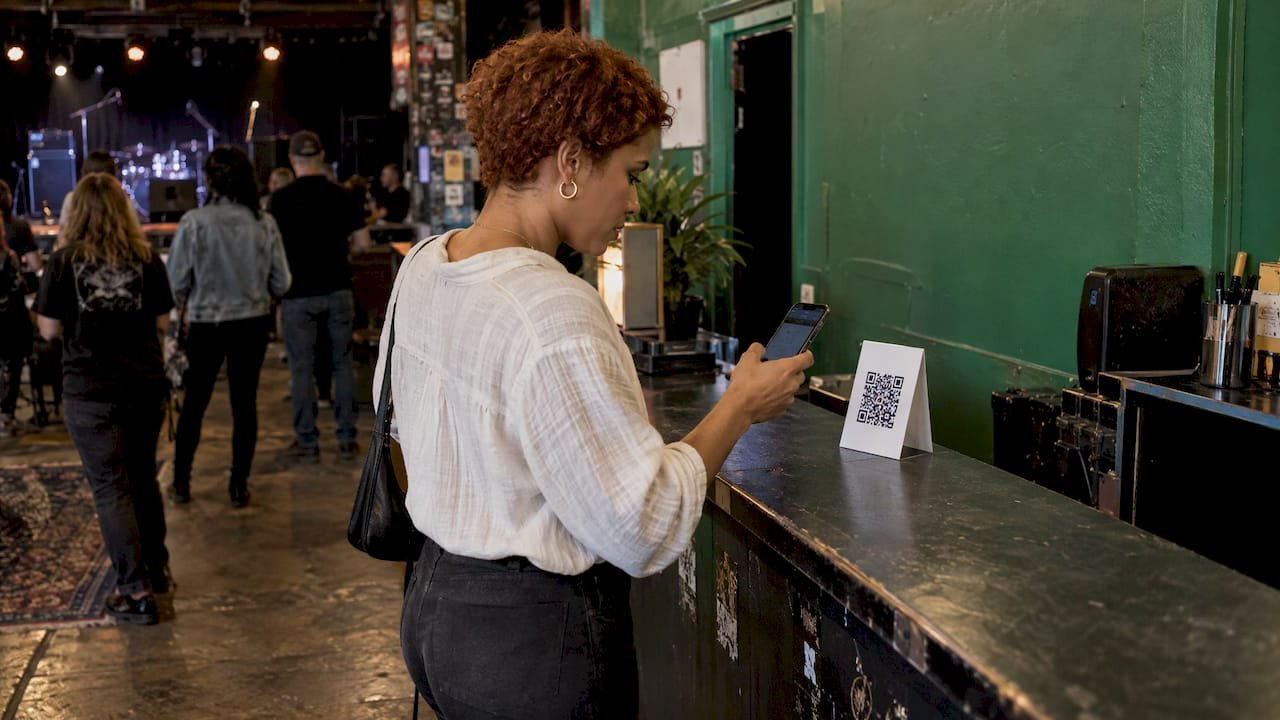
The audience is already on a phone. At a meetup or a live show, someone scans a QR code on the screen or the table and pays with the wallet already on their phone. On a stream, the same page sits behind a link in chat or under the video.
You keep what supporters send. Tipper creators keep 100% of their earnings. The small fee for payment processing is added at checkout, so it does not come out of your tip. It is free to create and maintain a creator account, with no subscription.
The thank-you is part of the product. You can reply with a text note, a photo or a video. After an event, a short video saying thanks to the people who tipped is the kind of personal touch that brings them back to the next one.
Payouts go directly to you. You do not build a balance on a platform and wait for a payout window to open.
Tipper also covers freelancers and small businesses, so the same page can serve a photographer at a wedding, a musician at a bar or a team at a pop-up. If you want to see how others share tipping links in practice, this guide on how businesses share tipping links walks through it. For a wider look at the category, see our comparison of tipping platforms for livestreamers and the 2026 digital tipping platforms guide.
The other options, and what each is for
Ko-fi
Ko-fi bundles tips, memberships, a digital shop and commissions, with stream alerts for OBS, Twitch and YouTube. The free plan carries a 5% platform fee and Gold at $12 a month brings it to 0%, per StreamerPerks. It makes sense if you want one page that also sells things. If your priority is a clean tip at a live moment, a dedicated tip link keeps the page and the checkout simpler. We compare more of this category in our Ko-fi alternatives list.
Buy Me a Coffee
Buy Me a Coffee charges a flat 5% platform fee and offers one-click guest tipping, memberships, a newsletter and mobile apps. An independent review notes that Stripe’s processing fees sit on top: 2.9% plus $0.30 per transaction, plus payout and international charges. It is a familiar name to supporters, which helps, but the fee stack is longer than a tip link that keeps 100% of your earnings.
Streamlabs
Streamlabs charges a 0% platform fee and focuses on the stream itself: on-screen alerts, text-to-speech, recurring tips and merch, with PayPal processing. It is a good fit when the in-stream spectacle is part of the show. It is less natural for an in-person event, where nobody is watching an overlay.
Patreon
Patreon is a membership platform. New creators pay 10% after August 4, 2025, according to the same StreamerPerks comparison, and fans commit to a monthly tier. That model suits ongoing series and exclusive content. A one-night event does not usually fit a subscription, which is the point we make in When Tipping Beats Subscriptions and in our Patreon vs Ko-fi vs Buy Me a Coffee breakdown.
Fourthwall
Fourthwall is a creator storefront: memberships, print-on-demand merch, digital products and donations. It is free to sign up, takes 5% on digital products and memberships on the free plan, and Pro starts at $19 a month, according to a creator-economy roundup. Use it when merch is the main revenue and tips are a side feature.
Fees and payouts: where the money actually goes
The StreamerPerks table puts platform fees between 0% (Streamlabs, Ko-fi Gold) and 10% (Patreon Standard). Ko-fi, Streamlabs and Buy Me a Coffee pay out instantly with no minimum, while Patreon pays monthly between the 1st and 5th with a $1 minimum.
It helps to compare that with what streaming platforms themselves pay. ViewRaid’s 2026 guide reports that Kick pays monthly with a hold of about 15 days after month-end and a $50 minimum that rolls over if you do not reach it. It puts Twitch at roughly 45 days at a $50 minimum and YouTube at roughly 21 days at a $100 minimum. A smaller streamer can wait a month or two for platform income. Tips that go straight to you are the cash flow that fills that gap.
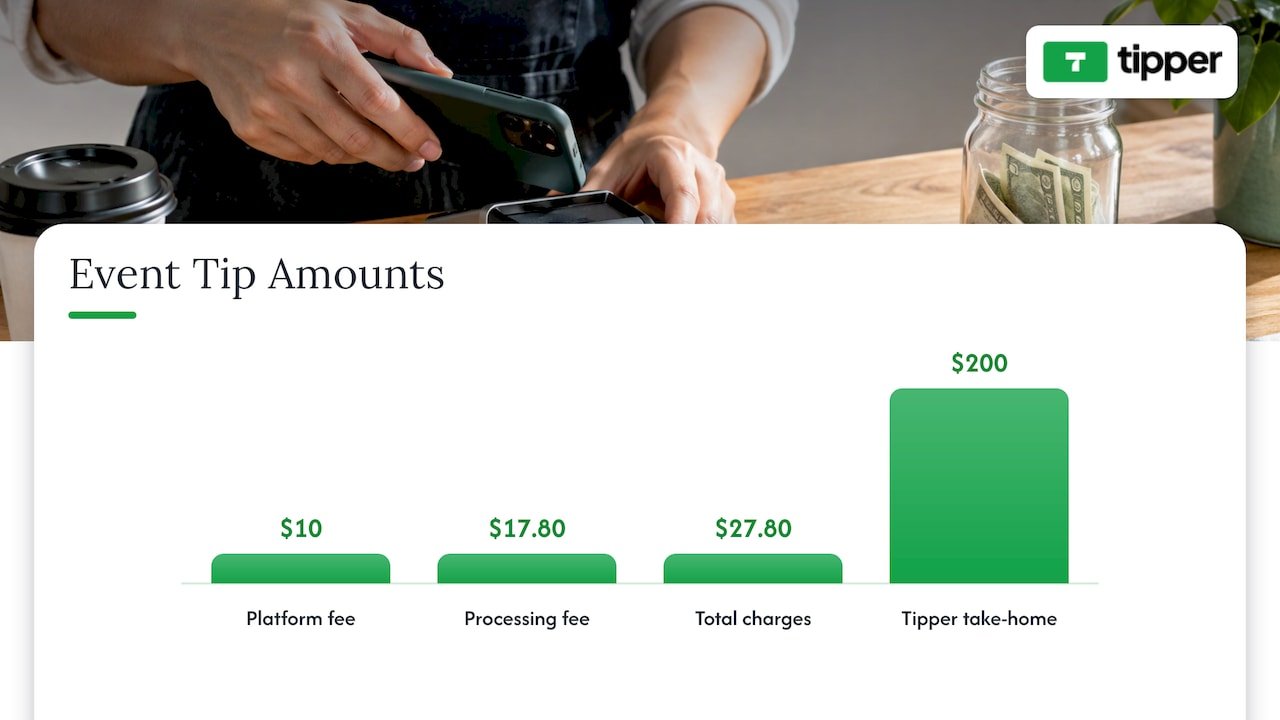
A worked example: you collect 40 tips averaging $5 at a live show, $200 in total. On an app with a 5% platform fee and 2.9% + $0.30 processing, the platform fee alone is $10 and the processing is about $5.80 + $12 = $17.80. That is $27.80 in charges before any payout fee, or nearly 14% of the night. With Tipper, creators keep 100% of their earnings and the processing fee is added at checkout, so the number you take home is the number your supporters sent. Exact charges vary by provider and plan, so run your own typical tip size through the formula before you choose.
Online events versus in-person events
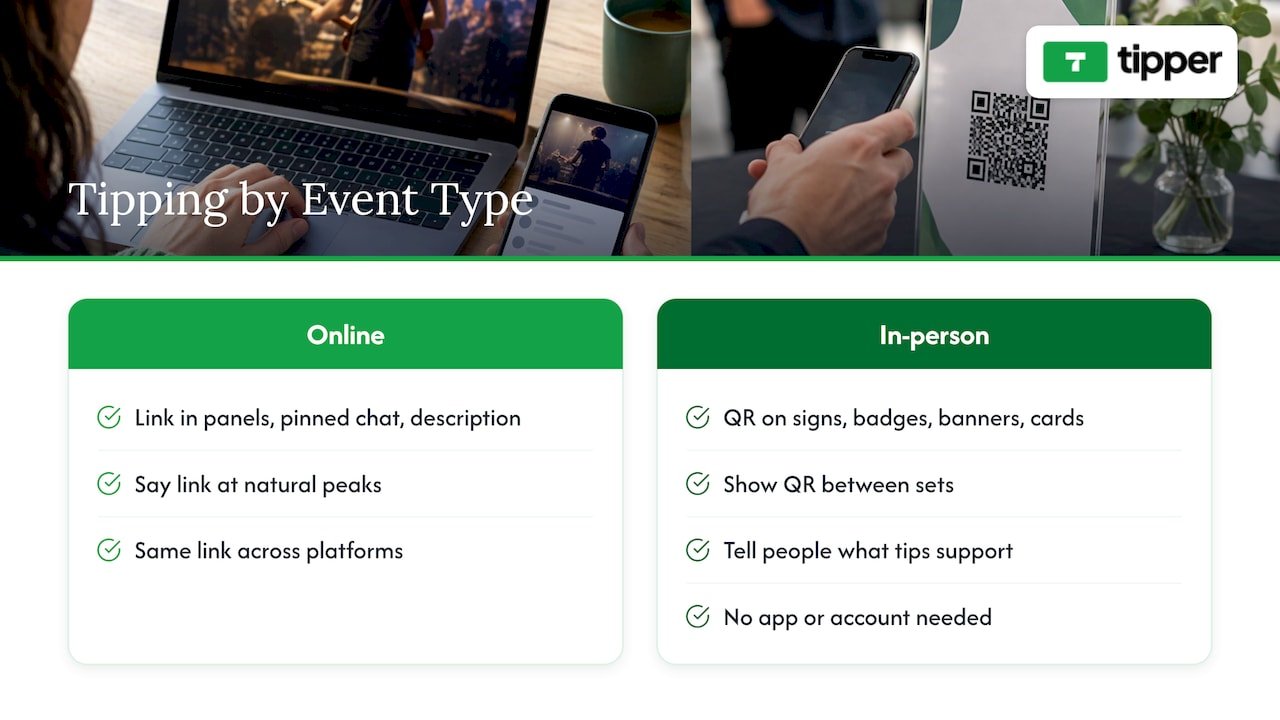
Livestreams and online events. Put your tip link in your panels, your pinned chat message and your video description. Say the link out loud at natural peaks: after a big moment, at the end of a segment, at the goodbye. Supporters on a phone can pay with their wallet in seconds. If you stream across several platforms, the same link works on all of them, so you do not need a different tip page per platform. Tools like Trigglow can connect Kick, Twitch, YouTube and TikTok events into one set of alerts if you want that layer too.
Meetups, live shows and conventions. Print the QR code on a sign, a badge, a banner or a table card, and show it on the screen between sets. Tell people what the tip supports. The supporter does not need an app or an account, which is what makes a QR code work with a crowd rather than just with your existing fans.
Events with awards or audience choice. If your event includes a people’s choice moment, an online audience voting platform can handle the voting, while a tip link handles the appreciation money. Keeping the two separate keeps both pages simple.
Link-in-bio and storefront users. If you use Linktree, Throne or a similar page, you do not have to replace it. Add your Tipper link as a button, so supporters reach a no-account checkout from the page they already know. For payment-link users, see our list of PayPal.Me alternatives, and for the tiny-tip math, micro donation platforms for creators.
What to check before you choose
Before an event, run through this short list with whichever app you are considering.
- Supporter checkout. Open your own tip page on a phone you do not normally use. Count the taps from link to confirmation. Fewer is better.
- Wallet support. Confirm that Apple Pay and Google Pay appear without extra steps, because most event tips come from phones.
- Fees at your tip size. Calculate platform and processing fees on a $3, $5 and $20 tip, not only the headline percentage.
- Payout timing. Know when funds reach you and whether a minimum applies.
- Supporter messages. Decide whether you want notes only or text, photo and video replies, and how supporters’ personal details are handled.
- Refunds and disputes. Read the app’s terms on refunds and chargebacks (a chargeback is when a supporter’s bank reverses a payment) so you know what happens before it does.
- Where the link lives. Make sure the page works as a link, a QR code and a bio button, since you will use all three.
Our perspective
Most tipping tools were built for people who already follow you. They ask a supporter to create an account, pick a tier or learn a new interface. That works for a long-term fan. It does not work for the person who watched your set for ten minutes and wants to say thanks before they leave.
We built Tipper around that moment. A supporter taps a link or scans a QR code, pays with Apple Pay, Google Pay or a card, and is done. No account. You keep 100% of your earnings, with the small payment processing fee added at checkout, so your appreciation is not shaved down by the platform.
We also think the reply matters as much as the payment. A short note, a photo or a video back to the person who tipped turns a one-off payment into a relationship, and that is how events turn into audiences that return.
Tipper
Set up a tip page for your next event
Tipper is free to create and maintain for creators, with no subscription. You get a customizable tip page, a personalized link and a QR code, and supporters pay with Apple Pay, Google Pay or a card without making an account. You can then answer with a text, photo or video thank-you, and your payouts go directly to you. The payment processing fee is added at checkout on each tip.
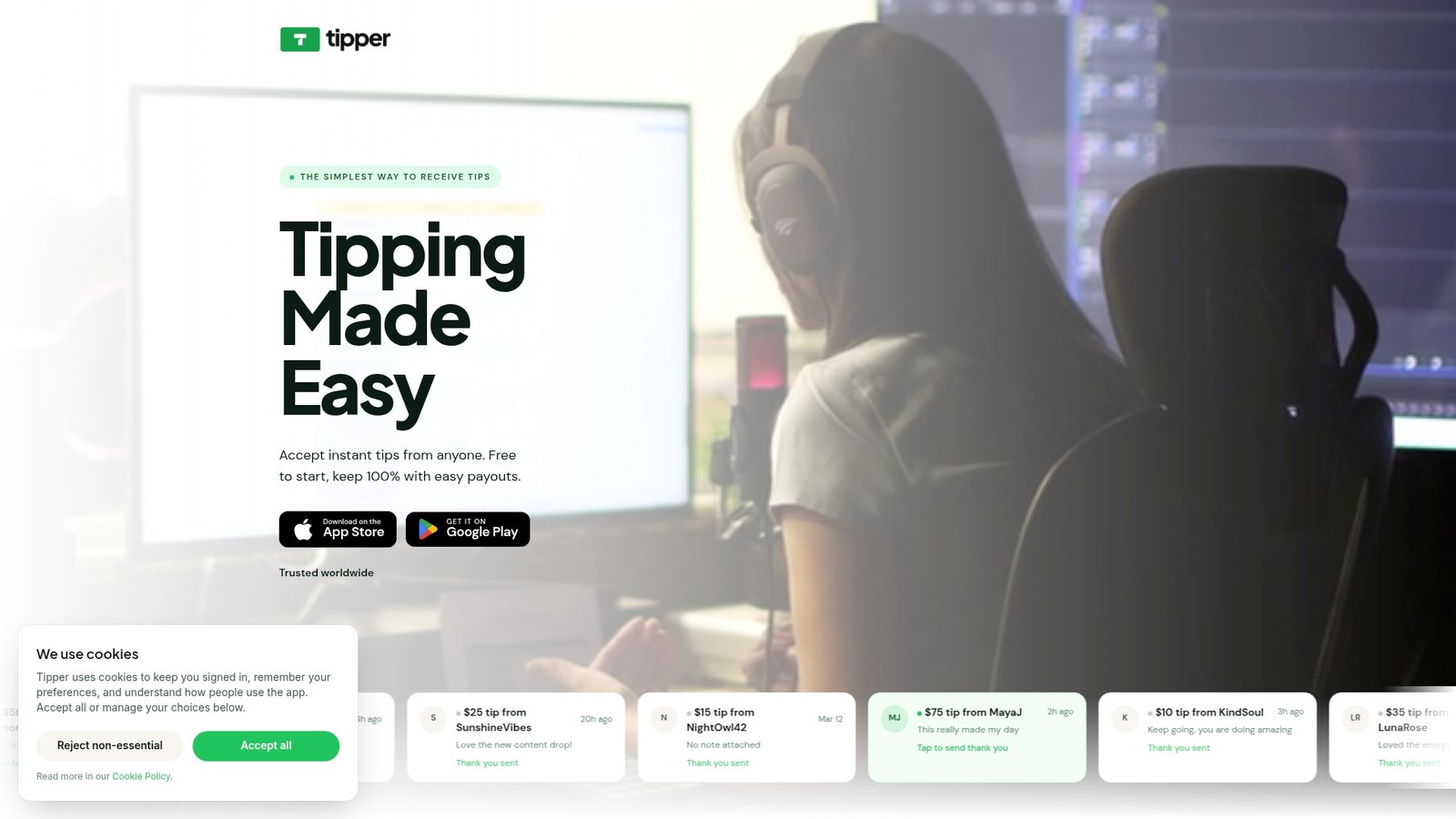
Create your Tipper page before your next stream, meetup or show, and put the link and QR code where your audience already looks.
FAQ
What is the best app for tipping at an event?
For most creators and performers, it is the app with the shortest path from scan to payment. Tipper lets supporters tip from a link or QR code with Apple Pay, Google Pay or a card, with no account. Creators keep 100% of their earnings, which matters when tips are small.
Do supporters need an account to send a tip?
With Tipper, no. A supporter opens your link or scans your QR code and pays. Some other platforms ask fans to join a tier or sign in, which suits memberships but slows down a tip in the middle of an event.
Can I use a tipping app on Twitch, Kick, YouTube, TikTok and Instagram?
Yes. A tip link is just a URL, so you can place it in a panel, a description, a pinned message or your bio on any of these platforms. Using one link everywhere keeps your tips in one place and saves you from maintaining separate pages.
How do I collect tips at an in-person event?
Print your QR code on a sign, badge or table card and show it on screen between sets. Say what the tips support and thank people out loud. Afterward, you can send a text, photo or video thank-you to the people who tipped.
Are tipping apps better than memberships?
They do different jobs. Memberships suit steady monthly support for ongoing content. A tip suits a live moment, a one-off event or an audience that does not want to subscribe. Many creators use both, and a tip link costs nothing to add alongside whatever else you run.
Sources
- Best Donation Platforms for Streamers in 2026, StreamerPerks
- How Kick Payout Works in 2026, ViewRaid
- Best Creator Economy Platforms, Bootstrapping Ecommerce
- Buy Me a Coffee Review 2026, Built by Foundry
- Connections, Trigglow Docs
- Izivote pricing


Leave A Comment