


Tip notifications are real-time alerts that instantly inform content creators when a supporter sends financial appreciation, using event-driven technology to deliver that signal within milliseconds of a transaction completing. Understanding how tip notifications work matters because the speed and clarity of that alert directly shapes whether a creator feels connected to their audience or disconnected from the moment. Platforms like StreamElements, Whatnot, and Tipper have each built distinct systems around this core mechanic, and the differences between them reveal a lot about what makes tip alerts genuinely useful versus merely functional.
How tip notifications work: the real-time delivery pipeline
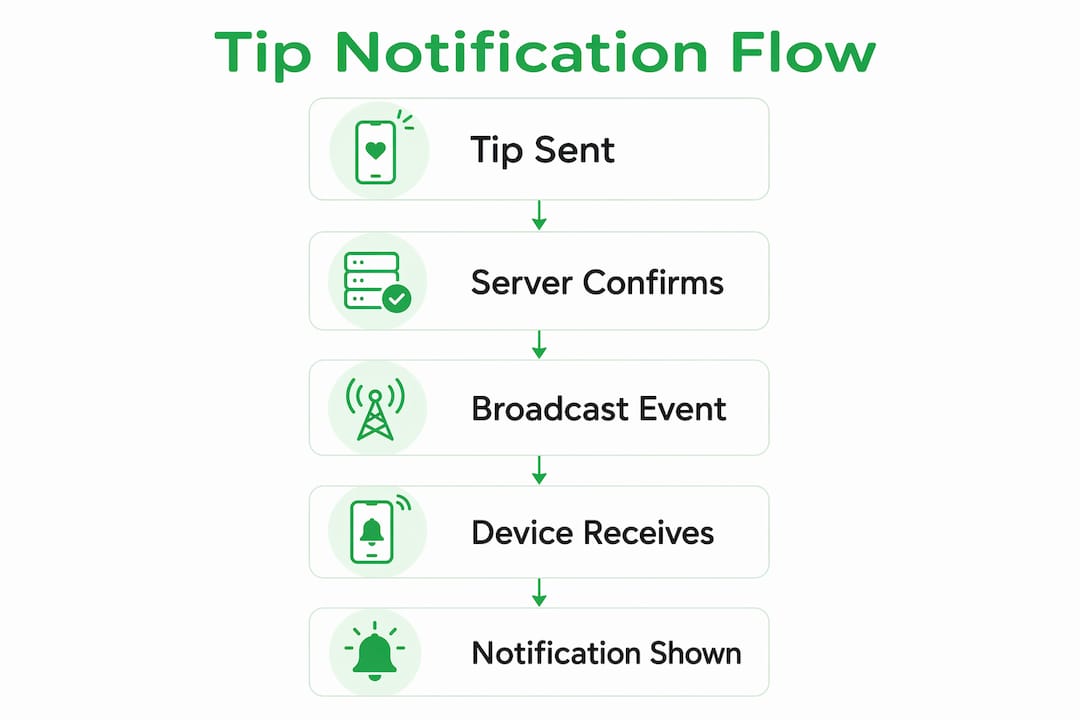
Tip notifications are triggered the moment a backend system confirms a completed tip transaction and broadcasts that event to the creator’s active interface. The process follows a clear sequence: a supporter submits a tip, the payment processor confirms it, and the backend ingests that event before pushing it outward to every connected client.
The most common broadcast method is WebSockets, a protocol that keeps a persistent, two-way connection open between the server and the creator’s browser or app. StreamElements uses a dedicated "channel.tips` WebSocket topic that delivers real-time updates containing fields like amount, currency, transaction status, and transactionId. That level of specificity matters because it lets the UI render a notification that says “$10 from @username” rather than just “you got a tip.”
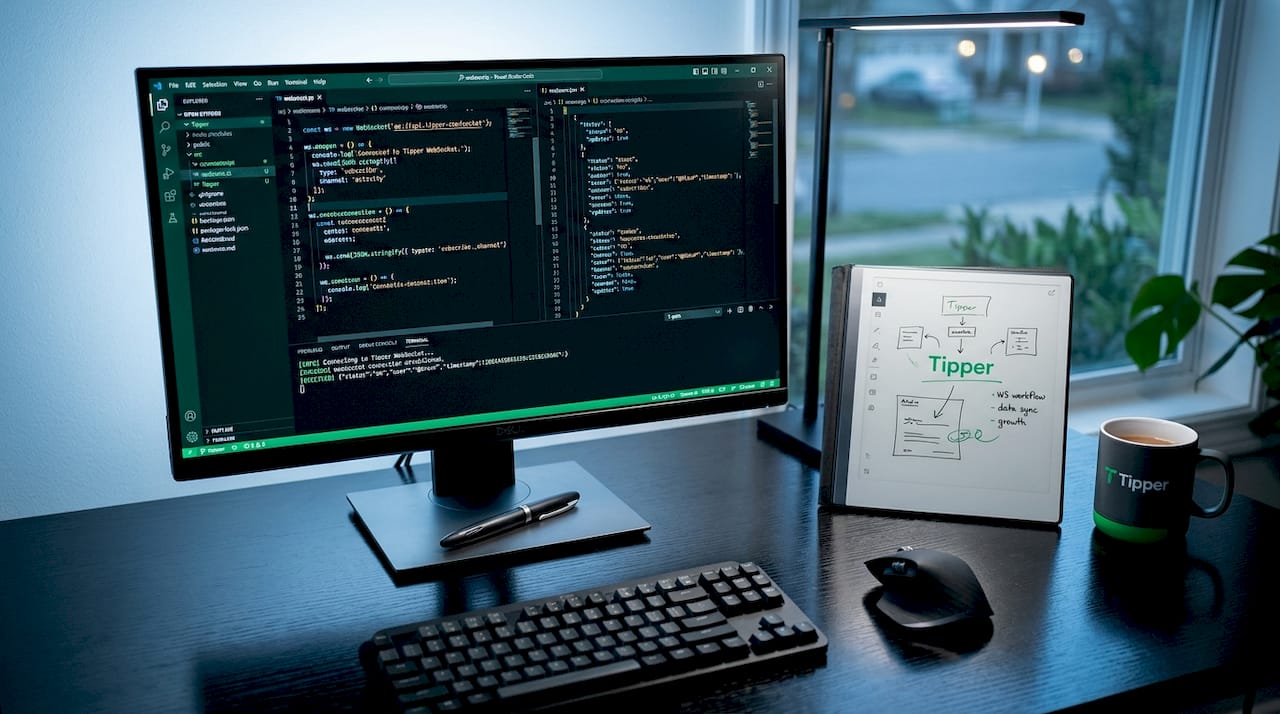
Webhooks serve a complementary role. Where WebSockets push data to the creator’s screen instantly, webhooks trigger external reactions such as updating a dashboard, firing a moderation alert, or logging data to an analytics service. The combination of both technologies creates a notification architecture that is fast at the front end and thorough at the back end.
Here is what a standard tip event payload typically contains:
| Field | Purpose |
|---|---|
amount |
The tip value in the specified currency |
currency |
ISO currency code (e.g., USD, EUR) |
tipper_identity |
Username or display name of the sender |
transactionId |
Unique identifier for deduplication |
timestamp |
Exact time the event was confirmed |
status |
Completed, pending, or failed |
Pro Tip: If you are building or evaluating a tip notification system, check whether the platform exposes a transactionId field. Without it, your system cannot reliably deduplicate events, and creators may see the same tip notification appear twice during a network retry.
How app and device states affect notification reliability
A tip notification can be perfectly formed at the server level and still fail to reach the creator if the receiving device is not in the right state. Push notification delivery requires the app to maintain an active background connection. When a user fully closes an app on iOS or Android, that connection drops, and incoming alerts queue or disappear entirely depending on the platform’s behavior.
Battery optimization settings compound this problem. Android’s aggressive battery management will terminate background processes for apps it considers inactive, which cuts the WebSocket connection and blocks incoming tip alerts. iOS has its own background activity restrictions that require apps to explicitly register for background processing privileges.
Timing policies add another layer of complexity. Notion’s notification system illustrates this well: if the app is closed or a notification goes unread for five minutes, the system automatically switches from push to email delivery. The same logic applies to tip notification platforms. A creator who steps away from their stream mid-session may find tip alerts arriving in their inbox rather than on screen, which defeats the purpose of real-time engagement.
The practical consequences for creators break down like this:
- Keeping the streaming or creator app open in the foreground guarantees the fastest delivery
- Disabling battery optimization for tip-related apps on Android preserves background connections
- Granting full notification permissions on iOS prevents the operating system from silently suppressing alerts
- Checking notification settings after every major OS update catches permission resets that platforms do not always warn about
Pro Tip: On Android, navigate to Settings > Battery > Battery Optimization and set your creator platform app to “Don’t optimize.” This single change prevents the most common cause of missed tip notifications during long streaming sessions.
Simple tip alerts vs. stateful notification frameworks
Not all tip notification systems are built the same way. Basic alert systems render a notification the instant a tip event arrives, with no memory of what has been shown before and no logic for managing what happens when multiple tips arrive simultaneously. This works fine at low volume, but it creates real problems at scale.
Apple’s TipKit framework represents the more sophisticated end of the spectrum. TipKit is a stateful rules engine that tracks how many times a tip has been displayed across app launches, applies frequency caps to prevent repetition, and uses eligibility rules to determine whether a given user should see a given notification at all. It is designed for in-app onboarding tips rather than financial tips specifically, but its architecture is directly applicable to any system managing notification volume and timing.
The contrast between these two approaches is significant:
| Feature | Basic alert system | Stateful framework (e.g., TipKit) |
|---|---|---|
| Display logic | Show on every event | Show based on eligibility rules |
| Frequency control | None | Caps per session or per launch |
| Multi-tip coordination | Stack or overwrite | TipGroup ordering and sequencing |
| User fatigue risk | High at volume | Managed through rule thresholds |
| Analytics integration | Rare | Built-in interaction tracking |
TipKit’s TipGroup feature is particularly relevant for live streaming scenarios where a creator might receive ten tips in thirty seconds. Without coordination logic, those notifications stack, compete for screen space, and overwhelm both the creator and the audience watching the stream. A TipGroup-style approach sequences them, shows the most relevant one first, and queues the rest for display at appropriate intervals.
The takeaway for creators evaluating platforms is direct: ask whether the notification system has any state memory. A system that treats every tip event identically, regardless of context or volume, will eventually create noise rather than signal.
Customizing tip notifications for better creator and supporter interaction
Managing tip notifications effectively goes beyond just receiving them. The way a notification is displayed, what information it surfaces, and whether it includes a personal message from the supporter all affect how meaningful that moment feels for both parties.
Whatnot gives creators control over whether a tipper’s thank-you message appears alongside the tip notification in the chat feed. This toggle exists because the right answer depends on the creator’s audience and content style. A high-volume live shopping stream may want clean, fast alerts without message clutter. A smaller, community-focused creator benefits from showing the personal note because it signals to the audience that tipping is a social act, not just a transaction.
Tip notification settings worth configuring on most platforms include:
- Tipper identity display: Show the username prominently to create social proof and encourage others to tip
- Amount visibility: Make the tip amount visible in the notification to reinforce the value of the gesture
- Thank-you message toggle: Enable for community-driven streams, disable for high-volume or fast-paced content
- On-screen alert duration: Set how long the notification stays visible before fading, balancing acknowledgment with content flow
- Sound and animation triggers: Use audio or visual cues to draw attention without interrupting the creator’s delivery
Immediate value confirmation in the notification itself is the single most effective design choice for encouraging repeat tipping. When a supporter sees their name, their amount, and their message reflected back in real time, the act of tipping feels acknowledged rather than anonymous. That feedback loop is what separates platforms that generate consistent tip revenue from those that see one-time transactions.
Platforms like Tipper extend this further by allowing creators to respond with personalized thank-you notes or short video messages, turning the notification into the start of a conversation rather than the end of one.
Key takeaways
Tip notifications function through a layered system of event ingestion, real-time broadcasting, device state management, and display logic that together determine whether a creator receives a meaningful alert or misses the moment entirely.
| Point | Details |
|---|---|
| Real-time delivery mechanism | Backend systems broadcast tip events via WebSockets to render instant UI alerts with amount, identity, and status. |
| Device state matters | Keeping the creator app active in the foreground and disabling battery optimization prevents missed notifications. |
| Stateful systems outperform basic alerts | Frameworks like TipKit use frequency caps and TipGroup ordering to prevent notification fatigue at high tip volume. |
| Customization drives engagement | Showing tipper identity and thank-you messages in notifications creates social proof and encourages repeat tipping. |
| Idempotency prevents duplicates | Backend systems must use unique transactionIds to avoid rendering the same tip notification twice during retries. |
Why tip notification design is harder than it looks
I have spent enough time watching creators troubleshoot their streaming setups to know that tip notifications are one of those features that look simple until they break. The technical architecture is genuinely elegant when it works: a supporter taps a button, a WebSocket fires, and a name and dollar amount appear on screen within a second. But the failure modes are invisible until they cost someone real money or real audience trust.
The most common mistake I see is treating notification delivery as a solved problem after initial setup. Battery optimization resets after OS updates. WebSocket connections drop during network hiccups. A creator who does not notice that their tip alerts stopped working mid-stream is not just missing notifications. They are missing the acknowledgment moment that makes supporters feel seen.
The second mistake is ignoring volume management. Idempotency patterns and event replay capabilities are not optional features for serious implementations. They are the difference between a creator who sees clean, accurate alerts and one who gets duplicate notifications or, worse, sees nothing at all during a retry storm.
My honest recommendation: treat tip notification settings as a live system that needs regular auditing, not a one-time configuration. Check your permissions after every major platform or OS update. Test your WebSocket connection before going live. And if your platform offers stateful notification controls, use them. The creators who build the strongest supporter relationships are the ones who make every tip feel personal and immediate, and that only happens when the underlying system is reliable.
— Steve
Start receiving tip notifications with Tipper
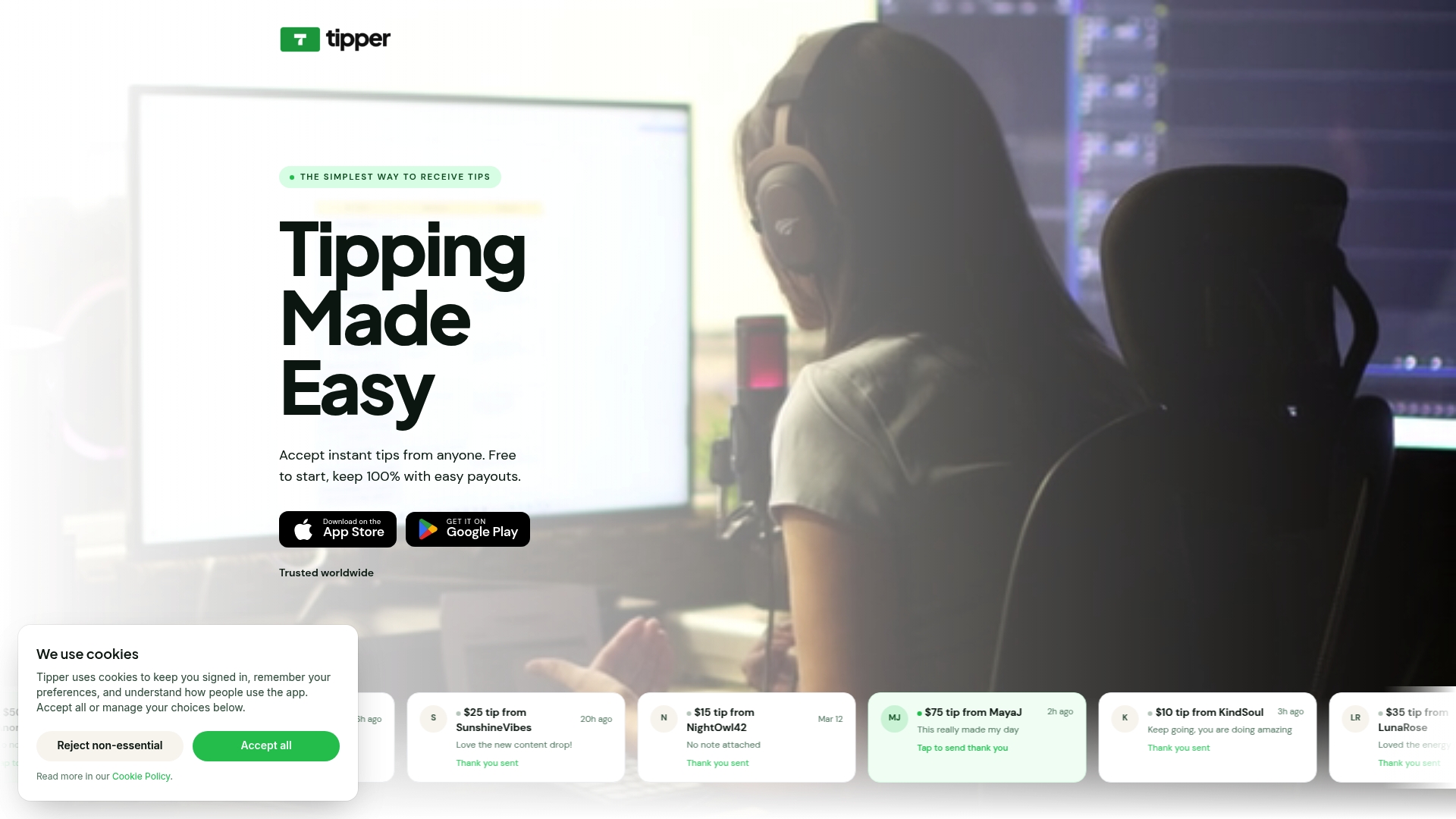
Tipper delivers real-time tip notifications the moment a supporter sends appreciation, with no account required on the supporter’s side and no platform fees cutting into creator earnings. Supporters can tip instantly via Apple Pay or Google Pay through a personalized creator link, and creators receive immediate alerts with tipper identity and optional thank-you messages built in. Whether you are a freelancer, streamer, or independent creator, Tipper’s notification system is built to make every tip feel immediate and personal. Set up your profile, configure your notification preferences, and start turning audience appreciation into real-time revenue.
FAQ
How do tip notifications work in real time?
Tip notifications are delivered when a backend system receives a confirmed tip event and broadcasts it to the creator’s interface via WebSockets, typically within milliseconds. Platforms like StreamElements use dedicated WebSocket topics that carry fields including amount, currency, and tipper identity.
Why are my tip notifications not showing up?
The most common cause is the app being closed or battery optimization settings cutting the background connection. Push alerts require the app to stay active in the background, so keeping the app open and disabling battery optimization for it resolves most delivery failures.
What is the difference between a push notification and a WebSocket tip alert?
A WebSocket alert updates the creator’s on-screen UI in real time while the app is open, while a push notification is delivered by the device’s operating system and can appear even when the app is in the background. Most platforms use both together for maximum reliability.
Can creators customize what appears in a tip notification?
Yes. Platforms like Whatnot let creators toggle tipper identity, tip amount, and thank-you message visibility within the notification. These tip notification settings directly affect how engaging and personal the alert feels to both the creator and the watching audience.
What stops duplicate tip notifications from appearing?
Backend systems use idempotency keys tied to a unique transactionId for each tip event. This prevents the same tip from rendering twice if the network retries the delivery, which is a common failure mode during unstable connections.




[…] tipping and personal response tools is what separates a transaction from a relationship. With real-time tip notifications, creators can acknowledge support the moment it arrives, which is when acknowledgment carries the […]
[…] wrong. Save the DM for supporters who tip regularly or at a level that warrants extra attention. Tip notifications that surface instantly make the five-minute window realistic — set yours up before you need […]