


For creators who need instant, low-friction tips, Tipper is the fastest way to get paid; for community and course-first businesses, an all-in-one SaaS like Circle or Podia usually makes more sense. The trade-off is consistent across the category: platforms that hand you more ownership and lower fees typically ask for more setup work in return. What follows breaks down the practical differences by goal, fee model, and migration effort.
TL;DR:
- Moving from Patreon is advisable if your monthly income exceeds the point where percentage-based fees outweigh flat subscription costs, typically around a few hundred dollars.
- Choose a platform supporting your preferred payment methods and content types, and verify if it allows data export and content migration before switching.
- Tipping platforms like Tipper are ideal for spontaneous support, but creators should combine them with membership tools for recurring revenue and diversified income streams.
- Migration requires careful planning, including audience notification, supporter data export, and manual reupload of media-heavy content, especially for larger libraries.
- For creators seeking immediate, low-effort micro-support, Tipper offers a seamless, account-free way to receive tips with direct payouts and personalized support, complementing existing subscription platforms.
Table of Contents
- Why creators are rethinking Patreon
- Quick shortlist: the top Patreon alternatives at a glance
- Comparing the platforms creators actually switch to
- How the platforms stack up side by side
- How to pick the right platform for your revenue stage
- What migrating off Patreon actually involves
- Where tipping fits in a real monetization stack
- Get paid in seconds with Tipper
- Sources
- FAQ
Why creators are rethinking Patreon
Patreon moved new creators onto a flat platform fee structure in 2025, and when that stacks on top of standard payment processing costs, the math starts looking different for anyone earning steady monthly income. Fee pressure is only part of the story. Policy risk, particularly around Apple’s in-app purchase rules and content restrictions, has pushed some creators to look for platforms where they control the relationship with their audience directly.
Industry analysis has flagged this pattern for years: creators who scale past a hobby income tend to migrate toward self-hosted or white-label solutions specifically to protect subscriber data and reduce dependency on a single platform’s rules. The underlying concern is straightforward. If your entire income routes through one company’s payment system and content policy, you’re exposed to fee changes, account suspensions, and platform pivots you can’t control. That risk is why “ownership” keeps showing up as a decision factor alongside price.

Quick shortlist: the top Patreon alternatives at a glance
Before getting into detail, here’s a fast reference for matching a platform to your immediate goal.
- Tipper: best for instant tips and low-friction micro-support, no subscription fee, small processing fee per tip, no sender account required.
- Circle: best for creators building paid communities, flat monthly subscription pricing.
- Ko-fi: best for low-volume creators wanting free or near-free tipping, optional paid Gold tier to remove platform fees.
- Buy Me a Coffee: best for simple tips with optional memberships, percentage-based fee on transactions.
- Memberful: best for a branded, self-hosted-feeling membership site, flat subscription plus Stripe processing.
- Gumroad: best for selling digital products alongside membership perks, percentage-based fee per sale.
- Podia: best for bundling courses, memberships, and downloads in one storefront, flat monthly subscription.
- Substack: best for writers and podcasters running paid newsletters, percentage cut of subscription revenue.
- Beehiiv: best for newsletter-first businesses focused on audience growth, flat subscription tiers.
- Kajabi: best for course creators who want an all-in-one platform, flat monthly subscription.
Each of these solves a different job. A newsletter writer and a fitness coach running live cohorts have almost nothing in common in terms of platform needs, even though both might have started on Patreon. The pricing shapes vary just as much: some charge a cut of every transaction, others charge a flat fee no matter how much you earn, and a few, like Tipper, keep the cost tied only to the payment itself rather than a recurring subscription.
Comparing the platforms creators actually switch to
-
Tipper. This platform is built around instant tips sent through a personalized link or QR code, with no account required on the sender’s side and payment through Apple Pay, Google Pay, or card. It is best for creators, freelancers, and small businesses who want spontaneous, one-off support without building a membership program, with the platform’s standout feature that supporters can pay in seconds without signing up for anything. Because there is no subscription cost to maintain an account, it fits creators who want to test monetization before committing to a membership structure. The caveat: it’s built for tipping, not for gated content or course delivery, so creators who need tiered access will pair it with another tool.
-
Circle. Circle combines community spaces, memberships, and course hosting in one subscription-based SaaS product, aimed at creators who want a hub for paid discussion, not just content delivery — for practical guidance on community growth strategies, see How To Build Online Community: A Practical Guide To Growth. Its standout is depth of community tooling, including discussion spaces, events, and member directories. The trade-off is a flat monthly cost regardless of how much revenue you bring in, which only pays off once you have a consistent base of paying members.
-
Ko-fi. Ko-fi keeps things simple: tipping is free to accept, and an optional paid Gold membership removes the platform’s cut on shop and membership sales. It suits creators just starting out who want to test whether people will pay them at all before investing in a bigger platform. The catch is that its community and content tools are lighter than dedicated membership platforms, so it tends to work best as a starting point rather than a long-term home for a mature membership business.
-
Buy Me a Coffee. Buy Me a Coffee blends one-time tips with optional recurring memberships in an interface built for speed, both for the creator setting it up and the supporter checking out. It charges a percentage on transactions rather than a flat subscription, which keeps costs low for creators with irregular income. It’s a good fit for creators who want a simple page and don’t need deep community or course features.
-
Memberful. Memberful integrates directly with your own website and Stripe account, so payouts and subscriber data stay in your hands rather than living inside a third-party app. That makes it a strong choice for creators who already have a site and want membership gating without rebuilding their whole web presence. The setup requires more technical comfort than a plug-and-play platform, since you’re connecting it to existing infrastructure rather than adopting an all-in-one product.
-
Gumroad. Gumroad is primarily a storefront for digital products, with membership and pay-what-you-want options layered on top. It fits creators who sell templates, ebooks, presets, or courses as one-time purchases and want recurring support as a secondary feature rather than the main event. Its fee is percentage-based per sale, so there’s no cost when you’re not selling.
-
Podia. Podia bundles courses, memberships, and digital downloads into a single subscription-based product, aimed at creators who want to sell more than one type of offer without stitching together separate tools. The standout is how much it consolidates into one dashboard: email marketing, storefront, and membership gating together. The flat monthly fee means it makes the most sense once you have enough sales volume to justify the recurring cost.
-
Substack. Substack is built for paid newsletters and podcasts, with a simple subscription model and a built-in audience discovery network that can send new readers your way. It takes a percentage of subscription revenue rather than charging a flat fee, so there’s no upfront cost to start. Its scope is narrow by design: it’s not meant for courses, storefronts, or community spaces, just writing and audio.
-
Beehiiv. Beehiiv targets newsletter creators who want to scale toward ad-supported and paid-subscription hybrids, with growth and analytics tools built specifically for that path. Pricing runs on flat subscription tiers rather than a revenue cut, which rewards creators once their list gets large. It’s a strong fit for writers thinking about a newsletter as a long-term media business rather than a side project.
-
Kajabi. Kajabi is an all-in-one platform for course creators, combining course hosting, membership gating, email marketing, and a storefront under one flat subscription. It suits creators running structured educational products rather than casual content drops. The monthly cost is higher than most tools on this list, which makes it a better fit once course sales are consistent rather than sporadic.
Beyond this group, platforms like Sellfy, BuddyBoss, Mighty Networks, Thinkific, Uscreen, Shopify with a paid membership app, FanCircles, Buzzsprout, and Passes (formerly Fanhouse) round out the category, each leaning into a specific niche: Sellfy for direct product sales, BuddyBoss and Mighty Networks for deep community features on WordPress or standalone apps, Thinkific and Uscreen for course and video-on-demand delivery, Shopify for creators who already run an ecommerce store, FanCircles for fan-club style access, Buzzsprout for podcast hosting with monetization add-ons, and Passes for creators building a subscription-based fan app.
How the platforms stack up side by side
| Platform | Pricing model | Payment/payout | Best for | Standout feature | Ownership & exportability |
|---|---|---|---|---|---|
| Tipper | Per-tip processing fee, no subscription | Apple Pay, Google Pay, card | Instant tips, micro-support | No sender account required | Direct payouts, personalized link |
| Circle | Flat subscription | Stripe | Paid communities | Deep community and course tools | Custom domain available |
| Ko-fi | Free tier, optional paid Gold | PayPal, Stripe | Low-volume tipping | Free-to-start tipping | CSV export of supporters |
| Buy Me a Coffee | Percentage per transaction | Stripe, PayPal | Simple tips with memberships | Fast, donor-friendly checkout | Basic supporter export |
| Memberful | Flat subscription | Stripe | Branded, self-hosted membership | Integrates with your own site | Full subscriber data ownership |
| Gumroad | Percentage per sale | Stripe, PayPal | Digital product sales | Flexible product and membership mix | Product and customer export |
| Podia | Flat subscription | Stripe, PayPal | Courses and memberships bundled | All-in-one storefront and gating | Customer and content export |
| Substack | Percentage of subscriptions | Stripe | Paid newsletters | Built-in discovery network | Full subscriber CSV export |
| Beehiiv | Flat subscription tiers | Stripe | Newsletter growth and monetization | Growth and referral tools | Subscriber export supported |
| Kajabi | Flat subscription | Stripe | All-in-one course business | Courses, marketing, and gating combined | Data export tied to plan tier |
A few notes on reading this table. “Typical effective fee range” isn’t listed as a single column because it depends entirely on your transaction volume and processor: a percentage-based platform can cost more or less than a flat subscription depending on how much revenue you’re processing each month. Ease of setup and mobile app availability also vary by plan tier on several of these platforms, so check the current plan details before assuming a feature is included. Ownership generally means you can export subscriber emails at minimum, though full content and media exports are rarely guaranteed across the category.
How to pick the right platform for your revenue stage
The clearest signal for when to move off a revenue-share model and onto a flat-fee SaaS platform is your monthly income. Industry guidance points to a modest monthly revenue threshold as the point where fixed subscription costs typically start beating a percentage cut. Below that threshold, tipping and revenue-share tools tend to be more efficient since you’re not paying a flat fee against inconsistent income.
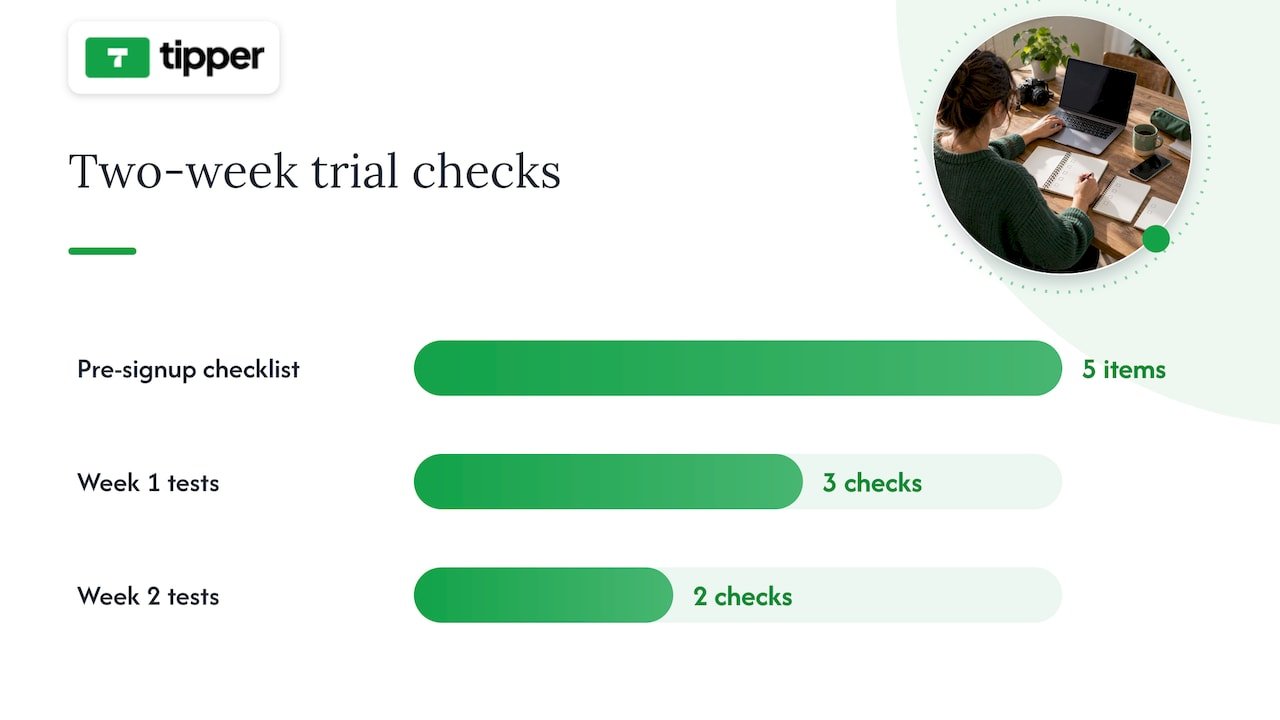
Before signing up for anything, run through a short checklist:
- Ownership: can you export your subscriber list and content if you leave?
- Payment options: does it support the payout method your audience actually uses, whether that’s Stripe, PayPal, Apple Pay, or Google Pay?
- Community tools: do you need discussion spaces and events, or just content delivery?
- Content formats: does the platform handle video, audio, and long-form text the way your work requires?
- Pricing transparency: is the fee structure published clearly, or does it require a sales call to find out?
Pro Tip: Ask any platform’s support team directly what happens to your subscriber list and content if you cancel. A vague answer is the clearest red flag you’ll get during a demo.
During a trial period, test the parts of the platform you’ll rely on daily rather than the flashy features in the onboarding tour. In the first week, publish a real piece of gated content, process a test payment, and try exporting your data, even if you have nothing to export yet, just to see how the flow works. In the second week, invite a friend or a small group of actual supporters to go through the signup and payment process so you can see where they get stuck. If a demo call dodges questions about fees or data export, or if the sales team can’t tell you what happens during a payment processor outage, treat that as a reason to keep looking.
What migrating off Patreon actually involves
Moving your audience takes real planning, not a single afternoon. Subscriber email lists are usually exportable as a CSV, but full content history, meaning your posts, videos, and files, is often limited or blocked entirely, so confirm what you can actually take with you before announcing anything to your audience.
- Audit and export. Pull your subscriber CSV and inventory what content you can and can’t move.
- Announce early. Tell your supporters where you’re headed and why, at least a few weeks before cutover.
- Set up payouts. Connect Stripe, PayPal, or your chosen processor on the new platform before migrating anyone.
- Migrate in waves. Move your most engaged supporters first, then follow with a general announcement.
- Re-create gated content. Manually download and reupload media-heavy posts, since automated content transfer is rarely available.
- Follow up. Check that payments are processing correctly and confirm with early movers that access works as expected.
For creators with large media libraries, a contractor or migration service can save real time; for a small subscriber base, doing it manually over a weekend is usually enough.
Where tipping fits in a real monetization stack
Tipping and subscriptions solve different problems. A subscription buys recurring access to something specific, like a private community or early episodes. A tip is spontaneous: a thank-you after a livestream, a one-time show of support after a viral post, or a way for someone who isn’t ready to commit to a membership to still show appreciation.
The two work well together rather than as competitors. Use tipping for the unpredictable moments, a great show, a big launch, a live event, and memberships for the recurring value you can promise consistently. Being transparent about where the money goes and how supporter data is used matters more as you diversify income streams, since your audience is trusting you across more than one payment relationship at once.
— Tipper
Get paid in seconds with Tipper
If tipping is the piece missing from your monetization stack, Tipper removes the friction that keeps casual supporters from ever hitting send. There’s no account for them to create, no app to download, just a personalized link or QR code and a payment through Apple Pay, Google Pay, or card. Creators keep their earnings, and every tip can come with a thank-you note, photo, or video, which turns a transaction into an actual moment of connection.

Tipper works well alongside a membership or course platform rather than replacing one: keep your recurring revenue on whichever SaaS fits your content, and add a Tipper link for the spontaneous support that a subscription model can’t capture. If you’re weighing tips against a full subscription setup, our breakdown of tips versus subscriptions walks through the timeline for each. Set up your page at Tipper and start collecting tips today.
Sources
This article drew on TechCrunch’s analysis of Patreon’s competitive landscape for context on platform dependency and ownership trends, and on Foundry’s breakdown of serious creator alternatives for the revenue break-even guidance used in the buying guide section. For a deeper look at tipping-specific tools, see our comparison of digital tipping platforms.
- Patreon’s competitors
FAQ
Is there a better platform than Patreon?
No single platform beats Patreon for every creator, since the right choice depends on whether you need tipping, courses, community, or storefront features. For instant, low-friction support, Tipper removes the friction of account creation; for community-first businesses, Circle or Podia tend to fit better.
Why are creators leaving Patreon?
Many creators cite Patreon’s fee structure and policy risk, particularly around Apple’s in-app purchase rules and content restrictions, as reasons to look elsewhere. Others want more ownership over subscriber data and less dependency on a single platform’s decisions.
Does Patreon allow NSFW content?
Patreon’s content policies restrict certain types of adult content and change periodically, so creators should check Patreon’s current guidelines directly rather than relying on past policy. This uncertainty is one reason some creators diversify onto platforms with clearer, more stable content rules.
Is Substack or Patreon better?
Substack is built specifically for paid newsletters and podcasts with a built-in discovery network, while Patreon supports a broader range of content types including video, community posts, and tiered memberships. Writers focused purely on newsletters often prefer Substack’s simplicity, while creators mixing formats may find Patreon’s or a similar all-in-one platform’s flexibility more useful.
How long does switching platforms usually take?
A straightforward move with a small subscriber base can take a few weeks, covering export, setup, and a staged announcement to your audience. Larger, media-heavy memberships take longer since content often has to be manually downloaded and reuploaded rather than transferred automatically.




Leave A Comment