


A freelancer tipping workflow is a structured process that lets content creators and freelancers receive, track, and manage tips without disrupting existing client relationships or payment systems. Most freelancers treat tips as an afterthought, which costs them both income and professional credibility. A deliberate workflow covers tool selection, client communication, tax documentation, and payment routing. The IRS now allows freelancers in tipping-customary fields to deduct up to $25,000 of tip income in 2026, which makes getting this process right a financial priority, not just a convenience.
What does a freelancer tipping workflow actually require?
A freelancer tipping workflow requires three things working together: a payment channel that accepts tips, a tracking system for tax purposes, and a clear communication plan for clients. Without all three, you leave money on the table and create accounting headaches at tax time. The industry term for this combined approach is “tip management workflow,” though most freelancers encounter it under the broader label of freelance payment methods.
Digital tipping separates itself from traditional invoicing because tips are voluntary, immediate, and emotionally driven. That distinction shapes every tool choice you make.

Choosing the right payment processor
Payment processors vary widely in how they handle tips. Stripe supports tip line items natively within its checkout flow, making it the cleanest option for freelancers who already invoice through a web-based system. PayPal works for domestic tips, but cross-border fees reach 4.4% plus fixed costs, with exchange rates running 3–4% worse than mid-market. That fee structure quietly erodes tip income for freelancers with international clients.
Crypto tip jars via gateways like AurPay give freelancers a low-fee alternative, especially for clients who prefer pseudonymous payments. Mobile wallets like Apple Pay and Google Pay reduce friction at the point of tipping, which directly increases conversion rates.
| Payment Method | Typical Fee | Best For |
|---|---|---|
| Stripe tip line | 2.9% + $0.30 | Invoice-based freelancers |
| PayPal (domestic) | 2.9% + $0.30 | US-only client base |
| PayPal (international) | Up to 4.4% + fixed | Not recommended for tips |
| Crypto gateway | Varies, often under 1% | Privacy-focused or global clients |
| Apple Pay / Google Pay | Processor rate applies | Mobile-first tip moments |
Pro Tip: Use Apple Pay or Google Pay as your front-end tip method and route payments through Stripe on the back end. You get low friction for the client and clean transaction records for your books.
Tip blocks vs. donation blocks
The distinction between a tip block and a donation block matters more than most freelancers realize. Tips are casual with no funding goal; donations carry goals, deadlines, and tier rewards. Using a donation block when you mean to collect tips signals the wrong intent to clients and reduces participation. Choose a tip block for spontaneous appreciation and reserve donation-style tools for crowdfunded projects.
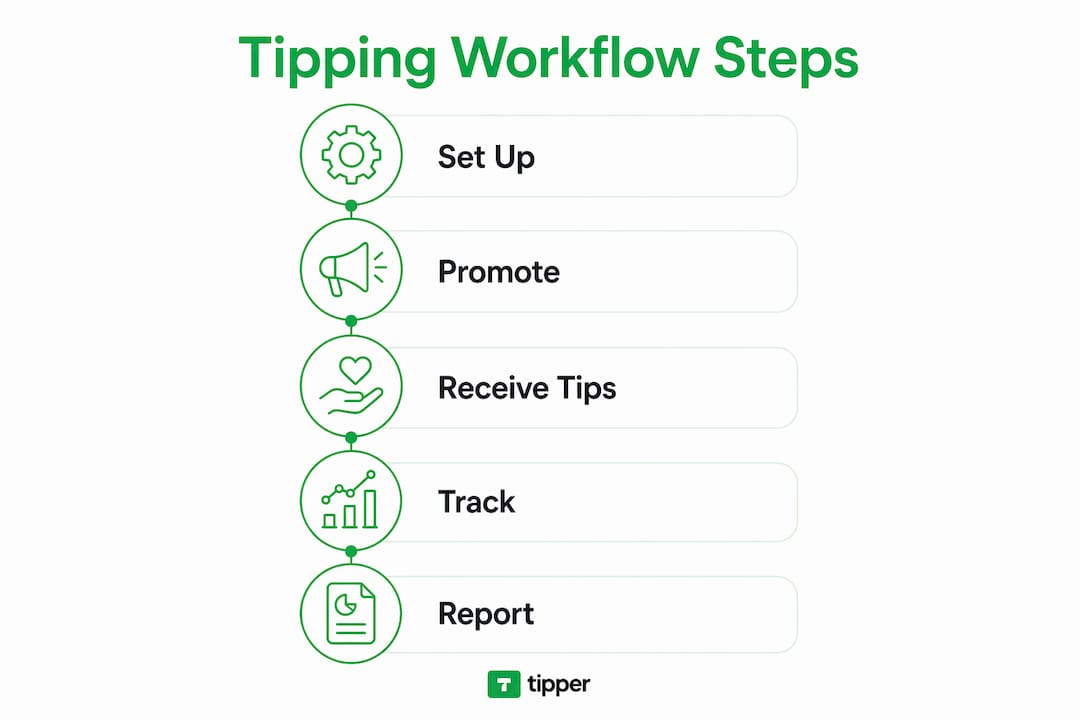
How to set up your tipping workflow step by step
A working tip management workflow takes less than a day to build. The steps below move from infrastructure to client communication.
-
Pick one primary tip channel. Choose a payment processor or dedicated tip platform and commit to it. Splitting tips across three apps creates reconciliation problems at tax time.
-
Create a dedicated tip jar product. In WordPress, Shopify, or your invoicing platform, set up a tip jar as a standalone product. This integrates with your existing checkout flow and logs every transaction automatically. It also looks professional, which matters when clients decide whether to tip.
-
Set preset tip amounts. Preset amounts of $1, $3, and $5 convert better than open-ended fields. Presets above $15 reduce participation because they trigger cost-conscious hesitation. Offer three or four button options and include a custom amount field for clients who want to give more.
-
Embed the tip block in the right places. Add your tip link to your invoice footer, project delivery email, and portfolio site. These are the three moments when client satisfaction peaks and tipping intent is highest.
-
Communicate tipping options before the project starts. Payment processes, including tipping, should be agreed upon before work begins to prevent surprises. A single sentence in your contract or onboarding email covers this: “My invoices include an optional tip link for clients who want to show extra appreciation.”
-
Test the full flow. Send yourself a $1 test tip through every channel you set up. Confirm the payment lands, the receipt generates, and the transaction appears in your tracking log.
Pro Tip: Add your Tipper link directly to your email signature. Clients who loved the work will tip in the moment. Waiting until the invoice arrives means the emotional peak has passed.
What mistakes undermine a freelancer tipping workflow?
The most common mistake is mixing tips with donations in the same workflow. Clients who see a “donate” button assume you are fundraising, not accepting appreciation. That framing reduces tip conversion and can feel awkward in a professional context. Use tip-specific language everywhere.
Relying solely on peer-to-peer apps creates a second problem. High fees and poor exchange rates on international transfers mean a $20 tip can net you $17 or less after processing. That gap compounds across dozens of transactions per year.
Failing to document tip income is the most expensive mistake a freelancer can make. The IRS requires daily, timestamped records of tip income to support deduction claims. A missing log means a missing deduction, and potentially a penalty if audited.
A third pitfall is skipping the client communication step. Freelancers who add a tip link without mentioning it risk clients feeling surprised or pressured. Transparency about tipping in client relationships avoids trust issues and contract violations. One proactive sentence in your onboarding materials eliminates the risk entirely.
Common mistakes to avoid:
- Using donation blocks instead of tip blocks for casual appreciation payments
- Routing international tips through high-fee P2P apps without checking exchange rates
- Skipping a dedicated tip jar product and collecting tips through informal bank transfers
- Failing to keep timestamped daily records of tip income
- Omitting tipping expectations from client contracts or onboarding emails
What are the tax rules for freelancer tip income in 2026?
Freelancers in tipping-customary occupations, including creative performance, hospitality, and content creation, can deduct up to $25,000 of tip income in 2026 via Schedule 1-A. The deduction phases out for high earners, so freelancers approaching upper income thresholds should consult a tax professional before assuming the full deduction applies.
Digital tip logs with timestamps are the IRS-preferred documentation method. A spreadsheet with date, amount, client name, and payment method satisfies audit requirements. Dedicated tip jar products generate this data automatically, which is one more reason to use them over informal payment methods.
| Tax Consideration | Detail |
|---|---|
| Maximum deduction | Up to $25,000 of tip income for qualifying occupations |
| Reporting form | Schedule 1-A |
| Documentation required | Daily digital logs with timestamps |
| Phase-out | Applies to high-income freelancers |
| Ongoing contracts | Tips typically replaced by annual or holiday bonuses |
Tipping customs also differ by engagement type. Tipping runs at 15–20% for one-time or short freelance jobs, while ongoing retainer contracts typically substitute tips with annual bonuses. Knowing which category your work falls into helps you set client expectations correctly and plan your income accordingly.
Pro Tip: Set a calendar reminder on the last day of each month to export your tip transaction history from your payment processor. Monthly exports take two minutes and build a complete, audit-ready record by year-end.
Key Takeaways
A structured tip management workflow is the single most effective way for freelancers to capture, track, and keep tip income without creating client friction or tax problems.
| Point | Details |
|---|---|
| Use tip blocks, not donation blocks | Tip-specific framing increases client participation and avoids professional confusion. |
| Set preset amounts under $15 | Presets at $1, $3, and $5 convert better than open-ended or high-value fields. |
| Document daily with timestamps | Digital logs are required to claim up to $25,000 in IRS tip deductions for 2026. |
| Communicate tipping upfront | One sentence in your contract prevents client surprise and protects trust. |
| Minimize fees on international tips | High-fee P2P apps can cut tip income by 4.4% or more on cross-border payments. |
Why I think most freelancers set up tipping backwards
Most freelancers build their tip workflow after a client asks how to tip them. That reactive approach costs real money. By the time a client asks, the emotional peak of the project delivery has already passed, and the tip amount drops or disappears entirely.
The freelancers I have seen build the most consistent tip income treat tipping as a client feedback channel, not a bonus. They embed tip links at delivery, mention them in onboarding, and use preset amounts that remove the mental effort of deciding how much to give. The result is not just more tips. It is faster cash flow and a clearer signal about which clients value the work most.
Niche matters too. Designers and video editors receive tips most often at project delivery. Writers and consultants on retainer rarely see tips because the ongoing relationship shifts client behavior toward bonuses. Knowing your niche’s tipping norm lets you frame the option correctly without it feeling out of place.
The one thing I would tell every freelancer: frictionless tipping is not about asking more. It is about removing every barrier between a satisfied client and the moment they want to show it. A single link, a familiar payment method, and a low preset amount does more than any follow-up email ever will.
— Tipper
Tipper makes tip collection simple for freelancers
Freelancers who want a purpose-built solution for collecting tips without the fee drag or setup complexity have a clear option in Tipper. The platform generates a personalized tip link that clients can use instantly, with no account required on their end. Payments go through Apple Pay, Google Pay, or card, and you keep 100% of every tip.

Tipper also lets clients add a thank-you note or video with their tip, which turns a financial transaction into a genuine moment of connection. Setup takes minutes, and the link works across email signatures, invoices, and portfolio sites. For freelancers who want to start collecting tips without building a custom checkout flow, Tipper is the fastest path from delivery to payment.
FAQ
What is a freelancer tipping workflow?
A freelancer tipping workflow is a structured system for receiving, tracking, and managing tips from clients or audiences. It covers payment channel selection, client communication, and tax documentation.
How much should clients tip freelancers?
Tipping runs at 15–20% for one-time or short freelance jobs. Ongoing retainer clients typically substitute tips with annual or holiday bonuses instead.
What preset tip amounts convert best?
Preset amounts of $1, $3, and $5 convert better than open-ended fields. Presets above $15 reduce participation because they create cost hesitation.
Do freelancers have to report tip income to the IRS?
Yes. Freelancers must report all tip income and can deduct up to $25,000 via Schedule 1-A in 2026 if they work in a tipping-customary occupation and maintain daily digital records.
What is the difference between a tip block and a donation block?
A tip block collects casual appreciation with no funding goal. A donation block carries goals, deadlines, and tier rewards. Using the wrong format reduces participation and sends the wrong signal to clients.




Leave A Comment