

The best audience support ideas share one trait: they make it take a few seconds for a fan to say thanks, and they make the fan feel seen afterward. Start with a tip link anyone can use without signing up, add the support tools your platform already gives you, then answer every contribution personally. Tipper’s tip links are built for the first step: supporters pay with Apple Pay, Google Pay or a card, with no account to create.
This guide walks through twelve ideas for streamers, YouTubers, TikTok and Instagram creators, and anyone who already has an audience that wants to give back. For each one you will see what it takes to set up and where it tends to fall flat.
TL;DR
- Fans support creators in five main ways: one-off tips, comment tips, live-stream gifts, project crowdfunding and recurring memberships. Most creators need more than one.
- Platform tools have follower and watch-time thresholds, so a tip link on your own page is the option you can use from day one.
- Every extra step, such as a signup or a password, costs you supporters. The fastest checkout wins.
- A personal thank-you (a note, a photo or a short video) turns a one-time tip into a relationship.
- Tell fans what the money does. Specific goals get more support than a vague “support me” button.
Table of Contents
- What audience support actually looks like
- Ideas that work from day one
- Use the tools your platform already gives you
- Why you need a link that does not depend on a platform
- Ideas that make support feel personal
- Choosing which ideas to start with
- Presenting support without sounding pushy
- Where Tipper fits
- Our perspective
- FAQ
- Sources
What audience support actually looks like
It helps to separate the forms of support before choosing among them. A US creator-monetization course from HSM University groups direct fan funding into five types: one-off tip pages, comment tips such as YouTube Super Thanks, live-stream gifts such as Super Chat, Twitch Bits and TikTok LIVE gifts, per-project crowdfunding such as Kickstarter, and recurring memberships.
They answer different moods. A one-time tip suits a fan who just got value from a video. A membership suits a fan who wants to stay close for months. Crowdfunding suits a fan who believes in one specific project. Your audience contains all three people, so a good support setup gives each of them a door.
The ideas below are ordered from lowest effort to highest.
Ideas that work from day one
1. A personal tip link in every bio
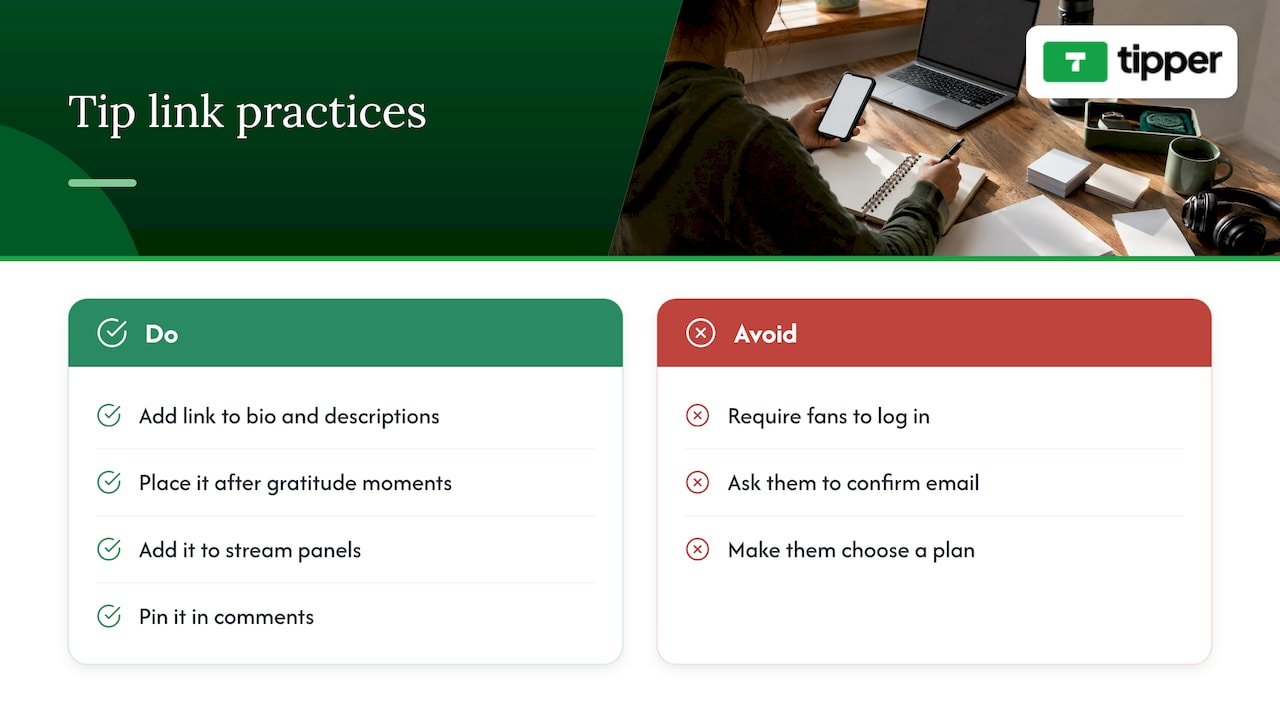
This is the simplest idea and the one with the fewest requirements. A tip link is a short page that takes a payment and nothing more. You put it in your bio, your video descriptions, your stream panels and your pinned comments.
The details decide how well it works. Link it where fans already feel gratitude: the end of a tutorial, the line after a funny clip, the moment you finish a stream. A fan who has to log in, confirm an email or choose a plan is a fan who closes the tab.
Tipper’s page works that way: supporters tip through your personalized link with Apple Pay, Google Pay or a card, and they do not need an account. Creating and keeping a creator account is free, with no subscription. Our guide to tip link strategy, presets and payouts covers where to place the link and how to set suggested amounts.
2. A QR code for in-person and on-screen moments
Tips are not only an online habit. If you perform, teach workshops, sell at markets or appear at meetups, a QR code on a sign, a table card or a slide sends people to the same tip page in one scan. Streamers can show the same code in an overlay or a panel so viewers on a phone can tip without typing a URL.
Tipper pages can be reached by a personalized link or a QR code, so the same page serves both a live room and a comment section.
3. Suggested amounts and a short reason
A blank amount field makes people think. Preset amounts remove the pause. Add one line next to them that says what the money does: “Covers this month’s hosting” or “Goes toward a better microphone.” Specific explanations are an idea that creator guides repeat often, and they cost nothing to try.
4. A recurring “thanks” ritual
Pick a moment in every video or stream where you say thank you in a consistent way, and point to the link once. Consistency matters more than volume. One calm mention at the end of each upload beats five desperate ones in the middle.
Use the tools your platform already gives you
Every major platform has its own fan-funding features. They are worth switching on once you qualify, because fans already on the platform can use them in one tap. The catch is eligibility.
5. Comment tips on videos
YouTube Super Thanks lets a viewer attach a paid tip to a comment on one of your videos. It is a natural fit for tutorials, reviews and long-form work where viewers leave comments anyway. According to Digiday’s September 2026 roundup of how platforms pay creators, YouTube’s fan-funding requirements include 500 subscribers, three uploads in the last three months, and either 3,000 watch hours or 3 million Shorts views in 90 days.
6. Live-stream gifts
Live chat is where support is the most spontaneous. Super Chat on YouTube, Bits and gift subscriptions on Twitch, and LIVE Gifts on TikTok all turn a chat message into a visible contribution. Ipsos research commissioned by TikTok, a survey of 500 US adults aged 18 to 49 in mid-2025, found that 85% of surveyed US social media users were aware of livestream gifting. The audience already knows the behavior, so you rarely need to explain it.
Thresholds differ. Digiday lists 1,000 followers for TikTok Live and video gifts, and Twitch Affiliate status at 25 followers plus an average of about three viewers on four days. Check each platform’s own creator pages for the current numbers, since they change.
7. Subscriptions and memberships on the platform
YouTube channel memberships, Twitch subscriptions and Instagram subscriptions suit the fans who want to stay. They work best when members get something clearly different: a badge, custom emotes, a members-only post or an early look at what you are making. Digiday reports Instagram requires 500 followers for Reels fan tips and 10,000 for exclusive content. If you are already on Instagram, our guide to how Instagram tipping with gifts and badges works shows what to expect, and the TikTok equivalent explains how TikTok tips reach you and what the fees look like.
8. A set of ways supporters can join in real time
Tipping during a live moment feels different from tipping after the fact, because the creator reacts. Our overview of real-time supporter contribution tools compares the kinds of live contribution available, so you can mix them without cluttering your stream.
Why you need a link that does not depend on a platform
Platform tools are convenient but conditional. You must hit the thresholds, you are tied to that platform’s rules, and your fans can only use the tool where you are. A tip link you control follows you across every platform.
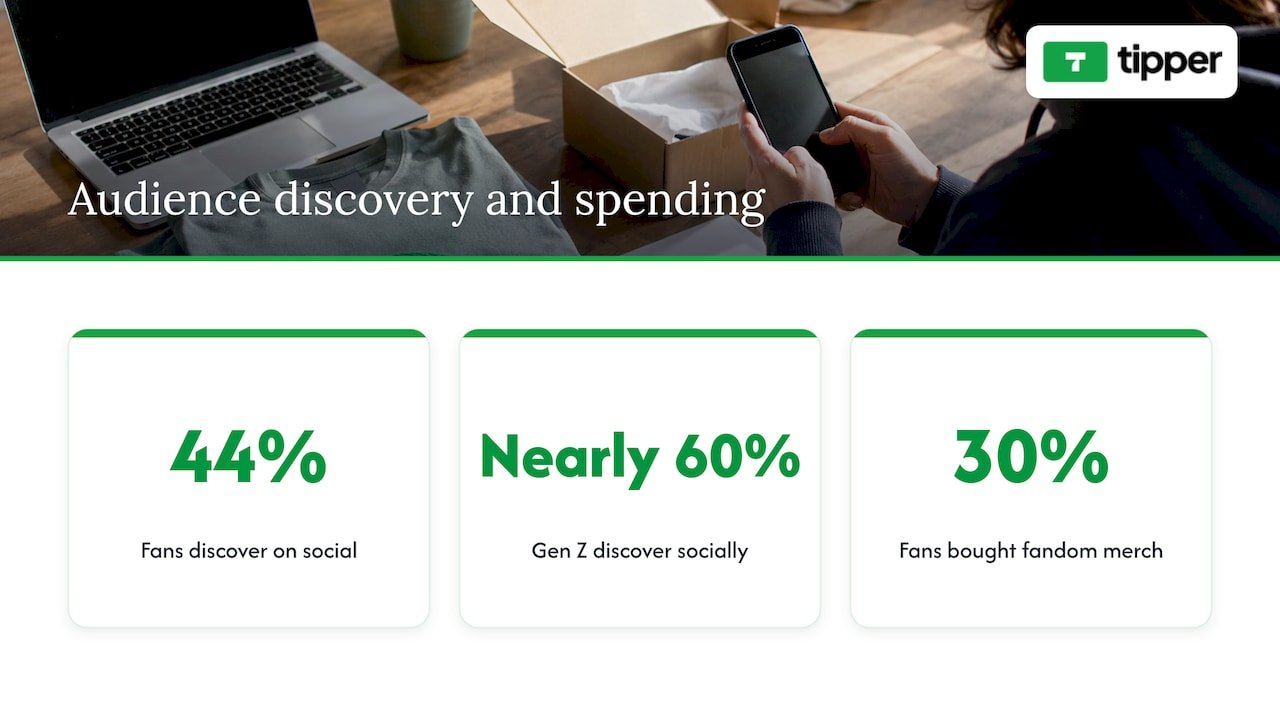
It also fits how fans actually find you. Deloitte’s 2026 Digital Media Trends survey of 3,575 US consumers found that 44% of fans discover content on social media before going elsewhere to watch or buy, and nearly 60% of Gen Z do. Fans move between apps, so a single link in each bio keeps support in one place no matter where a viewer came from.
The same survey found that 30% of fans bought fandom-related merchandise in the previous six months. People who like your work are willing to spend on it, and your job is to give them a simple way.
If you are comparing setups, see our rundown of the best tipping platforms for livestreamers that lets viewers skip signups. And if you are building a creator page of your own, interactive website features that convert offers examples of page elements that keep visitors engaged.
Ideas that make support feel personal
Money is only half of support. Fans return when the exchange feels human.
9. A thank-you message for every tip
A short written note is enough. A photo or a short video is better, because a fan hears your voice or sees your face. Tipper lets you thank supporters with a text note, a photo or a video, which keeps the reply attached to the tip rather than lost in a message thread. If you are unsure what to write, our acknowledgment message templates give you wording for different tip sizes and situations. For the reasoning, read how tip acknowledgment builds community bonds.
A few habits make thank-yous work:
- Use the supporter’s name or handle when you have it.
- Mention something specific: the video they liked, the question they asked.
- Keep it short. Two sentences read as sincere; a paragraph reads as a template.
10. Be open about where the money goes
Support grows when fans can picture the result. “Your tips bought this lens” is stronger than a general plea. Share small updates: a new microphone, a month of editing software, a trip to cover an event. It shows fans their contribution had an effect and invites the next one.
11. Ask for feedback and let fans shape what comes next
Not every kind of support is a payment. Polls, question threads and “what should I make next?” prompts give fans a voice, and they warm up the audience for later requests. Some creators let tippers attach a question or a suggestion; our piece on customer feedback tipping for creators explains how tips and feedback can travel together. For more on the engagement side, see 12 ways to strengthen audience connection, and for the thinking behind it, this piece on creating audience-centric content is a good companion.
12. A project goal or milestone
Per-project funding gives fans a finish line. You name the goal (a documentary episode, a studio upgrade, a convention trip), show progress and celebrate when you reach it. Large platforms such as Kickstarter handle full crowdfunding, while a goal mentioned alongside your tip link is the lightweight version. Either way, the principle is the same: a named target gets more response than an open-ended request.
Choosing which ideas to start with
You do not need all twelve. Match the setup to where you are.
| Your situation | Start with | Add next |
|---|---|---|
| New channel, under platform thresholds | Tip link in bio and descriptions (1) with suggested amounts (3) | Thank-you notes (9) |
| Growing live-stream audience | Tip link plus QR overlay (1, 2) | Platform gifts as you qualify (6) |
| Established YouTube or Instagram creator | Comment tips and memberships (5, 7) | Project goals (12) and spending updates (10) |
| Performer, teacher or in-person creator | QR code on signs and slides (2) | Personal video thank-yous (9) |
Three questions help you decide:
- Where do fans pay attention? Put the ask in that place, not in a menu they have to open.
- How many steps stand between feeling thankful and paying? Aim for as few as you can.
- Can you respond to every supporter? If your audience is growing quickly, choose a reply format you can keep up, such as a short note, before promising videos.
Presenting support without sounding pushy
Asking is easier when the request is tied to value you have just delivered. A few patterns work across platforms:
- Ask once, clearly. One mention at the right moment beats repeating the link every few minutes.
- Make it optional and warm. Say that watching is already a gift, and that tips go toward making more.
- Show, do not tell. Display the link in your panels, pinned comments and descriptions, so you do not need to interrupt content.
- Reply publicly when fans are comfortable with it. TikTok and Ipsos research on gifting notes that rewards help creators pay closer attention to what viewers like, and replying in view of others signals that support gets noticed.
- Keep the same link everywhere. One URL is easier to remember and easier for a fan to find again.
Where Tipper fits
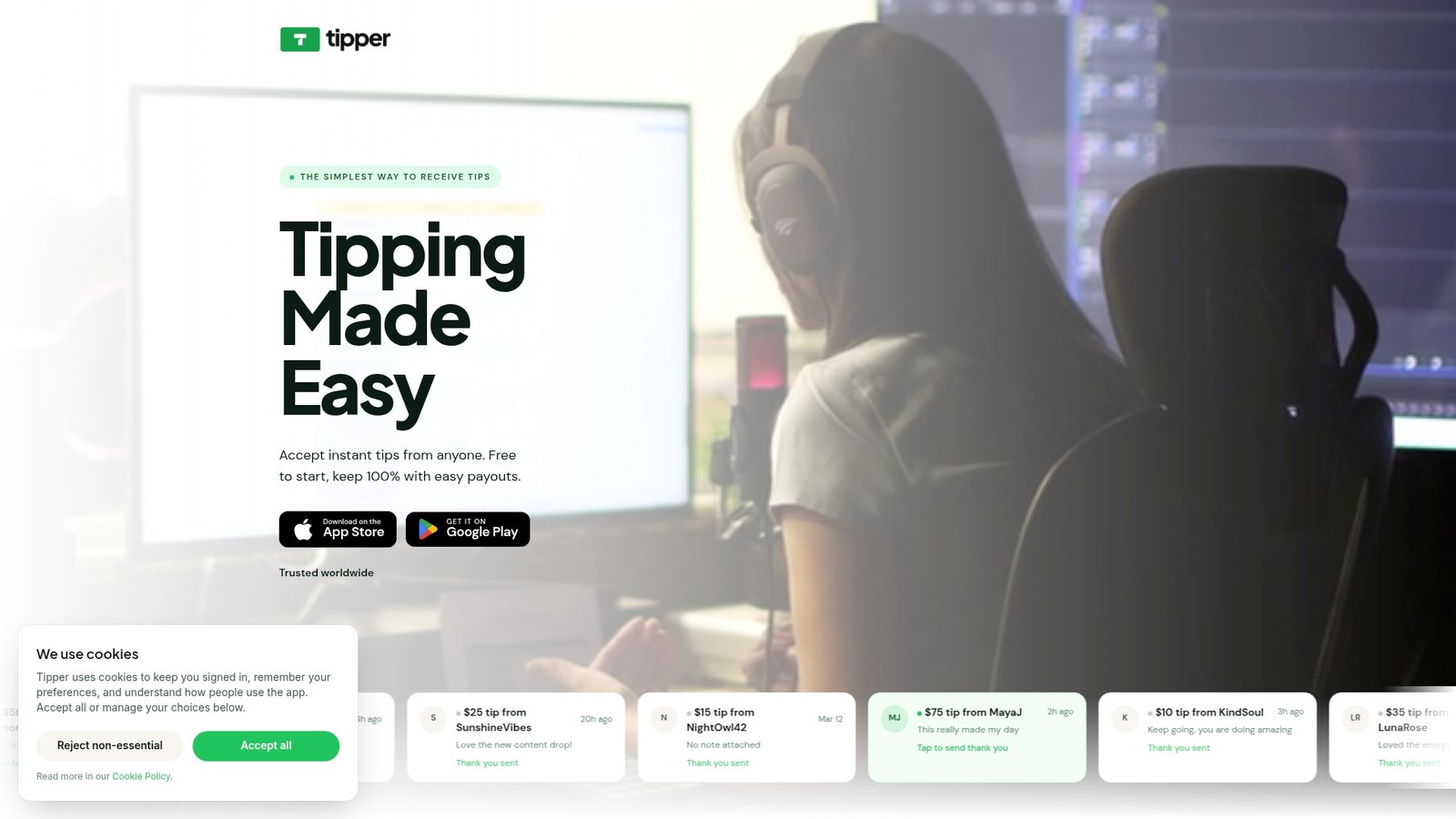
Tipper is a tipping platform for creators, freelancers, influencers and small businesses. You share a personalized link or QR code, and supporters tip with Apple Pay, Google Pay or a card without creating an account. You can customize your tip page, thank supporters with a text note, photo or video, and receive payouts directly. It is free to create and maintain a creator account, with no subscription. Tipper charges a platform fee, and a small payment processing fee is added at checkout on each tip.
Set up your tip page on Tipper and put the link in your bio today.
For a step-by-step walk-through of why skipping signups matters for supporters, read our guide to collecting tips with no signup required, and for how fast a tip reaches you, see instant tip payments explained.
Our perspective
Most fans who want to support you are not looking for a new account to manage. They are in a good mood, they have a phone in their hand, and they want to say thanks. Every extra step between that feeling and the payment is a place where the moment slips away.
That is why we built Tipper around a link anyone can use. Supporters pay with Apple Pay, Google Pay or a card, with no account, and creators keep 100% of their earnings. We designed it that way because the tip should reach the person who earned it, and the thank-you should feel like it came from a person.
The thank-you is half of the product. A text note, a photo or a short video from you tells a supporter their tip was seen. That small exchange is what we believe turns a one-time tip into a returning supporter, and it is why we keep the creator’s voice at the center of the page.
Platform tools are useful and worth using as you qualify. A link you own works alongside them and goes wherever you go.
Tipper
FAQ
What are good audience support ideas for a small creator?
Start with a tip link in your bio and video descriptions, suggested amounts, and a personal thank-you for each supporter. These need no follower minimum. Add platform tools such as gifts and memberships as you reach their thresholds.
How do I get fans to support me without being pushy?
Ask once, at a moment when you have just delivered value, and say what the money goes toward. Keep the link visible in your bio, panels and pinned comment, so you rarely have to repeat the request on camera.
Do fans need an account to tip me?
Not with Tipper. Supporters use your personalized link or QR code and pay with Apple Pay, Google Pay or a card, with no account. Platform features such as Super Chat or Bits require the viewer to be signed in on that platform.
What should I say when someone tips me?
Keep it short and specific: use their name or handle and mention something they said or watched. A text note works, and a photo or short video feels even more personal. Our acknowledgment message templates give wording you can adapt.
Can I use more than one kind of support at once?
Yes, and most creators do. A tip link covers one-time thanks anywhere you appear, while platform gifts suit live moments and memberships suit fans who want ongoing closeness. Give each a clear purpose so fans know which fits them.
Sources
- Fan funding, tips and crowdfunding, CRE-302 Lesson 7, HSM University
- How every major platform pays creators, Digiday
- Entertainment Redefined: Interactive Livestream Gifting, Ipsos
- 2026 Digital Media Trends, Deloitte Insights




Leave A Comment