

Offer three preset amounts, roughly $5, $15 and $50, make each one a small, clearly optional thank-you, and attach a short, sincere reason to each. That ladder gives supporters an easy yes without making anyone feel cornered, and it works best when the tip takes seconds to complete. With Tipper, supporters tip through your personal link or QR code with Apple Pay, Google Pay or a card, and they never have to create an account.
This guide covers the amounts worth offering, the research behind presets and anchoring, wording that keeps tips voluntary, call-to-action examples, and how to raise the number of tips you get without nagging.
TL;DR
- Start with a three-tier ladder of about $5, $15 and $50, and tie each tier to a specific, small thank-you.
- Dollar amounts that look small, and a mid-range anchor, tend to lift average tips. Oversized defaults can trigger backlash.
- Keep every amount optional: fewer choices, a clear reason and a sincere, one-time ask beat repeated requests.
- Tips often spike after helpful or emotional content and after a milestone, so time your ask for those moments.
- Remove friction: a no-account checkout with Apple Pay or Google Pay means the amount is the only decision left.
Table of Contents
- Why suggested amounts matter
- A starting ladder: $5, $15, $50
- What platforms already teach your audience
- Dollars, anchors and what research says about amounts
- Keeping every amount clearly optional
- Tip call-to-action examples that work
- How to get more tips online
- What tips add up to: a worked example
- Our perspective
- Set up your tip page with Tipper
- FAQ
- Sources
Why suggested amounts matter
A blank amount field forces a supporter to do two things at once: decide to give and decide how much. Many people stall on the second. Pew Research Center’s November 2023 survey of 11,945 U.S. adults found that only 34% say it is very or extremely easy to know whether to tip, and 33% say the same about how much. Your audience wants a sense of what is normal, and a few well-chosen presets provide it.
The same survey found that 72% of U.S. adults say tipping is expected in more places than it was five years ago. That is the background your supporters bring to your page. They have seen a lot of tip screens, so yours should feel lighter than most: few options, plain language, no pressure.
A starting ladder: $5, $15, $50
Creator Growth Lab recommends a three-tier “Natural Tip Ladder” of $5, $15 and $50. The low tier is a small thank-you, the mid tier covers a small personalization or shout-out, and the high tier is tied to a clear deliverable such as a custom request or priority access.
Here is how that looks on a creator page:
| Tier | Amount | What it says | Example label |
|---|---|---|---|
| Small thank-you | $5 | Pure appreciation, no extras | “Buy me a coffee” |
| Personal touch | $15 | A named shout-out or a personal reply | “Get a shout-out” |
| Deliverable | $50 | A specific, defined extra | “Request a topic” |
A few notes on using it:
- Keep the low tier genuinely low. Most of your tips will land here, and a low entry point makes giving feel casual.
- Make the middle tier the anchor. It is the amount you would be happy to see most often.
- Only offer a top tier you can deliver. If $50 promises a custom request, set aside time to fulfil it.
- Always leave room for another amount. Presets guide; they should never cap generosity.
If your audience skews younger or your content is short-form, shift the whole ladder down, for example $3, $10 and $25. If you serve professionals, a freelancer’s thank-you tip or a client appreciation can sit higher. Check the numbers against your own results after a few weeks, then adjust.
What platforms already teach your audience
Your supporters already have price expectations from the platforms they use. Knowing them helps you set amounts that feel familiar.
- YouTube Super Thanks offers fixed amounts of $2, $5, $10 or $50 per transaction on videos and Shorts.
- YouTube Super Chat lets viewers pay between $1 and $500 to highlight a live-chat message, with higher amounts getting more prominent placement and longer pins.
- Twitch Bits pay streamers $0.01 per Bit, so a 1,000-Bit cheer is $10. At under 100 concurrent viewers, Bits and tips typically add $10 to $50 per stream session.
Two patterns stand out. Small steps of $2 to $10 are the everyday range, and $50 is a recognizable ceiling for a standard preset. A $5, $15, $50 ladder sits comfortably inside what viewers already see, while leaving a clear gap between a quick thanks and a purchase-like gesture.
A tip on your own link is different from an in-platform feature: it works wherever your audience finds you, from a bio link to a printed QR code, and you are not limited to one platform’s fixed menu. For a wider look at the options, see our comparison of digital tipping platforms.
Dollars, anchors and what research says about amounts
Frame amounts in dollars
A study by Bluvstein and Raghubir across nine studies found that dollar framing increases tip amounts when the dollar values look numerically smaller than their percentage equivalents. For creators this is simple: tips are not tied to a bill, so show clean dollar figures and skip percentages entirely.
Anchors move the average
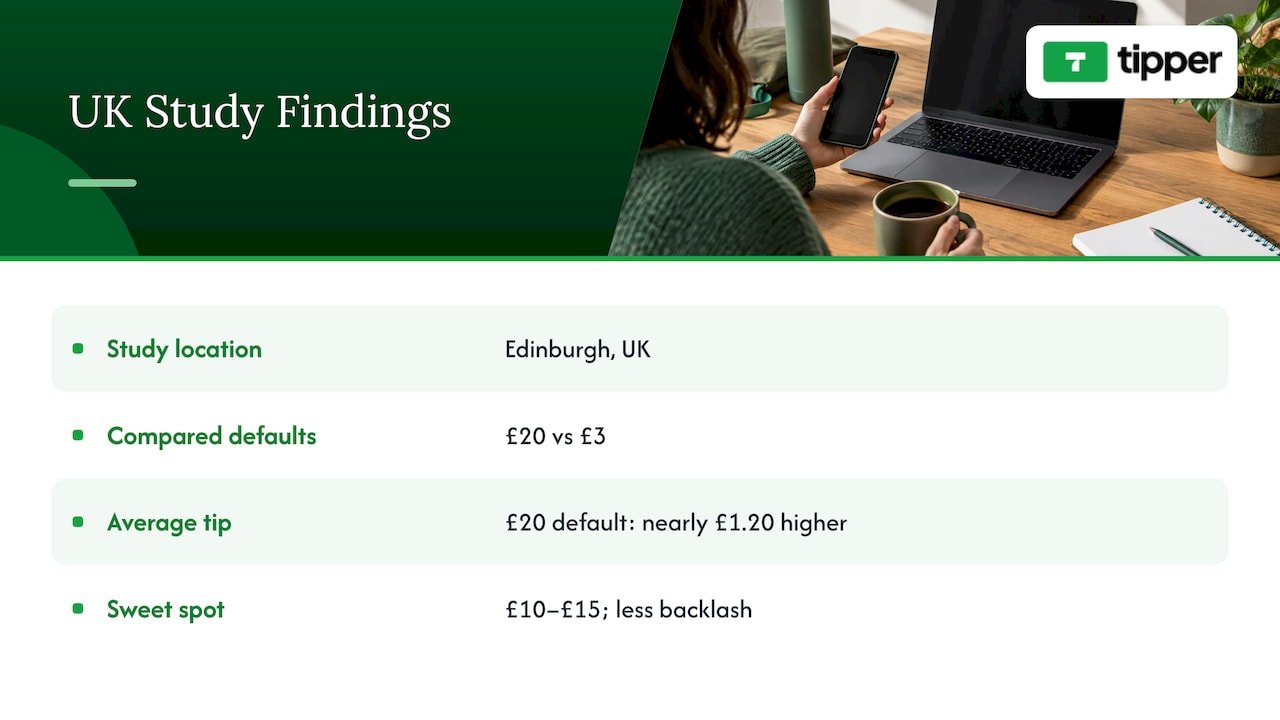
An April 2026 study of Edinburgh street performers tracked 82 performers across 1,587 performances and more than 2,000 digital tips. A £20 default produced tips nearly £1.20 higher on average than a £3 default, and the researchers found that £10 to £15 looked like the sweet spot for maximizing tips without triggering backlash. The study is UK-based and in pounds, so treat it as a direction, not a price list. The takeaway for a U.S. creator: a mid-range anchor lifts the average, and pushing the highlighted amount too far invites resistance. That is why $15 as the middle rung of the ladder is a sensible place to start.
Presets help, but tone matters
Research published in The Conversation by Alei Fan and colleagues found that participants who saw specific tip suggestions gave higher tips, and that a less cluttered design led to less dissatisfaction. A 2025 Stockholm School of Economics thesis found that preselected defaults raise acceptance of the default option, but that when people felt manipulated, they tipped less.
So the design target is clear: show a few amounts, do not preselect an aggressive one, and keep the page clean. Bankrate’s 2025 survey of 2,277 U.S. adults found that 38% are annoyed with pre-entered tip screens. A creator page that opens with a simple choice and an obvious “any amount” option reads as the opposite of that experience.
Visible totals change behavior
A UCLA Anderson Review study found that when community tips were not visible, users tipped smaller amounts but much more often, increasing the total tip amount by 39%, and that the behavior stayed sticky after the change. For a creator, that suggests being thoughtful about whether to display other people’s amounts. Many small, private tips can add up to more than a few large public ones. For more on how norms shape giving, see these social proof strategies, and our own piece on social proof and tip amounts.
Keeping every amount clearly optional
The most common mistake with suggested amounts is making them sound like a price. Five habits keep them feeling like a gift.
- Use the word “optional” in plain sight. “Totally optional, always appreciated” costs you nothing.
- Offer three choices, not seven. Fewer options make the decision lighter and the page cleaner.
- Say what a tip does. HSM University’s CRE-302 course notes that tips often rise when a creator explains what support pays for. “Tips cover my editing software and a faster upload schedule” beats a bare button.
- Thank people personally. A short note or video response turns a transaction into a relationship. Tipper supports thank-you messages as text, photo or video, which makes it easy to reply in your own voice.
- Never gate your free content behind guilt. Tips are a thank-you for what is already given. Your free work stays free.
Bankrate’s same survey found that 58% of Americans say the amount they tip is most influenced by the quality of the service, and only 10% always tip the same amount regardless. For creators, that means the most reliable lever is not the preset. It is how helpful, entertaining or moving the work was. The presets simply make it easy to act on a good feeling. Our guide to digital tipping etiquette goes deeper on tone from both sides of the tip.
Tip call-to-action examples that work
The same HSM University lesson says a simple, sincere call to action usually works better than repeated requests. Its own example: “if this video saved you a trip to the repair shop, you can support the channel here.” Notice the pattern: it names a specific benefit, then offers support as an option.
Use that pattern across formats:
Video or podcast description
- “If this walkthrough saved you an afternoon, you can say thanks with a tip. Any amount is appreciated.”
- “This episode took about 20 hours to research. If it helped, the link below is a quick way to chip in.”
Livestream
- “Thanks for hanging out tonight. If you want to send a tip, the link is in the panel below, and I will read every note.”
- When you hit a milestone: “We just passed 1,000 followers. If you want to celebrate with a small tip, I will thank you personally.”
Social posts and bio
- “Free tips every week. If one helped, tips keep them coming.”
- “Tip jar: $5 says thanks, $15 gets a shout-out.”
In person (freelancers, musicians, small businesses)
- A printed QR code on a card or table sign: “Enjoyed the service? Scan to leave a tip. No app or account needed.”
What these share: one idea per ask, a concrete reason, and no guilt. Write them in your own voice, and rotate the wording so regular viewers do not hear the same line every time.
How to get more tips online
Amounts are one lever. The bigger gains come from timing, placement and friction.
Time the ask to moments of value. HSM University’s lesson says tips often spike after especially helpful or emotional content, when a creator shares a milestone, or when they explain what support pays for. Put your link at the end of a tutorial that solved a problem, right after a heartfelt story, or in the post celebrating a milestone.
Ask once, sincerely. Repeated requests wear on people. One clear mention per piece of content, plus a permanent link in your bio, is enough.
Put the link where the feeling is. Pin it in comments, add it to your video description’s first lines, include it in your stream panels, and print the QR code for any in-person work.
Cut every step you can. Each extra screen costs you tips. When a supporter can tap your link, choose an amount and pay with Apple Pay or Google Pay without creating an account, the decision stays about generosity, not logistics. We cover the mechanics in how real-time tips work and in our guide to collecting tips with no sign-up.
Close the loop. A personal thank-you after a tip encourages the next one, and it makes supporters feel seen. Our article on direct tipping engagement shows how that connection pays off for influencers.

What tips add up to: a worked example
HSM University’s course gives a worked example for a tutorial creator with 50,000 monthly viewers, a tipping rate of 0.2% and an average tip of $6. After 8% fees, that creator would receive roughly 100 tips and about $550 a month.
Three levers move that number:
- Tipping rate: more people choosing to tip, driven by timing, wording and friction.
- Average tip: driven by your ladder and anchor.
- Fees: what you keep from each tip.
The course also frames tipping as a signal. Tips are small and irregular but cheap to set up, and they show how many people might join a membership or back a project. That makes them useful supplementary income and an early indicator of deeper audience commitment. If you want to understand the model further, read about the benefits of tip-based revenue.
Our perspective
Suggested amounts are a courtesy, not a toll. The best ones answer a question your supporter is already asking: what is a normal, comfortable way to say thanks?
We built Tipper around that idea. A supporter opens your link or scans your QR code, picks an amount and pays with Apple Pay, Google Pay or a card. There is no account to create, so nothing stands between a good feeling and a tip. Because creators keep 100% of their earnings, the money a supporter intends for you is meant to reach you.
The thank-you matters as much as the payment. A note, a photo or a short video turns a one-time tip into a relationship, and that is what brings people back. Pick a few amounts, say plainly what they support, and thank people like a person would.
Tipper
Set up your tip page with Tipper
Tipper lets creators, freelancers, influencers and small businesses collect tips through a personalized link or QR code. Creating and maintaining an account is free with no subscription. Supporters tip with Apple Pay, Google Pay or a card without making an account, you customize your tip page, and you can reply with a text, photo or video thank-you. A small processing fee is added at checkout on each tip.
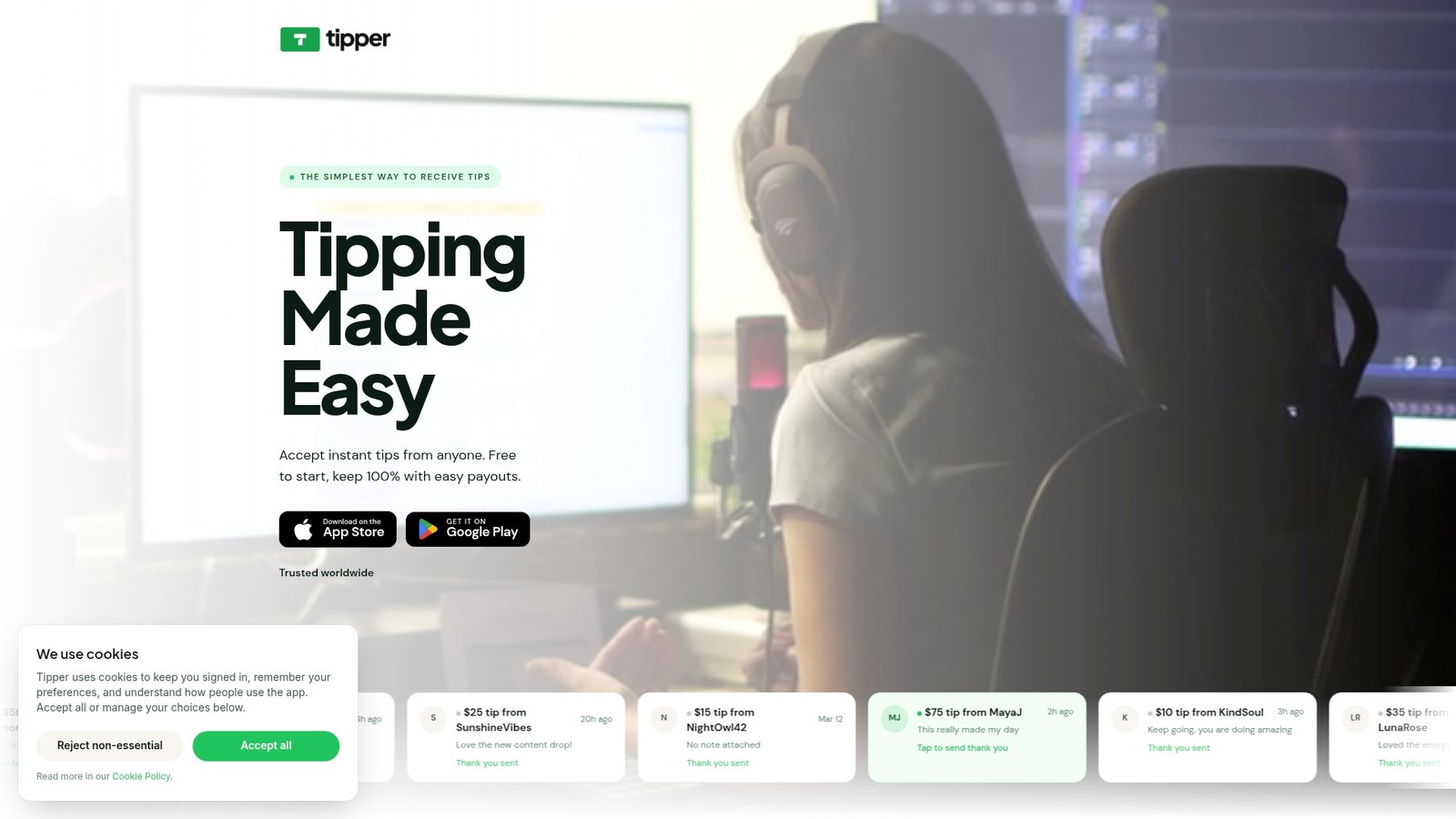
You can create your Tipper page and add your ladder in a few minutes. If you run a business, our guide to Apple Pay tipping setup walks through it.
FAQ
What are good suggested tip amounts for a creator page?
A three-tier ladder of about $5, $15 and $50 is a practical start. The low tier is a simple thank-you, the middle tier fits a shout-out or personal reply, and the top tier belongs to a defined extra. Adjust the numbers to your audience and review them after a few weeks.
Should I use percentages or dollar amounts?
Use dollar amounts. Creator tips are not tied to a bill, and research on tip framing shows that dollar values can raise tip amounts when they look numerically smaller than the percentage equivalent. Clean figures like $5 and $15 are also easier to read on a phone.
How do I ask for tips without sounding pushy?
Ask once, attach a specific reason, and say the tip is optional. A line like “if this saved you a trip to the repair shop, you can support the channel here” names a benefit and leaves the choice to the viewer. Then thank every supporter personally.
When are people most likely to tip?
Tips often rise after especially helpful or emotional content, after a milestone, and when you explain what support pays for. Place your link at those moments and keep a permanent link in your bio so supporters can find it any time.
Do my supporters need an account to tip?
Not on Tipper. Supporters open your link or scan your QR code and pay with Apple Pay, Google Pay or a card. Removing the sign-up step keeps the decision focused on the amount.
Sources
- Pew Research Center: tipping culture survey, November 2023
- Bankrate: 2025 Tipping Survey
- UCLA Anderson Review: Platform Design in a Tipping Economy
- SSRN: The Psychology of Tip Frames
- The Conversation: payment apps and tip suggestions
- Cultural Economics: Edinburgh buskers and digital tipping
- HSM University: Fan funding, tips and crowdfunding
- Creator Growth Lab: Tipping Strategies That Feel Natural
- YouTube Super Chat vs Super Thanks guide
- Eklipse: how to make money streaming



Leave A Comment