

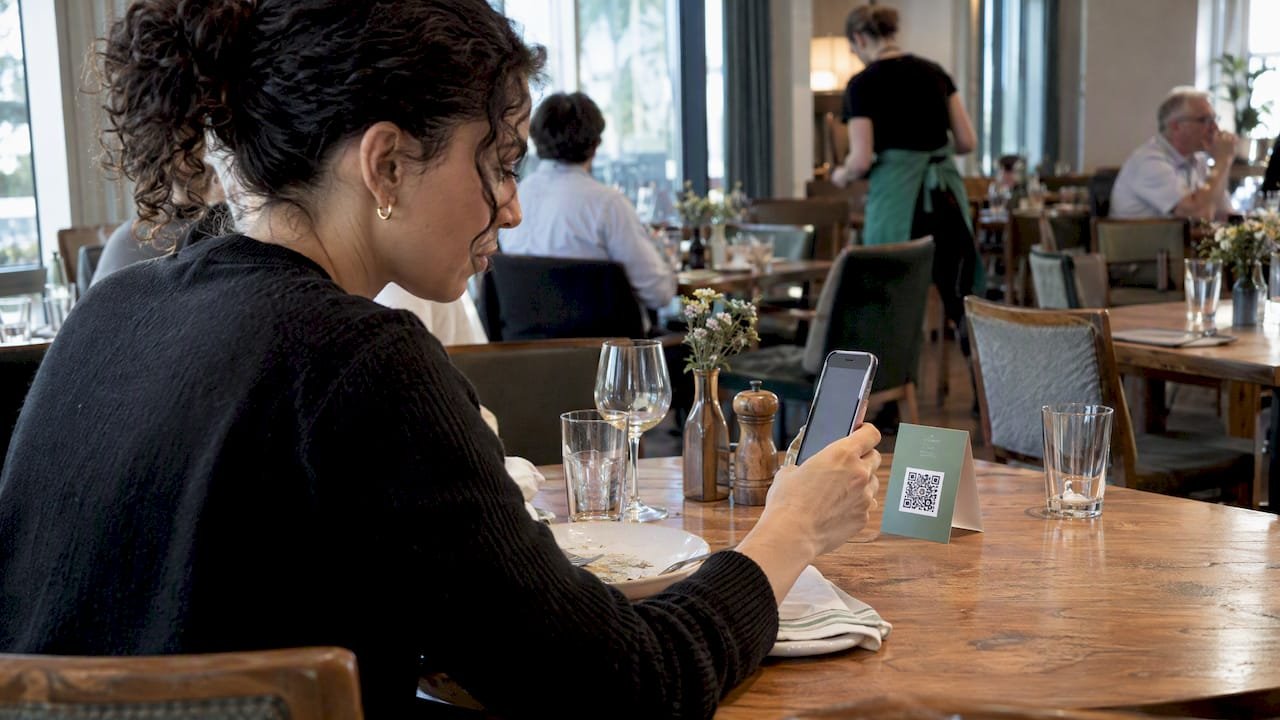
For most hospitality and service businesses, the best contactless tipping setup is a QR code that opens a no-app browser page supporting Apple Pay, Google Pay, and card checkout. Guests already know how to scan a code, there’s no hardware to buy, and the no-install flow removes the biggest reason people skip tipping altogether. The rest of this guide covers how each method works, what it costs, how to roll it out, and what the IRS expects you to track once the tips start coming in.
TL;DR:
- Text tipping suits phone service, while NFC speeds staffed stations but needs tags and compatible devices; app based tipping excludes guests without the app.
- Ask vendors for a written example showing what staff receive from a $20 tip and whether guests, employees, or the business pay processing fees.
- Confirm payout timing against payroll needs, and reconcile platform reports with point of sale or invoice records weekly rather than monthly.
- Test the checkout internally with a $1 transaction, then track completed tips against scans and average tip size separately after the first week.
- Keep voluntary digital tips separate from mandatory service charges, and document tip pool splits to support accurate employee reporting.
Table of Contents
- Contactless tipping methods: QR codes, text-to-tip, NFC, and wallet buttons
- How to evaluate contactless tipping solutions
- Typical costs and fee models for contactless tipping
- Implementation checklist and best practices to launch contactless tipping
- Security, compliance, and tax basics for digital tips
- Recommended setups by use case: hotels, restaurants, events, and freelancers
- Trade-offs worth weighing before you commit
- Tipper: a no-account, wallet-ready way to collect tips
- FAQ
- Sources
Contactless tipping methods: QR codes, text-to-tip, NFC, and wallet buttons
Every contactless tipping method tries to solve the same problem: get a guest from “I want to tip” to “payment sent” in as few steps as possible. The methods differ mainly in how that prompt reaches the guest and what the guest needs on their phone to finish the transaction.
A QR code is the simplest version of this. A guest points their camera at a printed or displayed code, their phone opens a browser page, they pick a tip amount, and they pay with Apple Pay, Google Pay, or a card, all without installing anything. That last part matters more than it sounds. QR code tipping leads hospitality adoption precisely because it is barrier-free: no app download, no account creation, no compatibility checks. The format has become common, and QR codes are a widely used way to start digital wallet transactions.
Text-to-tip works similarly but starts with an SMS instead of a camera scan. A guest texts a keyword or short code to a number, receives a link back, and taps through to pay. It suits situations where printing a QR code isn’t practical, like a phone-based service call or a delivery confirmation text, but it adds a step compared with scanning.
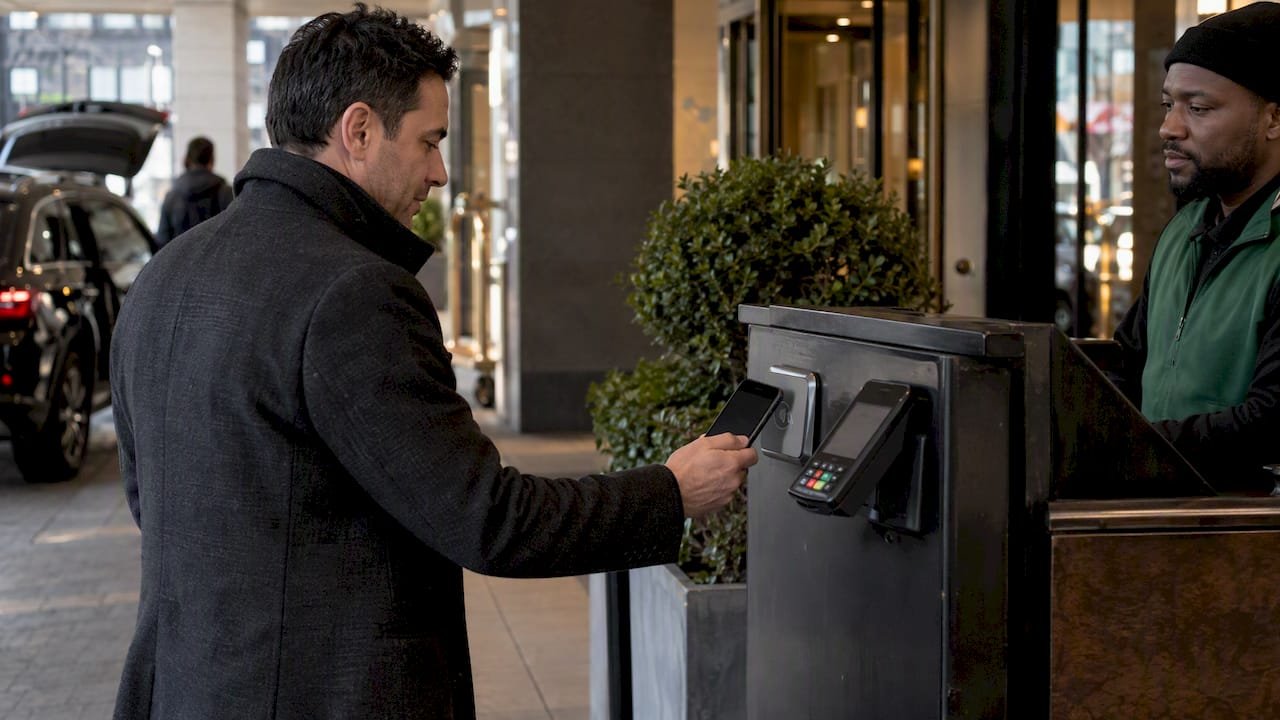
NFC tap-to-tip lets a guest hold their phone near a tag or terminal to trigger the payment page instantly, skipping the scan-and-open sequence entirely. It can work well at staffed stations, like a valet stand or a Barton terminal, where the tap feels natural. The catch is hardware and compatibility: not every phone or case handles NFC cleanly, and tags cost money to deploy at scale, which is part of why QR has stayed ahead of NFC in hospitality settings despite the tap format getting more buzz.
Mobile wallet buttons and in-app tipping fit branded environments, like an event’s own app or a hotel chain’s loyalty app, where a guest is already logged in. These can reduce friction for repeat visitors but require someone to have installed the app first, which rules out one-time guests and walk-up customers.
Here’s how the main methods stack up for a typical hospitality operator:
- QR codes: no hardware needed, printable on any surface, works for any phone with a camera.
- Text-to-tip: good for phone-first interactions, but adds a texting step before payment.
- NFC tap-to-tip: fast at staffed stations, but needs tags or terminals and has device compatibility gaps.
- In-app or wallet-button tipping: low friction for existing app users, but useless for guests without the app installed.
The wallet side of this equation is growing fast enough to matter for planning. Mobile wallet use jumped 31% year-over-year through late 2025, with over 30% of consumers using a digital wallet weekly and Apple Pay used by more than half of mobile wallet users, while Google Pay, PayPal, and Cash App continue gaining share. Any tipping method you choose should support at least Apple Pay and Google Pay, because that covers the overwhelming majority of wallet-using guests without forcing a card-entry step.
How to evaluate contactless tipping solutions
Picking a tipping solution comes down to a short list of criteria that actually affect whether guests tip and whether your back office can reconcile the money afterward.
- Fee transparency: ask any vendor to show you a sample receipt so you can see exactly what’s deducted and who pays it.
- Wallet and card support: confirm Apple Pay, Google Pay, and standard card checkout all work without extra steps, since guest friction at checkout directly lowers tip conversion.
- No-account tipping: check whether the person sending a tip needs to create an account first. A required sign-up is one of the fastest ways to lose a tip mid-flow.
- Payout timing: find out how fast funds reach staff and whether the platform supports reconciliation for payroll or tip-pool accounting.
- Customization: look for branded tip pages, suggested amount presets, and the ability to add thank-you messages, since these affect both guest experience and staff morale.
- Setup complexity: weigh whether you need new hardware, POS integration, or IT support, versus a solution that works with a printed code and a phone.
- Support and reliability: verify the processor behind the platform has a track record for uptime and handles transaction volume without delays, especially during peak service hours.
Fee transparency deserves extra attention because it’s where vendors differ most and where surprises tend to show up later. A platform that shows the fee breakdown before the guest confirms payment tends to build more trust than one that buries it in a settings page, and that trust translates into higher completion rates at the point of tipping.
Payout timing is the other item worth pressure-testing before you commit. A solution that batches payouts weekly can create cash-flow friction for staff who rely on daily tips, while one that supports near-real-time payouts fits better with how tipped income is actually used. Ask vendors directly how payouts map to your existing payroll cycle, not just how fast the money technically moves.
Typical costs and fee models for contactless tipping
Most contactless tipping platforms use a processing fee shaped like a small percentage of the transaction plus a flat per-transaction amount, which is the same pattern used across card processing generally. The exact split varies by provider, but the structure itself is consistent: a percentage fee covers the cost of moving money through card networks, and the flat fee covers the transaction overhead regardless of size.
Who actually pays that fee differs by platform and matters a lot to the staff receiving tips:
- Some platforms let the tipper cover the processing fee on top of their tip, so the staff member receives the full intended amount.
- Others deduct the fee from the tip itself before payout, which lowers what staff actually receive.
- A smaller number let the merchant absorb the fee as a cost of offering the service, which keeps both the guest experience and the staff payout clean.
A platform that displays its fee structure clearly before checkout tends to see higher completion rates, since guests are less likely to abandon a tip when they understand exactly what they’re paying and where it goes, according to the adoption patterns described in recent QR tipping research.
Before signing on with any vendor, ask for a worked example: say a guest leaves a $20 tip, what does the staff member actually receive after fees, and who paid the difference? Getting a straight answer to that one question, in writing, tells you more about a provider’s pricing honesty than any feature list.
Implementation checklist and best practices to launch contactless tipping
Rolling out contactless tipping doesn’t require a big technology project. It requires a clear sequence and a willingness to test before you scale.
- Choose your primary method: default to QR-and-wallet checkout unless a specific use case, like a branded event app, points elsewhere.
- Build your tip page: set up suggested amounts, your branding, and a thank-you message option before you print anything.
- Create your QR and text assets: generate the code and, if relevant, a text-to-tip keyword tied to the same tip page.
- Print and display the prompts: place codes on receipts, menus, staff badges, room collateral, or valet tickets depending on your setting.
- Train staff: make sure every team member can explain the process in one sentence and knows the tip is voluntary.
- Run a small pilot: test with a $1 transaction internally to confirm the flow works end to end before a guest ever scans it, an approach covered in more detail in this event QR tipping setup guide.
- Review results and adjust: check conversion and average tip size after the first week, then refine placement or messaging.
Placement decides whether guests ever see the prompt in the first place. Receipts and menus work well for restaurants, door hangers and folio inserts work for hotel rooms, and staff badges with a printed code work for valet stands, delivery drivers, and event staff who move around rather than standing at a fixed register. For creators and freelancers, the same QR principle applies to invoices and social profiles, where a code or link placed next to an invoice total gives clients a frictionless way to add appreciation on top of a payment.
Messaging matters more than most operators expect. Keep the language voluntary (“Tips appreciated, never required”) rather than demanding, offer two or three suggested amounts instead of an empty field, and provide the prompt in multiple languages if your guest base is international.
Pro Tip: Track conversion rate (scans that become completed tips) and average tip size separately. A high scan rate with a low conversion rate usually means the checkout page itself is the problem, not the placement.
Security, compliance, and tax basics for digital tips
The security of a contactless tipping platform depends far more on the processor behind it than on whether the transaction starts with a QR scan or an NFC tap. Look for a processor that is PCI-compliant, uses tokenized payment flows so card data is never stored in plain form, and runs active fraud monitoring on transactions. Industry analysis of QR tipping adoption confirms this directly: the technology format matters far less to security than the infrastructure processing the payment. For a deeper look at the specific risks that come with QR-based flows and how to guard against them, see this breakdown of QR code tipping security threats.
On the tax side, the distinction that matters most is between a voluntary tip and a mandatory service charge. The IRS treats these differently: employees must report tip income, and businesses are expected to support that reporting through recordkeeping systems, while mandatory service charges are treated as wages and carry different payroll tax obligations. Getting this distinction wrong when setting up your tipping program can create payroll complications down the line.
A tip is a payment a customer makes to an employee voluntarily, free of compulsion, in an amount the customer chooses. A mandatory service charge is not a tip for federal tax purposes and is treated as wages.
Internal Revenue Service, Topic no. 761
Reconciliation steps worth building into your process:
- Keep a running log of digital tips separate from mandatory service charges so payroll categorizes them correctly.
- Reconcile platform payout reports against your point-of-sale or invoicing system weekly rather than monthly.
- Make sure any tip pool splits are documented consistently so individual staff reporting matches the pool total.
If your setup involves tip pooling, multi-location payroll, or a mix of voluntary tips and service charges, it’s worth a short conversation with a payroll or tax advisor before you scale the program, since the reporting rules can get specific to your business structure.
Recommended setups by use case: hotels, restaurants, events, and freelancers
The right configuration depends heavily on where and how your guests interact with staff.
- Hotels: place a QR code on the checkout folio and on door hangers in guest rooms, then centralize payout reconciliation so tips from housekeeping, valet, and room service all flow into one reporting view instead of scattered individual accounts.
- Restaurants: put a table-top QR code alongside the printed receipt or terminal screen, with suggested amounts that mirror the percentages guests already expect from a traditional tip line.
- Events and pop-ups: use portable signage at entry points and staff badges with a printed code, and start with a small test budget to confirm the flow works before the event scales to full attendance, following the approach in this event QR tipping guide.
- Freelancers and creators: add a personalized link or QR code directly to invoices and social profiles, which turns one-time client appreciation into a recurring habit, as shown in these contactless tip collection examples.
A useful technical primer on how contactless payments function at a basic level, including the tap-to-pay standards behind NFC, is available from CARDZ3N’s contactless payment explainer, which is a good reference if you’re explaining the technology to staff or stakeholders unfamiliar with it.
Across every one of these settings, the common thread is removing steps between the guest noticing the prompt and completing the payment. A hotel guest checking out doesn’t want to download an app, a restaurant guest at the table doesn’t want to type in a card number, and an event attendee walking past a booth doesn’t want to search for a QR code buried in a program. Wherever the use case, visibility and simplicity decide whether the tip happens at all.
Trade-offs worth weighing before you commit
Simplicity wins at scale, and that’s the biggest lesson from watching how contactless tipping actually plays out across hospitality. Every added step, whether it’s an app download, an account signup, or a hardware requirement, cuts into the number of guests who follow through on a tip they already intended to leave. QR plus wallet checkout wins not because it’s the most sophisticated option but because it removes friction without asking anything of the guest they don’t already know how to do.
The harder trade-off is balancing that guest-facing simplicity against your own back-office needs. A dead-simple tip page is worthless if the payout reports don’t reconcile with payroll, or if staff can’t tell which tips came from which shift. Don’t treat reconciliation as an afterthought you’ll figure out later. Build it into your evaluation from day one.
My practical advice: don’t guess at what works. Run a small pilot, test two versions of your prompt wording or placement, and look at actual conversion numbers before rolling out across every location. A week of real data beats a quarter of assumptions.
— Tipper
Tipper: a no-account, wallet-ready way to collect tips
Everything in this guide points toward one kind of setup: a link or QR code that lets a guest pay instantly, without creating an account, using Apple Pay, Google Pay, or a card. That’s the core of what we built with Tipper.

With Tipper, supporters can send a tip through a personalized link or QR code without needing to create an account, which matches the no-account checkout criteria operators should prioritize. Tip pages are customizable, and senders can leave a thank-you message, which adds a personal touch that a bare payment confirmation never does.
- No account needed for the person sending a tip, which removes the biggest drop-off point in digital tipping.
- Apple Pay and Google Pay support out of the box, covering the wallets most guests already use.
- Customizable tip pages and thank-you messages that build a real connection with supporters.
Rollout involves creating your page, generating your QR code or link, and sharing it on receipts, invoices, or social profiles. If you’re ready to see how it fits your setup, visit Tipper and create your page today.
FAQ
What is the best app for tipping?
The best option for most service and hospitality businesses is a QR-and-wallet-based tipping page rather than a standalone app, since it works for any guest regardless of what’s installed on their phone. Look for support for Apple Pay, Google Pay, and card checkout with no account required on the sender’s side.
Is 10% tip disrespectful?
Tip norms vary by service type and region, and there’s no single rule that makes a specific percentage disrespectful. Suggested amount presets on a tipping page can help guide guests toward a comfortable range without guesswork on either side.
Which app is the best for contactless payments?
Contactless payment support is less about a single “best app” and more about which wallets and card types a tipping platform accepts at checkout. Prioritize a solution supporting Apple Pay and Google Pay, since mobile wallet usage jumped 31% year-over-year with Apple Pay used by more than half of mobile wallet users.
How do I tip without money?
Digital tipping lets you send a tip without cash by scanning a QR code or opening a link, then paying through Apple Pay, Google Pay, or a card. With a platform like Tipper, the sender doesn’t need an account, so the transaction can be completed without creating one.
Do businesses need to report contactless tips for taxes?
Yes, employees are required to report tip income, and the IRS distinguishes voluntary tips from mandatory service charges for tax purposes, with service charges treated as wages. Businesses can support compliance by providing electronic reporting systems and keeping clear records of tips collected through digital platforms.
Sources
- QR Code Tipping Continues to Lead Hospitality Adoption Despite NFC Hype
- PYMNTS | Mobile Wallet Use Jumps 31% as Apple Pay Faces Competition
- Topic no. 761, Tips – withholding and reporting | Internal Revenue Service



Leave A Comment