


TL;DR:
- Tipper is the strongest creator-focused alternative due to its instant Apple Pay and Google Pay support, with no account needed and 100% earnings retained. Hospitality systems like Kickfin and TipHaus are better suited for automated tip pooling and payroll integration in businesses like restaurants, not individual creators. Choosing the right platform depends on support options, fees, payout speed, and whether you need compliance features or simple guest checkout.
If you need a fast answer: for creators, Tipper is the strongest TipTopJar alternative because it lets supporters tip instantly via Apple Pay or Google Pay with no account required, and you keep 100% of what you earn. For hospitality businesses that need automated tip pooling and payroll integration, purpose-built systems like Kickfin and TipHaus are the right category. General P2P apps like PayPal, Venmo, and Cash App fill gaps but add friction. The biggest trade-offs to watch are platform fees versus checkout friction, payout timing, and whether your audience will create an account just to tip you.
| Platform | Best for | Payment methods | Payout speed | Account required to tip? |
|---|---|---|---|---|
| Tipper | Creators, freelancers | Apple Pay, Google Pay, card | Direct, fast | No |
| Buy Me a Coffee | Creators, memberships | Card, PayPal | 1–3 business days | No |
| Ko-fi | Creators, donations | Card, PayPal, Stripe | Varies by plan | No |
| Kickfin | Hospitality tip distribution | Debit card (instant) | Instant | N/A (staff-facing) |
| PayPal.me | General P2P | Card, PayPal balance | 1–3 business days | Yes (sender) |
Pro Tip: Before committing to any platform, open a private browser tab on your phone and try tipping yourself $1 via Apple Pay. If it takes more than three taps, your supporters will drop off before they finish.
Table of Contents
- What are the best TipTopJar.com alternatives right now?
- How do you choose the right TipTopJar alternative?
- What do fees and payouts actually look like?
- Are tipping platforms secure, and how are tips taxed in the US?
- How do you switch from TipTopJar to another platform?
- Why does frictionless mobile checkout actually move the needle?
- Key Takeaways
- The case for being honest about who this comparison is for
- Why Tipper is worth trying if you are a creator
- FAQ
What are the best TipTopJar.com alternatives right now?
The types of digital tip jar tools split into two distinct categories: creator-first tipping links and hospitality-grade tip-management systems. They solve different problems, and mixing them up wastes time.
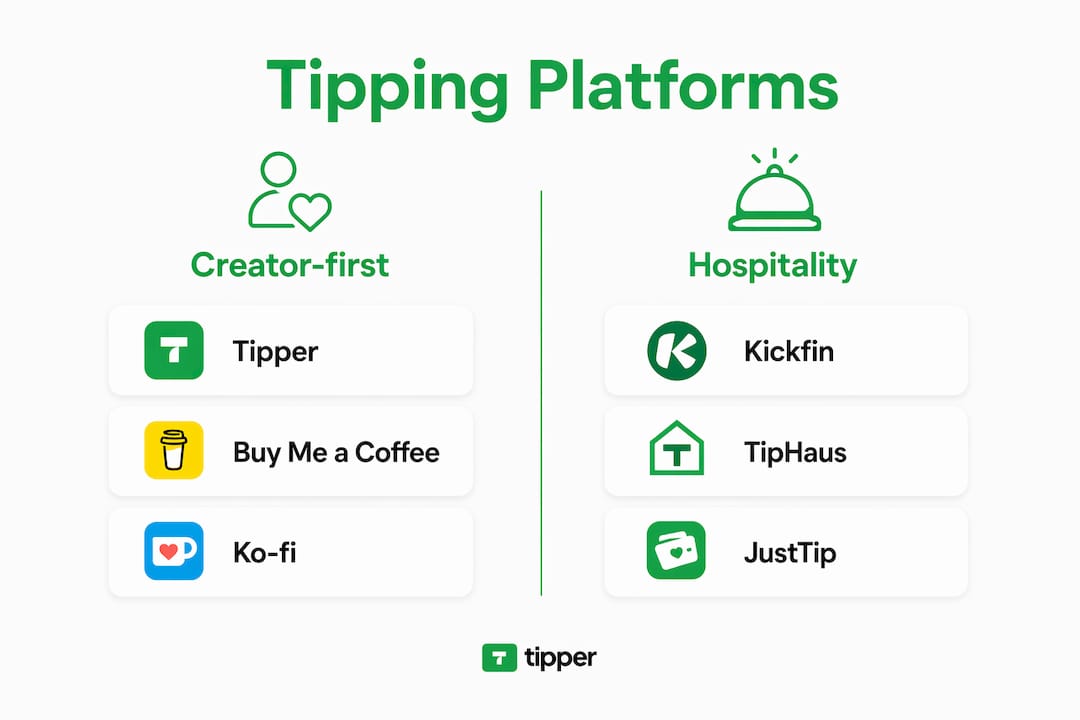
Tipper
Tipper is built around one idea: a supporter lands on your page, taps Apple Pay or Google Pay, and the tip is done in seconds. No account creation, no redirect to another app. Creators keep 100% of their earnings, with only a small payment processing fee added at checkout. You get a personalized link, a QR code for in-person use, and the ability to send thank-you messages via text, photo, or video. For a freelancer or content creator who wants the lowest possible friction between “I want to tip this person” and “tip sent,” Tipper is the clearest option in this comparison.
Strengths:
- Guest checkout via Apple Pay and Google Pay
- 100% earnings retention (processing fee only)
- Thank-you messages (text, photo, video)
- QR code for in-person tips
- No subscription required
Watch for: Processing fees apply per transaction, as with every platform in this list.
Buy Me a Coffee

Buy Me a Coffee lets creators accept one-time tips and monthly memberships from the same page. Supporters do not need an account to tip, which keeps friction low. The platform also supports extras like digital downloads and exclusive posts, so it doubles as a light storefront. Payouts typically land within a few business days. The trade-off is that Buy Me a Coffee takes a platform fee on top of the payment processor fee, which eats into smaller tips more noticeably.
Strengths:
- No sender account required
- Memberships and digital products built in
- Clean, creator-friendly page design
Watch for: Platform fee on top of processing costs; less customization than dedicated tipping tools.
Ko-fi
Ko-fi is popular with artists and writers because it offers a genuinely free tier with no platform fee on one-time tips (Stripe or PayPal processing fees still apply). The paid Ko-fi Gold tier unlocks commissions, shop features, and a membership option. Creator-focused platforms that combine tipping with content gating tend to drive stronger repeat support, and Ko-fi’s shop and membership features fit that pattern well. Payout timing depends on your payment processor.
Strengths:
- Zero platform fee on tips (free tier)
- Shop, commissions, and memberships available
- No sender account required for tips
Watch for: Advanced features require the paid tier; payout speed depends on your connected processor.
Linktree (payments)
Linktree added a tipping and payment link feature to its link-in-bio product. If you already use Linktree to manage your social links, adding a tip button is low-effort. The downside is that it is a secondary feature on a link aggregator, not a dedicated tipping tool. Customization is limited, and the experience is less polished than platforms built specifically for tips. Worth considering if consolidation matters more to you than a premium tip-page experience.

PayPal / PayPal.me
PayPal.me gives you a permanent branded link that anyone with a PayPal account can use to send money. The problem is that senders without a PayPal account face more steps, and permanent branded handles are often immutable, which creates long-term rebranding headaches. PayPal is trusted and widely recognized, but it is a general payment tool, not a tipping platform. No thank-you messages, no tip-page customization, no QR code for in-person use.
Venmo
Venmo works well for US-based creators whose audience already has the app. The social feed feature (where tips can appear publicly) is either a feature or a privacy concern depending on your audience. Senders must have a Venmo account, which is the single biggest friction point. General P2P apps like Venmo are common in creator tip stacks, but they work best as a supplementary option alongside a dedicated tool, not as a primary tip page.
Cash App
Cash App’s $Cashtag gives you a shareable link and is popular with younger US audiences. Like Venmo, it requires the sender to have an account. No tipping-specific features, no thank-you messages, no QR code customization. Useful as a backup payment method for audiences who prefer it, but not a standalone TipTopJar replacement.
Kickfin
Kickfin is built for restaurants and hospitality businesses, not individual creators. It distributes tips directly to staff debit cards instantly after each shift, integrating with POS systems and payroll software. Hospitality-focused platforms automate tip pooling, calculate distributions, and handle the compliance requirements that US labor law demands for tip pooling. If you run a restaurant or bar, Kickfin solves a problem that no creator tool even attempts to address.
TipHaus
TipHaus sits in the same hospitality category as Kickfin, with a focus on automated tip distribution and payroll integration. It handles tip pooling calculations and connects to POS systems so managers do not need to run manual spreadsheets. For multi-location hospitality operations, TipHaus is worth evaluating alongside Kickfin.
JustTip
JustTip is a simpler digital tipping tool aimed at service workers and small hospitality businesses. It generates QR codes that customers scan to tip directly. Less feature-rich than Kickfin or TipHaus, but lower overhead for a single-location business that just needs a contactless tip option.
| Dimension | Creator tools (Tipper, BMC, Ko-fi) | P2P apps (PayPal, Venmo, Cash App) | Hospitality systems (Kickfin, TipHaus) |
|---|---|---|---|
| Guest checkout | Yes (Tipper, BMC, Ko-fi) | Partial (PayPal card; Venmo/Cash App require account) | N/A |
| Platform fee | Varies (Tipper: none; BMC: yes; Ko-fi free tier: none) | None (processor only) | Subscription-based |
| Payout speed | varies | 1–3 days (instant for a fee) | Instant (Kickfin) |
| POS integration | No | No | Yes |
| Thank-you messages | Yes (Tipper, BMC) | No | No |
| US compliance/tip pooling | No | No | Yes |
Pro Tip: If your audience is split between mobile-first fans and older supporters who prefer cards, pick a platform that supports both Apple Pay and manual card entry. Tipper and Buy Me a Coffee both do.
How do you choose the right TipTopJar alternative?
The one-sentence rule: choose a creator guest-checkout tool if you need minimal friction and a social link-in-bio setup; choose a hospitality system if you need compliant tip distribution and POS integration. Everything else is a detail.
Primary criteria to evaluate:
- Payment methods: Does it support Apple Pay and Google Pay? Can supporters pay by card without an account?
- Fees: What is the platform fee (if any) on top of the payment processor fee? How does that math work on a $3 tip versus a $50 tip?
- Payout cadence: Daily, weekly, or on-demand? Is there a minimum payout threshold?
- Privacy and friction: Does the sender need to create an account? Can they tip anonymously?
- Integrations: Does it connect to your website, social profiles, or (for hospitality) your POS and payroll system?
- Tax and payroll support: For hospitality, does the platform generate reports compatible with US tip-reporting requirements?
- Geographic availability: All platforms listed here are available in the US, but confirm international support if your audience is global.
A digital tipping platforms comparison is most useful when you weight these criteria against your actual use case before reading reviews.
Checklist before you commit:
- Can you complete a test tip on mobile in under 30 seconds?
- Is the pricing page transparent with no hidden fees?
- Does the platform publish its payment processor partnership (Stripe, PayPal, or equivalent)?
- Can you export your payout history and supporter data?
- Is there a clear payout schedule with a stated minimum?
- For hospitality: does it integrate with your specific POS system?
Red flags to watch: vague fee language (“small processing fee” with no percentage stated), no test payment option before going live, no published privacy policy, and payout schedules described only as “soon.”
One nuance worth noting: a slightly higher processing fee that enables Apple Pay will often outperform a lower-fee platform that requires account creation. Checkout friction kills conversions faster than a 0.5% fee difference.
What do fees and payouts actually look like?
Every tipping platform uses a two-layer fee structure: a platform fee (charged by the tipping service itself, if any) plus a payment processor fee (charged by Stripe, PayPal, or the card network). You pay both on every transaction.
| Tip amount | Platform fee | Processor fee (example: 2.9% + $0.30) | Net received |
|---|---|---|---|
| — | no platform fee on one-time tips | — | — |
| — | $0.30 (example platform fee) | — | — |
| standard example tip | — | — | $9.41 |
| standard example tip | — | — | $8.91 |
| — | 5% platform fee example | — | — |
The processor rate used above (2.9% + $0.30) is a standard Stripe card rate; actual rates vary by platform negotiation and payment method. Apple Pay and Google Pay typically use the same card-present or card-not-present rate as a standard card transaction on most platforms.
Example calculation: On a $10 tip with no platform fee and a standard processor rate of 2.9% + $0.30, you net $9.41. Add a 5% platform fee and that drops to $8.91. Over 100 tips at $10, that difference is $50 in your pocket.
Payout timing matters for cash flow. Instant payouts (Kickfin to debit cards, or platforms offering instant transfer for a fee) cost slightly more but matter for hospitality workers paid per shift. Creator platforms typically pay out within 1–3 business days on a standard schedule, with some offering on-demand payouts above a minimum balance.
Pro Tip: If you receive tips regularly, set up a dedicated bank account or label tip income separately in your bookkeeping tool (QuickBooks, Wave, or even a simple spreadsheet). It makes quarterly estimated taxes far less painful.
Are tipping platforms secure, and how are tips taxed in the US?
Platforms that partner with established processors like Stripe or PayPal and publish their encryption practices are generally trustworthy. The signals to check: explicit mention of TLS/SSL encryption, a named payment processor, a transparent privacy policy, and a documented payout flow. Platforms with verified processor integrations provide stronger trust signals than those that obscure their payment infrastructure.
Tip Top Jar’s own FAQ states it uses SSL/TLS encryption and limits tip visibility to the account owner. That is a reasonable baseline. When evaluating any alternative, look for the same disclosures on the vendor’s security or FAQ page.
On the tax side, tips are taxable income in the US. The IRS treats tips received through digital platforms the same as cash tips: they are ordinary income and must be reported. Platforms that process above certain thresholds may issue a 1099-K form, but the reporting threshold and rules have shifted in recent years, so confirm the current requirements directly with the platform or a tax professional. Do not assume a platform will handle your reporting for you.
Trust checklist before switching: Confirm TLS/SSL encryption is stated on the vendor site. Verify the named payment processor (Stripe, PayPal, or equivalent). Read the privacy policy for data retention and sharing terms. Check user reviews on Capterra or Trustpilot for payout reliability. Ask the vendor directly about 1099-K issuance if your tip volume is significant.
Pro Tip: Keep a simple monthly log of tip income, even if the platform provides a dashboard. Dashboards change, accounts get suspended, and having your own record protects you at tax time.
This article is general information, not tax or legal advice. Confirm your specific reporting obligations with a qualified tax professional or the IRS directly.
How do you switch from TipTopJar to another platform?
You can migrate in a few days for a simple creator setup. The steps are straightforward, but skipping the test phase is where most people run into problems.
Creator migration steps:
- Audit your current links. List every place your TipTopJar link appears: bio links, website, email signature, pinned posts, YouTube descriptions.
- Export your records. Download any payout history or supporter data TipTopJar allows you to export before you close or pause the account.
- Set up your new page. Create your account on the new platform, connect your bank or debit card, and configure your tip page (photo, description, tip amounts).
- Test guest checkout on mobile. Open a private browser tab on your phone and complete a real $1 tip to yourself using Apple Pay. Confirm the payout lands correctly. This step catches 90% of setup errors before your audience sees them.
- Update all links. Replace every TipTopJar link with your new URL. For tipping links that work across channels, update your link-in-bio tool, website, and any pinned content simultaneously.
- Announce the switch. A short post or story telling your audience where to find your new tip link prevents confusion and recovers any supporters who bookmarked the old URL.
- Monitor for 7 days. Check that payouts arrive on schedule and that no supporters report errors.
Note on branded handles: If you have a PayPal.me or similar permanent handle, those links are often immutable once created. Keep the old link active if possible while you redirect traffic to the new platform.
For hospitality businesses, the timeline is longer: plan for one to two weeks to include POS integration testing, staff training on the new tip-out flow, and a parallel-run period where both systems operate before you cut over fully.
Red flags during migration: no test payment option, payout schedule described vaguely, missing encryption details on the setup page, and no way to export your existing data.
Why does frictionless mobile checkout actually move the needle?
Guest checkout via Apple Pay and Google Pay removes the single biggest barrier between a supporter’s intention and a completed tip: account creation. Practitioner reports and creator guides consistently cite improved tip completion rates when one-click wallet payments are available, because the decision to tip is often impulsive and time-sensitive. Add a login screen and a significant share of those supporters simply close the tab.
Creator guides and platform reviews repeatedly note that requiring an account to send a tip is the most common reason supporters abandon the checkout flow before completing a transaction.
The conversion advantage of one-click payments compounds over time. A supporter who tips once via Apple Pay in three seconds is far more likely to tip again than one who had to create an account the first time. That behavioral pattern is why platforms built around guest checkout tend to generate higher lifetime tip volume per supporter, even when the per-tip amounts are similar.
Thank-you messages, content locks, and recurring support options extend that relationship further. Creator platforms that combine tipping with content gating convert one-time tippers into repeat supporters by giving them something in return: a personal video, early access, or exclusive content. The tip becomes the start of a relationship, not a one-off transaction.
Pro Tip: Test your tip page on the device your audience uses most. If your audience is primarily on Instagram, test the full flow inside the Instagram in-app browser, not just Safari. In-app browsers sometimes block certain payment methods.
Key Takeaways
For creators, Tipper’s guest checkout and zero platform fee make it the clearest TipTopJar alternative; for hospitality, automated tip-distribution systems are a separate category entirely.
| Point | Details |
|---|---|
| Creator-first pick | Tipper offers guest checkout via Apple Pay/Google Pay with no platform fee and 100% earnings retention. |
| Hospitality needs a different tool | Kickfin and TipHaus handle tip pooling, POS integration, and US compliance; creator tools do not. |
| Fee math matters on small tips | A $0.30 flat processor fee hits a $3 tip harder than a $50 tip; zero platform fee platforms protect small-tip income. |
| Guest checkout drives conversions | Requiring an account to tip is the most common reason supporters abandon checkout before completing a transaction. |
| Migration can take several days | Audit links, test mobile checkout, update all channels, and monitor payouts for 7 days after switching. |
The case for being honest about who this comparison is for
Most “best tipping platform” articles bury the lead: the right answer depends almost entirely on whether you are a creator or a hospitality operator. These are not variations of the same problem. A restaurant manager needs tip pooling, payroll integration, and labor-law compliance. A freelance illustrator needs a link that works in an Instagram bio and pays out to their bank account without subscription requirements.
Tipper is built for the second group. The editorial position here is transparent: Tipper publishes this comparison, and Tipper is the recommended pick for creators. That said, the hospitality tools in this list (Kickfin, TipHaus, JustTip) are genuinely better for their use case than any creator-focused tool, including Tipper. Recommending the wrong category to save face would be worse than useless.
If you want to test the comparison fairly, the most useful thing you can do is run a live $1 tip on two or three platforms on your actual phone before committing. No review article, including this one, replaces that 60-second test. The platform that completes the transaction fastest, with the fewest taps, is the one your supporters will actually use.
Why Tipper is worth trying if you are a creator
Tipper gives creators a tip page that works the way supporters actually behave: they see your link, tap Apple Pay or Google Pay, and the tip is done. No account, no redirect, no friction. You keep 100% of your earnings, with only a standard processing fee deducted at checkout. That is a meaningful difference from platforms that layer a platform fee on top of processor costs, especially if you receive a high volume of smaller tips.
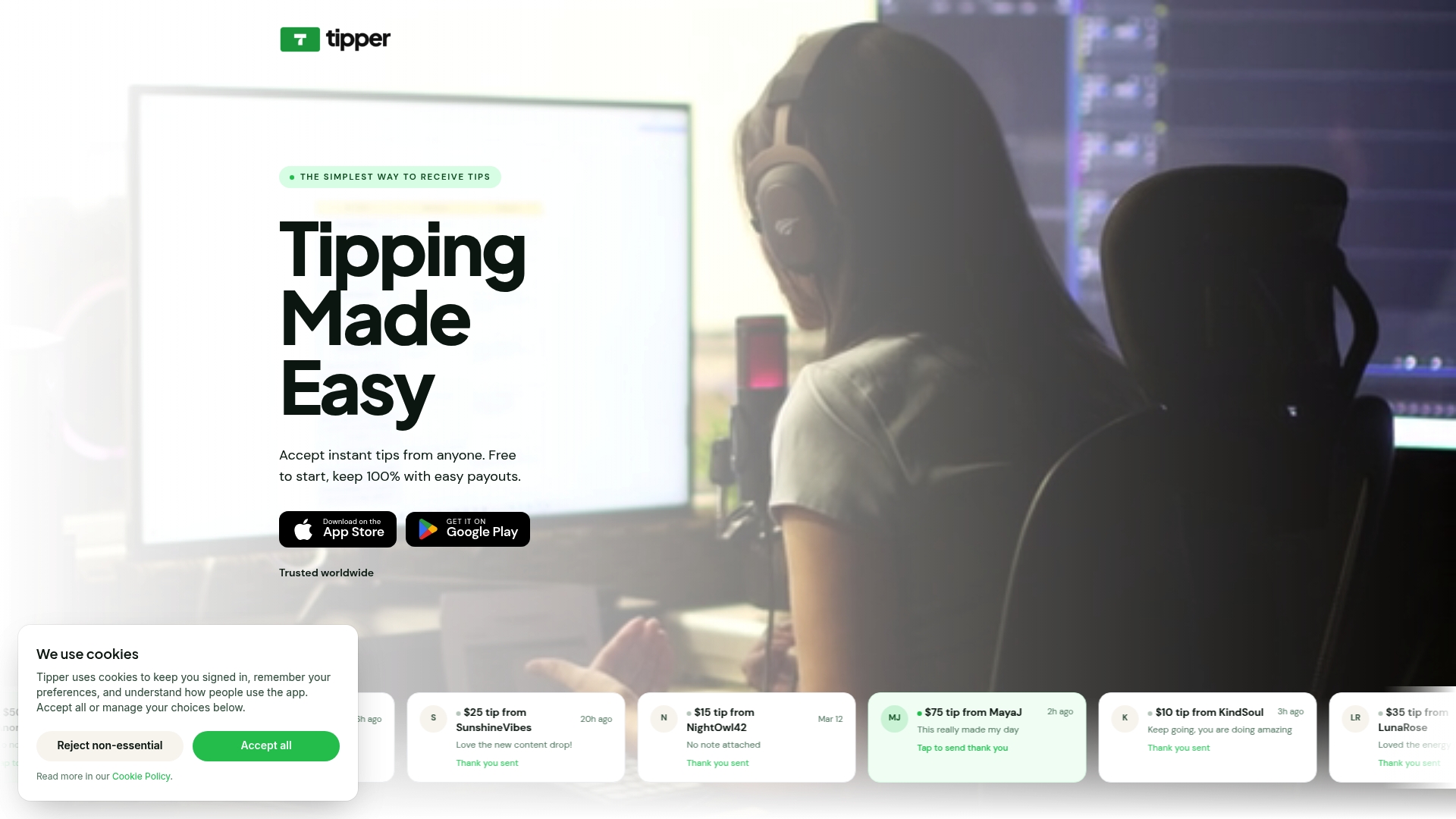
Key features that matter for the decision you are making right now:
- Guest checkout via Apple Pay, Google Pay, and card, with no sender account required
- Direct payouts to your connected bank account
- Thank-you messages via text, photo, or video to build supporter relationships
- QR code for in-person tipping at events, markets, or venues
- No subscription required to maintain your page
If you are ready to set up a tip page that your audience will actually complete, start with Tipper and have your link live in minutes.
Useful sources and further reading
- 7 Virtual Tip Jar Options You Need to Know — practical creator-focused breakdown of P2P apps and dedicated tipping tools
- 7 Best Tipping Platforms Every Creator Should Know — covers creator features including memberships, content gating, and thank-you messages
- Top TiPJAR Alternatives, Competitors (CB Insights) — industry directory separating creator and hospitality tools
- TiPJAR alternatives (Capterra) — user reviews and security trust signals
- Digital Tipping Platforms Comparison 2026 — feature analysis focused on guest checkout and supporter engagement
- How Tipping Links Work for Creators in 2026 — technical and UX detail on setting up and testing tipping links
FAQ
What is the best free alternative to TipTopJar for creators?
Ko-fi’s free tier charges no platform fee on one-time tips (only standard processor fees apply), making it one of the most cost-effective options for creators just starting out. Tipper also charges no platform fee, with only a payment processing fee added at checkout.
Do TipTopJar alternatives require supporters to create an account?
Dedicated creator tipping platforms like Tipper, Buy Me a Coffee, and Ko-fi allow supporters to tip without creating an account. General P2P apps like Venmo and Cash App require the sender to have an account, which adds friction and reduces tip completion.
Is TipTopJar legitimate and secure?
Tip Top Jar states in its FAQ that it uses SSL/TLS encryption and limits tip visibility to the account owner, which are standard baseline security practices. When evaluating any tipping platform, look for a named payment processor, published encryption details, and a transparent privacy policy.
Which tipping platform is best for restaurants and hospitality?
Kickfin and TipHaus are purpose-built for hospitality: they automate tip pooling, integrate with POS systems, and generate reports that meet US labor and tax requirements. General creator tipping tools and P2P apps do not provide these compliance features.
How much does a typical tipping platform take per transaction?
Most platforms charge a payment processor fee in the range of 2.9% + $0.30 per transaction (standard Stripe card rates), plus a platform fee that varies by service. Platforms with no platform fee, like Tipper on its standard plan and Ko-fi’s free tier, pass through only the processor cost.




Leave A Comment