


Yes, payment links boost engagement by removing checkout friction, enabling purchases inside the channels where conversations already happen, and creating trackable, campaign-specific buying moments you can launch in minutes.
The top benefits, quickly:
- Reduced friction: customers pay in two taps without creating an account or navigating a full website
- Channel-native conversion: share a link in a DM, SMS, or social post and close the sale right there
- Abandoned-inquiry recovery: follow up a stalled quote or booking with a direct checkout link
- Deposit and no-show protection: secure a commitment upfront via a single SMS link
- Trackable repeat behavior: reusable links with metadata let you measure who returns and when
Try this in the next 48 hours: create a branded payment link, drop it into an SMS or DM to a warm lead, and watch whether it converts faster than your usual invoice or checkout redirect.
Key Takeaways
Payment links boost engagement by collapsing checkout friction into a single tap, enabling channel-native purchases, and giving you trackable, campaign-specific buying moments you can launch in under five minutes.
| Point | Details |
|---|---|
| Friction is the core problem | Nearly 70% of online carts are abandoned; a payment link removes the steps that cause drop-off. |
| Channel-native links convert faster | A link sent in the same DM or SMS where the conversation happened closes sales without redirects. |
| Deposits reduce no-shows | Sending a deposit link immediately after booking secures commitment before the appointment date. |
| Measure time-to-pay first | Median hours from link sent to payment received is the fastest signal that your setup is working. |
| Tipper as your starting point | Tipper offers branded payment links with Apple Pay, Google Pay, no sender account required, and direct payouts. |
Table of Contents
- How do payment links actually work?
- How payment links increase customer engagement
- Where do payment links work best for small businesses?
- How do you create and share payment links?
- Are payment links safe to use?
- How do you measure whether payment links increase engagement?
- What tactics maximize results when using payment links?
- Answering the most common questions about payment link risks
- Why Tipper works well for creators, freelancers, and small businesses
- The case for making payment links a weekly habit
- Tipper makes it easy to start collecting payments today
- Sources
- FAQ
How do payment links actually work?
A payment link is a shareable URL, QR code, or embedded button that opens a hosted checkout page. The customer selects their payment method, completes the transaction, and receives a confirmation. No website required on your end, and no account required on theirs.
The flow in plain terms:
Link shared → customer opens hosted checkout → selects payment method (card, Apple Pay, Google Pay) → payment confirmed → receipt delivered automatically
Payment links let businesses create a full, branded checkout page without a website or code, then share that same link across email, SMS, social, and QR codes, or scale link creation via API for campaign automation.
Common link types you will encounter:
- Reusable links: one URL that works for every customer, ideal for a tip jar or a standard service fee
- Single-use links: expire after one transaction, useful for custom quotes or sensitive amounts
- Subscription links: recurring billing on a set schedule
- QR codes: printed on receipts, menus, or business cards for in-person payments; digital business cards are a practical way to carry one at all times
- Time-limited or quantity-limited links: built-in scarcity for event tickets or product drops
A payment link can be reused, shared widely, limit purchases, and is simpler to implement than a full ecommerce integration, which is exactly why small businesses reach for them first.
How payment links increase customer engagement
Six concrete mechanisms drive the engagement lift:
-
Friction removal. Every extra step between “I want this” and “I paid” costs you customers. Checkout friction is one of the leading causes of cart abandonment, and a payment link collapses a multi-page checkout into a single tap. According to Baymard Institute research, the average documented online cart abandonment rate is very high, with a forced account-creation step among the top reasons shoppers leave.
-
Channel-native buying. The link lives inside the conversation. A customer asking about your service in Instagram DMs does not want to be redirected to a website, then a cart, then a checkout. Drop the link in the reply and the transaction happens where the relationship already exists.
-
Abandoned-inquiry recovery. Sent a quote that went quiet? A follow-up message with a direct payment link converts more reliably than a second invoice because it removes every remaining step. Accepting payments across multiple channels with payment links helps recover abandoned carts and improve loyalty.
-
Deposit and no-show reduction. A hair stylist, photographer, or consultant who texts a deposit link immediately after booking secures commitment before the appointment. No deposit form, no awkward follow-up call.
-
Personalized offers and loyalty rewards. Payment links let businesses embed personalized loyalty rewards and discounts directly within the payment flow, which encourages repeat interactions. A returning client gets a link with a 10% loyalty discount baked in; a new lead gets a standard rate. Same product, different link, measurably different conversion.
-
Repeat-purchase support. Merchants use reusable payment links to create standing buy points for customers who prefer not to create accounts, which supports higher repeat-purchase rates and simpler reconciliation.
Pro Tip: Embed loyalty-linked rewards directly in a unique link for your best customers. Even a small discount signals recognition and lifts the chance they pay immediately.
Where do payment links work best for small businesses?
The highest-ROI scenarios, by channel:
- Social posts and DMs: pin a reusable link in your bio or drop a single-use link in a DM to close a sale mid-conversation. A creator selling a digital download, for example, can pin a link in a TikTok comment and collect payment without ever leaving the app.
- SMS campaigns: short message, clear amount, one link. SMS open rates are high, and a time-limited link adds urgency. Payment links speed up payments and reduce manual admin for sellers who lack a full ecommerce site.
- Invoices: replace a PDF invoice with a payment link embedded in the email. The client clicks, pays, and you get notified. No chasing, no bank-transfer confusion.
- Service deposits: send a deposit link within minutes of a booking confirmation. The client pays before they forget, and you reduce no-shows.
- Event tickets: a single reusable link handles ticket sales across every channel; set a quantity limit and it closes automatically when sold out.
- Tips and donations: freelancers, coaches, and creators use contactless tip collection via QR or link to let supporters pay appreciation in seconds.
- Subscriptions: a recurring payment link handles membership or retainer billing without a full subscription platform.
Before/after: a freelance designer who previously emailed PDF invoices and waited an average of 11 days for payment switched to a payment link embedded in the project-completion email. Payment came in the same day. The link took three minutes to create.
How do you create and share payment links?
No-code setup (six steps):
- Log into your payment platform dashboard and create a new product or service entry.
- Set the price, currency, and quantity limit (or leave it open for tips and donations).
- Add your logo, brand colors, and any terms or description the customer should see.
- Choose reusable or single-use, and set an expiry date if the offer is time-limited.
- Generate the link and/or QR code.
- Share via SMS, email, social, or embed as a buy button on a pay-monthly website, and confirm that payment notifications are turned on.
API and automation: when you need to send hundreds of unique links for a campaign, integrate dynamic pricing, or push payment data directly into a CRM, the API path is worth the setup time. It unlocks bulk link generation, automatic CRM tagging, and analytics events that feed directly into Google Analytics or your reporting stack.
Pro Tip: Add UTM parameters or a unique order ID to each link’s metadata before sharing. This lets you attribute every conversion to its exact campaign, channel, or customer segment, and it keeps your reporting clean from day one. See how tipping links work for creators for a practical walkthrough.
Are payment links safe to use?
The short answer: yes, when you use a reputable, compliant provider. The risks are real but manageable.
Common risks and mitigations:
- Phishing and fake links: bad actors copy the look of a real checkout. Mitigation: always use a branded URL from your provider, not a generic redirect, and send links only through verified channels.
- Exposed amounts: a reusable link with a visible price can be screenshot and shared out of context. Mitigation: use single-use links for custom quotes.
- Misattributed receipts: a customer pays but the receipt goes to the wrong email. Mitigation: confirm the customer’s email before sharing and test the receipt flow once.
On the technical side, modern hosted checkouts use AES encryption and TLS to protect payment data in transit and at rest. Merchants should use PCI-compliant hosted checkout providers and follow PCI Security Standards Council guidance to reduce card-data risk. A good provider handles PCI compliance on your behalf; confirm this before you go live.
Safe-sharing checklist: verify the recipient’s contact details, use branded links with your logo visible at checkout, expire unused links after 48–72 hours, and monitor your dashboard for unexpected refunds or chargebacks. For a broader look at secure payment processes, the partner guide from Vopify covers the finance-team angle well.

How do you measure whether payment links increase engagement?
| Metric | Where to track it | Short-run target |
|---|---|---|
| Conversion rate on link clicks | Platform dashboard or UTM in Google Analytics | Baseline first, then improve by 10% per iteration |
| Time-to-pay (median hours) | Dashboard payment timestamps | Under 24 hours for SMS/DM channels |
| Average order value | Dashboard or CRM | Compare link vs invoice for same product |
| Repeat-purchase rate | CRM or customer list | Rising month-over-month signals loyalty |
| Campaign attribution | UTM parameters per link | Every link tied to one source/campaign |
| Deposit/no-show reduction | Booking records vs. payment records | Fewer no-shows after deposit link introduced |
Two quick experiments:
Send the same offer to two similar groups in the same week. Group A gets a PDF invoice; Group B gets a payment link. Compare time-to-pay and conversion rate. That single test usually produces a clear winner within days.
Compare conversion against a standard link sent to a similar segment. The lift, or lack of it, tells you whether urgency pricing is worth building into your workflow.
What tactics maximize results when using payment links?
Do:
- Keep the message short: one sentence of context, the amount, and the link
- Brand the checkout page with your logo and a clear product description
- Set an expiry on time-sensitive offers to create urgency
- Follow up once, 24 hours later, if the link has not been clicked
Don’t:
- Send a link with no context or amount visible in the message
- Reuse a high-value custom-quote link across multiple customers
- Skip the confirmation notification setup (you need to know when you get paid)
- Follow up more than twice on the same link
SMS deposit request template:
DM purchase-close template:
Pro Tip: Add a small, time-limited loyalty reward inside the checkout for returning customers. Even 5–10% off signals that you noticed they came back, and one-click tip solutions show this tactic consistently lifts repeat conversion.
Answering the most common questions about payment link risks
-
What are the risks of using payment links? The main risks are phishing (fake links that mimic yours), accidental reuse of a custom-price link, and missed receipts. All three are mitigated by using a branded, PCI-compliant provider, setting expiry dates, and confirming the customer’s contact details before sending.
-
How do payment links work? A payment link is a URL that opens a hosted checkout page. The customer selects their payment method (card, Apple Pay, Google Pay), completes the transaction, and receives an automatic receipt. The merchant sees the payment in their dashboard in real time.
-
How do you create a payment link? Log into your payment platform, create a product or service entry with a price, generate the link or QR code, and share it. Most platforms offer a no-code dashboard that takes under five minutes for a first link.
Quick verification checklist for recipients: confirm the URL matches the sender’s known brand domain, check that the checkout page shows the merchant’s logo and a clear amount, and save the receipt email for your records.
Why Tipper works well for creators, freelancers, and small businesses
Tipper maps directly to the engagement benefits covered above:
- One-click tips and purchases: supporters pay in seconds, no account creation required on their end
- Apple Pay and Google Pay support: mobile wallet payments reduce friction to near zero
- Branded tip pages: your logo, your colors, your message, which builds the trust that converts
- Thank-you messages: send a text, photo, or video reply after each tip, turning a transaction into a relationship moment
- Direct payouts: earnings go to you, not held in a platform wallet indefinitely
Next steps on Tipper: create your page, add your branding, generate your link or QR code, share it in your next campaign, and check your dashboard 48 hours later. Tipper charges a small processing fee per transaction; creating and maintaining an account is free, with no subscription required.
The case for making payment links a weekly habit
The biggest shift is not tactical, it is behavioral. Businesses that see the strongest engagement lift from payment links are the ones that send a link as a default, not an afterthought. After every booking, send a deposit link. After every completed project, send a payment link in the same message as the delivery. After every event, share a tip link in the follow-up note.
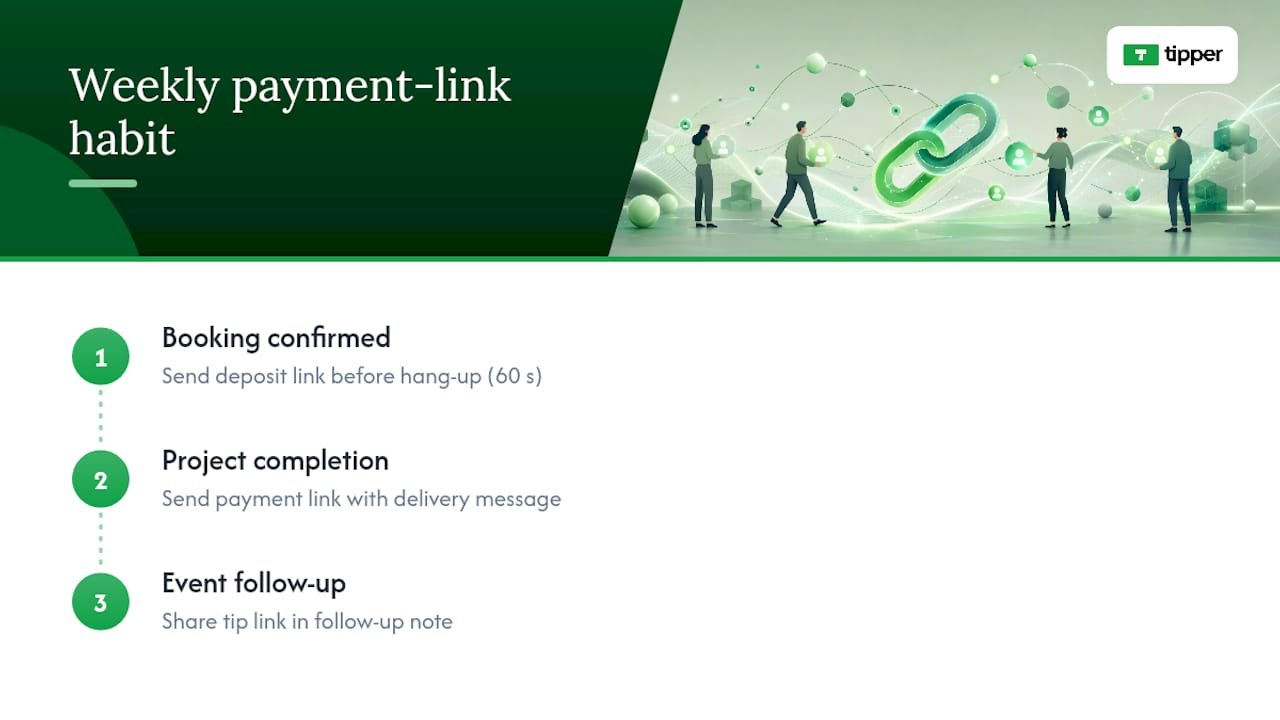
One habit worth adopting this week: the moment a client confirms a booking, send a deposit link before you hang up or close the chat. It takes 60 seconds, and it changes the entire dynamic of the relationship from “I’ll invoice you later” to “we’re confirmed.”
Tipper makes it easy to start collecting payments today

Tipper gives creators, freelancers, and small business owners a ready-made payment link with Apple Pay, Google Pay, and card support built in. No website needed, no sender account required, and no subscription fee. You create your branded page in minutes, generate a link or QR code, and start collecting tips or payments immediately.
Create your Tipper page and share your first link today. For a deeper look at how the platform handles instant payouts and no-signup tipping, the instant tip payment guide walks through the full flow.
Sources
- Guide to using payment links for streamlined sales | Stripe
- Payment links | Stripe Docs
- PCI Security Standards Council
FAQ
How do payment links boost engagement for small businesses?
Payment links remove checkout friction by letting customers pay in one tap inside the channel where they already are, whether that is SMS, social, or email, which cuts abandonment and speeds up conversion.
Are payment links safe to trust as a customer?
Yes, when the link comes from a branded, PCI-compliant provider. Verify the URL matches the sender’s known domain, confirm the checkout page shows the merchant’s logo and a clear amount, and save the receipt.
What are the biggest risks of using payment links?
Phishing links that mimic legitimate checkouts, accidental reuse of custom-price links, and missed receipt delivery. Using a branded checkout page, setting expiry dates, and confirming customer contact details before sending mitigates all three.
How do you create a payment link quickly?
Log into a platform like Tipper, create a product or service entry with a price, generate the link or QR code from the dashboard, and share it. The whole process takes under five minutes with no code required.
Do payment links work for tips and donations, not just product sales?
Yes. Platforms like Tipper are built specifically for tips, with Apple Pay and Google Pay support, no sender account required, and branded pages that let supporters pay appreciation in seconds.

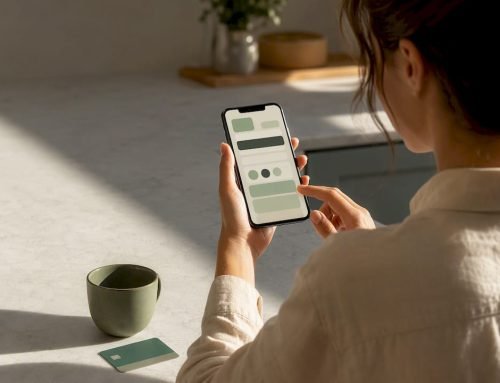

[…] payment links or request-for-payment flows. A payment link lets clients pay with one tap, without logging into a portal or entering your bank details […]
[…] the full piece), and following up with a thank-you message that nudges toward a subscription. The payment link placement matters more than most creators expect. A prompt buried at the bottom of a post converts far worse […]
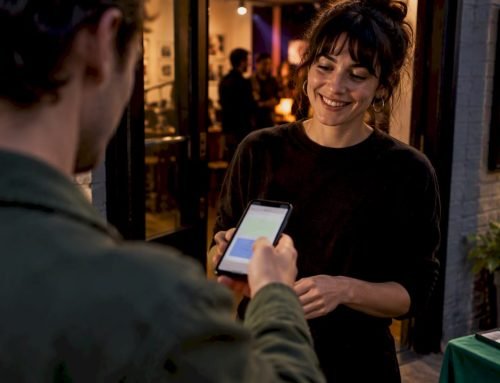
[…] rather than a silent transaction. If you want a head start on wording, Tipper’s guide to why payment links boost engagement and its walkthrough on building a working tip link fast both give templates you can adapt directly […]