

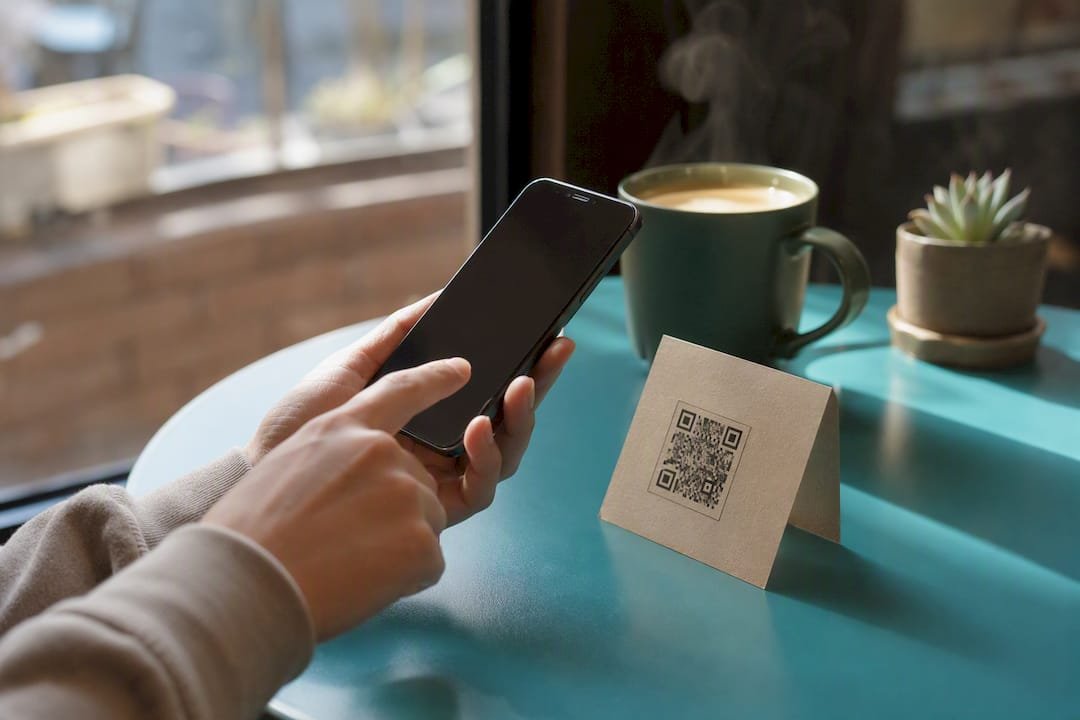
The fastest way to start collecting coffee donations is a dedicated tip link or QR code you can put in your bio right now, and Tipper is the simplest place to build one. Three reasons to do it today instead of next week:
- Setup takes minutes, not days. A basic tip page goes live in under 30 minutes.
- Payouts hit fast. Instant tips arrive through Apple Pay, Google Pay, or card with no waiting on a donor to create an account.
- You lose nothing by starting small. There’s no subscription required to test whether your audience will tip.
Your next step: create a tip page or add a link/QR to your bio before you finish reading this.
Key Takeaways
A dedicated tip link with clear presets, minimal friction, and instant payment methods converts more coffee donations than any other setup a creator can build.
| Point | Details |
|---|---|
| Start with a tip link or QR | Create a page with three preset amounts and one line of context, then place it in your bio. |
| Test before promoting | Send yourself a small tip to confirm alerts, payout, and donor experience work correctly. |
| Expect standard fees | Processor and small platform fees apply; keep records since tips typically count as income. |
| Tie asks to real moments | Mention tipping around milestones or content drops rather than repeating a generic request. |
| Use Tipper to go live fast | Tipper offers no-account donor payments via Apple Pay and Google Pay, with creators keeping 100% of earnings. |
This article is general information, not a substitute for advice from a qualified financial advisor. Consult a qualified financial professional about your own circumstances before acting on anything here.
Table of Contents
- How Do Coffee Donations Actually Work?
- How Do You Set Up a Coffee Donation Link?
- What Fees and Payout Times Should You Expect?
- What Actually Increases Coffee Donations?
- Where Should You Promote Your Tip Link?
- What Do Donors Expect From a Coffee Donation Page?
- How Long Does It Take to Go Live?
- How Do You Handle International Coffee Donations?
- What Goes Wrong When Setting Up Coffee Donations?
- Why Coffee Donations Work Best as a Habit, Not a One-Off
- Start Accepting Coffee Donations With Tipper
- Sources
- FAQ
How Do Coffee Donations Actually Work?
A donor clicks your tip link or scans your QR code, picks a preset amount (or types a custom one), pays with Apple Pay, Google Pay, or a card, and you receive the payout after processor and platform fees come out. That’s the entire transaction. No donor account, no login screen, no cart. Understanding how digital tipping works helps explain why this model converts so much better than traditional donation forms.
What the donor sees:
- A short page with your name, photo, and one line about what the tip supports
- Three preset amounts plus a custom-amount option
- A one-tap payment button, then a thank-you screen
What you configure on the back end:
- Preset amounts and page copy
- Payout destination (bank account or connected wallet)
- Optional thank-you message triggers for new tips
Every extra click costs you conversions. A page that demands an account, a password, or a multi-field form loses donors who would have tipped in five seconds. Keeping the primary payment destination to one option and the alert and moderation setup minimal is what actually moves the needle, not fancier design.
How Do You Set Up a Coffee Donation Link?
You can have a working tipping link and QR code live in under 30 minutes. Here’s the exact sequence:
- Choose a platform. Pick a tool built for instant tips rather than a general payment processor you’d have to configure from scratch.
- Set three preset amounts. Use a low impulse tip, a highlighted middle amount, and a higher fan-level amount. This structure, recommended by creator monetization guides, consistently outperforms a single blank “enter amount” field.
- Write one contextual sentence. Tell donors what the tip funds. “Buy me a coffee to keep this newsletter free” beats a generic “Support me” every time.
- Generate your QR code. Most tipping tools generate this automatically once your page is live.
- Add the link to your bio and profiles. Bio, website footer, and email signature are the highest-visibility spots.
- Send yourself a small test payment. Confirm the alert fires, the payout lands, and the donor experience feels clean on mobile.
Pro Tip: If you have zero evidence your audience will tip, start with a simple external link for a quick test before switching to a native, on-platform page. Once tips start coming in, moving to a native tipping page removes extra clicks and tends to lift conversion further.
Testing matters more than people assume. Send $1 through your own link, watch what notification you get, and check how long the payout takes to show up. If anything feels clunky to you, it’ll feel worse to a stranger deciding whether to tip a person they’ve never met.
What Fees and Payout Times Should You Expect?
Expect a standard payment-processing fee plus a small platform fee on every tip. Here’s what typically shows up:
- Processor fees — charged by whatever rail handles the card, Apple Pay, or Google Pay transaction
- Platform fee — a small percentage the tipping tool takes to operate the service
- Currency conversion fees — applied when a donor pays in a currency different from your payout currency
- Chargeback or reversal fees — rare, but possible with card payments
- Optional add-ons — some platforms charge extra for native, on-platform tipping versus an external link
Tip tiers matter here too. Data from crypto tip jar implementations shows that offering tiers like $3, $5, and $10 commonly produces an average tip around $6 to $7, which is a useful benchmark whether you’re running fiat or crypto rails.
Payout timing varies by platform and payment method, but most instant-tip tools move money faster than traditional donation platforms that batch payouts weekly or monthly. One note that applies everywhere: tips generally count as income in most jurisdictions. Keep basic records of what you receive and talk to an accountant about how it applies to your specific situation.
What Actually Increases Coffee Donations?
Small, specific changes beat big redesigns. Placement, one line of context, and the right preset amounts drive most of the conversion gain you’ll ever see from a tip page.
Do:
- Put your link where attention is already highest: right under your bio, at the bottom of long-form content
- Name exactly what the tip funds (“keeps the podcast ad-free,” “buys my next batch of test ingredients”)
- Mention tipping when something real happens: a milestone, a free resource, a big post. Tying the ask to a real moment converts better than a generic recurring plea.
Don’t:
- Bury the link three menu clicks deep
- Ask constantly with no context, which trains your audience to tune it out
- Overload the page with too many payment options or fields
CTA copy that works leans into the coffee metaphor directly: “Buy me a coffee” or “Fuel the next episode” outperform vague asks like “Support me” because they give the tip a tangible purpose.
Pro Tip: A thank-you message costs you nothing and turns a one-time tipper into a repeat one. A short video or personal note acknowledging the tip is often what brings someone back a second time.

Where Should You Promote Your Tip Link?
Put your link in the highest-attention spots first, then mention it naturally tied to a real moment about once a week rather than constantly.
- Website footer: a permanent, low-pressure placement visitors see on every page
- Podcast show notes: mention it once near the top, link it in the notes
- YouTube description: first line, above the fold before the “show more” cutoff
- Twitter/X and Threads bio: the single highest-traffic real estate you own
- Instagram link-in-bio: pair it with a QR code shown in Stories for a scannable option
- Livestream panels and alerts: a visible on-screen link plus a real-time alert when a tip comes in
- Email signature: low-key, always-on visibility for every reply you send
The tone matters as much as placement. “If this helped, there’s a coffee link in the description” reads very differently than repeating “please tip me” in every post.
What Do Donors Expect From a Coffee Donation Page?
Donors overwhelmingly prefer flows that skip account creation and support instant payment methods like Apple Pay and Google Pay. Prioritize those payment rails wherever your platform offers them.
- Keep page copy short: your name, a photo, one sentence of context
- Show clear preset amounts instead of a blank field
- Display basic trust signals: secure checkout indicators and recognizable payment logos
- Offer an anonymous-tip option for donors who’d rather not attach their name
- Give a simple receipt or confirmation so donors know the tip went through
On privacy, never store card data yourself, rely on your payment processor for that. Add a one-line privacy note on your tip page explaining that you don’t see full payment details, and list a contact email for questions. Small trust cues like these are often what separates a page that converts from one that doesn’t, according to guidance on keeping tip pages simple and minimal.
How Long Does It Take to Go Live?
A basic tip link can go live in 10 to 30 minutes. A polished page with a QR code, tested payments, and promotion in place usually takes a few hours spread over a day or two.
- Choose your platform
- Set your three preset amounts
- Write one line of context copy
- Generate your QR code
- Place the link in your bio and top channels
- Send a test tip and confirm the payout
Timeline: Immediate test setup takes 10 to 30 minutes. A polished page with promotion across channels typically takes 1 to 3 days if you’re doing it around other work.
How Do You Handle International Coffee Donations?
If your audience spans multiple countries, your processor choice determines how much friction international donors face. For creators expecting mostly small tips under €5, low-cost local processors can win on fees. For broader international reach, a processor like Stripe often supports more currencies and card types, which matters if a meaningful share of your supporters live outside your home country.
Currency conversion happens automatically on most modern tipping tools. A donor in the United Kingdom paying a US-based creator typically sees the amount converted at checkout, and the creator receives payout in their home currency after conversion fees. The catch: those conversion fees stack on top of standard processing fees, so an international tip nets slightly less than a domestic one.
If a large portion of your audience is international, pick a processor with broad card and alternative-pay coverage rather than one built primarily for a single country. Losing a donor because their card type isn’t supported is a worse outcome than paying a slightly higher fee.
Some creators also add a crypto option for supporters who prefer it. Crypto tips settle directly to a wallet without a traditional bank intermediary, which can appeal to a subset of international donors, though it requires the donor to already hold crypto and shouldn’t replace your primary fiat option.
What Goes Wrong When Setting Up Coffee Donations?
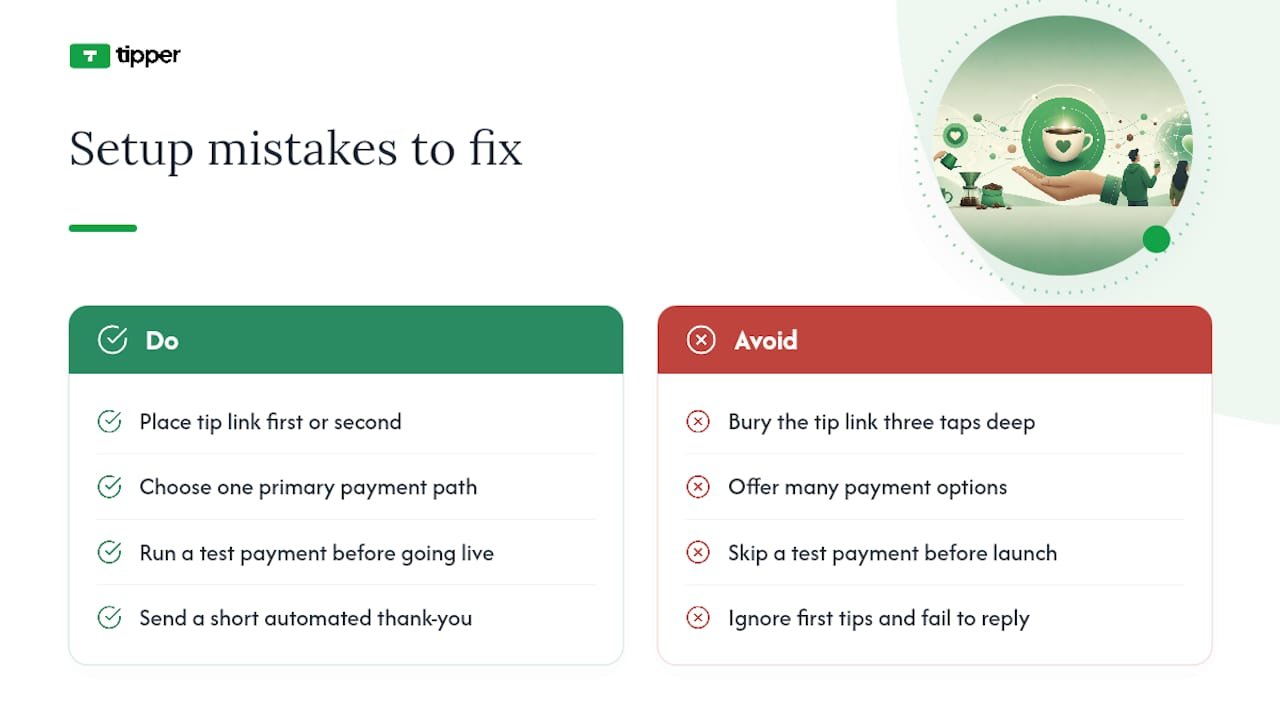
Most setup problems come down to friction you didn’t notice was there. A few show up constantly:
The link is buried. Creators build a beautiful tip page, then bury the link three taps deep in a link-in-bio menu. Put it where it’s the first or second thing people see.
Too many payment options confuse donors. Offering five different ways to pay feels generous but actually slows people down. One clear primary path, with maybe one alternate, converts better than a menu.
No test payment before going live. Skipping the test step means you find out about a broken payout or a missing alert only after a donor tells you it didn’t work, which is the worst possible way to learn.
Vague or missing context copy. A page with no explanation of what the tip funds performs worse than one with a single honest sentence.
Ignoring the first tips. A donor who tips and hears nothing back is far less likely to tip again. Even a short automated thank-you note keeps the relationship warm.
Currency mismatches for international donors. If your processor doesn’t support a donor’s card type or local payment method, that donation simply doesn’t happen. Check your processor’s coverage before you promote heavily to an international audience.
Most of these get fixed in minutes once you know to look for them, which is exactly why the test-payment step in your setup checklist matters more than it seems.
Why Coffee Donations Work Best as a Habit, Not a One-Off
Tips work best when creators treat them as an ongoing rhythm tied to real moments, not a single ask bolted onto a bio and forgotten. The creators who do well with this model check in on their tip page the way they’d check analytics: not obsessively, but regularly enough to notice what’s working. A platform like Tipper fits that rhythm because it removes the friction that normally makes creators reluctant to ask again, no accounts for donors, fast payouts, and a way to say thank you that feels personal instead of automated.
Start Accepting Coffee Donations With Tipper
Tipper lets you accept instant tips through a personalized link or QR code, with Apple Pay and Google Pay supported and no account required on the donor’s side. That last part matters more than most creators expect: every account-creation screen you remove is a donor you don’t lose.

Payouts go directly to you with no waiting on batch processing cycles.
If you’ve read this far, you already know what your tip page needs to say. Create your tip page now, set your three preset amounts, and send yourself a test tip before you share the link anywhere else.
Sources
- Creator Tips Playbook — How to Earn From Your Audience With Tips | Linkos
- How to Set Up Alerts, Donations, and Tip Pages
- Setting up a tip jar for creators in 2026: Stripe, Wero and Mollie compared | LinkDash
- How to Set Up a Crypto Tip Jar on Your Website (WordPress & Shopify)
- Crypto Payments for Content Creators | AnySpend
FAQ
What Are Coffee Donations Exactly?
Coffee donations are small, instant digital tips supporters send a creator through a personalized link or QR code, typically paid via Apple Pay, Google Pay, or card with no donor account required.
How Fast Can I Set Up a Tipping Link?
A basic tip link can be live in 10 to 30 minutes; a polished page with a QR code and tested payments usually takes a few hours over a day or two.
Do Donors Need an Account to Tip Me?
No. Platforms like Tipper let donors pay in one tap using Apple Pay, Google Pay, or a card without creating an account.
What Preset Tip Amounts Should I Use?
Use three presets: a low impulse amount, a highlighted middle amount, and a higher fan-level amount, since this structure consistently converts better than a single blank field.
Are Coffee Donations Taxable Income?
In most jurisdictions, tips count as income, so keep basic records of what you receive and consult an accountant about your specific situation.



Leave A Comment