


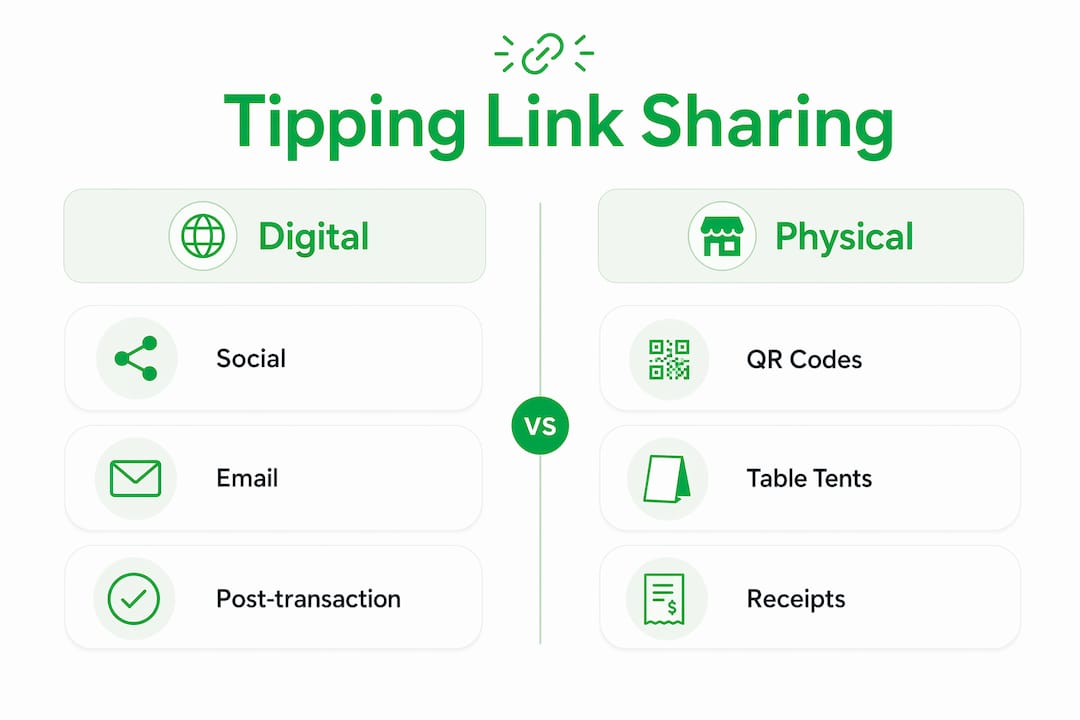
Tipping links are direct URLs or QR codes that send customers to a secure tip payment page, and businesses share them across every digital and physical touchpoint where customers already engage. The practice has moved well beyond the tip jar on a coffee counter. Today, a restaurant table tent, an Instagram bio, a post-booking email, and an SMS follow-up can all carry the same tipping link, reaching customers at the exact moment they feel most appreciative. Platforms like Tipper make this possible without requiring customers to download an app or create an account, which removes the single biggest barrier to spontaneous tipping.
How businesses share tipping links across digital channels
The most scalable method for sharing tipping links online is embedding them in the digital spaces customers already visit. Social profile bios on Instagram, TikTok, and Facebook are the highest-traffic real estate most businesses underuse for tipping. A single link in a bio reaches every profile visitor without any extra effort after the initial setup.
Email is the second most reliable channel. Adding a tipping link to your email signature means every outgoing message carries a passive tip prompt. More deliberately, post-transaction follow-up emails with a “Leave a Tip” button linked to a customer portal generate tips by catching customers right after a positive experience, when gratitude is highest.

Direct messaging channels extend reach further. SMS, WhatsApp, and social media DMs let you send a tipping link personally, which feels warmer than a broadcast email. Payment links are universal URLs shareable via any text or social platform, so the same link works across every channel without technical changes.
Here are the primary digital channels businesses use:
- Instagram, TikTok, and Facebook bios with a tipping button or Linktree-style page
- Email signatures for passive, always-on tip prompts
- Post-transaction follow-up emails with a dedicated tip button
- SMS and WhatsApp messages sent after service delivery
- Social media DMs for personalized outreach to loyal customers
Pro Tip: Set up your tipping link once in your email signature and every email you send becomes a passive tip prompt. You do not need to ask directly. The link does the work.
How do businesses implement physical tipping link sharing?
Physical locations have a unique advantage: customers are already present and emotionally engaged. QR codes placed on table displays, printed receipts, and point-of-sale signage connect customers directly to a tipping page in seconds. The typical flow is scan, review tip options, select a payment method, and receive a digital receipt.
Placement matters more than most business owners realize. A QR code on a table tent is seen during the meal, when the experience is fresh. A QR code on a printed receipt is seen at the moment of payment, which is the traditional tipping moment. Both placements serve different psychological windows, and using both increases total tip volume.
Digital receipts are an underused physical-to-digital bridge. When a customer receives a digital receipt via email or SMS, embedding a tipping link in that receipt extends the tipping window beyond the physical interaction. A customer who did not tip at the counter may tip later when they see the receipt in their inbox.
Key physical placement options for tipping links:
- Table tents and tent cards at restaurants, cafes, and service counters
- Printed receipts with a QR code in the footer
- Point-of-sale displays with a tap-to-tip or scan prompt
- Packaging inserts for product-based businesses with delivery
- Digital receipts sent via email or SMS with an embedded tip button
Pro Tip: Keep the QR code prompt text short. “Enjoyed your experience? Scan to tip” outperforms long explanations. Customers decide in under three seconds whether to scan.
What are the best UX design practices for tipping links?
The design of the tipping page itself determines whether a customer follows through or abandons the process. Preset tip buttons with low-friction amounts, typically in the $1 to $10 range with a custom amount option, reduce decision fatigue and make tipping feel quick and easy. Three to four preset buttons is the standard that converts best on mobile.
One of the most important design decisions is whether to require an app download. App-less tipping flows using QR codes or universal URLs reduce drop-off significantly compared to flows that require account creation. A QR scan takes roughly 15 seconds to reach a tipping page. An NFC tap takes closer to 2 seconds. Any additional step beyond that, such as a login screen, cuts participation.
A 2026 ScienceDirect study found that dual-format tip prompts showing both a percentage and the equivalent dollar amount produce higher average tip values and greater tip likelihood. This means showing “20% ($4.60)” rather than just “20%” gives customers a concrete reference point that makes tipping feel more deliberate and fair.
Here is a ranked approach to tipping link UX design:
- Use 3 to 4 preset amounts in the $1 to $10 range, plus a custom field
- Show both percentage and dollar value for each preset option
- Eliminate app download requirements by using web-based tipping pages
- Place the tip prompt before payment confirmation, not after, to avoid confusion
- Accept Apple Pay and Google Pay to reduce checkout friction to a single tap
Timing the tip prompt correctly is critical. If the tipping UI appears after a customer believes checkout is complete, it feels manipulative and reduces participation. The prompt belongs in the natural payment flow, not as an afterthought.
| Design element | Effect on tip conversion |
|---|---|
| Preset tip buttons ($1–$10) | Reduces decision fatigue, increases completion rate |
| Dual format (% and $) | Raises average tip value per transaction |
| App-less web flow | Lowers drop-off by removing login barriers |
| Tip prompt before confirmation | Prevents confusion and negative sentiment |
Pro Tip: Test your tipping page on a real mobile device before launching. Most tipping happens on phones, and a button that is too small or a page that loads slowly will cost you real revenue.
How can businesses integrate tipping into payment systems?
Technical integration connects tipping links to your existing payment and reporting infrastructure. Platforms like Stripe and PayPal support tipping as part of a single checkout transaction, which means the tip and the base payment settle together. This simplifies accounting and reduces the number of transactions your team needs to reconcile.
For businesses using developer-level integrations, webhook payloads include a tipAmount field that captures the tip value separately from the base transaction. This data feeds directly into financial reporting tools, giving managers a clear view of tip volume by day, staff member, or location. Without this field, tips often get buried in gross revenue figures and become invisible to operational analysis.
One important operational note: when tips are processed as part of a single QR-based transaction, refund policies apply to the entire transaction. You cannot refund the base payment while retaining the tip. This affects how you handle disputes and customer service cases, so your team needs a clear policy before you launch.
| Integration method | Best for | Key consideration |
|---|---|---|
| Stripe or PayPal checkout | Businesses with existing payment flows | Single transaction, unified refund policy |
| Webhook with tipAmount field | Businesses needing detailed reporting | Requires developer setup |
| Standalone tipping link (e.g., Tipper) | Creators, freelancers, small businesses | No technical integration needed |
What strategies optimize tipping links for different customer groups?
Not every customer responds to the same tipping prompt. Segmenting tipping URLs by audience type, such as creating separate pages for new customers, regulars, and high-engagement supporters, improves conversion by showing each group the most relevant experience with the fewest clicks.
A new customer visiting your tipping page for the first time benefits from a brief explanation of what the tip supports. A regular customer who tips monthly needs no explanation. They need a fast, frictionless path to the payment button. A “super-fan” or high-value supporter may respond to a personalized thank-you message or a custom tip amount that reflects their relationship with your brand.
Smart link routing makes this segmentation practical. You create different destination pages and route customers based on how they arrived at your link, whether through a social bio, a direct email, or a QR code scan. Each channel signals something about the customer’s context, and the tipping page can reflect that context.
Analytics close the loop. Tracking which channels produce the most tips, which preset amounts get selected most often, and where customers drop off gives you the data to refine your tipping link strategies over time. Without measurement, you are optimizing by guesswork.
Key segmentation tactics for sharing tipping links:
- Create separate tipping pages for new visitors, regulars, and loyal supporters
- Tailor the copy on each page to match the customer’s relationship with your business
- Use channel-specific links so you can track performance by source
- Review analytics monthly to identify which placements drive the most tips
Key takeaways
Businesses that share tipping links across multiple channels, use app-less web flows, and segment by audience consistently outperform those relying on a single placement or a generic tipping page.
| Point | Details |
|---|---|
| Multi-channel distribution | Place tipping links in social bios, email signatures, follow-up messages, and physical QR codes. |
| App-less design | Use web-based tipping pages to eliminate login barriers and reduce drop-off. |
| Dual-format tip prompts | Show both percentage and dollar values to raise average tip amounts. |
| Audience segmentation | Create separate tipping pages for new, regular, and high-value customers. |
| Webhook integration | Capture tipAmount data via payment processor webhooks for accurate financial reporting. |
Why timing and channel choice matter more than the link itself
I have seen businesses spend weeks designing a beautiful tipping page and then place the link somewhere customers never look. The link is the easy part. The hard part is understanding where your customers are emotionally ready to tip and putting the link exactly there.
The businesses I have watched succeed with tipping links share one habit: they treat the tipping prompt as a communication decision, not a technical one. They ask, “When does this customer feel most grateful?” and then they place the link at that moment. For a restaurant, that is during the meal or immediately after. For a freelancer, that is the moment a project is delivered. For a content creator, it is the second after a viewer finishes watching.
The other mistake I see repeatedly is overcomplicating the setup. A business owner reads about webhook integrations and segmented routing and decides to build the perfect system before launching anything. Meanwhile, a competitor puts a Tipper link in their email signature and starts collecting tips that afternoon. Start with one channel, measure it, and add complexity only when the data tells you to.
The businesses that get the most from tipping links are not the ones with the most sophisticated tech stack. They are the ones who removed every possible reason for a customer to hesitate.
— Steve
Start collecting tips with Tipper today
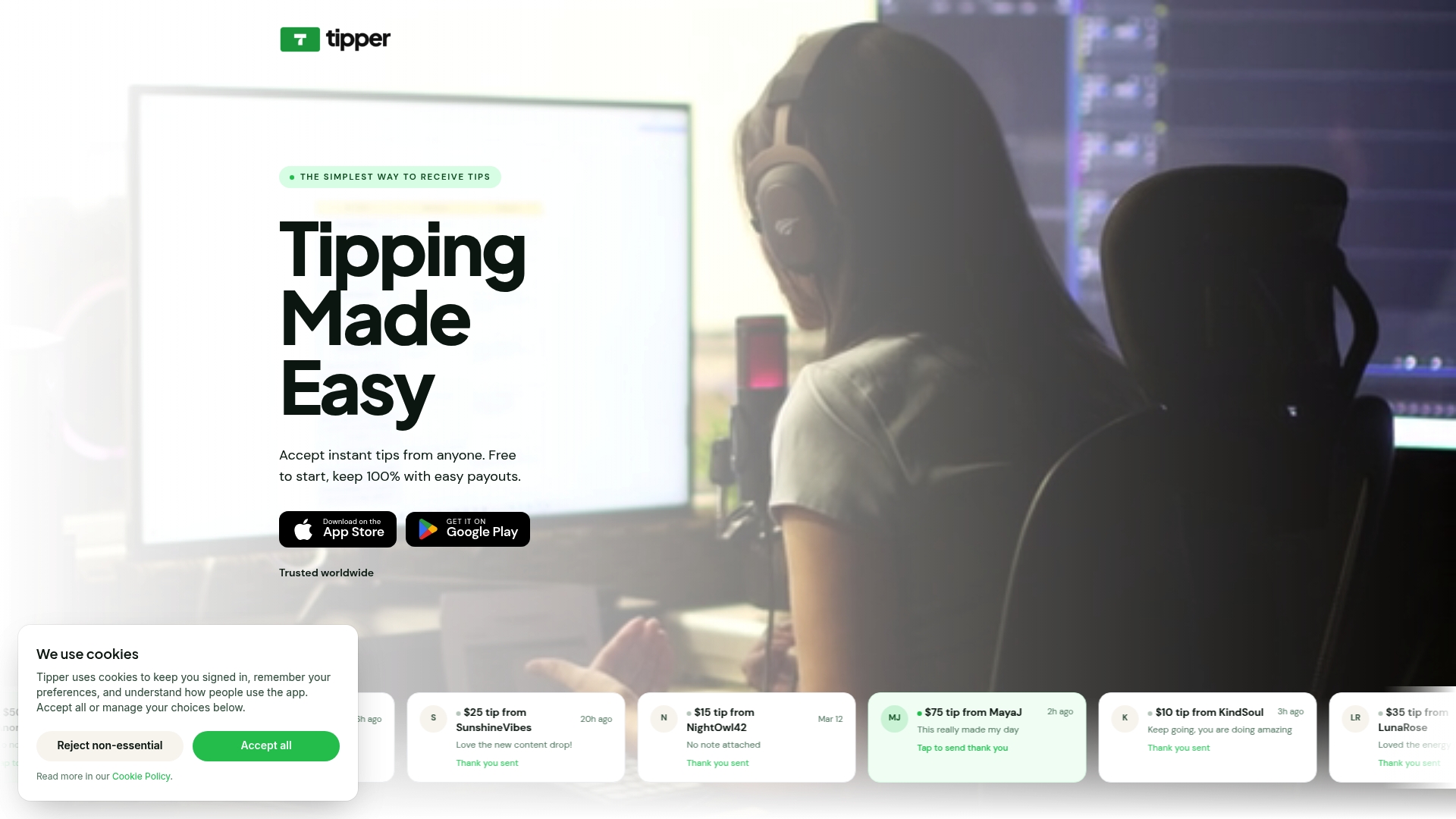
Tipper gives businesses and creators a frictionless tipping setup that works without app downloads, account creation, or complex integrations. Customers tip using Apple Pay or Google Pay in seconds, and you keep 100% of every tip. You can place your Tipper link in your Instagram bio, email signature, post-transaction follow-up, or a QR code at your counter. Every channel covered in this article works with a single Tipper link. If you want to see how tipping link integration fits into a broader customer engagement approach, tools like e-commerce chatbot solutions can complement your tipping strategy by handling customer interactions at scale.
FAQ
What is a tipping link?
A tipping link is a URL or QR code that directs a customer to a secure web page where they can send a tip using a payment method like Apple Pay or Google Pay, without needing to download an app or create an account.
Where should businesses place tipping links?
Businesses place tipping links in social media bios, email signatures, post-transaction follow-up emails, SMS messages, and physical QR codes on receipts and table displays. Multi-channel placement reaches customers at multiple points of gratitude.
How do tipping links work without an app?
App-less tipping links open directly in a mobile browser when scanned or tapped, presenting preset tip amounts and one-tap payment options. This approach removes login barriers and reduces the time from scan to completed tip to under 15 seconds.
How do businesses track tips from multiple channels?
Businesses use channel-specific URLs and webhook data fields like tipAmount to track which placements generate the most tips. Payment processors like Stripe pass tip data separately in transaction payloads, enabling accurate reporting by channel or location.
Do tipping links work for small businesses and freelancers?
Tipping links work for any business or individual that delivers a service or creates content. Platforms like Tipper require no technical setup, making them accessible to freelancers, solo operators, and small teams without a developer on staff.



Leave A Comment