

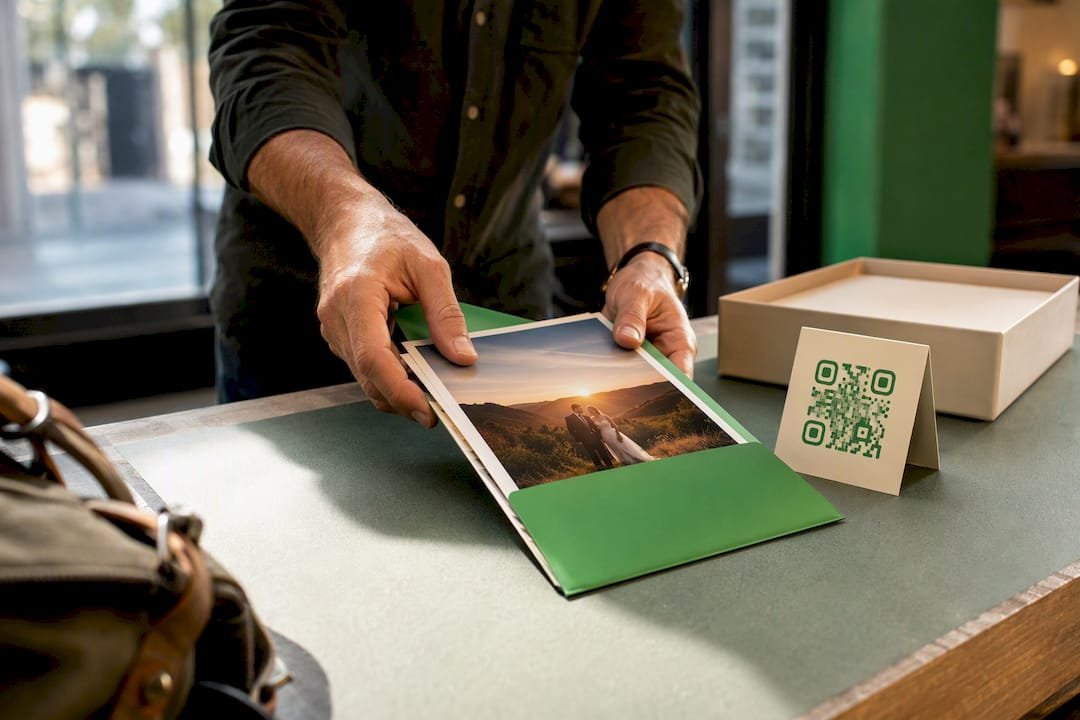
The fastest way to start collecting tips as a photographer is to create a personalized tip link or QR code, turn on Apple Pay, Google Pay, and card payments, set three preset amounts, and put that link everywhere clients already look: your bio, your gallery, and your delivery email. Do those two things first, then refine placement and copy later.
TL;DR:
- Using a personalized tip link or QR code placed in social bios, gallery footers, and emails offers a quick, frictionless way to start collecting tips without requiring support account creation.
- Setting three preset tip amounts—low around $3, middle around $7, and high near $15—improves conversion by guiding supporters with visually emphasized options.
- Testing the full payment process with a small transaction from a non-logged-in device ensures smooth payout flow before promoting your tip link widely.
- Platforms like Stripe or PayPal typically take around 3% plus $0.30 per tip, with direct payment rails generally retaining more of the supporter’s intended amount.
- Record and reconcile tips monthly, noting gross, platform fees, and net amounts to stay compliant with IRS guidelines on reporting business income.
Table of Contents
- What’s the Fastest Way to Accept Tips Online?
- How Do You Set Up a Tip Page Step by Step?
- Where Should You Place Your Tip Link for Best Results?
- How Do Fees and Taxes Work for Photography Tips?
- Tipper’s Perspective: Tipping Belongs in Every Photographer’s Income Mix
- Start Collecting Tips With Tipper
- Sources
- FAQ
What’s the Fastest Way to Accept Tips Online?
You have four real options, and they’re not mutually exclusive. Most photographers should stack them in order of effort.
A tip link page is the fastest to launch. You create one page, drop in your name and a short note about what tips fund, and share the URL anywhere text fits: an Instagram bio, a website footer, a text message after a shoot. No app download required on the sender’s end, which matters because friction kills tips faster than almost anything else.
QR codes solve the in-person problem a link can’t. Print one on a business card, tape it to your camera bag, or add it to the last page of a printed proof sheet. A QR code tip page turns a physical moment, the handoff of prints, the end of a session, into an instant payment opportunity without you saying a word.
Embedded tip buttons live inside your online gallery delivery, right next to the download button where a happy client is already primed to act. Stream overlays matter far less for photographers than for live-streamers, but if you do behind-the-scenes livestreams or Instagram Lives during shoots, an overlay works the same way a tip jar sign does at a coffee shop.
Add embedded buttons once you have a gallery delivery workflow. Overlays are a nice-to-have, not a priority.
How Do You Set Up a Tip Page Step by Step?
Here’s the exact sequence, and none of it should take more than half an hour.
- Create your account and tip page. Tipper is built specifically for this: no sender account needed, personalized link, and a QR code generated automatically.
- Connect a payout rail. Link a bank account and complete basic identity verification. This is standard KYC (know your customer), the same process any payment processor requires, and it usually takes a few minutes.
- Set three preset amounts. A low option for casual support, a highlighted middle default, and a higher option for your biggest fans. Creator playbooks consistently recommend this exact structure, low, highlighted middle, high, because a lone “enter custom amount” box depresses conversion compared to presets.
- Enable Apple Pay, Google Pay, and card payments, then run a small test transaction, something in the $1 to $5 range, and confirm when the payout lands in your bank account. Testing the full loop before you promote the link is a step creator payment guides specifically call out, because a broken link discovered after launch costs you trust you don’t get back easily.
- Turn on thank-you messages (text, photo, or video) and set up a simple bookkeeping sheet with three columns: gross tip, platform fee, net received.
Pro Tip: Do the test transaction from a phone that isn’t logged into your own accounts. That’s the actual experience a client has, and it’s the only way you’ll catch a confusing checkout screen before a real supporter does.
Where Should You Place Your Tip Link for Best Results?
Placement decides whether your tip link gets seen at all, and copy decides whether it gets clicked. Get both wrong and even the best payment setup goes nowhere.
Put your link or QR in five spots, roughly in this order of impact:
- Your social bio and website header, where anyone curious about you lands first.
- The footer of every gallery you deliver.
- The final page of a delivered gallery or the closing line of a delivery email.
- A printed QR card handed off at in-person sessions.
- An occasional, sparing mention in a social caption tied to a specific moment, not every post.
Copy matters more than most photographers assume. “Tip me” is abstract and easy to scroll past. “Help fund my next lens” or “Buy me coffee for the late-night edit sessions” gives the tip a purpose, and creator UX research shows outcome-specific asks outperform vague ones. Say what the money does, not just that you want it.
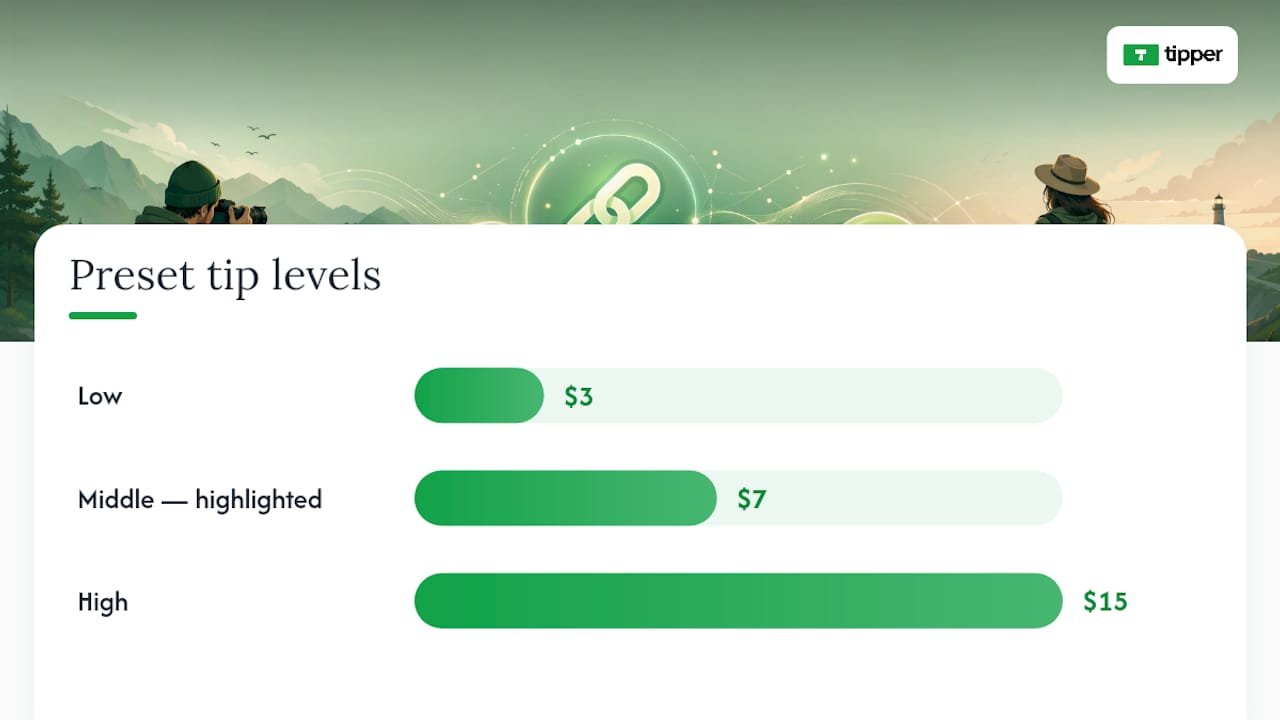
On preset pricing, round numbers convert better than odd ones. A common structure is $3 low, $7 highlighted middle, $15 high, with the middle option visually emphasized so it becomes the path of least resistance.
One freelance creator who added a tipping option reported an earnings increase within three months of launch, a reminder that a well-placed link isn’t a gimmick, it’s measurable revenue. Track three numbers going forward: your tip conversion rate, your repeat-tipper rate, and your net receipts after fees. Repeat tippers are the real signal that your work and your thank-you follow-through are landing.
How Do Fees and Taxes Work for Photography Tips?
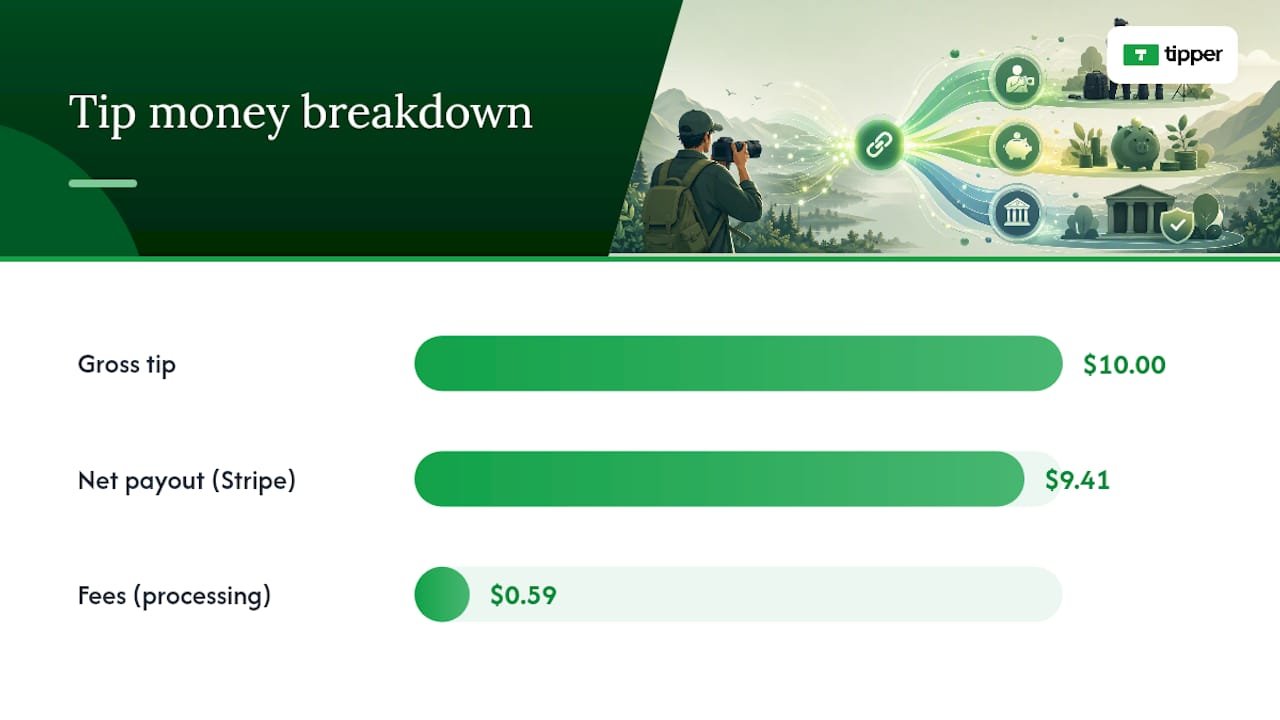
Money moves through one of two rails: a platform that takes a cut on top of processing costs, or a more direct rail like Stripe or PayPal that charges only standard processing. On a $10 tip, a typical Stripe-style structure (2.9% plus $0.30) nets a creator around $9.41. Platforms that layer an additional fee on top eat further into that number, so a direct-rail structure generally preserves more of what a supporter actually intended to give you.
On the tax side, the IRS draws a real line: a payment required to unlock content is compensation, but a voluntary payment given after access is a tip. Keep your copy voluntary. “Support my work if you’d like” holds up; “pay $5 to view this gallery” does not.
- Record gross tip amount, platform fee retained, and net payout for every transaction.
- Reconcile monthly rather than waiting until tax season.
- Watch your 1099 thresholds since tipping income counts as business income.
- Talk to a tax professional about your specific filing situation before you scale up.
Tipper’s Perspective: Tipping Belongs in Every Photographer’s Income Mix
Tipping works because it’s low-friction income layered on top of work you’re already doing. It doesn’t require a new product, a new client pitch, or a new invoice. It requires a link that’s easy to find and a thank-you that feels personal.
The photographers who get the most out of it aren’t the ones who tip-jar every post. They’re the ones who treat repeat tippers as relationships worth nurturing, a quick video thank-you goes further than most people expect. Most mistakes we see are fixable in five minutes: a link buried three taps deep in a bio, a payout never tested before launch, or copy so vague nobody understands what the tip is for. Fix the placement, test the payout, name the purpose. That’s most of the job.
— Tipper
Start Collecting Tips With Tipper
Tipper gives you a personalized link and QR code, Apple Pay and Google Pay support, and no requirement for the sender to create an account, which removes the single biggest reason a supporter abandons a tip halfway through. You set your own preset amounts, add thank-you messages in text, photo, or video, and route payouts directly to your bank.

Check the product page for current processing specifics.
Here’s your next step. Create your tip page, copy the link and QR code, run a small test tip to confirm the payout lands, then add that QR to your next client packet or delivered gallery. If you run a storefront or in-person sessions alongside your photography work, point-of-sale tipping options extend the same idea to walk-in clients.
Sources
For deeper reading on the tax side, see the IRS guidance on digital creator tips and LegalClarity’s breakdown of reporting rules. For UX and placement tactics, the creator tips playbook covers preset amounts and copy in more depth, and Tipper’s guide on contactless tip collection has more setup examples. Photographers exploring other monetization channels can also read about photo licensing royalties.
This article is general information, not a substitute for advice from a qualified financial advisor. Consult a qualified financial professional about your own circumstances before acting on anything here.
- Creator Tips Playbook — How to Earn From Your Audience With
- IRS Clarifies Tips for Digital Creators (Apr 27, 2026): How to Turn Audience Tips into Clean, Predictable Revenue — A Revenue‑First Playbook
- The Rise of Digital Tipping: Best Practices for Tipping Platforms and Content Creators – DirectPayNet
- No Tax on Tips for Digital Creators: How It Works – LegalClarity
FAQ
What Is the Best Way to Start Accepting Tips Online as a Photographer?
Create a personalized tip link or QR code, connect a payout rail, and share it in your bio, gallery footer, and delivery emails. Tipper lets senders tip you without creating an account, which removes a common source of drop-off.
Do I Need a Business Account to Receive Tips?
You need a payout account (like a linked bank account through your tipping platform) and basic identity verification, but this is separate from needing a formal business entity. Check with a tax professional about your specific setup.
Are Photography Tips Taxable Income?
Yes, tips are business income and should be tracked monthly, recording gross amount, platform fee, and net payout. The IRS treats voluntary post-access payments as tips, distinct from required payments, which count as compensation.
How Much Should I Set as Preset Tip Amounts?
A common structure is a low option around $3, a highlighted middle default around $7, and a high option around $15, with the middle amount visually emphasized to guide the click.
Does Tipper Charge Photographers a Subscription Fee?
No. Tipper is free to create and maintain an account, with a small transaction-based fee applied per tip rather than a recurring subscription cost.



Leave A Comment