

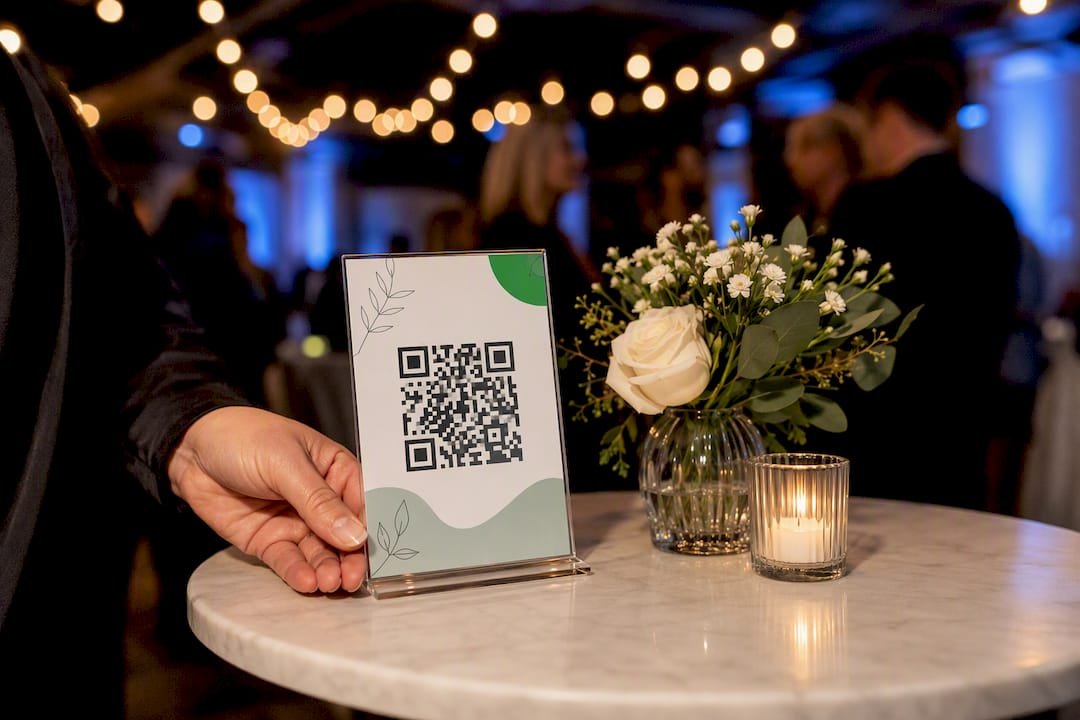
Use a QR tipping sign at the exact moment a customer’s transaction ends, pair it with a warm, specific call to action, and print it clean enough to scan from arm’s length. That’s the whole formula. The rest is choosing a style that fits your counter, your bar, or your gig case, then walking through a simple setup: grab your tipping link, generate the code, drop it into a template, print it at 300 DPI, and put it where eyes already land.
TL;DR:
- Use a dynamic QR code for easy updates and avoid reprinting signs if your payment URL or platform changes.
- Place the sign at the customer’s point of pause, such as the register or pickup counter, to ensure it is seen and scanned easily.
- Choose durable materials like acrylic for high-traffic areas or cardstock for frequent updates, and always test a sample before mass printing.
- Incorporate specific, friendly call-to-action copy that matches your venue’s tone to increase customer engagement and tipping rates.
- Pair the QR code with contactless payment options like Apple Pay or Google Pay to reduce friction and encourage instant tipping.
Table of Contents
- QR Tipping Sign Ideas Worth Copying
- Choosing Materials: Acrylic, Cardstock, or Something Else
- What to Write on Your Sign: CTA Copy by Venue
- How to Build a QR Tipping Sign Step by Step
- Placement and Scannability: The Rules That Actually Matter
- Where to Find Templates and Design Files
- Staying on the Right Side of Tipping and Payment Rules
- Real Scenarios Where QR Signs Increased Tips
- Mistakes That Quietly Kill Your Tip Rate
- Tipper’s Take on Frictionless Tipping
- Create Your Tipping Link and QR Code With Tipper
- Sources
- FAQ
QR Tipping Sign Ideas Worth Copying
Some of these work as-is. Others need a font swap or a color change to match your space. Either way, start with the one that matches your venue before you invent something from scratch.
- Minimalist acrylic with a small stand. Clean sans-serif type, one line of copy, one QR code. Fits coffee counters, boutique checkout stands, and anywhere a cluttered sign would look out of place.
- Chalkboard-style hand-lettered sign. Popular with farmers market stalls and neighborhood cafes that already use chalkboard menus. It reads as personal, not corporate.
- Playful pun sign with suggested amounts. Bars and casual spots do well with humor. “Tips: because bartenders remember faces” next to $2/$5/$10 buttons on the linked page works better than a bare code.
- Photo or team thank-you sign. Salons and service teams that show a real photo of the staff tend to see warmer reactions, since personalizing a tip sign with a photo or short note increases engagement compared with a generic code.
- Musician or busker gig card. A laminated card propped against an instrument case, with “Enjoyed the set? Tip here” and nothing else competing for attention.
- Holiday or event-themed signs. Swap colors and a headline for weddings, seasonal pop-ups, or a one-off market booth. Dynamic QR codes make this painless because you can change the destination without reprinting the sign.
- Table tents for catering and events. Freestanding, double-sided, and easy to move between tables during a buffet line or cocktail hour.
- Sticker or receipt-attached QR for mobile vendors. Food trucks and pop-up stalls can stick a code directly on a receipt or cup sleeve.
- Dual physical-plus-digital setup. Keep the cash jar and add a QR sign beside it, since a combined approach catches both cash and cashless customers instead of forcing a choice.
- Interactive jars paired with a code. A jar labeled with two options (“Team A” vs. “Team B”) turns tipping into a small game, and playful competitions and themed jars tend to boost engagement.
- High-contrast, large-code accessibility variant. Bigger code, bold color blocking, larger type for the CTA line. Built for low-light bars or venues with older customers.
Choosing Materials: Acrylic, Cardstock, or Something Else
Your material choice comes down to how long the sign needs to last and how often you’ll change it.
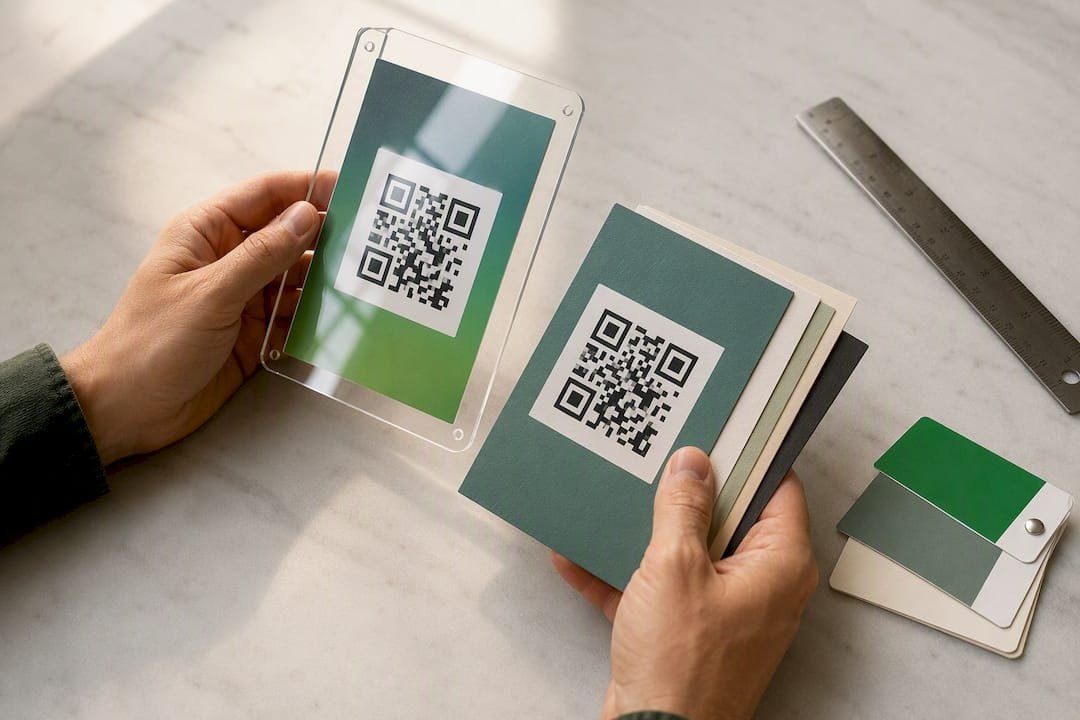
- Acrylic (3 mm thick, UV printed) holds up on high-traffic counters and looks polished without extra design work. A common format is a 3 x 5 inch acrylic panel with a matching stand, which fits coffee shops, salons, and food trucks without eating much counter space.
- Cardstock or laminated paper costs almost nothing, prints at home or at a local shop, and comes in standard sizes like 4×6, 5×7, or letter. Best for signs you’ll swap often.
- Table tents and framed prints suit sit-down venues where the sign needs to survive being bumped.
- Stickers or small laminated cards work for mobile vendors who need something that travels.
Acrylic wins on durability but costs more and takes longer to order. Cardstock wins on speed and price but wears out fast under grease, spills, or sun.
Pro Tip: Before ordering a bulk run of anything, print one sample first. A single acrylic piece or a short cardstock batch catches sizing, glare, and contrast problems while they’re still cheap to fix.
What to Write on Your Sign: CTA Copy by Venue
The words next to your code matter as much as the code itself. Tone should match how your venue talks to customers everywhere else, and matching CTA tone to venue type is one of the simplest ways to make a sign feel native instead of bolted on.
- Cafes and casual counters: “Enjoyed your coffee? Leave a tip.” or “$2 = a happy barista.”
- Bars: “Tip your bartender. They remember who does.”
- Fine dining or professional services: “Your support matters. Tip if you wish.”
- Events and pop-ups: “Scan to show some love” with an emoji or two if your brand allows it.
- Salons and personal services: “Loved your service? A tip goes a long way.”
Test two versions for a week if you can. Small wording changes, especially around suggested amounts, shift behavior more than people expect.
How to Build a QR Tipping Sign Step by Step
Here’s the actual workflow, start to finish.
- Get your payment link. Use a platform that needs no account on the sender’s side and supports Apple Pay and Google Pay directly. Copy the shareable URL.
- Decide static or dynamic. A dynamic QR code lets you swap the destination later without reprinting anything, which matters if you ever change payment tools or run a seasonal promotion.
- Generate the code at high resolution. Export as a 300 DPI PNG so it stays sharp when printed. Add a short line above or below it: “Scan to tip” or “Thanks for your support.”
- Drop it into a print template. Use 4×6 or 5×7 for countertops, 3×5 or 3×4 for small stands. Check that the code sits inside the safe area, away from the trim edge.
- Proof the layout, then print. Following the copy link, generate code, insert into template, print sequence keeps the process from turning into guesswork.
- Test before you commit. Scan the printed code with at least two different phones, check for glare under your actual lighting, and confirm the link lands where you expect.
Placement and Scannability: The Rules That Actually Matter
Put the sign where the customer already pauses: at the register, the bar edge, the pickup counter, or the instrument case lid. A sign tucked somewhere customers don’t look gets ignored no matter how good the design is.
- Use 5×7 for counters where customers stand a foot or two back; 4×6 works for close-range spots like a tip jar next to a register.
- Avoid glossy laminate under bright lights and skip busy patterned backgrounds behind the code.
- Print at 300 DPI minimum, and keep a quiet white border around the code so phone cameras lock on fast.
- If scans keep failing, re-export the code at a higher resolution or simply size the sign up.
Customers scan when there’s zero friction between seeing the code and completing the tip. Anything that adds a second of hesitation, glare, a tiny code, a confusing CTA, cuts your conversion before the customer even reaches for their phone.
Where to Find Templates and Design Files
You don’t need to design from scratch. Print-ready PNG templates from sites like QR Code Templates work for quick home or local print jobs. Editable Canva-based files, like the ones sold through Rainy Lain Designs, give you more control for event-specific branding.
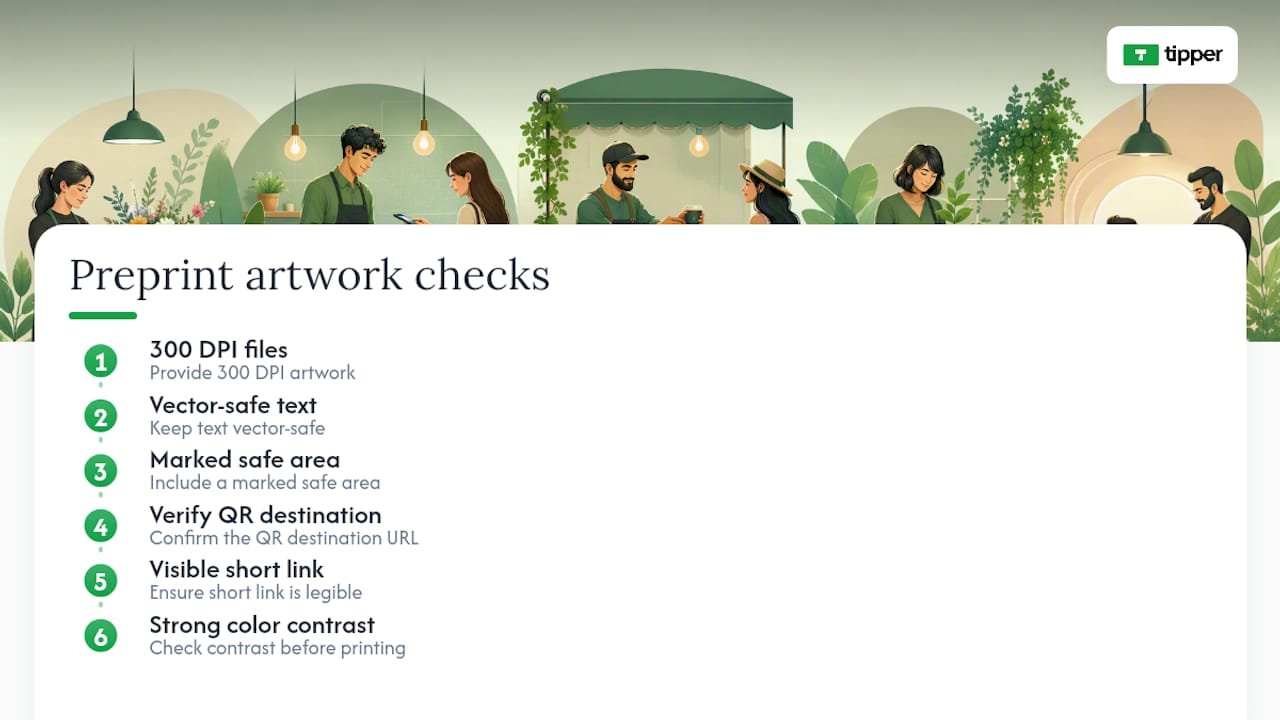
For a custom acrylic sign, most printers ask for 300 DPI files, vector-safe text, and a marked safe area. If you’re new to sending artwork to a print shop, a small business guide to proofing signage walks through exactly what to check before you hit order. Whatever route you take, confirm the QR destination, check that any short link is visible, and check color contrast one more time before printing.
Staying on the Right Side of Tipping and Payment Rules
QR tipping signs don’t require special licensing to display, but the money flowing through them isn’t exempt from normal tax and labor rules. Tips collected digitally are still income, and in most cases, they get treated the same way cash tips do under federal and state law. If you run payroll, that usually means tracking and reporting digital tips the same way you’d track cash tips left in a jar. If you’re a solo creator or freelancer using a personal tipping link, tips you receive still count as taxable income, no different from a cash tip in an envelope.
Payment processing itself sits with the platform you use to move money, so a QR code by itself isn’t a currency handler. It’s just a pointer to a link. What matters is picking a payment method (Apple Pay, Google Pay, card) processed through a compliant provider.
If you employ tipped workers, check your state’s specific rules on tip pooling and distribution before assuming a QR tip works the same as a cash tip dropped in a shared jar. Some states have stricter tip-pooling laws than others, and how the money is split among staff can trigger different rules depending on whether it passes through the business’s own account first. When in doubt, a quick conversation with an accountant or labor law resource beats guessing, especially if you’re combining a shared tip jar with individual QR links for specific staff members.
Real Scenarios Where QR Signs Increased Tips
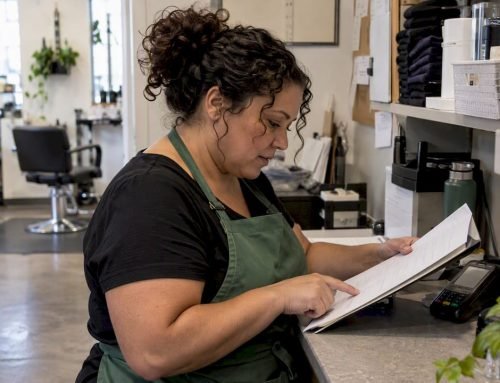
A salon that swapped a generic “tips accepted” sticker for a photo-based sign showing the stylist’s face alongside a QR code saw more customers actually stop and scan, since personalized signage tends to outperform anonymous signage on engagement. A small detail, a name and a face, turns an abstract request into something that feels personal.

Food trucks running QR stickers directly on the receipt or cup sleeve catch a moment cash jars miss entirely: the walk back to the customer’s car. There’s no jar to notice, so the code becomes the only tipping option, which removes the “I don’t have cash” excuse completely.
Bars that combine a physical jar with a visible QR sign tend to do better than either one alone, partly because starting a shift with a few visible bills in the jar creates social proof that nudges hesitant customers, and partly because the QR code catches everyone who’s already gone cashless. Musicians and buskers see similar results: a laminated card with a short, specific line, “Enjoyed the set? Tip here,” outperforms a bare code with no context, because it tells the passerby exactly what they’re supporting and why.
Weddings and pop-up events benefit from swapping in a dynamic QR code tied to the event’s theme colors, since it feels intentional rather than like an afterthought taped to a table.
Mistakes That Quietly Kill Your Tip Rate
The most common mistake is placing the sign somewhere customers glance at but never pause near, like a wall behind the register instead of the counter edge right where they’re standing. Location beats design almost every time.
A close second: printing the code too small. A code that scans fine at six inches often fails at two feet, and most customers won’t lean in to try twice. If your sign sits somewhere customers stand back from, size the code up rather than shrinking your text to compensate.
Skipping the pre-print test is another one. A code that looks fine on a screen can blur, glare, or lose contrast once it’s printed and laminated. Order or print one sample before committing to a bulk run.
Vague copy causes drop-off too. “Scan to support us” tells a customer nothing about what happens next. Specific, warm language, tied to the actual person or team behind the counter, converts better than generic phrasing.
Last one: choosing a static code when your payment platform or event details might change. Reprinting a whole batch of signs because a link died is avoidable if you start with a dynamic code from the beginning.
Tipper’s Take on Frictionless Tipping
Tipping should take one tap, not a login screen. That’s the whole argument for frictionless links over apps that require the customer to create an account before they can send $3. Support for Apple Pay and Google Pay matters because it removes the last excuse a customer has for skipping the tip, and creators keeping their full earnings matters because nobody builds loyalty around a platform that quietly takes a cut of someone’s gratitude. Check the contactless tip collection examples for more real setups. Whatever sign style you pick, match the materials and tone to your actual room, not a template you found online.
— Tipper
Create Your Tipping Link and QR Code With Tipper
Some platforms support creating personalized tipping links and generating QR codes that let customers pay through Apple Pay, Google Pay, or card without needing an account. That last part matters more than it sounds. Every extra login screen or signup form is a customer who decides the tip wasn’t worth the hassle.

Small business owners, bartenders, freelancers, and service providers can set this up once and reuse the same link across every sign style covered above, with some services offering the option to send a quick thank-you note or video back to whoever tipped. If you’re ready to stop guessing at payment friction, visit Tipper’s tipping page to build your first link and QR code in a few minutes.
Sources
- Can you use QR codes for digital tips? (Bitly blog)
- Free digital tip jar QR code sign — QR Code Templates
- Custom QR Code Acrylic Tip Sign | AVDEB
- 130+ unique tip jar ideas (Eat App)
FAQ
What are some cute tip sign ideas I can use?
Photo-based thank-you signs, chalkboard hand-lettering, and pun-based lines like “$2 = a happy barista” tend to feel warm without trying too hard. Match the cuteness level to your venue’s existing tone.
What are some cool QR code ideas beyond tipping?
QR codes work well for menu access, event RSVPs, playlist requests, and review links, but for tipping specifically, pairing the code with a short, specific CTA and a visible placement matters more than the code’s design.
How do I create a QR code for tips?
Copy your tipping link from a platform like Tipper, generate a QR code from that link at 300 DPI, then place it into a print template sized for your venue, such as 4×6 for counters.
Where can I find a QR code tip sign template?
Free print-ready files are available through sites like QR Code Templates, while editable Canva versions let you customize colors and copy before printing.



[…] six-step setup checklist Tipper publishes covers this same sequence with printable sign templates if you want a head start […]
[…] loosely over a poster invites exactly the kind of overlay substitution the FTC warns about. Some practical sign layouts already built around this idea include a short verification line that supporters can check, like the domain name printed in text […]