

Apple Pay and Google Pay are the two leading mobile wallets for contactless tip and payment acceptance, giving individuals and small business owners a faster, more secure alternative to cash and traditional cards. The benefits of Apple Pay and Google Pay tips go beyond simple convenience. They include biometric security, lower fraud rates, and measurable increases in tipping frequency. This article breaks down each advantage and gives you practical steps to start collecting tips through both wallets today.
1. What are the key benefits of Apple Pay and Google Pay for tips?
Mobile wallet tipping is defined as accepting gratuities through Apple Pay or Google Pay instead of cash or card swipes. The core advantage is speed. Tap-to-pay transactions take 2–5 seconds versus 15–30 seconds for chip insertion. That difference matters when you are serving a line of customers or collecting tips from a crowd.
Security is the second major advantage. Both wallets use tokenization, which replaces your customer’s actual card number with a one-time digital token. Tokenization and biometric layers make wallet payments safer than traditional contactless cards. No real card data passes between the customer’s phone and your payment system.

The third advantage is reach. Apple Pay operates exclusively within Apple’s ecosystem across iPhone, Apple Watch, iPad, and Mac. Google Pay serves Android and a broader range of platforms. Together, they cover the vast majority of smartphone users in the United States.
2. How tokenization and biometric authentication protect every transaction
Tokenization is the security method that makes mobile wallet payments safer than swiping a physical card. When a customer pays with Apple Pay or Google Pay, their actual card number never leaves their device. A unique, one-time token is generated for each transaction. That token is worthless to anyone who intercepts it.
Biometric authentication adds a second layer. Face ID, Touch ID, or a PIN must confirm every payment before it processes. This means a stolen phone cannot be used to tip or pay without the owner’s face or fingerprint. Biometric authentication speeds up checkout while simultaneously reducing unauthorized use.
The result shows up in fraud data. Apple Pay chargeback rates sit at 0.04% and Google Pay at 0.06%, compared to 0.09% for typical card-not-present transactions. Lower chargebacks mean less time disputing payments and more time running your business.
Pro Tip: Display a small “Apple Pay and Google Pay accepted” sign at your point of sale or on your tipping link page. Customers who see their preferred wallet recognized are more likely to tip without hesitation.
3. Speed and throughput during peak hours
During busy periods, payment speed directly affects how many customers you can serve and how many tips you collect. Mobile tap payments enable significantly higher transactional throughput than chip card insertions during peak service periods. A coffee shop, food truck, or salon that processes 30% more transactions per hour during a rush collects more tips by default.
The math is simple. Faster transactions mean shorter lines. Shorter lines mean happier customers. Happier customers tip more. This is not a minor operational detail. It is a direct revenue driver for anyone who relies on gratuities.
Contactless payment frequency has grown sharply in recent years. The average person in the UK completed over 230 contactless transactions per year, a figure that reflects a broader global shift toward tap-to-pay behavior. That habit carries over to tipping. Customers already comfortable tapping to pay are far more likely to tap to tip.
4. How mobile wallets increase tip frequency and amount
Single-tap loyalty programs integrated with mobile wallets boost participation by 40% compared to plastic loyalty cards. That participation increase directly correlates with repeat visits and repeat tipping. A customer enrolled in your loyalty program through their wallet is a customer who returns.
Mobile wallets also reduce the psychological friction of tipping. When paying with cash, customers must physically hand over bills and mentally calculate a tip. With Apple Pay or Google Pay, a pre-set tip option appears on screen and requires one tap to confirm. That single tap removes the hesitation that kills tip conversion.
Digital receipts linked to wallets reinforce ongoing customer engagement without extra effort on your part. A customer who receives a digital receipt is reminded of your business after they leave. That reminder builds the habit of returning and tipping again.
5. Practical steps to set up Apple Pay and Google Pay for tip acceptance
Setting up Apple Pay acceptance takes under 5 minutes through your payment processor’s dashboard. Apple Pay setup requires bank verification and works across iPhone, Apple Watch, iPad, and Mac. Google Pay setup follows a similar process through your processor or payment gateway.
Here is the recommended setup sequence for small businesses and individuals:
- Choose a payment processor that supports both Apple Pay and Google Pay natively. Most major processors do.
- Enable device detection on your checkout page or tipping link. This shows iPhone users Apple Pay first and Android users Google Pay first.
- Set tip prompts at checkout. Pre-set options like 15%, 20%, and 25% increase average tip amounts compared to open-ended fields.
- Keep a card entry fallback active. Not every customer uses a mobile wallet. Removing manual card entry entirely cuts off a portion of your audience.
- Test both wallets on your own devices before going live. Confirm the tip prompt appears correctly and the payment processes without errors.
Pro Tip: Use a platform like Tipper that supports both wallets through a single personalized link. Customers tap to tip without creating an account, and you receive payment instantly.
6. Accepting both wallets: why one is not enough
Accepting both Apple Pay and Google Pay avoids friction caused by device preference and improves the overall customer experience. Choosing only one wallet means turning away customers on the other platform. That is a preventable loss.
The business case is clear. Apple Pay users are predominantly iPhone owners. Google Pay users are predominantly Android owners. In the United States, both platforms hold significant market share. A freelancer, creator, or small business owner who accepts only one wallet is leaving tips on the table from the other half of their audience.
Device-detection technology solves the display problem automatically. When a customer opens your checkout or tipping page, the system detects their device and shows the matching wallet first. This small UX detail produces measurably higher conversion. Enabling Apple Pay on mobile checkouts reduces cart abandonment by up to 11% on iOS devices. Google Pay shows a 7–9% reduction on Android.
7. Common misconceptions about fees and privacy
The most common misconception about mobile wallet tipping is that Apple Pay or Google Pay charge customers extra fees. Neither Apple Pay nor Google Pay charge users for in-store, online, or app payments. Merchants absorb small processing fees, which are comparable to standard card transaction fees. Customers pay nothing extra to tip through their wallet.
Privacy is the second area of confusion. Some customers worry that merchants can see their card details or purchase history through wallet payments. They cannot. The tokenization system ensures that no real card data is shared with the merchant. Apple and Google do not share individual purchase details with businesses.
“Mobile wallets act as conversion tools by reducing friction through biometric authentication and express checkouts.” — Salesforce Commerce
Chargeback rates reinforce the security argument. Apple Pay’s 0.04% chargeback rate and Google Pay’s 0.06% rate are both well below the industry average for card-not-present transactions. Lower chargebacks protect your revenue and reduce the administrative burden of disputes.
8. How Tipper connects mobile wallet tipping to your personal link
Tipper brings together the mobile payment advantages of Apple Pay and Google Pay into a single, shareable tipping link. For contactless tip collection without hardware or complex setup, Tipper is built specifically for creators, freelancers, and small business owners. Your supporters tip directly through their preferred wallet without creating an account.
The cashless tipping setup process on Tipper takes minutes. You keep 100% of every tip, with no platform fees taken from your earnings. That zero-fee model is a direct advantage over platforms that take a percentage of each transaction.
Key Takeaways
Accepting both Apple Pay and Google Pay is the single most effective way for individuals and small business owners to maximize tip collection, reduce fraud, and serve every customer regardless of device.
| Point | Details |
|---|---|
| Speed drives tip volume | Tap-to-pay takes 2–5 seconds, enabling more transactions and more tips per hour. |
| Tokenization reduces fraud | One-time digital tokens replace card numbers, cutting chargeback rates below 0.06%. |
| Accept both wallets | Supporting Apple Pay and Google Pay covers the full range of iOS and Android customers. |
| No extra fees for customers | Neither wallet charges users, so there is no barrier to tipping through mobile. |
| Loyalty integration boosts returns | Wallet-linked loyalty programs increase participation by 40% over plastic card programs. |
Why I tell every small business owner to go wallet-first
The debate over which wallet is better misses the point entirely. The real question is whether your customers can tip you the moment they feel like it, on whatever device they are holding. If the answer is no, you are losing tips to friction, not to lack of generosity.
I have seen creators and small business owners add a tipping link to their bio, their receipt, or their counter display and immediately start receiving tips they never got before. The wallet was already on the customer’s phone. The only thing missing was a fast, obvious way to use it.
The one mistake I see repeatedly is removing the card fallback too early. Mobile wallets cover most customers, but not all. A customer who cannot pay their preferred way does not tip at all. Keep the fallback. Treat mobile wallets as the express lane, not the only lane.
The future of tipping is not cash in a jar. It is a tap on a phone, a thank-you note sent back through the platform, and a customer who comes back because the experience felt personal. That is what Apple Pay creator tips done right actually look like.
— Tipper
Tipper makes mobile wallet tipping simple for you
Tipper is built for individuals and small business owners who want to accept Apple Pay and Google Pay tips without complicated hardware or monthly fees. You get a personalized tipping link that works on any device, requires no account from the person tipping, and pays you instantly.
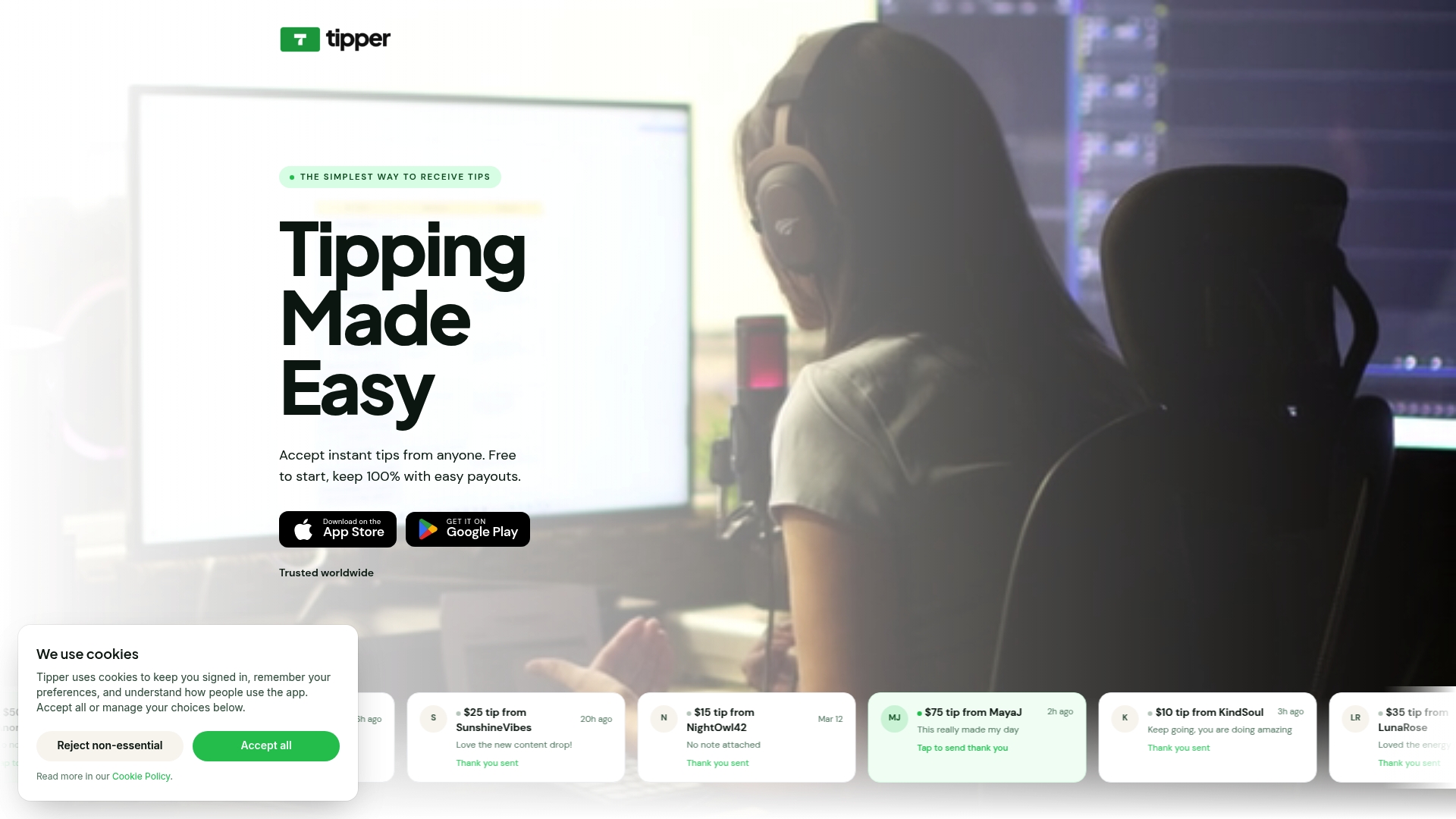
Supporters tap to tip through their preferred wallet in seconds. You keep every dollar. Tipper also lets supporters send thank-you notes or short videos, which builds a real connection between you and the people who value your work. If you are ready to start collecting instant tip payments through mobile wallets, Tipper gives you everything you need in one place.
FAQ
Does Apple Pay or Google Pay charge fees for tips?
Neither Apple Pay nor Google Pay charges customers any fees for payments or tips. Merchants pay standard processing fees, which are comparable to regular card transaction costs.
Is it safe to accept tips through Apple Pay and Google Pay?
Yes. Both wallets use tokenization and biometric authentication to protect every transaction. Apple Pay’s chargeback rate is 0.04% and Google Pay’s is 0.06%, both well below the card-not-present average.
Do I need separate hardware for Apple Pay and Google Pay?
Most modern payment processors and tipping platforms support both wallets through the same terminal or link. No separate hardware is required if your processor already supports NFC contactless payments.
Why should I accept both Apple Pay and Google Pay?
Apple Pay serves iPhone users and Google Pay serves Android users. Accepting both removes device-based friction and ensures every customer can tip regardless of which phone they carry.
How do I set up Apple Pay and Google Pay for tip collection?
Choose a payment processor or tipping platform that supports both wallets, enable device detection, and set pre-defined tip amounts. Tipper handles this setup automatically through a single personalized link.


[…] because the tip decision happens before the customer puts their phone away, not as an afterthought. Apple Pay and Google Pay tips also process instantly, which means staff see their earnings […]
[…] wallet support early. Apple Pay and Google Pay reduce friction dramatically for mobile users. One-tap payment eliminates the card-entry step that kills conversion […]
[…] The market reflects that value. Industry forecasts project the digital wallet market growing around 9% annually through the late 2020s, a pace that signals wallets are shifting from convenience feature to default expectation. Small businesses adapting to this shift can find practical setup guidance in resources like these Apple Pay and Google Pay tips for small businesses. […]
[…] nothing since the payment method is already saved on the phone. That one-tap flow is a big reason mobile wallet tipping converts better than manual card entry for spontaneous, low-dollar […]
[…] wallets are confirmed live, Apple Pay and Google Pay tend to convert better on mobile than typing in a full card number, since the phone autofills […]
[…] fee applies” than to a number that feels hidden until after they’ve paid. A quick read on Apple Pay and Google Pay setup covers the wallet side in more […]
[…] on the phone they are already holding is the fastest option. If you want the details, our guide on Apple Pay and Google Pay tips explains how they work for small […]