About Tipper

This author has not yet filled in any details.
So far Tipper has created 92 blog entries.

What Is Digital Tipping? Benefits and How It Works

Cash is disappearing fast. What is digital tipping, and why does it matter now more than ever? Physical currency is predicted to account for less than 10% of transactions by the end of 2026, leaving millions of service workers and content creators without the tips they depend on. Digital tipping fills that gap. It lets customers and fans send money instantly through their phones, no wallet required. Whether you’re a restaurant-goer, a streaming fan, or someone who wants to support a favorite creator, understanding how digital tipping works changes how you think about gratitude in a cashless world.

Table of Contents

Key takeaways

Point Details
Cash decline drives digital tipping With cash use dropping below 10% of transactions, digital tipping fills a real gap for workers and creators.
No account needed to tip The best digital tipping platforms let anyone send a tip instantly using Apple Pay, Google Pay, or a card.
Instant payouts matter Tips received in real time motivate workers far more than tips bundled into a weekly paycheck.
Token systems change behavior Tokenized tipping in streaming and creator platforms lowers the psychological cost of giving and increases tip frequency.
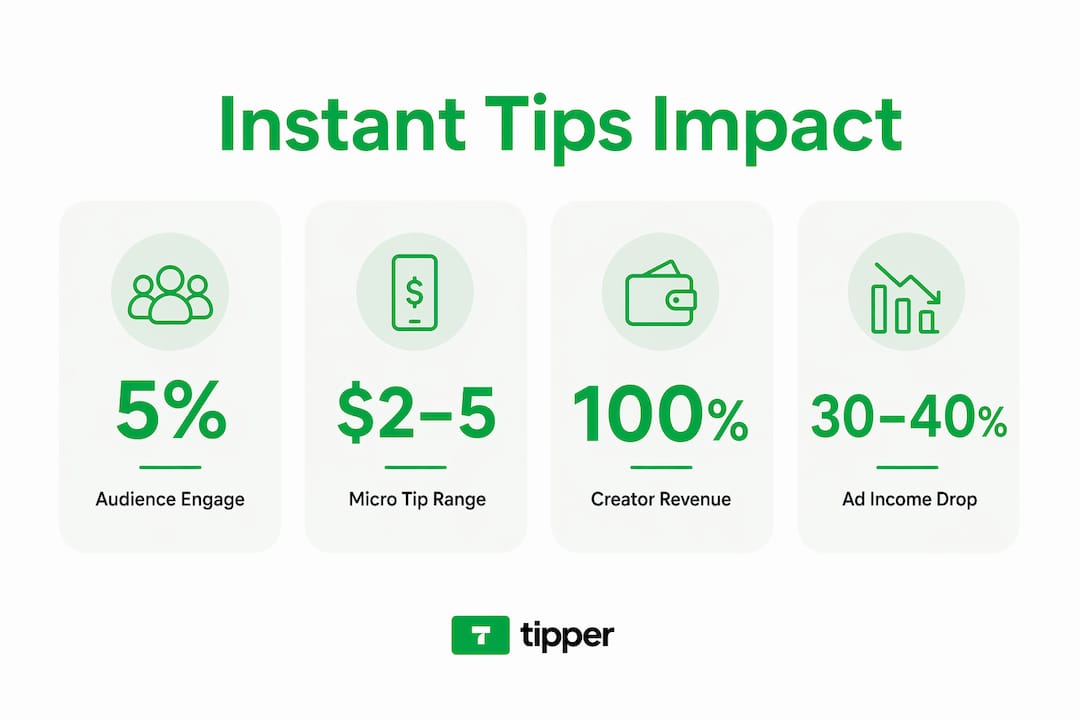
Creators keep more with direct tipping Platforms like Tipper let creators receive 100% of their tips, unlike platforms that take a percentage cut.

What is digital tipping and how it works

Digital tipping is the practice of sending a gratuity electronically, without cash, through a phone, tablet, or computer. Instead of dropping a dollar bill on a table or handing coins to a delivery driver, you tap a button, scan a code, or click a link. The money moves instantly.

The most common methods include:

  • QR codes: A customer scans a code at the point of sale or on a receipt, which opens a tipping page directly in their browser.
  • POS terminal prompts: The payment screen automatically suggests tip amounts, typically 15%, 18%, or 20%, before the customer confirms payment.
  • App-based tipping: Platforms and delivery apps include built-in tip options during checkout.
  • Personalized tip links: Creators or freelancers share a unique URL that fans click to send a tip directly, no account required.
  • Token systems: Streaming platforms sell virtual tokens that users gift to creators during live sessions.

Once a tip is submitted, the platform calculates any applicable fees, then routes the money to the recipient. True digital tipping platforms send funds near-instantly via pay cards, digital wallets, or bank transfers. That is a critical distinction from payroll tip integration, where tips get bundled into the next paycheck and can take days or even weeks to reach the worker.

Pro Tip: When choosing a digital tipping platform, check whether it offers instant payouts or payroll integration. For service workers, same-day access to tips makes a meaningful difference in day-to-day finances.

Benefits of digital tipping for customers, workers, and creators

The shift to digital gratuity systems benefits everyone involved, though the advantages look different depending on which side of the transaction you’re on.

Server checking digital tips on phone

For customers, the biggest win is convenience. You no longer need to carry cash or do mental math at the end of a meal. A tap or a click handles everything. That frictionless experience also means you’re more likely to tip at all. Studies consistently show that digital tipping increases tip frequency compared to cash environments, partly because the process feels effortless.

For service workers, the benefits are more tangible:

  • Immediate access to earnings: Tips arrive the same day rather than sitting in a payroll queue.
  • Reduced cash shrinkage: No risk of tips being miscounted, misplaced, or skimmed before distribution.
  • Better recordkeeping: Every tip is logged digitally, making tax reporting and dispute resolution simpler.
  • Higher average tip amounts: Digital prompts with preset percentages tend to nudge customers toward higher amounts than they might choose on their own.

For content creators and freelancers, digital tipping opens a revenue stream that didn’t exist a decade ago. A musician streaming live on a platform can receive tips from fans in five different countries within minutes. A freelance writer can add a tip link to their newsletter and get paid for work that used to go uncompensated. Platforms like Tipper make this possible without requiring the fan to create an account, which removes the single biggest barrier to spontaneous giving.

The data backs this up. Card payments now represent 61% of all transactions, and consumer behavior has shifted permanently toward digital. Businesses and creators that ignore this shift are leaving real money on the table.

The psychology behind digital tipping

Understanding why people tip digitally requires a quick look at behavioral economics. Two forces drive most digital tipping behavior: reduced pain of paying and social signaling.

Reduced pain of paying is exactly what it sounds like. Handing over physical cash feels like a loss. Tapping a phone or clicking a button feels abstract, almost costless. Token systems take this even further. Converting currency into tokens creates psychological distance between the user and their actual money, which lowers hesitation and encourages more frequent giving. It works the same way casino chips do: once money becomes tokens, spending them feels less significant.

Social signaling is the second driver. Leaderboards on streaming platforms show who tipped the most during a session. Public shoutouts reward top tippers. These mechanisms tap into status motives and turn tipping into a form of social participation. Gamified goals and timed challenges push users to tip more than they originally planned.

“The moment tipping becomes a social act rather than a private transaction, the amounts go up. That’s not manipulation. That’s human nature.”

There is a flip side. Automatic tipping prompts can create social pressure that some customers find uncomfortable, and some business owners actively resist them for that reason. The screen facing you at a coffee counter, with the barista watching, is a very different experience from choosing a tip amount privately on your phone after a meal.

Pro Tip: If you use token-based tipping platforms, set a monthly budget before you start. Tokens make it easy to lose track of real spending. Treating your token balance like a prepaid card keeps the experience enjoyable without unexpected charges.

Comparing digital tipping methods

Not all digital tipping platforms work the same way. The method a business or creator chooses affects how quickly tips arrive, how much friction customers face, and how much of the tip actually reaches the recipient.

Infographic comparing tipping methods side by side

Here’s a breakdown of the main approaches:

Method Speed Friction for user Best for
App-less QR code Near-instant Very low Restaurants, cafes, delivery
POS terminal prompt Near-instant Low Retail, hospitality
App-based tipping Minutes Medium (requires app) Delivery platforms, gig workers
Personalized tip link Near-instant Very low Creators, freelancers, influencers
Payroll tip integration Days to weeks None for customer Large restaurant groups
Token systems Instant within platform Low after initial purchase Streaming, gaming, live content

The app-less QR code approach consistently performs best for capturing tips that would otherwise be lost. Requiring a customer to download an app before tipping is a conversion killer. Every extra step reduces the likelihood they follow through.

Instant payout capability is the other major differentiator. Same-day tip access through pay cards or bank transfers keeps the motivational benefit of tipping intact. When a worker has to wait until Friday to see Tuesday’s tips, the psychological connection between good service and reward breaks down. Payroll integration solves an accounting problem but creates a motivation problem.

For creators specifically, personalized tip links are the most practical option. They require no hardware, no POS system, and no technical setup. A link in a bio, an email footer, or a video description is enough.

Real-world uses and what’s coming next

Digital tipping is already embedded in industries you interact with every day. Here are the most common applications in 2026:

  1. Hospitality and food service: QR codes on receipts and POS prompts at checkout have become standard in most urban restaurants and cafes.
  2. Delivery and gig work: Delivery apps prompt customers to tip before or after a delivery, with post-delivery tipping gaining traction as a fairer option.
  3. Retail and personal services: Salons, spas, and even some retail stores now offer digital tip options at checkout.
  4. Live streaming and content creation: Platforms use token gifts, badges, and leaderboards to let fans support creators in real time during broadcasts.
  5. Freelancers and independent creators: Writers, podcasters, and artists use personalized tip links to receive direct support from their audience.

The technology is moving quickly. NFC-enabled tip points let customers tap their phone to a small device to send a tip in under two seconds. Personalized tipping incentives, where a creator sends a thank-you video after receiving a tip, are becoming a standard feature rather than a nice-to-have. Platforms that integrate with existing payment technology reduce setup time for businesses and make adoption nearly frictionless.

The broader trend is toward cashless economies where tipping is built into every transaction layer. For creators, that means more opportunities to monetize genuine audience appreciation. For customers, it means tipping will feel less like a social obligation and more like a natural part of how you interact with the people whose work you value.

Pro Tip: If you support creators online, look for platforms that let you send a personal note with your tip. That small gesture often means more to a creator than the dollar amount itself.

My take on digital tipping

I’ve spent years watching the tipping conversation evolve, and here’s what I’ve actually learned: the technology is mostly good, but the implementation often misses the point.

The immediacy of a tip is what makes it meaningful. When a server gets a cash tip at the end of a shift, there’s a direct feedback loop between their effort and their reward. Delayed payroll payouts break that loop entirely. Any digital tipping solution that doesn’t prioritize same-day access is solving the wrong problem.

What I find genuinely exciting is the creator economy application. A fan sending a $3 tip to a podcaster they’ve listened to for two years is one of the purest economic transactions I can think of. No algorithm, no advertiser, no middleman. Just direct appreciation. The platforms that make that as frictionless as possible are doing something worth supporting.

My caution is around social pressure. Tipping prompts that face the customer while the worker watches create an uncomfortable dynamic that has nothing to do with genuine gratitude. Good digital tipping design gives people a real choice, not a guilt-driven one. The best platforms I’ve seen make tipping feel like a gift, not a tax.

— Steve

Start tipping the way people actually pay

If you’ve been wondering how to support the creators, workers, and freelancers whose work genuinely matters to you, digital tipping is the most direct answer available today.

https://tipper.app

Tipper makes the whole process straightforward. Anyone can send a tip through a personalized link using Apple Pay, Google Pay, or a card. No account creation, no platform fees eating into the creator’s earnings. Creators receive 100% of every tip and can respond with a personal note or video, turning a simple transaction into a real moment of connection. Whether you’re a creator ready to start receiving tips or a fan looking for a better way to show appreciation, Tipper is built for exactly that. Give it a look and see how easy genuine support can be.

FAQ

What is digital tipping in simple terms?

Digital tipping is sending a gratuity electronically through a phone, app, QR code, or link instead of using cash. The money transfers instantly to the recipient without requiring physical currency.

How does digital tipping replace cash tips?

Digital tipping replaces cash tips by routing payments through mobile wallets, cards, or bank transfers triggered by QR codes, POS prompts, or personalized links. The result is faster, more trackable, and available even when neither party carries cash.

Do I need an account to send a digital tip?

Not always. Platforms like Tipper let anyone send a tip using Apple Pay or Google Pay without creating an account, which removes the biggest barrier to spontaneous tipping.

Are digital tips paid out immediately?

The best digital tipping platforms offer near-instant payouts via pay cards or bank transfers. Payroll-integrated systems, by contrast, bundle tips into regular pay cycles, which can delay access by days or weeks.

What are token-based tips on streaming platforms?

Token-based tips are virtual currencies purchased on streaming platforms that users gift to creators during live sessions. Token systems lower the psychological cost of giving by creating distance between the user and their real money, which tends to increase both tip frequency and size.

What Is Digital Tipping? Benefits and How It Works2026-06-22T11:46:01+00:00

What Does Cross-Platform Tipping Mean for Creators?

Cross-platform tipping is defined as a unified system that lets supporters send money to creators across multiple digital platforms and payment methods through a single underlying flow. Rather than forcing fans to use one app or one payment method, this model connects Discord, Telegram, Twitch, X, Bluesky, and other networks into one tipping experience. Projects like Just The Tips and Tippin’ Dots already demonstrate what this looks like in practice. For creators, freelancers, and influencers, understanding cross-platform tipping means understanding how to stop leaving money on the table every time a fan is on the wrong platform.

What does cross-platform tipping mean technically?

Cross-platform tipping is built on two layers: a set of platform adapters on the front end and a single payment or ledger monitoring system on the back end. The adapters handle how a tip request looks and feels inside Discord, Telegram, or Twitch. The back end handles where the money actually goes.

Just The Tips is the clearest public example of this architecture. It monitors wallet addresses on multiple blockchains simultaneously and posts thank-you messages through modular adapters tied to each platform. The bot itself never holds funds. That non-custodial design means the creator’s money moves directly from the tipper’s wallet to the creator’s address without passing through a middleman.

Hands exchanging blockchain wallets

Tippin’ Dots takes a different angle. It maps decentralized identities (DIDs) to wallet addresses, so tipping works inside apps like Bluesky and Frequency without requiring the creator to set up a separate wallet for each network. Smart contracts handle the DID-to-wallet mapping lazily, meaning the connection is made only when a tip actually arrives. That design removes the friction of forcing every creator to configure crypto wallets before receiving their first tip.

On the payment side, systems like SimpleTip support Stripe Checkout, Apple Pay, Google Pay, PayPal, and regional options like M-Pesa. The specific methods available depend on the node operator’s configuration, but the point is that a single tipping component can serve supporters across card payments, mobile wallets, and crypto rails simultaneously.

Here is how the core technical pieces fit together:

  • Platform adapters translate tip commands and notifications into the native language of each app (slash commands on Discord, chat triggers on Twitch, etc.)
  • Multi-chain ledger observers watch multiple blockchains at once, so a tip sent on Solana and a tip sent on Arbitrum both register in the same system
  • Payment rail integrations connect card networks, digital wallets, and crypto protocols into one unified flow
  • DID integrations let creators use a single portable identity across federated or decentralized social networks

Pro Tip: If you are evaluating a cross-platform tipping tool, ask whether it is custodial or observational. Non-custodial systems like Just The Tips never hold your funds, which removes a significant layer of counterparty risk.

What are the benefits of cross-platform tipping for creators?

The core benefit of cross-platform tipping is freedom from platform lock-in. When your revenue depends on one platform’s tipping feature, you are one policy change away from losing that income stream. A unified system means your supporters can tip you from wherever they already spend time.

Infographic illustrating benefits of cross-platform tipping

The creator tipping market now spans web apps, social media tools, digital wallets, crypto payments, and analytics tools. That breadth reflects how diverse creator audiences have become. A freelance illustrator might have fans on X, clients on LinkedIn, and a community on Discord. Expecting all of them to use the same payment method is unrealistic.

Specific advantages worth knowing:

  • Higher tip volume through payment choice. Supporters tip more when they can use their preferred method. Offering Apple Pay, Google Pay, and PayPal alongside crypto removes the friction that kills impulse tips.
  • Resilience through multi-chain redundancy. If one blockchain network is congested, monitoring multiple ledgers in parallel means tips on other chains still process normally.
  • Reduced admin work through split payouts. Platform payment infrastructures support buyer-to-platform-to-seller routing, which automates the reconciliation work that would otherwise fall on the creator.
  • Direct peer-to-peer support. Non-custodial systems remove intermediaries, so creators receive funds faster and without platform-imposed withdrawal delays.
  • Engagement through personalized thank-yous. Thin platform adapters post thank-you messages in the same app where the tip originated, keeping the interaction native and personal.

The combination of payment diversity and platform reach is what separates cross-platform tipping from a simple tip jar. You are not just accepting more payment types. You are meeting your audience exactly where they are.

How does cross-platform tipping compare to traditional tipping models?

Traditional tipping is platform-specific. A Twitch Bits tip stays inside Twitch. A Ko-fi donation requires the supporter to visit Ko-fi. Each system has its own wallet, its own payout schedule, and its own fee structure. Cross-platform tipping collapses those silos.

The table below compares the main approaches:

Feature Traditional (Ko-fi, Patreon) Cross-platform bot (Just The Tips) Decentralized (Tippin’ Dots) Link-based (SimpleTip, Tipper)
Platform coverage Single platform Multi-platform via adapters Federated/decentralized networks Any platform with a link
Custody model Centralized (platform holds funds) Non-custodial (observational) Non-custodial (smart contract) Varies by payment rail
Payment methods Card, PayPal Stablecoins (XRPL, Base, Solana) Crypto via DID mapping Card, Apple Pay, Google Pay, PayPal
Refund handling Platform manages refunds Transaction-level refund required Smart contract logic Partial refunds often not feasible
Setup complexity Low Medium Medium to high Low

One detail that catches creators off guard is refund handling. When tips are bundled into a single payment transaction, refunding the tip portion alone is often not technically possible. The whole transaction or a defined partial amount must be refunded. This is not a flaw in cross-platform systems specifically. Card and wallet APIs treat the tip as a component of the principal transaction, not a separate charge. Knowing this upfront prevents disputes and support headaches later.

Pro Tip: Before going live with any tipping system, test a refund scenario end to end. Know whether your payment processor supports partial refunds or requires a full transaction reversal. Document your refund policy clearly for supporters.

How can creators implement cross-platform tipping effectively?

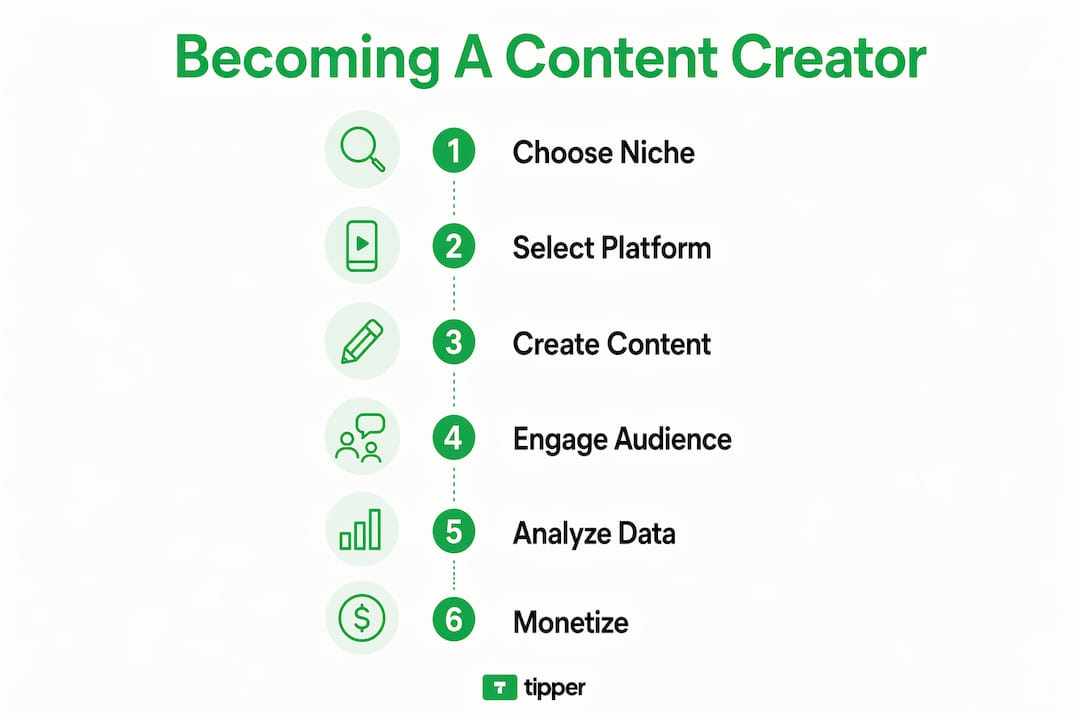
Getting cross-platform tipping working well is less about choosing the most technically advanced tool and more about matching the tool to where your audience actually lives. Here is a practical sequence:

  1. Map your platforms first. List every place you publish or engage: Discord server, Twitch channel, X profile, personal website, newsletter. Your tipping system needs to reach all of them, not just the biggest one.
  2. Choose a unified entry point. A single tipping URL or QR code that works everywhere is more effective than separate tip jars on each platform. Tools that generate a personal link let you share one address across your bio, stream overlay, and email signature.
  3. Match payment methods to your audience. Younger audiences on Twitch and Discord often prefer Apple Pay or Google Pay for speed. Crypto-native communities expect stablecoin options. International audiences may need regional methods like M-Pesa. SimpleTip’s multi-rail support shows how one component can cover all of these simultaneously.
  4. Set up platform-specific thank-you messages. A thank-you that appears in the same Discord channel where the tip was sent feels personal. A generic email confirmation does not. Use your platform adapter’s notification feature to keep acknowledgment native to each app.
  5. Plan your reconciliation process before you launch. Decide how you will track tips from different sources, how you will handle currency conversion if you accept crypto, and what your refund policy is. Tips embedded in payment transactions require transaction-level refund logic, so your policy needs to reflect that reality.
  6. Avoid over-engineering your setup. Starting with a simple link-based system and adding platform adapters as your audience grows is smarter than deploying a full multi-chain bot on day one. Complexity should follow audience demand, not precede it.

Pro Tip: Pin your tipping link in every community you run. Discord server descriptions, Twitch panels, and X bios are all high-visibility spots that supporters check before they decide to tip. Visibility directly drives tip volume.

The next wave of cross-platform tipping is being driven by decentralized social networks and portable identity systems. Several trends are worth watching closely.

  • DID-based tipping at scale. Tippin’ Dots maps DIDs to wallets across Bluesky and Frequency today. As more social networks adopt decentralized identity standards, this model will extend to any platform that supports DIDs, making tipping truly portable across the entire open social web.
  • Multi-chain stablecoin growth. Just The Tips already supports XRPL, Base, Arbitrum, and Solana. As stablecoin adoption grows, more creators will accept crypto tips without worrying about price volatility, and multi-chain monitoring will become a standard feature rather than a technical novelty.
  • Federated tipping nodes. Federated node architectures let communities run their own tipping infrastructure while staying interoperable with other nodes. This gives creators and platform operators more control over payment rails and fee structures without sacrificing reach.
  • Lower activation energy for supporters. The biggest barrier to tipping is not willingness. It is friction. Future systems will reduce the number of steps between “I want to tip this creator” and “the tip has arrived,” using saved payment methods, one-tap flows, and pre-authorized wallets.
  • Split payout automation. As platform payment flows mature, automated split payouts will handle multi-party revenue sharing, making it easier for creators who collaborate or operate under a network to distribute tips fairly without manual reconciliation.

Key Takeaways

Cross-platform tipping works because it separates the payment flow from the platform experience, letting creators receive support from any app through any payment method without fragmentation.

Point Details
Core definition Cross-platform tipping routes tips from multiple apps through a single unified payment flow.
Non-custodial advantage Observational systems like Just The Tips never hold funds, removing counterparty risk for creators.
Payment diversity drives volume Offering Apple Pay, Google Pay, PayPal, and crypto removes friction and increases tip conversion.
Refund complexity Tips bundled into a single transaction often require full or partial transaction refunds, not isolated tip reversals.
Start simple, scale up A single tipping link covering all platforms outperforms separate tip jars on each individual app.

My take on cross-platform tipping as a monetization strategy

I have watched a lot of creators build tipping setups that are technically impressive but practically broken. They deploy a multi-chain bot, configure five platform adapters, and then wonder why their tip volume is low. The problem is almost never the technology. It is that supporters do not know the tipping option exists, or the payment method they prefer is not available.

The creators I have seen succeed with cross-platform tipping share one habit: they treat their tipping link like a product. They put it everywhere, they test it regularly, and they update their payment methods when their audience shifts. A freelance writer who moved her community from Twitter to Bluesky updated her tipping setup within a week. Her tip volume did not drop because her supporters never had to search for a new way to support her.

The decentralized identity angle is genuinely exciting for the long term. When your tipping identity is portable across every platform you use, you stop being dependent on any single network’s monetization policies. That is real creator independence. But you do not need DIDs or stablecoins to start. A single link that accepts Apple Pay and Google Pay, with a thank-you message that feels personal, will outperform a complex crypto setup that confuses your audience every time.

Build for your current audience first. Add complexity only when your supporters ask for it.

— Steve

Start accepting tips across every platform with Tipper

If you want to put cross-platform tipping into practice without building your own adapter stack, Tipper is worth a close look. Tipper gives you a personalized tipping link that works across every platform you use, from your Discord bio to your Twitch panel to your personal website. Supporters can tip instantly using Apple Pay, Google Pay, or a card without creating an account. You keep 100% of what you earn.

https://tipper.app

Tipper also lets supporters add a personal note or video with their tip, which turns a transaction into a genuine moment of connection. For creators who want to understand instant tip payments and get set up fast, Tipper removes every technical barrier between you and your first tip. Visit Tipper today and start accepting support from wherever your audience finds you.

FAQ

What does cross-platform tipping mean in simple terms?

Cross-platform tipping means a supporter can send a monetary tip to a creator from any platform they use, whether that is Discord, Twitch, or a personal website, through a single unified payment system. The creator receives the tip regardless of which app the supporter used to send it.

How does cross-platform tipping work without holding funds?

Non-custodial systems like Just The Tips act as observers, monitoring blockchain addresses for incoming payments and triggering thank-you notifications without ever controlling the funds. The money moves directly from the tipper’s wallet to the creator’s address.

Is cross-platform tipping safe for creators?

Cross-platform tipping is safe when the system is non-custodial and uses established payment rails like Stripe, Apple Pay, or Google Pay. The main risk is refund complexity, since tips bundled into a single transaction may require a full or partial transaction reversal rather than an isolated tip refund.

What payment methods do cross-platform tipping systems support?

Most cross-platform tipping services support credit and debit cards, Apple Pay, Google Pay, PayPal, and in some cases stablecoins on networks like Solana, Arbitrum, and XRPL. The available methods depend on the platform’s payment rail integrations and the node operator’s configuration.

Do creators need a crypto wallet to use cross-platform tipping?

Not always. Link-based systems like Tipper and SimpleTip work entirely through card and mobile wallet payments. Crypto-based systems like Tippin’ Dots use DID-to-wallet mapping, so creators can receive crypto tips without manually configuring a wallet for every platform they use.

What Does Cross-Platform Tipping Mean for Creators?2026-06-22T11:31:22+00:00

How to Promote Tipping Culture in Your Business

Tipping culture in business is the practice of creating conditions where customers voluntarily reward staff with gratuities, and it directly affects staff income, service quality, and customer loyalty. When you promote tipping culture business-wide, you move beyond hoping customers tip and start building systems that make tipping natural, easy, and expected. The right approach combines digital tools, written policies, and staff training. Platforms like Tipper, point-of-sale integrations, and QR code prompts have made this more achievable than ever for restaurants, freelancers, and service businesses alike.

What does your business need to build a tipping culture?

Building a tipping culture starts with infrastructure, not attitude. Without the right tools and policies in place, even well-intentioned gratuity programs fall apart under the weight of manual tracking, staff confusion, and customer friction.

The essential tools

Integrating tipping tools into your POS system is the single most important technical step. Standalone tip jars or disconnected apps create administrative overhead, reporting errors, and payroll compliance headaches. A POS-integrated solution captures tip data automatically, routes it to payroll, and generates the reports you need for tax compliance.

Barista using digital tipping interface on POS

The table below shows the core tools and policy elements every business needs before launching a gratuity program.

Tool or Policy Element Purpose
POS-integrated tip tracking Automates data capture and payroll compliance
Written tip pooling policy Defines who receives tips and how they are distributed
Digital tipping interface Enables cashless gratuity via QR code, NFC, or app
Staff training guide Sets expectations and etiquette for tipping interactions
Customer-facing signage Communicates tipping options without pressure

Written tipping policies are non-negotiable

Transparent tipping policies covering pooling, eligibility, and distribution build trust with both staff and customers. The policy must specify which roles participate in tip pools, how tips are split, and when payouts occur. One rule stands above all others: managers must not participate in tip pools. Their inclusion destroys staff trust and, in many states, violates labor law.

Pro Tip: Post your tipping policy in your staff handbook and on your website. Customers who see transparent policies tip more generously because they trust the money reaches the right people.

How do digital tipping prompts increase tips without annoying customers?

Digital tipping prompts are the most effective lever for encouraging gratuity practices at scale. Counter-service tips averaged 16–17% with digital prompts compared to single digits without them. Some businesses reported a 28–30% increase in tips per shift within 60 days of adding prompts. That is not a marginal improvement. It is a structural change in how customers behave at checkout.

Infographic showing steps to build tipping culture in business

Setting the right default percentages

The default tip percentages you display shape customer behavior more than any other design choice. Moderate suggestions of 10%, 15%, and 18% yield the best results without triggering customer resentment. Defaulting aggressively to 25% or higher causes tipping fatigue and damages brand loyalty over time. Aggressive anchoring increases short-term tip amounts but reduces repeat visits. That trade-off is never worth it.

Placement and timing of prompts

Where and when you show a tipping prompt matters as much as what it says. The most effective placements are:

  • At checkout: Display the tip screen immediately after the customer confirms their order total, before payment is processed.
  • QR codes on receipts or tables: Let customers tip at their own pace after the experience, which reduces social pressure.
  • NFC tap points near the exit: Capture tips from customers who feel appreciation after the fact, not just in the moment.
  • Mobile ordering confirmation screens: Personalized recommendations on mobile platforms boosted tips by 23% and increased check values by 20–30%.

Design cues that work

Subtle, tastefully designed tipping cues outperform aggressive signage every time. A small card on the counter with a staff photo and a simple “Thank you for your support” message creates a personal connection without pressure. Badges near the payment terminal that say “Tips go directly to your server” reduce customer anxiety about where the money goes. The goal is to replace the social awkwardness of being asked with a welcoming, voluntary choice.

Pro Tip: Link your tipping QR code to your social media follow button or Google review page. Tipping moments become engagement touchpoints that grow your audience and your staff’s income at the same time.

How to incentivize tips through staff training and customer communication

The best digital tools fail without staff who understand their role in building a tipping culture. Internal communication and customer-facing messaging work together to create an environment where tipping feels natural, not transactional.

Training staff on tipping etiquette

Staff training on gratuity etiquette covers three areas: how to present the tip screen, how to step back during payment, and how to respond to tips graciously. Train staff to turn the screen toward the customer and step away. Hovering over a customer during the tip selection creates pressure that backfires. A simple “thank you” when a customer tips, rather than a reaction that signals the amount was noticed, keeps the interaction comfortable.

  1. Introduce the tip interface during onboarding. New hires should practice the checkout flow before their first shift so the handoff feels natural.
  2. Role-play the step-back moment. Staff who physically practice stepping away during payment internalize the habit faster than those who only read about it.
  3. Share weekly tip totals with the team. Visibility into collective earnings motivates staff and reinforces that the system works.
  4. Recognize top-tipped staff publicly. A brief mention in a team meeting connects service quality to gratuity outcomes without creating unhealthy competition.

Customer messaging that builds trust

Customers tip more when they understand where the money goes and who benefits. Use these messaging strategies to communicate your tipping culture clearly:

  • Place a short explanation near the payment terminal: “100% of tips go directly to your service team.”
  • Add a line to your email receipts: “Did you enjoy your experience? You can still add a tip here [link].”
  • Feature staff profiles on your website or menu with short personal stories. Digital tipping profiles with personal stories increase tip frequency by 24%. Customers tip people, not businesses.
  • Use post-visit feedback surveys to close the loop. Instant feedback loops improve guest service scores by 14%, which correlates directly with higher tip rates on return visits.

What mistakes should you avoid when building a tipping culture?

Most tipping programs fail not because of bad intentions but because of avoidable design errors. The mistakes below are the most common, and each one has a clear fix.

  • Hiding the “No Tip” option. Customers who feel trapped by a tip screen leave frustrated. A clearly visible “No Tip” button protects your brand and keeps the experience voluntary. Making tipping clearly optional increases overall guest satisfaction and loyalty.
  • Setting defaults too high. Starting at 25% or 30% signals entitlement rather than appreciation. Start at 15% as the middle option and let customers choose up or down.
  • Using standalone tip tools instead of POS integration. Disconnected apps require manual reconciliation at the end of every shift. That labor cost erodes the financial benefit of higher tips.
  • Ignoring customer feedback on the tipping experience. Monitor your reviews for mentions of tip screens. Adjust your defaults and prompt timing based on what customers actually say.
  • Letting prompts linger. A tip screen that stays active while the customer is still interacting with staff creates awkwardness. Set a timeout of 10–15 seconds so the screen moves on automatically.

“The best tipping cultures feel invisible to the customer. They tip because the experience was great and the option was easy, not because they felt watched or pressured.” — Tipping UX principle from hospitality research

Reporting compliance is another area where businesses get tripped up. Standalone tip tools often generate data that does not sync with payroll software, creating discrepancies at tax time. POS-integrated tipping eliminates this problem by capturing tip data in the same system that processes wages.

Key Takeaways

Promoting tipping culture in your business requires integrated digital tools, transparent written policies, and staff training that makes gratuity feel natural rather than forced.

Point Details
POS integration is the foundation Connect tip tracking to payroll from day one to avoid compliance errors.
Moderate defaults outperform aggressive ones Set 10%, 15%, and 18% as defaults to maximize tips without losing repeat customers.
Personal stories increase tip frequency Staff profiles with short personal narratives increase tip frequency by 24%.
Visibility of “No Tip” protects your brand A clear opt-out option keeps tipping voluntary and improves guest satisfaction.
Staff training drives results Practicing the step-back moment and sharing tip totals motivates consistent performance.

Why I think most businesses get tipping culture backwards

Most business owners treat tipping as a revenue problem. They focus on the percentage, the prompt design, and the default amount. Those things matter, but they are downstream of a more fundamental question: do your customers feel good enough about the experience to want to reward someone?

I have watched businesses install expensive digital tipping systems and see no meaningful change in gratuity rates. The technology was fine. The service was forgettable. Tipping culture is a service culture problem wearing a technology costume.

The businesses that build genuine tipping cultures do something counterintuitive. They make it easier to say no. A clear “No Tip” button, a staff member who steps back without hovering, a prompt that disappears after a few seconds. That restraint signals confidence. It tells the customer: “We are not desperate for your tip. We earned it.” That posture produces more tips than any aggressive default percentage ever will.

Cash is declining fast, and that shift is permanent. Customers who want to tip a great server or a talented freelancer have no mechanism to do so without digital tools. That gap is an opportunity. Platforms like Tipper exist precisely to fill it, letting anyone send a tip instantly through Apple Pay or Google Pay without creating an account. The businesses and creators who set up that infrastructure now will capture the goodwill that cash used to carry.

The future of tipping is not about extracting more money from customers. It is about giving people who already want to express appreciation a frictionless way to do it.

— Steve

How Tipper makes digital tipping simple for your business

Tipper is built for exactly the scenario this article describes: customers who want to tip but have no easy way to do it.

https://tipper.app

With Tipper, you create a personalized tipping link that customers access through a QR code, a text message, or a button on your website. No account required on their end. Payment goes through Apple Pay or Google Pay in seconds. Creators and business owners keep 100% of every tip, and supporters can attach a thank-you note or video to make the moment personal. If you want to understand how instant tip payments work for your specific setup, Tipper’s resources walk you through every step. Start building your tipping culture with Tipper today.

FAQ

What is tipping culture in a business context?

Tipping culture in business is the set of practices, tools, and norms that make voluntary customer gratuities a regular part of the service experience. It includes digital prompts, written policies, and staff training.

What tip percentage should I set as the default?

Set 15% as the middle default option, with 10% below and 18% above. Moderate defaults produce the best results without causing tipping fatigue or damaging repeat visit rates.

How do digital tipping profiles increase tips?

Tipping profiles that include a staff member’s photo and a short personal story increase tip frequency by 24%. Customers tip people they feel connected to, not abstract service roles.

Should I use a standalone tip app or integrate with my POS?

Always integrate with your POS. Standalone tools create manual reconciliation work and reporting gaps that create compliance problems at tax time.

How does Tipper work for creators and small businesses?

Tipper generates a personalized link that lets anyone send a tip instantly using Apple Pay or Google Pay, with no account required. Creators keep 100% of every tip received.

How to Promote Tipping Culture in Your Business2026-06-22T11:19:25+00:00

Types of Digital Tip Jar Tools for Creators in 2026

You make great content. Your audience loves it. But when it comes to getting paid for that appreciation, the sheer number of types of digital tip jar tools can make the decision feel paralyzing. Do you go with a ready-made platform that handles everything but takes a cut? A bare payment link that costs less but demands more effort? Or something newer, like a QR code flow or a crypto wallet? Each option has a different fee structure, setup time, and audience experience. This guide breaks down every major category so you can pick the one that actually fits how you work.

Table of Contents

Key takeaways

Point Details
Five main tool types Digital tip jars fall into embedded links, creator platforms, payment links, QR-based tools, and crypto wallets.
Fees vary widely Platform fees range from 0% to 5% plus payment processing, directly affecting your take-home earnings.
Audience friction matters Tools that require app downloads or account creation reduce tip conversion rates significantly.
DIY costs less, demands more Payment links like Stripe save on fees but require you to manage messaging, suggested amounts, and promotion.
Match tool to context Your audience’s tech comfort, your monetization goals, and your existing platforms should drive your final choice.

1. Types of digital tip jar tools: what you need to know first

Before picking a tool, you need a clear framework for evaluating it. The right tip jar type depends on six factors that most creators overlook until they are already frustrated with their choice.

Here is what to weigh before committing:

  • Setup speed. Can you be live in under 30 minutes, or does it require developer help?
  • Fee structure. Platform fees, payment processing fees, and payout fees are three separate charges. Know all three.
  • Integration. Does the tool connect with your email list, social media bio links, or website?
  • Payout speed. Some platforms hold funds for days. Others pay out within minutes.
  • Audience friction. Does your supporter need to create an account or download an app to tip you? Every extra step kills conversions.
  • Customization. Can you add your name, photo, a thank-you message, or suggested tip amounts?

Pro Tip: Before you test any tool, ask yourself one question: where does my audience already spend time online? The best tip jar is the one placed closest to where your supporters already are.

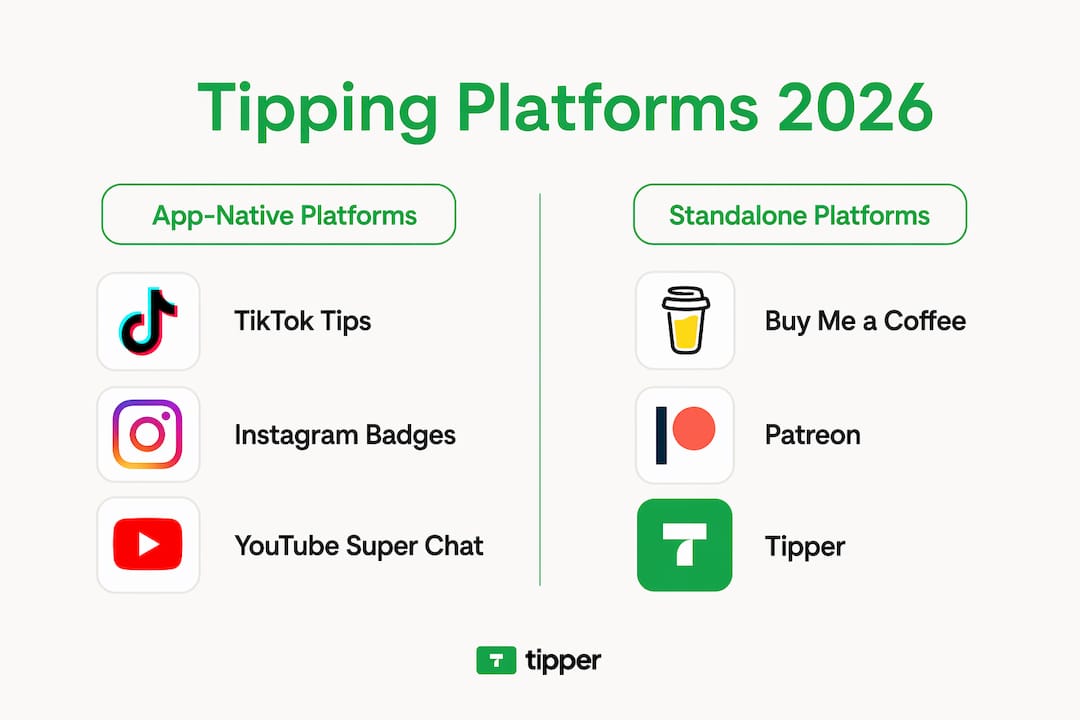
This is the most popular category for new creators. Platforms in this group give you a pre-built page with your name, a short bio, and a tip button. You share the link. Supporters click, choose an amount, and pay. No coding required.

The trade-off is cost. Buy Me a Coffee charges roughly 5% of each tip as a platform fee, on top of standard card processing fees of 2.9% plus $0.30. On a $5 tip, you could lose close to $0.60 before the money reaches your account. That adds up fast if you receive frequent small tips.

“The convenience of a ready-made tip page is real, but creators often underestimate how platform fees compound over time. A 5% cut sounds small until you calculate it across a year of consistent tipping.”

What these tools do well:

  • Zero technical setup. You are live in minutes.
  • Built-in social proof features like supporter counts and messages.
  • Mobile-friendly by default.
  • Often include membership or subscription options for future monetization.

Best for creators who want a polished, ready-made solution and are comfortable absorbing platform fees in exchange for convenience.

3. Creator platforms with built-in tipping features

Some creator platforms go beyond a simple tip page. Tools like ConvertKit (now Kit) integrate tipping directly into your email and audience management workflow. The idea is that your tip jar becomes part of a larger monetization stack rather than a standalone link you paste everywhere.

The benefits here are real. When tipping is connected to your email list, you can thank supporters automatically, segment them as high-value subscribers, or trigger follow-up sequences. That kind of personalization turns a one-time tip into a long-term relationship.

The downside is platform dependency. If you already pay for a creator platform, adding tipping may feel natural. If you do not, signing up just for tipping is overkill. Fee structures vary, but most creator platforms with tipping take a cut similar to dedicated tip page tools, sometimes layered on top of your existing subscription cost.

Key considerations for this category:

  • Best for creators with established email lists of 500 or more subscribers.
  • Tipping works best when embedded in content delivery, like at the end of a newsletter.
  • Platform lock-in is a real risk. Migrating your audience later is painful.
  • Confirm whether the platform’s tipping feature is included in your plan or costs extra.

This is the lean, low-cost approach. Tools like Stripe Payment Links let you create a payment page in minutes with no platform fee. You pay only the standard processing rate of 2.9% plus $0.30 per transaction. That is it. No percentage skimmed by a middleman platform.

Musician setting up digital tip jar payment

The catch is that you own the entire user experience, which means you also have to build it. Stripe does not suggest tip amounts for you. It does not display your photo or a warm thank-you message by default. You need to set up the messaging, decide on suggested amounts, and distribute the link yourself across your channels.

Pro Tip: When using a payment link as a tip jar, create three separate links at different price points ($3, $7, $15) and label them clearly. Giving supporters a choice of amounts increases average tip size compared to open-ended “pay what you want” fields.

Who this works for:

  • Creators who are comfortable with basic web tools and want to maximize earnings.
  • Freelancers with a small but highly engaged audience who will follow a link without much hand-holding.
  • Anyone already using Stripe for invoicing or product sales who wants a unified payment setup.

The tradeoff between convenience and cost is sharpest here. You save money, but you spend time.

5. QR-code based digital tip jars

QR-based tipping has moved well beyond restaurant tables. For creators who meet their audience in person, at events, at workshops, or at live performances, a QR code tip jar is one of the most frictionless options available.

Here is how it works. You display a QR code on screen, on a printed card, or on a banner. Your supporter scans it with their phone camera. They land on a payment page. They tip. No app download required. Payouts can arrive within minutes depending on the platform.

The setup is more flexible than most creators realize. URL QR codes can link to virtually any payment platform, including PayPal, Venmo, Cash App, or Stripe, and take about two minutes to generate. Dedicated platforms like eTip go further, offering branded QR flows, digital receipts via SMS, and feedback collection alongside the tip.

Feature Basic URL QR code Dedicated platform (e.g., eTip)
Setup time Under 5 minutes 15 to 30 minutes
Branding Minimal Fully branded flows
Payout speed Depends on linked platform Instant to debit/bank/PayPal
Reporting None IRS-compliant automated reports
Feedback collection No Yes

Dedicated tipping platforms like eTip also automate tip pooling and IRS-compliant reporting, which matters if you work with a team or pay collaborators from your tips. One underappreciated detail: a static QR code with no instructions dramatically reduces scan rates. Branded collateral with a short call to action (“Scan to say thanks”) consistently outperforms bare codes.

6. Crypto-based digital tip jars

Crypto tip jars occupy a specific niche. They are not for every creator, but for those with a crypto-savvy audience, they offer real advantages. No platform middleman. No KYC requirements. Low provider fees.

Setting up a crypto tip jar on WordPress or Shopify takes under 30 minutes. Platforms like Aurpay support 10 or more blockchain networks with on-chain settlements and a provider fee of around 0.8%. That is significantly cheaper than the layered fees on most traditional tip platforms.

The biggest variable is network gas fees. On Ethereum, a $3 tip could cost more in gas than the tip itself. On low-fee networks like Polygon or Solana, micro-tips become viable. Effective crypto tip-jar copy should always guide supporters toward the lowest-cost chain option.

Factor Crypto tip jar Traditional tip jar
Platform fee ~0.8% (Aurpay) 0% to 5%
Network/gas fee Variable (can be high) None
Setup complexity Moderate Low
Audience requirement Crypto wallet needed Credit card or Apple Pay
Privacy High Low to moderate

Crypto tip jars work best for creators in the Web3 space, tech podcasters, or developers with audiences who already hold crypto. For a general lifestyle or cooking creator, the audience barrier is too high.

7. Side-by-side comparison of all tip jar types

Use this table to cut through the noise and compare your options at a glance.

Tool type Setup ease Typical fees Payout speed Best for
Embedded tip pages Very easy 5% + processing 1 to 3 days New creators wanting turnkey setup
Creator platforms Easy (if already using) Varies + subscription 1 to 3 days Email-list-driven creators
Payment links Moderate Processing only 2 to 7 days Fee-conscious, self-managed creators
QR-based tools Easy to moderate Varies Minutes to hours Live event and in-person creators
Crypto wallets Moderate ~0.8% + gas Near-instant Web3 and crypto-audience creators

Key strengths and tradeoffs at a glance:

  • Embedded tip pages win on simplicity but lose on fees.
  • Creator platforms win on integration but create dependency.
  • Payment links win on cost but require the most self-management.
  • QR tools win on in-person friction reduction.
  • Crypto tools win on privacy and low provider fees but require audience buy-in.

8. How to choose the right digital tip jar for your situation

The best online tip jars are not the ones with the most features. They are the ones your audience will actually use without thinking twice.

Start with your audience. If they are non-technical, any tool that requires wallet setup or app downloads will kill your conversion rate before it starts. If they are highly engaged and tech-forward, a crypto or DIY payment link might actually excite them.

Then consider your context:

  • New creator with under 500 followers: Start with an embedded tip page. The setup is fast, the link is shareable, and you can always switch later.
  • Established creator with an email list: Look at creator platforms with tipping built in. The integration value outweighs the fee difference.
  • Live performer or event speaker: A QR-based tool is your strongest option. Scan-to-tip flows during or after a performance convert at much higher rates than links shared later.
  • Freelancer or developer: A payment link through Stripe gives you full control and the lowest fees, assuming you are willing to handle the setup and promotion.

Pro Tip: Test two tip jar placements for 30 days each: one in your content itself (end of a video, bottom of a newsletter) and one in your bio link. Most creators are surprised to find that in-content placement outperforms bio links by a wide margin.

Revisit your choice every six months. Your audience grows, your platforms shift, and better tools launch regularly. Locking yourself into one solution forever is the only real mistake you can make.

My honest take on picking a digital tip jar

I’ve worked with enough creators to know that the most common mistake is choosing a tip jar based on features rather than audience fit. Someone picks a platform because it has a beautiful page builder, then wonders why tips barely trickle in. The tool looked great. The audience just never bothered to click.

What I’ve learned is that friction is the enemy. Every extra step between “I want to tip this person” and “I just tipped them” costs you real money. A supporter who has to create an account, verify an email, or download an app will close the tab 70% of the time. The best digital tipping platforms are the ones that feel invisible to the person paying.

I’ve also seen creators leave significant earnings on the table by obsessing over platform fees while ignoring payout speed. A tool that holds your money for seven days is a cash flow problem if you rely on tips as part of your monthly income. Speed matters as much as the percentage.

My honest recommendation: start simpler than you think you need to. A clean, no-account-required tip link that accepts Apple Pay or Google Pay will outperform a feature-heavy platform almost every time. Add complexity only when a specific gap in your current setup demands it.

— Steve

Try Tipper: keep 100% of every tip you earn

If you want the simplest path to getting tipped without giving up a percentage of your earnings, Tipper is worth a serious look. Unlike most digital tipping platforms that take a 5% cut, Tipper lets you keep every dollar your supporters send. There is no account required for the person tipping. They visit your personalized link, pay with Apple Pay or Google Pay, and you get paid. That is it.

https://tipper.app

Tipper also lets you send thank-you notes or short videos back to supporters, which turns a one-time tip into a genuine moment of connection. Setup takes minutes. Your link works everywhere: in your bio, at the end of a video, or embedded in a newsletter. For creators who want effortless monetization without the fee math, Tipper removes every barrier that typically stands between your audience’s appreciation and your bank account.

FAQ

What are the main types of digital tip jar tools?

The five main types are embedded tip pages, creator platforms with tipping built in, general payment links repurposed as tip jars, QR-code based tools, and crypto wallet tip jars. Each type has different fee structures, setup requirements, and audience experience trade-offs.

Which digital tip jar has the lowest fees?

Crypto-based tip jars have the lowest provider fees at around 0.8%, but network gas fees can make small tips expensive on certain blockchains. Stripe payment links charge only standard processing fees of 2.9% plus $0.30 with no platform cut, making them the lowest-cost option for traditional payments.

Do supporters need an account to use tip jar apps?

It depends on the platform. Some tools require supporters to create an account before tipping, which significantly reduces conversion rates. Platforms like Tipper allow anyone to tip using Apple Pay or Google Pay without creating an account, removing the biggest friction point in the tipping process.

How do QR code tip jars work for live events?

You display a QR code at your event or on screen. Supporters scan it with their phone camera and land on a payment page. No app download is needed. Dedicated platforms can process payouts within minutes and include branded flows, SMS receipts, and automated reporting for team tip management.

What is the best digital tip jar for a new creator?

New creators are best served by an embedded tip page tool because setup takes minutes, the link is easy to share across social platforms, and no technical knowledge is required. As your audience grows and your monetization needs become clearer, you can evaluate whether a lower-fee or more integrated option makes sense.

Article generated by BabyLoveGrowth

Types of Digital Tip Jar Tools for Creators in 20262026-06-22T11:17:03+00:00

Peer-to-Peer Tipping Explained: How It Works in 2026

Peer-to-peer tipping is defined as a direct digital transfer of money from a supporter to a creator, with no bank, payment processor, or platform taking a cut in between. Known in the payments industry as P2P payments, this model has evolved from simple app-based transfers into a creator economy tool powered by blockchain networks, Lightning wallets, and platforms like Tipper. Standard P2P transfers are often free, while instant or card-funded tips carry fees of 1%–3.5%. That fee gap is exactly why creators are paying attention.

What is peer-to-peer tipping explained in simple terms?

Peer-to-peer tipping is the process of sending a digital tip directly to another person without routing it through a traditional financial intermediary. Think of it like handing someone cash, except the transaction happens in seconds across the internet. The sender uses a digital wallet or a platform link, enters an amount, and the creator receives the full value almost immediately.

The term “P2P payment” covers a broad category. Apps like Venmo and Cash App popularized the concept for splitting bills. The peer-to-peer tipping concept takes that same logic and applies it specifically to rewarding creators, freelancers, musicians, podcasters, and anyone producing content worth supporting. Platforms like Tipper make this even simpler by letting supporters send tips through a personalized link, with no account required on the sender’s side.

What separates tipping from a standard P2P payment is intent. A tip is voluntary, value-driven, and tied to appreciation rather than obligation. That distinction matters for how creators frame their monetization strategy.

Senior man using tablet for digital tipping

How does peer-to-peer tipping work?

The mechanics behind P2P tipping follow a clear sequence, though the tools involved vary depending on whether you are using a blockchain-based system or a traditional app.

  1. The creator sets up a receiving method. This could be a Lightning Address (formatted like an email address), a wallet QR code, or a platform-generated link through a service like Tipper. Publishing a Lightning Address on a public profile is critical. Skipping this step causes bounced or errored tips.
  2. The supporter opens the tipping interface. On blockchain-based platforms like Nostr, this is a built-in “zap” button. On Tipper, it is a shareable link that opens a payment screen supporting Apple Pay or Google Pay.
  3. The transaction is initiated. The supporter selects or enters an amount. Preset tip amounts like 21, 100, 500, or 1,000 sats are common in Bitcoin-based systems. Setup for a creator typically takes 2–10 minutes.
  4. The payment clears. On the Lightning Network, this happens in seconds. On traditional P2P apps, bank-funded transfers take 1–3 business days, while instant transfers cost more.
  5. The creator is notified. Non-custodial tipping tools act as ledger observers on blockchain, monitoring incoming transactions and triggering instant notifications without ever holding private keys.

Non-custodial wallets and why they matter

Non-custodial wallets give creators full control over their funds. No third party holds the money on their behalf. This architecture also eliminates chargebacks, which are a persistent problem for creators using traditional payment processors. A tip sent is a tip received, with no reversal risk.

Pro Tip: If you are setting up a Lightning Address for the first time, use a wallet like Wallet of Satoshi or Alby. Both generate a Lightning Address automatically and take under five minutes to configure.

Infographic showing step-by-step peer-to-peer tipping process

What are the benefits of peer-to-peer tipping over traditional methods?

The advantages of P2P tipping over traditional tipping systems are significant, especially for creators working at scale.

  • Speed. Blockchain-based tips settle in seconds. Traditional bank transfers take 1–3 days. For a creator running a live stream, instant confirmation changes the experience entirely.
  • Fee elimination. Feeless blockchain architectures mean the full tip amount reaches the creator. Traditional platforms often take 15%–30% of every transaction, making small tips economically pointless.
  • No platform gatekeeping. Creators receive money directly. No platform can freeze, delay, or redirect funds. Decentralized payment rails give creators financial sovereignty that centralized platforms cannot offer.
  • Micropayment viability. Sending $0.05 through a credit card processor is not economically viable once fees are applied. P2P tipping on the Lightning Network makes sub-cent tips real and meaningful.
  • Better engagement signals. A tip, even a tiny one, represents a real resource commitment. That makes it a stronger signal of content quality than a free like or view.

“P2P tipping forces value exchange, where even tiny tips are votes with real resources, offering better content quality signals than free likes.” — Bitcoin Zaps Guide

The peer-to-peer tipping advantages extend beyond economics. Creators report that tipping audiences are more engaged, more loyal, and more likely to share content. When someone has put real money behind their appreciation, they have skin in the game.

What are the common pitfalls in peer-to-peer tipping?

P2P tipping is not without friction. Knowing the common failure points saves time and prevents lost tips.

  • Setup errors. The most frequent problem is a missing or incorrectly formatted Lightning Address. Bounced tips from setup errors are common among beginners. The address must be publicly visible on the creator’s profile.
  • Fee surprises. Instant transfers cost 1%–1.75%, and credit card-funded tips run 2%–3.5%. Creators and supporters who expect zero fees on every transaction will be caught off guard.
  • Transaction limits. Many P2P apps cap daily or weekly transfer amounts. This matters for creators with high-volume audiences.
  • Irreversibility. P2P payments are difficult to reverse, and consumer protections are weaker than with traditional bank disputes. Sending a tip to the wrong address is typically a permanent loss.
  • Scam risk. Bad actors create fake creator profiles to collect tips. Only tip creators you can independently verify through their official channels.

Pro Tip: Before sending any tip, confirm the creator’s wallet address or tipping link matches what appears on their verified social profile. One extra check prevents irreversible mistakes.

The good news is that platforms designed specifically for tipping, like Tipper, reduce most of these risks by handling the technical layer for you. The creator shares a link, the supporter pays, and the funds transfer without either party needing to manage wallet configuration manually.

How are P2P tipping models transforming content monetization?

The shift from attention-based monetization to value-based monetization is the most significant structural change in the creator economy right now. P2P tipping is the mechanism making that shift possible.

The Value-for-Value model

The Value-for-Value (V4V) model replaces passive metrics like views and likes with active financial signals. V4V transforms engagement by treating every tip as a vote cast with real resources. A creator who receives 500 small tips learns far more about audience sentiment than one who collects 50,000 passive views.

Podcasters using apps like Fountain and Breez have adopted V4V as their primary monetization model. Listeners stream tiny Bitcoin payments per minute of audio consumed. The creator earns continuously, and the listener pays only for what they actually value.

Bitcoin zaps and social media integration

Bitcoin “zaps” are the most visible example of P2P tipping at scale. On Nostr, a decentralized social protocol, users send zaps directly from their social feed using a built-in wallet connection. The tip appears publicly on the post, creating a social proof layer that traditional likes cannot replicate.

Discord and Telegram bots now support non-custodial tipping inside community servers. A community member can tip a moderator or creator mid-conversation without leaving the platform. This integration turns every interaction into a potential monetization moment.

Traditional tipping vs. P2P tipping: a comparison

Feature Traditional tipping P2P tipping
Settlement speed 1–3 business days Seconds
Platform fee 15%–30% 0%–3.5%
Minimum viable tip $1+ (fees make less uneconomical) Sub-cent possible
Chargeback risk High Low to none (non-custodial)
Creator control Platform-dependent Full ownership
Audience signal quality Low (passive action) High (real resource commitment)

The table makes the economics clear. For creators earning from small, frequent tips, the difference between 0% and 30% in fees is the difference between a viable income and a symbolic gesture.

Setting up P2P tipping for content creators

Getting started with P2P tipping does not require deep technical knowledge. Here is the practical sequence:

  1. Choose a tipping platform. Tipper requires no wallet setup from the supporter’s side, which removes the biggest adoption barrier.
  2. Generate your tipping link or Lightning Address.
  3. Set preset tip amounts that match your audience’s typical spend.
  4. Share the link in your bio, video descriptions, and community posts.
  5. Respond to tips with personalized notes or short video messages to reinforce the connection.

The no-signup tipping model that Tipper uses is particularly effective for creators whose audiences are not crypto-native. Supporters pay with Apple Pay or Google Pay, and the creator receives the full amount.

Why P2P tipping is bigger than it looks

I have spent years watching monetization models come and go. Most of them shift value from creators to platforms. P2P tipping is the first model I have seen that genuinely reverses that dynamic.

The fee elimination argument is obvious once you run the numbers. A creator earning $10,000 per year through a platform taking 30% loses $3,000 to fees. The same earnings through a zero-fee P2P system stay whole. That is not a marginal improvement. That is a structural one.

What surprises me more is the engagement quality shift. Creators I have spoken with consistently report that tipping audiences behave differently. They comment more, share more, and return more often. When someone has put real money behind their support, they are invested in the creator’s success. That relationship is qualitatively different from a passive follower.

The “unstoppable money” concept matters too, though it gets less attention. A creator whose income flows through a centralized platform is always one policy change away from losing access. A creator whose income flows through non-custodial P2P channels owns that income stream completely. For creators in countries with unstable banking systems or restrictive platform policies, this is not theoretical. It is the difference between getting paid and not.

My advice for beginners: start simple. Use a platform like Tipper before you touch a Lightning wallet. Understand the user experience from both sides. Then, once you see the mechanics working, layer in more advanced tools like Lightning Addresses and V4V integrations.

— Steve

Start collecting tips with Tipper today

If you are a creator ready to put P2P tipping to work, Tipper is the fastest path from zero to earning. You get a personalized tipping link in minutes, supporters pay with Apple Pay or Google Pay without creating an account, and you keep 100% of every tip.

https://tipper.app

Tipper handles the technical layer so you can focus on your content. Whether you are a freelancer, podcaster, or social media creator, the platform gives you a direct line between your work and your audience’s appreciation. For creators exploring no-fee tipping systems or looking to understand instant tip payments in more depth, Tipper’s resources cover the full picture. Set up your tipping link and start earning today.

Key takeaways

Peer-to-peer tipping works because it removes intermediaries, eliminates fee drag, and gives creators full ownership of their income stream.

Point Details
Direct value transfer P2P tipping sends money from supporter to creator with no platform taking a cut.
Fee structure matters Instant and card-funded tips cost 1%–3.5%; bank-funded transfers are typically free but slower.
Setup accuracy is critical A missing or incorrect Lightning Address causes bounced tips and lost earnings.
V4V signals beat passive metrics Tips are real resource votes, giving creators stronger audience feedback than likes or views.
Non-custodial wallets protect creators Ledger observer tools prevent chargebacks and keep private keys secure.

FAQ

What is peer-to-peer tipping in simple terms?

Peer-to-peer tipping is a direct digital payment from a supporter to a creator, with no bank or platform intermediary involved. The creator receives the full amount, often within seconds.

How does peer-to-peer tipping work without an account?

Platforms like Tipper generate a shareable link that lets supporters pay using Apple Pay or Google Pay without registering. The creator receives the tip directly to their connected payment method.

Is peer-to-peer tipping safe?

P2P tipping is safe when you tip verified creators through official links. Transfers are difficult to reverse, so confirming the recipient’s identity before sending is the most important precaution.

What fees does peer-to-peer tipping involve?

Standard bank-funded P2P transfers are typically free, while instant transfers cost 1%–1.75% and credit card-funded tips run 2%–3.5%, depending on the platform.

What is the Value-for-Value model in P2P tipping?

Value-for-Value is a monetization model where audiences tip creators directly based on the value they receive, replacing passive metrics like views with real financial signals that reflect genuine audience engagement.

Peer-to-Peer Tipping Explained: How It Works in 20262026-06-22T11:07:21+00:00

Service-Based Tipping Explained for Businesses and Individuals

Tipping confuses almost everyone at some point. Is it required? Is it a fee? Does the worker actually keep it? With what is service-based tipping explained so differently across industries, platforms, and countries, the confusion is understandable. But the stakes are real. Misclassifying a mandatory service charge as a tip can trigger IRS penalties. Misunderstanding tipping etiquette can shortchange the people who served you well. Whether you run a restaurant, work as a freelancer, or just want to tip correctly, this guide cuts through the noise and gives you the full picture.

Table of Contents

Key takeaways

Point Details
Tips are voluntary A genuine tip is always the customer’s choice, never a mandated fee or automatic charge.
IRS rules hinge on discretion POS systems must offer a zero tip option for tips to qualify under federal tax rules.
Tip pooling has strict limits Managers and supervisors cannot legally participate in tip pools under federal law.
Tipping norms vary by context Full-service restaurants expect 18 to 20 percent; counter service tipping is optional.
Technology changes the game Digital tipping tools help businesses stay compliant and help workers capture more earnings.

What service-based tipping really means

The service tipping definition that most people carry around is incomplete. Tipping is a voluntary, discretionary payment a customer makes to a service worker on top of the stated price, based on perceived service quality. That last part matters. Tips are voluntary payments distinguished from mandatory service charges, and that distinction has legal, tax, and social consequences.

Tipping exists partly to solve a classic economic problem. When you hire someone to serve you, you cannot fully monitor their effort. A tip creates a direct financial incentive for the worker to perform well, because their compensation is tied to your satisfaction. That is the economic logic. The social reality is messier.

Research from 2026 shows that tipping behavior splits into two core groups: “appreciators” who tip based on genuine satisfaction, and “conformists” who tip primarily because social norms make not tipping feel awkward. Both groups tip, but for different reasons. Understanding this distinction matters if you are a business owner trying to build a culture where great service actually drives earnings.

Here is what separates a tip from other forms of payment:

  • Voluntary: The customer decides the amount and whether to pay at all.
  • Performance-linked: The amount typically reflects perceived service quality.
  • Non-negotiated: It is not part of the original price agreement.
  • Directly benefiting the worker: Tips are meant for the person providing the service, not the business’s general revenue.

Pro Tip: If a charge appears automatically on your bill and you cannot reduce it to zero, it is almost certainly a mandatory service charge, not a tip, regardless of what the menu calls it.

This is where understanding service tipping gets serious for businesses. The IRS draws a hard line between voluntary tips and mandatory service charges, and the consequences of getting it wrong are significant.

The IRS defines qualified tips as voluntary payments fully controlled by the customer, with the explicit right to reduce the amount to zero. Four criteria must all be met: the payment must be voluntary, the amount must be set by the customer, the payment cannot be the result of compulsion, and the customer must retain the right to pay nothing.

Automatic gratuities added to large party checks fail this test. So do mandatory service charges on hotel bills or delivery platforms. The Federal Register notes that automatic gratuities are generally not qualified tips because the customer has no real choice.

Here is why this matters operationally:

  1. POS system design: POS devices must offer a no-tip or zero option for tips to qualify under IRS rules. A slider that starts at 18 percent and only goes up does not meet the standard.
  2. Wage reporting: Tips must be reported on W-2 forms. Mandatory service charges are treated as regular wages, not tips, and are subject to different withholding rules.
  3. Tax deduction eligibility: Businesses can claim a tax deduction on employer payroll taxes paid on qualified tips. Misclassifying mandatory charges as tips to claim this deduction triggers IRS anti-abuse rules.
  4. Employee communication: Workers need to understand the difference too, because it affects how they report income and what protections apply to their earnings.

“Explaining service-based tipping requires separating voluntary tips, mandatory gratuities, and tip-credit mechanics to reduce confusion and promote compliance.” — Fisher Phillips

The practical takeaway: if your business adds any charge that customers cannot remove, call it a service charge. Do not call it a gratuity or tip. The label has legal weight.

Tip pooling and tip credits for businesses

Tip pooling and tip credits are two of the most misunderstood concepts in the service tipping space, and getting either one wrong can expose a business to serious liability.

Restaurant staff discussing tip pooling paperwork

A tip credit allows employers to pay tipped employees below the federal minimum wage of $7.25 per hour, as long as tips bring total compensation up to that level. The federal tip credit is $5.12 per hour, meaning an employer can pay as little as $2.13 per hour in direct wages. State rules vary widely, and some states do not allow tip credits at all.

Feature Traditional tip pool Nontraditional tip pool
Who participates Front-of-house tipped staff Can include back-of-house workers
Manager/supervisor inclusion Never allowed Never allowed
Tip credit use Employer may use tip credit Employer cannot use tip credit
Common in Restaurants, hotels Modern hospitality concepts

The rule that supervisors and managers cannot share tips is federal law, not a suggestion. A shift lead who exercises meaningful authority over scheduling or discipline is a supervisor for this purpose, even if their official title is “senior server.”

Tip pooling policies require regular audits to stay compliant, especially when staff roles change. A busser promoted to a lead role mid-season may suddenly become ineligible for the tip pool. Without an audit process, that slip goes unnoticed until a DOL investigation surfaces it.

Pro Tip: Document every role classification decision in writing and review tip pool eligibility whenever someone’s job responsibilities change, not just when their title changes.

Customary tipping behavior across service industries

Knowing the service gratuity explained above is one thing. Knowing what to actually tip in practice is another. Tipping norms vary significantly by industry, and the gap between what customers think is expected and what workers actually depend on can be wide.

Step-by-step infographic on tipping process

Full-service restaurant tips in the US average 18 to 19 percent, with 20 to 25 percent considered the standard for excellent service in 2026. Counter service and takeout tipping is genuinely optional, though digital tip prompts have normalized it in many settings.

Here is a practical breakdown of tipping expectations by service type:

  • Full-service restaurants: 18 to 20 percent is the baseline; 25 percent for exceptional service.
  • Bars: $1 to $2 per drink, or 20 percent of the total tab.
  • Hotel housekeeping: $2 to $5 per night, left daily rather than at checkout.
  • Rideshare and delivery: 15 to 20 percent is standard; workers often depend on it.
  • Personal services (hair, nails, massage): 20 percent is the norm; these workers often rent their station and have no base salary.
  • Counter service and coffee: Optional, but $1 on a complex order is appreciated.

One common misconception worth addressing: tipping on the pre-tax total versus the post-tax total. Most etiquette guidance and industry practice in the US treats the pre-tax subtotal as the base. The difference on a $60 meal is about $1.50 at 20 percent, but the principle matters.

Social pressure shapes tipping more than most people admit. Research confirms that many customers tip not because they feel the service warranted it, but because the social cost of not tipping feels too high. Businesses that understand this can design better tipping experiences rather than simply adding a tip prompt and hoping for the best.

Practical steps for businesses and individuals

Translating the theory of how service tipping works into daily practice requires a few deliberate choices, whether you are running a business or just trying to tip well.

For businesses, the priority is building a tipping system that is both legally sound and customer-friendly:

  1. Audit your POS setup. Confirm that your system offers a genuine zero tip option. This is not just good practice. It is a requirement for qualified tip status under IRS rules.
  2. Separate service charges from tips in all customer-facing materials. Menus, receipts, and digital checkouts should make the distinction clear.
  3. Train staff on the difference. Employees who understand the legal distinction between tips and service charges can communicate it to customers and report income correctly.
  4. Review tip pool eligibility quarterly. Ongoing audits protect you from inadvertently including ineligible employees after role changes.
  5. Use technology that tracks and reports tips automatically. Manual tip tracking creates errors and audit risk.

For individuals, the service-based tipping guide is simpler but still worth being intentional about. Tip on service quality, not just habit. Tip in cash when you can, since it reaches the worker directly and immediately. And do not assume a service charge on your bill means the worker was compensated fairly. Many mandatory service charges go to the business, not the staff.

Pro Tip: When dining in a group, calculate your tip individually before splitting the check. Group dynamics tend to drive tips down, and the server’s service quality does not change because your party was large.

My take on where tipping culture is heading

I have spent years watching tipping evolve from a simple social custom into a compliance minefield, and my honest view is that most businesses are still behind the curve.

The legal changes of the past few years, particularly the IRS’s tightened rules on qualified tips and POS requirements, have shifted tipping from a soft cultural practice into a hard compliance obligation. Businesses that treat it as the former are going to get caught out. The ones that build proper systems now will save themselves significant legal and reputational exposure later.

What I find most interesting is the employee morale dimension. Workers in tip-dependent roles know when a business is structuring its tipping system to benefit the house rather than them. Opaque service charge policies, tip pools that include ineligible supervisors, and POS designs that make zero-tipping feel socially unacceptable all erode trust. The businesses I have seen thrive long-term are the ones that treat tipping transparency as a retention tool, not just a compliance checkbox.

The future of tipping is digital, direct, and increasingly personalized. Platforms that let customers tip specific workers, add a note, or send a video message are changing the relationship between service quality and compensation in ways that traditional cash tipping never could. That is a genuine opportunity for workers and businesses willing to embrace it.

— Steve

How Tipper fits into your tipping strategy

If you are a freelancer, creator, or service professional trying to capture the appreciation your work deserves, the mechanics of service-based tipping matter beyond restaurants and hotels. Tipper is built for exactly this moment.

https://tipper.app

With Tipper’s tipping platform, anyone can send you a tip instantly through a personalized link, using Apple Pay or Google Pay, with no account required. You keep 100 percent of every tip. Supporters can attach a note or video message, making each transaction feel personal rather than transactional. For businesses managing multiple service professionals, Tipper removes the friction that typically prevents customers from tipping at all. No hidden fees, no complicated setup, and no mandatory minimums. Just direct, real-time appreciation that reaches the right person immediately.

FAQ

What is the service tipping definition?

Service-based tipping is a voluntary, discretionary payment a customer makes to a service worker beyond the stated price, based on perceived service quality. It is distinct from mandatory service charges, which the customer cannot reduce or remove.

Is service tipping necessary or legally required?

Tips are never legally required. They are voluntary by definition. Mandatory charges on a bill are service charges, not tips, regardless of what they are called.

How does the IRS distinguish tips from service charges?

The IRS requires that a qualified tip be fully voluntary, set by the customer, free from compulsion, and reducible to zero. Automatic gratuities added to bills do not meet this standard and are treated as wages.

Can managers participate in tip pools?

No. Federal law prohibits managers and supervisors from participating in tip pools. Violations can result in significant DOL penalties and back-pay liability for the business.

What percentage should I tip for good service?

For full-service restaurants, 20 percent is the current standard for good service, with 25 percent appropriate for exceptional experiences. Counter service tipping is optional but appreciated.

Article generated by BabyLoveGrowth

Service-Based Tipping Explained for Businesses and Individuals2026-06-22T10:22:01+00:00

Instant Tip Notification Setup for Creators

You’re mid-stream, a viewer sends a tip, and you have no idea it happened. No sound, no pop-up, no moment to say thank you. That missed connection costs you more than money. It costs you the kind of real-time audience engagement that keeps people coming back. Getting your instant tip notification setup right means every tip lands with impact, on screen and in the moment. This guide walks you through everything: what you need, how to configure it, how to troubleshoot it, and how to verify it actually works before you go live.

Table of Contents

Key takeaways

Point Details
Instant tip notifications matter Missing a tip in real time breaks the creator-audience connection that drives loyalty and repeat support.
OBS Browser Source is the standard Paste your alert widget URL into OBS as a Browser Source to display tip alerts instantly during streams.
Permissions block most failures Device and app notification permissions are the most common reason alerts fail to appear.
Set alert delay to zero Configure your alert box delay to 0 seconds so notifications appear the moment a tip is received.
Test before going live Use your alert service’s test button to confirm visual and audio alerts work before your broadcast starts.

Instant tip notification setup: what you need first

Before you touch a single setting, you need the right tools in place. Skipping this step is why most creators end up troubleshooting for an hour instead of streaming.

Here is what you need to have ready:

  • Streaming software: OBS Studio is the most widely used option and the one this guide focuses on. It supports Browser Sources, which is how tip alerts get displayed on screen.
  • A tip alert service account: Services like Tipi.ee or StreamElements generate the widget URLs you will paste into OBS. Create a free account on whichever platform connects to your tip payment method.
  • Your tip payment link: You need a way for viewers to actually send tips. Platforms like Tipper let anyone send a tip through a personalized link without creating an account, using Apple Pay or Google Pay.
  • Device notification permissions: If you want alerts on your phone or desktop outside of OBS, your operating system needs to allow the app or browser to send notifications.
  • Optional: Text-to-speech (TTS) setup: TTS reads tip messages aloud during your stream. It adds an audio layer to your visual alerts and keeps you informed even when you are not watching the screen.

Here is a quick reference for what each tool does in the overall system:

Tool Role in the setup
OBS Studio Displays the alert overlay during your stream
Tip alert service (e.g., Tipi.ee) Generates the widget URL and processes alert events
Tip payment platform (e.g., Tipper) Receives tips from viewers and triggers the alert event
Browser Source (OBS feature) Renders the alert widget URL inside OBS
Device OS settings Controls whether system-level notifications reach you

The architecture here is straightforward. OBS itself does not process tips. It only displays what an external alert service pushes to it. The tip event triggers the alert service, which pushes the notification to your Browser Source, which OBS renders on screen. Understanding that flow makes troubleshooting much faster later.

Step-by-step guide to configuring tip alerts in OBS

This is the core of your tip notification configuration. Follow these steps in order and you will have alerts running in under 15 minutes.

  1. Create your alert service account. Go to Tipi.ee or StreamElements and sign up. Connect it to your tip payment platform so the service knows when a tip has been received.

  2. Generate your alert widget URL. Inside your alert service dashboard, navigate to the alerts or overlays section. You will find a unique URL for your account. For Tipi.ee, your widget URL follows the format "https://tipi.ee/en/YOUR_HANDLE/tts-radio`. Copy that URL.

  3. Open OBS and add a Browser Source. In your scene, click the “+” button under Sources. Select “Browser.” Give it a name like “Tip Alerts” and click OK.

  4. Paste the widget URL. In the Browser Source settings, paste your alert widget URL into the URL field. Set the width to 1920 and the height to 1080 to match your stream canvas. Check “Shutdown source when not visible” to keep CPU usage low without losing alert functionality.

  5. Enable refresh on scene activation. In the same Browser Source settings, check “Refresh browser when scene becomes active.” This keeps the alert widget live and ready every time you switch to that scene.

  6. Set your alert delay to zero. Inside your alert service dashboard, find the Alert Box Delay setting. Set it to 0 seconds so notifications fire the instant a tip comes in, with no artificial lag.

  7. Enable TTS if you want audio alerts. In your alert service settings, turn on text-to-speech. Tipi.ee bundles tip alerts and TTS into a single Browser Source URL, so you get both on-screen visuals and spoken messages without adding a second source.

  8. Send a test alert. Most alert services have a “Test Alert” button in the dashboard. Click it and watch your OBS preview to confirm the alert appears and plays correctly.

Pro Tip: Position your Browser Source at the top of your OBS source stack so it renders above your webcam and game capture. If it is buried under other sources, the alert will play but you will never see it.

Troubleshooting when notifications do not show up

Even a clean setup can run into problems. Most issues come down to permissions or a misconfigured setting, not a broken system.

Work through this checklist before assuming something is wrong with your alert service:

  • Check OS-level notification permissions. Go to your system settings and confirm the browser or app running your alert service has permission to send notifications. Checking notification permissions is the first fix for alerts that simply do not appear.
  • Turn off Focus or Do Not Disturb modes. On both Windows and macOS, system-level silencing overrides all app notifications. If Do Not Disturb is on, your alerts will fire silently or not at all.
  • Refresh your OBS Browser Source. Right-click the Browser Source in OBS and select “Refresh.” This forces the widget to reload and re-establish its connection to the alert service.
  • Verify your widget URL is still valid. Alert service URLs can expire or change if you reset your account. Go back to your dashboard, copy the current URL, and re-paste it into OBS.
  • Confirm the alert delay is set to zero. A delay setting above zero seconds will make alerts feel broken because they appear long after the tip was received.
  • Check browser notification permissions. If your alerts run through a browser tab rather than OBS, open your browser settings and confirm the alert service domain has notification permission enabled.

“Reliable instant tip notifications depend heavily on proper device permissions and app configurations, not just the overlay setup.” — Setting Up Instant Alerts and Notification Preferences

If you have checked everything above and alerts still do not appear, log out of your alert service, clear your browser cache, and log back in. A stale session token is a surprisingly common culprit.

How to verify and optimize your setup for real engagement

Getting alerts to show up is step one. Getting them to actually improve your stream is step two.

Start by running a full test before any live broadcast. Most services offer test buttons that simulate a real tip event. Use it. Watch the alert appear in your OBS preview, listen for the TTS voice if you enabled it, and check that the animation completes without cutting off.

Woman testing livestream tip alert setup

Pro Tip: Ask a friend to send a real test tip through your payment link before your first live stream. A real transaction confirms the entire pipeline works end to end, from payment to alert, not just the OBS display layer.

Once alerts are confirmed working, focus on placement and style. Alerts that cover your face or block key game content will annoy viewers. Position them in a corner or along the bottom third of your screen. Keep the animation duration under four seconds so it does not drag.

Infographic showing steps to configure tip alerts

Here is a quick comparison of alert style choices and their trade-offs:

Setting Minimal style Full TTS style
On-screen duration 2-3 seconds 4-8 seconds (voice reads message)
Viewer distraction level Low Medium
Creator awareness Visual only Visual and audio
Best for Fast-paced game streams Talk shows, podcasts, IRL streams
CPU impact Very low Low to moderate

On the performance side, enabling “Shutdown source when not visible” in your Browser Source settings reduces CPU load without breaking alert delivery. The source reactivates when your alert scene is active, so you do not lose anything.

Alternative notification methods beyond OBS

OBS with a Browser Source is the most flexible approach, but it is not the only one. Knowing your options helps you pick the right tool for your setup.

  • Built-in platform alerts: Twitch and YouTube both offer native alert systems that trigger when a viewer sends bits or Super Chats. These are easy to enable but offer limited customization and only work within those platforms.
  • Mobile and desktop apps: Some alert services offer companion apps that push notifications directly to your phone or desktop. This is useful for creators who are not always watching their stream monitor.
  • Chatbot integrations: Bots like Nightbot or Streamlabs Chatbot can be configured to post a chat message when a tip is received. This is not a visual overlay alert, but it gives you a text-based confirmation in real time.
  • Custom webhook pipelines: Advanced creators can build webhook-based systems where a tip event from their payment platform triggers a custom notification to any endpoint they choose. This requires technical setup but offers the most control.

Each approach has a different trade-off between ease and flexibility. Built-in platform alerts are the fastest to enable but the least customizable. Webhook pipelines take the most work but give you complete control over how and where notifications appear. For most creators, the OBS Browser Source method sits in the sweet spot: quick tip alert setup with enough customization to match your brand.

My honest take on tip notifications

I have helped a lot of creators get their alert setups running, and the pattern I keep seeing is the same. People spend hours customizing alert animations and TTS voices before they have confirmed the basic pipeline actually works. The animation does not matter if the alert never fires.

What I have learned is that the technical side of setting up tip alerts is genuinely simple once you understand that OBS is just a display. The real work is in the permissions, the delay settings, and the end-to-end test. I have seen creators go live with a broken setup because they tested the alert widget in their dashboard but never checked if it appeared in OBS. Those are two different things.

The other thing I would push back on is the idea that more features equal a better experience. A clean, fast, two-second alert with a simple sound does more for audience engagement than a 10-second animated sequence with a TTS voice reading a 200-character message. Viewers notice when you acknowledge a tip quickly. They do not care how fancy the animation is.

My advice: get the basics working first, test with a real transaction, and then add polish. The creators who build the strongest tip culture are the ones who respond fast and personally, not the ones with the most elaborate overlays.

— Steve

Make tip collection even easier with Tipper

Once your alerts are configured and tested, the next question is whether your tip collection method is working as hard as your notification setup.

https://tipper.app

Tipper gives creators a personalized tip link that anyone can use without creating an account. Viewers pay with Apple Pay or Google Pay in seconds, and creators keep 100% of what they earn. There are no platform cuts and no friction for the person sending the tip. Tipper also supports thank-you messages through notes or videos, which pairs naturally with your instant alert setup. When a tip comes in, your alert fires, you acknowledge it live, and the tipper gets a personal response. That full loop is what turns one-time supporters into regulars. Start collecting tips today and see how fast the connection between you and your audience grows.

FAQ

What is the easiest way to set up tip alerts in OBS?

Add a Browser Source in OBS and paste the widget URL from your alert service. Services like Tipi.ee provide a single URL that handles both visual alerts and TTS with no additional configuration.

Why are my tip notifications not showing up?

The most common causes are missing device notification permissions, an active Do Not Disturb mode, or a stale Browser Source connection. Check permissions first, then refresh your OBS Browser Source.

How do I make tip alerts appear instantly with no delay?

Set the Alert Box Delay to 0 seconds inside your alert service dashboard. Any value above zero adds artificial lag between the tip event and the on-screen notification.

Do I need to test my setup before going live?

Yes. Use your alert service’s test button to trigger a simulated alert and confirm it appears in OBS. Then send a real tip through your payment link to verify the full pipeline works end to end.

Can I get tip notifications on my phone, not just in OBS?

Yes. Some alert services offer mobile companion apps that push notifications to your phone. You can also configure chatbot integrations that post a message when a tip is received, giving you a text-based alert anywhere you have chat access.

Article generated by BabyLoveGrowth

Instant Tip Notification Setup for Creators2026-06-22T10:22:01+00:00

How Tip Notifications Work for Content Creators

Tip notifications are real-time alerts that instantly inform content creators when a supporter sends financial appreciation, using event-driven technology to deliver that signal within milliseconds of a transaction completing. Understanding how tip notifications work matters because the speed and clarity of that alert directly shapes whether a creator feels connected to their audience or disconnected from the moment. Platforms like StreamElements, Whatnot, and Tipper have each built distinct systems around this core mechanic, and the differences between them reveal a lot about what makes tip alerts genuinely useful versus merely functional.

How tip notifications work: the real-time delivery pipeline

Tip notifications are triggered the moment a backend system confirms a completed tip transaction and broadcasts that event to the creator’s active interface. The process follows a clear sequence: a supporter submits a tip, the payment processor confirms it, and the backend ingests that event before pushing it outward to every connected client.

The most common broadcast method is WebSockets, a protocol that keeps a persistent, two-way connection open between the server and the creator’s browser or app. StreamElements uses a dedicated "channel.tips` WebSocket topic that delivers real-time updates containing fields like amount, currency, transaction status, and transactionId. That level of specificity matters because it lets the UI render a notification that says “$10 from @username” rather than just “you got a tip.”

Developer coding WebSocket real-time tip notifications

Webhooks serve a complementary role. Where WebSockets push data to the creator’s screen instantly, webhooks trigger external reactions such as updating a dashboard, firing a moderation alert, or logging data to an analytics service. The combination of both technologies creates a notification architecture that is fast at the front end and thorough at the back end.

Here is what a standard tip event payload typically contains:

Field Purpose
amount The tip value in the specified currency
currency ISO currency code (e.g., USD, EUR)
tipper_identity Username or display name of the sender
transactionId Unique identifier for deduplication
timestamp Exact time the event was confirmed
status Completed, pending, or failed

Pro Tip: If you are building or evaluating a tip notification system, check whether the platform exposes a transactionId field. Without it, your system cannot reliably deduplicate events, and creators may see the same tip notification appear twice during a network retry.

How app and device states affect notification reliability

A tip notification can be perfectly formed at the server level and still fail to reach the creator if the receiving device is not in the right state. Push notification delivery requires the app to maintain an active background connection. When a user fully closes an app on iOS or Android, that connection drops, and incoming alerts queue or disappear entirely depending on the platform’s behavior.

Battery optimization settings compound this problem. Android’s aggressive battery management will terminate background processes for apps it considers inactive, which cuts the WebSocket connection and blocks incoming tip alerts. iOS has its own background activity restrictions that require apps to explicitly register for background processing privileges.

Infographic illustrating tip notification delivery steps

Timing policies add another layer of complexity. Notion’s notification system illustrates this well: if the app is closed or a notification goes unread for five minutes, the system automatically switches from push to email delivery. The same logic applies to tip notification platforms. A creator who steps away from their stream mid-session may find tip alerts arriving in their inbox rather than on screen, which defeats the purpose of real-time engagement.

The practical consequences for creators break down like this:

  • Keeping the streaming or creator app open in the foreground guarantees the fastest delivery
  • Disabling battery optimization for tip-related apps on Android preserves background connections
  • Granting full notification permissions on iOS prevents the operating system from silently suppressing alerts
  • Checking notification settings after every major OS update catches permission resets that platforms do not always warn about

Pro Tip: On Android, navigate to Settings > Battery > Battery Optimization and set your creator platform app to “Don’t optimize.” This single change prevents the most common cause of missed tip notifications during long streaming sessions.

Simple tip alerts vs. stateful notification frameworks

Not all tip notification systems are built the same way. Basic alert systems render a notification the instant a tip event arrives, with no memory of what has been shown before and no logic for managing what happens when multiple tips arrive simultaneously. This works fine at low volume, but it creates real problems at scale.

Apple’s TipKit framework represents the more sophisticated end of the spectrum. TipKit is a stateful rules engine that tracks how many times a tip has been displayed across app launches, applies frequency caps to prevent repetition, and uses eligibility rules to determine whether a given user should see a given notification at all. It is designed for in-app onboarding tips rather than financial tips specifically, but its architecture is directly applicable to any system managing notification volume and timing.

The contrast between these two approaches is significant:

Feature Basic alert system Stateful framework (e.g., TipKit)
Display logic Show on every event Show based on eligibility rules
Frequency control None Caps per session or per launch
Multi-tip coordination Stack or overwrite TipGroup ordering and sequencing
User fatigue risk High at volume Managed through rule thresholds
Analytics integration Rare Built-in interaction tracking

TipKit’s TipGroup feature is particularly relevant for live streaming scenarios where a creator might receive ten tips in thirty seconds. Without coordination logic, those notifications stack, compete for screen space, and overwhelm both the creator and the audience watching the stream. A TipGroup-style approach sequences them, shows the most relevant one first, and queues the rest for display at appropriate intervals.

The takeaway for creators evaluating platforms is direct: ask whether the notification system has any state memory. A system that treats every tip event identically, regardless of context or volume, will eventually create noise rather than signal.

Customizing tip notifications for better creator and supporter interaction

Managing tip notifications effectively goes beyond just receiving them. The way a notification is displayed, what information it surfaces, and whether it includes a personal message from the supporter all affect how meaningful that moment feels for both parties.

Whatnot gives creators control over whether a tipper’s thank-you message appears alongside the tip notification in the chat feed. This toggle exists because the right answer depends on the creator’s audience and content style. A high-volume live shopping stream may want clean, fast alerts without message clutter. A smaller, community-focused creator benefits from showing the personal note because it signals to the audience that tipping is a social act, not just a transaction.

Tip notification settings worth configuring on most platforms include:

  • Tipper identity display: Show the username prominently to create social proof and encourage others to tip
  • Amount visibility: Make the tip amount visible in the notification to reinforce the value of the gesture
  • Thank-you message toggle: Enable for community-driven streams, disable for high-volume or fast-paced content
  • On-screen alert duration: Set how long the notification stays visible before fading, balancing acknowledgment with content flow
  • Sound and animation triggers: Use audio or visual cues to draw attention without interrupting the creator’s delivery

Immediate value confirmation in the notification itself is the single most effective design choice for encouraging repeat tipping. When a supporter sees their name, their amount, and their message reflected back in real time, the act of tipping feels acknowledged rather than anonymous. That feedback loop is what separates platforms that generate consistent tip revenue from those that see one-time transactions.

Platforms like Tipper extend this further by allowing creators to respond with personalized thank-you notes or short video messages, turning the notification into the start of a conversation rather than the end of one.

Key takeaways

Tip notifications function through a layered system of event ingestion, real-time broadcasting, device state management, and display logic that together determine whether a creator receives a meaningful alert or misses the moment entirely.

Point Details
Real-time delivery mechanism Backend systems broadcast tip events via WebSockets to render instant UI alerts with amount, identity, and status.
Device state matters Keeping the creator app active in the foreground and disabling battery optimization prevents missed notifications.
Stateful systems outperform basic alerts Frameworks like TipKit use frequency caps and TipGroup ordering to prevent notification fatigue at high tip volume.
Customization drives engagement Showing tipper identity and thank-you messages in notifications creates social proof and encourages repeat tipping.
Idempotency prevents duplicates Backend systems must use unique transactionIds to avoid rendering the same tip notification twice during retries.

Why tip notification design is harder than it looks

I have spent enough time watching creators troubleshoot their streaming setups to know that tip notifications are one of those features that look simple until they break. The technical architecture is genuinely elegant when it works: a supporter taps a button, a WebSocket fires, and a name and dollar amount appear on screen within a second. But the failure modes are invisible until they cost someone real money or real audience trust.

The most common mistake I see is treating notification delivery as a solved problem after initial setup. Battery optimization resets after OS updates. WebSocket connections drop during network hiccups. A creator who does not notice that their tip alerts stopped working mid-stream is not just missing notifications. They are missing the acknowledgment moment that makes supporters feel seen.

The second mistake is ignoring volume management. Idempotency patterns and event replay capabilities are not optional features for serious implementations. They are the difference between a creator who sees clean, accurate alerts and one who gets duplicate notifications or, worse, sees nothing at all during a retry storm.

My honest recommendation: treat tip notification settings as a live system that needs regular auditing, not a one-time configuration. Check your permissions after every major platform or OS update. Test your WebSocket connection before going live. And if your platform offers stateful notification controls, use them. The creators who build the strongest supporter relationships are the ones who make every tip feel personal and immediate, and that only happens when the underlying system is reliable.

— Steve

Start receiving tip notifications with Tipper

https://tipper.app

Tipper delivers real-time tip notifications the moment a supporter sends appreciation, with no account required on the supporter’s side and no platform fees cutting into creator earnings. Supporters can tip instantly via Apple Pay or Google Pay through a personalized creator link, and creators receive immediate alerts with tipper identity and optional thank-you messages built in. Whether you are a freelancer, streamer, or independent creator, Tipper’s notification system is built to make every tip feel immediate and personal. Set up your profile, configure your notification preferences, and start turning audience appreciation into real-time revenue.

FAQ

How do tip notifications work in real time?

Tip notifications are delivered when a backend system receives a confirmed tip event and broadcasts it to the creator’s interface via WebSockets, typically within milliseconds. Platforms like StreamElements use dedicated WebSocket topics that carry fields including amount, currency, and tipper identity.

Why are my tip notifications not showing up?

The most common cause is the app being closed or battery optimization settings cutting the background connection. Push alerts require the app to stay active in the background, so keeping the app open and disabling battery optimization for it resolves most delivery failures.

What is the difference between a push notification and a WebSocket tip alert?

A WebSocket alert updates the creator’s on-screen UI in real time while the app is open, while a push notification is delivered by the device’s operating system and can appear even when the app is in the background. Most platforms use both together for maximum reliability.

Can creators customize what appears in a tip notification?

Yes. Platforms like Whatnot let creators toggle tipper identity, tip amount, and thank-you message visibility within the notification. These tip notification settings directly affect how engaging and personal the alert feels to both the creator and the watching audience.

What stops duplicate tip notifications from appearing?

Backend systems use idempotency keys tied to a unique transactionId for each tip event. This prevents the same tip from rendering twice if the network retries the delivery, which is a common failure mode during unstable connections.

How Tip Notifications Work for Content Creators2026-06-22T10:20:04+00:00

Apple Pay Creator Tips: Your Complete 2026 Guide

Apple Pay is defined as a device-based payment system that lets creators accept tips instantly using Face ID or Touch ID authentication, with no manual card entry required. The role of Apple Pay in creator tipping goes far beyond convenience. It removes the single biggest barrier to getting paid: friction. Creators see tip conversion rates drop 30–50% when Apple Pay is unavailable on their tip page. That number alone explains why Apple Pay implementation is now a core part of any serious creator monetization strategy. Platforms like Tipper are built around this reality, letting supporters pay in seconds without creating an account.

How does Apple Pay work for creators receiving tips?

Apple Pay’s web payments run on the Payment Request API in Safari, which connects directly to the iPhone’s Secure Element chip. That chip stores encrypted card data and handles biometric authentication locally on the device. No card number ever touches the creator’s server.

When a supporter taps the Apple Pay button on a tip page, the flow works like this:

  • Safari detects the Payment Request API call and displays the Apple Pay sheet.
  • The supporter authenticates with Face ID or Touch ID.
  • Apple’s servers generate a one-time payment token and pass it to the payment processor.
  • The processor charges the card and confirms the transaction.
  • The creator receives the tip, typically within seconds.

Tokenization replaces card details with a unique transaction code each time. This means even if a payment processor is breached, no real card data is exposed. For creators, this security model also builds audience trust, which directly affects whether a supporter completes a tip or abandons the page.

Safari vs. in-app browsers: a critical difference

Developer typing code illustrating Apple Pay tokenization

Not all browsers support Apple Pay equally. The table below shows where Apple Pay works and where it does not.

Infographic comparing Apple Pay support in browsers

Browser context Apple Pay support Why
Safari on iPhone Full support Native Payment Request API access
Safari on Mac Full support Same API, desktop authentication
Chrome on iPhone Full support Uses Safari’s WebKit engine
Instagram in-app browser No support WKWebView blocks Payment Request API
TikTok in-app browser No support WKWebView blocks Payment Request API

In-app browsers use WKWebView, which does not support the Payment Request API. The Apple Pay button simply does not appear. Supporters fall back to manual card entry, and most do not complete the payment.

What credentials does a creator need?

To activate Apple Pay on a tip page, creators or their developers must complete three steps in the Apple Developer portal:

  • Create an Apple Merchant ID tied to the creator’s domain.
  • Generate and upload an Apple Merchant Identity Certificate to authenticate server-to-Apple communication.
  • Verify domain ownership by hosting the apple-developer-merchantid-domain-association file at the exact path https://yourdomain.com/.well-known/apple-developer-merchantid-domain-association.

An Apple Merchant ID and Merchant Identity Certificate are mandatory before any Apple Pay transaction can process. Skipping either step produces a silent failure: the button may render but payments will not go through.

What are common challenges when integrating Apple Pay for creator tips?

The most common mistake creators make is assuming that adding an Apple Pay button is enough. If the audience arrives via Instagram, TikTok, or any other social platform, the in-app browser blocks Apple Pay entirely. The button disappears, supporters see a generic card form, and most leave without tipping.

The in-app browser problem and how to fix it

The fix is a smart redirect link. Instead of linking directly to the tip page, the creator links to a redirect URL that forces the page to open in Safari. On iPhone, this restores the full Apple Pay experience. Redirecting social traffic to Safari restores native payment UI and brings tip conversion rates back to normal levels.

Here is the correct approach for sharing tip links on social media:

  1. Create a redirect link that opens your tip page in Safari instead of the in-app browser.
  2. Use this redirect link in every Instagram bio, TikTok link-in-bio, and story swipe-up.
  3. Test the link from inside each app to confirm Apple Pay appears.
  4. Update the link whenever you change your tip page URL.
  5. Add a short note in your post copy: “Tap the link to tip with Apple Pay.”

Apple’s digital perks rule

Tips that unlock digital perks require Apple’s StoreKit in-app purchase system, which charges a 30% commission (or 15% for qualifying small businesses). This is not optional. Apple treats any digital unlock tied to a payment as an in-app purchase, regardless of what the creator calls it. A creator who routes digital perk payments through a web Apple Pay flow risks app rejection and account suspension.

The practical rule: if the tip gives the supporter something digital (a PDF, exclusive video, Discord role), use StoreKit. If the tip is a pure expression of gratitude with no digital return, web Apple Pay is permitted.

Tip jar design mistakes that kill conversions

Common tip jar design errors include making tipping feel mandatory, setting preset amounts too high, and skipping a thank-you message. Each of these reduces completion rates. The best tip jars share four traits: they feel optional, use warm language, offer reasonable preset amounts (think $3, $5, $10), and confirm the tip with a genuine thank-you.

Pro Tip: Free UI kits like VP0’s mobile tip jar templates give creators a compliant, warm starting point without building from scratch. They include preset amount buttons, optional note fields, and confirmation screens that match Apple’s Human Interface Guidelines.

How to set up and verify Apple Pay merchant credentials

Setup starts with an Apple Developer Program subscription, which costs $99 per year. Without it, the Apple Developer portal is read-only and merchant features are locked.

The full setup sequence looks like this:

  • Log into the Apple Developer portal and navigate to Certificates, Identifiers & Profiles.
  • Create a new Merchant ID under the Identifiers section.
  • Generate a Merchant Identity Certificate and download it to your server.
  • Download the apple-developer-merchantid-domain-association file from the portal.
  • Upload the file to https://yourdomain.com/.well-known/apple-developer-merchantid-domain-association with public read permissions.
  • Register the domain in the Apple Developer portal and trigger verification.

Domain verification fails with 404 or 403 errors when the file is missing or has incorrect permissions. A 404 means the file is not at the right path. A 403 means the server is blocking public access to the .well-known directory. Both are fixable with a file path check and a server configuration update.

Error type Cause Fix
404 Not Found File not uploaded or wrong path Upload to exact /.well-known/ path
403 Forbidden Server blocks directory access Set file permissions to public read
Verification timeout HTTPS not configured Ensure valid SSL certificate on domain

Pro Tip: During development, use a tunneling tool like ngrok to expose your local server over HTTPS. Apple’s domain verification requires a live, publicly accessible HTTPS URL. A local localhost address will always fail verification.

What tips can creators use to increase tips with Apple Pay?

The highest-impact change any creator can make is fixing the in-app browser problem first. Every other optimization is secondary if Apple Pay does not appear for the majority of your mobile audience.

Beyond the redirect fix, these practices consistently improve tip rates:

  • Place tip links in high-visibility spots. Instagram bio, YouTube description, and email signature all outperform buried links in post captions.
  • Use preset tip amounts. Supporters tip more often when they do not have to decide on an amount. Three presets ($3, $5, $10) cover most audiences.
  • Keep the tip page focused. One call to action, one payment method front and center, and no distracting navigation.
  • Send a thank-you after every tip. Platforms that support video or note responses see higher repeat tip rates. A personal message turns a one-time supporter into a regular one.
  • Track which links convert. Use UTM parameters on your tip links to identify which platform or post drives the most completed tips. Double down on what works.

Pro Tip: Match your tip page branding to your content style. A tip page that looks like your YouTube channel or newsletter builds trust faster than a generic payment form. Supporters are more likely to complete a tip when the experience feels personal.

For creators exploring no-fee tipping systems, the combination of Apple Pay and a zero-commission platform produces the highest net earnings per tip.

Key takeaways

Apple Pay increases creator tip completion rates by removing manual card entry, but only when the payment page loads in Safari rather than an in-app browser.

Point Details
In-app browsers block Apple Pay Use smart redirect links to force tip pages open in Safari for all social traffic.
Merchant credentials are mandatory Create an Apple Merchant ID, certificate, and verify your domain before going live.
Digital perks require StoreKit Tips that unlock digital content must use Apple’s in-app purchase system to avoid rejection.
Tip jar design affects conversion Use optional tone, reasonable presets, and a thank-you message to maximize completed tips.
Domain file placement is critical A 404 or 403 error on the domain-association file silently breaks Apple Pay for all visitors.

What I’ve learned after watching creators lose tips to in-app browsers

Most creators I talk to have no idea their Apple Pay button is invisible to half their audience. They set it up correctly in Safari, test it on their own phone, and assume it works everywhere. It does not. The moment a supporter taps a link inside Instagram or TikTok, they land in a WKWebView browser that strips Apple Pay out entirely.

The redirect link fix is not complicated, but it requires knowing the problem exists. That is the gap. Creators spend hours on tip jar copy and preset amounts while their biggest conversion killer sits unaddressed in their link-in-bio.

Apple’s StoreKit rule trips up a different group. Creators who add small digital bonuses to tips (a wallpaper, a shoutout, a PDF) often do not realize they have crossed into in-app purchase territory. Apple does not warn you at setup. The rejection comes later, and it can take weeks to resolve.

My honest advice: treat Apple’s commerce rules as product requirements from day one. Decide whether your tips are pure gratitude payments or digital transactions, and build accordingly. The technical setup is straightforward once you know which path you are on. The frictionless tipping practices that actually move the needle are almost always about removing obstacles, not adding features.

— Steve

Tipper makes Apple Pay tipping simple for creators

Tipper is built for creators who want to collect tips through Apple Pay without managing merchant certificates, domain verification files, or redirect logic themselves.

https://tipper.app

Supporters can tip through Tipper using Apple Pay or Google Pay with no account required. The platform handles the technical infrastructure so creators focus on their content. Tipper also keeps 100% of earnings with the creator, meaning no platform commission eats into every tip. Smart redirect links are built into every Tipper tip page, so Apple Pay works whether a supporter arrives from Safari or a social media app. Creators who want a fast, low-friction tip setup can be live in minutes.

FAQ

Why does Apple Pay not show on my tip page?

Apple Pay only appears in Safari and supported browsers. If your supporters arrive through Instagram or TikTok, in-app browsers block Apple Pay via WKWebView. Use a smart redirect link to open your tip page in Safari instead.

What is the apple-developer-merchantid-domain-association file?

It is a verification file Apple requires you to host at https://yourdomain.com/.well-known/apple-developer-merchantid-domain-association. Domain verification fails with a 404 or 403 error if the file is missing or the directory is not publicly accessible.

Do I need an Apple Developer account to accept tips via Apple Pay?

Yes. An Apple Developer Program subscription is required to create a Merchant ID and generate the Merchant Identity Certificate needed to process Apple Pay payments on your domain.

Can I offer digital rewards when accepting tips through Apple Pay?

Only if you use Apple’s StoreKit in-app purchase system. Tips that unlock digital perks must route through StoreKit, which charges a 30% commission (or 15% for qualifying small businesses). Pure gratitude tips with no digital return can use web Apple Pay.

How do I increase my tip conversion rate with Apple Pay?

Fix the in-app browser problem first with redirect links, then use three preset tip amounts, keep the page focused on one action, and send a personal thank-you after every tip. These four changes address the most common reasons supporters abandon a tip page before completing payment.

Apple Pay Creator Tips: Your Complete 2026 Guide2026-06-22T10:00:21+00:00

Examples of Contactless Tip Collection for Creators

Contactless tip collection is defined as any cashless, app-free method that lets customers or fans send gratuities instantly using digital tools like QR codes, NFC tags, or biometric passkey wallets. The three leading examples of contactless tip collection are QR code tipping, NFC tap-to-tip, and passkey-authenticated gasless digital wallets. Each method removes a different layer of friction. QR codes eliminate the need for cash. NFC eliminates the need to scan. Passkey wallets eliminate the need for any account at all. For content creators, freelancers, and small business owners, understanding these options is the difference between leaving money on the table and building a reliable, real-time income stream from audience appreciation.

1. QR code tipping: the most accessible contactless method

QR code tipping is the most widely deployed form of digital tip collection because it requires nothing more than a smartphone camera. Contactless, app-free tipping works by placing printed QR codes on signage, receipts, table tents, or name badges, and customers scan to open a tipping page instantly. No app download is required, and payment can route through PayPal, Venmo, Cash App, or Stripe depending on the platform.

The placement strategy matters as much as the technology itself. A QR code buried at the bottom of a receipt performs far worse than one printed on a table tent at eye level or embedded in a creator’s video description. Multiple visible placements with a clear call-to-action consistently increase tip likelihood. Think of it as the digital equivalent of a tip jar placed directly in front of the register rather than beside the napkin dispenser.

Hand holding receipt with visible QR code

Businesses using QR prompts report 10 to 30% higher tip rates compared to cash-only setups. That gap exists because suggested-amount interfaces remove the mental friction of deciding how much to give. The customer sees three preset options, taps one, and the transaction is done in under ten seconds.

The main limitation is that QR codes are location-tied. A freelance photographer working an event cannot hand a QR code to every guest in motion. For fixed-location businesses like cafes, food trucks, or hotel lobbies, QR tipping is the lowest-barrier entry point into contactless tipping methods.

Pro Tip: Print your QR code at a minimum of 2 inches by 2 inches and test it under the actual lighting conditions where it will be displayed. A code that scans perfectly on your desk may fail under dim restaurant lighting.

2. NFC tap-to-tip: the hospitality standard

NFC (Near Field Communication) tipping uses the same tap-to-pay technology built into every modern smartphone, but instead of paying for a product, the customer opens a personal tipping page for a specific employee. NFC tap-to-tip badges are worn on lanyards, wristbands, or keychains and linked directly to an individual, not a location.

The interaction is faster than QR scanning because it requires no camera alignment. A guest taps the badge and the tipping page opens in under two seconds. This speed advantage matters in high-volume hospitality settings like hotel lobbies, spas, or event venues where staff are moving constantly and interactions are brief.

The person-tied nature of NFC is its defining advantage over QR codes:

  • A housekeeper’s NFC badge ensures tips go directly to that individual, not a shared pool
  • A bartender can receive a tip mid-shift without pointing to a fixed sign
  • A valet can collect a tip at the car, not at a stationary kiosk

Security is a genuine strength of NFC tipping. Standards like NTAG 424 DNA with SUN (Secure Unique NFC) deliver banking-grade authentication, meaning each tap generates a unique cryptographic signature that cannot be replicated or spoofed.

“NFC tipping offers a more natural interaction in hospitality because it mimics tap-to-pay and links tips to people rather than locations.” — Hospitality Net

The operational challenge is lifecycle management. When staff change shifts or roles, NFC tags must be reassigned or deactivated to prevent tips from routing to the wrong person. Platforms that automate this reassignment process eliminate what would otherwise be a persistent administrative headache.

3. Passkey-authenticated gasless digital wallets

Passkey-authenticated gasless wallets represent the most technically advanced category of contactless tipping, and they are purpose-built for digital creators and freelancers who operate entirely online. Biometric passkey authentication using Face ID, Touch ID, or Windows Hello replaces the need for crypto wallets, seed phrases, or any account creation by the tipper.

The gasless component is equally important. Traditional blockchain tipping requires the sender to hold cryptocurrency and pay network fees, which creates a steep barrier for casual supporters. Gasless smart-wallet transactions use a paymaster fee abstraction pattern, meaning the platform absorbs or eliminates the transaction fee entirely. The tipper sees no wallet popups, no fee confirmations, and no crypto jargon.

For a YouTube creator or independent podcast host, this translates to a tipping experience that feels identical to tapping Apple Pay. The supporter authenticates with their fingerprint, confirms the amount, and the creator receives the tip in real time.

  • No wallet download required for the tipper
  • No seed phrase management for the creator
  • Instant tip confirmation without blockchain complexity
  • OS-native authentication means the security layer is already trusted by the user

The current limitation is integration complexity. Deploying a passkey wallet tipping system requires developer resources or a platform that has already built the infrastructure. As of 2026, this method is gaining traction among technically sophisticated creator communities but has not yet reached mainstream small business adoption.

Pro Tip: If you are a creator exploring gasless wallet tipping, look for platforms that handle the paymaster infrastructure for you. Building it from scratch requires smart contract knowledge that most creators do not have and should not need.

4. Comparison of contactless tipping methods

Choosing between QR codes, NFC, and passkey wallets depends on your context, audience, and operational setup. The table below synthesizes the key differences.

Feature QR code tipping NFC tap-to-tip Passkey wallet tipping
Interaction speed Moderate (scan required) Fast (instant tap) Fast (biometric confirm)
Hardware needed Printed code only NFC tag or badge None (software only)
App download required No No No
Person-tied tips No (location-tied) Yes Yes
Security level Standard HTTPS Banking-grade NFC OS-level biometric
Best for Fixed-location businesses Mobile hospitality staff Digital creators, freelancers
Setup cost Very low Low to moderate Low (with platform support)

QR codes win on cost and simplicity. NFC wins on interaction speed and personal attribution. Passkey wallets win on frictionless digital experience. A coffee shop owner should default to QR. A hotel concierge team benefits most from NFC. A Twitch streamer or freelance designer gets the most from a passkey-enabled platform like Tipper.

5. How to implement contactless tip collection effectively

Simply placing a QR code is not enough. Effective implementation requires a software platform that handles tip collection, compliance, reporting, and distribution automatically. Manual reconciliation of digital tips is one of the most common operational failures for small businesses adopting contactless tipping methods.

The following placement locations consistently produce the highest tip engagement:

  • Table tents at point-of-service (restaurants, salons, food trucks)
  • Name badges and lanyards for mobile staff
  • Packaging inserts for product-based creators and makers
  • Email signatures and invoice footers for freelancers
  • Video descriptions and end screens for digital content creators

Software selection is the second critical decision. Platforms like Canary Technologies integrate tipping into the full guest journey with staff profiles, real-time reporting, and cashless direct routing to individual employees. For creators, platforms that offer instant payouts and zero-account tipping remove the biggest barrier to audience participation.

Suggested tipping amounts are not optional. Presenting three preset options (for example, $2, $5, and $10) increases average tip size because it anchors the customer’s decision. Leaving the amount as a blank field consistently produces lower totals and higher abandonment rates.

The final implementation rule: brand your tipping collateral. A generic QR code with no context gets ignored. A QR code on a card that reads “Enjoyed the experience? Tap to say thanks” with your logo gets scanned. Context and personality convert browsers into tippers.

Key takeaways

The most effective contactless tip collection combines the right technology with clear placement, preset amounts, and a platform that automates payouts and reporting.

Point Details
QR codes are the entry point Low cost and no hardware make QR the best starting method for fixed-location businesses.
NFC wins in hospitality mobility Person-tied NFC badges route tips to individuals and match the speed of tap-to-pay interactions.
Passkey wallets serve digital creators Biometric, gasless tipping removes every account and fee barrier for online audiences.
Placement drives tip volume Multiple visible locations with clear calls-to-action outperform single-point QR code setups.
Software handles the hard part Platforms with real-time reporting and automated payouts prevent reconciliation failures.

Why friction is the only real enemy of tips

I have spent years watching creators and small business owners set up technically correct tipping systems that still fail. The technology works. The problem is almost always friction, and it almost always comes from the operator’s side, not the customer’s.

The most common mistake I see is treating contactless tipping as a one-time setup task. You print a QR code, tape it to the counter, and assume the work is done. It is not. The QR code fades. The link breaks. The payout platform changes its fee structure. Nobody notices until tip volume quietly drops to zero over three months.

NFC is better in this regard because a broken tag is physically obvious. A faded QR code is invisible until you test it. I recommend testing every QR code in your setup weekly, the same way you would check that your point-of-sale terminal is working.

The passkey wallet category genuinely excites me because it solves the problem I hear most from digital creators: “My audience wants to support me but they won’t download another app.” That objection disappears entirely when tipping requires nothing more than a Face ID confirmation. The account-free tipping model is not a niche feature. It is the future standard.

The creators who will benefit most from contactless tipping in the next two years are not the ones with the largest audiences. They are the ones who remove every possible reason for a supporter to hesitate. One extra tap, one required sign-up, one confusing fee disclosure is enough to lose the tip entirely.

— Steve

How Tipper makes contactless tipping work for you

https://tipper.app

Tipper is built specifically for creators, freelancers, and small business owners who want to collect tips without forcing their audience through account creation or app downloads. With Tipper, you get a personalized tipping link that works with Apple Pay and Google Pay out of the box. Your supporters tip in seconds, and you keep 100% of every dollar. Real-time tracking shows you exactly who tipped and when, and supporters can attach a note or video message to make the moment personal. If you are ready to put the best practices for online tip collection to work, start collecting tips with Tipper today and see the difference a frictionless experience makes.

FAQ

What are the main examples of contactless tip collection?

The three main examples are QR code tipping, NFC tap-to-tip using badges or wristbands, and passkey-authenticated gasless digital wallets. Each method is app-free and cashless, differing primarily in interaction speed and the technology required.

Do customers need to download an app to leave a contactless tip?

No. App-free tipping is a core feature of all three major contactless methods. Guests scan a QR code, tap an NFC badge, or authenticate with Face ID without installing anything.

How much can contactless tipping increase tip rates?

Businesses using QR code prompts report 10 to 30% higher tip rates compared to cash-only setups. The increase comes from frictionless payment and preset suggested amounts that remove decision hesitation.

What is the best contactless tipping method for content creators?

Passkey-authenticated wallets and personalized tipping links are the best fit for digital creators because they work entirely online, require no hardware, and let supporters tip without creating an account. Platforms like Tipper combine this approach with instant payouts and zero platform fees for the creator.

Is NFC tipping secure?

Yes. NFC tipping using standards like NTAG 424 DNA with SUN generates a unique cryptographic signature on every tap, making it banking-grade secure and resistant to spoofing or replay attacks.

Examples of Contactless Tip Collection for Creators2026-06-22T09:50:03+00:00
Go to Top