Creator Tipping Trends in 2026: What the Data Shows

Creator tipping in 2026 is growing fast, but it is also getting more demanding. Fans tip more often through Apple Pay and Google Pay, creators are moving their audiences off social platforms and onto links they control, and supporters expect something personal in return. At the same time, Americans are tired of being asked for tips everywhere. This guide walks through the numbers, the six trends behind them, the tax and disclosure rules that catch creators out, and what to change on your own tip page this quarter.

Tipper
Make Tipping Easier for Your Audience
Tipper lets supporters send instant tips without an account, using Apple Pay or Google Pay, while creators keep 100% of their earnings.

Visit Tipper

TL;DR

  • The creator tipping platform market is estimated at $3.45 billion in 2026, up 18.7% from 2025, and projected to reach $6.77 billion by 2030.
  • The average one-off tip is about $4.85, and 74% of successful tips run through Apple Pay or Google Pay. Making supporters create an account costs you tips.
  • Only 21% of creators actively receive monthly tips, and the median is $38 a month. Tipping works best as one stream among several.
  • Tips are not tax-free. Report them as income, and keep promotional disclosures where viewers actually see them.
  • The creators who win treat a tip as a value exchange: a fast checkout, a real thank-you, and a link they own.

Table of Contents

The market in numbers

Start with the headline. A Research and Markets report puts the global creator tipping platform market at $3.45 billion in 2026, after growing from $2.9 billion in 2025. It names the growing influencer economy, wider use of digital wallets and a cultural shift toward direct patronage as the drivers. A second market report uses the same 2025 base and the same 18.4% compound annual growth rate through 2030, ending at $6.77 billion. Market-size estimates vary between research firms, so treat the exact figures as a direction rather than a measurement. The direction is clear: roughly double in five years.

The per-creator picture is less glamorous. VoxBooster’s digital tipping statistics for 2026, built from Buy Me a Coffee and Ko-fi data as of August 2026, report:

Metric Figure
Average one-off tip $4.85
Year-over-year growth in direct digital tips 31.5%
Creators actively receiving monthly tips 21%
Median monthly earnings for those creators $38
Creators with active tip jar links on those two platforms 2.8 million
Tips paid through Apple Pay or Google Pay 74%
Tippers who use preset buttons 72%

Read that table twice. Volume is surging, yet the typical creator earns a modest side income from tips. The growth comes from many small gestures, not from a few big ones. That shapes every trend below.

Trend 1: Creators are moving monetization off the platform

Social platforms are still where audiences find you. They are less and less where creators want to get paid. MiDiA Research describes creators seeking greater control by moving audiences toward direct tipping links and memberships, so that income does not depend on an algorithm change or a sudden demonetization.
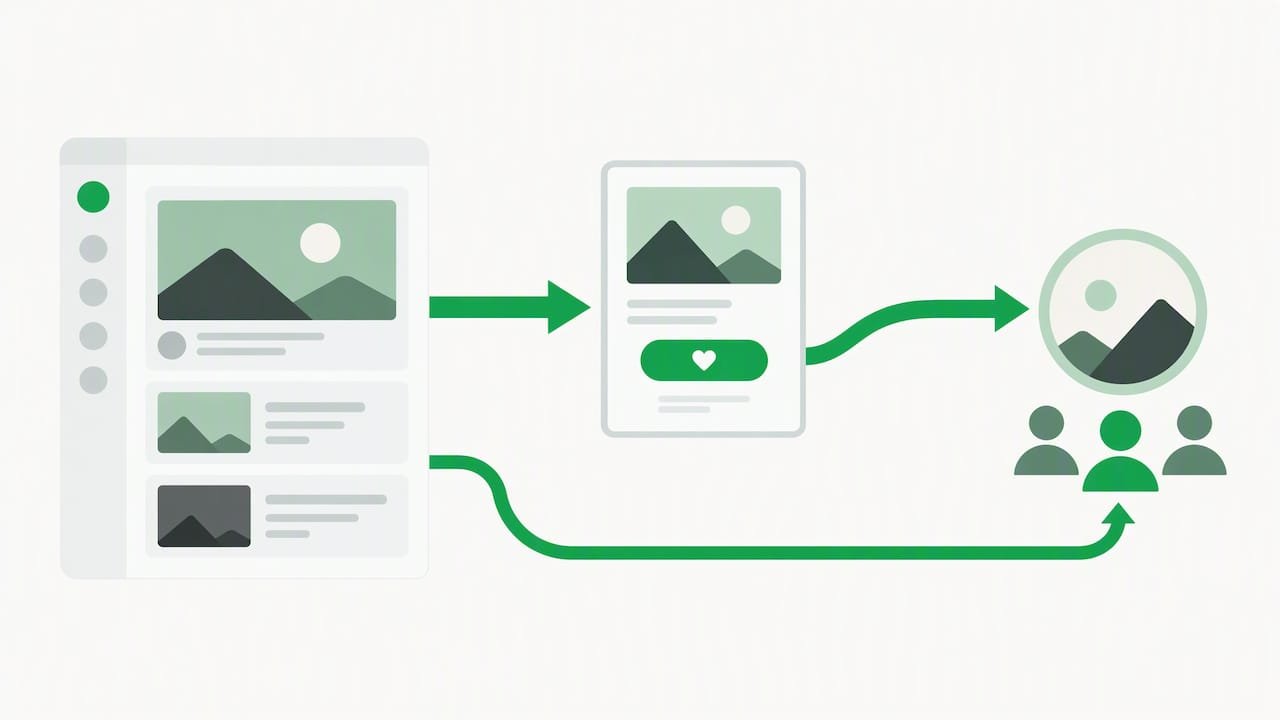
Audience reaches a creator through a direct tip link

The practical version is simple. Your bio link, your stream panels, your video descriptions and your pinned comments all point to a page you control. If a platform changes its payout rules, throttles your reach or removes a feature, the tip link still works and the relationship with your supporters stays with you.

That also means your own site matters. A page that ranks in search brings supporters who never touch a feed. If you publish regularly, automated SEO publishing tools can help you keep a content calendar going while you spend your time on the content itself.

We cover the reasoning in more depth in why creators need tipping links and the mechanics in how tipping links work for creators in 2026.

Trend 2: Checkout friction is the new competitive edge

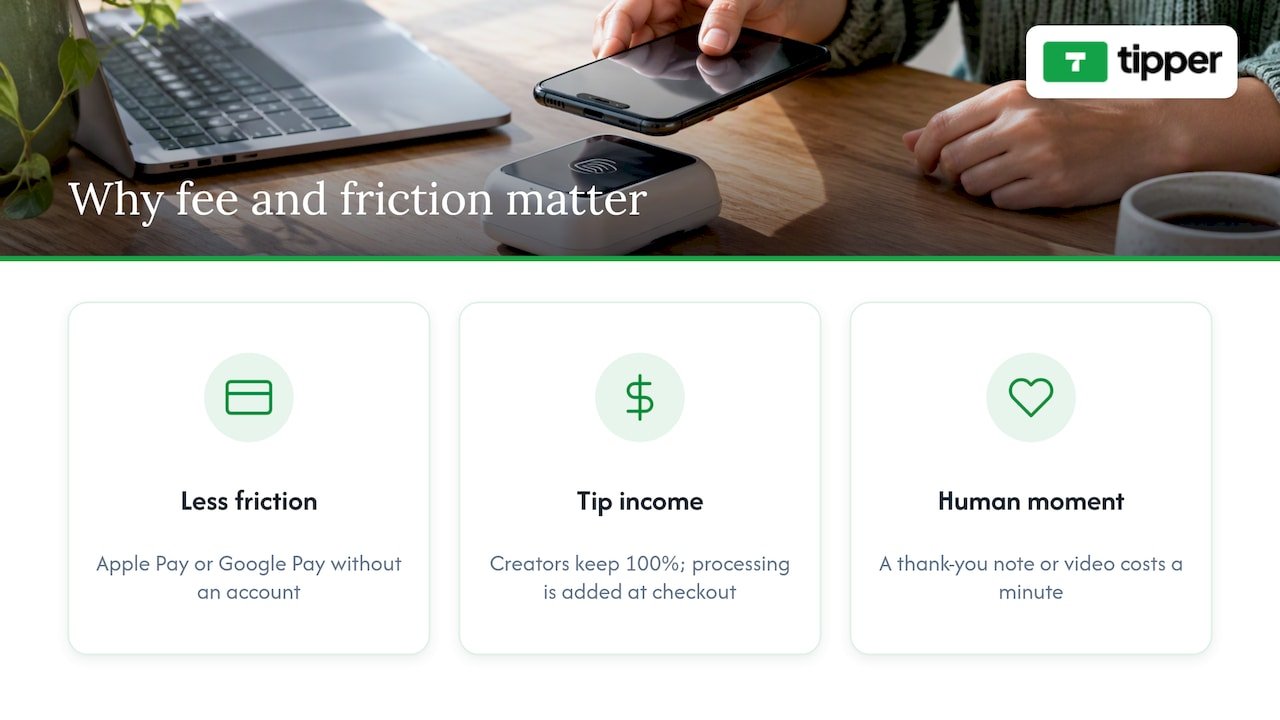
The most useful number in the whole dataset is 74%. Nearly three quarters of successful tips go through a mobile wallet, and 72% of tippers choose a preset amount instead of typing one. Together they describe a supporter who wants to finish in two taps.

Now think about what a typical tip page asks for: an email, a password, a verification code, a card number. Each step loses people who were feeling generous five seconds earlier. The VoxBooster analysis draws the same conclusion: removing the need for a supporter to create an account looks critical for conversion.

What this means for your page:

  1. Offer Apple Pay and Google Pay first. Card entry should be the fallback, not the default.
  2. Show three or four preset amounts. Since the average tip is around $4.85, a low first option and a few steps up is a sensible spread to test.
  3. Never gate a tip behind an account. Your supporter should not need to become a user of anything.
  4. Keep the page fast on mobile. Most tips happen on a phone, often in the minutes after a stream or video ends.

This is the part of the market where small design choices have a measurable effect. If you want a closer look at the instant-payment side, our explainer on instant tip payments for creators walks through how the flow works from the supporter’s side.

Trend 3: From donation to value exchange

Analysts quoted in the VoxBooster report describe the best-performing creators as treating tipping as a value exchange, not a donation. They attach something real to the tip: a personal thank-you, early access, or a small tangible benefit. The one-off tip becomes the first step toward a longer relationship.

The ts2.tech review of content monetization across platforms makes a related point: tipping is increasingly seen as a community-building tool rather than passive income, because it lets fans reward creators in the moment and builds loyalty that an ad-revenue share cannot.

In practice, that looks like:

  • A thank-you message that names the supporter and refers to something specific, such as the video they liked.
  • A short video reply for larger tips, which costs you thirty seconds and is remembered far longer than a receipt.
  • A visible “what your tip does” line on the page: new gear, more episodes, a monthly Q&A.
  • A clear next step after the tip, like a newsletter or community invite, for supporters who want more.

Notice that none of this requires a complicated membership system. It requires attention. A creator with 300 supporters who answers every tip personally often does better than one with 30,000 followers and a silent link.

Trend 4: Tipping fatigue is real, so ask differently

The wider tipping culture in the US is working against you. A Popmenu survey reported by KTLA found that nearly 80 percent of consumers call modern tipping practices ridiculous, and 44 percent say they are tipping less than last year. Digital screens that demand a tip at every checkout are a big part of the irritation.

Creators have an advantage here, because a fan who tips you is choosing to. The risk is borrowing the tone of a point-of-sale screen. Guilt-trip language, pop-ups in the middle of content and repeated begging all remind people of the thing they are tired of.

What works better:

  • Ask once, at the right moment. After a payoff in the content, not before it.
  • Make it optional and low pressure. Something like “If this helped, you can say thanks here” does the job.
  • Be specific about the outcome. People tip for a cause they can picture.
  • Say thank you in public when supporters are happy to be named. Social proof beats pleading.

If you run a small business and also collect tips in person, the same logic applies. Our guide on how businesses share tipping links for more tips covers QR codes and placement without the pushy feel.

Trend 5: Tips are one stream, not the whole business

With a median of $38 a month among creators who receive monthly tips, nobody should plan a livelihood around tipping alone. The sensible reading of the data is that tips are a layer of a diversified income: sponsorships, products, memberships, services, and tips on top.

That layer has one distinct benefit. Tips are the lowest-commitment way for someone to support you. A person who will not subscribe for a monthly fee will often send $5 once. That makes tipping a good top of the funnel for deeper support, and a good safety net when other income dips.

If you are choosing between tools, compare them on criteria that matter at small amounts. A few cents on a $4.85 tip is a larger share than a few cents on a $50 payment, so fee structure matters more at the bottom end. Our digital tipping platforms comparison and the piece on micro donation platforms show how to run that math for your own average tip.

Trend 6: Fees and ownership get more scrutiny

Creators now ask two questions before they pick a tool: what does each tip cost me, and who owns the relationship? Platforms differ widely. Some take a percentage of every tip, some charge a monthly plan for extra features, and some pass the payment processing cost on at checkout.

Tipper works on a transaction basis. It is free for creators to set up and maintain, there is no subscription, and creators keep 100% of their earnings, with a small payment processing fee added to each tip at checkout. We do not publish a flat price list, so check the checkout screen on tipper.app for what a given tip will show.

Whatever you choose, ask these before you commit:

  1. Is there a monthly fee, or only a per-tip cost?
  2. Who pays the processing fee, you or the supporter?
  3. Does the supporter need an account?
  4. How fast do payouts arrive, and to where?
  5. Can you take your supporter list and page with you if you leave?

The rules that catch creators out

This part is not glamorous, but it is where the costly mistakes happen. This is general information, not tax or legal advice. For your own situation, talk to a CPA or enrolled agent, and for disclosure questions to an attorney who works with advertising law.

Tips are income

Many creators assume a tip is a gift and therefore tax-free. Influencers Time notes that the IRS treats a transfer with an expectation of promotion attached as taxable income, and that the fair market value of products received, not your production cost, drives the thresholds in brand seeding. The safe habit is to treat tip income as business income, keep a record of each payout, and report it.

The 1099 rules also changed. According to LegalClarity, starting in 2026 businesses must issue Form 1099-NEC to a non-employee paid $2,000 or more in a calendar year, up from $600. The same source stresses that a higher reporting threshold does not reduce your obligation to report all income. If you receive no form, you still owe tax on what you earned.

Disclose paid promotion where people can see it

If your content includes paid or gifted endorsements, the FTC expects a clear and conspicuous disclosure. LegalClarity points out that a disclosure hidden behind a “more” button or buried in hashtags is effectively invisible, and that civil penalties can exceed $53,000 per violation. Put it at the start of the video or right beside the endorsement. A tip link is not an endorsement, but if you thank a sponsor in the same breath as asking for tips, keep the two clearly separate.

If you also hold a day job, check your employer’s outside-activity policy. The Employment Law Worldview overview of employee influencers explains what employers tend to care about.

Our perspective: the tip should feel like a thank-you, not a transaction

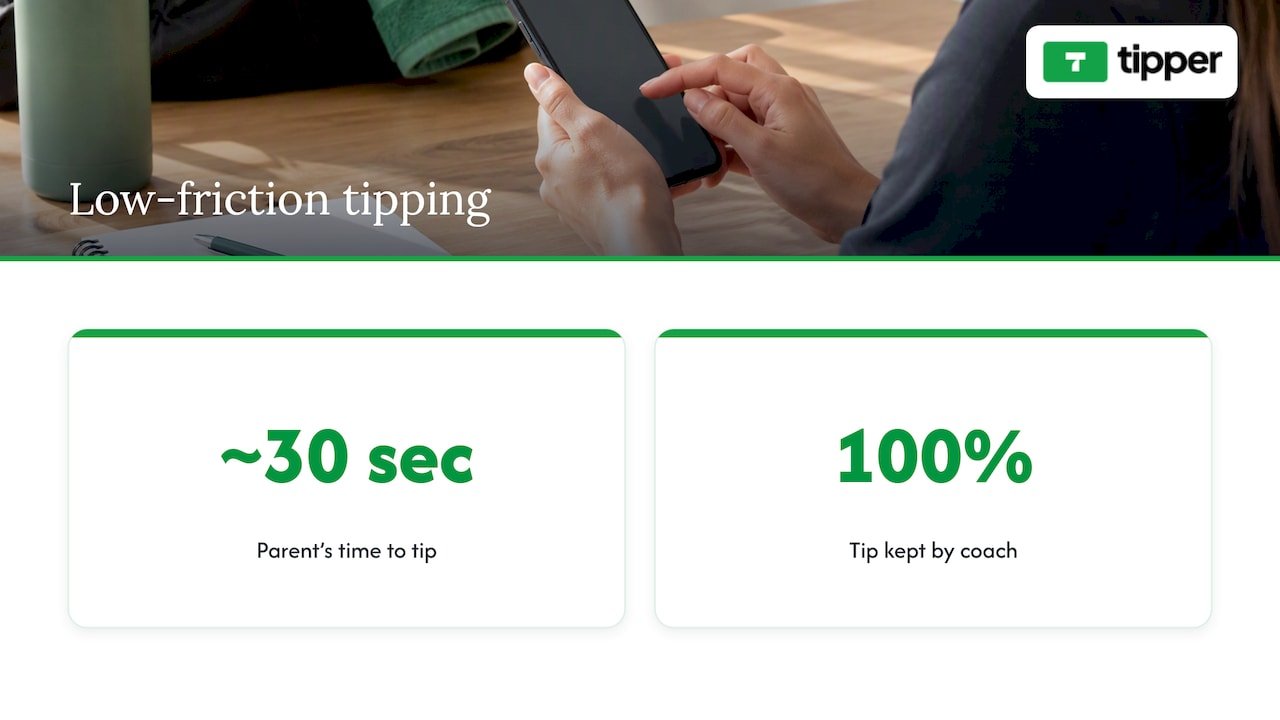
We built Tipper around one observation: the people most willing to tip are the ones who just got something from you, and they are willing for about ten seconds. Anything that stretches those ten seconds, such as an account form, a confirmation email or a page that loads slowly, costs you the tip.

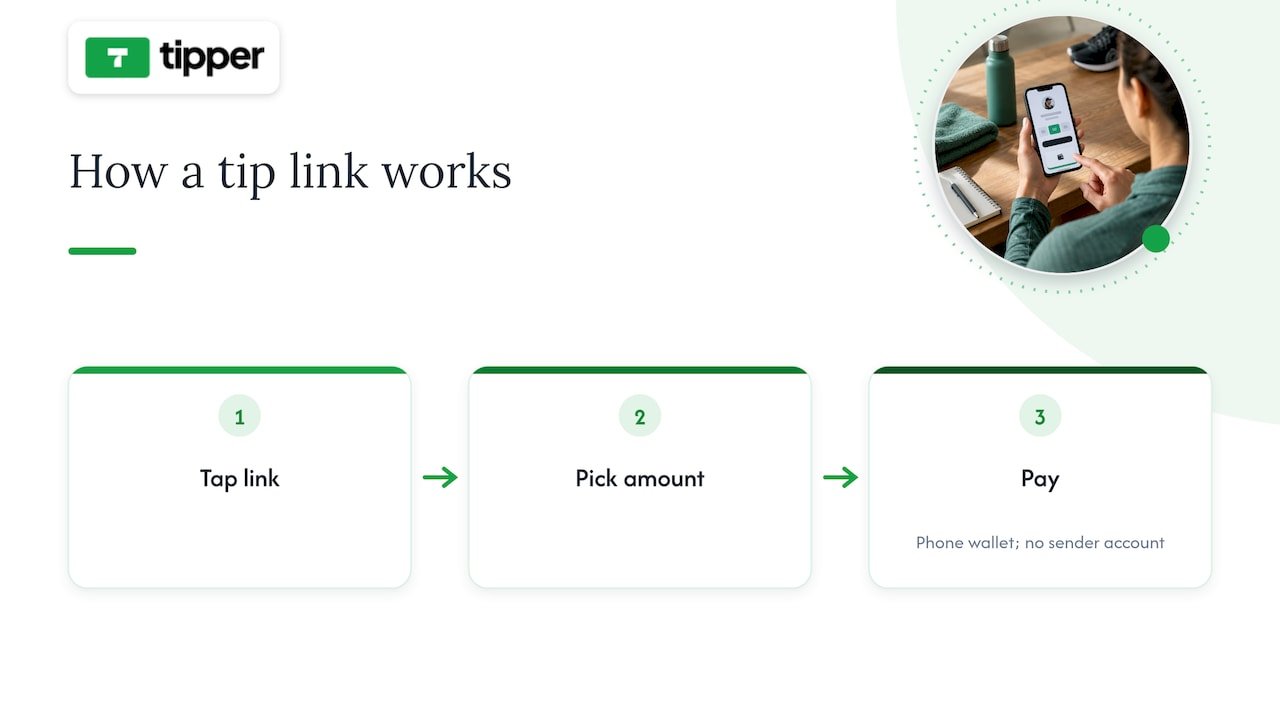
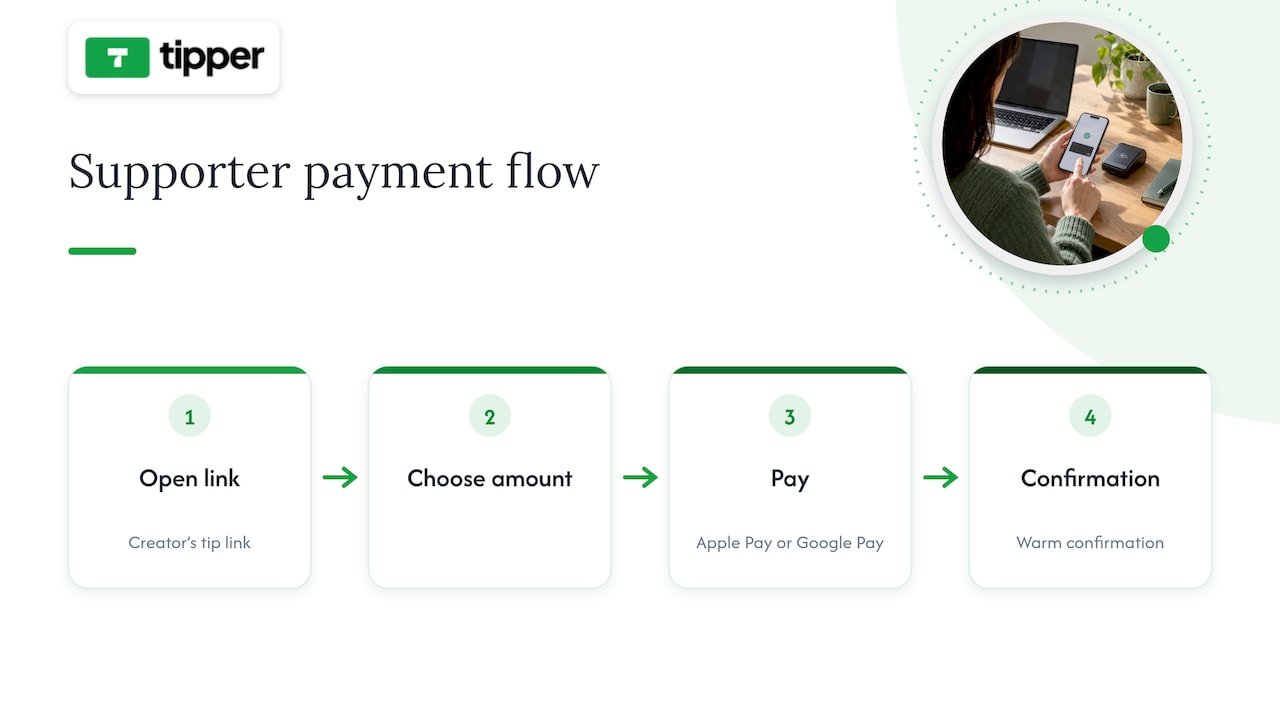
So we start from the supporter. They tap your link, pay with Apple Pay, Google Pay or a card, and they are done, with no account. For the creator, we think the personal moment matters as much as the money. A thank-you note, photo or video turns a payment into a connection, and that connection is what brings the same person back.
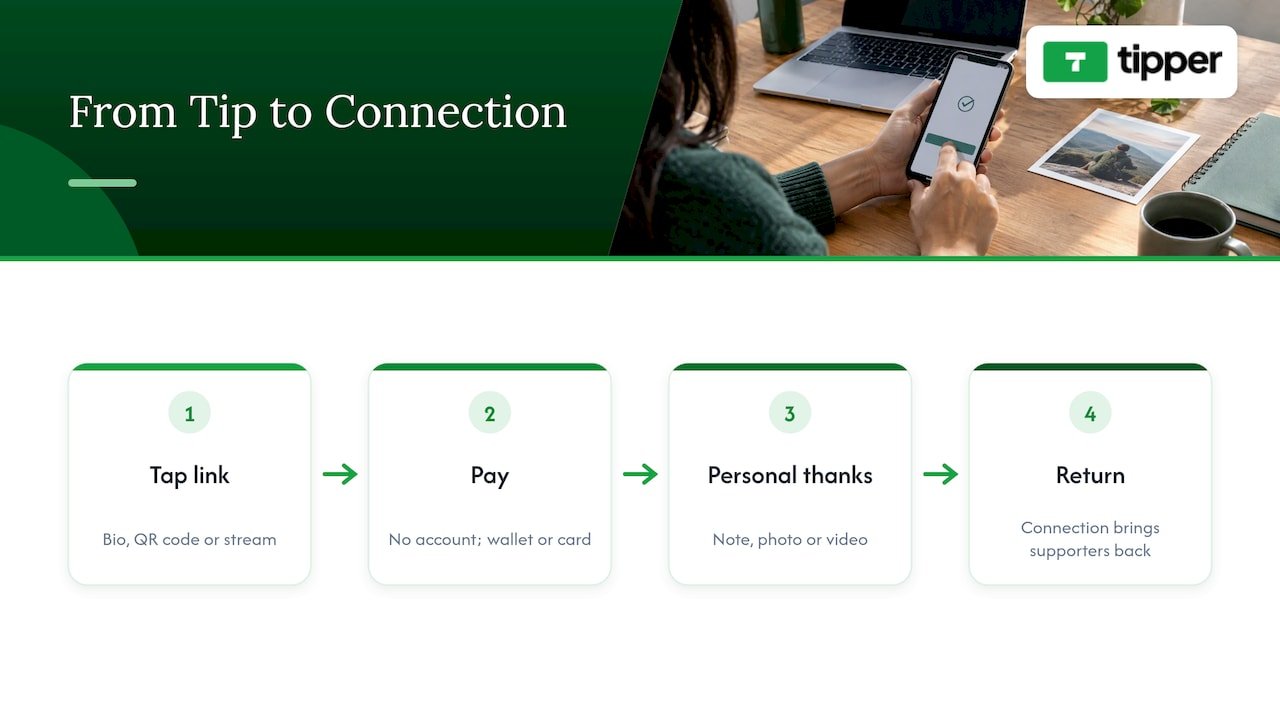
Our perspective: the tip should feel like a thank-you, not a transaction — overview diagram

We also think ownership matters. Your link is yours. It belongs in your bio, on a QR code at your table or on your stream, and it should keep working when a platform changes its rules. Creators keep 100% of their earnings on Tipper, with a small processing fee added at checkout, and that is the model we believe a creator can plan around.

Our honest advice: do not expect tipping to replace other income. Use it to make it easy for your best supporters to say thanks, and answer each of them like a person.

— Tipper

A 30-minute tune-up for your tip page

You can apply most of these trends in one sitting.

  1. Check the supporter path. Open your link on a phone in a private window. Count the taps from landing to paid. If an account is required, fix that first.
  2. Set presets. Offer three or four amounts, starting near the $5 average and stepping up.
  3. Write a real thank-you. Draft three versions you can adapt in under a minute. Add a video reply for bigger tips.
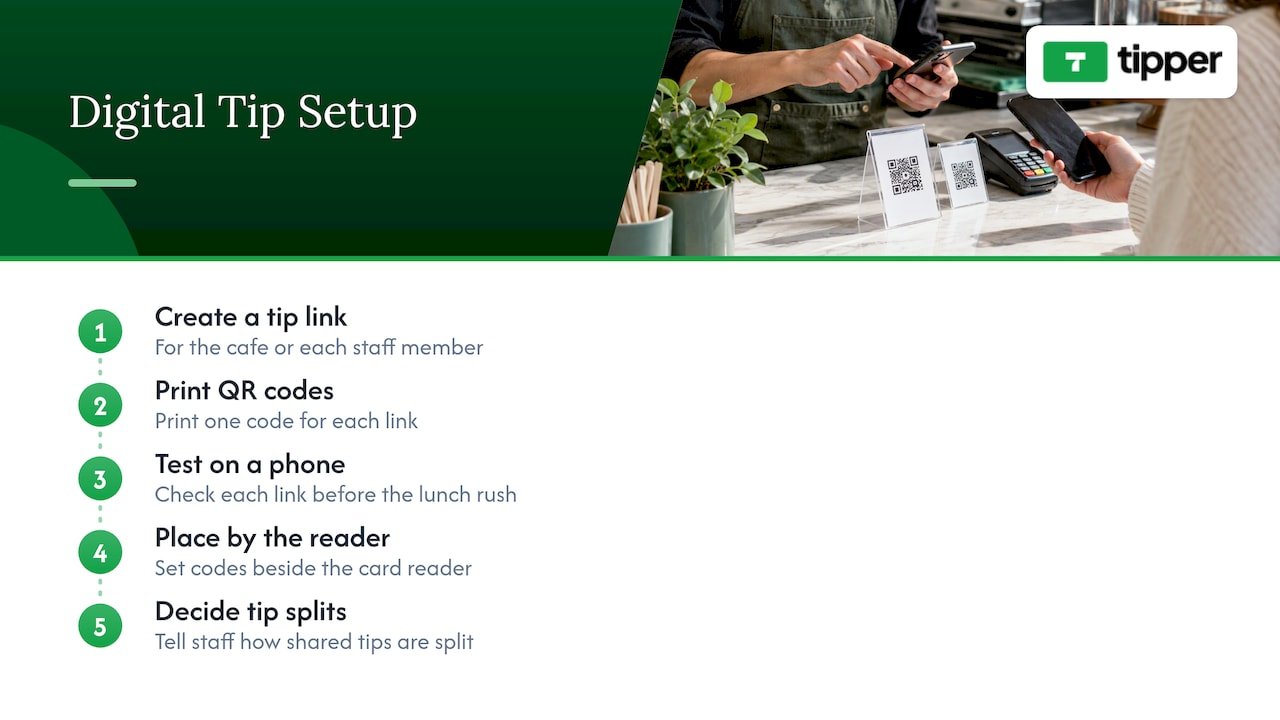
  4. Place the link well. Bio, panels, description, pinned comment, end card. Use a QR code anywhere people are in person. See collecting tips with no signup required for placement ideas.
  5. Tell people what tips do. One sentence about what the money supports.
  6. Set up your records. A simple spreadsheet of payouts by month makes tax season painless.

If you want to see the range of formats, from tip jars to real-time supporter tools, our overviews of digital tip jar tools and real-time supporter contribution tools are a good next read. New to the idea? Start with what digital tipping is and how it works.

If you stream on Twitch or Kick, publish on YouTube, TikTok or Instagram, or freelance, you can create a personalized Tipper link or QR code for free. Supporters tip with Apple Pay, Google Pay or a card and need no account, you keep 100% of your earnings, and you can reply with a note, photo or video. A small payment processing fee is added to each tip at checkout. Create your tip page on Tipper and put it where your audience already is.

What to expect for the rest of 2026

Three things look likely, based on the data above rather than on guesswork. First, wallet payments will keep taking share from card entry, so any tool that adds steps will fall behind. Second, supporters will reward creators who answer personally, because generic asks are what people are tired of. Third, creators will keep building direct channels, since the incentive MiDiA describes, protection from algorithm changes and demonetization, is not going away.

The creators who benefit will not be the loudest askers. They will be the ones whose link takes five seconds, whose thanks sounds human and whose records are in order.

FAQ

How big is creator tipping in 2026?

Research and Markets estimates the global creator tipping platform market at $3.45 billion in 2026, with projections of $6.77 billion by 2030. Figures vary by research firm, so use them as a sense of scale. For an individual creator, the median among those who receive monthly tips is about $38 a month.

What is the average tip a creator receives?

About $4.85 per one-off tip, according to VoxBooster’s 2026 analysis of Buy Me a Coffee and Ko-fi data. That is why low-friction checkout and low fees matter so much: small amounts leave little room for friction or high percentage costs.

Do I need to pay taxes on tips from fans?

Yes, treat them as income. The IRS does not regard them as tax-free gifts when they come in connection with your content or promotion, and the 2026 change to the 1099-NEC threshold does not remove your duty to report. A CPA or enrolled agent can tell you how to handle quarterly estimates for your situation.

Do supporters need an account to tip me?

Not on Tipper. Supporters pay through your link or QR code with Apple Pay, Google Pay or a card. Since most tips run through mobile wallets and preset buttons, skipping account creation removes the biggest source of drop-off.

Should I rely on tips as my main income?

Probably not. Only about one in five creators on the major tip platforms receives monthly tips, and the median is modest. Use tips alongside sponsorships, products or memberships, and as an easy way for your most loyal fans to support you.

Sources

Creator Tipping Trends in 2026: What the Data Shows2026-10-24T01:00:25+00:00

Street Performer QR Tips: How to Set Up a Code That Gets Scanned

A QR code lets a passerby tip you from their phone in a few seconds, with no cash in their pocket and no app to download. The code itself is easy to make. Getting people to scan it is harder: where you put it, what the sign says, and what happens after the scan decide whether it earns anything. This guide covers the setup, the sign, the scam risks, and the tax and permit questions that come with it.

Tipper
Make It Easy to Tip Your Performance
Tipper gives your audience a personalized link to send tips without an account, including through Apple Pay or Google Pay.

Create your tip link

TL;DR

  • Point the code at a mobile tip page that works without an account and accepts Apple Pay, Google Pay and cards. Every extra step costs you tips.
  • A code alone does little. In a 2025 study of Edinburgh Fringe performers, 60% of performances got zero scans. Your spoken ask and your sign matter more than the code.
  • Keep your cash bucket. It still works as social proof, and many people still prefer to pay in cash.
  • Watch your sign. Scammers stick fake codes over real ones, so check yours after every break.
  • Tips may be taxable income. Keep records and ask a tax professional about the new tip deduction.

Table of Contents

Why performers are adding QR codes

People carry less cash every year, and performers feel it. NBC News reported on subway musicians in New York who lean more on apps like Venmo because their buckets fill more slowly than they used to. One performer there had only a few dollars in her bucket halfway through a three-hour afternoon set.

A QR code answers a simple problem: someone enjoys your set, wants to give you $5, and has only a card. Without a way to pay, the moment passes. With a code on a sign, the tip takes a few taps.

A code is not a magic fix, though. Treat it as a second, quiet way to pay, set beside the way you already ask for tips.

What the research says about scans

The best data we have comes from a study by M. Elkins in the Journal of Cultural Economics on QR code tipping at the Edinburgh Fringe Festival. It looked at street acts using QR signage and found three things worth knowing:

  • The average was low. Performances averaged about 3.2 scans, and 60% had none.
  • The code was not the main driver. The type of act, the time and place, and the sign on display were all linked to scan activity. The “hat speech” that frames the ask also mattered.
  • The tip page design counts. Clear suggested amounts reduce friction for the person paying.

The lesson is not that QR codes fail. It is that a code left on its own does not do the work for you. You have to tell the crowd it exists, make the sign readable from a distance, and make the payment page fast.

Choose a tip page that does not ask for much

The worst thing that can happen after a scan is a signup wall. Someone stands in a crowd, holds up a phone, and hits a screen asking for an email, a password or an app install. Most will leave.

What to look for in a tip page:

  1. No account for the tipper. They scan, pick an amount and pay.
  2. Apple Pay and Google Pay. One-tap payment on the phone they are already holding is the fastest option. If you want the details, our guide on Apple Pay and Google Pay tips explains how they work for small businesses.
  3. Preset amounts. Buttons for $3, $5 and $10, plus a custom option, mean nobody has to think about what to give.
  4. A page that loads fast on weak signal. Subway platforms and crowded plazas have poor reception. Test your page there, not on your home Wi-Fi.
  5. A personal touch. A short thank-you note, photo or video after the tip makes people feel seen, and that is what turns a one-time tipper into a fan.
  6. Clear payout terms. Know how and when you get paid, and what fees come out.

We built Tipper around these points, and the promo section below explains how it works.

Where and how to display the code

The study above and performers’ own reports point the same way: put the code where people already stop and look.

Placement

  • At eye level, near the front. A sign on the ground gets stepped over. A sign on a stand, case or easel is seen.
  • Next to your bucket or case. Seeing cash and a code together tells people both are fine.
  • In your line of sight. You should be able to see the sign at all times. That matters for security, covered below.
  • Facing the crowd, not the street. The code should face where the audience stands, so people can scan without moving.

Size and contrast

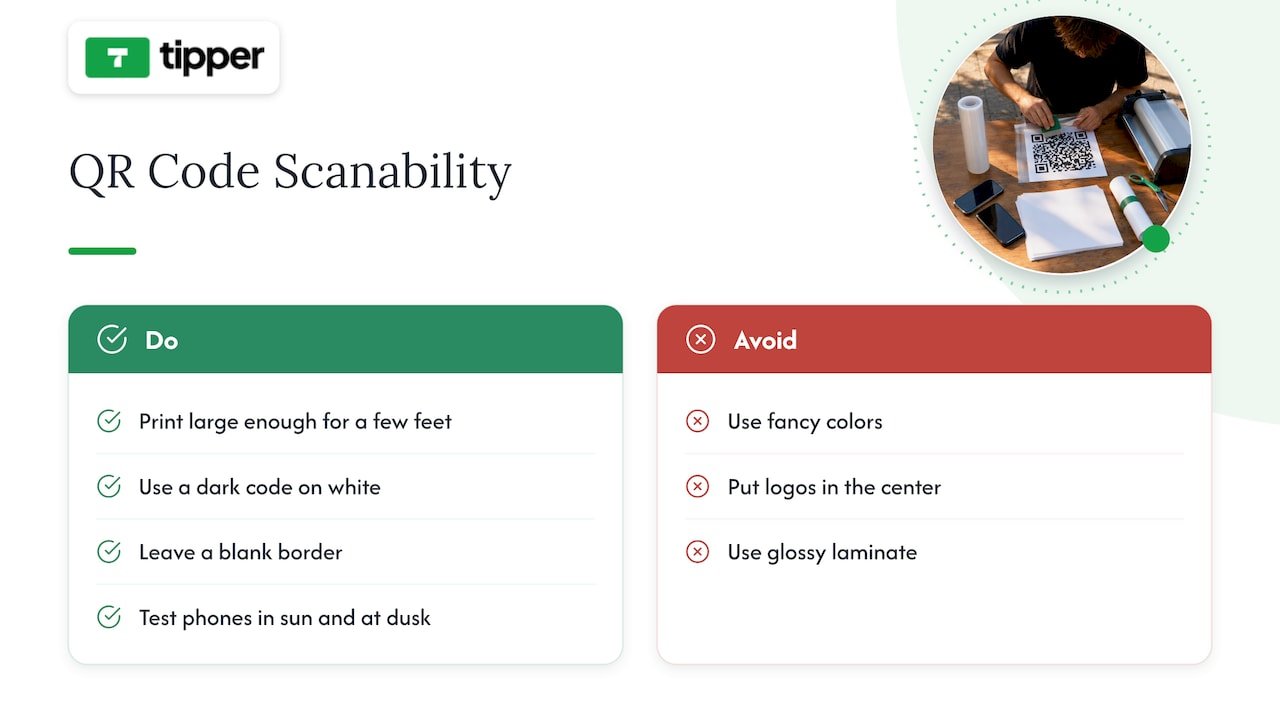
Print it big enough to scan from a few feet away. Use dark code on a white background, and leave a blank border around it. Skip fancy colors, logos in the middle and glossy laminate that reflects sun. Test the sign with two or three different phones, in sun and at dusk.

Five checks for a scannable performer sign

What the sign should say

A bare QR code looks like an ad. Give it a reason and an action. A short line works best, for example: “Enjoyed the show? Scan to tip. Apple Pay and Google Pay work.” Add your name or act name so people know whom they are paying, and the page they land on should show the same name.

Some performers use a screen or monitor with a looping video and a code. That can catch attention, but it adds cost, battery needs and theft risk. A printed sign on rigid board is a better start.

Your spoken ask

The research on hat lines is clear that framing matters. Say it out loud, once or twice per set, without apology: “If you don’t have cash, there’s a code on my sign. It takes ten seconds.” Point to it. Most people will not notice a sign unless you direct their eyes.

Keep the cash bucket

Going fully digital is a mistake for most street acts. The NBC reporting notes that performers who work the subway still see plenty of cash-paying listeners, and a visible bucket with some bills in it shows others that tipping is normal. Cash also needs no signal and no battery.

The approach that works for most acts is a bucket plus one digital option. We cover that in more detail in our piece on cash plus one digital option for musicians. Offering one clear code, rather than a list of Venmo, Cash App, PayPal and three more, keeps the choice simple.

Protect your code from scams

QR codes have a security problem that cash does not. The FTC has warned that scammers place their own codes over legitimate ones, which has been reported on parking meters. A sticker over your sign sends your tips to a stranger, and your audience will blame you.

Simple habits help:

  • Never leave your sign unattended. Take it with you on breaks, or keep it in sight.
  • Scan it yourself after every break. Check that the page shows your name and the right payee.
  • Use a sign you can’t easily cover. A printed code on a board, with your name in large letters, is harder to fake convincingly than a loose sticker.
  • Check the link. The FTC advises looking for misspellings or swapped letters in the URL before scanning.
  • Know where to report. If you find a fake code on your sign or in your area, report it at ReportFraud.ftc.gov.

For a longer list of threats and fixes, see our guide to QR code tipping security.

A perspective from Tipper

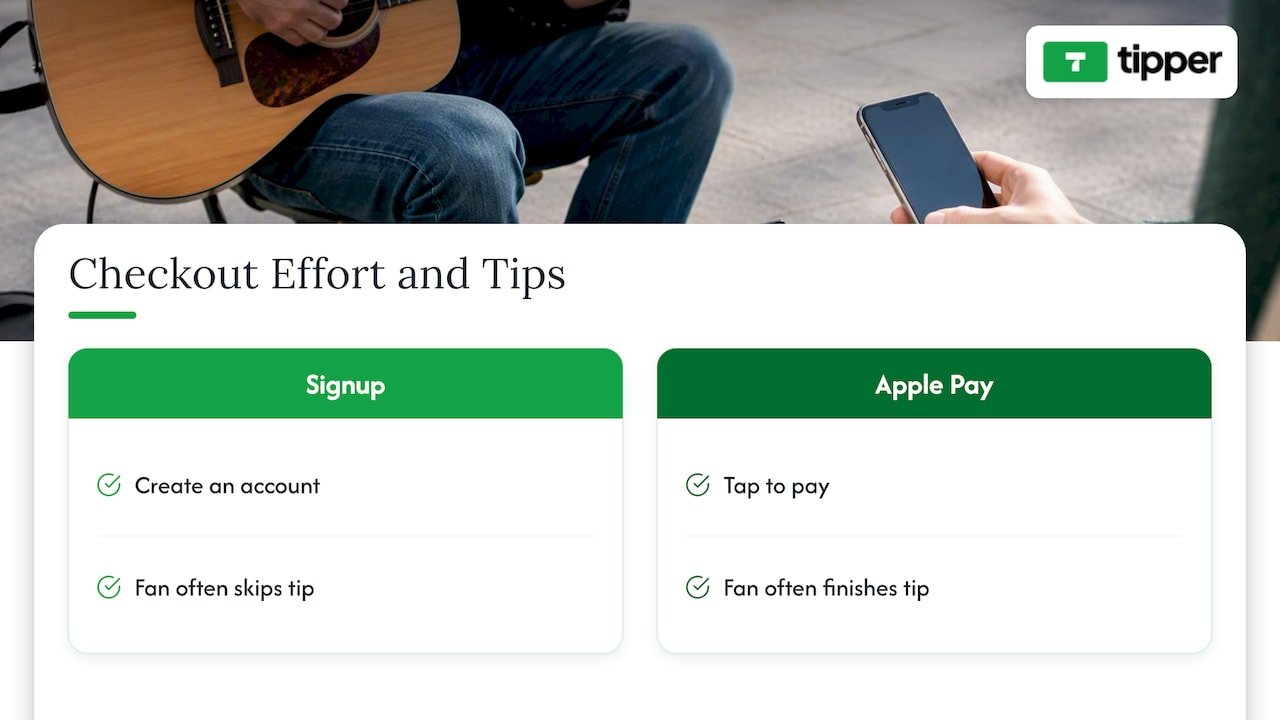
We talk with a lot of creators and small businesses about tips, and one pattern repeats. The tipper’s effort decides the outcome. A fan who has to create an account will often skip the tip, and a fan who can tap Apple Pay will often finish it.

That is why we do not require tippers to sign up. It is also why creators keep 100% of what they earn on the tip itself, with a small payment processing fee added at checkout rather than taken from the creator’s side. We would rather you spend your effort on the performance and the ask than on chasing a clunky checkout.

A perspective from Tipper — overview diagram

We also think the thank-you matters. A short note or video after a tip is cheap for you and meaningful for the person who gave. For a street performer, that is a way to turn a passerby into someone who follows you online and comes back.

One caution from experience: do the test before the big day. Scan your own code from a stranger’s point of view, on cellular data, standing where your audience stands. If anything is slow or confusing, fix it before you play.

— Tipper

Here is a sequence that takes less than an hour.

  1. Create your tip page. Use your performer name, a clear photo and one sentence about what you do. Keep it short, since people read it on a small screen.
  2. Set suggested amounts. Three buttons is enough. Pick amounts that match your setting. A subway platform audience may tip differently than a festival crowd.
  3. Turn on Apple Pay and Google Pay. If you are using a business setup, our Apple Pay tipping setup guide walks through it.
  4. Download the QR code. Print it large on rigid board or a weatherproof sheet.
  5. Run a $1 test. Pay yourself from a different phone and confirm the money arrives where you expect. Our event QR tipping guide describes this test in detail.
  6. Add the link to your online profiles. The same page works in your Instagram bio, your YouTube description and a poster. Our guide to collecting tips with no signup covers that side.
  7. Note your pitch. Write the one line you will say out loud, and say it the same way each set so you can see what changes the results.

Check the rules where you perform

QR codes do not change the legal rules for busking. Those vary by city, and sometimes by block or transit system.

New York City is one example. According to a Village Sun summary of NYC busking rules, unamplified performers can generally play without a permit on most sidewalks and public spaces, while amplified performances need extra permission such as a sound device permit from a local police precinct. The same piece notes that subway performers can play in stations without a permit, with amplified sets restricted to mezzanines. Rules like these change, so confirm with the city or transit authority before you go out.

If your city has a licensing program, find out whether it limits signage, solicitation or electronic payments. Ask the permitting office directly, and keep a copy of any permit with you.

Taxes: tips are income

Every tip you receive is generally income, including digital ones. Keep a simple record of what you earn, by date and place if you can. Your tip platform’s payout history helps.

The IRS has said that, from 2025 through 2028, some workers can deduct up to $25,000 in qualified tips from taxable income each year, within limits that apply per return. Whether your busking tips qualify depends on the details of the rule, including which occupations count and your income. The IRS also has a publication on the new tip and overtime deductions that explains who may be eligible. Talk to a CPA or enrolled agent who works with self-employed or gig clients before you assume anything, especially if you busk alongside other work.

What to expect: realistic earnings

Earnings vary widely. The research summary behind this article notes that some veteran buskers in high-traffic areas can reach $100 per hour or more in good conditions, but that is the top end. Surveys of working musicians suggest many earn under $15,000 to $20,000 a year from music. Treat a QR code as one part of a broader mix: online tips, merch, private gigs and teaching.

The Edinburgh data points the same way. With 3.2 scans on average, a code adds a modest amount for most acts, and more for those who ask well and place the sign carefully. Track your own numbers for a few weeks before judging.

Common mistakes

  • Sending people to a page that needs signup. Pick a no-account tip page.
  • A tiny, low-contrast code. If a friend can’t scan it from three feet, resize it.
  • No spoken ask. Many people will not notice the sign without a cue.
  • Too many payment options. One code beats five logos.
  • Skipping the test. Always pay yourself once before you perform.
  • Leaving signage unattended. Fake stickers are a real risk.
  • Dropping cash entirely. Keep the bucket.

Tipper for street performers

Tipper gives you a personalized tip link and QR code. Tippers pay with Apple Pay, Google Pay or a card, without creating an account. You can customize your tip page, send a thank-you as text, photo or video, and get paid directly. Creating and keeping an account is free, there is no subscription, and a payment processing fee is added at checkout. We do not publish a fee figure here, so check the current terms on the site. You can set up your tip link with Tipper and run your $1 test before your next set.

FAQ

How do I get a QR code for tips?

Sign up with a tipping service that gives you a personal link and a downloadable code, then print it on rigid board or weatherproof paper. Before you rely on it, pay yourself $1 from another phone to confirm it works. Add your name next to the code so people know whom they are paying.

Do QR codes actually increase busking income?

Sometimes, but not automatically. In the Edinburgh Fringe study, 60% of performances had no scans, and results depended on the act, the location, the sign and the way the performer asked. Acts that ask out loud and use a clear sign are in a better position than those who just leave a code out.

Should I stop using a cash bucket?

No. Reporting on New York street performers shows digital tipping growing, but cash still plays a role, and a bucket with bills in it signals to others that tipping is expected. Use both, with one clear digital option.

Can someone steal tips with a fake QR code?

Yes, it is a known scam. The FTC reports that scammers cover real codes with their own. Keep your sign in sight, scan it after every break, and report fakes at ReportFraud.ftc.gov.

Do I need to pay taxes on QR code tips?

Generally, tips are income and should be recorded. Some workers may qualify for a federal tip deduction of up to $25,000 through 2028, but eligibility depends on your occupation and income. Ask a tax professional who handles self-employment.

Sources

Street Performer QR Tips: How to Set Up a Code That Gets Scanned2026-10-23T00:31:00+00:00

Wix Tip Button: 3 Ways to Add One to Your Site

There are three ways to put a tip button on a Wix site. You can install the Wix Tips app, which adds a tip step to checkout. You can fake it with a “Tip” product in Wix Stores. Or you can add an ordinary Wix button that links to an external tip page. Which one works depends on one question: are people already buying something from you, or do you just want fans to say thanks?

If you run a store, a restaurant or a booking business, the first option is built for you. If you are a creator, streamer, writer or freelancer with a Wix site as your home base, the third option is usually the one that works. This guide walks through all three, with the limits of each.

Tipper
tipper.app
Make It Easy for Fans to Tip
Add a Tipper link to your Wix button so supporters can send tips with Apple Pay or Google Pay, without creating an account.

Visit Tipper

TL;DR

  • The Wix Tips app works with Wix Stores, Wix Bookings and Wix Restaurant Orders. It adds tips to orders, not to a free-standing page.
  • There is no native “tip me” button for a portfolio, blog or link-in-bio page. A forum workaround is to sell a product called “Tip”, which is clumsy.
  • For creators, the cleanest setup is a regular Wix button that points to a tip link. Supporters can pay with Apple Pay or Google Pay without creating an account.
  • Pick preset amounts deliberately and set a sensible minimum so that fees do not eat small tips.

Table of Contents

What a Wix tip button can and can’t do

People search for “Wix tip button” and mean two different things.

The first meaning is a tipping step during a purchase: a customer orders a haircut, a meal or a product and adds 15% on top. Wix handles this with an app.

The second meaning is a standalone button: someone reads your article, watches your video or likes your work and wants to send you $5. Nothing about that involves an order.

Built-in checkout tipping is tied to the checkout flow. That makes it a good fit for product-based stores where a customer is already paying. It is a poor fit for an influencer who wants a dedicated support link, as this overview of Wix checkout customization also points out. Keep that split in mind and the rest of the options sort themselves out.

Option 1: The Wix Tips app (for stores, bookings and restaurants)

Wix’s current tipping app lets customers show appreciation when they pay, and it can be managed directly on your site. According to the Wix Help Center, it works with e-commerce apps such as Wix Stores, Wix Bookings and Wix Restaurant Orders.

How to set it up

  1. Open the Wix App Market from your site’s dashboard.
  2. Search for Wix Tips (New) and click Add to Site.
  3. Click Get Started. If you still have the old Wix Tips app, Wix tells you to remove it first.
  4. Turn on the option that lets clients add a tip at checkout. The first time, you need to install the Tip plugin.
  5. Choose whether tips are percentages of the order or fixed amounts such as $2.00 or $5.00, and pick a default selection.

You can also let admins add a tip when collecting payment, for example from the booking calendar or the Orders dashboard. For appointments with several staff members, the Help Center says you can split tips between them proportionally or equally.

If you take payments in person, Wix has separate guides for collecting tips in Wix Mobile POS, where tipping is switched on from the Manage tab in the Wix app.

Where it falls short for creators

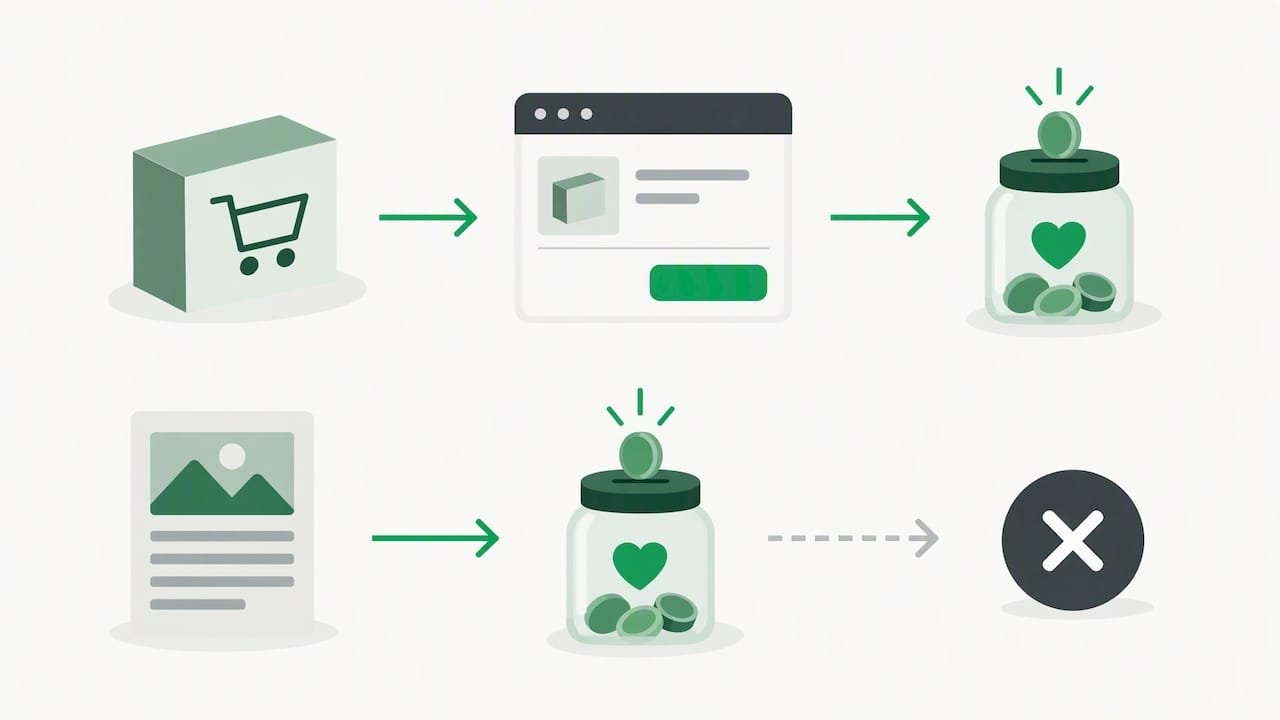
The app attaches a tip to an order. If nobody is checking out, there is nothing to attach it to. A visitor who loves your free newsletter has no way to use it. And you cannot paste a checkout tip widget into your Instagram bio.

Order checkout path contrasted with free content

If your site sells products or services and you want guidance on presets, our post on adding a tipping option to your checkout process covers the design side.

Option 2: The “Tip” product workaround

A long-running thread on the Wix Studio forum describes a workaround for tipping in Wix Stores: create a product named “Tip” and add an Add to Cart button on your cart page. The thread dates from February 2020, so check what your editor offers today before copying it.

It can work, but consider the costs:

  • Visitors go through a full cart and checkout for a $3 gift. That is a lot of friction for a small amount.
  • A fixed-price product means fixed tip sizes unless you build several variants.
  • Customers may be asked for shipping or account details, depending on how your store is set up.
  • Your tip shows up in your orders list next to real sales, which muddies your reporting.

This is a stopgap for store owners who must keep everything inside Wix. For a creator, it is more machinery than the job needs.

This is the approach most creators end up using, and it takes about ten minutes.

The idea is simple. Wix is where your content lives. The payment page lives elsewhere, and a normal Wix button connects the two. Because Wix’s tipping app is checkout-based, an external tip link is the practical route for a standalone “support me” button. The same advice applies to the Wix App Market in general: it provides add-ons for a site rather than standalone apps, so check whether a tipping app plugs into your checkout or needs an external link.

Step by step

  1. Create your tip page and copy its link. With Tipper, this is your personalized link.
  2. In the Wix Editor, add a button from the Add panel.
  3. Label it with an action and a reason, such as “Buy me a coffee” or “Say thanks with a tip”.
  4. Set the button’s link to your tip page. Opening it in a new tab keeps visitors on your site.
  5. Place it where gratitude peaks: the end of a post, beside a download, under a video embed and in your footer.
  6. Test it on your phone. Most tips come from mobile visitors, and a wallet button that does not load is a lost tip.

When you want a popup instead

Some creators prefer a small popup or floating button that follows the reader. Wix does not offer that as a tip feature, but you can embed a third-party widget. Wix lets you add code through the dashboard under Settings, then Custom Code, which is the standard way to place scripts across the whole site, as this Wix popup guide explains. Keep the amount of script small so it does not slow your pages.

If you build with Velo, the Wix Studio forum has a useful reminder: custom elements only react to clicks when the element ID matches the one in your code and the click handler is enabled in the properties panel. Most of “my button does nothing” problems come down to that.

A tip button only pays off if people reach your page. If you are working on that, a dedicated Wix SEO automation tool can handle keyword research and content planning, which leaves you more time for the content that earns tips.

It is tempting to run tips through whatever payment provider your Wix site already uses. Two things to weigh.

First, a store payment setup is designed for checkouts. A comparison of Wix Payments and Stripe notes that Wix Payments is built around internal site checkouts, while Stripe offers broader international and digital wallet support. Digital wallets matter for tipping because the less typing, the more tips.

Second, a standard checkout asks for details that a tip does not need. Tipping is an impulse. The fewer fields, the better the conversion. Our guide to payment processing for tips explains how fees are structured, and setting up credit card tipping shows what the supporter sees.

Quick comparison

Wix Tips app “Tip” product Button to a tip link
Best for Stores, bookings, restaurants Store owners who must stay in Wix Creators, freelancers, bloggers
Needs an order Yes Yes (a cart purchase) No
Works from social bios No Awkward Yes
Supporter steps Part of checkout Cart, then checkout One page, wallet payment
Setup effort Low Medium Low

Our perspective: a tip should take one tap

We built Tipper around one observation: the people most willing to thank you are the ones least willing to fill in a form. Every account creation screen, every cart page and every shipping field is a place where a happy supporter gives up.

That is why a Wix tip button that routes into a checkout makes us cautious for creators. It solves the store owner’s problem, which is adding a gratuity to a sale. The creator’s problem is different: turning a moment of appreciation into a payment before the moment passes.

So we designed for the second problem. Supporters tip through your personalized link or QR code without creating an account, paying with Apple Pay, Google Pay or a card. You keep 100% of what you earn, and a small processing fee is added at checkout for the supporter. You can reply with a thank-you note, a photo or a video, which in our experience is what turns a one-time tipper into a regular.

Our advice for a Wix site:

  • Use the Wix Tips app if you sell products or bookings and want a gratuity on orders.
  • Use a link button if people read, watch or learn from you for free.
  • Do not use both on the same page. Two tip prompts split attention and dilute both.

— Tipper

Choosing amounts that actually get tipped

The button gets the click. The amounts decide the result. A few principles hold whichever route you take:

  • Offer three presets, not ten. A short list reads as a recommendation. Our post on three custom tip amounts that convert goes through the logic.
  • Let people type their own. Some supporters will give more than your top preset, so leave room for it.
  • Mind the floor. Processing fees weigh heavily on very small tips. We explain how to set a $1 to $2 minimum that covers fees without scaring off casual supporters.
  • Say what the money does. “Helps me publish one more tutorial a month” beats “Support me”.

On Wix Tips specifically, the app lets you choose percentages or fixed amounts and set a default selection. Percentages suit services where the bill varies. Fixed dollar amounts suit creators and small shops.

Where to place the button on a Wix site

Placement matters more than color. Try these spots, roughly in order of payoff:

  1. End of long content. After a reader finishes a tutorial or article, they are most grateful.
  2. Next to free downloads. A template or checklist is a natural prompt.
  3. About or links page. People who want to support you go looking for it here.
  4. Sticky footer or header. Low pressure, always available.
  5. Social bios. Link straight to the tip page. Our post on a creator tip link strategy covers presets and payouts, and getting paid with a personalized tip link covers the basics.

If you also meet people offline, at events, workshops or markets, a QR code to the same page lets you collect tips there too. For businesses that want an alternative to register-based tipping, see our look at point-of-sale tipping alternatives.

Try Tipper on your Wix site

If you want a tip button on Wix that works for people who are not buying anything, Tipper gives you a personalized link to put behind any Wix button. Supporters pay with Apple Pay, Google Pay or a card, no account needed, and you keep 100% of your earnings. Creating and maintaining an account is free, with no subscription. A small payment processing fee is added at checkout. For a walkthrough of collecting tips without sign-ups, read our creator’s guide.

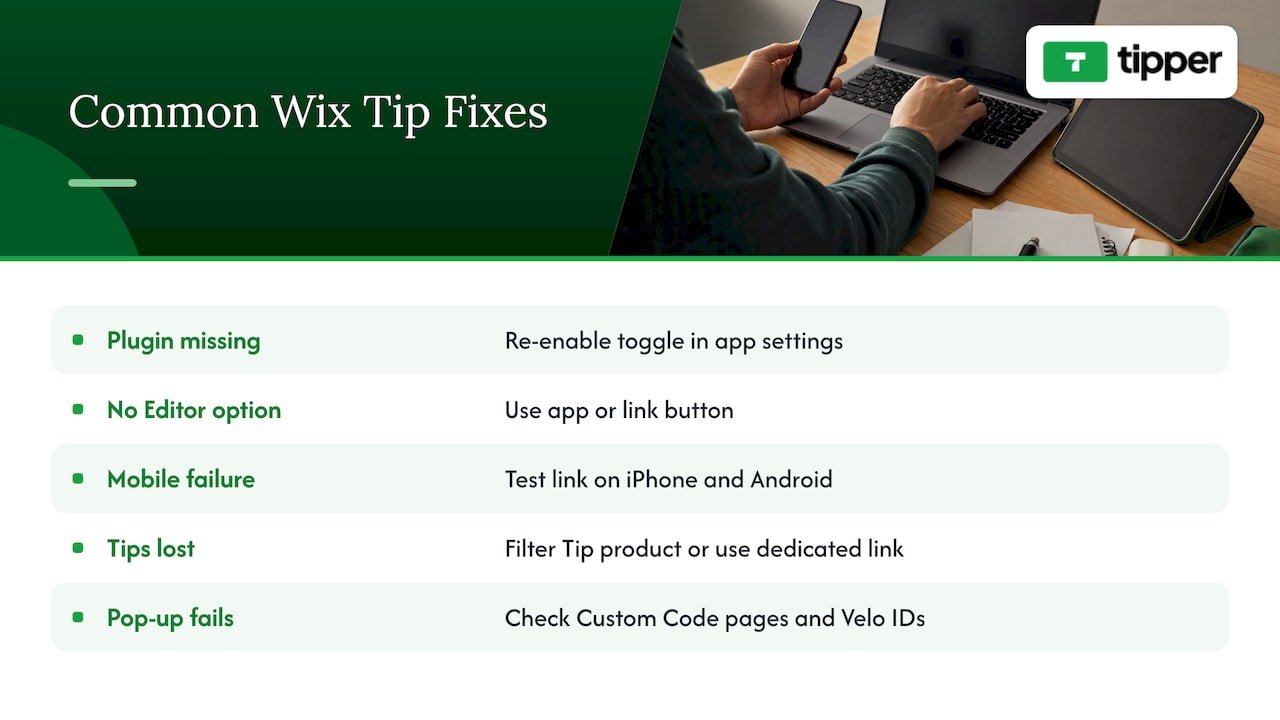
Common problems and fixes

The Tip plugin does not appear at checkout. In Wix Tips, the first time you enable client tipping you must install the Tip plugin. If you skipped the prompt, return to the app settings and enable the toggle again.

You cannot find a tip option in the Editor. There is no standalone tip element. Use the app for orders or a link button for everything else.

The button works on desktop but not mobile. Open the live site on your phone and check that the link opens the tip page. Wallet payments depend on the visitor’s device and browser, so test on an iPhone and an Android phone if you can.

Tips get lost among orders. If you used the “Tip” product workaround, filter your orders by that product, or move to a dedicated link so tips are reported separately.

Your pop-up code does nothing. Check that the script is added through Custom Code and loads on the pages you expect. For Velo code, confirm element IDs and handlers as described above.

Common problems and fixes — overview diagram

FAQ

Does Wix have a built-in tip button?

Wix has a Wix Tips app that adds tipping to checkout for Wix Stores, Wix Bookings and Wix Restaurant Orders. It is not a standalone button for a blog or portfolio. For that, link a regular button to an external tip page.

Can I add a tip button to a Wix site without a store?

Yes. Add a normal button in the Wix Editor and set its link to your tip page. You do not need Wix Stores or any order flow, because the payment happens on the external page.

Do my supporters need an account to tip me?

Not with Tipper. Supporters pay through your link with Apple Pay, Google Pay or a card and do not create an account. That keeps the path short, which helps small, spontaneous tips.

Can I collect tips at checkout and also from fans?

Yes, but keep them separate. Use the Wix Tips app for customer orders and a single link button for fans of your free content. Showing two tip prompts on the same page tends to confuse visitors.

How much does Tipper cost?

Creating and maintaining a creator account is free with no subscription, and creators keep 100% of their earnings. A small payment processing fee is added at checkout on each tip. We do not publish a fixed fee amount here, so check tipper.app for the current details.

Sources

Wix Tip Button: 3 Ways to Add One to Your Site2026-10-22T00:30:43+00:00

Coach Tip Link: How to Get Tipped by Clients and Athletes

A coach tip link is a short personalized web address, plus a matching QR code, that lets a client, parent or athlete send you a tip from their phone in a few taps. No cash, no invoice, no app download. If you coach tennis, fitness, golf, swimming, business or life skills, it is the simplest way to turn “thanks, coach” into something you can actually bank.

This guide covers how to set one up, what to put on the page, where to share it so people really use it, and what to know about taxes. (If you landed here looking for the stagecoach robbery tips in Red Dead Redemption 2, this is a different kind of coach tip: real money, real clients.)

Tipper
Make It Easy to Tip You
Tipper gives coaches a personalized link for instant tips, so clients and athletes can show appreciation without creating an account.

Create your tip link

TL;DR

  • A tip link lets anyone pay you by Apple Pay, Google Pay or card, and with Tipper the sender does not need an account.
  • Put the link where clients already look: after-session texts, invoices, email signatures, and a QR code at the court, gym or studio.
  • Tips are income. The IRS treats tips to self-employed workers as business income, so keep records from day one.
  • Send a test tip from both an iPhone and an Android phone before you share the link.
  • A short, personal thank-you after each tip is what turns a one-time tipper into a regular supporter.

Table of Contents

Coaching is a relationship business. Clients and parents often want to say thank you beyond the session rate, especially after a breakthrough, a tournament, a season or a big personal goal. Cash tips are awkward, and many people carry none. Venmo-style handles create a different problem: you have to hand out a username, and the sender needs the right app.

A tip link removes that friction. The client taps, picks an amount, and pays with the wallet already on their phone. Tipper’s guide to share tip links describes it as a direct route from the supporter’s wallet to the creator, with no account required on the sending side.

There is also a business reason. Research on the US creator economy suggests tipping is mainstream: in a 2025 survey covering Japan, the U.S. and China, 60% of respondents had tipped, and about 60% of single tips fell between $5 and $50. Those are small amounts, which is exactly why the checkout has to be effortless. Nobody fills out a registration form to send $10.

The same paper notes that supporting a creator is the main reason people tip, and that about a third tip for niche content. Coaching is niche by nature: a clients’ loyalty to the person who helped them is the whole point.

Why coaches use tip links — overview diagram

A tip link is a personalized page with your name, photo and a short note, along with preset amounts and a pay button. Behind it sits a payment processor that handles the wallet handshake.

That last part matters more than it sounds. Offering Apple Pay and Google Pay on your own website needs merchant IDs and domain verification, which is developer territory. A dedicated tipping platform handles that setup, so the buttons just appear. That is the main reason a coach with a day job and a full schedule is better off with a hosted link than a DIY payment form.

With Tipper, you get:

  • A personalized link and a QR code.
  • Apple Pay, Google Pay and card payments for the sender.
  • Customizable tip pages.
  • Thank-you replies as text, photo or video.
  • Direct payouts.
  • Free account creation with no subscription. Creators keep 100% of their tips, and a small payment processing fee is added at checkout on top of what the supporter chooses to give.
  1. Create your page. Sign up at Tipper and choose a short, recognizable link name. Your name or your business name works better than a slogan.
  2. Make the page about coaching. Use a real photo, ideally of you at work. Write one or two sentences: who you coach and what a tip supports (“Tips go toward court rental and new junior ball hoppers” beats “Support me”).
  3. Choose your amounts. Offer three presets plus a custom field. Our guide to three custom tip amounts that convert walks through how to pick them.
  4. Connect your payout. Complete payout onboarding early. Setup delays usually come from payment provider onboarding or domain verification, not from the page itself.
  5. Send test tips. Send a small test tip from an iPhone and from an Android phone to confirm Apple Pay and Google Pay both complete. Our research flags this as the most overlooked step in setting up a link.
  6. Download your QR code. Print it and save the image for slides, flyers and your phone’s lock screen.
  7. Share it. Do this only after steps 1 to 6 are done.

If you want a closer look at how a coaching page can read, see our tennis coach example.

The bio link alone is rarely enough. Tipper’s blog points out that conversions rise when the link is built into the workflows you already run: a line on invoices, your email signature, and a QR code at in-person events.

For coaches, that translates to specific moments.

Moment What to share Why it works
End of a session QR code on a small sign at the gym, court or studio The client is happy and phone in hand
After a milestone or tournament Link in a follow-up text The gratitude is fresh
Monthly invoice Optional tip line under the total It sits where payment already happens
Email signature Short link, no sales pitch It is always there, never pushy
Group programs and camps QR on the final-day handout Parents decide as a family
Online coaching calls Link in the chat or follow-up email Remote clients have no “tip jar” otherwise

Keep the ask soft. A single line such as “If today’s session helped, you can say thanks here” is enough. Never make a tip feel like part of the fee. Your rate is your rate, and tips stay optional.

Reaching new clients too

A tip link works best with an audience that already knows you. If you publish coaching content, such as drills, nutrition notes or game breakdowns, regular articles on your own site bring more people to the link. Tools like automated SEO article publishing can help you keep a content calendar going when you are busy running sessions.

Writing a tip page that earns more

People tip a person, not a payment form. A few rules we see working for creators of every kind:

  • Say what the tip supports. Specific beats vague.
  • Keep it to one screen. Photo, two sentences, amounts, button.
  • Use presets in the $5 to $50 range. That is where most single tips land in the survey above. A custom field catches the generous outliers.
  • Do not hide the privacy angle. Supporters who do not want to create an account or share details appreciate a page that asks for nothing extra.

If you also sell sessions or packages, keep that on a separate booking page. Mixing the two makes the tip feel like a purchase.

Thank people back, and turn tips into relationships

The reply is where a tip link becomes more than a payment tool. According to Tipper’s creator strategy resources, a personalized thank-you, whether text, photo or video, works as a retention tool that can turn a one-time supporter into a recurring one.

For a coach, that is natural. A 15-second video of you saying “Thanks, Maria, see you Thursday, keep working on that backhand” costs nothing and is remembered. Some ideas:

  • Text for quick replies on busy days.
  • Photo of the team or a finished drill board for group tips.
  • Video for larger tips or milestones.

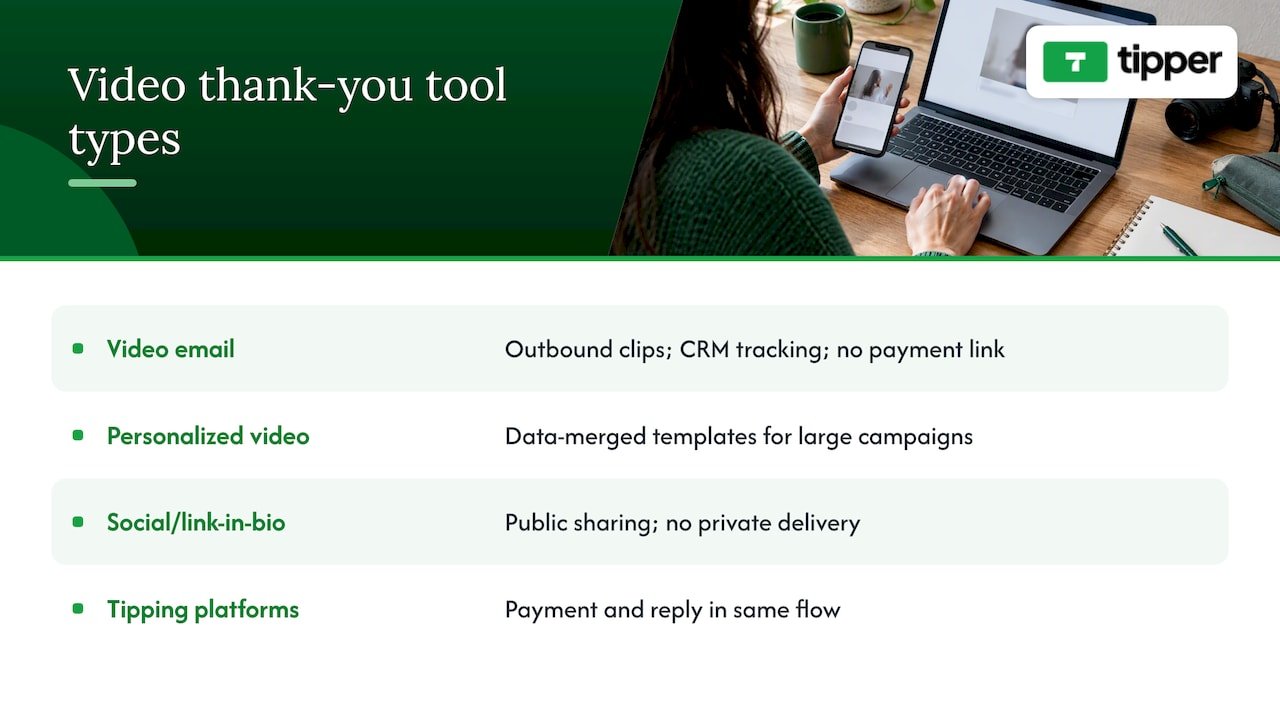
We have collected wording in our acknowledgment message templates, and a comparison of video thank-you platforms if you want to go further.

Taxes and record keeping

This is the part many coaches skip. Tips are income. The IRS says tips received by self-employed workers are income, generally included in gross receipts and reported as business income on Schedule C, and subject to self-employment tax. The same page describes a qualified tips deduction for certain cash tips that began in 2025, with conditions attached.

What that means in practice:

  • Export or save your tip records monthly so they sit next to your session income.
  • Do not assume a tip is exempt because it came through a link or an app. Whether any deduction applies to you depends on your situation.
  • If you coach as an employee of a club or school, tips may follow different rules, and your employer may have its own policy on accepting them.

For your specific case, ask a CPA or enrolled agent. They can tell you how to treat tips alongside your session income and whether the deduction applies.

Our perspective: why the sender should not need an account

We built Tipper around a simple observation: the person who wants to say thanks is the one with the least patience. A parent standing at the edge of a court has about thirty seconds and one hand free. Every form field, password or app download costs you a tip.

Our perspective: why the sender should not need an account — overview diagram

That is why we let supporters pay with Apple Pay, Google Pay or a card without signing up, and why we focus on what happens afterwards: you keep 100% of what the supporter gives, with a small payment processing fee added at checkout rather than taken out of your tip, and you can reply with a note, photo or video.

For coaches, we think the best use is modest and consistent. Do not expect a tip link to replace your rate. Treat it as a way to capture goodwill that used to evaporate, then use the thank-you reply to deepen the relationship. Over a season, small steady tips from many people tend to matter more than one big one, and the research on balancing a few large supporters against a broad base of small ones points the same way.

— Tipper

If you want a tip page you can share by the end of the day, create your free Tipper page. Setup is free, there is no subscription, and a processing fee applies to each tip at checkout. For tips beyond coaching, such as invoices and in-person payments, our personalized tip link guide shows how creators get paid in minutes.

Common mistakes to avoid

  • Skipping the test tip. A broken Apple Pay button on an iPhone embarrasses you in front of the very client who wanted to tip.
  • Hiding the link. One buried bio link will not do the job. Use three or four touchpoints.
  • Making the ask pushy. A tip is a thank-you, not a surcharge.
  • Ignoring records. Tips add up, and tax season arrives anyway.
  • Forgetting to reply. A reply costs seconds and drives repeat tips.
  • Using the link for minors’ tips without a parent in the loop. Direct the link to parents and guardians, not to young athletes.

FAQ

Can I accept tips as a coach?

In most cases, yes, if you are self-employed and your client chooses to give. If you work for a club, school or gym, check your employer’s policy first, since some forbid tips or require them to be pooled. Report tips as income either way.

Do my clients need an account to tip me?

No. With Tipper, supporters can pay with Apple Pay, Google Pay or a card without creating an account. You create a free account to receive tips and payouts.

How much should I suggest as preset tip amounts?

Start with three presets and a custom field. In the 2025 survey cited above, about 60% of single tips fell between $5 and $50, so presets inside that range match how people tend to tip. Adjust once you see which amount your clients choose.

Are tips taxable?

Generally yes. The IRS says tips to self-employed workers count as income, typically reported on Schedule C. A tax professional can confirm how that applies to you.

Use several moments rather than one: a QR code at your venue, a follow-up text after milestones, an optional line on invoices, and your email signature. Test the link on both iPhone and Android first.

Sources

Coach Tip Link: How to Get Tipped by Clients and Athletes2026-10-21T00:30:48+00:00

PCI Compliance for Tips: What Creators and Small Businesses Need

If you take tips online, PCI compliance applies to you, even when a payment provider handles every card. The PCI Security Standards Council says PCI DSS covers any entity that stores, processes or transmits cardholder data, whether it does so directly or through a third-party service provider. The good news: if you never touch card numbers, your share of the work is small. It is mostly choosing the right provider, keeping paperwork, and not breaking the setup with your own website.

This guide is for streamers, YouTubers, freelancers, and small business owners who collect tips through a link, a QR code, or a page on their own site. It explains what PCI DSS is, what “outsourcing” does and doesn’t remove, and a practical checklist you can finish in an afternoon.

Tipper
Accept Tips Without Handling Card Data
Tipper lets supporters send tips through a personalized link without an account, using Apple Pay or Google Pay, while you keep 100% of your earnings.

Visit Tipper

TL;DR

  • PCI DSS applies to anyone who accepts card payments. Outsourcing to a compliant provider shrinks your scope, but it does not remove your responsibility.
  • The smartest move for tips is to never collect card data yourself. Let a hosted tip link take the payment, so supporters pay on the provider’s page, not yours.
  • Most fully outsourced merchants validate with a short self-assessment, usually SAQ A. Your bank or payment partner decides what you must file and how often.
  • Keep a written list of the payment providers you use and check their compliance status every year.
  • If you embed a payment form on your own site, the 2025 rules on script attacks apply to you.

Table of Contents

What PCI DSS is, in plain terms

The Payment Card Industry Data Security Standard is a set of security rules for protecting card data. It is built around 12 main requirements: secure networks, protecting stored data, managing vulnerabilities, controlling access, monitoring networks, and maintaining security policies.

Two points trip people up.

The council writes the standard, but your bank enforces it. The PCI Security Standards Council sets the rules. Which validation level you fall into, how often you report, and what happens if you don’t are set by your acquirer or the card brands. The council’s own guide tells merchants to confirm the specifics with their bank or payment partner. If you use a payment platform, that partner is your first call.

It is not a one-time certificate. Validation is generally annual, and some programs add quarterly network scans. Treat it like renewing a license, not passing a test once.

Does a tip jar count as card acceptance?

Yes. A tip is a card payment like any other. The fact that the amount is $3 or the money is a thank-you rather than a sale changes nothing about how card data must be protected. If a supporter pays with a card, Apple Pay or Google Pay through your link, a payment is being processed, and PCI DSS is part of the picture.

What does change is how much of the standard you personally carry. That depends on one question: where does the card number go?

How you take tips Where card data goes Your PCI burden
Hosted tip link or QR code that opens the provider’s own page Straight to the provider, never through your site Lightest. Usually a short self-assessment
Provider’s payment form embedded in your site (iframe) Entered on your page but sent to the provider Light, but you must confirm your page can’t be tampered with by scripts
Your own form that posts card details to your server Through your systems Heavy. Avoid this for tips
Writing card numbers in DMs, emails or spreadsheets Stored in places never meant for it Serious risk. Never do this

The first row is the reason hosted tip links exist. The less card data you see, the less there is to secure.

Shrink your scope first: the “scale down” rule

The FTC’s guide for businesses puts it simply: keep only the personal information you truly need, and if you don’t need it, don’t collect it. For a creator, that translates into a rule you can apply today: you do not need a supporter’s card number, ever. You need to know that money arrived.

In practice:

  • Don’t ask supporters to send card details by message or email, even “just this once.”
  • Don’t build your own checkout for a donation button.
  • Don’t export payment details into spreadsheets or fan databases.
  • Keep supporter notes (a name, a message) separate from anything payment-related.

Privacy and compliance point the same way here. Our piece on privacy-first payment collection for creators and sellers covers the setup in more detail, and why payment privacy matters for U.S. freelancers explains the stakes for people who work under their own name.

What outsourcing does and doesn’t do

Many creators assume that a compliant processor means they are compliant. That is half true. A compliant provider lowers your scope considerably, but the council states plainly that no outsourcing option completely removes a merchant’s PCI DSS responsibilities.

What stays with you:

  1. Validating your own status. Even a fully outsourced merchant validates annually, typically with a Self-Assessment Questionnaire. SAQ A is the one commonly used by merchants who completely outsource card functions.
  2. Checking your provider. You remain responsible for making sure the provider you chose is compliant, and for having written agreements in place.
  3. Keeping a provider list. Maintain a written list of every third-party service provider that touches payments (gateways, processors, tip platforms) and review their compliance status each year. Skipping this documentation is a common pitfall in audits.
  4. Not undermining the setup. A validated tool is one part of the equation. The council notes that it still has to be used inside an environment that doesn’t break its protections, and you stay responsible for how you configure and use it.

SAQ A in 2025 and 2026: what changed

SAQ A is the shortest self-assessment, built for card-not-present merchants who hand all payment handling to a third party. PCI DSS v4.0.1 became the active version, and the council released updated SAQs for v4.0.1 that clarified eligibility in SAQ A and added and removed some requirements.

The change that matters for creators is an eligibility criterion in SAQ A: the merchant must have confirmed that their site is not susceptible to attacks from scripts that could affect the payment functions. The council later published FAQ guidance on how to confirm that. You can do it by getting confirmation from your compliant payment provider that its solution includes script protection, or by using a protected implementation, as explained in the council’s clarification on SAQ A eligibility.

Who does this hit?

  • Embedded forms (iframes). If a payment form sits inside your own page, this criterion applies to you.
  • Full redirects. If supporters leave your site and pay entirely on the provider’s page, the criterion does not apply to you in the same way, which is another point in favor of a plain link or QR code.

If you’re unsure which describes your setup, open your tip page in a private browser window and click the tip button. Does the address bar change to the provider’s domain? Then it’s a redirect. Does the card field appear inside your own page? That is an embed.

A practical checklist for creators and small businesses

You can work through this in an afternoon. None of it requires a security team.

1. Choose a provider that puts compliance in writing

The PCI Security Standards Council’s e-commerce guidance recommends clear written agreements that spell out the provider’s PCI status and who is responsible for what. Look for security delivered as a basic service rather than something you must configure, and ask for references from financial institutions where relevant. Questions to send before you sign up:

  • Are you PCI DSS compliant, and can you show me your status?
  • Where does the supporter enter payment details: on your page or mine?
  • If I embed your form, how do you protect against script attacks?
  • Which parts of PCI DSS are mine, and which are yours?

A good provider answers these without a sales pitch.

A personal link in your bio, a panel under your stream, or a QR code on a table or a business card keeps card entry off your property. For in-person work such as hair stylists, tour guides, buskers, and delivery drivers, a printed QR code is the lowest-scope option there is. See our guides on frictionless client tipping and point-of-sale tipping alternatives for setups by type of business.

3. Prefer wallets for the actual payment

Apple Pay and Google Pay let a supporter pay without typing a card number at all, which means fewer fields to protect and less friction. We cover the practical side in Apple Pay and Google Pay tips: benefits for small businesses and the setup in Apple Pay tipping setup for your business.

4. Write down your providers

Open a document titled “Payment providers.” List each service that touches money: the tip platform, your payout bank, any storefront checkout. Next to each, note what it does, the date you last checked its compliance status, and where the proof lives. Set a yearly calendar reminder.

5. Complete the right questionnaire

Ask your acquirer or payment partner which SAQ applies to you. Fully outsourced merchants typically use SAQ A, and the questionnaire itself lists its eligibility criteria on its first pages, so read them before signing. If you also embed a form or run a terminal with a dial-up or standalone setup, you may land on a different form, such as SAQ B, which has its own criteria.

6. Keep your own site and accounts clean

Even with a hosted checkout, your site can be the weak point if it’s compromised. Keep your website platform and plugins updated, use unique passwords and two-step verification on your email, hosting, and payment accounts, and remove scripts you don’t recognize. This matters most if you embed any payment element.

7. Know what to do with disputes

Compliance covers data security, not chargebacks, but they show up in the same bank conversations. If you tip-collect at a restaurant or service business, our piece on chargebacks on tips and POS fixes explains the common failure points.

Common mistakes to avoid

“My processor is compliant, so I’m done.” You still validate, keep your provider list, and protect your own site.

Collecting cards “manually” for a supporter who can’t use the link. Taking numbers over DMs creates stored card data on platforms never designed for it. Send them the link instead.

Assuming a validated app equals a compliant merchant. The council’s position is that the application is just one part, and your configuration matters.

Ignoring the acquirer. Because validation levels and frequency come from your bank or payment partner, a generic checklist can’t replace their answer.

Mixing supporter data and payment data. Thank-you notes, names, and shout-out lists are fine. Anything resembling card details does not belong in them.

Our perspective

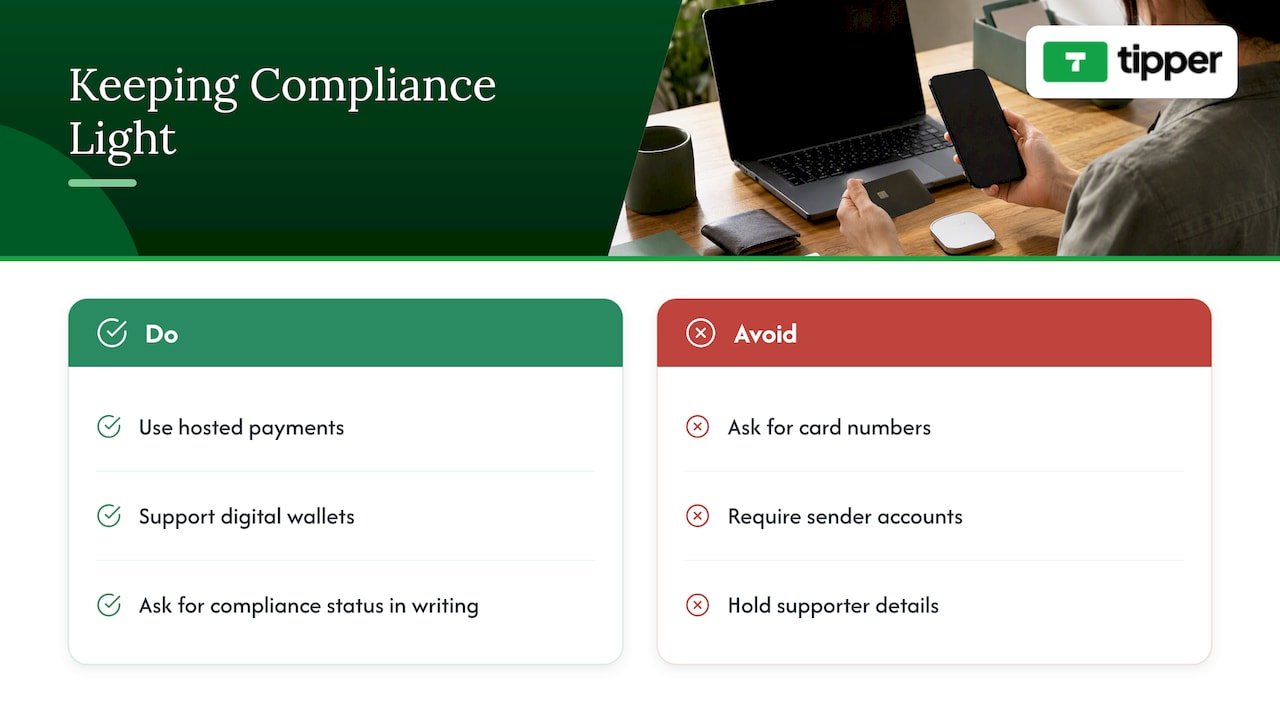
We built Tipper around a simple idea: the less payment data a creator has to handle, the better for everyone. A supporter taps your link or scans your QR code, pays with Apple Pay, Google Pay or a card, and doesn’t need an account. You never ask for a card number, never see one in a DM, and never build a checkout. That is the single biggest thing you can do to keep your compliance load light.

Our perspective — overview diagram

We also think creators deserve straight answers. No tool, ours included, makes responsibility disappear, and you should ask any provider for its compliance status in writing. What a good tip platform can do is make the right path the easy one: hosted payment, wallet support, no accounts for senders, and payouts that go straight to you. Creators keep 100% of their earnings on Tipper; a platform fee and a small payment processing fee are added at checkout on each tip, so you aren’t paying a subscription to get paid.

Privacy is the other half. Supporters shouldn’t have to hand over personal details to say thanks, and you shouldn’t have to hold them. Thank-you notes, photos or videos carry the personal connection; card data never needs to.

— Tipper

Taking tips with Tipper

If you want a tip link or QR code that keeps card entry off your own site, Tipper is free to create and maintain for creators, with no subscription. Supporters can tip with Apple Pay, Google Pay or a card without making an account, and you can send back a thank-you as text, a photo or a video. The processing fee is shown at checkout. Set it up, add the link to your bio, and you have a tip page without building anything.

If you’re comparing options first, our overview of no-fee customer tipping systems and the guide to payment links and engagement are good starting points.

FAQ

Do I need PCI compliance if I only accept a few tips a month?

Yes, in principle. PCI DSS isn’t tied to volume as a matter of whether it applies, though your bank or payment partner sets the validation level and what you must file. For most small creators using a hosted link, that means a short self-assessment, not a full audit. Ask your provider which one applies.

What is SAQ A?

It is the Self-Assessment Questionnaire for merchants who fully outsource card payment handling and never store, process or transmit cardholder data on their own systems. Under PCI DSS v4.0.1, it also asks you to confirm that your site is not susceptible to script attacks when you embed a payment form.

How often do I have to validate?

Generally once a year, and some programs require quarterly network scans on top. The exact schedule is set by your acquirer or payment partner, so confirm it with them rather than relying on a general rule.

Is a PCI-compliant tip platform enough on its own?

No. It lowers your scope a great deal, but you still need to verify the provider’s status each year, keep a written list of providers, and make sure your own site doesn’t bypass or weaken the payment flow.

Who should I ask about my specific situation?

Start with your acquirer or payment provider, since they decide your validation requirements. For a hosted tip page, a written answer from your tip platform about its PCI status and your responsibilities is the right first document to collect.

Sources

PCI Compliance for Tips: What Creators and Small Businesses Need2026-10-20T00:30:49+00:00

Tiplor Alternatives: 7 Tip Jar Options Compared (2026)

Tiplor is a digital tip jar built for live music: one QR code, one link, and fans tip with Apple Pay, Google Pay or a card. If you are not a busker or a gigging musician, or you want something that fits streams, videos and client work as well as a stage, you have good alternatives. The best fit for most creators is a tip page that needs no fan account, takes wallet payments and lets you keep what fans send. That is what we built Tipper to do. Below we compare it with Ko-fi, Buy Me a Coffee, Tip Stack, Patreon, Tip Top Jar and the payment apps many performers still use.

Tipper
tipper.app
Make It Easier to Tip You
Tipper gives creators a personalized link for instant tips, with no supporter account required and Apple Pay or Google Pay accepted.

Explore Tipper

TL;DR

  • Tiplor is purpose-built for live music. If you tip-collect outside that world (streaming, YouTube, freelance work, small business), a general tip page often fits better.
  • Tipper has no fan account requirement, supports Apple Pay, Google Pay and cards, and creators keep 100% of their tips. A small processing fee is added at checkout.
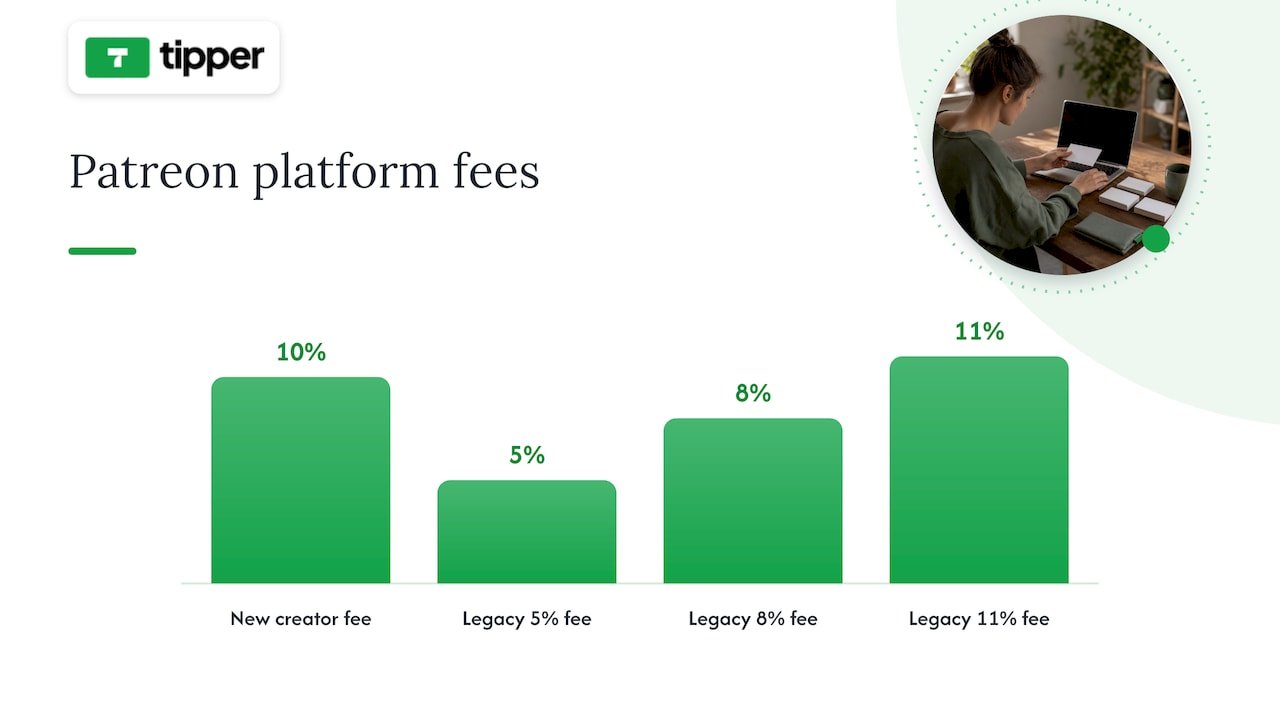
  • Ko-fi can be 0% on tips if you opt out of its extra features, Buy Me a Coffee charges 5%, and a new Patreon creator pays 10%, all before card processing.
  • Check fee settings the day you sign up. Some defaults quietly take a cut.
  • Match the tool to your volume: simple jars for small audiences, membership suites only when recurring revenue justifies them.

Table of Contents

What Tiplor does well, and where people look elsewhere

Tiplor describes itself as a digital tipping platform for live music, serving artists, venues, hosts and festivals. Its pitch is simple: put a QR code on a stand, a sign or a screen, and the audience taps to tip without hunting for your Venmo handle. For a street performer or a coffee-house singer, that is a sensible design.

People start searching for alternatives for a few predictable reasons:

  • They are not live musicians. A Twitch streamer, a TikTok creator or a freelance designer has no stage and no crowd standing in front of a QR code. They need a link that lives in a bio and works from a phone.
  • They want thank-you messages. Many creators want to reply to a tip with a note or a short video, not just receive a number in a dashboard.
  • They want to compare fees. Every platform takes something, whether a platform fee, payment processing or both. Seeing them side by side matters.
  • They want one link across platforms. Creators who already use Linktree, Throne or Buy Me a Coffee want a tip option that slots into that set-up.

None of that is a knock on Tiplor. It is a focused product. The point is to pick the tool that matches how you actually get tipped.

How to compare tip jar platforms

Before looking at names, decide what you are comparing. Five criteria cover nearly every decision.

  1. Platform fee on tips. The percentage the platform keeps from each tip.
  2. Payment processing. Card transactions in the US typically cost about 2.9% + $0.30, according to Pick the Platform’s tip jar guide. That is a payment-network cost, not a platform fee, but it hits small tips hardest. A $3 tip loses about 39 cents to a flat 30-cent charge plus the percentage, roughly 13%.
  3. Friction for the supporter. Does the fan need an account? Can they pay with Apple Pay or Google Pay in two taps?
  4. Fit for your audience. Live crowd, stream chat, video comments, client invoices.
  5. Extras you actually use. Memberships, shops, request queues, and thank-you messages. Extras that you do not use are costs in disguise.

Seven Tiplor alternatives at a glance

Option Best for Platform fee on tips Supporter needs an account?
Tipper Creators, freelancers, small businesses Creators keep 100%; small processing fee added at checkout No
Ko-fi Simple tips plus an optional shop 0% on tips if you opt out of expanded modes Check current checkout flow
Tip Stack Pure one-time tipping 1% Check current checkout flow
Buy Me a Coffee Creators wanting a familiar brand 5% Check current checkout flow
Patreon Recurring memberships 10% for new creators Yes, for memberships
Tip Top Jar Event and fundraiser tip pages Tiered plans Check on its site
Venmo, PayPal, Cash App Quick, informal tips Varies by app Usually yes

Processing fees apply on top of the platform fee for the card-based options. Fees change, so confirm them on each platform before you commit.

1. Tipper: tips without fan accounts

Tipper gives you a personalized link and a QR code. A supporter opens it, picks an amount and pays with Apple Pay, Google Pay or a card. They never create an account, which removes the step where most casual supporters drop off.

What creators get:

  • 100% of the tip. We do not take a cut of what supporters send you. A small payment processing fee is added at checkout.
  • Free to start. Creating and maintaining an account costs nothing and there is no subscription.
  • A customizable tip page. Make it look like you, not like a template.
  • Thank-you messages in text, photo or video. This is the personal touch that turns a one-off tip into a relationship.
  • Direct payouts.
  • Privacy focus. Supporters do not hand over an account to tip you.

It works for a Twitch or Kick streamer dropping a link in chat, a YouTube creator pinning one under a video, a freelancer adding it to an invoice, or a barista or musician showing a QR code in person. That last case overlaps with Tiplor, but Tipper is not tied to live music.

The trade-off is honest: Tipper is a tip tool, not a membership suite. If you want tiered monthly subscriptions and gated posts, read the Patreon section below.

2. Ko-fi: cheap tips with optional extras

Ko-fi is the best-known low-cost option. According to Pick the Platform, it can charge 0% on tips for creators who opt out of its expanded feature modes. A SirenCY fee comparison reaches a similar conclusion for one-off tips: Ko-fi’s free mode charges no service fee on them.

The catch is in the settings. Pick the Platform notes that some platforms, Ko-fi among them, apply a fee by default unless you turn it off. Open the fee and payout settings right after you register. We also keep a longer list in our guide to Ko-fi alternatives with no-account tips.

3. Tip Stack: a 1% option

Tip Stack is a pure tipping product. Pick the Platform lists its platform fee at 1%, plus standard processing. If you only want a jar and nothing else, it is a lean choice. Compare how supporters pay and what messaging you get with your own needs.

4. Buy Me a Coffee: familiar, but 5%

Buy Me a Coffee is recognizable to fans, which helps conversion for some creators. It takes 5% on payments according to the same guide. On a $5 tip, that is 25 cents before processing. Over a year with a modest audience, the difference between 0% and 5% is real money, though not life-changing at tiny volume. If you are already on it and want to see what else is out there, see our comparison of micro-donation platforms and a wider digital tipping platform comparison.

5. Patreon: for memberships, not casual tips

Patreon raised fees for new creators from August 4, 2025: a 10% platform fee plus processing, while legacy accounts may keep 5%, 8% or 11% depending on when they joined. For a creator with a paying monthly base and gated content, that fee buys discovery and retention tools. For low-volume creators who mostly want tips, it is an unnecessary cost, which is the view Pick the Platform’s analysts take when weighing simple jars against membership platforms.

Patreon platform fee rates for creators

If you are weighing a higher-fee platform that bundles engagement and publishing tools, it helps to know what the bundle includes. Tools like automated SEO and content publishing platforms show the kind of extras that can justify a bigger cut, as long as you will really use them. We cover the switch in when tipping beats subscriptions.

6. Tip Top Jar: tiers and activation fees

Tip Top Jar targets events, fundraisers and creators with free and paid tiers. Its plans differ by payout speed, number of tip pages and analytics. It can suit someone who wants dashboards and several pages. If you just want one link that works, paid tiers may be more than you need. Our own breakdown is in Tip Top Jar alternatives for creators.

7. Venmo, PayPal and Cash App

Many performers still point people to a payment app. One Reddit thread on virtual tip jars among music makers shows Venmo and PayPal as common choices, with a QR code making them easier. The weakness is that supporters usually need the same app and an account, and your personal handle may be exposed. A dedicated tip page avoids both.

Perspective: why we think fee and friction matter most

We build for the moment a supporter feels like saying thanks. That feeling lasts a few seconds. If the next screen asks for an email, a password and a saved card, most people close it. That is why we designed Tipper so supporters can pay with Apple Pay or Google Pay without an account.

Perspective: why we think fee and friction matter most — overview diagram

We also think creators should keep what supporters send. Small tips are the backbone of creator income, and fixed processing costs already bite into them. Adding a large platform percentage on top makes a $3 tip feel pointless to the creator. Our model is that creators keep 100% of their tips, and processing is a small fee added at checkout.

Last, we believe a tip should lead to a human moment. A short thank-you note or video costs you a minute and builds loyalty that no dashboard can.

— Tipper

What fragmentation costs you

Many creators run a link-in-bio tool, a membership platform and a separate tip jar. Industry observers describe this as platform fragmentation, a hidden cost in time and attention, and newer all-in-one platforms are trying to consolidate it. Consolidation has a price too: higher fees are often how bigger suites justify extra features, as a niche-platform co-founder told Pick the Platform when discussing platforms that charge 15% or 20% on tips. Ask whether you are paying for a simple jar or an engagement suite.

A practical rule: keep tipping separate and light, so you can change it without rebuilding your whole presence.

Which one should you pick?

  • You perform live and only live: Tiplor stays a reasonable fit, and its focus on venues and festivals is a strength.
  • You stream, make videos or freelance: pick a tip page with a shareable link, wallet payments and thank-you messages. Tipper is built for that.
  • You want a shop or membership alongside tips: Ko-fi or Patreon, depending on whether recurring revenue is real.
  • You tip in small amounts: compare total cost per $3 or $5 tip, not just headline percentages.
  • You already use a link hub: add a tip link there instead of replacing it. Our Throne alternatives guide covers privacy-first gifting if that is your setup.

Set up a tip page in a few minutes

If you want to try the no-account route, create your Tipper page and add the link to your bio, stream panels or video descriptions. Print the QR code for in-person use. Payments by Apple Pay and Google Pay are supported, and there is no subscription. If you run a business and want to accept wallet payments from clients, our guide to Apple Pay tipping setup for your business walks through it.

FAQ

Is Tiplor only for musicians?

Tiplor positions itself as a digital tipping platform for live music, serving artists, venues, hosts and festivals. Other creators can read that as a signal to look at general-purpose tip pages. Check its current terms before deciding.

What is the cheapest Tiplor alternative?

On published fees for tips, Ko-fi can be 0% if you opt out of its expanded modes, and Tip Stack lists 1%. Card processing of roughly 2.9% + $0.30 applies on top in the US. Tipper lets creators keep 100% of their tips, with a small processing fee added at checkout.

Do my supporters need an account to tip me?

That depends on the platform. With Tipper, supporters do not create an account and can pay with Apple Pay, Google Pay or a card. Payment apps like Venmo typically require the app.

Should I use Patreon instead of a tip jar?

Only if you have or expect recurring members and gated content. New Patreon creators pay a 10% platform fee plus processing, which is hard to justify for occasional tips.

Sources

Tiplor Alternatives: 7 Tip Jar Options Compared (2026)2026-10-19T01:30:31+00:00

Best Video Thank You Platforms: Creators Reply to Tips in Minutes

For creators and small businesses who want instant, personalized video thank-yous tied to tips or purchases, the best approach is a platform that links the payment moment to a short video reply. We recommend Tipper, because it pairs frictionless tipping with thank-you messaging, so you can thank your supporter after a tip.


TL;DR:

  • Keep videos under 60 seconds, say the supporter’s name first, and send them within 24 hours; a written reply is enough for a small tip.
  • Choose a platform that delivers videos through a tip confirmation, email, private link, or QR code, then test the full process with a friend.
  • The Canadian Red Cross reported an 11% giving uplift when personalized videos appeared in email subject lines, but its campaign did not test tipping.
  • Supporters can pay by Apple Pay, Google Pay, or card without an account; creators keep 100% of earnings, with the processing fee added at checkout.
  • Compare repeat tips after video and text replies each month, then shorten clips or change timing if video recipients do not return more often.

Tipper
Make every tip feel personal
Tipper lets supporters send tips without an account, and creators can respond with thank-you notes or videos.

Explore Tipper

Table of Contents

Why send a video thank-you instead of plain text?

A written note says thanks. A face and a voice show it. Video is easier to share, harder to ignore, and it makes a supporter feel noticed as a person rather than as a line in a payment report.

There is measurable evidence behind this. A personalized video campaign from the Canadian Red Cross achieved a higher ROI versus a control group, and the same case study reports an 11% uplift in giving when dynamic personalized videos were framed as personal messages in email subject lines. That is a charity campaign, not a tipping page, but the lesson carries over: people respond to messages that feel made for them.

Timing matters as much as format. Brands that add personalized post-purchase videos have used them to build loyalty and prompt user-generated content, and short, timely thank-yous can encourage testimonials and social sharing. For a creator, the three moments worth a video are right after a tip, right after a purchase, and at milestones such as a supporter’s milestone tip or anniversary.

Plain automated emails still have a job. They confirm receipt. Video is what turns a one-time payer into someone who comes back.

What should you look for in a video thank-you platform?

Use this checklist in priority order. A platform that fails the first two items will cost you time on every single message.

  • Recording simplicity: you should be able to record, review and send a short clip from your phone in a couple of minutes, ideally from a reusable template.
  • Delivery options: the video should reach supporters through a direct follow-up to the tip link, an email embed, a shareable landing page, or a QR code.
  • Personalization tools: look for name merges, dynamic landing pages and URL-based personalization so each viewer sees their own name.
  • Integrations and automation: webhooks, email or CRM connections and notification triggers keep you from copying details by hand. Video messaging tools such as BombBomb report open rates up 81% and response rates up 120% when short videos are embedded in email workflows, which shows why integrations matter.
  • Payment alignment: the path from tip to thank-you should be immediate, with no extra login for the supporter.
  • Pricing clarity: know whether you pay per transaction or by subscription, and when and how you get paid out.

Pro Tip: Run a test with a friend before you commit. Send one tip, record one video, and time the whole path from payment to delivery. If the process takes too long, it will not survive a busy week.

How do you create and send a personalized video thank-you?

The workflow is the same on any platform. Keep it short and repeatable so you actually do it every time.

  1. Write a short script. Open with the supporter’s name, thank them, mention what they did (a tip, a purchase, a comment), and close with a simple next step only if one fits. Our acknowledgment message templates give you wording to adapt.
  2. Set up the shot. Follow the checklist below.
  3. Personalize it. Say the name out loud, add on-screen text with the name, or send the video to a landing page that displays it.
  4. Deliver it where the supporter will see it. Attach it to the tip confirmation page, embed it in a confirmation email, or send a private share link or QR code.
  5. Send promptly. Speed signals that the thanks is real. If a second touch makes sense, add one short follow-up, not a sequence.

Your recording checklist:

  • Hold the phone steady, in portrait for social sharing or landscape for email.
  • Put a window or lamp in front of you, not behind.
  • Record in a quiet room and speak close to the microphone.
  • Trim dead air at the start and end; skip fancy editing.
  • Watch the opening back, because that is all many viewers will give you.

Upload reliability is the quiet failure point. If clips stall, a guide on maximizing video call productivity explains how to check your connection for upload speed and stability before you record.

If you are still setting up the tipping side, our guide to a personalized tip link covers the basics.

How does Tipper support personalized video thank-yous?

We built Tipper around a simple idea: the moment someone tips you is the best moment to thank them. Your personalized tip link connects payment directly to a thank-you message, which can be a note, a photo or a video, so the reply feels like part of the same interaction.

Here is how it maps to the checklist above:

  • No sender account: supporters tip without signing up, using Apple Pay, Google Pay or a card. Less friction means more tips, and more people to thank.
  • Creators keep their earnings: there is no subscription to create or maintain your account.
  • Thank-you messages: you can thank supporters with a note, photo or video.
  • Privacy and a personal touch: supporters get a human reply without handing over personal details to a stranger’s platform.

The setup flow is short. Create your tip link, place it where your audience already looks, receive a notification when a tip lands, then record and send a short personalized video through the platform or a linked landing page. Our explainer on how tip notifications work shows how the alert side behaves, and the guide to how real-time tips work covers the timing.

Who gets the most from this? A musician thanking a fan by name after a tip during a livestream. A freelance designer sending a short clip to a client who tipped after a rush job. A barista or salon owner sharing a QR code at the counter and replying to online tippers later. A newsletter writer thanking a first-time supporter and mentioning the issue that moved them. In each case the video takes little time and tells the supporter they were seen.

How do the top video thank-you platforms compare?

Rather than rank brand names, it helps to compare the kinds of tools you will meet, because each solves a different part of the job.

Four categories of video thank-you platforms

Video email tools focus on recording and embedding clips in outbound messages, with CRM connections and engagement tracking. They suit sales and customer success teams, but they usually do not touch payments, so the thank-you is not tied to a tip or purchase event.

Personalized video generators merge data into a template to produce many versions at once. They shine in large campaigns like the Red Cross example, though they tend toward polished production rather than a quick, human selfie clip.

Social and link-in-bio tools make it easy to share a clip publicly but give no private, one-to-one delivery.

Tipping platforms with thank-you messaging tie the payment and the reply together. This is the category where we sit. The unique feature that matters is the connection: a supporter pays instantly with no account, and you respond with a note or video in the same flow.

If you want a wider look at the market, our digital tipping platforms comparison walks through the options. For a creator whose goal is gratitude that follows a payment, the integrated route saves the most steps.

What does the experience feel like for creators and supporters?

Good ease of use means two different people both finish quickly. The supporter wants to pay and leave. The creator wants to reply without opening five tabs.

For supporters, the ideal path is a single tap: open your link, choose an amount, pay with Apple Pay or Google Pay, and see a warm confirmation. No account, no password, no form. That is the main reason we skip sender sign-ups, since every extra field loses someone who was ready to give.

For creators, ease shows up in three places. First, setup: a link and a profile you can finish in one sitting, not a week of configuration. Second, notifications: you should know about a tip quickly, because a prompt reply may land better than a delayed one. Third, replying: recording from your phone, using a short script you have already written, with the video attached to the right person.

A few habits keep the experience smooth on both sides. Keep your tip page copy short and friendly. Say what the tip supports and what supporters can expect in return, such as a personal thank-you. Use consistent branding on the page so supporters trust it is really you. Write the wording as if you were speaking to one person, not a crowd.

Test the supporter side yourself on a phone, since most tips happen there. If you find yourself pinching, scrolling sideways or waiting on a spinner, your supporters did too.

What does the experience feel like for creators and supporters? — overview diagram

What security and privacy features matter?

Video thank-yous involve two kinds of sensitive information: payment details and the personal link between you and a supporter. A good platform protects both without making either of you think about it.

On the payment side, wallet methods such as Apple Pay and Google Pay mean card numbers are not typed into a stranger’s form. That is safer for supporters and simpler for you, since you never handle card data.

On the privacy side, look for these basics:

  • No forced accounts for senders, so supporters share less personal information to begin with.
  • Private delivery links, so a thank-you video meant for one person is not publicly searchable by default.
  • Clear control over what is public, such as whether tip amounts or names appear on your page.
  • Straightforward payout details, so you know where the money goes and when.

As a creator, add your own habits. Do not show supporters’ full names or messages in a public video without asking. Avoid filming anything in the background that reveals your address, schedule or other people. If a supporter tips anonymously, thank them by the name they gave, or simply thank them without guessing.

We design Tipper around user privacy and a personal touch, so supporters can say thanks and hear thanks back.

How do you track engagement and income?

A thank-you video only earns its place if you can tell it worked. Look for reporting that answers two questions: how much came in, and what happened after you replied.

For income, you want a clear record of each tip, its date and your payout, so you can see which posts, streams or products bring in support. Separate processing fees from your earnings so the numbers are honest.

For engagement, video tools in the email world show what to measure. Platforms like BombBomb track opens and responses on embedded videos, and the claimed lifts of 81% in open rates and 120% in response rates come from tracking exactly that. Even without a dashboard, you can approximate it: note how many supporters tip again within a few weeks after getting a video, how many replies, and how many share your clip.

A simple routine works well. Once a month, list the tips you thanked with video and the ones you thanked with text. Compare repeat tips between the two groups. If video supporters come back more often, you have a reason to record more. If not, shorten the clips or change the timing.

Pay attention to where your tippers come from. If most tips arrive from a bio link, put your effort there. If they arrive from a QR code at a counter, your thank-you may need to work for people who tip in person and get the video later. Our guide to how businesses share tipping links covers where links tend to work best.

What support and resources should you expect?

Even a simple tool raises questions the first week: how do I change my link, where did that tip go, why did my clip not upload? Good support answers fast and in plain language.

Look for a help section that covers setup, payouts and troubleshooting, plus examples you can copy. Written guides matter more than you would think, because most creators fix problems at odd hours, not during business hours. Templates save the most time, and our acknowledgment message templates are one example of a resource built for exactly that job.

For video itself, supporting resources can make a quiet difference. Basic lighting and audio tips improve every clip. A guide on video SEO and organic reach helps if you plan to share thank-you clips publicly and want them found. Network checks help if uploads fail.

Before you commit to any platform, send a test question to its support team and see how long a real answer takes. That one message tells you more than a feature page.

We keep our own resources focused on what creators actually ask: how links work, how notifications behave, and how to word a reply. If your question is not covered, reach out, because those questions shape what we write next.

Our take on when video beats a written note

Not every thank-you needs a camera. A short written reply is fine for small tips, and sending one beats sending nothing. Save video for moments with the most upside: a large tip, a milestone supporter, or someone who tells their friends about you. The extra minute pays back because the person remembers it.

Three rules cover most cases. Keep clips under 60 seconds. Say the person’s name in the first sentence. Send it within 24 hours.

One practical tip: batch your recording. Set aside one short block each day, record the clips for everyone who tipped, and send them together. You keep the personal touch without letting replies interrupt your whole day, and you avoid the trap of waiting until you feel perfectly ready.

— Tipper

How do you get started with Tipper?

It costs nothing to create your account.

  • Sign up at Tipper and build your personalized tip link and page.
  • Share the link or QR code in your bio, descriptions or at your counter.
  • When a tip arrives, record a short video and send it with your thank-you.
  • Remember that supporters can pay with Apple Pay, Google Pay or a card, and you keep 100% of your earnings, with a small processing fee added at checkout.

Tipper

Create your link today and make your next thank-you one supporters remember.

FAQ

Which platform is best for making thank-you videos?

It depends on the job. For thank-yous that follow a tip or purchase, we recommend Tipper, because supporters pay without an account and you can reply with a short video in the same flow. Video email tools suit outbound sales messages better.

How do you say thank you for a video?

Keep it simple and specific: use the person’s name, name what they did, and say what it meant to you. For example, “Thanks, Sam, your tip after Tuesday’s stream made my week.” A brief, prompt reply works well.

What are some good video ideas for thank-yous?

Try a short personal selfie clip, a behind-the-scenes look at what a tip helped fund, or a milestone message for repeat supporters. Brands have also used post-purchase videos to build loyalty and encourage sharing.

What is the best platform to share videos?

For private thank-yous, use a direct link or landing page delivered through a tip confirmation or email, so only the recipient sees it. For public thanks, use the social channels where your audience already follows you.

How long should a thank-you video be?

Aim for a brief video. That is long enough to sound sincere and short enough that people watch to the end.

Sources

Best Video Thank You Platforms: Creators Reply to Tips in Minutes2026-10-18T02:30:31+00:00

Cafe Tip Jar Ideas: 14 Themes, Better Timing, QR Tipping

A strong cafe tip jar setup pairs an eye-catching physical jar at the register with a clearly displayed QR code that opens a no-account tipping page supporting Apple Pay and Google Pay. Put both where customers pause to pay, and ask after the drink is made, not before. Below you’ll find a menu of jar ideas, placement rules, behavioral research, and a rollout plan.


TL;DR:

  • Run each theme for a week spanning weekdays and weekends, record daily tips, and keep staffing and hours steady.
  • Print high contrast QR codes at least 1.5 to 2 inches square, offer two or three suggested amounts, and test scans on iPhone and Android.
  • A University of Nebraska study found participants reacted more negatively to tip screens than jars, and screens did not increase tip sizes; ask after service.
  • Place the jar and QR code beside the reader, use a brief, friendly sign, and empty clear glass jars often because they are less secure.

Tipper
Make Cafe Tipping Easy by Phone
Give customers a personalized tipping link they can use without an account, with Apple Pay or Google Pay and 100% of tips going to you.

Visit Tipper

Table of Contents

Which creative tip jar ideas work best for a cafe?

Pick two or three of these, test them for a week each, and keep the winner. Every idea below costs very little to try.

  • Pun jars: Label the jar “Coffee Fund for Our Next Latte Art Class” or “Tip Jar: Because Beans Aren’t Free.” Use a clear glass jar and a chalkboard tag so you can change the pun weekly.
  • Vote or this-or-that jars: Set out two jars with two options, such as “Oat Milk vs. Whole Milk” or “Dogs vs. Cats.” Customers drop a tip in the side they back. Label each jar with a printed photo or headshot and tally the totals on a whiteboard.
  • Tip-for-a-cause jars: Dedicate a week to a local shelter, school or animal rescue. Write one clear sentence about where the money goes, and post the total raised so customers see the result.
  • Thank-you jars: A simple jar with a handwritten “Thank you for being here” card feels warm and low pressure. Use kraft paper tags and a twine bow.
  • “Leave a story” jars: Invite customers to tip and add a note about their best cafe memory. Staff can read a few aloud on the counter board. Keep pens and small slips in a cup beside the jar.
  • Seasonal jars: Swap in a pumpkin for fall, a snow globe for winter, a flower pot for spring. Rotate quarterly so regulars see something new.
  • Novelty prop jars: Use a vintage espresso tin, a teapot, a retired grinder hopper or a mason jar with a painted lid. The container becomes a conversation piece.
  • Milestone jars: “Help us hit a new espresso machine,” with a drawn thermometer you color in as tips grow. Keep the goal small and believable.
  • Staff-pick jars: Each barista gets a mini jar with a fun fact or favorite drink. Customers tip the person who served them, which keeps credit personal.
  • Trivia jars: Post a daily question and let customers tip toward the answer they pick. Reveal the answer at close.
  • Gold-accent jars: Use a brass or gold-finish container or a gold lid, which fits the research on status cues covered later in this article.
  • Local-landmark jars: Label two jars with neighborhood rivals, such as two parks or two sports teams, and let regulars compete.
  • Minimalist glass jars: A clean, clear jar with a small sign works for upscale cafes where jokes would feel off-brand. Keep it spotless.
  • Chalkboard-wrap jars: Wrap a jar in chalkboard vinyl so staff can change the message daily at no cost.

Signage matters as much as the container. Practitioner guidance notes that effective signs use humor or indirect, off-record appeals that ask for tips while keeping the exchange comfortable for staff and customers.

Pro Tip: Seed the jar with a few bills at the start of each shift so it never looks empty, and empty it into the till whenever it gets full.

How do you pick a jar theme that fits your cafe?

A joke jar that thrills a college-town spot can feel wrong in a quiet specialty roastery. Start with four simple filters: your brand voice, your typical customer, your average ticket and your foot-traffic rhythm. A cafe with fast morning lines needs a jar that reads in two seconds. A cafe where people linger can support a story or a vote.

Here are six theme buckets and when each one fits:

  • Humor: Use it when your menu and staff banter are already playful.
  • Cause-driven: Use it when your regulars care about the neighborhood and you can show where the money goes.
  • Sentimental: Use it when your cafe is cozy and regulars know staff by name.
  • Competitive or vote-based: Use it when you have a busy lunch crowd that enjoys a quick game.
  • Seasonal: Use it when you want a reason to refresh the counter without redesigning it.
  • Premium or minimal: Use it when your tickets run high and customers expect polish.

Test before you commit. Run one theme for a trial period, write the daily tip total on a sheet by the till, then switch to a second theme and compare. Keep other things steady, like staffing and hours, so the jar is the only variable you changed. Choose a trial period that includes both weekday and weekend traffic.

Where should you put the jar and what should the sign say?

Put the jar where customers pause: right beside the card reader or at the register edge. People tip when they are already thinking about paying, so the jar should be inside their line of sight at that moment. Keep it clear of the pastry case, the pickup shelf and anything that blocks the flow of the line.

Follow these steps when setting up:

  1. Place the jar within arm’s reach of the payment terminal, on the customer’s side of the counter.
  2. Check the sightline from the back of the queue. If the jar is hidden behind a menu stand, move it.
  3. Write a brief sign that a person can read while holding a wallet.
  4. Mount signs where customers can see them, and keep the type large enough to read from the queue.
  5. Reserve one short line for clarity, such as “Tips go to the whole team” or “This week: local food pantry.”
  6. Wipe the jar and sign daily, since a grimy jar signals neglect.

Good wording is light, never guilt-driven. “Coffee fund for the team” lands better than “Please tip.” Avoid anything that implies customers owe you something.

Pro Tip: Read your sign out loud. If it sounds like a demand, rewrite it as a joke or a thank-you.

How do QR code tip pages work for a cafe?

A QR code tip page is a link that opens in the customer’s phone browser. The guest scans, picks an amount and pays with Apple Pay, Google Pay or a card, with nothing to download and no account to create. Our own guide to contactless tipping for hospitality explains why a no-app browser page removes the hardware and app barriers that stop people from tipping.

Practical rollout notes:

  • Print the code at least 1.5 to 2 inches square, with strong contrast, such as black on white, so phone cameras read it fast.
  • Put one code beside the register and one on a small table tent for seated guests.
  • Add the code to receipts if your system prints them.
  • Show two or three suggested amounts, but never pre-select the highest, so the choice stays easy and unpressured.
  • Frame the QR page as an optional alternative to the jar, with a short line like “Prefer to tip by phone? Scan here.”
  • Test the code on both iPhone and Android before you print a batch.

Industry practitioners agree that digital tipping should be barrier-free, with no app and no account, because friction lowers adoption. If you want to see how others lay out their codes, our roundup of contactless tip collection examples shows practical layouts.

Why it matters: Guests had greater negative feelings toward point-of-sale tip screens than toward physical tip jars, so an optional QR code that sits quietly beside the jar avoids forcing a screen prompt on every customer.

What does the research say about getting more tips?

Three findings are worth building your setup around.

First, screens can backfire. A study from the University of Nebraska’s decision lab found that participants felt significantly more negative about tip screens than about tip jars, and the screens did not raise tip sizes. That supports keeping a physical jar in play and treating a QR code as an extra choice, not a forced prompt.

Second, timing and visibility matter. Washington State University researchers recommend making service effort visible and asking for tips after service to reduce perceptions of unfairness and tip fatigue. In a cafe, that means letting customers watch the pour, the steaming and the latte art before the jar comes into focus.

Third, color can nudge behavior. A multi-study paper found that gold-colored atmospherics increased tipping by raising status perceptions, and field experiments backed it up. Researchers at the University of South Florida reported that customers given gold-colored service props left larger tips than those given black ones.

Making service efforts visible and requesting tips after service is provided can reduce perceptions of unfairness and tip fatigue.

Here is a quick checklist to apply those findings:

  • Ask for the tip after the drink is made, not at the order screen.
  • Keep baristas visible while they work.
  • Add a subtle gold or brass accent to the jar or sign.
  • Skip tip prompts before service begins.

What jars and signs should you buy?

Choose jars and signage that match your cafe’s look and your security needs.

  • Clear glass jars: Cheap and visible, and the contents show social proof. Less secure, so empty them often.
  • Locking tip boxes: Better for busy shops with unattended counters, though they look more institutional.
  • Novelty or repurposed containers: Teapots, tins and vintage canisters add personality at low cost.
  • Custom engraved boxes: A good fit for premium cafes, with a longer lead time for custom orders.
  • Signage: Laminated prints are cheap and wipe clean, small acrylic stands look polished and hold QR codes well, and chalkboard labels let you change the message daily.

Source jars from local craft stores, wholesale bar-supply vendors or online marketplaces. For custom orders, ask about minimum quantities and proof timelines before you commit.

How do digital tip jars connect to your payment tools?

A digital tip jar sits beside your existing payment setup. Customers pay for their drinks the usual way through your register and card reader, and the tip page is a separate link they open if they want to add something. Because it runs in a browser, you don’t need to replace hardware or change your point-of-sale software.

What matters is wallet support. Customers who already use their phones to pay expect Apple Pay and Google Pay, and our look at Apple Pay and Google Pay tips for small businesses covers why that matters. If your tip page asks for a card number and an email, many people will walk away.

Tipping is also a different job from checkout. Your POS processes the sale, and a tip link collects extra appreciation that goes straight to the person or team you name. Keep the two flows separate so nothing about the tip can slow down or confuse the order.

To start, create one link for your cafe or one per staff member, print a code for each, and place them beside the card reader. Check each link on a real phone before the lunch rush. If your team shares tips, decide ahead of time how payouts get split and tell staff clearly.

Steps for setting up a cafe QR tip link

A tip page that looks like your cafe feels trustworthy, and customers are more likely to finish a payment on a page they recognize. With a Tipper link, you can shape the page so it reflects your shop’s personality.

Start with your name and a short, friendly line. “Thanks for starting your morning with us” sounds like a person, while “Tip the merchant” sounds like a form. Use the same wording on your jar sign so the paper and screen versions feel connected.

Add your logo or a photo of the team if the page allows it. Customers tip people, and a face makes the request feel human. Match your cafe’s tone: playful shops can add a joke, and quiet specialty shops should keep it short and warm.

Use a link people can remember, like your cafe’s name, so you can also say it out loud or put it on a menu. Then update the thank-you message for seasons or events, such as a cause week.

Finally, print the QR code in your brand colors only if contrast stays high. A pale pastel code can fail to scan, so always test it. If you want a step-by-step setup, our guide on how to collect tips with no signup required walks through it.

Which cafes and businesses already use digital tip jars?

Digital tipping has spread well beyond cafes. The common thread is a low-friction page that anyone can open on a phone.

Hospitality venues use QR codes on counters, table tents and receipts so guests can tip without handing over a card or downloading anything. Our contactless tipping guide describes this as the simplest barrier-free path for hospitality. Restaurant software providers have also built QR tipping into their tools, and one guide from RESTOBOT on QR code tipping explains how the setup works and why merchants adopt it.

Creators and freelancers use the same idea. Musicians, tour guides, hair stylists and delivery workers put a link on a card or a sign, and customers tip after the service is done. Our collection of contactless tip collection examples shows how different people lay out their codes and messages.

The lesson for a cafe is that you don’t need a big system. Many small shops start with one printed code beside the register and one line of text. Watch how many scans you get during the trial, then adjust placement or wording from there. Treat the digital page as an add-on to the jar, and keep both visible so every kind of customer has a way to say thanks.

How do you keep digital tipping secure and private?

Customers will only tip through a page they trust, so security and privacy basics matter from day one.

  • Use a no-account flow: Guests shouldn’t have to create a profile or hand over personal details just to leave a few dollars.
  • Rely on wallet payments: Apple Pay and Google Pay keep full card numbers off the page, since the wallet handles the payment details.
  • Print codes you control: Put codes on materials inside your cafe, and check them regularly so nobody can stick a different code over yours. Replace any sticker that looks peeled or altered.
  • Use a clear page address: Tell customers what link to expect, so they can tell a real page from a fake one.
  • Collect only what you need: If a thank-you note needs an email, make it optional.
  • Be clear about payouts: Staff should know how tips are paid out and when.
  • Check local rules: Tip handling and reporting rules vary, so confirm what applies to your cafe with an accountant or your state labor department.

Train staff to answer a quick question like “Where does this go?” with one sentence. A confident answer builds more trust than any policy page.

How can you get customers to tip by phone?

Make the digital option easy to see and easy to understand. A small sign that says “Scan to tip the team” beside the card reader does more than a long explanation. Mention it once, lightly, when you hand over the drink: “You can also tip by scanning the code.”

Timing helps. As the research above suggests, the best moment is after the service is visible and complete. Let the barista finish the drink, and then point to the code.

Thank-you messages close the loop. A short note after the payment, like “Thanks, that just made our morning,” makes the exchange feel human. If your tip page supports a text, photo or video reply, use it. A quick team photo or video from the barista who made the drink can make the transaction feel more personal. Our post on promoting tipping culture in your business covers more ways to keep that going.

Keep messages specific and warm, not scripted. Rotate a few versions so regulars don’t see the same line every time. And never follow up with a second ask. One clear invitation plus one sincere thank-you is enough.

Our editorial take: test small and keep customers comfortable

Change one thing at a time and write down the tip total. Try a pun sign, then a vote jar. Small experiments can help you learn what your regulars like. Comfort matters: avoid making customers feel watched or pressured. Keep the jar, add the optional QR code, and let your service speak first.

— Tipper

Add contactless tipping next to your jar

A physical jar gives guests who carry cash an option, and a phone page gives other guests another way to tip. With Tipper, we give you a personalized tip link and QR code that customers can open with no account and pay with Apple Pay, Google Pay or a card. A low-friction page can make tipping easier, and it sits beside your jar as an optional extra, not a replacement.

Tipper

  • Create your tip link and print the QR code for your counter.
  • Add a thank-you message in text, photo or video for guests who tip.
  • Keep your jar out as usual, so every customer has a choice.

Ready to try it? Tipper and put the code beside your register this week.

FAQ

Where is the best place for a cafe tip jar?

Put it beside the card reader or at the edge of the register, where customers pause to pay. Keep it in a clear sightline from the line and make sure it doesn’t block the flow of people or the pickup area.

Do tip screens get more tips than tip jars?

Not reliably. A University of Nebraska study found customers felt more negative about tip screens than tip jars, and the screens did not increase tip sizes. A jar with an optional QR code avoids that backlash.

What should a tip jar sign say?

Keep it short, friendly and indirect. Humor or a quick note about where the money goes works better than a direct demand. Something like “Coffee fund for the team” or “This week: local food pantry” is clear without putting anyone on the spot.

How do QR code tips work for cafes?

Customers scan a printed code with their phone camera and a browser page opens. They pick an amount and pay with Apple Pay, Google Pay or a card, with no app or account. Print the code at least 1.5 to 2 inches square with strong contrast so it scans quickly.

When should you ask customers to tip?

Ask after the drink is made, not before. Washington State University researchers recommend making service effort visible and requesting tips after service, which helps reduce tip fatigue.

Sources

Cafe Tip Jar Ideas: 14 Themes, Better Timing, QR Tipping2026-10-17T00:30:57+00:00

Skip Viewer Signups With the Best Tipping Platform for Livestreamers

A simple way to accept tips during a livestream is a personalized no-account tip link, and we recommend Tipper for it. Your viewers can pay with Apple Pay or Google Pay. Below we cover setup, policy cautions, payouts, and how to choose.


TL;DR:

  • Test the payment and alert separately in private mode and again with your live scene; verify the provider’s transaction record because an animation proves nothing.
  • When multistreaming, use separate alert widgets or scenes for each destination, check every platform’s terms, and keep one service’s chat and sounds off another’s stream.
  • For charitable campaigns, use an eligible platform fundraiser for a registered nonprofit; personal tip links support the creator and should not be presented as donations.
  • Track gross earnings, fees, and deposits weekly, save payout records, and set aside tax money; tips, subscriptions, sponsorships, and sales count as creator income.

Tipper
tipper.app
Make viewer tips easier to send
Tipper gives livestream viewers a personalized link to tip without an account, with Apple Pay and Google Pay as payment options.

Explore Tipper

Table of Contents

Which ways of accepting tips actually work for streamers?

Most of the top tipping apps and services fall into three categories, and each one changes what your viewer has to do before they can support you.

  • Creator tip pages. You get a personal link or QR code that viewers open on a phone or desktop. Some versions let a supporter pay without creating an account, offer one-tap wallets, and let you send back a thank-you note or video. Viewer friction is lowest here, and you control the page’s look and wording.
  • Native fan-funding features. These are tools built into the streaming site, such as Super Chat on YouTube or Bits on Twitch. Viewers already have an account and a payment method on file, so the click path is short, but you are tied to that one platform’s rules, revenue split, and display style. The tip shows up in the platform’s own chat or highlight area.
  • Embedded payment flows. Some streamers wire a payment processor’s checkout into a panel or website. This gives you control over the checkout, but you take on more setup, and receipts, refunds, and alert connections are yours to manage.

When you compare these tipping platforms, ask what each one does to viewer friction, whether a receipt reaches the supporter, and how visible the tip is to the rest of the chat. A tip page works well because it travels with you. The same link can sit in a panel, a chat command, a pinned message, and a video description. For a deeper look at the different types of real-time supporter contribution tools, we have a separate breakdown.

You can get started with these steps. The goal is simple: a link viewers can pay through, an alert that appears on stream, and proof that both work before you go live. The payment and the on-screen alert are two separate steps, and both need testing before you go live.

  1. Create your tip page. Sign up, claim your personalized link, and choose from the supported payment methods.
  2. Write your thank-you. Choose how you respond to supporters. A short note works, and a photo or video message makes a bigger impression. Keep the wording friendly and specific to your channel.
  3. Copy your alert widget URL. Add an alert to your stream using a method that works for your setup. Treat it like a password and never show it on screen.
  4. Add it to OBS as a Browser source. In OBS, add a new Browser source to your scene, paste the widget URL, and size it to match your canvas. Choose dimensions that fit your stream canvas, so the alert can animate anywhere you position it.
  5. Layer it correctly. Drag the alert source above your camera and game capture in the source list so it is never hidden behind them. Place it where it won’t obscure your face cam or chat box.
  6. Send a test tip. Pay a small amount from your own phone, ideally with a wallet like Apple Pay. Confirm the alert appears in OBS, the sound plays at a sensible volume, and the thank-you step triggers.
  7. Verify the transaction. Open your provider dashboard and check that the payment is recorded. An alert on screen is a display event, not proof of payment.
  8. Place and label the link. Add the link to your panels, your chat commands, your video description, and an on-screen graphic or QR code. Label it plainly, for example “Tip the stream” so nobody has to guess what it does.

Pro Tip: Run the test with your stream in a private or unlisted state, then repeat it once with the real scene collection you will use live, since layer order and browser source sizing are the two things that most often break.

For presets and payout choices that suit your audience, read our guide to creator tip link strategy. If you want your link to be easy to find on your channel page, a course on YouTube channel SEO can help you place it where viewers look first.

What should you check before multistreaming with tips?

If you broadcast to more than one site at once, your tipping setup needs extra care. Platforms write their own rules about what can appear on screen, and those rules do not always agree. One guide to multistreaming notes that Twitch forbids merged activity that brings in other platforms’ chat or alerts, and that multistream setups may need separate widgets or scene canvases to stay compliant. Merging everything into a single alert feed can look convenient, but it can also create policy trouble.

There are a few technical ways to keep things clean:

  • Per-platform widgets. Give each destination its own alert source so no tip event is mirrored where it should not appear.
  • Separate scenes or canvases. Build one scene for each destination, each with only the elements that platform allows.
  • Platform-native fundraisers. For charity drives, use the site’s own fundraising tool rather than a personal tip link.

Before you go live on several sites, run through this list:

  • Test every destination on its own, with a real tip and a real alert.
  • Read the partner or affiliate terms for each platform you stream to.
  • Avoid hard calls to leave one platform for another. Point viewers to your tip link instead of telling them to abandon the stream they are on.
  • Keep chat overlays and alert sounds from one site off the stream going to another.

Charity is a special case. If you are raising money for a cause, a personal tip page is not the right vehicle. A native fundraiser such as YouTube Giving lets eligible channels add a donate button for registered nonprofits, which keeps the money flow transparent for donors. If you work with nonprofit partners on campaigns like that, this resource guide for nonprofits may help you plan.

When do tips reach your bank, and what do you owe in taxes?

What your dashboard shows and what lands in your bank account are rarely the same number on the same day. A platform dashboard reports what you have earned, while the actual deposit depends on fees, the platform’s split, and the payout schedule. A payout tracker reconciles gross earnings, platform split, net amount, and expected deposit dates so you can see when money actually lands.

Four fields for tracking creator payouts

Build a simple habit around this. Once a week, compare three numbers: what the dashboard says you earned, what fees were taken, and what hit your account. If those do not line up, you want to know before tax season, not during it. Keep screenshots or exports of every payout, and note which platform each one came from, especially if you stream to several sites.

On taxes, the framing is straightforward even when the details are not.

Tips, subscriptions, sponsorships, and sales all count as creator income, and every platform payout should be tracked. If your situation is anything beyond simple, such as income from several countries, equipment write-offs, or a business entity, talk to a CPA.

Treat your tipping income like a small business from day one. Save a portion of each payout for taxes, log your fees as a separate line, and keep your records in one place. Doing it regularly can save you from having to rebuild a year’s worth of payouts from memory.

How do you pick the right tipping setup in a few minutes?

Use this checklist to compare any option, in this order. It works for a tip page, a native feature, or a custom flow, and it is a practical way to compare digital tipping solutions for your channel.

  • Ease for the viewer. Can someone pay in one or two taps with Apple Pay or Google Pay, without making an account? Every extra form field costs you tips.
  • Overlay integration and alert reliability. Does it give you a widget URL that works as an OBS Browser source, and does the alert fire every time you test it?
  • Fees and payout flow. What fees are added, who pays them, and how and when do you receive your money? Look for a clear explanation, not a vague one. Current fee details are on our site.
  • Privacy and donor experience. Can supporters send a note, and can you reply with a thank-you? Does the page respect supporter privacy?
  • Support and documentation. If an alert breaks shortly before you go live, is there a help page that gets you moving again?

User-friendly tipping platforms tend to win on the first and fourth points, because they reduce friction for the supporter while still giving you a way to connect.

Pro Tip: Score each option from one to five on every line above, then weigh the first two lines double. A setup that is easy to use and reliable on screen may suit you better than one that is cheaper but clumsy.

If you are still deciding whether a link is worth having at all, our piece on why creators need tipping links lays out the case.

What do platform docs and multistream guidance say about tipping?

Three findings from platform documentation and multistream guidance affect almost every decision above.

  • Native fan-funding is not charity. Official features such as Super Chat and Bits are not charitable donations. When you run a fundraiser, use the platform’s official charity tools or a recognized fundraising service, because those provide transparent handling and receipts that supporters can use for tax purposes. A personal tip link is for supporting you, and it should never be presented as a charitable gift.
  • Keep alert systems segregated when multistreaming. Different platforms have different rules, so confirm each one’s policy before you merge anything. Separate widgets or scene canvases are the safest approach.
  • Verify the payment, not the animation. Accepting a payment and showing an alert are separate events. If an alert looks wrong, or never appears, the provider’s own transaction record is what tells you whether the money actually arrived.

These points are worth pinning near your streaming desk. Most tipping problems are not payment failures. They come from mixing up what appears on screen with what appears in your account, or from treating a personal tip like a charity donation.

We built Tipper around one frustration: a viewer feels a spark of appreciation, reaches for their phone, and then hits a sign-up wall. By the time they have made an account, the moment has passed. A no-account link keeps that moment alive. Supporters can tip without creating an account, using Apple Pay or Google Pay.

We also think the thank-you matters as much as the payment. A short note or a quick video reply turns a transaction into a relationship, and that is what brings people back next week. Our goal is for the technology to stay out of the way so the connection stays in front.

Streamers worry about take-home, so here is our stance plainly: a payment processing fee is added at checkout. We would rather you test it than take our word for it. Send yourself a tip and see how it feels from the viewer’s side.

— Tipper

Tipper

We designed Tipper to help viewers support your stream and make it easier to manage your earnings. You get a personalized link and QR code, Apple Pay, Google Pay, and card payments, no-account tipping for your supporters, and thank-you messages with text, photo, or video.

Here is the quick start:

  • Sign up and create your tip page.
  • Choose your payment methods.
  • Copy your widget URL.
  • Add it to OBS as a Browser source.
  • Send a test tip and confirm the alert.

Your supporters can choose how to share their information, and you can manage your earnings. If you want a walkthrough of the no-signup flow first, read our creator’s guide to collecting tips with no signup. When you are ready, create your Tipper tip link and get it into your next scene before you go live.

FAQ

What is the best way to accept tips on a livestream?

A personalized tip link is a low-friction option for streamers. Viewers can pay with a wallet like Apple Pay or Google Pay. Test both the payment and the alert before you go live.

Are Super Chat and Bits the same as charity donations?

No. Fan-funding features like Super Chat and Bits are not charitable donations. For fundraisers, use the platform’s official charity tools so donors get transparent handling and receipts.

Can I use the same tip alerts on every platform when multistreaming?

Not safely. Platform rules can prohibit merged activity, so keep tipping and alert systems separate for each destination and read each platform’s terms first.

Are tips taxable?

Yes, tips count as creator income, and you should track every payout from every platform. For anything complex, ask a CPA. Our guide to accepting tips on YouTube also explains how native features and external tip pages fit together.

Sources

Skip Viewer Signups With the Best Tipping Platform for Livestreamers2026-10-16T00:32:40+00:00

Contactless Tipping for Hospitality: QR Codes Skip Apps and Hardware

For most hospitality and service businesses, the best contactless tipping setup is a QR code that opens a no-app browser page supporting Apple Pay, Google Pay, and card checkout. Guests already know how to scan a code, there’s no hardware to buy, and the no-install flow removes the biggest reason people skip tipping altogether. The rest of this guide covers how each method works, what it costs, how to roll it out, and what the IRS expects you to track once the tips start coming in.


TL;DR:

  • Text tipping suits phone service, while NFC speeds staffed stations but needs tags and compatible devices; app based tipping excludes guests without the app.
  • Ask vendors for a written example showing what staff receive from a $20 tip and whether guests, employees, or the business pay processing fees.
  • Confirm payout timing against payroll needs, and reconcile platform reports with point of sale or invoice records weekly rather than monthly.
  • Test the checkout internally with a $1 transaction, then track completed tips against scans and average tip size separately after the first week.
  • Keep voluntary digital tips separate from mandatory service charges, and document tip pool splits to support accurate employee reporting.

Tipper
Make tipping easier for guests
Tipper lets supporters send tips through a personalized link without an account, using Apple Pay or Google Pay.

Explore Tipper

Table of Contents

Contactless tipping methods: QR codes, text-to-tip, NFC, and wallet buttons

Every contactless tipping method tries to solve the same problem: get a guest from “I want to tip” to “payment sent” in as few steps as possible. The methods differ mainly in how that prompt reaches the guest and what the guest needs on their phone to finish the transaction.

A QR code is the simplest version of this. A guest points their camera at a printed or displayed code, their phone opens a browser page, they pick a tip amount, and they pay with Apple Pay, Google Pay, or a card, all without installing anything. That last part matters more than it sounds. QR code tipping leads hospitality adoption precisely because it is barrier-free: no app download, no account creation, no compatibility checks. The format has become common, and QR codes are a widely used way to start digital wallet transactions.

Text-to-tip works similarly but starts with an SMS instead of a camera scan. A guest texts a keyword or short code to a number, receives a link back, and taps through to pay. It suits situations where printing a QR code isn’t practical, like a phone-based service call or a delivery confirmation text, but it adds a step compared with scanning.

NFC tap-to-tip lets a guest hold their phone near a tag or terminal to trigger the payment page instantly, skipping the scan-and-open sequence entirely. It can work well at staffed stations, like a valet stand or a Barton terminal, where the tap feels natural. The catch is hardware and compatibility: not every phone or case handles NFC cleanly, and tags cost money to deploy at scale, which is part of why QR has stayed ahead of NFC in hospitality settings despite the tap format getting more buzz.

Guest tapping phone near valet NFC tag

Mobile wallet buttons and in-app tipping fit branded environments, like an event’s own app or a hotel chain’s loyalty app, where a guest is already logged in. These can reduce friction for repeat visitors but require someone to have installed the app first, which rules out one-time guests and walk-up customers.

Here’s how the main methods stack up for a typical hospitality operator:

  • QR codes: no hardware needed, printable on any surface, works for any phone with a camera.
  • Text-to-tip: good for phone-first interactions, but adds a texting step before payment.
  • NFC tap-to-tip: fast at staffed stations, but needs tags or terminals and has device compatibility gaps.
  • In-app or wallet-button tipping: low friction for existing app users, but useless for guests without the app installed.

The wallet side of this equation is growing fast enough to matter for planning. Mobile wallet use jumped 31% year-over-year through late 2025, with over 30% of consumers using a digital wallet weekly and Apple Pay used by more than half of mobile wallet users, while Google Pay, PayPal, and Cash App continue gaining share. Any tipping method you choose should support at least Apple Pay and Google Pay, because that covers the overwhelming majority of wallet-using guests without forcing a card-entry step.

How to evaluate contactless tipping solutions

Picking a tipping solution comes down to a short list of criteria that actually affect whether guests tip and whether your back office can reconcile the money afterward.

  1. Fee transparency: ask any vendor to show you a sample receipt so you can see exactly what’s deducted and who pays it.
  2. Wallet and card support: confirm Apple Pay, Google Pay, and standard card checkout all work without extra steps, since guest friction at checkout directly lowers tip conversion.
  3. No-account tipping: check whether the person sending a tip needs to create an account first. A required sign-up is one of the fastest ways to lose a tip mid-flow.
  4. Payout timing: find out how fast funds reach staff and whether the platform supports reconciliation for payroll or tip-pool accounting.
  5. Customization: look for branded tip pages, suggested amount presets, and the ability to add thank-you messages, since these affect both guest experience and staff morale.
  6. Setup complexity: weigh whether you need new hardware, POS integration, or IT support, versus a solution that works with a printed code and a phone.
  7. Support and reliability: verify the processor behind the platform has a track record for uptime and handles transaction volume without delays, especially during peak service hours.

Fee transparency deserves extra attention because it’s where vendors differ most and where surprises tend to show up later. A platform that shows the fee breakdown before the guest confirms payment tends to build more trust than one that buries it in a settings page, and that trust translates into higher completion rates at the point of tipping.

Payout timing is the other item worth pressure-testing before you commit. A solution that batches payouts weekly can create cash-flow friction for staff who rely on daily tips, while one that supports near-real-time payouts fits better with how tipped income is actually used. Ask vendors directly how payouts map to your existing payroll cycle, not just how fast the money technically moves.

Typical costs and fee models for contactless tipping

Most contactless tipping platforms use a processing fee shaped like a small percentage of the transaction plus a flat per-transaction amount, which is the same pattern used across card processing generally. The exact split varies by provider, but the structure itself is consistent: a percentage fee covers the cost of moving money through card networks, and the flat fee covers the transaction overhead regardless of size.

Who actually pays that fee differs by platform and matters a lot to the staff receiving tips:

  • Some platforms let the tipper cover the processing fee on top of their tip, so the staff member receives the full intended amount.
  • Others deduct the fee from the tip itself before payout, which lowers what staff actually receive.
  • A smaller number let the merchant absorb the fee as a cost of offering the service, which keeps both the guest experience and the staff payout clean.

A platform that displays its fee structure clearly before checkout tends to see higher completion rates, since guests are less likely to abandon a tip when they understand exactly what they’re paying and where it goes, according to the adoption patterns described in recent QR tipping research.

Before signing on with any vendor, ask for a worked example: say a guest leaves a $20 tip, what does the staff member actually receive after fees, and who paid the difference? Getting a straight answer to that one question, in writing, tells you more about a provider’s pricing honesty than any feature list.

Implementation checklist and best practices to launch contactless tipping

Rolling out contactless tipping doesn’t require a big technology project. It requires a clear sequence and a willingness to test before you scale.

  1. Choose your primary method: default to QR-and-wallet checkout unless a specific use case, like a branded event app, points elsewhere.
  2. Build your tip page: set up suggested amounts, your branding, and a thank-you message option before you print anything.
  3. Create your QR and text assets: generate the code and, if relevant, a text-to-tip keyword tied to the same tip page.
  4. Print and display the prompts: place codes on receipts, menus, staff badges, room collateral, or valet tickets depending on your setting.
  5. Train staff: make sure every team member can explain the process in one sentence and knows the tip is voluntary.
  6. Run a small pilot: test with a $1 transaction internally to confirm the flow works end to end before a guest ever scans it, an approach covered in more detail in this event QR tipping setup guide.
  7. Review results and adjust: check conversion and average tip size after the first week, then refine placement or messaging.

Placement decides whether guests ever see the prompt in the first place. Receipts and menus work well for restaurants, door hangers and folio inserts work for hotel rooms, and staff badges with a printed code work for valet stands, delivery drivers, and event staff who move around rather than standing at a fixed register. For creators and freelancers, the same QR principle applies to invoices and social profiles, where a code or link placed next to an invoice total gives clients a frictionless way to add appreciation on top of a payment.

Messaging matters more than most operators expect. Keep the language voluntary (“Tips appreciated, never required”) rather than demanding, offer two or three suggested amounts instead of an empty field, and provide the prompt in multiple languages if your guest base is international.

Pro Tip: Track conversion rate (scans that become completed tips) and average tip size separately. A high scan rate with a low conversion rate usually means the checkout page itself is the problem, not the placement.

Security, compliance, and tax basics for digital tips

The security of a contactless tipping platform depends far more on the processor behind it than on whether the transaction starts with a QR scan or an NFC tap. Look for a processor that is PCI-compliant, uses tokenized payment flows so card data is never stored in plain form, and runs active fraud monitoring on transactions. Industry analysis of QR tipping adoption confirms this directly: the technology format matters far less to security than the infrastructure processing the payment. For a deeper look at the specific risks that come with QR-based flows and how to guard against them, see this breakdown of QR code tipping security threats.

On the tax side, the distinction that matters most is between a voluntary tip and a mandatory service charge. The IRS treats these differently: employees must report tip income, and businesses are expected to support that reporting through recordkeeping systems, while mandatory service charges are treated as wages and carry different payroll tax obligations. Getting this distinction wrong when setting up your tipping program can create payroll complications down the line.

A tip is a payment a customer makes to an employee voluntarily, free of compulsion, in an amount the customer chooses. A mandatory service charge is not a tip for federal tax purposes and is treated as wages.

Internal Revenue Service, Topic no. 761

Reconciliation steps worth building into your process:

  • Keep a running log of digital tips separate from mandatory service charges so payroll categorizes them correctly.
  • Reconcile platform payout reports against your point-of-sale or invoicing system weekly rather than monthly.
  • Make sure any tip pool splits are documented consistently so individual staff reporting matches the pool total.

If your setup involves tip pooling, multi-location payroll, or a mix of voluntary tips and service charges, it’s worth a short conversation with a payroll or tax advisor before you scale the program, since the reporting rules can get specific to your business structure.

The right configuration depends heavily on where and how your guests interact with staff.

  • Hotels: place a QR code on the checkout folio and on door hangers in guest rooms, then centralize payout reconciliation so tips from housekeeping, valet, and room service all flow into one reporting view instead of scattered individual accounts.
  • Restaurants: put a table-top QR code alongside the printed receipt or terminal screen, with suggested amounts that mirror the percentages guests already expect from a traditional tip line.
  • Events and pop-ups: use portable signage at entry points and staff badges with a printed code, and start with a small test budget to confirm the flow works before the event scales to full attendance, following the approach in this event QR tipping guide.
  • Freelancers and creators: add a personalized link or QR code directly to invoices and social profiles, which turns one-time client appreciation into a recurring habit, as shown in these contactless tip collection examples.

A useful technical primer on how contactless payments function at a basic level, including the tap-to-pay standards behind NFC, is available from CARDZ3N’s contactless payment explainer, which is a good reference if you’re explaining the technology to staff or stakeholders unfamiliar with it.

Across every one of these settings, the common thread is removing steps between the guest noticing the prompt and completing the payment. A hotel guest checking out doesn’t want to download an app, a restaurant guest at the table doesn’t want to type in a card number, and an event attendee walking past a booth doesn’t want to search for a QR code buried in a program. Wherever the use case, visibility and simplicity decide whether the tip happens at all.

Trade-offs worth weighing before you commit

Simplicity wins at scale, and that’s the biggest lesson from watching how contactless tipping actually plays out across hospitality. Every added step, whether it’s an app download, an account signup, or a hardware requirement, cuts into the number of guests who follow through on a tip they already intended to leave. QR plus wallet checkout wins not because it’s the most sophisticated option but because it removes friction without asking anything of the guest they don’t already know how to do.

The harder trade-off is balancing that guest-facing simplicity against your own back-office needs. A dead-simple tip page is worthless if the payout reports don’t reconcile with payroll, or if staff can’t tell which tips came from which shift. Don’t treat reconciliation as an afterthought you’ll figure out later. Build it into your evaluation from day one.

My practical advice: don’t guess at what works. Run a small pilot, test two versions of your prompt wording or placement, and look at actual conversion numbers before rolling out across every location. A week of real data beats a quarter of assumptions.

— Tipper

Tipper: a no-account, wallet-ready way to collect tips

Everything in this guide points toward one kind of setup: a link or QR code that lets a guest pay instantly, without creating an account, using Apple Pay, Google Pay, or a card. That’s the core of what we built with Tipper.

Tipper

With Tipper, supporters can send a tip through a personalized link or QR code without needing to create an account, which matches the no-account checkout criteria operators should prioritize. Tip pages are customizable, and senders can leave a thank-you message, which adds a personal touch that a bare payment confirmation never does.

  • No account needed for the person sending a tip, which removes the biggest drop-off point in digital tipping.
  • Apple Pay and Google Pay support out of the box, covering the wallets most guests already use.
  • Customizable tip pages and thank-you messages that build a real connection with supporters.

Rollout involves creating your page, generating your QR code or link, and sharing it on receipts, invoices, or social profiles. If you’re ready to see how it fits your setup, visit Tipper and create your page today.

FAQ

What is the best app for tipping?

The best option for most service and hospitality businesses is a QR-and-wallet-based tipping page rather than a standalone app, since it works for any guest regardless of what’s installed on their phone. Look for support for Apple Pay, Google Pay, and card checkout with no account required on the sender’s side.

Is 10% tip disrespectful?

Tip norms vary by service type and region, and there’s no single rule that makes a specific percentage disrespectful. Suggested amount presets on a tipping page can help guide guests toward a comfortable range without guesswork on either side.

Which app is the best for contactless payments?

Contactless payment support is less about a single “best app” and more about which wallets and card types a tipping platform accepts at checkout. Prioritize a solution supporting Apple Pay and Google Pay, since mobile wallet usage jumped 31% year-over-year with Apple Pay used by more than half of mobile wallet users.

How do I tip without money?

Digital tipping lets you send a tip without cash by scanning a QR code or opening a link, then paying through Apple Pay, Google Pay, or a card. With a platform like Tipper, the sender doesn’t need an account, so the transaction can be completed without creating one.

Do businesses need to report contactless tips for taxes?

Yes, employees are required to report tip income, and the IRS distinguishes voluntary tips from mandatory service charges for tax purposes, with service charges treated as wages. Businesses can support compliance by providing electronic reporting systems and keeping clear records of tips collected through digital platforms.

Sources

Contactless Tipping for Hospitality: QR Codes Skip Apps and Hardware2026-10-15T00:31:41+00:00
Go to Top