





When Tipping Beats Subscriptions: 10 Patreon Alternatives for Creators
For creators who need instant, low-friction tips, Tipper is the fastest way to get paid; for community and course-first businesses, an all-in-one SaaS like Circle or Podia usually makes more sense. The trade-off is consistent across the category: platforms that hand you more ownership and lower fees typically ask for more setup work in return. What follows breaks down the practical differences by goal, fee model, and migration effort.
TL;DR:
- Moving from Patreon is advisable if your monthly income exceeds the point where percentage-based fees outweigh flat subscription costs, typically around a few hundred dollars.
- Choose a platform supporting your preferred payment methods and content types, and verify if it allows data export and content migration before switching.
- Tipping platforms like Tipper are ideal for spontaneous support, but creators should combine them with membership tools for recurring revenue and diversified income streams.
- Migration requires careful planning, including audience notification, supporter data export, and manual reupload of media-heavy content, especially for larger libraries.
- For creators seeking immediate, low-effort micro-support, Tipper offers a seamless, account-free way to receive tips with direct payouts and personalized support, complementing existing subscription platforms.
Table of Contents
- Why creators are rethinking Patreon
- Quick shortlist: the top Patreon alternatives at a glance
- Comparing the platforms creators actually switch to
- How the platforms stack up side by side
- How to pick the right platform for your revenue stage
- What migrating off Patreon actually involves
- Where tipping fits in a real monetization stack
- Get paid in seconds with Tipper
- Sources
- FAQ
Why creators are rethinking Patreon
Patreon moved new creators onto a flat platform fee structure in 2025, and when that stacks on top of standard payment processing costs, the math starts looking different for anyone earning steady monthly income. Fee pressure is only part of the story. Policy risk, particularly around Apple’s in-app purchase rules and content restrictions, has pushed some creators to look for platforms where they control the relationship with their audience directly.
Industry analysis has flagged this pattern for years: creators who scale past a hobby income tend to migrate toward self-hosted or white-label solutions specifically to protect subscriber data and reduce dependency on a single platform’s rules. The underlying concern is straightforward. If your entire income routes through one company’s payment system and content policy, you’re exposed to fee changes, account suspensions, and platform pivots you can’t control. That risk is why “ownership” keeps showing up as a decision factor alongside price.

Quick shortlist: the top Patreon alternatives at a glance
Before getting into detail, here’s a fast reference for matching a platform to your immediate goal.
- Tipper: best for instant tips and low-friction micro-support, no subscription fee, small processing fee per tip, no sender account required.
- Circle: best for creators building paid communities, flat monthly subscription pricing.
- Ko-fi: best for low-volume creators wanting free or near-free tipping, optional paid Gold tier to remove platform fees.
- Buy Me a Coffee: best for simple tips with optional memberships, percentage-based fee on transactions.
- Memberful: best for a branded, self-hosted-feeling membership site, flat subscription plus Stripe processing.
- Gumroad: best for selling digital products alongside membership perks, percentage-based fee per sale.
- Podia: best for bundling courses, memberships, and downloads in one storefront, flat monthly subscription.
- Substack: best for writers and podcasters running paid newsletters, percentage cut of subscription revenue.
- Beehiiv: best for newsletter-first businesses focused on audience growth, flat subscription tiers.
- Kajabi: best for course creators who want an all-in-one platform, flat monthly subscription.
Each of these solves a different job. A newsletter writer and a fitness coach running live cohorts have almost nothing in common in terms of platform needs, even though both might have started on Patreon. The pricing shapes vary just as much: some charge a cut of every transaction, others charge a flat fee no matter how much you earn, and a few, like Tipper, keep the cost tied only to the payment itself rather than a recurring subscription.
Comparing the platforms creators actually switch to
-
Tipper. This platform is built around instant tips sent through a personalized link or QR code, with no account required on the sender’s side and payment through Apple Pay, Google Pay, or card. It is best for creators, freelancers, and small businesses who want spontaneous, one-off support without building a membership program, with the platform’s standout feature that supporters can pay in seconds without signing up for anything. Because there is no subscription cost to maintain an account, it fits creators who want to test monetization before committing to a membership structure. The caveat: it’s built for tipping, not for gated content or course delivery, so creators who need tiered access will pair it with another tool.
-
Circle. Circle combines community spaces, memberships, and course hosting in one subscription-based SaaS product, aimed at creators who want a hub for paid discussion, not just content delivery — for practical guidance on community growth strategies, see How To Build Online Community: A Practical Guide To Growth. Its standout is depth of community tooling, including discussion spaces, events, and member directories. The trade-off is a flat monthly cost regardless of how much revenue you bring in, which only pays off once you have a consistent base of paying members.
-
Ko-fi. Ko-fi keeps things simple: tipping is free to accept, and an optional paid Gold membership removes the platform’s cut on shop and membership sales. It suits creators just starting out who want to test whether people will pay them at all before investing in a bigger platform. The catch is that its community and content tools are lighter than dedicated membership platforms, so it tends to work best as a starting point rather than a long-term home for a mature membership business.
-
Buy Me a Coffee. Buy Me a Coffee blends one-time tips with optional recurring memberships in an interface built for speed, both for the creator setting it up and the supporter checking out. It charges a percentage on transactions rather than a flat subscription, which keeps costs low for creators with irregular income. It’s a good fit for creators who want a simple page and don’t need deep community or course features.
-
Memberful. Memberful integrates directly with your own website and Stripe account, so payouts and subscriber data stay in your hands rather than living inside a third-party app. That makes it a strong choice for creators who already have a site and want membership gating without rebuilding their whole web presence. The setup requires more technical comfort than a plug-and-play platform, since you’re connecting it to existing infrastructure rather than adopting an all-in-one product.
-
Gumroad. Gumroad is primarily a storefront for digital products, with membership and pay-what-you-want options layered on top. It fits creators who sell templates, ebooks, presets, or courses as one-time purchases and want recurring support as a secondary feature rather than the main event. Its fee is percentage-based per sale, so there’s no cost when you’re not selling.
-
Podia. Podia bundles courses, memberships, and digital downloads into a single subscription-based product, aimed at creators who want to sell more than one type of offer without stitching together separate tools. The standout is how much it consolidates into one dashboard: email marketing, storefront, and membership gating together. The flat monthly fee means it makes the most sense once you have enough sales volume to justify the recurring cost.
-
Substack. Substack is built for paid newsletters and podcasts, with a simple subscription model and a built-in audience discovery network that can send new readers your way. It takes a percentage of subscription revenue rather than charging a flat fee, so there’s no upfront cost to start. Its scope is narrow by design: it’s not meant for courses, storefronts, or community spaces, just writing and audio.
-
Beehiiv. Beehiiv targets newsletter creators who want to scale toward ad-supported and paid-subscription hybrids, with growth and analytics tools built specifically for that path. Pricing runs on flat subscription tiers rather than a revenue cut, which rewards creators once their list gets large. It’s a strong fit for writers thinking about a newsletter as a long-term media business rather than a side project.
-
Kajabi. Kajabi is an all-in-one platform for course creators, combining course hosting, membership gating, email marketing, and a storefront under one flat subscription. It suits creators running structured educational products rather than casual content drops. The monthly cost is higher than most tools on this list, which makes it a better fit once course sales are consistent rather than sporadic.
Beyond this group, platforms like Sellfy, BuddyBoss, Mighty Networks, Thinkific, Uscreen, Shopify with a paid membership app, FanCircles, Buzzsprout, and Passes (formerly Fanhouse) round out the category, each leaning into a specific niche: Sellfy for direct product sales, BuddyBoss and Mighty Networks for deep community features on WordPress or standalone apps, Thinkific and Uscreen for course and video-on-demand delivery, Shopify for creators who already run an ecommerce store, FanCircles for fan-club style access, Buzzsprout for podcast hosting with monetization add-ons, and Passes for creators building a subscription-based fan app.
How the platforms stack up side by side
| Platform | Pricing model | Payment/payout | Best for | Standout feature | Ownership & exportability |
|---|---|---|---|---|---|
| Tipper | Per-tip processing fee, no subscription | Apple Pay, Google Pay, card | Instant tips, micro-support | No sender account required | Direct payouts, personalized link |
| Circle | Flat subscription | Stripe | Paid communities | Deep community and course tools | Custom domain available |
| Ko-fi | Free tier, optional paid Gold | PayPal, Stripe | Low-volume tipping | Free-to-start tipping | CSV export of supporters |
| Buy Me a Coffee | Percentage per transaction | Stripe, PayPal | Simple tips with memberships | Fast, donor-friendly checkout | Basic supporter export |
| Memberful | Flat subscription | Stripe | Branded, self-hosted membership | Integrates with your own site | Full subscriber data ownership |
| Gumroad | Percentage per sale | Stripe, PayPal | Digital product sales | Flexible product and membership mix | Product and customer export |
| Podia | Flat subscription | Stripe, PayPal | Courses and memberships bundled | All-in-one storefront and gating | Customer and content export |
| Substack | Percentage of subscriptions | Stripe | Paid newsletters | Built-in discovery network | Full subscriber CSV export |
| Beehiiv | Flat subscription tiers | Stripe | Newsletter growth and monetization | Growth and referral tools | Subscriber export supported |
| Kajabi | Flat subscription | Stripe | All-in-one course business | Courses, marketing, and gating combined | Data export tied to plan tier |
A few notes on reading this table. “Typical effective fee range” isn’t listed as a single column because it depends entirely on your transaction volume and processor: a percentage-based platform can cost more or less than a flat subscription depending on how much revenue you’re processing each month. Ease of setup and mobile app availability also vary by plan tier on several of these platforms, so check the current plan details before assuming a feature is included. Ownership generally means you can export subscriber emails at minimum, though full content and media exports are rarely guaranteed across the category.
How to pick the right platform for your revenue stage
The clearest signal for when to move off a revenue-share model and onto a flat-fee SaaS platform is your monthly income. Industry guidance points to a modest monthly revenue threshold as the point where fixed subscription costs typically start beating a percentage cut. Below that threshold, tipping and revenue-share tools tend to be more efficient since you’re not paying a flat fee against inconsistent income.
Before signing up for anything, run through a short checklist:
- Ownership: can you export your subscriber list and content if you leave?
- Payment options: does it support the payout method your audience actually uses, whether that’s Stripe, PayPal, Apple Pay, or Google Pay?
- Community tools: do you need discussion spaces and events, or just content delivery?
- Content formats: does the platform handle video, audio, and long-form text the way your work requires?
- Pricing transparency: is the fee structure published clearly, or does it require a sales call to find out?
Pro Tip: Ask any platform’s support team directly what happens to your subscriber list and content if you cancel. A vague answer is the clearest red flag you’ll get during a demo.
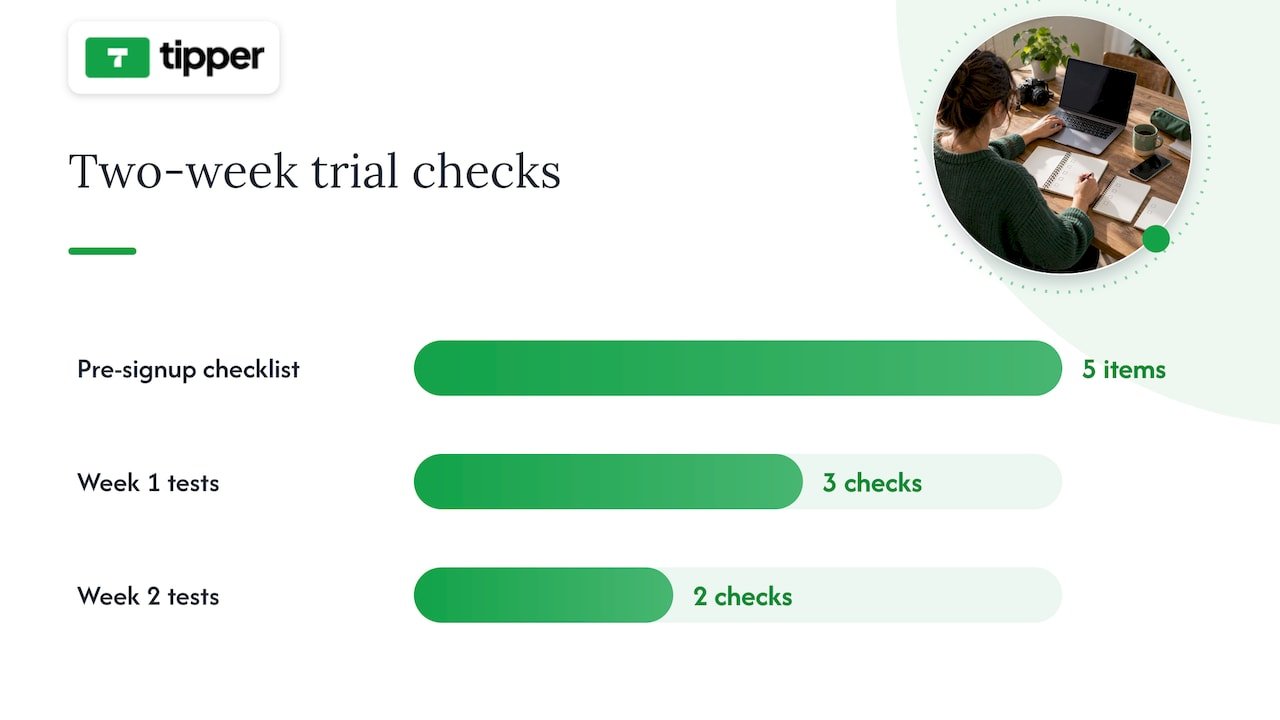
During a trial period, test the parts of the platform you’ll rely on daily rather than the flashy features in the onboarding tour. In the first week, publish a real piece of gated content, process a test payment, and try exporting your data, even if you have nothing to export yet, just to see how the flow works. In the second week, invite a friend or a small group of actual supporters to go through the signup and payment process so you can see where they get stuck. If a demo call dodges questions about fees or data export, or if the sales team can’t tell you what happens during a payment processor outage, treat that as a reason to keep looking.
What migrating off Patreon actually involves
Moving your audience takes real planning, not a single afternoon. Subscriber email lists are usually exportable as a CSV, but full content history, meaning your posts, videos, and files, is often limited or blocked entirely, so confirm what you can actually take with you before announcing anything to your audience.
- Audit and export. Pull your subscriber CSV and inventory what content you can and can’t move.
- Announce early. Tell your supporters where you’re headed and why, at least a few weeks before cutover.
- Set up payouts. Connect Stripe, PayPal, or your chosen processor on the new platform before migrating anyone.
- Migrate in waves. Move your most engaged supporters first, then follow with a general announcement.
- Re-create gated content. Manually download and reupload media-heavy posts, since automated content transfer is rarely available.
- Follow up. Check that payments are processing correctly and confirm with early movers that access works as expected.
For creators with large media libraries, a contractor or migration service can save real time; for a small subscriber base, doing it manually over a weekend is usually enough.
Where tipping fits in a real monetization stack
Tipping and subscriptions solve different problems. A subscription buys recurring access to something specific, like a private community or early episodes. A tip is spontaneous: a thank-you after a livestream, a one-time show of support after a viral post, or a way for someone who isn’t ready to commit to a membership to still show appreciation.
The two work well together rather than as competitors. Use tipping for the unpredictable moments, a great show, a big launch, a live event, and memberships for the recurring value you can promise consistently. Being transparent about where the money goes and how supporter data is used matters more as you diversify income streams, since your audience is trusting you across more than one payment relationship at once.
— Tipper
Get paid in seconds with Tipper
If tipping is the piece missing from your monetization stack, Tipper removes the friction that keeps casual supporters from ever hitting send. There’s no account for them to create, no app to download, just a personalized link or QR code and a payment through Apple Pay, Google Pay, or card. Creators keep their earnings, and every tip can come with a thank-you note, photo, or video, which turns a transaction into an actual moment of connection.

Tipper works well alongside a membership or course platform rather than replacing one: keep your recurring revenue on whichever SaaS fits your content, and add a Tipper link for the spontaneous support that a subscription model can’t capture. If you’re weighing tips against a full subscription setup, our breakdown of tips versus subscriptions walks through the timeline for each. Set up your page at Tipper and start collecting tips today.
Sources
This article drew on TechCrunch’s analysis of Patreon’s competitive landscape for context on platform dependency and ownership trends, and on Foundry’s breakdown of serious creator alternatives for the revenue break-even guidance used in the buying guide section. For a deeper look at tipping-specific tools, see our comparison of digital tipping platforms.
- Patreon’s competitors
FAQ
Is there a better platform than Patreon?
No single platform beats Patreon for every creator, since the right choice depends on whether you need tipping, courses, community, or storefront features. For instant, low-friction support, Tipper removes the friction of account creation; for community-first businesses, Circle or Podia tend to fit better.
Why are creators leaving Patreon?
Many creators cite Patreon’s fee structure and policy risk, particularly around Apple’s in-app purchase rules and content restrictions, as reasons to look elsewhere. Others want more ownership over subscriber data and less dependency on a single platform’s decisions.
Does Patreon allow NSFW content?
Patreon’s content policies restrict certain types of adult content and change periodically, so creators should check Patreon’s current guidelines directly rather than relying on past policy. This uncertainty is one reason some creators diversify onto platforms with clearer, more stable content rules.
Is Substack or Patreon better?
Substack is built specifically for paid newsletters and podcasts with a built-in discovery network, while Patreon supports a broader range of content types including video, community posts, and tiered memberships. Writers focused purely on newsletters often prefer Substack’s simplicity, while creators mixing formats may find Patreon’s or a similar all-in-one platform’s flexibility more useful.
How long does switching platforms usually take?
A straightforward move with a small subscriber base can take a few weeks, covering export, setup, and a staged announcement to your audience. Larger, media-heavy memberships take longer since content often has to be manually downloaded and reuploaded rather than transferred automatically.
Recommended


How to Track Audience Financial Appreciation in 2026
Record every tip as a dated transaction with these fields: date received, gross amount, net amount, payment method, transaction ID, platform fees, payout date, and a short context note. That single habit ties directly to monthly bank reconciliation and Schedule C reporting. IRS Publication 531 requires keeping daily tip records, and IRB 2026-18 clarifies that only net amounts passed to you count as your receipts. Tipper is the recommended collection and reconciliation tool for this workflow.
- Record each tip with all required fields at the time it arrives
- Reconcile platform payouts to your business bank account monthly
- Report all tip income on Schedule C, with or without a Form 1099-K
Key Takeaways
Record each tip with all required fields, centralize payouts to one business bank account, reconcile monthly, set aside 25–30% for taxes, and use conversion rate, repeat tipper rate, and average tip size to iterate.
| Point | Details |
|---|---|
| Record every field | Capture date, gross, net, fees, transaction ID, and content tag for each tip. |
| Centralize payouts | Route all tips to one business bank account to make reconciliation straightforward. |
| Set aside 25–30% for taxes | Transfer that share of each net payout to a tax savings account automatically. |
| Reconcile monthly | Match platform CSVs to bank deposits at the start of each month to catch gaps early. |
| Use Tipper for collection | Tipper’s personalized link, exportable history, and direct payouts support this workflow end-to-end. |
Table of Contents
- What transaction details should you record for every tip?
- Which metrics actually measure audience financial appreciation?
- What tools and workflow should you use to capture tip data?
- How do you set up a tip-tracking system from scratch?
- What are the US tax essentials for tip income?
- Monthly reconciliation checklist for tip income
- How should you handle privacy and payment security?
- How do you use tip analytics to grow your revenue?
- Why organized tip tracking matters more now than ever
- Tipper makes it easier to track audience financial appreciation
- Sources
- FAQ
What transaction details should you record for every tip?
Every tip needs a complete paper trail. Missing even one field creates a reconciliation gap that costs time at tax season.
Required fields per transaction:
- Date received — the date the tip was sent, not when it hit your bank
- Gross amount — what the supporter clicked or typed
- Net amount received — after platform and processing fees
- Currency — USD for domestic tips; note foreign currency if applicable
- Platform name — Tipper, Stripe, PayPal, etc.
- Payment method — Apple Pay, Google Pay, card, ACH
- Transaction ID — the alphanumeric string from the platform
- Payout ID — the batch payout reference from your processor
- Platform fee and processing fee — split as separate line items
- Payout date — when the money hit your bank account
- Payer note — any message the supporter left
- Content ID — the post, stream, or video that prompted the tip
- Tag — one-off vs. recurring
Evidence to keep alongside each record:
- Platform payout CSV for the period
- Bank deposit line matching the payout
- Screenshot of the tip page or confirmation message
- Any invoice or contract if the tip accompanied a sponsorship
Per IRS Publication 531, keeping a daily tip record is a procedural requirement, not a best practice. The benefits of tip-based revenue are real, but they only compound when your records are clean enough to analyze.
Pro Tip: Add a short “why” tag to each transaction (“thank-you video sent,” “pinned post,” “live stream”). Six months of those tags will show you exactly which content converts supporters into tippers.
Which metrics actually measure audience financial appreciation?
Tracking tips without measuring them is like running a store without checking sales. These KPIs turn raw transaction logs into decisions.
Primary KPIs:
- Total tip revenue (gross and net) — your top-line and take-home
- Unique tippers — audience breadth; a growing count signals expanding reach
- Average tip size — tells you whether to raise your suggested amounts
- Tip conversion rate — tippers divided by engaged audience for a given period
- Repeat tipper rate — tippers who gave more than once; your most loyal segment
- Tip frequency by content type — which formats drive the most support
- Fee drain percentage — (platform fees + processing fees) ÷ gross tips
- Tax set-aside rate — percentage of net moved to your tax savings account
| Metric | Formula | Why it matters |
|---|---|---|
| Tip conversion rate | Tippers ÷ engaged audience | Shows whether your ask is landing |
| Repeat tipper rate | Repeat tippers ÷ total unique tippers | Signals loyalty and content resonance |
| Average tip size | Total gross ÷ number of tips | Guides suggested-amount adjustments |
| Fee drain % | Total fees ÷ gross tips | Reveals true cost of each platform |
| Tax set-aside rate | Tax savings transferred ÷ net received | Confirms you’re staying IRS-ready |
Conversion rate and repeat tipper rate come directly from your transaction log. Fee drain percentage is the number most creators ignore until it’s too late. Tracking gross and net separately per platform, with processing fees as their own line, is the practice that makes this metric visible.

Conversion rate, average tip size, and fee drain feed your growth decisions. Total gross, net, and platform fees feed Schedule C.
What tools and workflow should you use to capture tip data?
The right stack has four layers: collect, export, verify, and analyze. You don’t need expensive software for any of them.
Tool categories:
- Collection — a personalized tip link or QR code (Tipper recommended); routes directly to your payment processor
- Payment processor — Stripe or PayPal; generates transaction-level records automatically
- Export — CSV downloads or webhooks from your tipping platform; schedule these monthly at minimum
- Accounting — a spreadsheet, QuickBooks, or a creator dashboard; import CSVs into a normalized income log
- Tax handoff — export a clean summary (gross, fees, net, deductible expenses) for your CPA or tax software
Direct tip links reduce fee leakage because you skip the platform’s revenue share. Multi-platform creators who consolidate payouts into a single master income log spend far less time reconciling because their bank statement becomes an authoritative backup.
Practical workflow:
- Enable your direct tip link and route payouts to a dedicated business bank account
- Set up monthly CSV exports from every platform you use
- Import CSVs into your master income log and tag each transaction
- Categorize platform fees and processing fees as separate expense lines
- Move 25–30% of each net payout to a tax savings account
- Run a monthly reconciliation session to match log entries to bank deposits
Integration touchpoints to automate: webhooks to your accounting tool, scheduled CSV exports, and bank-feed reconciliation. Real-time contribution tools can push transaction data directly into your log without manual imports.
Pro Tip: Route every tip payout to one business bank account only. A single account makes bank-deposit reconciliation trivial and gives your CPA a clean audit trail.
How do you set up a tip-tracking system from scratch?
One focused session is enough to get this running. Follow these steps in order.
- Open a dedicated business bank account and connect it to your payment processor. Never mix tip income with personal funds.
- Create your Tipper tip link and enable Apple Pay and Google Pay. Add the link to your bio, pinned post, and stream overlay. See contactless tip collection examples for placement ideas.
- Enable CSV exports on every platform you use and schedule them for the first of each month. Create a folder structure:
/Tips/2026/Month/Platform. - Build your master income log with the transaction fields listed earlier. Import your first month’s CSV and verify the totals match your bank deposits.
- Open a tax savings account and set an automatic transfer rule: move 25–30% of each payout the day it arrives.
- Schedule two recurring calendar events: a monthly reconciliation session (first week of each month) and a January 1099 reconciliation to catch any forms that arrive late.
After the first import, spot-check three transactions against your bank statement. If the amounts match, your system is working.
What are the US tax essentials for tip income?
The IRS is clear: all tips are taxable income and must be reported, whether or not a platform issues a 1099. Viewer donations and tips through third-party processors are taxable business income and belong on Schedule C.
The IRS requires gig workers to report all income using Form 1040 with Schedule C (business profit/loss) and Schedule SE (self-employment tax). No 1099 does not mean no tax obligation.
Key forms and what triggers them:
- Form 1099-K — issued by payment processors when you exceed the reporting threshold; the threshold has changed in recent years, so confirm the current figure with the IRS
- Form 1099-NEC — issued by platforms that pay you directly as a contractor; less common for tips
- Form 4137 — used to calculate Social Security and Medicare taxes on unreported tips
- Form 1040-X — to amend a prior return if you discover unreported tip income
IRB 2026-18 clarified that platform-retained fees are not your income. Only the net amount passed to you counts as your receipt. That distinction matters for reconciling 1099-K totals, which often reflect gross amounts the platform collected, not what you actually received.
Platforms report differently and many tip streams generate no automatic tax documentation at all. Your platform CSVs showing gross, platform retention, and net are the authoritative record. Bank-deposit analysis is a standard IRS audit technique for small businesses, so a month-by-month reconciliation folder is your best protection.
This is general guidance, not tax advice. Consult a CPA for your specific situation.
Monthly reconciliation checklist for tip income
Run this at the start of each month for the prior period. It takes under an hour once your system is set up.
- Export the prior month’s platform statements (CSV) from every tip source
- Pull your business bank statement for the same period
- Match each platform payout to its corresponding bank deposit line
- Tag any unmatched deposits and investigate before closing the month
- Reconcile platform fees and processing fees to your expense categories
- Confirm your tax set-aside transfer was made for each payout
- Archive the month’s CSVs in your folder structure
Common mismatches and fixes:
- Timing differences — a payout initiated December 31 may land January 2; log it in the period it was initiated, note the bank date
- Refunds — platforms net refunds against payouts; record them as negative transactions
- Platform batching — some processors batch multiple tips into one deposit; your CSV will show the individual transactions that make up the batch
For your CPA or tax software, prepare a one-page monthly summary: gross tips, platform fees, processing fees, net receipts, and any deductible expenses (equipment, software, home office). Monaco CPA notes that viewer donations reported on Schedule C need exactly this breakdown to reconcile against any 1099s issued.
How should you handle privacy and payment security?
Supporters share payment data when they tip. Handling it carelessly creates legal and reputational risk.
Minimum security practices:
- Use only PCI-compliant processors (Stripe, PayPal, and Tipper’s underlying processor qualify)
- Never store full card numbers or CVV codes anywhere in your records
- Serve your tip page over HTTPS only
- Collect only the data you need from tippers; avoid requiring accounts or excessive personal information
- Follow the terms of service of every platform you use
Store exported CSVs in encrypted backups with access controls. The IRS recommends keeping tax records for at least three years from the filing date, and up to seven years if you underreported income by more than 25%.
Pro Tip: Before archiving monthly CSVs, remove or anonymize any payer notes that include personal details (full names, addresses, phone numbers). Keep the transaction data; strip the identifying text.
How do you use tip analytics to grow your revenue?
Data without action is just storage. These experiments turn your metrics into content decisions.
Experiments tied to your KPIs:
- A/B test tip ask copy — run two versions of your tip CTA for 30 days and compare conversion rates
- Change tip placement — test a stream overlay versus a pinned post versus an end-of-video card; track which drives more unique tippers
- Test reward nudges — send a thank-you video to tippers and measure whether repeat tipper rate rises the following month
- Compare conversion by content type — tag transactions by content format and sort by conversion rate after 60 days
If your repeat tipper rate is rising but average tip size is flat, your audience is loyal but your suggested amounts may be too low. Raise the default ask and watch average tip size for 30 days. If unique tippers are growing but conversion rate is falling, your reach is expanding faster than your ask is landing. Tipping frequency as a content signal can tell you which formats are building that loyalty.
Pro Tip: Run a 30-day test where you solicit tips via your direct Tipper link on half your posts and via a platform’s native tool on the other half. Compare net-to-you and conversion rate. The difference is usually larger than creators expect.
Why organized tip tracking matters more now than ever
The 2026 IRS guidance in IRB 2026-18 removed a lot of ambiguity that used to let creators defer this work. Voluntary post-access payments are now more clearly classified as tips, which means the recordkeeping obligations that apply to tip income apply to most of what creators collect through tipping links. Creators who set up their systems now avoid the painful retroactive reconstruction that happens when an audit or a CPA request arrives.
Tidy records also free you to focus on content. When your monthly close takes 45 minutes instead of a weekend, you spend the rest of the month making things rather than chasing receipts.
Tipper makes it easier to track audience financial appreciation
Collecting tips through a single, well-designed link is the fastest way to reduce bookkeeping friction. Tipper gives you a personalized tip link and QR code that supporters can use without creating an account, paying via Apple Pay, Google Pay, or card in seconds.
Every transaction flows to your business bank account with a clear record of gross amount, platform fee, and net received. Exportable transaction history means your monthly CSV is ready when you need it. Supporters can leave notes or video messages tied to each tip, so your content-ID tagging is built into the receipt. That single funnel, from tip link to bank deposit to exportable statement, is the foundation the workflow above is built on.
Set up your Tipper link and run a 30-day tip-tracking trial using the checklist in this guide.
Sources
- Publication 531 (2020), Reporting Tip Income | Internal Revenue Service
- Multi-Platform Creator Income: How to Track and Report All | Tranzesta
- How Do You Track Income Across Multiple Platforms? | Owelet
- Streamer Taxes 2026: Twitch (Two 1099s), YouTube AdSense, Kick via Stripe | Monaco CPA
This article is general information, not a substitute for advice from a qualified financial advisor. Consult a qualified financial professional about your own circumstances before acting on anything here.
FAQ
Do I owe taxes on tips even without a 1099?
Yes. The IRS requires you to report all tip income regardless of whether a platform issues a Form 1099-K or 1099-NEC. Report tips on Schedule C as business income.
What fields do I need to record for each tip?
At minimum: date received, gross amount, net amount, platform name, payment method, transaction ID, platform fees, payout date, and a content or context tag.
How often should I reconcile my tip income?
Run a full reconciliation monthly, matching platform CSV exports to your business bank deposits. A weekly spot-check catches timing mismatches before they pile up.
How does Tipper help with tip recordkeeping?
Tipper provides exportable transaction history showing gross amount, platform fee, and net received for every tip, plus supporter notes tied to each transaction, making monthly CSV imports and Schedule C prep straightforward.
What is the tax set-aside rate for tip income?
Practical bookkeeping guidance recommends setting aside 25–30% of each net payout into a dedicated tax savings account to cover federal income tax and self-employment tax.
Recommended

12 Ways to Strengthen Audience Connection for Creators
The most effective ways to strengthen audience connection come down to five core moves, according to INMA: habit formation, serving user needs (educate, inspire, decide), building journalist–audience connections, personalization, and two-way conversation. These can be expressed through strategies like speaking in a consistent voice, inviting audience interaction, running recurring series, mapping content to user needs, and direct acknowledgment. Start with three of these this week.
Quick-win checklist (do these in the next 72 hours):
- Pull your top five content pieces by time-on-page and note what they share
- Post one opinion prompt asking your audience to reply with a single word or sentence
- Write a personal thank-you to your three most engaged followers or recent supporters
Key Takeaways
The strongest audience connections come from combining consistent voice, two-way conversation, and direct acknowledgment into a repeatable weekly habit.
| Point | Details |
|---|---|
| Research before publishing | Pull top pages, run a three-question survey, and mine comments before creating new content. |
| Prioritize depth over volume | Comments, replies, and repeat visits signal real connection better than likes or follower counts. |
| Map content to audience need | Match every piece to educate, inspire, or decide intent, then set a publishing frequency for each. |
| Close the loop publicly | When audience input changes something you publish, say so explicitly to build trust and repeat participation. |
| Acknowledge supporters directly | A personal thank-you after a tip or contribution increases the likelihood of repeat engagement. |
Table of Contents
- How do you research and segment your audience effectively?
- Does your voice make your audience feel seen?
- How should you design content your audience actually wants?
- What conversation tactics actually get your audience to respond?
- Which interactive formats produce the strongest engagement?
- How do you build a community that keeps coming back?
- How do you personalize messages without overwhelming your audience?
- What metrics actually tell you if your audience connection is improving?
- How do you win back an audience that has gone quiet?
- How does direct appreciation deepen audience loyalty?
- A recommended first 30-day experiment to strengthen connection
- Turn appreciation into a revenue stream with Tipper
- Sources
- FAQ
How do you research and segment your audience effectively?
Most creators skip audience research because it feels slow. It isn’t, if you keep it tight. Pull three signals from your analytics right now: top pages by time-on-page, top referral sources, and your highest-comment posts. Those three tell you what your audience values, where they come from, and what makes them speak up.
For faster qualitative data, run a three-question micro-survey in your next email or story:
- What’s your biggest challenge with [your topic]?
- What format do you prefer: short tips, deep dives, or video?
- What almost stopped you from following me?
Mine your comments and DMs for recurring phrases. When three different people use the same word to describe a problem, that word belongs in your next headline.
Mini-persona template (copy and fill in):
- Name: [Fictional first name]
- Top need: [One sentence: what they’re trying to solve or become]
- Preferred format: [Video / newsletter / short posts]
- Intent signal: [What they do right before they need your content]
Segment by intent, not demographics. Someone who reads your “how-to” posts is in educate mode. Someone comparing options is in decide mode. Someone sharing your posts is in inspire mode. Prioritize the segment that maps to your business goal this quarter.
Pro Tip: Post a poll on your story or in your newsletter asking one binary question, then follow up with a three-question form for people who answer. You’ll confirm assumptions in 48 hours with almost no effort, and audience analysis techniques like this consistently improve how well your content lands.
Does your voice make your audience feel seen?
Voice is the fastest trust signal you have. Before a reader finishes your first paragraph, they’ve already decided whether you sound like someone worth listening to. Consistency across channels, not polish, is what builds recognition.
Here’s the same idea written two ways:
Generic: “Our platform helps users achieve their goals through innovative solutions.”
Relatable: “We built this because we kept losing track of who actually tipped us. Turns out, a lot of creators had the same problem.”
The second version names a real experience. That’s the difference. Specific content that names lived experiences and long-term consistency build trust more reliably than any polished marketing message.
Simple tone matrix:
- Email newsletter: warm, first-person, slightly informal
- Social captions: conversational, direct, one clear point
- Long-form posts: authoritative but approachable, use “you” and “we”
- Video scripts: natural speech patterns, short sentences, rhetorical questions
Small signals compound: a byline photo, a first-person anecdote in your intro, a brief note when you get something wrong. Audiences trust accountable creators who explain their reasoning and correct mistakes openly.
How should you design content your audience actually wants?
Map every content idea to a need before you publish it. The framework is simple: audience need → format → frequency.
- Educate → How-to post, tutorial, explainer video → Weekly
- Inspire → Case study, behind-the-scenes story, transformation post → Bi-weekly
- Decide → Comparison, FAQ, checklist → As needed, tied to a launch or question spike
Recurring series are the fastest way to build habit. A weekly tip, a monthly AMA, or a daily micro-post gives your audience a reason to return on a schedule. INMA’s research identifies habit formation as one of the five primary levers for converting casual readers into loyal, long-term supporters.
Before publishing any new piece, check these four things:
- Does it solve a specific problem for a specific segment?
- Is the format the right fit for where it will live?
- Do you have a distribution plan beyond just posting it?
- Can it be repurposed into two other formats within a week?
Repurposing isn’t laziness. A newsletter section becomes a LinkedIn post, which becomes a short video script. Each version reaches a different slice of your audience and reinforces the same idea across touchpoints.
What conversation tactics actually get your audience to respond?
The most common mistake creators make is ending content with no ask. A post that ends with a period gets fewer replies than one that ends with a question. It’s that mechanical.
Prompts that reliably generate replies:
- “What would you do in this situation?” (opinion prompt)
- “Which of these two options fits your situation better?” (binary choice)
- “Reply with one word that describes your biggest challenge right now.” (micro-ask)
- “I changed my mind about this. Have you?” (vulnerability hook)
For email, add a P.S. that invites a reply. For social, ask a question in the caption, not the comments. For DMs, respond to story replies with a follow-up question rather than just a thank-you.
On volume: reply publicly to comments that others would benefit from seeing. Move to DMs when the conversation gets personal or requires a longer answer. When audience input actually changes something you publish, say so explicitly. “You asked about X last month, so here it is” closes the loop and proves you’re listening. Brands that respond publicly to audience input report stronger habitual use and trust than those that don’t.
Which interactive formats produce the strongest engagement?
Polls, live Q&As, short quizzes, and micro-workshops all outperform passive content on participation rate. The key is matching the format to the platform and the audience’s current energy level.
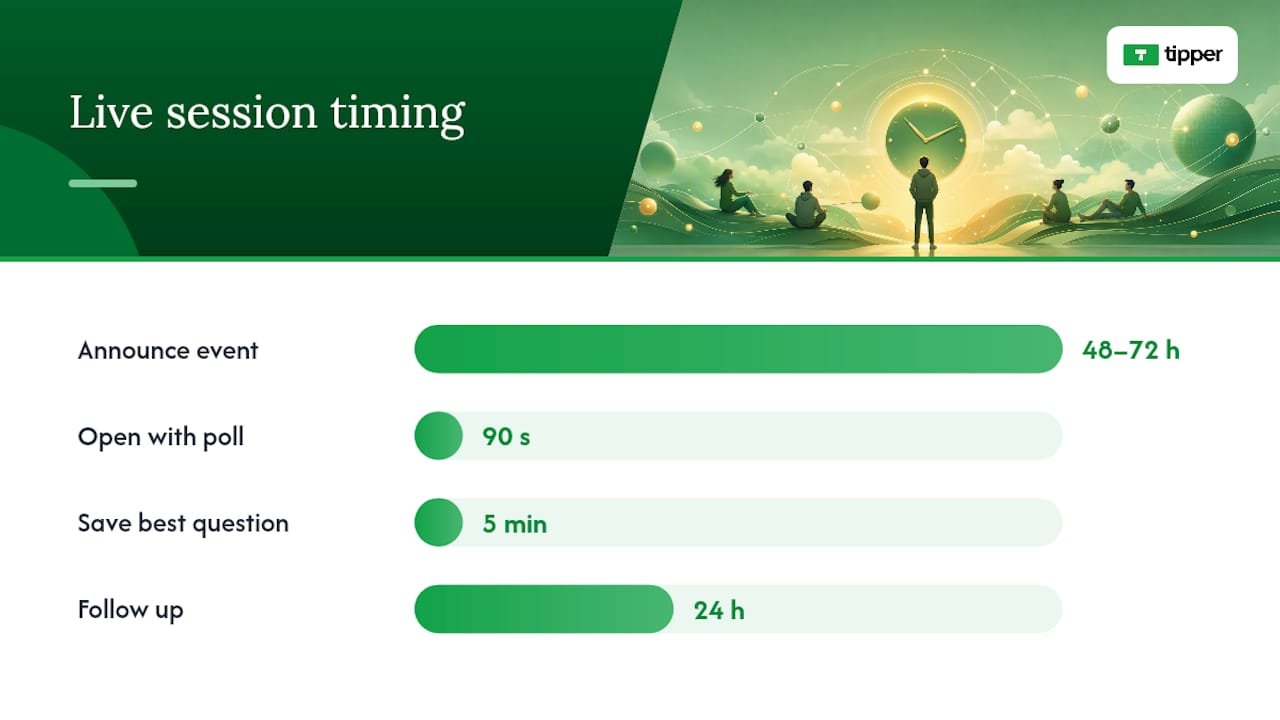
How to run a live session that actually drives participation:
- Announce it 48–72 hours in advance with a specific topic, not just “going live.”
- Open with a poll or question in the first 90 seconds to activate lurkers.
- Call out participants by name when they contribute.
- Save the best question for the last five minutes to reward people who stay.
- Follow up within 24 hours with a summary or a resource mentioned during the session.
Interactive prompt examples to reuse across channels:
- “Drop a number 1–5 in the comments: how confident are you about [topic]?”
- “Poll: Which of these is your biggest blocker right now?”
- “Quiz: What type of [creator/business/learner] are you?”
- “Word cloud: What’s one word you’d use to describe [topic]?”
- “Hot take: agree or disagree with this?”
- “Challenge: try this for 24 hours and report back.”
Interactive formats like polls, Q&As, and word clouds both increase participation and generate data you can use to personalize follow-up content. Watch participation rate, chat message volume, and poll response rate during live events. Those three numbers tell you whether the format is working before the session ends.
How do you build a community that keeps coming back?
The platform choice matters less than the consistency of what happens inside it. A Discord server with weekly prompts beats a Facebook group with sporadic posts every time.
Platform by use-case:
- Lightweight chat: Discord or Slack for real-time conversation and quick check-ins
- Forum-style discussion: Circle or a newsletter community for longer threads
- Email-first community: A segmented newsletter with reply-to enabled
Starter prompts that generate recurring participation:
- “Weekly check-in: what are you working on this week?”
- “Challenge of the month: share your result by Friday.”
- “Spotlight: tag a member who helped you recently.”
For user-generated content, make the ask specific. “Share a screenshot of your result” gets more responses than “share your experience.” When members contribute, feature their work publicly with credit. That single act signals to everyone else that participation gets recognized.
Keep moderation rules short and visible: one rule about respect, one about staying on topic, one about self-promotion limits. Channel-specific optimizations and live events are practical ways for creators and small businesses to increase measurable audience involvement without heavy infrastructure.
How do you personalize messages without overwhelming your audience?
Personalization doesn’t require a complex tech stack. It requires knowing which segment a person belongs to and sending them something relevant to that segment.
Simple email trigger flows:
- Welcome: Send within one hour of sign-up. Include one question about their goal.
- Interest-based follow-up: Three days later, send content matched to their answer.
- Re-engagement: After 30 days of silence, send a “we noticed you’ve been quiet” email with one specific resource.
Quick segmentation rules:
- By behavior: clicked a link about topic X → tag them as interested in X
- By lifecycle: new subscriber vs. 90-day active vs. lapsed
- By interest: self-selected at sign-up or inferred from click patterns
Pro Tip: Don’t collect data you can’t act on. If you’re not going to use someone’s job title to change what you send them, don’t ask for it. Explain your personalization simply: “We send you content based on what you’ve clicked.” That transparency builds trust faster than any clever subject line.
Modular content blocks let you scale personalization without rebuilding every email. Write three versions of a section (beginner, intermediate, advanced) and swap the right one in based on the subscriber’s tag.
What metrics actually tell you if your audience connection is improving?
Engagement depth matters more than volume. A post with 12 thoughtful comments tells you more than one with 400 likes.
Metric checklist:
- Active participation: comments, replies, DM responses per post
- Retention: return visits, repeat email opens, newsletter reply rate
- Conversion: sign-ups, tip completions, resource downloads
- Qualitative signals: sentiment in comments, words people use to describe you
Simple A/B test template:
- Hypothesis: Changing [element] from [A] to [B] will increase [metric] by a meaningful amount.
- Variable: One thing only (subject line, CTA wording, or content format).
- Duration: Run for two full send cycles or two weeks, whichever is longer.
- Decision rule: If [metric] improves by more than your normal variance, adopt the winner.
Run one experiment per month. More than that and you lose track of what caused what. When an experiment reveals a preference, update your editorial calendar to reflect it within two weeks, not two months.
How do you win back an audience that has gone quiet?
Lapsed audiences don’t need more content. They need a reason to care again.
Re-engagement hooks that work:
- A surprising data point or result from your own work
- A limited-time series with a clear end date (“5 posts in 5 days on X”)
- A UGC spotlight that features community members, not just you
- A direct “we miss you” email with a single, low-friction ask
Subject lines and social hooks for win-back campaigns:
- “I was wrong about this. Here’s what I learned.”
- “The thing I stopped doing (and why I’m starting again).”
- “You asked about X six months ago. Here’s the answer.”
When a real-time event is relevant to your audience, pause your scheduled content and respond to it. That responsiveness signals you’re present, not just broadcasting. Storytelling, humor, abrupt format changes, and direct calls to action are proven attention-recovery tools for both live sessions and long-form content.
Test reactivation channels separately. An email win-back and a social win-back reach different people. Run them two weeks apart and compare which channel brings people back to active participation.
How does direct appreciation deepen audience loyalty?
Recognition compounds. A supporter who receives a personal thank-you after their first tip is far more likely to contribute again than one who gets silence. This isn’t speculation; it’s the basic psychology of acknowledgment.
Thank-you message templates:
- Short note: “Thank you for the tip, [Name]. It genuinely helps me keep making [type of content]. I’m working on [next thing] right now and your support makes that possible.”
- Video message: Record a 30-second clip addressing the supporter by name, mentioning what you’re working on next, and inviting them to reply with a question or topic request.
Tipping and direct appreciation function as a trust-and-loyalty signal when paired with a personal response. The acknowledgment closes a loop that passive content never does.
Where tips fit in the creator lifecycle:
- Surface your tip link after high-value content (end of a tutorial, post-event follow-up)
- Include it in your email footer or bio, not just in one-off posts
- Use social proof from tip activity to show others that supporters value your work
Pro Tip: Combine a personal thank-you message with a public UGC spotlight. Feature the supporter’s comment or contribution in your next post (with permission). The private acknowledgment builds the individual relationship; the public spotlight signals to your whole audience that engagement gets recognized.
A recommended first 30-day experiment to strengthen connection
If you’re starting from scratch or resetting after a quiet period, sequence matters. Here’s how to spend the first four weeks.
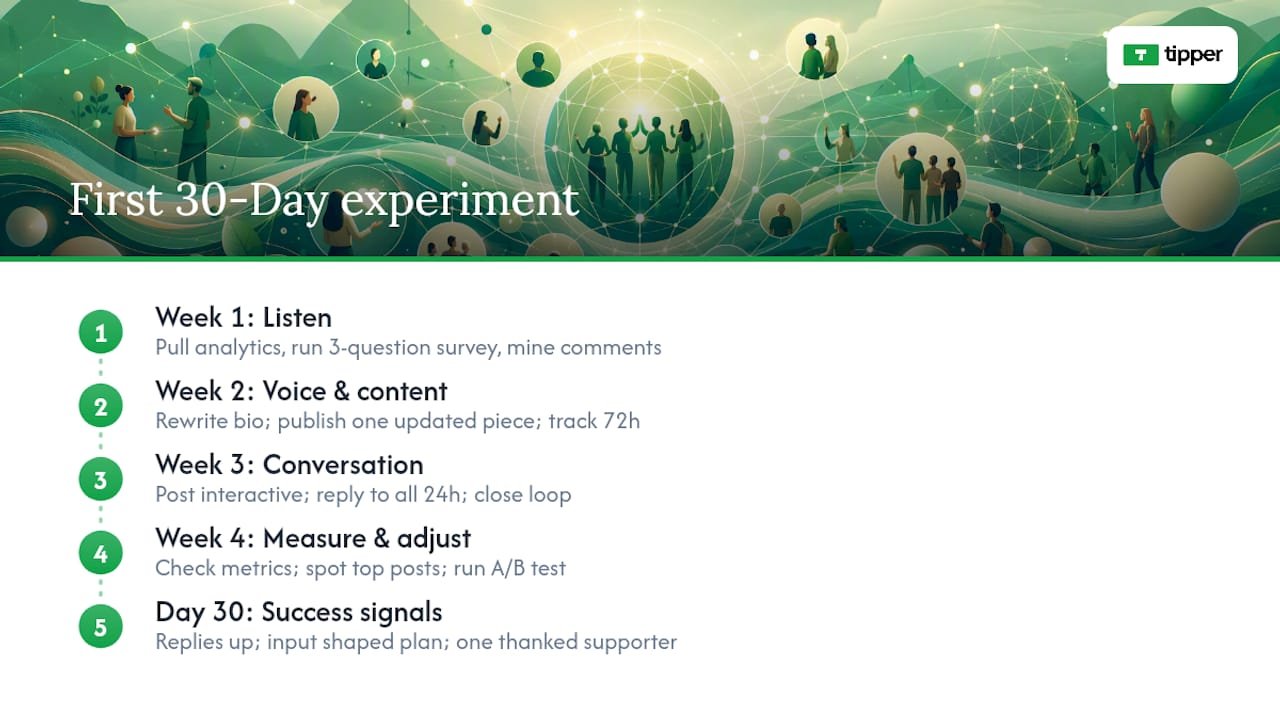
Week 1: Listen. Pull your analytics, run your three-question micro-survey, and mine your top 20 comments for recurring language. Don’t publish anything new until you’ve done this. The data will change what you write.
Week 2: Voice and content. Rewrite your bio and one piece of existing content using the relatable-voice rules above. Publish one piece mapped to your audience’s top need. Track comments and replies for 72 hours.
Week 3: Conversation. Post one interactive format (poll, opinion prompt, or live Q&A). Reply to every comment within 24 hours. Close the loop publicly on any input that shaped your next piece.
Week 4: Measure and adjust. Check your metric checklist. Which posts generated the most replies? Which format had the highest participation rate? Run one A/B test on your next email subject line.
Expected signals of success by day 30: a measurable increase in reply rate, at least one piece of audience input that directly shaped your editorial calendar, and one supporter you’ve personally acknowledged. If none of those happened, the problem is usually in Week 1. Go back and listen harder.
Turn appreciation into a revenue stream with Tipper
Every tactic in this article builds toward one outcome: an audience that trusts you enough to support you directly. Tipper makes that moment frictionless. Supporters send a tip instantly through your personalized link using Apple Pay, Google Pay, or a card. No account required on their end. You keep 100% of every tip, and you can respond with a thank-you note or video that deepens the connection further.
Set up your Tipper page in minutes and put the link where your best content lives.
Sources
- Tips & Guides – Engaging Your Audience
- 5 proven strategies to deepen audience engagement
- How brands can build stronger connections with their audience
- Miro — Audience engagement
- Audience engagement — Sprout Social
- Audience Engagement Types + Strategies To Boost Engagement (2025) – Shopify
- How to Build Trust with Your Audience
- 8 powerful ways to build trust with your audience — Gemma Gilbert Business Coach
- Strategies for Audience Connection | PDF | Nonverbal Communication
FAQ
How do you build a connection with your audience?
Start by researching what your audience actually needs, then speak to those needs in a consistent, first-person voice. Replying to comments, closing the loop on audience input, and acknowledging supporters directly are the fastest ways to move from passive following to active connection.
How do you encourage an audience to engage?
End every piece of content with a specific, low-friction ask: a binary poll, a one-word reply prompt, or a direct question. Posts that end with a question consistently generate more replies than posts that simply conclude.
How do you establish a connection with an audience quickly?
Use inclusive language, reference your audience’s present situation directly, and name a specific lived experience in your opening. Presentation techniques like these measurably improve rapport in both live and written formats.
How do you regain audience attention after a drop-off?
Lead with a surprising result, a direct “I was wrong” admission, or a limited-time series with a clear end date. Storytelling, humor, and abrupt format changes are proven attention-recovery tools for both live sessions and long-form content.
Recommended

Why Payment Privacy Matters for Freelancers in the U.S.
Payment privacy matters for freelancers because every digital transaction you send or receive generates a data trail that banks, payment processors, platforms, and data brokers can use for surveillance, profiling, fraud, and price discrimination. That trail is not theoretical. It affects your income, your client relationships, and your physical safety.
Three harms hit freelancers hardest:
- Account freezes and holds: Unusual transaction patterns, flagged by algorithms at banks or payment platforms, can lock your income without warning.
- Targeted price discrimination: Clients or platforms that can see your payment history may adjust what they offer you, or charge you more, based on inferred financial need.
- Doxxing and identity attacks: Exposed payment details, including your legal name, linked email, or bank routing number, can be weaponized for social engineering or public harassment.
The sections below explain where your payment data goes, which methods leak the most, and what you can do today to reduce exposure without running afoul of U.S. tax obligations.
Table of Contents
- What are the real risks freelancers face from weak payment privacy?
- How do different payment methods compare on privacy?
- What practical steps can you take to protect your payment info?
- When should you prioritize privacy, and when does convenience win?
- What do central banks and policy researchers say about payment privacy?
- Key Takeaways
- The privacy gap most freelancers don’t see
- Tipper keeps your tips private by default
- Useful sources and further reading
- FAQ
What are the real risks freelancers face from weak payment privacy?
Weak freelance financial privacy is not an abstract concern. The consequences show up in your bank account, your inbox, and sometimes your front door.
Account freezes and unexpected holds
Banks and payment platforms use automated systems to flag unusual transaction flows. If your income is irregular, which is normal for freelancers, those systems can misread legitimate activity as suspicious. Sharing transaction histories with too many parties, or receiving large one-off payments through consumer-facing apps, raises the probability of a hold. A frozen account during a cash-flow gap is not just inconvenient; it can mean missing rent.
Fraud, scams, and doxxing
Exposed payment details are raw material for social engineering. A bad actor who knows your legal name, your PayPal address, and the rough size of your typical invoice can craft a convincing phishing message or impersonate you to a client. PrivacyOn’s guide for gig workers identifies public-facing profiles, unsecured networks, and data brokers as the three primary exposure vectors for freelancers. The combination of a public portfolio and a payment handle tied to your real identity is particularly risky.
Price discrimination and lost negotiating power
Payment history reveals patterns: how often you work, what clients pay you, and whether you accept lower rates during slow periods. Platforms and sophisticated clients who can access or infer that history may use it to adjust what they offer you. The Bank of Canada’s public policy research documents how declining cash use enables firms to use payment data for profiling and price discrimination, a dynamic that applies directly to freelancers whose income is fully digital.
Professional and legal exposure
Some freelancers work in sensitive fields: political consulting, investigative journalism, mental health content, or legal support. Payment records that reveal client relationships or purchase patterns can create professional liability or personal safety risks. The compliance caveat here is straightforward: protecting privacy does not mean hiding income. U.S. tax law requires you to report all income regardless of payment method. Consult a tax professional for your specific situation.
Pro Tip: Set a monthly alert for unfamiliar login locations on your payment accounts and review payout destinations quarterly. Catching an unauthorized change early is far cheaper than recovering from a full account takeover.
How do different payment methods compare on privacy?
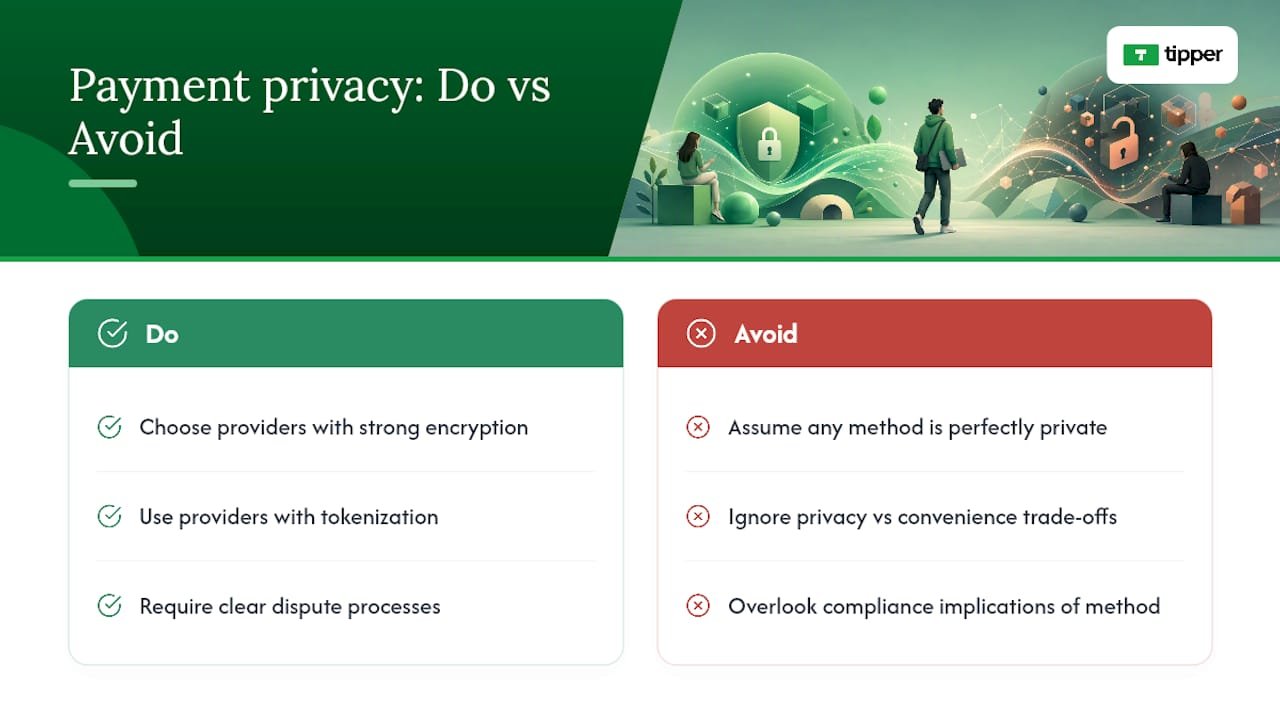
No payment method is perfect. Each one trades privacy against convenience, speed, and compliance in different ways. Choosing providers with strong encryption, tokenization, and clear dispute processes is a baseline, but the underlying method still shapes your exposure.
Card payments via PSPs
High convenience, high data exposure. When a client pays you through a card-accepting PSP, the card network (Visa or Mastercard) sees the transaction at the network level regardless of which PSP processes it. Tokenization limits some exposure for the payer, but it does not reduce what the network or the PSP retains about you as the payee. For recurring, high-value client relationships, this is often an acceptable trade-off. For one-off or sensitive work, it is worth considering alternatives.
ACH and direct deposit
Fewer intermediaries than cards, which is a genuine privacy advantage. ACH transfers run through the banking system directly, so the data stays primarily with your bank and your client’s bank rather than flowing through a card network. The downside: your bank sees your full transaction history and can share it under its terms of service or in response to legal process. For recurring payroll-style arrangements with established clients, ACH is often the right call.
Platform wallets and marketplace payments
Platforms that hold your balance and link payments to your profile offer good dispute resolution but poor privacy. The platform operator can see every transaction, link it to your activity history, and use that data for its own purposes. If you work through a marketplace, assume the platform knows your income patterns in detail.
Tipping links and accountless payment pages
This is where the privacy calculus shifts in your favor. A well-designed tipping link lets a sender pay without creating an account, which means no persistent profile is built on the sender’s side. When the link also supports Apple Pay or Google Pay, the actual card number is never transmitted; a device-specific token is used instead. The result is a shorter data chain than almost any other method. For one-off appreciation payments, public-facing tip pages, or situations where you do not want to share banking details with a new contact, this approach minimizes unnecessary data linkage.
Cryptocurrency
Crypto offers pseudonymity, not anonymity. On-chain transactions are publicly visible, and the on-ramp and off-ramp points (exchanges where you convert to or from dollars) require KYC verification that can re-identify you. Privacy-preserving protocols exist and are gaining attention, as zero-knowledge proof designs demonstrate, but they add complexity and are not yet mainstream for everyday freelance payments. Use crypto with clear eyes about what it does and does not hide.
What practical steps can you take to protect your payment info?
Operational habits deliver more privacy protection than most technical tools, and they cost nothing. Here is a prioritized checklist for freelancers in the U.S.
Immediate actions:
- Open a dedicated business bank account and use a separate email address for all payment-related accounts. Mixing personal and business finances is the single fastest way to expose both.
- Use payment links that minimize metadata for one-off or public-facing payments instead of sharing your bank details directly.
- Enable two-factor authentication (2FA) on every payment account. An authenticator app (Google Authenticator, Authy) is stronger than SMS-based 2FA.
- Prefer platforms that limit unnecessary data retention and have clear, readable privacy policies.
Technical controls:
- Use a VPN on public Wi-Fi whenever you access payment accounts or send invoices.
- Keep payment apps isolated: a dedicated browser profile or a separate device for financial tasks limits cross-site tracking.
- Turn off autofill for financial details in your browser. Autofill data can be harvested by malicious scripts on compromised pages.
- Tokenization (built into Apple Pay and Google Pay) replaces your actual card number with a device-specific token, reducing exposure if a merchant is breached.
Operational controls:
- Keep invoice notes minimal. Standardize your invoice metadata so it reveals the least possible about client identity or project nature.
- Ask clients to use discrete payment descriptions. “Services rendered” is better than a description that names a sensitive project.
- Never attach sensitive personal information to public receipts or payment confirmations.
Financial controls:
- Use direct deposit for recurring clients, a privacy-friendly link for one-off tips, and approach crypto with awareness of its on-chain transparency.
- Keep proper records for taxes. The IRS requires income reporting regardless of payment method, and good records protect you in an audit. A tax professional can advise on the right recordkeeping system for your situation.
Pro Tip: For high-risk clients or public-facing pages, use a single-use or ephemeral payment link rather than a permanent one tied to your main profile. If that link is scraped or shared beyond its intended audience, it limits the damage.
When should you prioritize privacy, and when does convenience win?
Not every transaction needs the same level of protection. Spending effort on privacy controls where the risk is low wastes time you could spend on actual work.
Prioritize privacy when:
- You work in politically sensitive, journalistic, or legally adjacent fields where client relationships must stay confidential.
- A payment reveals a pattern, such as recurring income from a specific source, that you would not want a data broker, future client, or adversary to infer.
- You are receiving a large or irregular payment that could trigger algorithmic scrutiny.
- You are sharing payment details with someone you have not worked with before.
Standard convenience is fine when:
- A client requires a specific invoicing format for expense reimbursement, and full visibility is part of their compliance process.
- You are using a platform that requires transaction visibility for dispute resolution, and the dispute protection is worth the trade-off.
- The transaction is low-value and one-directional with no sensitive context attached.
A simple decision rule: if the payment reveals something about you or your client that you would not want made public, treat it as high-privacy. If it is routine and the data exposure is already baked into the platform you are using, focus your effort elsewhere.
What do central banks and policy researchers say about payment privacy?
The policy community has been debating payment privacy seriously for years, and the conclusions are more pointed than most freelancers realize.
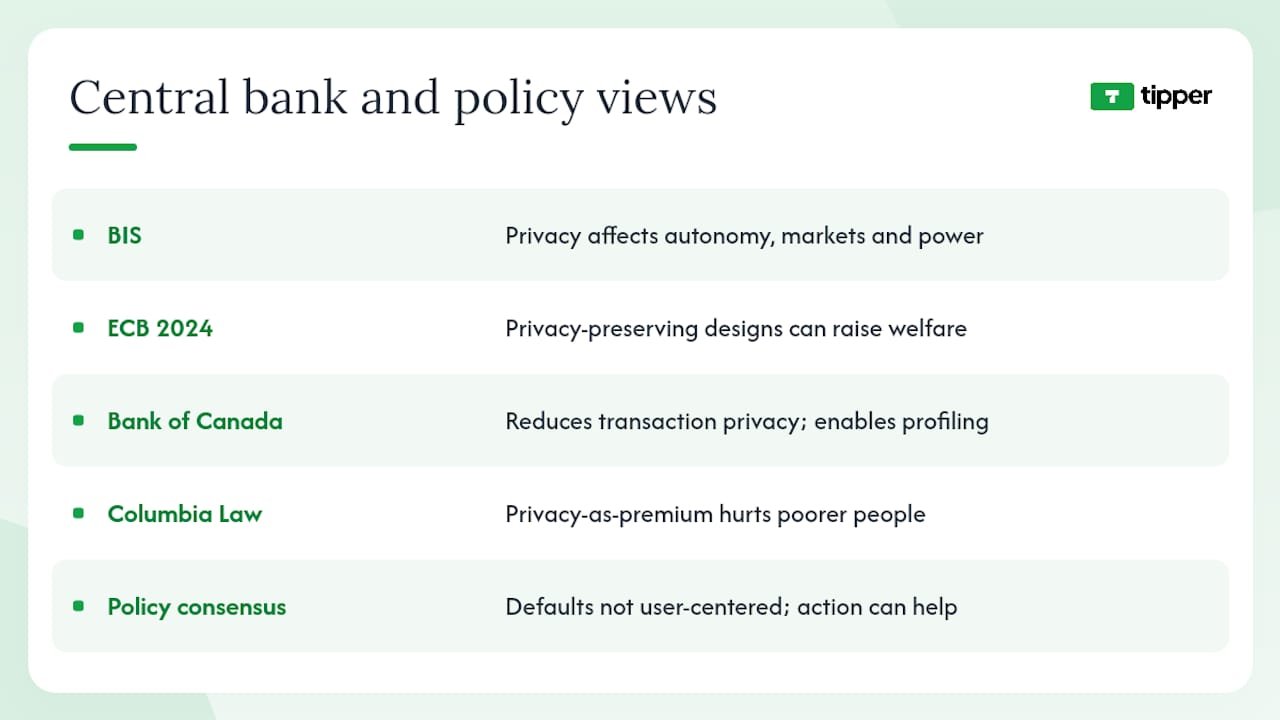
The BIS working paper on payment privacy argues that privacy in payments extends well beyond concealing illicit activity. It affects individual autonomy, market outcomes, and the distribution of economic power. Privacy must be intentionally designed into payment systems, not treated as an optional feature.
The ECB’s 2024 blog post acknowledges that digital payments create traceable footprints and signals the industry’s shift toward privacy-preserving models that balance instant settlement with reduced data exposure. The ECB Working Paper No. 2662 goes further, modeling how privacy-preserving digital payment designs can increase welfare by enabling online commerce without exposing user data to lenders or third parties.
Research callout: The Bank of Canada’s public policy research concludes that declining cash use reduces transaction privacy and enables firms to use payment data for profiling and price discrimination, a systemic risk that individual freelancers cannot easily avoid without deliberate effort.
The Columbia Law Review’s analysis of the personal data economy raises a harder point: when privacy becomes a paid premium feature, people with fewer resources end up with less protection. That dynamic is especially relevant for freelancers, who often lack the institutional leverage that larger businesses use to negotiate better data terms with platforms.
The policy consensus is not that privacy is impossible in digital payments. It is that the default systems were not built with your interests as the priority, and that individual action, combined with better-designed tools, can close a meaningful part of the gap.
Key Takeaways
Payment privacy is a concrete, manageable risk for U.S. freelancers, and the most effective protections combine account separation, minimal metadata, and payment methods matched to the sensitivity of each transaction.
| Point | Details |
|---|---|
| Separate accounts immediately | A dedicated business bank account and email address is the single highest-impact privacy step for any freelancer. |
| Match method to risk level | Use ACH for recurring clients, privacy-friendly tipping links for one-off payments, and avoid sharing banking details with new contacts. |
| Minimize invoice metadata | Keep memo lines and payment descriptions generic; free-form fields are a primary data leakage point. |
| Enable strong authentication | Two-factor authentication via an authenticator app protects payment accounts better than SMS-based verification. |
| Tipper for one-off tips | Tipper’s accountless tipping links with Apple Pay and Google Pay support reduce the data chain for ad-hoc payments. |
The privacy gap most freelancers don’t see
The conventional advice on freelancer payment security focuses almost entirely on fraud prevention: use strong passwords, watch for phishing, don’t click suspicious links. That advice is correct but incomplete. The larger, quieter risk is the routine, legal collection of your payment data by parties you have agreed to share it with, often without reading the fine print.
Every time you accept a platform’s terms of service, you are granting data rights that can be exercised for years. The profiling that results is not a breach. It is the intended function of the system. Central banks and academic researchers have documented this clearly, yet the freelance community largely treats payment privacy as a niche concern for people with something to hide.
The more useful frame is this: payment data is a form of financial biography. It records who you work with, how much they pay you, when your income peaks and dips, and what you spend money on. Handing that biography to every platform and processor you touch is not neutral. It shapes your credit access, your negotiating position, and in some cases your physical safety.
Tipper’s approach, building tipping flows that require minimal sender data and support accountless payments, reflects a belief that the default should be less exposure, not more. That is not a radical position. It is what the BIS and ECB have been arguing for in policy terms for years. The difference is that you can act on it today, without waiting for regulators to catch up.
Tipper keeps your tips private by default
Most payment tools were built for volume, not privacy. Tipper was built for creators and freelancers who want to get paid without handing over a financial biography to every platform in the chain.
With Tipper, your supporters send tips through a personalized link using Apple Pay, Google Pay, or a card. No account required on their end, which means no persistent sender profile is built. You keep 100% of your tips (a small processing fee applies at checkout), and payouts go directly to you. For freelancers who want a one-off payment option that does not require sharing bank details or creating a paper trail tied to a marketplace profile, Tipper’s tipping link is a practical fit.
You can also send a thank-you note, photo, or video after each tip, which keeps the relationship personal without adding data overhead. For a step-by-step look at building a privacy-friendly tipping workflow, Tipper’s blog covers the setup in detail. Keep your tax records regardless of which payment method you use; Tipper does not replace your recordkeeping obligations, and a tax professional can help you structure reporting correctly.
Useful sources and further reading
- Bank for International Settlements working paper (work1242)
- European Central Bank blog — 2024-06-13
- ECB Working Paper Series No 2662
- Privacy as a Public Good: A Case for Electronic Cash (Bank of Canada/Canadian publication)
- PAYING FOR PRIVACY AND THE PERSONAL DATA ECONOMY — Columbia Law Review
- Privacy guide for gig workers and freelancers — PrivacyOn
- How Zero Knowledge Tech Protects Your Freelance Finances — Zerocrat
- How to get paid securely as a freelancer — Skrill
This article is general information, not legal, financial, or tax advice. Confirm your specific obligations with a qualified tax professional or the IRS.
FAQ
What is the best payment method for freelancers who want privacy?
ACH or direct deposit works well for recurring clients because it involves fewer intermediaries than card networks. For one-off or public-facing payments, an accountless tipping link that supports Apple Pay or Google Pay minimizes the data chain further.
What is a typical financial risk freelancers face from poor payment privacy?
Account holds triggered by unusual transaction patterns are among the most common, alongside targeted phishing attacks that use exposed payment details to impersonate clients or platforms.
How should freelancers handle payments to stay both private and compliant?
Use a dedicated business bank account, keep invoice metadata minimal, and report all income to the IRS regardless of payment method. A tax professional can help structure recordkeeping so privacy practices do not create compliance gaps.
What happens when a freelancer requests an upfront payment?
Requesting a deposit is standard practice and does not create privacy problems on its own. The risk is in how the payment is collected: sharing bank routing numbers or personal PayPal handles with a new client exposes more data than a payment link that requires no account from the sender.
Does using crypto make freelance payments private?
Crypto offers pseudonymity, not full anonymity. On-chain transactions are publicly visible, and exchange-based on-ramps require identity verification that can re-identify you. Privacy-preserving cryptographic designs exist but add complexity and are not yet standard for everyday freelance use.
Recommended

Immediate Income Motivation for Creators: Tips That Work
TL;DR:
- Peer tips significantly boost content output, equaling about six likes in impact according to research.
- Implementing frictionless tip links and real-time support signals encourages more frequent, positive creator engagement.
Instant tips increase posting frequency and can raise post length when they come from peers rather than platforms. The single most useful thing you can do right now: set up a frictionless tip link, enable Apple Pay and Google Pay, and add a short thank-you message so supporters feel the exchange. Research from UCLA Anderson shows that receiving one peer tip produces roughly the same lift in content output as receiving six likes. That ratio alone makes the case for prioritizing tips over chasing algorithmic engagement.
The role of immediate income motivation here is specific: it is not about salary or platform ad revenue. It is about the moment a supporter sends $3 after your live Q&A and you see it land in real time. That signal changes what you create next.
Table of Contents
- What does the research say about tips vs. other rewards?
- When do instant tips work best for your content?
- What risks should you watch for with instant tips?
- How do you set up instant tipping step by step?
- How do you measure whether tips are actually working?
- What benchmarks can creators realistically expect?
- What U.S. creators need to know about taxes on tips
- How Tipper puts these practices into one place
- Key Takeaways
- Tipper makes instant tipping the easiest part of your workflow
- Further reading and sources
- FAQ
What does the research say about tips vs. other rewards?
The evidence on how different reward types affect creator behavior is clearer than most guides admit.
UCLA Anderson’s BGG panel study tracked ten years of content on a board game platform and found that peer monetary rewards (tips) increase both the volume and length of posts. Platform compensation, by contrast, increases post length but tends to reduce posting frequency. The mechanism matters: peer tips feel like appreciation; platform pay feels like a job. One makes you want to post more. The other can make you post less, but more carefully.
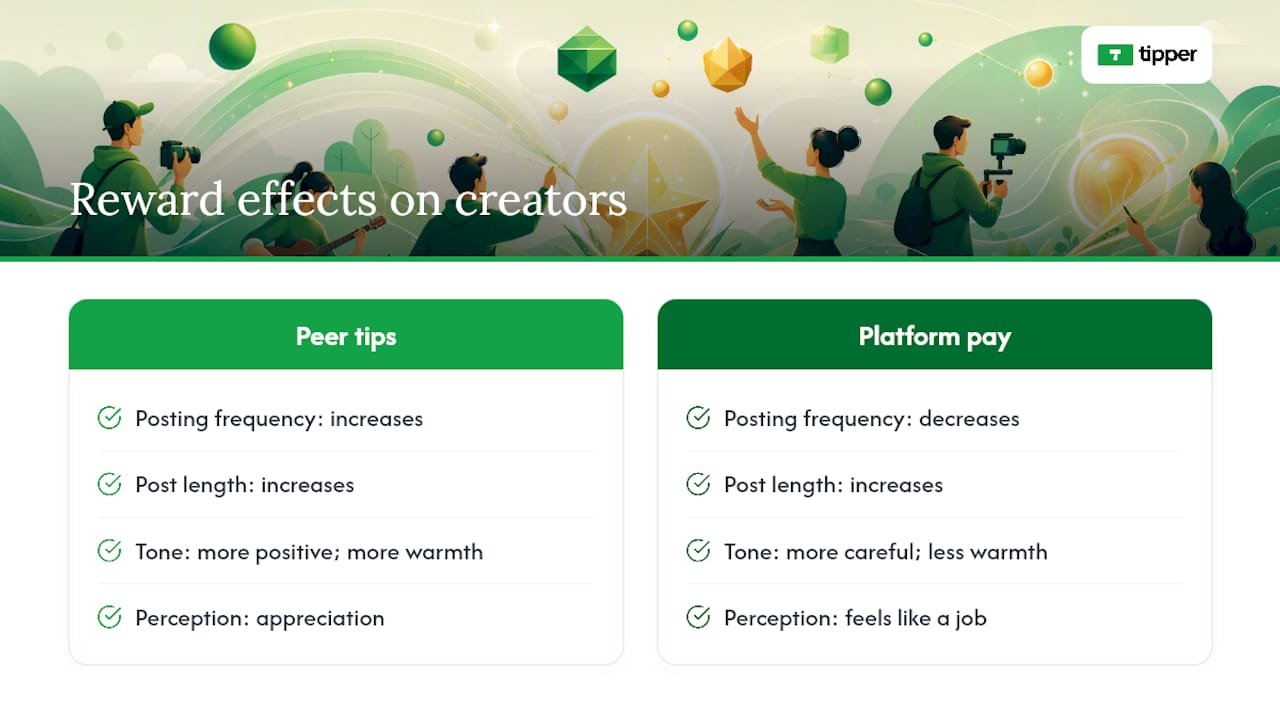
A randomized field experiment on Stack Overflow added a direct test. When contributors received peer tips, they posted more frequently and with more positive tone. Readability did not improve, and specialized jargon sometimes increased. Tips motivate volume and warmth, not necessarily clarity.
Non-monetary rewards follow a different curve. The BGG platform reward analysis found that likes and badges produce timelier responses but fewer total posts. Peer rewards generate more content; platform rewards generate faster content.
Statistic to anchor your model: one tip equals roughly six likes in terms of effect on posting output. Average tips in the BGG sample were typically small amounts, and posts received several likes on average. Small numbers, large behavioral signal.
The benefits of tip-based revenue models extend beyond the behavioral data: tips also diversify income away from ad CPMs and platform algorithm shifts.
When do instant tips work best for your content?
Not every creator or format benefits equally. Tips tend to produce the strongest immediate income impacts in these scenarios:
- Live streamers and Q&A hosts: real-time tipping during a session creates a feedback loop. A tip mid-stream signals which content is landing.
- Niche podcasters and newsletter writers: small, loyal audiences tip at higher rates than large passive ones. A 500-person list with a 3% tip conversion rate outperforms a 50,000-follower account with 0.05%.
- Micro-creators with exclusive drops: limited content (a behind-the-scenes clip, a one-time template) paired with a tip prompt converts well because the value is concrete and time-bound.
- Freelancers with repeat clients: a tip link in an invoice or email footer captures appreciation that would otherwise go unacknowledged.
Three quick scenarios:
- A food creator posts a 90-second recipe reel, pins a tip link in the caption, and sees 12 tips in 48 hours. Goal: cashflow between brand deals.
- A podcast host adds a tip QR to show notes and mentions it once per episode. Goal: community signal and partial production cost recovery.
- A freelance designer adds a tip link to project delivery emails. Goal: capturing goodwill that previously had nowhere to go.
Understanding how platform algorithm changes affect distribution makes the case even stronger: when reach becomes unpredictable, direct audience revenue is the hedge.
Pro Tip: Frame your tip link as “buy me a coffee” or “support this work” rather than “pay per post.” The voluntary framing keeps the exchange feeling like appreciation, not a transaction.
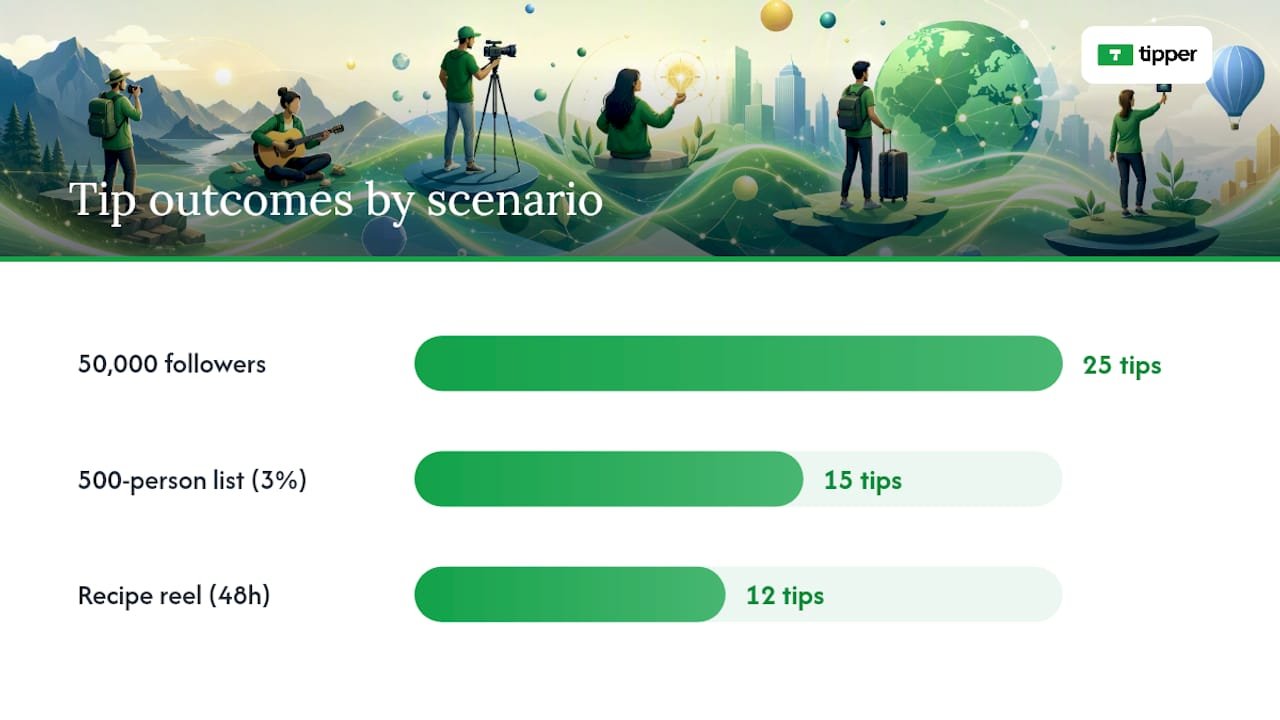
What risks should you watch for with instant tips?
The same research that shows tips increase output also flags predictable downsides.
Crowding out happens when external rewards replace internal ones. Platform pay is the bigger culprit here. The BGG data shows platform compensation can reduce frequency, likely because creators start treating posting as work rather than expression. Peer tips carry less of this risk precisely because they feel voluntary.
Perverse incentives to watch:
- Posting shorter, more frequent content just to trigger tip prompts (churn for tips)
- Using dense jargon to signal expertise and attract tips from power users, at the cost of broader readability
- Letting tip volume dictate topic choices rather than genuine interest or audience need
Timeliness trade-offs are real too. The BGG platform reward analysis found peer rewards slow response times. If your content model depends on fast replies (community management, live support), tips may not be the right primary incentive.
Mitigation checklist:
- Set a tip prompt cadence (once per post, not every paragraph)
- Keep tip amounts optional and visible, not required
- Monitor readability scores alongside tip counts
- Review topic mix monthly to confirm tips are not narrowing your content
Pro Tip: Run a 30-day test where you track which posts earn tips vs. which posts earn comments. If they diverge sharply, your tip framing may be pulling content in the wrong direction.
How do you set up instant tipping step by step?
A practical setup takes under an hour.
- Create your tip link or QR code (Tipper generates both from one account setup)
- Enable Apple Pay, Google Pay, and card payments so supporters face zero friction
- Set 3 default tip amounts ($3, $5, $10 works well for most creators; adjust based on your content’s perceived value)
- Write a short thank-you message (text, photo, or video) that triggers automatically after a tip
- Test the full flow yourself before publishing, including payout confirmation
Technical notes worth knowing: Stripe’s micropayment guidance covers settlement models and Instant Payout mechanics. Instant Payouts typically carry a small surcharge, so model that into your net revenue expectations before committing to collaborator splits that depend on same-day funds.
For collaborator splits, instant payouts change the cashflow math: small, frequent receipts become usable working capital rather than a monthly lump sum you wait on.
30-day launch checklist:
- Week 1: publish tip link, announce once per channel
- Week 2: add tip QR to any in-person or live touchpoints
- Week 3: send one email or post specifically about how tips support your work
- Week 4: review conversion data and adjust default amounts if needed
Pro Tip: Add your tip link to your email signature and bio on every platform. Passive placement converts without requiring a dedicated ask.
How do you measure whether tips are actually working?
Define your metrics before you launch, not after.
Core metrics:
- Tips per view (or per post)
- Tip conversion rate (tippers / unique visitors to tip page)
- Average tip amount
- ARPU (average revenue per supporter per month)
- Posting frequency before and after enabling tips
- Post length trend
- Audience retention rate
Two A/B test templates:
| Test | Variable | Timeline | Success Criteria |
|---|---|---|---|
| CTA vs. no CTA | Tip prompt in caption vs. none | 4 weeks, 8+ posts | 20%+ lift in tip conversion rate |
| Visible amounts vs. open tip | Default amounts shown vs. free-entry | 4 weeks, equal traffic | Higher average tip with visible amounts |
Short-term (weeks 1–4): expect noisy data. Tip counts will spike after announcements and drop back. Do not optimize yet.
Medium-term (weeks 5–12): frequency and average tip stabilize. This is when tipping frequency as a content signal becomes readable. Compare tip-per-view across content types to find what your audience actually values.
For statistical significance on small samples, wait until each test variant has at least 100 tip-page visits before drawing conclusions.
What benchmarks can creators realistically expect?
The peer-tipping field experiment found that tips reliably increase contribution frequency. The BGG study puts the effect-size ratio at roughly 1 tip to 6 likes for posting output. Average tip in that sample was 0.09 GG tokens, which in dollar terms for most U.S. creators translates to a small but psychologically meaningful amount per supporter.
Realistic benchmarks for new tip setups:
- Tip conversion rates of 1–3% of tip-page visitors are a reasonable baseline in the first 90 days.
- Average tip amounts for most content categories tend to be modest, with some higher values in niche technical areas.
- Frequency lift: expect a modest increase in posting cadence within 4–8 weeks of consistent tip receipt
Top contributors see larger effects than casual creators. If you post consistently and already have an engaged audience, the frequency lift will be more pronounced. If you post sporadically, tips alone will not fix the underlying cadence problem.
Statistic callout: one peer tip produces roughly the same output lift as six likes. That ratio holds across content types in the BGG ten-year panel.
Micropayments under $1 can also work for high-volume, low-friction interactions. The nano-payments model used by platforms like Brave (BAT) and Wavlake shows that even tiny per-interaction amounts aggregate into meaningful creator revenue at scale.
What U.S. creators need to know about taxes on tips
Tips are taxable income in the United States. This is general information, not tax advice. Consult a CPA or tax professional for your specific situation.
Basic recordkeeping checklist:
- Track gross tips received (date, amount, platform)
- Record platform or processing fees separately
- Note payout dates and amounts deposited
- Prepare for a 1099-K if your tips through a payment processor exceed IRS reporting thresholds (thresholds have changed in recent years; confirm the current figure with the IRS or your tax pro)
- Use a dedicated business bank account to keep tip income separate from personal funds
Tips are generally treated as ordinary income, not sales revenue, so sales tax typically does not apply. If you sell digital products alongside tips, those may have different tax treatment depending on your state.
Pro Tip: Set aside 25–30% of each tip payout in a separate savings account as a tax reserve. It is easier to return money you did not need than to find it at filing time.
How Tipper puts these practices into one place
Tipper maps directly to the setup steps above. The product gives you a personalized tip link and QR code from a single account, with no requirement for supporters to create an account before sending a tip.
Core features that match the implementation checklist:
- Apple Pay, Google Pay, and card support out of the box
- Customizable tip pages with default amount options
- Thank-you messages via text, photo, or video
- Direct payouts to your connected account
- QR code generation for in-person or live-event use
Getting started on Tipper:
- Create your account at tipper.app
- Customize your tip page (amounts, bio, photo)
- Enable your preferred payout method
- Copy your tip link and QR code
- Announce to your audience using the copy templates above
Two example use cases: a freelance video editor added a Tipper QR to project delivery emails and captured tips from three repeat clients in the first month. A live podcast host displayed the QR on-screen during recordings and saw tips come in during the session itself, giving real-time signal on which segments landed.
Key Takeaways
Instant peer tips increase posting frequency more reliably than likes or platform compensation, and the 1-tip-to-6-likes effect-size ratio makes them the highest-leverage reward type for most creators.
| Point | Details |
|---|---|
| Tips beat likes for output | One peer tip produces roughly the same posting-frequency lift as six likes, per the BGG ten-year panel. |
| Platform pay cuts frequency | Platform compensation increases post length but tends to reduce how often creators post. |
| Frame tips as appreciation | Voluntary framing preserves intrinsic motivation; transactional framing risks crowding it out. |
| Measure before optimizing | Track tips per view, conversion rate, and posting frequency for at least 8 weeks before changing strategy. |
| Tipper for frictionless setup | Tipper provides personalized links, QR codes, Apple/Google Pay, and thank-you flows with no supporter account required. |
Tipper makes instant tipping the easiest part of your workflow
Creators who want direct audience revenue without platform dependency need one thing: a tip link that works the first time, every time. Tipper delivers that. Supporters send tips with Apple Pay or Google Pay in seconds, no account required on their end. You keep 100% of your earnings, with a small processing fee added at checkout.
Setup takes minutes. You get a personalized link, a QR code for live or in-person use, customizable tip amounts, and automatic thank-you messages. Whether you are a freelancer adding a tip link to client emails or a live streamer putting a QR on screen, the instant tip payment flow is the same: fast, private, and direct.
Create your free Tipper account at tipper.app and have your tip link live before your next post goes out.
Further reading and sources
- Monetary and non-monetary rewards and user-generated content (BGG study) — UCLA Anderson
- How Does Peer Tipping Affect Knowledge Contributions? Evidence from a Field Experiment on Stack Overflow
- Beyond ads: Why CX leaders should care about nano-payments (CMSWire)
- A guide to micropayments for businesses | Stripe
- How creators can turn instant payouts & payment infrastructure into predictable cash flow — All About Making Money Online
- Micropayments for Content Creators: Complete Guide 2024 | ScoreDetect Blog
- Tipper
FAQ
How does immediate income motivation affect what creators post?
Peer tips increase posting frequency and tend to produce longer, more positive-toned content. Platform compensation increases length but can reduce how often creators post, per the UCLA Anderson BGG study.
Do tips improve content quality?
Tips raise volume and sentiment but do not reliably improve readability. The Stack Overflow field experiment found that tipped contributors sometimes used more specialized jargon, which can reduce accessibility for general audiences.
How much can a creator realistically earn from tips?
Tip conversion rates of 1–3% of tip-page visitors are a reasonable baseline in the first 90 days. Average tips in most U.S. creator categories fall in the $3–$10 range, with niche technical content trending higher.
Does Tipper require supporters to create an account?
No. Tipper lets supporters send tips via Apple Pay, Google Pay, or card without creating an account, which removes the single biggest friction point in most tipping flows.
Are creator tips taxable in the United States?
Yes. Tips are ordinary income and must be reported. Track gross tips, processing fees, and payout dates, and consult a tax professional about current 1099-K thresholds and your specific filing situation.
Recommended

Build an Engaged Supporter Community as an Influencer
TL;DR:
- Building a successful supporter community depends on a small, committed audience, not size. Focus on defining a clear promise, personal onboarding, consistent rituals, and early monetization once engagement stabilizes. Prioritizing member bonds over raw numbers creates more sustainable growth and higher retention.
The fastest path to sustainable influence is not a bigger audience. It is a smaller, more committed one. Pick one owned platform as your community’s home, write a single-sentence member promise, recruit your first 10 founding members personally, run weekly rituals plus one flagship monthly event, formalize your top contributors as ambassadors, then introduce low-friction tipping once attendance is consistent.
The short version:
- Pick a home. Choose Discord, Circle, Patreon, or Substack based on whether you want free community, paid membership, or gated content.
- Write one promise. Define exactly what members get and why they should show up every week.
- Activate your first 10. Personal invites, founding-member status, and a welcome call beat any automated funnel.
- Run weekly rituals. AMAs, challenges, and member spotlights keep the space alive between big events.
- Introduce tipping early. Low-friction tools like Tipper let supporters show appreciation the moment they feel it.
- Track contributor rate first. Percentage of members who post, comment, or attend tells you more than total member count.
Community-built influencer campaigns drive 5x more user-generated content and 3x higher customer retention than traditional influencer campaigns run without a community layer (InfluenceFlow). That gap exists because community members are not passive consumers. They are invested participants who have opted into something with a name, a purpose, and a recurring schedule.
Table of Contents
- How do you choose the right platform for your community?
- What should your community promise its members?
- How do you onboard your first 10, 30, and 100 active members?
- What recurring formats keep your community active week after week?
- When and how should you introduce monetization?
- Which tools handle tipping and supporter payments well?
- How do you keep your community safe as it grows?
- What metrics actually tell you if your community is healthy?
- What mistakes do influencers and brands most often make?
- Your week-by-week 90-day launch plan
- Key Takeaways
- Why depth beats breadth: a community flywheel view
- Tipper makes tipping inside your community frictionless
- Useful sources
- FAQ
How do you choose the right platform for your community?
The platform decision shapes everything downstream: how you moderate, how you monetize, and how much friction new members face. There is no universally correct answer, but there is a correct answer for your specific use case.
| Platform | Best for | Pricing shape | Setup ease | Engagement features | Monetization support |
|---|---|---|---|---|---|
| Discord | Free or freemium communities; gaming, tech, creator niches | Free; Nitro boosts optional | Moderate (channel structure takes planning) | Threads, voice/video, reactions, roles, bots | Limited native; integrate Patreon or Tipper |
| Circle | Paid or hybrid membership communities | — | High (purpose-built for community) | Spaces, events, DMs, rich media, courses | Native payments, subscriptions, gated spaces |
| Patreon | Paid membership with tiered content access | 8–12% platform fee on earnings | High | Posts, polls, early access, Discord integration | Native; tiers, one-time payments |
| Substack | Newsletter-first with community add-on (Notes, Chat) | Free; 10% fee on paid subscriptions | Very high | Threads, comments, Notes feed | Native paid subscriptions |
| Discovery and top-of-funnel; not a primary home | Free | Very high | Stories, Lives, Broadcast Channels | Badges, subscriptions (limited) | |
| Telegram | Lightweight, high-volume messaging communities | Free | Very high | Channels, groups, bots, polls | Limited native; external tools needed |
The hybrid approach most creators underuse: use Instagram or TikTok for discovery, then funnel engaged followers into an owned home on Discord or Circle. Social platforms are rented land. Your Discord server or Circle space is owned infrastructure where you control the member list, the data, and the rules.
A few operational specifics worth knowing before you commit:
- Discord works best when you set up roles from day one (Founding Member, Active Contributor, Moderator) and use a bot like MEE6 or Carl-bot to automate welcome messages and role assignments.
- Circle is the cleaner choice if you plan to charge for access from the start. Its native payment flow removes the need for a third-party integration.
- Patreon makes sense when your primary value is exclusive content (videos, posts, early access) rather than peer-to-peer conversation.
- Substack is worth considering if your community is built around ideas and writing, and your members are readers first.
Pro Tip: Before you set up channels or spaces, capture email addresses. Even if your community lives on Discord, a connected email list means you own the relationship regardless of what any platform decides to change.
What should your community promise its members?
Most communities fail at the promise stage, not the platform stage. They attract members with vague language (“join my community!”) and then wonder why no one shows up after the first week. The fix is one sentence written before you send a single invite.
A member promise answers three questions at once: who this is for, what they get, and how often. A workable template: “[Community name] is for [specific member type] who want [specific outcome] — we meet [cadence] to [specific activity].”
For example: “Creator Lab is for independent video creators who want to grow their first 10,000 subscribers — we meet every Tuesday for peer feedback and every first Friday for a guest AMA.”
That sentence does more work than a paragraph of marketing copy. It tells a prospective member immediately whether they belong, what they will do there, and how much time it requires.
Membership model options:
- Free community. Low barrier to entry; best for building initial momentum and UGC. Revenue comes later through tipping, sponsorships, or upsells.
- Freemium. A free tier for discovery and a paid tier for premium access (live sessions, direct feedback, early content). Works well on Discord + Patreon or Circle.
- Paid from day one. Signals serious commitment from members and filters for quality. Harder to fill initially but produces higher engagement per member.
- Founding member model. Offer a discounted or lifetime rate to the first 20–50 members in exchange for active participation and feedback. Creates urgency and loyalty simultaneously.
Pro Tip: Write your member promise on a sticky note and put it somewhere visible. Every content decision, moderation call, and monetization choice should pass the test: does this serve the person described in that sentence?
How do you onboard your first 10, 30, and 100 active members?
The onboarding sequence is where most communities bleed members. Someone joins, sees an empty server or a sparse feed, and never comes back. The antidote is a staged activation plan that treats the first 10 members as co-founders, not customers.
The first 10: personal and intentional
Do not post a public link and wait. Go to your existing audience, identify the 10–15 people who comment most, share most, or message you directly, and invite them personally. A message under 100 words works better than a long pitch.

These first 10 get a founding-member role, a welcome call (30 minutes, group or 1:1), and a direct line to you. Their feedback shapes the community before it opens to anyone else.
The 30/60/90-day activation roadmap
| Milestone | Timeframe | Priority actions | Success indicator |
|---|---|---|---|
| First 10 active members | Days 1–14 | Personal invites, founding call, first pinned post, first AMA | 8 of 10 post or comment within 7 days |
| First 30 active members | Days 15–45 | Open soft launch, first weekly ritual, peer intro thread | 40% of members attend or engage weekly |
| First 100 active members | Days 30–90 | Public launch, first challenge or event, first moderator recruited | 30% contributor rate; 3+ peer-to-peer threads per week |
Community-built campaigns drive 5x more user-generated content and 3x higher customer retention than traditional influencer campaigns (InfluenceFlow).
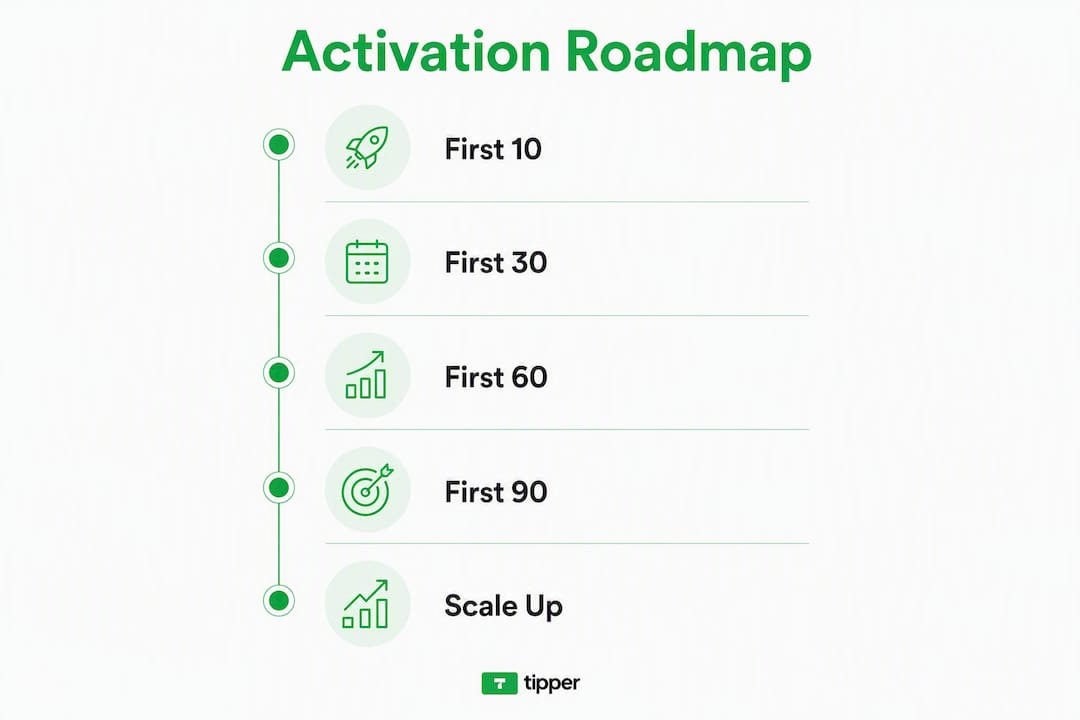
Staged growth that prioritizes participation over raw size is the consistent recommendation from practitioners who have built communities past the 1,000-member mark. The reason is simple: a community of 30 people where 25 are active is healthier than one with 300 members where 10 show up.
For outreach beyond your existing audience, shortlist 5–10 hyper-relevant creators or potential members, engage meaningfully with their content for several days, then send a short personalized message under 120 words. Reference something specific they said or created. Mass outreach produces mass indifference.
Welcome flow checklist (automate where possible):
- Immediate welcome DM with the community promise and a single first action (“introduce yourself in #introductions”).
- Day 3 nudge: link to the most useful resource or pinned post.
- Day 7 check-in: personal message asking what they want to see more of.
- Day 14: invite to the first live event or AMA.
What recurring formats keep your community active week after week?
A community without a calendar is a chat room. The formats below are proven to drive return visits and, more importantly, member-to-member interaction rather than just member-to-creator interaction.
Weekly formats:
- Weekly AMA (Ask Me Anything). A 30–45 minute live or async thread where you answer member questions. Works on Discord voice, Circle events, or a Substack thread. The key is consistency: same day, same time, every week.
- Peer review or feedback thread. Members share work (a draft, a video, a pitch) and give structured feedback. Drives peer bonding faster than almost any other format.
- Curated prompt. A single question posted Monday morning (“What’s one thing you’re working on this week?”). Low effort for you, high participation when the culture is set.
- Member spotlight. Feature one member’s work or story each week. Takes 10 minutes to write and makes that member a vocal advocate for the community.
Monthly formats:
- Flagship live event. A guest interview, workshop, or panel. This is the event members invite friends to. Keep it under 60 minutes and record it for members who can’t attend live.
- Community challenge. A 7–14 day challenge with a specific output (post daily, hit a goal, complete a project). Challenges generate UGC and create shared experience.
- Office hours. Sponsoring ongoing, value-driven sessions inside the owned community solves the cold-start problem and keeps influencers present as facilitators rather than one-off guests.
Cadence by community size:
- Under 30 members: one weekly ritual plus one monthly event. Keep it simple.
- 30–100 members: two weekly touchpoints (AMA + prompt or spotlight) plus one monthly flagship.
- 100+ members: delegate weekly rituals to moderators; you focus on monthly flagship and quarterly deep-dives.
Pro Tip: Schedule your first six weeks of content before you launch. An empty calendar is the fastest way to kill momentum. Members who show up to nothing twice do not come back a third time.

When and how should you introduce monetization?
The timing of monetization matters as much as the structure. Introduce paid options too early and you signal that the community is a sales channel. Wait too long and you train members to expect everything for free.
The right signal to watch is consistent attendance. When the same group of members shows up to your weekly ritual three weeks in a row, they have demonstrated that the community delivers value. That is the moment to introduce a paid option.
Suggested tier structure:
- Free tier. Access to the community, weekly prompts, and peer threads. No paywall on the culture.
- Supporter tier ($5–$15/month). Early access to content, a monthly exclusive Q&A, and a supporter badge. This is the easiest yes for an engaged free member.
- Pro or founding tier ($25–$50/month). Direct feedback sessions, co-creation opportunities, or a private channel. Reserved for your most committed members.
Non-monetary rewards keep free members engaged and signal that participation itself has value. Badges for posting streaks, moderator nominations for top contributors, and public recognition in member spotlights cost nothing and drive behavior.
The 80/20 rule for community content: 80% of what you post should be educational, entertaining, or community-building. No more than 20% should reference paid options or products. Members who feel sold to constantly leave quietly.
Pro Tip: When you launch a paid tier, frame it as a way for members to “go deeper” rather than as an upgrade. Language like “for members who want more direct access” converts better than “premium plan.”
Budget expectations for early-stage communities vary. Nano- and micro-influencer partnerships have typical cost ranges, with additional platform costs; expect a few months before community investment returns measurable revenue.
Which tools handle tipping and supporter payments well?
When evaluating a tipping or supporter payment tool, four criteria matter: how easy it is for a supporter to send a tip (friction), which payment methods are supported, how quickly creators receive payouts, and whether the tool respects supporter privacy.
What to look for:
- No account required for the person sending the tip.
- Apple Pay and Google Pay support (these reduce checkout abandonment significantly).
- Customizable tip pages so the experience matches your brand.
- Thank-you message capability (text, photo, or video) to close the loop with supporters.
- Transparent fee structure so you know exactly what you keep.
Tipper in a community monetization stack
Tipper is built specifically for this use case. Supporters send a tip through your personalized Tipper link or QR code with no account required on their end, using Apple Pay, Google Pay, or a card. You keep 100% of the tip amount (a small payment processing fee is added at checkout for the sender). After a tip arrives, you can send a thank-you note or video directly through the platform, which turns a one-time transaction into a relationship moment.
For community builders, the integration points are straightforward. Place your Tipper link in your Discord bio, your Circle profile, your Substack footer, and your event recap posts. Add a QR code to any in-person or live-stream event. When you run a member spotlight, include a line inviting the community to tip the featured member directly.
Tip acknowledgment builds community bonds in a way that automated payment receipts do not. A short video thank-you from a creator after a tip is the kind of personal touch that turns a supporter into an evangelist.
For a broader look at how real-time supporter contribution tools fit into a community stack, the options range from tipping links to live-stream badges to subscription tiers. Tipper sits at the low-friction end of that spectrum, which makes it the right first step before you build out a full tier structure.
Pro Tip: Add your Tipper link to your welcome message on day one. A supporter who tips in the first week is significantly more likely to stay active at 90 days than one who never has.
How do you keep your community safe as it grows?
Rules and moderation are not bureaucracy. They are the infrastructure that lets members trust the space enough to be vulnerable, share work, and disagree productively. Without them, the loudest voices set the culture by default, and that culture is rarely the one you intended.
Sample community rules (adapt to your voice):
- Be specific and constructive. Vague criticism helps no one.
- No self-promotion outside designated channels.
- Treat every member’s work with the respect you want for your own.
- Disagreement is welcome; personal attacks are not.
- What’s shared in the community stays in the community.
Lightweight escalation flow:
- First offense: private DM from a moderator, no public callout.
- Second offense: formal warning with the specific rule cited.
- Third offense: temporary mute or removal from the space, depending on severity.
The path from member to moderator to ambassador is one of the most underused retention tools available. A member who earns a moderator role is invested in the community’s success in a way that no paid subscription can replicate. Give moderators a clear checklist: welcome new members within 24 hours, flag rule violations, surface great content to the creator, and run one weekly ritual independently.
Formalizing superfans with roles, badges, or certifications produces reliable evangelists who recruit peers and increase referral rates without ongoing ad spend. The ambassador tier sits above moderator: these are members who actively recruit, create content about the community, and represent it in public spaces.
Pro Tip: Write your moderation SOPs before you need them. A moderator who has to improvise a response to a conflict will almost always make it worse. A one-page doc covering the three most common scenarios is enough to start.
What metrics actually tell you if your community is healthy?
Total member count is the least useful number you can track. A community of 200 members where 180 are inactive is not a community. It is a mailing list with a Discord server attached.
The metrics that matter:
- Monthly active members (MAM). Members who post, comment, react, or attend at least once in 30 days. This is your primary health indicator.
- Contributor rate. Percentage of MAM who create original content (posts, threads, shared work) rather than only consuming. Aim for 20–30% in a healthy early-stage community.
- Retention at 30/60/90 days. What percentage of members who joined are still active at each interval? A 60-day retention rate above 40% is a strong signal for a new community.
- Event attendance rate. Number of members who attend live events divided by total MAM. Above 25% is excellent for a community under 100 members.
- UGC volume. Number of member-created posts or threads per week. Track the trend, not the absolute number.
- Referral rate. How many new members were invited by existing members? This signals whether the community is generating organic word-of-mouth.
Measure participation and contributor rates before worrying about absolute size. Early community health shows up in repeat attendance and peer-to-peer interactions, not in the total member count on your dashboard.
Simple weekly tracking template
Prioritize in order: MAM first, contributor rate second, retention at 30 days third. Revenue metrics (tips, subscriptions) become meaningful only after contributor rate is above 15%.
What mistakes do influencers and brands most often make?
The failure modes are predictable, which means they are also preventable.
| Mistake | Quick fix |
|---|---|
| Creator-centered community (members bond with you, not each other) | Introduce peer-to-peer formats (feedback threads, challenges) in week one |
| No onboarding flow | Build a 3-message automated welcome sequence before launch |
| Over-selling in the community | Apply the 80/20 rule: 80% value, 20% promotion, maximum |
| Poor or absent moderation | Write rules and an escalation doc before the first public invite |
| Chasing vanity metrics (total members, follower count) | Track contributor rate and 30-day retention instead |
| Launching too broadly too fast | Start with 10 founding members; resist the urge to go public immediately |
The deepest failure mode is one that looks like success: a community where the audience bonds with the creator instead of each other. When the creator goes quiet for two weeks, the community dies. The fix is to move members into peer-to-peer interaction early and position yourself as a facilitator, not the permanent hub.
Red-flag checklist (check monthly):
- Fewer than 15% of members have posted in the last 30 days.
- The same 3–5 people are generating all the content.
- Event attendance has dropped two months in a row.
- New member invites from existing members have stopped.
- The last three member messages were complaints or questions, not contributions.
Pro Tip: If your contributor rate drops below 10%, run a “community health” AMA before you change anything else. Ask members directly what they want more of. The answers are almost always surprising and almost always actionable.
Your week-by-week 90-day launch plan
This is the sequence. Follow it in order.
Weeks 0–2: Foundation
- Write your one-sentence member promise.
- Choose your primary platform and set up the basic structure (channels, spaces, or sections).
- Configure your welcome automation (bot or manual sequence).
- Set up your Tipper link and place it in your profile.
- Identify your first 10 founding members from your existing audience.
- Send 10 personal invites (under 100 words each).
- Host a founding-member welcome call.
Weeks 3–4: First activation
8. Run your first weekly ritual (AMA or peer feedback thread).
9. Post your first member spotlight.
10. Collect founding-member feedback on what to add or change.
11. Milestone check: 8 of 10 founding members active.
Weeks 5–6: Soft launch
12. Open the community to a second wave (20 more targeted invites or a soft public link).
13. Run your first monthly flagship event (guest interview or workshop).
14. Introduce your first paid tier or tipping option with a brief, low-pressure announcement.
15. Milestone check: 30 active members, 40% weekly engagement rate.
Weeks 7–9: Momentum
16. Recruit your first moderator from the founding member group.
17. Launch your first community challenge (7–14 days).
18. Begin tracking UGC volume and referral rate weekly.
19. Run a focus group or feedback thread to refine the community promise.
Weeks 10–12: Scale
20. Open public launch or expand invite radius.
21. Formalize your first ambassador (badge, role, public recognition).
22. Review 30/60-day retention data and adjust onboarding if retention is below 40%.
23. Milestone check: 100 active members, 20%+ contributor rate, first recurring revenue from tips or subscriptions.
When to pivot: if event attendance drops below 15% or contributor rate falls below 10% at week 6, pause new member acquisition and run a feedback session before going wider. Growth on top of a broken foundation makes the problem harder to fix, not easier.
Key Takeaways
A supporter community built on depth over reach consistently outperforms follower-count strategies on retention, UGC, and sustainable revenue.
| Point | Details |
|---|---|
| Community-led campaigns drive 5x more user-generated content and 3x higher retention | Personal invites to 10 founding members produce higher 90-day retention than any public launch. |
| Contributor rate is the key metric | Track the percentage of members who create content weekly; aim for 20–30% in the first 90 days. |
| Rituals beat one-off events | A consistent weekly AMA or peer thread drives more return visits than a single large launch event. |
| Monetize after consistent attendance | Introduce tipping or paid tiers once the same members show up three weeks in a row. |
| Tipper for low-friction tipping | Tipper’s no-account-required tip link, Apple Pay/Google Pay support, and thank-you messages fit directly into community onboarding and event flows. |
Why depth beats breadth: a community flywheel view
The conventional advice for influencers is to grow the number. More followers, more reach, more impressions. It is the wrong objective for anyone who wants to build something that lasts.
The community flywheel model reframes the influencer’s role entirely. Instead of acting as a billboard that broadcasts to a passive audience, an influencer becomes a gravity node: the initial source of energy that pulls the right people into an owned space, then gradually steps back as members generate their own momentum. The flywheel spins because members create content for each other, recruit peers, and develop a shared identity that exists independently of any single creator.
The practical implication is counterintuitive. The most important thing you can do in the first 90 days is not to grow the community. It is to manufacture the conditions under which members bond with each other. Peer feedback threads, challenges with shared outputs, and member spotlights all serve that goal. Once peer-to-peer interaction is the norm, the community becomes self-sustaining in a way that a creator-centered audience never can be.
Formalizing superfans accelerates this flywheel. A member who earns an ambassador badge or a moderator role is not just retained. They become a recruiter, a content creator, and a proof point for every prospective member who evaluates whether the community is worth joining. That is the referral engine that replaces paid acquisition.
Start small. Design rituals before you design growth. Formalize your superfans before you hit 100 members. The communities that scale past 1,000 active members almost always did those three things in that order.
Tipper makes tipping inside your community frictionless
Every community has members who want to show appreciation the moment they feel it. A great AMA answer, a member spotlight that resonated, a piece of advice that changed how someone works. The gap between that impulse and a completed tip is where most platforms lose the transaction.
Tipper closes that gap. Your personalized Tipper link or QR code goes into your Discord bio, your Circle profile, your Substack footer, and your event recap posts. Supporters tip instantly using Apple Pay, Google Pay, or a card, with no account required on their end. You keep 100% of the tip amount (a small payment processing fee is added at checkout). After the tip arrives, you send a thank-you note or video directly through the platform, turning a payment into a personal moment.
For community builders running their first 90-day plan, Tipper fits naturally into the welcome flow (day one: “here’s my Tipper link if you want to support the community”), into event recaps (“if today’s session was useful, a tip means a lot”), and into member spotlights (“you can tip [Member Name] directly here”). It is the lowest-friction monetization step available, which makes it the right first move before you build out a full subscription tier.
Set up your Tipper page in under five minutes and place the link in your community profile today.
Useful sources
- Building Customer Communities with Influencers 2026 (InfluenceFlow) — Practitioner guide covering UGC uplift data, influencer tiers, and budget benchmarks for community-led campaigns.
- Billboards to Builders: How Influencers Fit Into Your Community Flywheel Strategy (Tribe Pit) — Explains the flywheel model and the influencer-as-facilitator role; essential for the perspective section.
- Niche Community Building: 0 to 1,000 True Fans (mean.ceo) — Staged growth framework (10 → 30 → 100) with participation-first metrics.
- Start a Community From Scratch (Mighty Networks) — Step-by-step launch blueprint covering purpose, ideal member, platform, and founding-member recruitment.
- Listening to Your Supporters: How to Build a Community of Trust (Givecloud) — Covers trust-building through active listening and structured feedback loops.
- How to Contact Social Media Influencers (JoinBrands) — Practical outreach guidance including the short, personalized message framework.
- The 1 Engine (Tribe Pit) — Deep dive on manufacturing superfans and formalizing ambassador programs for referral growth.
- How to Engage with Influencers and Measure Their Impact (Harvard Business School Online) — Foundational overview of influencer marketing mechanics and measurement from an academic source.
FAQ
How do you build a supporter community as an influencer?
Pick one owned platform (Discord, Circle, or Patreon), write a single-sentence member promise, then personally invite 10 founding members before any public launch. Run a consistent weekly ritual from day one and track contributor rate, not total member count, as your primary health metric.
What are the main types of influencers for community building?
Nano-influencers (1K–10K followers) and micro-influencers (10K–100K) are the most effective for community initiatives because their engagement rates and audience trust are higher than those of larger creators. Macro and mega influencers work better for broad awareness campaigns than for building tight, participatory communities.
How do you find and recruit influencers to collaborate with?
Shortlist 5–10 creators who are genuinely relevant to your niche, engage meaningfully with their content for several days, then send a personalized outreach message under 120 words that references specific work they have done. Mass pitching produces low response rates; specificity and prior engagement are what move the needle.
Do you need an LLC to run a paid creator community?
Not to start, but once you are collecting subscription fees or tips regularly, consulting a business attorney or accountant about the right entity structure for your situation is worth doing. Many U.S. creators operate as sole proprietors initially and form an LLC once revenue is consistent.
What are the four R’s of influencer marketing?
The four R’s commonly referenced in influencer marketing are Reach, Relevance, Resonance, and Return. For community building specifically, Resonance (how deeply the influencer’s content connects with an audience) and Relevance (how closely their niche matches yours) matter far more than Reach alone.
Recommended

Income Transparency for Creators: What It Really Means
Income transparency for creators means deliberately choosing what financial information to share, with whom, and in what format, whether that’s a public rate range, a sponsor campaign report, or aggregated tip metrics. The short verdict: transparency helps when it reduces information gaps that cost you deals or audience trust, and it hurts when it exposes details that anchor negotiations downward or invite harassment.
Four elements define the concept in practice:
- Public ranges vs. exact amounts — sharing “$3,000–$8,000 per integration” rather than a specific contract figure
- Rate cards — a document or page that lists your services, deliverables, and fee ranges for brand partners
- Campaign performance summaries — post-campaign reports showing CTR, conversion, or reach delivered to a sponsor
- Aggregated support metrics — tip totals, subscriber counts, or monthly supporter figures shared publicly without revealing individual transactions
The core distinction: income transparency for creators is not about posting your bank balance. It’s about making your professional value legible to the people who pay for it.
Table of Contents
- What does income transparency mean for creators, exactly?
- Why transparency pays off for creators and brands
- What are the real risks of disclosing your income?
- How to practice income transparency without exposing yourself
- How transparency shapes earnings and pay equity in the creator economy
- What the research and experts say about creator pay transparency
- Key Takeaways
- The transparency line worth drawing
- Tipper gives creators a privacy-respecting way to show audience support
- Useful sources for going deeper
- FAQ
What does income transparency mean for creators, exactly?
Creator income disclosure takes several concrete forms. Understanding which one fits your situation is the first practical decision.
| Form | Purpose | Audience | Privacy boundary |
|---|---|---|---|
| Public income post | Build audience trust, attract brand interest | Followers, media | Ranges or gross totals only |
| Rate card | Speed up brand negotiations | Brands, agencies | Published minimums; exact terms stay private |
| Campaign outcome report | Prove ROI, secure repeat deals | Sponsors | Aggregated KPIs; no raw contract amounts |
| Tip/subscriber metrics | Show audience support depth | Followers, potential sponsors | Totals only; no individual payer data |
| Private NDA disclosure | Share full financials under confidentiality | Vetted brand partners | Fully private; legally protected |
Public income posts are the most visible form. Creators share monthly or annual revenue figures, sometimes broken down by source (brand deals, ad revenue, tips, courses). The risk is that raw numbers without context mislead both audiences and brands.
Rate cards sit closer to the B2B end. Publishing a rate card or fee range tells brands what you charge without locking you into a single number. Creator pay transparency is an operational practice that speeds deals and reduces disputes; it’s not a legal requirement.
Campaign outcome reports are arguably the most underused format. A one-page summary showing impressions delivered, link clicks, and conversion rate gives a sponsor exactly what they need to approve a renewal, without you revealing what a competitor paid.
A practical alternative to raw financials: publish 3–5 KPIs at a regular cadence, the way a public company releases quarterly highlights. Returning viewer rate, average watch time, and sponsor CTR tell a coherent story without exposing your contracts.
Why transparency pays off for creators and brands
The business case for income transparency is cleaner than most creators expect.
For brands, a creator who publishes rate ranges or sends a structured campaign report cuts the back-and-forth that kills deal velocity. When your value is legible, a brand’s legal and finance teams can approve a deal faster. Repeat sponsorships follow naturally because the sponsor already has documented proof of ROI.
“Legibility beats raw numbers. Sponsors want a small set of clear signals — KPIs and milestone reports. Creators who adopt light, consistent reporting reduce negotiation friction and build trust over time.” — Overly
For audiences, clear disclosure of paid partnerships increases trust in your recommendations. When followers know you’re being paid and can see the terms of that relationship at a high level, your organic endorsements carry more weight, not less. The benefits of tip-based revenue models extend this logic: when supporters can see aggregated tip figures, they understand they’re directly funding your work, which strengthens the relationship.
Benchmarking is a quieter benefit. When creators in a niche share rate ranges, the whole market gets smarter. A mid-tier creator who discovers that peers charge twice what they do can correct that gap without a lengthy negotiation education.

What are the real risks of disclosing your income?
The downsides are real and worth planning around before you post anything.
Psychological and social risks. A large-scale natural experiment by economist Ricardo Perez-Truglia found that public income disclosure raised the life-satisfaction gap between higher- and lower-earning people by 21–29%. For creators, this plays out as comparison anxiety in both directions: followers who earn less may disengage, and peers who earn more may become competitive rather than collaborative.
Commercial anchoring. Publishing an exact rate gives brands a ceiling to negotiate down from. Once a number is public, you’ve handed the other side a reference point they’ll use against you. Ranges protect you; exact figures often don’t.
Privacy and security. Sharing income details publicly can attract unwanted attention, including scammers, aggressive solicitations, and in some cases targeted harassment. This risk scales with audience size.

FTC disclosure confusion. Pay transparency (what you charge brands) is legally distinct from FTC endorsement disclosure (telling your audience a post is sponsored under 16 CFR Part 255). Conflating the two in your communications creates compliance risk. Keep them separate in how you talk about each.
Pro Tip: Set your transparency boundary before you publish anything. A simple rule: publish ranges and aggregated KPIs publicly, share exact rates only under NDA with vetted partners, and never post individual transaction data. Write that rule down and apply it consistently.
Three concrete mitigation steps:
- Publish ranges, not exact contract amounts, in any public-facing content.
- Use aggregated numbers (monthly totals, supporter counts) rather than per-deal figures.
- For brand-sensitive details, require a mutual NDA before sharing specifics.
How to practice income transparency without exposing yourself
A repeatable process matters more than a one-time disclosure decision.
- Define your goal first. Are you building audience trust, attracting brand deals, or both? Public KPI reports serve audiences. Rate cards serve brands. A campaign outcome report serves sponsors. Pick the format that matches the goal.
- Prepare clean numbers. Track gross revenue, platform fees, withdrawal costs, and taxes separately. Tools like CreatorCalc and Earnly show the full money chain from gross to take-home, so your disclosures use meaningful figures rather than inflated gross totals.
- Normalize gross vs. net. Never publish gross as if it’s take-home. A $10,000 brand deal after platform fees, taxes, and production costs might net $5,500. Misrepresenting this misleads your audience and sets unrealistic expectations for peers.
- Redact sensitive clauses. If you share a campaign report, remove exclusivity windows, kill fees, and any terms your contract requires you to keep confidential.
- Choose frequency and channel. A quarterly KPI post on your main platform is enough for audience transparency. Brand-facing rate cards can live on a media kit page or be sent on request.
- Pair numbers with narrative. A raw figure without context invites misinterpretation. A short sentence explaining what drove a result (“CTR was 4.2% on this integration because the product matched my audience’s existing behavior”) turns a number into a story a sponsor can act on.
Template: public rate-range paragraph
“Brand integrations on this channel start at $X,000 for a dedicated mention and scale based on exclusivity, usage rights, and campaign duration. I share post-campaign performance reports with all partners.”
Template: sponsor campaign summary
Campaign: [Brand], [Month]. Deliverable: 60-second integration. Impressions: [X]. Link clicks: [X]. Conversion rate: [X%]. Notes: [brief context].
Template: brand-facing rate-range email
“My standard fee range for a single dedicated integration is $X,000–$Y,000 depending on usage rights and exclusivity. Happy to share a full media kit with recent campaign performance on request.”
Pro Tip: For public-facing reports, lead with engagement quality metrics, returning viewer rate, CTR, and conversion, rather than raw dollar figures. These signals tell a sponsor more about your audience’s behavior than a revenue number does, and they don’t expose your contract terms.
For creators exploring how real-time tips work, tip-based income is one of the cleanest formats to report publicly: total tips received, number of supporters, and average tip amount are all meaningful without revealing any private deal.
How transparency shapes earnings and pay equity in the creator economy
Income transparency affects the market, not just individual deals.
When creators publish rate ranges, those ranges become informal benchmarks. A brand that has seen dozens of rate cards from creators in a niche develops a realistic sense of market rates. That’s good for creators who were undercharging and bad for those who were overcharging based on information asymmetry. Bloomberg has reported on pay disparities among influencers, particularly affecting Black creators who were paid less than peers with comparable audiences. Shared rate information is one of the few tools that can correct that gap from the creator side.
| Level | Effect of transparency |
|---|---|
| Individual negotiation | Rate cards set a floor; ranges protect leverage; exact figures can anchor down |
| Market-level fairness | Shared benchmarks reduce pay gaps and expose systematic underpayment |
| Attention concentration | Public income posts can concentrate brand interest toward already-visible creators |
| Equity risk | Misframed comparisons can widen gaps if context (niche, audience size) is stripped out |
The risk of attention concentration is underappreciated. When a creator publicly reports high earnings, brands take notice, but so does the algorithm. Visibility compounds. Creators who are already large benefit most from public income posts; smaller creators may find that the same disclosure attracts scrutiny without the corresponding deal flow. Publishing ranges rather than totals, and framing them in terms of deliverables rather than personal income, reduces this effect.
What the research and experts say about creator pay transparency
The evidence base here is thin but pointed.
Ricardo Perez-Truglia’s 2020 study in the American Economic Review used a natural experiment in Norway, where income tax records became publicly searchable, to measure the effect on well-being. The result: public income disclosure raised the life-satisfaction gap between higher- and lower-earning individuals by 21–29%. The mechanism is social comparison. For creators, this is a direct warning against posting raw income figures without context.
Alexandra Niki of the Creators Network frames transparency-first branding as accountability rather than oversharing. The distinction matters: disclose your commercial relationships, your creative process, and what you stand for professionally. Keep your personal finances private. That framing turns transparency from a vulnerability into a positioning tool.
On the operational side, the practitioner consensus aligns around three principles:
- Legibility over volume. A small set of consistent KPIs builds more trust than a data dump.
- Gross-to-net tracking. Tools like CreatorCalc exist specifically because creators routinely conflate gross revenue with take-home pay, a mistake that produces misleading disclosures.
- B2B vs. consumer disclosure. Rate transparency with brands is a business practice. FTC endorsement disclosure to audiences is a legal obligation. They serve different purposes and should be communicated separately.
Key Takeaways
Income transparency for creators works best when it’s strategic: publish ranges and KPIs, not raw contracts, and keep B2B rate disclosure separate from FTC-required audience disclosures.
| Point | Details |
|---|---|
| Publish ranges, not exacts | Rate ranges protect negotiation leverage while still making your value legible to brands. |
| Track gross to net | Use tools like CreatorCalc or Earnly to report meaningful take-home figures, not inflated gross totals. |
| Separate B2B and audience disclosure | Rate cards for brands and FTC endorsement disclosures for audiences serve different purposes; keep them distinct. |
| Transparency carries psychological risk | Perez-Truglia’s research found public income disclosure widened the life-satisfaction gap by 21–29%; use aggregated KPIs to reduce comparison harm. |
| Tipper supports privacy-first transparency | Tipper lets creators share aggregated tip metrics publicly while keeping individual transaction and contract data private. |
The transparency line worth drawing
The creators who handle this best aren’t the ones who post everything or the ones who post nothing. They’re the ones who decided in advance what transparency is actually for.
Transparency as accountability means your audience knows you’re paid when you’re paid, knows roughly what kind of work you take on, and can see that your recommendations aren’t purely transactional. That’s a professional standard, not a confession. Sharing a rate range with a brand partner isn’t vulnerability; it’s efficiency. A campaign report isn’t exposure; it’s proof of work.
What it doesn’t mean: posting your tax return, revealing what a specific brand paid you, or competing with peers on income figures. Those disclosures serve comparison, not accountability. And as the research shows, comparison at scale tends to make people less satisfied, not more informed.
The transparency policy worth building is the one you can explain in one sentence to a brand and one sentence to your audience, without those two sentences contradicting each other.
Tipper gives creators a privacy-respecting way to show audience support
Creators who want transparent, audience-facing monetization without posting private contract details have a direct option: tip-based income through Tipper.
Tipper lets you share aggregated tip metrics publicly, total tips received, number of supporters, monthly totals, without exposing any individual transaction or brand contract. Supporters send tips instantly via Apple Pay, Google Pay, or card through your personalized link, no account required on their end. You keep 100% of what you earn, with a small processing fee added at checkout. That means the numbers you share publicly are clean and meaningful, not inflated by platform cuts you haven’t accounted for.
For creators building a tip-based income model, Tipper’s aggregated metrics give you something concrete to show your audience (“this channel is supported by X people tipping each month”) without the risks that come with posting raw brand deal figures. Set up your Tipper page at tipper.app and start collecting direct support today.
Useful sources for going deeper
- Ricardo Perez-Truglia, “The Effects of Income Transparency on Well-Being” (AER, 2020) — the foundational study on psychological effects of public income disclosure; essential reading before you post any income figures publicly.
- NBER Working Paper 25622 — the working paper version of the Perez-Truglia study, freely accessible.
- Tipper: Tip Income Business Model Guide — covers how tip-based revenue works and how to incorporate it into a transparent income strategy.
- Best Creator Tools for US Creators: 2026 Guide — tool roundup covering analytics and payment tools that support transparent reporting.
FAQ
What does income transparency mean for creators?
Income transparency for creators means deliberately disclosing financial information, such as rate ranges, campaign performance metrics, or aggregated tip totals, to build trust with audiences or reduce friction in brand negotiations. It’s a strategic choice, not a legal requirement.
Is salary transparency good or bad for creators?
It depends on what you disclose and how. Publishing rate ranges and KPIs tends to improve deal velocity and audience trust. Posting exact contract figures can anchor negotiations downward and invite comparison anxiety, a risk supported by Perez-Truglia’s research showing public income disclosure widened the life-satisfaction gap by 21–29%.
What is transparency in influencer marketing?
In influencer marketing, transparency covers two distinct obligations: FTC-required disclosure of paid partnerships to audiences (a legal requirement under 16 CFR Part 255), and voluntary rate transparency with brand partners (a business practice that speeds deal-making). Keep these two separate in your communications.
Should creators publish exact rates or ranges?
Ranges are almost always the better choice. They make your value legible to brands without giving a single anchor point to negotiate against, and they protect your privacy while still signaling your market position.
How do creators report income without exposing private details?
Use aggregated metrics, monthly tip totals, supporter counts, campaign CTR, and returning viewer rates, rather than raw contract figures. Tools like CreatorCalc and Earnly help you track gross-to-net so any figure you share reflects actual take-home, not inflated gross revenue.
Recommended

Winning Touch Tennis: Tip the Coach or Set Up Your Page
TL;DR:
- Fans can tip Winning Touch Tennis instantly using Apple Pay, Google Pay, or a card without creating an account. The coach sets up a personalized page to receive support, keeping 100% of tips after a small processing fee. Tips are taxable income, and best practices include clear timing requests and maintaining professional boundaries.
To tip Winning Touch Tennis right now, open the personalized tipping link, choose your amount, and pay with Apple Pay, Google Pay, or a card. No account needed. If you are Winning Touch Tennis, you can create your tip page on Tipper in about ten minutes and start collecting fan support today.
Quick answers:
- Fans: Tap the link or scan the QR code, pick an amount, pay with Apple Pay or Google Pay, and add a note. Done.
- Winning Touch Tennis (the creator): Sign up on Tipper, name your page, set tip tiers, and share the link in your bio or at your next clinic.
- Button: Tip Winning Touch Tennis
Table of Contents
- How do you send a tip to Winning Touch Tennis?
- How does Winning Touch Tennis set up a Tipper tip page?
- What are the best practices for asking fans for tips?
- What fees, taxes, and security basics should Winning Touch Tennis know?
- Key Takeaways
- Why a tipping link matters for a tennis coach
- Useful sources
- FAQ
How do you send a tip to Winning Touch Tennis?
The checkout flow takes under a minute on mobile. Here is exactly what you do:
- Select your payment method — Apple Pay and Google Pay appear at the top on supported devices. Card entry is always available as a fallback.
Pro Tip: Apple Pay and Google Pay skip manual card entry entirely. On an iPhone or Android device, the whole checkout takes two taps after you choose your amount. That is the fastest path.
If something goes wrong:
- Duplicate charge concern: Check your email for a receipt. If two receipts arrived, contact Tipper support directly through the platform. For a deeper look at how real-time tips work, the Tipper blog covers the full checkout flow.
How does Winning Touch Tennis set up a Tipper tip page?
Creator-focused payment platforms like Tipper handle onboarding, Apple Pay/Google Pay integration, and global payouts so you never have to run a payment gateway yourself. Here is the six-step setup:
- Sign up or log in at tipper.app. Free to create and maintain an account.
- Create your personalized page name. Use “Winning Touch Tennis” so fans recognize it immediately.
- Set default tip tiers and allow custom amounts. Three to four preset options reduce decision fatigue.
- Enable Apple Pay, Google Pay, and card payments. All three are supported out of the box.
- Add thank-you options. Write a text message, upload a photo, or record a short video. A quick video thank-you has outsized retention value compared with a generic receipt, according to tipping platform research.
- Generate your QR code and copy your link. Share both: the link goes in your Instagram bio and YouTube description; the QR code prints on clinic handouts.
Launch checklist:
- Send yourself a $1 test tip to confirm the payout flow.
- Confirm your bank details in payout settings before going public.
- Write a short refund/moderation policy so fans know what to expect.
- Enable email receipts for every transaction.
Pro Tip: Pin the QR code to a printed card you hand out at the end of in-person clinics. Appreciation intent peaks right after a great session, and a physical card removes every digital barrier.
Tipper’s core proof points: senders need no account, creators keep 100% of the tip amount (a small processing fee is added at checkout on the fan’s side), and checkout is secured end-to-end.
What are the best practices for asking fans for tips?
Asking for tips does not have to feel awkward. The key is tying the request to a specific moment of value, not a general plea.
Do this:
- Add a short CTA at the end of instructional captions: “Found this drill helpful? Tap the link in bio to send a tip.”
- Pin your tipping link in your Instagram, TikTok, or YouTube bio using a link-in-bio tool.
- Place a printed QR code at your clinic check-in table or on your court bag.
- Mention the link once per video, near the end, after delivering the value.
Avoid this:
- Asking for tips in private DMs. Keep all transactions on the public tip page to protect both parties.
- Framing tips as urgent or guilt-driven. Fans tip coaches they trust, not coaches who pressure them.
Suggested tip tiers and what they fund:
| Tier | Common use |
|---|---|
| $5 | Quick thanks for a free drill video |
| — | Credit toward a custom drill breakdown |
| $100 | Partial credit toward a private lesson |
Personalized thank-you messages convert one-time tippers into repeat supporters. A text note is good. A 15-second video saying “Thanks for the tip, here is a bonus footwork cue” is better. Tipper supports all three formats (text, photo, video) natively.

Regarding parasocial boundaries: keep all fan communication on the platform, not in personal inboxes. The eSafety Commissioner’s guidance for content creators recommends using professional platforms precisely because they document transactions and create a clear boundary between coach and fan.
Pro Tip: Set a weekly 10-minute block to reply to tip messages. Consistent, personal responses build the kind of loyalty that turns a $5 tipper into a $100 one over time.
What fees, taxes, and security basics should Winning Touch Tennis know?
Fees and payouts: Tipper’s model means creators keep 100% of the tip amount. A small payment-processing fee is added at checkout on the fan’s side, so the net amount you receive equals what the fan chose to send. Stripe Connect and similar architectures power the backend, handling KYC compliance and payout routing so you never expose bank credentials to fans. Settlement typically arrives within a few business days, depending on your bank.
International tips: Fans outside the U.S. can still tip. Currency conversion happens at checkout, and you receive the equivalent in USD. For a full breakdown of cross-platform tipping behavior, including international flows, see the Tipper blog.
U.S. tax basics: Tips are reportable income under IRS rules. Track every tip monthly, keep records of amounts and dates, and consult a CPA if your total tips approach or exceed reporting thresholds. This article is general information, not tax advice; confirm current IRS rules with a qualified tax professional.
Security:
- Never share your bank login with anyone, including platform support.
- Enable two-factor authentication on your Tipper account.
- Moderate incoming tip messages. You can decline or delete messages that cross professional lines.
Pro Tip: Export your monthly tip report from Tipper and drop it into bookkeeping software like QuickBooks or Wave. Reconciling monthly takes five minutes and saves hours at tax time.
Key Takeaways
Fans can tip Winning Touch Tennis instantly with no account required, and the coach can set up a Tipper page in six steps to start collecting support today.
| Point | Details |
|---|---|
| Fans: tip in two taps | Open the link or scan the QR code, choose an amount, and pay with Apple Pay or Google Pay. |
| Creators: six-step setup | Sign up, name your page, set tiers, enable payments, add a thank-you, and share the link. |
| Creators keep 100% | Tipper’s model passes the full tip to the creator; a processing fee is added at checkout for the fan. |
| Tips are taxable income | Track monthly, keep records, and consult a CPA for IRS reporting questions. |
| Tipper: the platform | Tipper powers the no-account-needed checkout, Apple Pay/Google Pay support, and personalized thank-you messages. |
Why a tipping link matters for a tennis coach
A tipping link is not a donation button. It is a signal to your audience that your coaching has real, tangible value, and that there is a professional, safe way to say thank you for it.
When fans send a tip after a drill video or a clinic session, they are not just paying. They are telling you which content landed. That feedback loop, combined with the revenue, makes tipping one of the most honest monetization tools available to a small coach. Salesforce’s research on digital creator monetization frames it well: creators who treat fan support as a partnership rather than a transaction build longer-lasting, more engaged audiences.
A caption that works: “If today’s serve drill helped, tap the link in my bio to send a tip. Every one goes straight toward new court equipment and custom drill content for you.”
That framing is specific, honest, and gives the fan a reason to act. No pressure, no guilt, just a clear exchange of value.
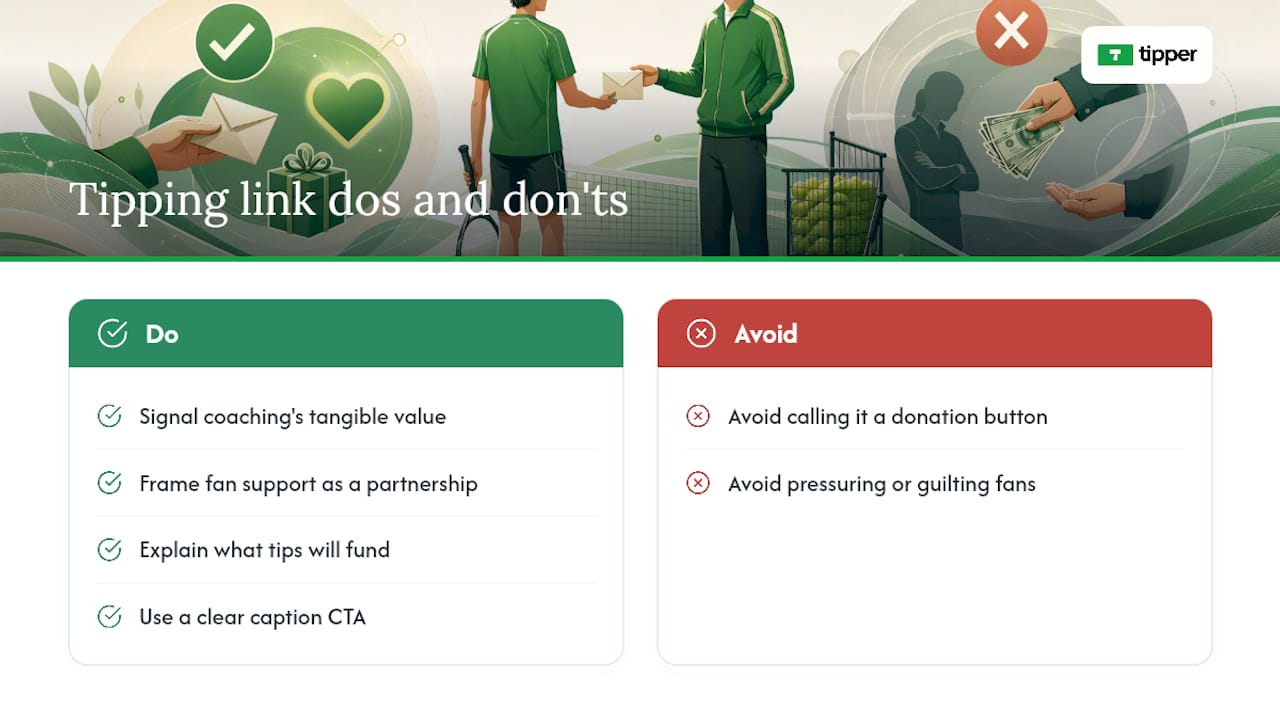
Useful sources
For fans and creators who want to go deeper:
- Tipping made easy
- Stripe for creator economy | A complete solution for the creator economy
- What Are Content Monetization Platforms? | Stripe
- 7 Best Tipping Platforms Every Creator Should Know in 2025
- What’s a Digital Creator? A Quick Guide
- Content creation | Content creator safety tips | eSafety Commissioner
FAQ
How do fans tip Winning Touch Tennis without an account?
Open the Tipper link or scan the QR code, choose an amount, and pay with Apple Pay, Google Pay, or a card. No account or sign-up is required.
What payment methods does the Winning Touch Tennis tip page accept?
Apple Pay, Google Pay, and standard card payments are all supported at checkout on any device.
How much of each tip does Winning Touch Tennis actually keep?
Tipper’s model passes 100% of the tip amount to the creator. A small payment-processing fee is added at checkout on the fan’s side.
Are tips considered taxable income in the U.S.?
Yes. The IRS treats tips as reportable income. Track amounts monthly and consult a CPA for guidance on your specific reporting threshold.
What should Winning Touch Tennis do if a fan sends an inappropriate message with a tip?
Tipper’s platform lets creators moderate and delete incoming messages. Keep all fan communication on the platform rather than in private channels to maintain clear professional boundaries.
Recommended

Link Tip Collection to Content: Creator’s 2026 Guide
TL;DR:
- Using a single, persistent hub URL with contextual copy and tracking UTMs maximizes tip collection across your content. Embedding the link in bios, descriptions, and signatures, and following up with thank-you messages, encourages repeat support. Tips are taxable income in the U.S., so creators should record payouts and verify payout methods regularly.
One persistent tip-collection link, placed in the right spots with clear context and a UTM parameter, is the fastest way to start collecting tips without ever breaking a historical link. Set it up once, share it everywhere, and let the link do the work.
The verdict: use a single hub URL (your collection page), embed it with contextual copy in your bios, video descriptions, and blog posts, and follow up every tip with a personalized thank-you. Tipper is a practical implementation option that handles the full flow, from Apple Pay checkout to video thank-you messages, with no subscription required. Success looks like a steady click-to-tip conversion rate and repeat supporters driven by your thank-you follow-up.
Research on AI citation behavior confirms that hub pages backed by well-linked content clusters are more likely to be discovered and cited by AI crawlers, including GPTBot and PerplexityBot. That same logic applies to your tip link: one authoritative, persistent URL beats a dozen scattered links every time.
Table of Contents
- How do you link a tip collection to your content fast?
- Where should you place your tip link for maximum visibility?
- What copy actually converts tips?
- What technical checks protect your tip link?
- What do U.S. creators need to know about taxes and payouts?
- How do you diagnose and fix a tip link that isn’t converting?
- Tipper makes the tip link setup straightforward
- Key Takeaways
- Why the “just add a link” advice misses the point
- Useful sources
- FAQ
How do you link a tip collection to your content fast?
Here is a zero-to-live checklist you can complete in 10–15 minutes.
- Create your hub link. Set up a persistent collection page with a fixed URL (e.g.,
tipper.app/yourname). This is the only URL you will ever share. - Set accepted payment methods. Enable Apple Pay, Google Pay, and card payments so tippers face no friction at checkout.
- Add branded microcopy. Write a one-line description of what tips support (your next video, your newsletter, your work). Add a suggested tip amount.
- Write a thank-you message. Draft a short text note, or record a brief video, that goes out automatically after each tip.
- Copy the link to every placement. Bio, video description, email signature, and any pinned posts.
- Add a UTM parameter. Append
?utm_source=instagram&utm_medium=bio&utm_campaign=tips(adjust per platform) so you know which placement drives conversions. - Test the full payment flow. Complete a real test transaction on mobile, including Apple Pay, before going live.
- Confirm your payout destination. Connect your bank account or preferred payout method and verify it works.
- Add a one-line income disclosure. Tips are taxable income in the U.S. A simple “Tips are appreciated and are considered income” note on your page is good practice.
Pro Tip: Never change the URL you share publicly. Update the collection page itself whenever your content changes. Every archived post, old tweet, and email signature stays working automatically, because the URL never moves.
Open your tip link in a new tab when embedding it in blog posts. That keeps readers on your page while they complete the payment.
Where should you place your tip link for maximum visibility?
Placement determines whether your tip link gets seen or ignored. A persistent hub URL lets you update your collection page without touching any of the posts that link to it, which means placement is a one-time decision per platform.
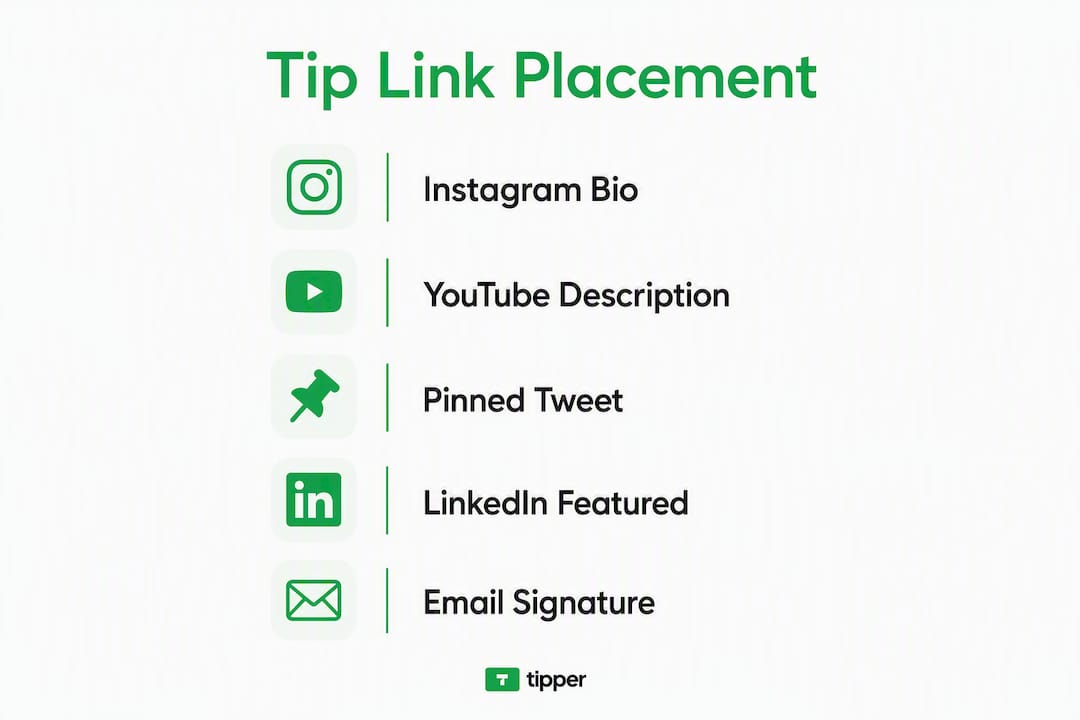
Instagram and TikTok bios: One line of context, then the link. “Support my work” followed by your hub URL. Nothing else competes with it.

YouTube descriptions: Pin the tip link at the very top, above the fold, before timestamps or affiliate links. Add a sentence tying it to the video: “If this tutorial saved you time, a tip helps me make more.”
Twitter/X pinned tweet: Write a short thread about your work, then close with the tip link. Pinned tweets get seen by every new profile visitor.
LinkedIn profile: Add the link to your “Featured” section with a short caption. Freelancers and consultants see strong results here because the audience already understands paying for expertise.
Blog post body and end-of-post CTA: Google Search Central advises giving clear context around every link and avoiding clusters of links that blur individual purpose. Embed the tip link once in the body where it fits naturally, and again at the end with a dedicated CTA. Never group it with three other links in a row.
Email signature: Four words: “Support my work: [link].” Every email you send becomes a passive placement.
QR codes for in-person events: Generate a QR code pointing to your hub URL. Print it on a card, a slide, or a table tent. The URL behind the QR never changes, so one print run lasts indefinitely.
Pro Tip: Platforms like Instagram auto-generate link previews using Open Graph tags. Make sure your tip page has a proper OG title and image set, or the preview will show a blank card, which kills click-through.
What copy actually converts tips?
Think of each tip link as a conversion bridge: the anchor text primes the action, and the destination page closes it. Vague phrases like “tip me” or “click here” underperform because they give the reader no reason to act.
Bio copy templates:
- “Enjoyed this? Buy me a coffee: [your link]”
- “Support independent content: [your link]”
- “If my work helped you, tips keep it going: [your link]”
End-of-video CTA:
- “If this video saved you hours, a small tip means I can keep making them. Link in description.”
Suggested tip amounts: Display two or three options ($3, $7, $15) rather than a blank field. A default selection reduces decision fatigue and lifts average tip size.
Thank-you message templates:
- Immediate text note: “Thank you so much, [name]. Your support genuinely helps me keep creating. More [topic] content coming soon.”
- Photo follow-up: A behind-the-scenes shot of your workspace with a handwritten “thank you” visible.
- Video note: A 15-second personal video saying their name and what their tip makes possible.
The value loop works like this: useful content earns the tip, the personalized thank-you earns the repeat tip. Skip the thank-you and you break the loop.
What technical checks protect your tip link?
A short checklist prevents the most common failures before they cost you conversions.
| Check | What to do | Why it matters |
|---|---|---|
| Persistent hub URL | Never change the public-facing URL | Archived posts stay working |
| UTM parameters | Add source/medium/campaign to every placement | Attribute tips to specific content |
target="_blank" + rel="noopener noreferrer" |
Set on all external tip links | Keeps readers on your page; blocks security exploits |
| OG tags | Set title, description, and image on your tip page | Prevents broken social previews |
| Mobile wallet test | Complete a real Apple Pay or Google Pay transaction | Catches checkout failures before launch |
| Descriptive anchor text | Use “support my work” not “click here” | Improves accessibility and trust |
When you launch a new tip-collection hub, update at least three high-traffic existing pages to link to it within the first week. That hub-and-spoke wiring helps AI crawlers and search engines discover the hub quickly.
What do U.S. creators need to know about taxes and payouts?
Tips are income in the United States. The IRS treats them as taxable regardless of the amount, so keep a record of every payout from day one. Payment platforms that process $600 or more in a calendar year are generally required to issue a 1099-K, but you owe tax on all tip income whether or not you receive a form. Consult a tax professional for your specific situation.
Payout timing varies by platform. Most digital tipping tools process payouts within one to five business days after a tip clears. Tipper supports Apple Pay, Google Pay, and card payments, with a small processing fee added at checkout. Creators keep 100% of the tip amount itself, with no monthly subscription cutting into earnings.
On privacy: never store card data on your own site. Use the tip platform’s checkout flow exclusively. Add a one-sentence disclosure on your tip page: “Payments are processed securely. We do not store card information.” That single line builds trust and reduces abandoned checkouts.
This article is general information, not tax or legal advice. Confirm current IRS rules with a qualified tax professional for your own situation.
How do you diagnose and fix a tip link that isn’t converting?
Track four numbers: clicks, tip-conversion rate (tips divided by clicks), average tip amount, and refund or chargeback rate. If clicks are high but conversion is low, the problem is almost always the destination page or the CTA copy.
- Broken link preview: Check your OG tags. A missing
og:imageproduces a blank card on every platform. Fix the tag and reshare. - Payment failing on mobile wallets: Test Apple Pay and Google Pay on an actual iPhone and Android device, not a desktop browser. Most failures are domain verification issues on the payment processor side.
- UTM missing from shared links: Build a template link with UTMs pre-filled and save it somewhere you can copy-paste. One missing parameter means a week of unattributed traffic.
- Low conversion from clear CTA: A/B test two versions of your bio copy for two weeks. Change one variable: the suggested tip amount, the action phrase, or the context sentence. UTM naming keeps the two variants separate in your analytics.
Separate bio-collection clicks from content-driven clicks by using different utm_source values: bio for profile links, blog for body embeds, email for signature links.
Tipper makes the tip link setup straightforward
Creators who want a frictionless setup without stitching together multiple tools get a concrete advantage with Tipper: one personalized link or QR code, Apple Pay and Google Pay built in, and a customizable thank-you flow (text, photo, or video) that closes the value loop automatically.
Tipper maps directly to this guide’s quick-start checklist. The hub URL is persistent by design, so archived posts never break. The checkout supports mobile wallets out of the box, which eliminates the most common payment failure. And because there is no subscription, the only cost is the small processing fee on each transaction. Creators keep 100% of every tip.
For creators ready to implement today, set up your Tipper link in minutes and start sharing it across your bios, descriptions, and email signature before the end of the day.
Key Takeaways
A single persistent hub URL, placed with contextual copy and tracked with UTMs, is the most reliable way to collect tips across all your content without ever breaking a historical link.
| Point | Details |
|---|---|
| Use one persistent URL | Never change the public link; update the collection page instead to keep archived posts working. |
| Context before and after | Write a sentence explaining the link’s purpose; avoid grouping it with other links. |
| Add UTM parameters | Tag every placement (bio, blog, email) so you can attribute tips to specific content. |
| Test payments on mobile | Verify Apple Pay and Google Pay on real devices before going live. |
| Log tips for taxes | Tips are U.S. taxable income; keep payout records and consult a tax professional. |
| Use Tipper | Tipper provides a persistent personalized link, Apple/Google Pay checkout, and thank-you messages with no subscription fee. |
Why the “just add a link” advice misses the point
Most guides tell creators to “add a tip link to your bio” and stop there. That advice treats the link as decoration. The real work is treating it as a conversion bridge: the copy before the link primes the click, the destination page reassures the tipper, and the thank-you message converts a one-time supporter into a repeat one.
The creators who see consistent tip income are not the ones with the most followers. They are the ones who close the loop. A personalized video thank-you after a $5 tip costs 30 seconds to record and routinely produces a second tip within the week. That is the mechanic most creators skip because it feels small. It is not small.
Try a 7-day experiment: share your hub link in three places you have not used before, track clicks and conversion by UTM source, and rewrite the weakest-performing CTA based on what the data shows. One iteration cycle is usually enough to see a meaningful lift.
Useful sources
- Google Search Central: Link best practices — the primary reference for contextual linking, anchor text guidance, and avoiding link clusters.
- MDN Web Docs: Creating links — authoritative technical reference for
href,target,rel, and accessibility best practices. - Rankeo: Internal linking strategy for SEO and AI visibility — covers hub-and-spoke models and how AI crawlers follow topical signals.
- Elementor: How to create a link — practical checklist for OG tags,
relattributes, and mobile wallet testing. - Zanfia: How to make something into a link — creator-focused guide on conversion bridges, UTM tracking, and anchor text strategy.
- Shelfy: All your links in one place — explains the persistent hub URL strategy and why successful creators never change their shared URL.
- Tipper blog: Why creators need tipping links — the business case for adding a tip link to your content revenue mix.
- Tipper blog: How real-time tips work for creators — technical overview of instant payments and wallet integrations.
- Tipper blog: Types of digital tip jar tools — comparison of tipping tool categories for creators who want to evaluate alternatives.
- Tipper: Set up your tip link — the Tipper landing page for creators ready to implement today.
FAQ
What is the best way to link a tip collection to your content?
Use one persistent hub URL and embed it with a contextual sentence in your bio, video descriptions, and blog posts. Add UTM parameters to each placement so you can track which content drives the most tips.
Do tips count as taxable income in the U.S.?
Yes. The IRS treats tips as taxable income regardless of amount. Keep records of every payout and consult a tax professional about your reporting obligations.
How do you prevent a tip link from breaking in old posts?
Use a persistent hub URL and update the collection page itself whenever your content changes. The shareable URL stays the same, so every archived post, email, and bio link keeps working automatically.
What payment methods should a tip link support?
Apple Pay, Google Pay, and card payments cover the vast majority of U.S. tippers. Tipper supports all three with no account required from the sender, which removes the biggest friction point at checkout.
How do you measure whether your tip link is working?
Track four metrics: total clicks, tip-conversion rate (tips divided by clicks), average tip amount, and refund rate. Low conversion with high clicks usually means the CTA copy or destination page needs revision.
Recommended

Financial Feedback Loop for Creators: Build Your Engine
TL;DR:
- Creators can build a sustainable financial feedback loop by allocating tips before spending and redirecting surplus to growth bottlenecks. Using frictionless collection methods like Tipper enables instant tips that reinforce habit formation, package value, and allow continuous reinvestment. Implementing disciplined allocation, tracking key metrics, and prioritizing operational hires ensure long-term compounding growth in creator income.
Yes, creators can build a financial feedback loop using instant tips — and the mechanism is simpler than most expect. Each tip becomes fuel: allocate it before you spend it, collect it through frictionless rails, then redirect any surplus to the one bottleneck holding your growth back. That three-part cycle (Allocate → Collect → Redirect) is what separates a sustainable tipping income from a transaction you restart from zero every month.
Pro Tip: Set up your allocation buckets before your first tip lands. Deciding where money goes after it arrives almost always means it disappears into expenses.
TL;DR — start today:
- Open a separate account and label it “Tax Reserve”
- Create a tipping link and add it to your bio or email signature
- Write down one bottleneck (gear, ads, an assistant) that your first surplus will fund
Table of Contents
- What Is a Financial Feedback Loop for Creators?
- Why Tipping-First Loops Compound Growth
- How to Set Up the Allocate → Collect → Redirect Loop
- Tactics to Collect Instant Tips Today
- How to Measure and Iterate the Loop
- Common Mistakes and Quick Fixes
- Your 30-Day Action Plan
- Key Takeaways
- The Mental Model That Actually Changes Things
- Tipper Makes the Collection Step Effortless
- FAQ
What Is a Financial Feedback Loop for Creators?
A financial feedback loop is the practice of treating every dollar of income as fuel that must have a destination before it lands. Without that discipline, most creators run what researchers call a transaction loop: they earn, spend, and restart each cycle from the same baseline. A flywheel routes profits back into the system so each cycle produces more output for the same effort.
The allocation rules that make this work are non-negotiable:
- Tax reserve first. Set aside a significant portion of every payment before touching the rest. This is a placeholder range, not tax advice; your actual rate depends on your filing status and state.
- Fixed owner pay. Pay yourself on a schedule, not whenever cash feels comfortable. Irregular draws are the fastest way to confuse business cash flow with personal spending.
- Operating expense cap. Define a ceiling for tools, subscriptions, and production costs before you scale. Uncapped opex is where loops die.
- Surplus to bottleneck. Whatever remains after the three buckets above funds the single constraint limiting your next growth cycle.
Allocation discipline changes behavior because it removes the decision from the moment of spending. When the rules are set in advance, surplus automatically flows to growth rather than lifestyle creep.
A financial feedback loop doesn’t require high income to start. It requires a change in how income is used.
Why Tipping-First Loops Compound Growth
Tipping changes the timing and visibility of value exchange. A subscription delays revenue; a tip arrives the moment a reader or viewer feels something. That immediacy gives you faster data on what content resonates and faster cash to act on it.

Three mechanisms explain why the loop compounds:
Packaging drives conversion more than content quality alone. Jahbari Taylor, a finance creator who built an agency after being laid off, observed that creators often mistake information as the product and neglect the delivery wrapper. If engagement is low, audit the delivery first before assuming the content is the problem.
Habit alignment multiplies tip frequency. Angela Zeng’s analysis of Substack’s growth engine shows that features like email delivery, free-to-paid previews, and member perks turn habitual reading into reliable revenue. Define the target behavior — weekly reader engagement, for example — then build rails that make that behavior easy and repeatable.
Reinvestment discipline raises the baseline. Terrence Porter frames this as a mindset shift: the goal is not to earn more, but to make each dollar work before the next one arrives. Loop management effort stays roughly constant; with evergreen content and systems in place, each unit of effort eventually produces compounding results.
Audience engagement forms a distinct feedback loop from revenue. Perceived-value tactics — member perks, paid previews, one-click payments — bridge engagement to steady tips and justify higher pricing over time.
How to Set Up the Allocate → Collect → Redirect Loop
Step 1: Allocate before you collect
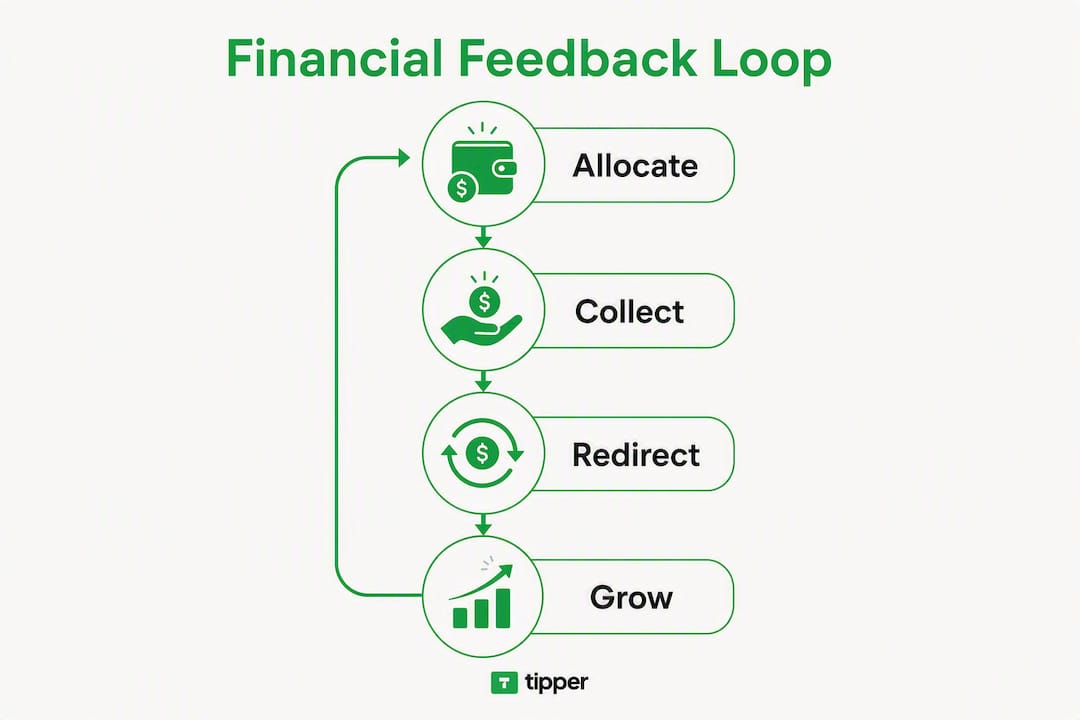
| Bucket | Purpose | Example range |
|---|---|---|
| Tax reserve | Cover self-employment and income tax | — |
| Owner pay | Fixed draw on a set schedule | — |
| Operating expenses | Tools, software, production costs | — |
| Reinvestment | Fund the identified growth bottleneck | Remainder |
Open a separate bank account for each bucket or use a single account with labeled sub-accounts. Transfer funds on the day income arrives, not at month-end.
Step 2: Collect with frictionless rails
- Create a tipping link (more on Tipper below) and place it in your bio, email footer, and end-of-post CTA.
- Generate a QR code from the same link for printed materials, merch, or event signage.
- Enable Apple Pay and Google Pay so supporters tip in two taps with no account required.
- Add a short verbal CTA at the end of videos or streams: “If this helped, the tip link is in the description.”
- Test one CTA placement per week and track which channel drives the most conversions.
Step 3: Redirect surplus to the bottleneck
Once you have covered taxes, owner pay, and opex, the surplus has one job: fix the single constraint holding back your next growth cycle. That might be a paid ad test, a better microphone, or part-time coordination help.
Pro Tip: Your first hire should fix operational plumbing, not add creative capacity. An ops or coordination role stabilizes cash flow; a second content creator does not.
Tactics to Collect Instant Tips Today
Tipping links are the fastest rail to set up. Here is how each tactic works in practice:
- Link in bio: One URL, updated once, visible on every platform. Use a short, memorable slug.
- Email CTA: Place the link in your signature and in a one-line ask at the bottom of every newsletter issue.
- QR code: Print it on packaging, business cards, or a thank-you card tucked into physical orders.
- In-stream verbal CTA: Mention it at the natural pause point in a live stream, not at the very end when viewers have already left.
- Apple Pay / Google Pay flow: Supporters complete the tip without creating an account, which removes the single biggest friction point in digital tipping.
Tipper handles all of this from one dashboard. You get a customizable tip page, no-sender-account checkout, Apple Pay and Google Pay support, thank-you messages (text, photo, or video), and direct payouts. Creators keep 100% of their earnings; Tipper adds a small processing fee at checkout, visible to the sender. For a practical walkthrough of how real-time tips work, the mechanics are straightforward enough to set up in under 15 minutes.
How to Measure and Iterate the Loop
Track four metrics weekly. Nothing more, at least for the first 30 days.
| Metric | What it tells you | Target (starter) |
|---|---|---|
| Average tip size | Perceived value of your content | Trending up month over month |
| Conversion rate (visitors → tippers) | CTA and page effectiveness | Above 2% |
| Tip frequency per supporter | Habit formation | At least 1x per month |
| Retention of repeat tippers | Loop durability | — |
Run experiments in this order:
- State a hypothesis: “Adding a tip CTA to my email footer will increase weekly tips by at least one.”
- Run it for two weeks without changing anything else.
- Compare conversion rate before and after.
- Scale what works; kill what does not after a fixed sample.
Scale reinvestment when conversion rate holds above your target for four consecutive weeks. Hire when a specific operational task is consuming more than five hours per week of your time. Productize (turn a service into a repeatable offer) when you have at least three months of consistent tip data showing what your audience values most.
Common Mistakes and Quick Fixes
Skipping allocation. Fix: freeze all discretionary spending for one week, set up the four buckets, and transfer your next payment before doing anything else.
Broken delivery wrapper. If tips are flat despite traffic, audit your CTA placement before changing content. Move the link higher, simplify the ask, and test one change at a time.
Hiring for the wrong role. A creative hire during a revenue spike feels good but rarely fixes the bottleneck. Ops and coordination roles stabilize the loop first.
No measurement plan. Without the four metrics above, you cannot tell whether a change helped. Set up a simple spreadsheet before your next tip arrives.
Relying on one-time spikes. A viral post is not a loop. A loop is what you build so the next viral post starts from a higher baseline.
Loop health check:
- Are all four allocation buckets funded this month?
- Is your tipping link live and tested on mobile?
- Have you tracked conversion rate for at least two weeks?
- Did last month’s surplus go to the identified bottleneck?
Your 30-Day Action Plan
| Week | Actions | Estimated cost |
|---|---|---|
| Week 1 | Set up allocation buckets; create tipping link and QR code; add CTAs to top two channels | — |
| Week 2 | Run first tip promotion; A/B test two CTA placements; optional small paid boost | — |
| Week 3 | Review conversion data; iterate the weaker CTA; allocate first surplus to bottleneck experiment | Cost of bottleneck item |
| Week 4 | Measure four metrics; decide whether to scale reinvestment or bring in part-time ops help | — |
- Day 1: Open tax reserve account and set allocation percentages.
- Day 2: Create your Tipper link and test it on your phone.
- Day 3: Add the link to your bio, email footer, and one piece of content.
- Day 7: Check your first conversion data and note which channel drove it.
- Day 14: Run your first CTA experiment with a clear hypothesis.
- Day 21: Allocate any surplus to one bottleneck item.
- Day 30: Review all four metrics and set targets for month two.
Key Takeaways
A tipping-first financial feedback loop works because allocation rules force surplus into growth rather than expenses, and frictionless collection rails turn audience appreciation into repeatable, compounding revenue.
| Point | Details |
|---|---|
| Allocate before you collect | Set tax reserve, owner pay, and opex limits before your first tip arrives. |
| Delivery wrapper matters | Low tips often signal a broken CTA or placement, not weak content. |
| Four metrics are enough | Track average tip size, conversion rate, tip frequency, and retention weekly. |
| First hire fixes operations | Ops roles stabilize cash flow; creative hires come after the loop is proven. |
| Tipper as your collection rail | Tipper’s no-account checkout, Apple Pay support, and direct payouts make the Collect step frictionless from day one. |
The Mental Model That Actually Changes Things
The income-as-fuel frame is the one shift that makes everything else click. Most creators treat revenue as a reward to spend; the loop treats it as an input to program. That single reframe is what separates creators who compound from those who restart every month.
Disciplined allocation matters more than tip volume. A creator collecting $200 a month with clear buckets and a defined bottleneck will outpace one collecting $2,000 with no system. Test the loop at small scale, measure honestly, and let the data tell you where to reinvest. Tipper’s instant-payout and no-friction checkout make the collection mechanics easy to run, so your attention stays on the allocation and reinvestment decisions that actually move the needle.
Tipper Makes the Collection Step Effortless
Every tip you collect through Tipper lands in your account fast, with no barriers for your supporters. No account creation, no app download, no friction. Supporters pay with Apple Pay, Google Pay, or a card in two taps, and you receive a direct payout with 100% of your earnings intact.
Set up your customizable tip page in minutes, generate a QR code for any physical touchpoint, and send a personal thank-you note or video after every tip. Those small touches are what turn one-time tippers into repeat supporters — the retention side of your loop. The Allocate → Collect → Redirect checklist works best when the Collect step never breaks. Start your free Tipper link today and have your first tipping rail live before the end of the day.
FAQ
What is a financial feedback loop for creators?
It is a system where tip income is allocated to specific buckets (taxes, owner pay, opex, reinvestment) before spending, so surplus automatically funds the next growth bottleneck rather than disappearing into expenses.
How much income do I need to start a tipping loop?
None — the loop starts with allocation discipline, not a revenue threshold. Even a single tip can be allocated correctly and redirected to a bottleneck.
What metrics should I track for my tipping loop?
Track average tip size, conversion rate (visitors to tippers), tip frequency per supporter, and month-over-month retention of repeat tippers.
How does Tipper support a financial feedback loop?
Tipper provides the Collect step: a no-account-required checkout, Apple Pay and Google Pay support, customizable tip pages, thank-you messages, and direct payouts — so creators keep 100% of earnings and supporters face zero friction.
What should my first hire be when the loop proves out?
Hire for operations and coordination first. An ops role stabilizes cash flow and turns lumpy revenue into reliable business processes before you add creative capacity.
Recommended

Best Shoplinky.com Alternatives for Creators in 2026
TL;DR:
- Tipper is the best choice for creators seeking instant, no-account tips with full data ownership and fast payouts. Platforms that support guest checkout via Apple Pay and Google Pay outperform those requiring sign-ups, boosting conversions. Using simple, direct links and verifying payout and data export options ensures long-term revenue stability.
Tipper is the top pick among Shoplinky.com alternatives for creators who need instant, no-account tipping with Apple Pay, Google Pay, and full audience data ownership. The shortlist: Tipper (no-account tips, instant payouts), Buy Me a Coffee (creator communities), Ko-fi (free tier, memberships), PayPal.me (universal reach), Venmo (social tipping), Linktree (link-in-bio hub), Stripe Payment Links (developer control), Square Online Checkout (in-person + online), and Patreon (subscription revenue).
Quick picks by need:
- Tipper — best for instant, account-free tips via Apple Pay/Google Pay with zero platform fee on earnings
- Buy Me a Coffee — best for creators who want a community feed alongside one-time tips
- Ko-fi — best free starting point with optional memberships and shop
- PayPal.me — best when your audience already has PayPal accounts
- Venmo — best for US-only social tipping with a familiar app
- Linktree — best as a link hub when you pair it with a separate payment tool
- Stripe Payment Links — best for technical creators who want full checkout control
- Square Online Checkout — best for creators who also sell in person
- Patreon — best for recurring subscription revenue over one-time tips
Pro Tip: If your audience skews mobile and you want the fastest path from “tap” to “paid,” prioritize platforms that support Apple Pay and Google Pay guest checkout. Requiring sign-up before a tip is the single biggest conversion killer.
Table of Contents
- Which Shoplinky.com alternatives actually compare on fees and donor friction?
- How do you choose the right alternative for your audience?
- What feature details actually affect your earnings?
- How do you migrate your links without losing tips?
- Key Takeaways
- The case for keeping it simple (and when not to)
- Tipper gets you collecting tips today
- Useful sources
- FAQ
Which Shoplinky.com alternatives actually compare on fees and donor friction?
Shoplinky is primarily a merchant-side affiliate platform built for product commissions, not direct creator tipping. Most creators searching for alternatives want something different: a clean tip link that their audience can pay through in seconds.
| Platform | Platform fee + processor fee | No-account tipping | Payment methods | Payout speed | Customization | Data ownership | Ease of setup |
|---|---|---|---|---|---|---|---|
| Tipper | 0% platform + processor fee at checkout | ✅ Yes | Apple Pay, Google Pay, card | Fast direct payouts | Link, QR, thank-you video/note | Creator owns data | Under 5 min |
| Buy Me a Coffee | 5% platform + ~2.9% + $0.30 | ✅ Yes (guest) | Card, PayPal | 1–3 business days | Page, thank-you message | Limited export | Under 10 min |
| Ko-fi | 0% free tier + processor fee | ✅ Yes | Card, PayPal | PayPal instant; Stripe 2–7 days | Page, goal bar | Limited export | Under 10 min |
| PayPal.me | — | ⚠️ PayPal account preferred | Card, PayPal | Instant to PayPal balance | Minimal | PayPal holds data | Under 5 min |
| Venmo | — | ❌ Requires Venmo account | Venmo, card | Instant to Venmo balance | Minimal | Venmo holds data | Under 5 min |
| Linktree | 0% free; $5–$9/mo Pro + processor fee | Depends on linked tool | Depends on linked tool | Depends on linked tool | Link page, themes | Limited | Under 5 min |
| Stripe Payment Links | 0% platform + 2.9% + $0.30 | ✅ Yes | Card, Apple Pay, Google Pay | 2 business days (standard) | Moderate (no-code) | Creator owns | 15–30 min |
| Square Online Checkout | 0% platform + 2.9% + $0.30 | ✅ Yes | Card, Apple Pay, Google Pay | 1–2 business days | Moderate | Creator owns | 15–30 min |
| Patreon | 8–12% platform + processor fee | ❌ Requires account | Card, PayPal | Monthly payouts | Page, tiers, posts | Limited export | 30 min |
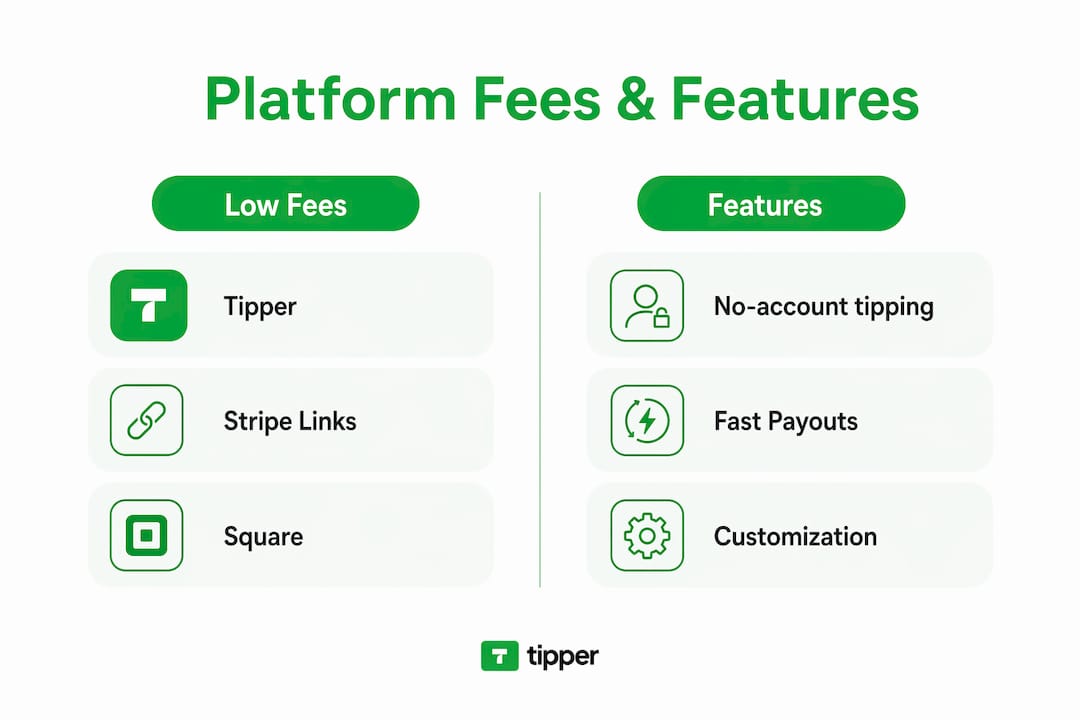
Trust signals: Tipper and Stripe Payment Links process payments through Stripe (PCI DSS compliant). Square uses its own PCI-compliant infrastructure. PayPal and Venmo are PCI compliant. Buy Me a Coffee and Ko-fi use Stripe or PayPal as processors. Pricing for all options above is publicly listed.
Pro Tip: Account-gated payments reduce conversion. Platforms that let supporters pay as a guest via Apple Pay or Google Pay consistently outperform those requiring sign-up, especially on mobile.
How do you choose the right alternative for your audience?
No-account tipping is the single most important criterion for conversion. If a supporter has to create an account before sending $5, most of them won’t. Platforms that support Apple Pay and Google Pay guest checkout remove that friction entirely.

Data ownership matters just as much for long-term revenue. A platform that holds your audience’s email addresses and transaction history is a platform you depend on. Before committing, confirm whether you can export your supporter list and payout records as a CSV.
Payout speed affects real cash flow. Some platforms batch payouts monthly; others settle within one to two business days. If you rely on tips as income, a platform with weekly or faster payouts is worth a slightly higher processor fee.
Decision checklist — ask these before you switch:
- Can supporters pay without creating an account?
- Does the platform support Apple Pay, Google Pay, and major cards?
- What is the total fee (platform fee + processor fee) per transaction?
- How fast are payouts, and what are the payout methods?
- Can you customize the tip page with your branding and thank-you messages?
- Can you export supporter emails and transaction data?
- Does it integrate with your social platforms, streaming setup, or e-commerce store?
- Is customer support available when something breaks?
- Are there transaction limits or tip amount caps?
- What fraud and chargeback protections are in place?
- Does the platform provide tax reporting tools or 1099 documentation?
Pro Tip: For high-volume creators, consider unbundling your stack: use a link-in-bio tool for organization and a dedicated payment link for tips. That way, swapping payment providers never costs you your audience list. For most early-stage creators, an all-in-one tool like Tipper is faster and simpler.
What feature details actually affect your earnings?
Donor checkout UX is where most platforms lose tips. Guest checkout via Apple Pay or Google Pay takes under 10 seconds on mobile. Mandatory account creation adds friction that kills conversion before the payment even starts.
Fee anatomy matters more than the headline rate. A “0% platform fee” can still cost you 2.9% + $0.30 per transaction through the processor. On a $5 tip, that’s $0.45 gone before payout. On Patreon’s 8–12% platform fee stacked on top of processor fees, a $5 tip nets you under $4.
Analytics and data ownership mean something specific: can you export a CSV of supporter emails? Does the platform give you UTM-level conversion tracking? Tipper emphasizes creator data privacy. Stripe Payment Links and Square give you full transaction records. Patreon and Venmo hold the relationship data on their side.
Customization and thank-you flows affect repeat support. A personalized video thank-you after a tip creates a connection that a generic confirmation email doesn’t. Tipper supports text, photo, and video thank-you messages. Buy Me a Coffee and Ko-fi offer basic thank-you notes.
Integration capabilities vary widely. Stripe Payment Links work with Zapier and webhooks. Square connects to its broader POS ecosystem. Linktree integrates with dozens of platforms but doesn’t process payments itself. For Shopify merchants specifically, the Shoplinky Shopify app handles affiliate commissions, not direct tips.
| Tool / Program | Key figure | Source |
|---|---|---|
| ReplyRush free plan | — | ReplyRush |
| ReplyRush paid plans | From $10/month | ReplyRush |
| Longer attribution windows | 30-day windows capture more long-tail revenue than 7-day windows | ReplyRush |
Pro Tip: Always check the attribution window on any affiliate-style program, not just the commission rate. A 30-day referral window can outperform a higher-rate 7-day window for creators whose content drives purchases days after the initial view.
How do you migrate your links without losing tips?
- Create your new tip link on the replacement platform and run a $1 test transaction yourself.
- Update your link-in-bio (Linktree, Instagram bio, TikTok bio) with the new URL.
- Update pinned posts on every platform where you’ve shared your old tip link.
- Update livestream overlays and stream descriptions if you use tipping during live content.
- Add a redirect or notice on your old link if the platform allows it, pointing to the new one.
- Announce the change in a short post or story: “I’ve moved my tip link — same process, just a new address.”
- Confirm payout settings and tax info on the new platform before going live.
- Monitor conversion for 72 hours. A drop over 30% warrants pausing to check for broken links or checkout errors.
Fee categories to track:
- Platform fee: charged by the tipping platform (the range varies by provider)
- Payment processor fee: charged by Stripe, PayPal, or Square (usually a percentage plus a fixed amount per transaction)
- Chargeback fees: vary by processor; can be a set fee per dispute
- Currency conversion fees: apply if you receive tips in a foreign currency
Reporting basics: Platforms that process payments through Stripe or PayPal may issue a 1099-K if your gross payments exceed the IRS threshold for your tax year, with lower thresholds continuing to phase in. Some platforms issue a 1099-NEC for other payment types. Keep your own records regardless of whether you receive a form.
Key Takeaways
Tipper is the recommended pick for creators who need instant, no-account tipping with Apple Pay and Google Pay, full data ownership, and a clean payout flow.
| Point | Details |
|---|---|
| No-account tipping wins on conversion | Platforms with Apple Pay/Google Pay guest checkout consistently outperform account-gated alternatives. |
| Total fee = platform fee + processor fee | Always add both figures; a “0% platform fee” still costs 2.9% + $0.30 per tip through the processor. |
| Data ownership protects long-term revenue | Confirm you can export supporter emails and transaction records before committing to any platform. |
| Migrate carefully and monitor 72 hours | Update bio links, pinned posts, and overlays, then watch conversion for the first three days after switching. |
| Tipper for instant, account-free tips | Tipper supports Apple Pay, Google Pay, and card payments with no sender account required and direct creator payouts. |
The case for keeping it simple (and when not to)
Most creators overthink the platform decision. The real question is simpler: how many taps does it take for someone to send you money? If the answer is more than three, you’re losing tips.
An all-in-one tool like Tipper makes sense for the majority of creators. You get a personalized link, Apple Pay and Google Pay support, customizable tip amounts, and thank-you messages without stitching together three separate tools. For a freelancer, a streamer, or an influencer who wants to start collecting tips this afternoon, that’s the right call. The tip-based revenue model rewards simplicity.
The unbundled stack earns its complexity only at scale. If you’re managing thousands of supporters across multiple revenue streams, separating your link-in-bio from your payment processor gives you flexibility: swap one without disrupting the other, and keep your audience data in your own hands. That’s a real advantage. But for most creators reading this, it’s a problem you don’t have yet.
One thing worth saying plainly: this article compares real options, and Tipper is the publisher. That doesn’t change the analysis. The no-account tipping advantage is real regardless of who’s writing it.
Tipper gets you collecting tips today
Every creator on this list solves a slightly different problem. Tipper solves the one that costs you the most money right now: supporters who want to tip but won’t create an account to do it.
With Tipper, your supporters pay through Apple Pay, Google Pay, or a card in seconds, with no login required. You keep 100% of your earnings (payment processing fees apply), get a customizable tip page with thank-you video support, and receive payouts directly. Stripe powers the payment infrastructure, so every transaction runs through PCI-compliant processing.
Getting started takes under five minutes:
- Create your Tipper link and set your tip amounts
- Add it to your bio, pinned posts, and stream overlays
- Run a $1 test tip to confirm the payout flow
Start collecting tips on Tipper today, or read the creator setup guide to walk through customization step by step.
Useful sources
- Shoplinky on the Shopify App Store — affiliate commission mechanics for merchant-side programs
- MinglyLink — free link-in-bio with monetization; supports the no-account tipping conversion argument
- ReplyRush: LTK Alternatives — unbundled stack strategy, attribution windows, and no-application monetization
- IRS Form 1099-K guidance — US tax reporting thresholds for digital payment platforms
- Tipper: how tipping links work — technical and UX breakdown of tip link flows
- Digital tipping platforms comparison — broader platform comparison for creators
- Tip income business model guide — payout bookkeeping and business model guidance
FAQ
What is Shoplinky.com actually used for?
Shoplinky is a merchant-side affiliate platform that lets brands run creator campaigns with product-based commissions. It is not a direct tipping tool, which is why creators looking to collect tips need a different solution.
Which Shoplinky alternative requires no account from supporters?
Tipper, Stripe Payment Links, Square Online Checkout, Buy Me a Coffee, and Ko-fi all support guest checkout without requiring supporters to create an account. Venmo and Patreon require an account before payment.
How much do tipping platforms charge per transaction?
Most platforms charge a payment processor fee of roughly 2.9% + $0.30 per transaction through Stripe, PayPal, or Square, plus any platform fee on top. Patreon adds an 8–12% platform fee; Ko-fi’s free tier charges 0% platform fee.
Do I have to report tip income on my US taxes?
Yes. The IRS treats digital tip income as taxable self-employment income. Platforms may issue a 1099-K if your gross payments exceed the applicable threshold. Keep your own records regardless of whether you receive a form.
Can I use Tipper alongside a link-in-bio tool like Linktree?
Yes. Tipper generates a standalone tip link or QR code that you can add to any link-in-bio page, including Linktree. This lets you keep your existing link hub while adding a dedicated, no-account tipping option.
Recommended

Instant Payment Tools for Freelancers: 2026 Guide
TL;DR:
- Freelancers should prioritize pay-by-link tip jars, push-to-card, or real-time bank rails for instant payments. These tools vary in speed, cost, and account requirements, with tip jars offering the lowest friction for small tips. Choosing the right method depends on your payer type, bank participation, and urgency of payout needs.
For everyday tips and appreciation payments, prioritize these five types of instant payment tools as a freelancer: pay-by-link tip jars (like Tipper), push-to-card over Visa Direct or Mastercard Send, mobile-wallet one-tap checkouts (Apple Pay, Google Pay), P2P wallet deposits, and real-time bank rails (RTP/FedNow). Each moves money at a different speed, at a different cost, and with a different burden on the person paying you.
Quick verdict: a pay-by-link tip jar handles most creator tipping scenarios with zero friction for the sender. Reserve push-to-card or bank-rail options for time-sensitive payouts when you or your client can absorb the higher fees, which commonly run around 1.5–1.75% per transaction on card-based instant transfers.
- Pay-by-link / tip jars — lowest sender friction; no account required; one-tap Apple Pay or Google Pay
- Push-to-card (Visa Direct / Mastercard Send) — minutes to a debit card; per-transaction fee applies
- RTP / FedNow — seconds, account-to-account; depends on your bank’s retail surfacing
- P2P wallets — instant when both parties use the same app; U.S.-only for most platforms
- Same-day ACH — faster than standard ACH but not truly instant; broad bank coverage
- Stablecoins — near-instant cross-border; requires crypto wallet and conversion steps
Table of Contents
- What types of instant payment tools do freelancers actually have?
- How do these tools compare on speed, fees, and friction?
- How do you choose the right instant-payment mix?
- How to set up instant tip acceptance today
- Does your bank actually support instant payouts?
- What are the U.S. tax basics for tips and one-off payments?
- Key Takeaways
- Why instant tips are worth getting right
- Tipper makes instant tipping simple for creators
- Useful sources
- FAQ
What types of instant payment tools do freelancers actually have?
The six categories below cover every meaningful option available to U.S. freelancers in 2026. What separates them is not just speed — it’s who needs an account, which rail moves the money, and what it costs.
Pay-by-link and tip-jar pages
A creator or freelancer generates a personalized URL or QR code. The sender opens it in a browser, taps Apple Pay or Google Pay (or enters a card), and the tip lands in the creator’s account. No sender login, no app download. Tipper is built around exactly this flow, with customizable tip pages, thank-you messages, and direct payouts. For low-friction tips, this category consistently outperforms every other option because reducing the donor’s steps raises conversion more than cutting the headline processing fee.
Push-to-card (Visa Direct / Mastercard Send)
Platforms use these card-network rails to push funds directly to an eligible debit card, often within minutes. The catch: the recipient’s card issuer must support the service, and per-transaction fees apply. Many “instant payout” features you see on gig platforms — including Stripe Instant Payouts — route over Visa Direct or Mastercard Send rather than FedNow or RTP, which matters for your fee math.

Real-time bank rails (RTP and FedNow)
RTP (The Clearing House) and FedNow (Federal Reserve) are the two U.S. real-time bank rails, both operating 24/7/365 and settling in seconds. RTP skews toward large banks handling high-volume institutional flows; FedNow expands reach to smaller community banks and credit unions. The critical variable: your bank must surface the rail to retail accounts, not just treasury operations.
P2P wallets and mobile-wallet deposits
Apps like Venmo, Cash App, and Zelle move money instantly between users on the same platform. Zelle routes directly between bank accounts with no intermediate wallet. The limitation is mutual: both sender and recipient need the same app, and most of these platforms are U.S.-only.
Same-day ACH
Same-day ACH settles faster than standard ACH but only during banking windows, not in seconds. It covers a broader range of bank accounts than RTP or FedNow currently do, making it a practical fallback for recurring invoices where “faster” is good enough and cost matters.
Stablecoins and on-chain settlement
Stablecoins settle on-chain in minutes, 24/7, across borders. The tradeoffs are real: both parties need compatible crypto wallets, conversion steps add friction and variable fees, and U.S. tax treatment requires careful recordkeeping. Best suited to crypto-savvy freelancers with international clients.
How do these tools compare on speed, fees, and friction?
| Tool type | Speed to usable funds | Fees (approx.) | Sender needs account? | Setup complexity | U.S. availability | Best use case |
|---|---|---|---|---|---|---|
| Pay-by-link / tip jar | Minutes to hours | Platform fee + processing | No | Low | Broad | Tips, appreciation payments |
| Push-to-card | Minutes | ~1.5–1.75% per transaction | No | Low–medium | Card-issuer dependent | Urgent gig payouts |
| RTP / FedNow | Seconds | Low–none (bank-dependent) | Yes (bank account) | Medium | Growing | Instant invoice settlement |
| P2P / mobile wallet | Instant (same platform) | — | Yes (same app) | Low | U.S.-only (most) | Quick domestic payments |
| Same-day ACH | Hours (banking windows) | Low | Yes (bank account) | Low | Broad | Recurring invoices |
| Stablecoin | Minutes | On-chain + conversion fees | Yes (crypto wallet) | High | Variable | Cross-border, crypto clients |
Edge cases worth knowing:
- If your bank participates in FedNow but only in treasury mode, retail instant credits won’t reach your account in seconds — they may post as delayed ACH.
- P2P wallets that hold funds in-app (rather than routing to your bank) can add an extra transfer step before the money is truly usable.
- Stablecoin payouts introduce FX-equivalent conversion risk if the recipient converts to USD at an unfavorable moment.
How do you choose the right instant-payment mix?
Start with your payer profile. One-off fans tipping after a livestream need zero friction: a pay-by-link tool with Apple Pay support wins every time. Repeat clients paying project invoices care more about cost and paper trails than speed: same-day ACH or a direct bank credit is the right call. Differentiating rails by client type keeps fees low where they matter and friction low where conversion matters.
Practical checklist before you commit to a tool:
- Does your bank surface RTP or FedNow to retail accounts? (Call and ask — this five-minute question determines whether bank-rail credits reach you in seconds.)
- What is the per-transaction fee, and does it scale with tip size or cap out?
- Does the tool require KYC verification before your first payout, and how long does that take?
- Can senders pay without creating an account?
- Does the platform support Apple Pay and Google Pay at checkout?
- Is there a fallback payout method if the instant rail fails?
The cost-vs-frequency rule is simple: use low-fee ACH for recurring invoices, pay-by-link for low-friction tips, and push-to-card or RTP/FedNow for urgent needs when the fee fits.
Pro Tip: Segment your contacts into two buckets — “tipping” (fans, one-off supporters) and “invoicing” (repeat clients, project work) — and use a different rail for each. Mixing them creates unnecessary fees and friction on both sides.
How to set up instant tip acceptance today
- Create a pay-by-link tip page (Tipper recommended). Sign up, add your payout details, and enable Apple Pay, Google Pay, and card checkout. Customize your tip page with a photo and a thank-you message.
- Configure instant-payout preferences. If you need funds immediately after a tip, enable push-to-card or bank-rail payout options in your account settings and review the associated fees before going live.
- Build your in-person flow. Generate a QR code from your tip page, print or display it at your workspace or event, and add a short line of copy (“Tap to tip — no app needed”) to reduce hesitation.
- Test before you promote. Send a small test tip from a personal device and a friend’s device. Confirm the thank-you message fires, check how fast the deposit posts to your bank, and note whether it arrives as an instant credit or a pending ACH.
- Enable recordkeeping from day one. Turn on email receipts or export transaction logs. Set a monthly reminder to download your CSV before you need it for taxes.
Quick checklist: confirmation message live ✓, thank-you note or video enabled ✓, tax-recording step documented ✓, fallback payout method configured ✓.
Pro Tip: Publish one tip link and one QR code everywhere — bio, email signature, event table. Multiple options split attention and lower conversion. One clear path wins.
Does your bank actually support instant payouts?
The word “instant” in payment marketing often masks which rail is actually moving the money. Many gig platforms and processors use push-to-debit (Visa Direct / Mastercard Send) for speed rather than FedNow or RTP. That distinction matters because card-rail instant transfers carry per-transaction fees, while bank-rail credits can be near-free once your bank surfaces them.
Even when a payout provider initiates a real-time credit, your bank’s internal posting rules can convert it into a pending ACH if the institution hasn’t enabled retail-facing instant posting. Banks fall into four tiers: retail-surfaced (you see credits in seconds), receive-only (credits arrive but may not post instantly), treasury-only (instant rails active for business operations, not consumer accounts), and not participating.
| Rail | Typical settlement | Fee shape | Bank coverage |
|---|---|---|---|
| RTP / FedNow | Seconds (retail-surfaced banks) | Low–none | Growing; FedNow expanding to community banks |
| Push-to-card | Minutes | ~1.5–1.75% per transaction | Card-issuer dependent |
| Same-day ACH | Hours (banking windows) | Low flat fee | Broad |
| Stablecoin | Minutes | On-chain + conversion | Wallet-dependent |
Ask your bank’s support team directly: “Do you surface FedNow or RTP credits to retail checking accounts?” That single question tells you whether instant bank-rail payments will actually land in seconds.
What are the U.S. tax basics for tips and one-off payments?
Tips and one-off appreciation payments are taxable income. Track them the same way you track any business receipt.
- Record the date, amount, and payer name for every tip received.
- Save payout receipts or transaction confirmations from your tipping platform.
- Report freelance income (including tips) on Schedule C; if a single client pays you $600 or more in a year, they may issue a 1099-NEC.
- Keep tip income separate from personal accounts to simplify reconciliation.
Pro Tip: Export a monthly transaction CSV from your tipping tool before December 31. Reconcile it to your bank deposits once a year rather than scrambling at tax time.
This article is general information, not tax or legal advice. Confirm current IRS rules with a qualified tax professional for your specific situation.
Key Takeaways
Pay-by-link tip jars offer the lowest sender friction and the fastest setup for creators, while push-to-card and RTP/FedNow serve urgent payouts when you understand the fee and bank-surfacing tradeoffs.
| Point | Details |
|---|---|
| Start with pay-by-link | Tip jars with no sender account required convert better than any other instant option for one-off appreciation payments. |
| Know your bank’s rail tier | Ask whether your bank surfaces RTP or FedNow to retail accounts — the answer determines real-world payout speed. |
| Card-rail fees add up | Push-to-card instant transfers typically cost 1.5–1.75% per transaction; budget accordingly for high-frequency payouts. |
| Segment tipping vs invoicing | Use low-friction instant tools for tips; use same-day ACH or bank credit for predictable recurring client invoices. |
| Tipper for creator tips | Tipper’s pay-by-link flow supports Apple Pay, Google Pay, and card checkout with no sender account, making it a strong first choice for freelancer tipping. |
Why instant tips are worth getting right
The conventional wisdom treats payment tools as a back-office problem. Get the invoice out, wait for the money, move on. That framing misses something real for creators and freelancers: the moment a supporter wants to tip you is a high-intent, high-goodwill moment. If the path to paying you has three steps and requires an app download, that moment evaporates.
A lightweight tipping workflow that converts is not just a convenience feature. It’s a signal to your audience that you’ve made it easy to support you, which reinforces the relationship. The thank-you message a creator sends after a tip closes a loop that a standard invoice never does.
The mistake most freelancers make is over-engineering the payout side (chasing the fastest rail, the lowest fee) while under-investing in the sender experience. A frictionless real-time tipping setup that converts at 15% beats a technically superior payout rail that nobody uses because the checkout was clunky.
Test your own tip link from a friend’s phone. If it takes more than two taps, fix the flow before you promote it.
Tipper makes instant tipping simple for creators
Creators and freelancers who want to collect instant tips without the overhead of a traditional payment platform have a direct option: Tipper. Your personalized tip link works on any device, supports Apple Pay, Google Pay, and card payments, and requires no account from the sender. Set up takes minutes.
Key features:
- Personalized tip link and QR code — share online or display in person
- One-tap Apple Pay and Google Pay — no app download, no login for the sender
- Customizable thank-you messages — text, photo, or video responses to supporters
- Direct payouts — funds go to you, with transparent processing fees and no subscription
- No sender account required — the lowest-friction path to a completed tip
Tipper runs on a transaction-based model with no monthly fee. Creators keep 100% of tips after platform and payment-processing charges are disclosed at checkout. To get started, create your tip page on Tipper, test it with a colleague, and enable your preferred payout method before you share the link publicly.
Useful sources
Further reading on rails, payout strategy, and implementation:
- FedNow Service overview — Federal Reserve Financial Services: official documentation on FedNow participation, use cases, and bank onboarding.
- Real Time Payments — The Clearing House: RTP network specs, participation tiers, and retail surfacing details.
- Instant Payouts explainer — Routable: practical breakdown of push-to-card vs bank-rail instant payouts and fee tradeoffs.
- FedNow at 2+ Years for U.S. Freelancers — Delivvo: freelancer-focused analysis of rail differences, bank tiers, and fee ranges.
- Freelancer tipping workflow guide — Tipper Blog: step-by-step implementation checklist for setting up a tip page and instant payout flow.
- Apple Pay and Google Pay tipping for small businesses — Tipper Blog: practical advice on enabling mobile-wallet checkout and reducing payer friction.
- Ask your bank’s support team directly whether they surface FedNow or RTP to retail checking accounts — this is the single most useful question you can ask before relying on bank-rail instant credits.
FAQ
What is the fastest way to receive a tip as a freelancer?
A pay-by-link tip page with Apple Pay or Google Pay enabled is the fastest end-to-end option for most creators. The sender taps once, and funds typically reach your account within minutes to hours depending on your payout rail.
Do I need a business bank account to accept instant payments?
No, but your bank’s account type affects payout speed. Personal accounts at banks that surface RTP or FedNow to retail customers can receive instant credits; accounts at banks in treasury-only or receive-only modes may see delayed posting.
What fees should I expect for instant payouts?
Card-based instant transfers (push-to-card via Visa Direct or Mastercard Send) commonly run 1.5–1.75% per transaction. Bank-rail credits via RTP or FedNow carry lower or no per-transaction fees, but depend on your bank’s participation tier.
Does Tipper require senders to create an account?
No. Tipper’s pay-by-link flow lets anyone tip using Apple Pay, Google Pay, or a card without signing up. That zero-account requirement is the core reason it reduces payer friction compared to P2P wallet apps.
Are tips from fans considered taxable income in the U.S.?
Yes. The IRS treats tips and one-off appreciation payments as taxable income. Track each payment by date and amount, save your platform’s transaction receipts, and report the income on Schedule C.
Recommended

Best TipTopJar.com Alternatives for Creators in 2026
TL;DR:
- Tipper is the strongest creator-focused alternative due to its instant Apple Pay and Google Pay support, with no account needed and 100% earnings retained. Hospitality systems like Kickfin and TipHaus are better suited for automated tip pooling and payroll integration in businesses like restaurants, not individual creators. Choosing the right platform depends on support options, fees, payout speed, and whether you need compliance features or simple guest checkout.
If you need a fast answer: for creators, Tipper is the strongest TipTopJar alternative because it lets supporters tip instantly via Apple Pay or Google Pay with no account required, and you keep 100% of what you earn. For hospitality businesses that need automated tip pooling and payroll integration, purpose-built systems like Kickfin and TipHaus are the right category. General P2P apps like PayPal, Venmo, and Cash App fill gaps but add friction. The biggest trade-offs to watch are platform fees versus checkout friction, payout timing, and whether your audience will create an account just to tip you.
| Platform | Best for | Payment methods | Payout speed | Account required to tip? |
|---|---|---|---|---|
| Tipper | Creators, freelancers | Apple Pay, Google Pay, card | Direct, fast | No |
| Buy Me a Coffee | Creators, memberships | Card, PayPal | 1–3 business days | No |
| Ko-fi | Creators, donations | Card, PayPal, Stripe | Varies by plan | No |
| Kickfin | Hospitality tip distribution | Debit card (instant) | Instant | N/A (staff-facing) |
| PayPal.me | General P2P | Card, PayPal balance | 1–3 business days | Yes (sender) |
Pro Tip: Before committing to any platform, open a private browser tab on your phone and try tipping yourself $1 via Apple Pay. If it takes more than three taps, your supporters will drop off before they finish.
Table of Contents
- What are the best TipTopJar.com alternatives right now?
- How do you choose the right TipTopJar alternative?
- What do fees and payouts actually look like?
- Are tipping platforms secure, and how are tips taxed in the US?
- How do you switch from TipTopJar to another platform?
- Why does frictionless mobile checkout actually move the needle?
- Key Takeaways
- The case for being honest about who this comparison is for
- Why Tipper is worth trying if you are a creator
- FAQ
What are the best TipTopJar.com alternatives right now?
The types of digital tip jar tools split into two distinct categories: creator-first tipping links and hospitality-grade tip-management systems. They solve different problems, and mixing them up wastes time.
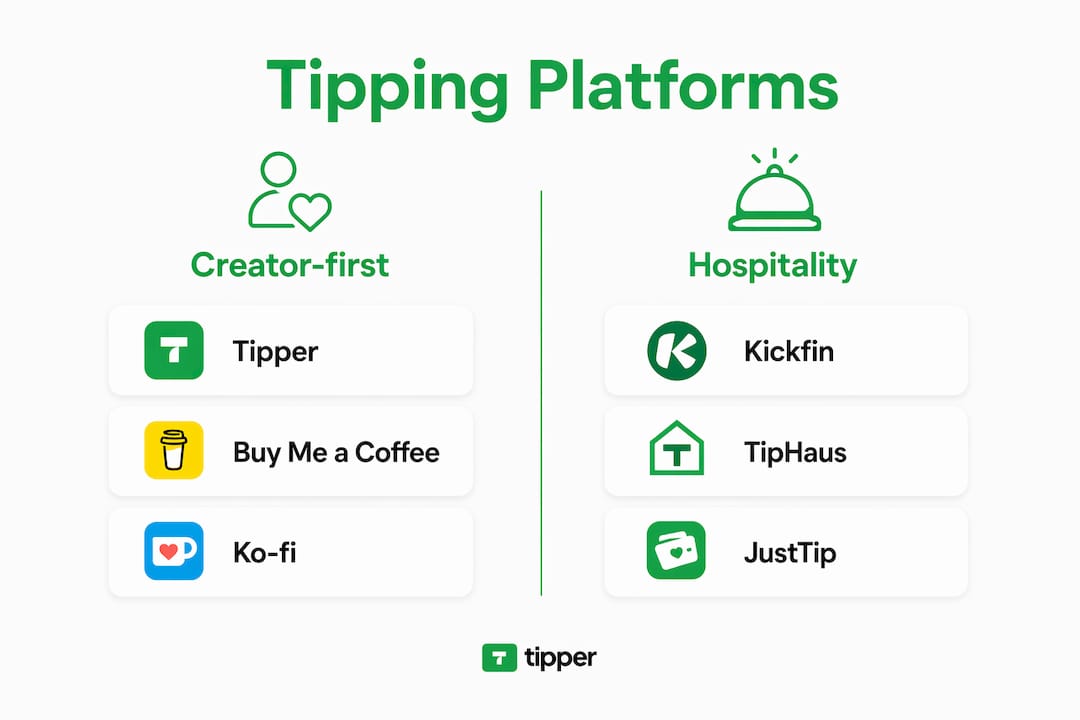
Tipper
Tipper is built around one idea: a supporter lands on your page, taps Apple Pay or Google Pay, and the tip is done in seconds. No account creation, no redirect to another app. Creators keep 100% of their earnings, with only a small payment processing fee added at checkout. You get a personalized link, a QR code for in-person use, and the ability to send thank-you messages via text, photo, or video. For a freelancer or content creator who wants the lowest possible friction between “I want to tip this person” and “tip sent,” Tipper is the clearest option in this comparison.
Strengths:
- Guest checkout via Apple Pay and Google Pay
- 100% earnings retention (processing fee only)
- Thank-you messages (text, photo, video)
- QR code for in-person tips
- No subscription required
Watch for: Processing fees apply per transaction, as with every platform in this list.
Buy Me a Coffee

Buy Me a Coffee lets creators accept one-time tips and monthly memberships from the same page. Supporters do not need an account to tip, which keeps friction low. The platform also supports extras like digital downloads and exclusive posts, so it doubles as a light storefront. Payouts typically land within a few business days. The trade-off is that Buy Me a Coffee takes a platform fee on top of the payment processor fee, which eats into smaller tips more noticeably.
Strengths:
- No sender account required
- Memberships and digital products built in
- Clean, creator-friendly page design
Watch for: Platform fee on top of processing costs; less customization than dedicated tipping tools.
Ko-fi
Ko-fi is popular with artists and writers because it offers a genuinely free tier with no platform fee on one-time tips (Stripe or PayPal processing fees still apply). The paid Ko-fi Gold tier unlocks commissions, shop features, and a membership option. Creator-focused platforms that combine tipping with content gating tend to drive stronger repeat support, and Ko-fi’s shop and membership features fit that pattern well. Payout timing depends on your payment processor.
Strengths:
- Zero platform fee on tips (free tier)
- Shop, commissions, and memberships available
- No sender account required for tips
Watch for: Advanced features require the paid tier; payout speed depends on your connected processor.
Linktree (payments)
Linktree added a tipping and payment link feature to its link-in-bio product. If you already use Linktree to manage your social links, adding a tip button is low-effort. The downside is that it is a secondary feature on a link aggregator, not a dedicated tipping tool. Customization is limited, and the experience is less polished than platforms built specifically for tips. Worth considering if consolidation matters more to you than a premium tip-page experience.

PayPal / PayPal.me
PayPal.me gives you a permanent branded link that anyone with a PayPal account can use to send money. The problem is that senders without a PayPal account face more steps, and permanent branded handles are often immutable, which creates long-term rebranding headaches. PayPal is trusted and widely recognized, but it is a general payment tool, not a tipping platform. No thank-you messages, no tip-page customization, no QR code for in-person use.
Venmo
Venmo works well for US-based creators whose audience already has the app. The social feed feature (where tips can appear publicly) is either a feature or a privacy concern depending on your audience. Senders must have a Venmo account, which is the single biggest friction point. General P2P apps like Venmo are common in creator tip stacks, but they work best as a supplementary option alongside a dedicated tool, not as a primary tip page.
Cash App
Cash App’s $Cashtag gives you a shareable link and is popular with younger US audiences. Like Venmo, it requires the sender to have an account. No tipping-specific features, no thank-you messages, no QR code customization. Useful as a backup payment method for audiences who prefer it, but not a standalone TipTopJar replacement.
Kickfin
Kickfin is built for restaurants and hospitality businesses, not individual creators. It distributes tips directly to staff debit cards instantly after each shift, integrating with POS systems and payroll software. Hospitality-focused platforms automate tip pooling, calculate distributions, and handle the compliance requirements that US labor law demands for tip pooling. If you run a restaurant or bar, Kickfin solves a problem that no creator tool even attempts to address.
TipHaus
TipHaus sits in the same hospitality category as Kickfin, with a focus on automated tip distribution and payroll integration. It handles tip pooling calculations and connects to POS systems so managers do not need to run manual spreadsheets. For multi-location hospitality operations, TipHaus is worth evaluating alongside Kickfin.
JustTip
JustTip is a simpler digital tipping tool aimed at service workers and small hospitality businesses. It generates QR codes that customers scan to tip directly. Less feature-rich than Kickfin or TipHaus, but lower overhead for a single-location business that just needs a contactless tip option.
| Dimension | Creator tools (Tipper, BMC, Ko-fi) | P2P apps (PayPal, Venmo, Cash App) | Hospitality systems (Kickfin, TipHaus) |
|---|---|---|---|
| Guest checkout | Yes (Tipper, BMC, Ko-fi) | Partial (PayPal card; Venmo/Cash App require account) | N/A |
| Platform fee | Varies (Tipper: none; BMC: yes; Ko-fi free tier: none) | None (processor only) | Subscription-based |
| Payout speed | varies | 1–3 days (instant for a fee) | Instant (Kickfin) |
| POS integration | No | No | Yes |
| Thank-you messages | Yes (Tipper, BMC) | No | No |
| US compliance/tip pooling | No | No | Yes |
Pro Tip: If your audience is split between mobile-first fans and older supporters who prefer cards, pick a platform that supports both Apple Pay and manual card entry. Tipper and Buy Me a Coffee both do.
How do you choose the right TipTopJar alternative?
The one-sentence rule: choose a creator guest-checkout tool if you need minimal friction and a social link-in-bio setup; choose a hospitality system if you need compliant tip distribution and POS integration. Everything else is a detail.
Primary criteria to evaluate:
- Payment methods: Does it support Apple Pay and Google Pay? Can supporters pay by card without an account?
- Fees: What is the platform fee (if any) on top of the payment processor fee? How does that math work on a $3 tip versus a $50 tip?
- Payout cadence: Daily, weekly, or on-demand? Is there a minimum payout threshold?
- Privacy and friction: Does the sender need to create an account? Can they tip anonymously?
- Integrations: Does it connect to your website, social profiles, or (for hospitality) your POS and payroll system?
- Tax and payroll support: For hospitality, does the platform generate reports compatible with US tip-reporting requirements?
- Geographic availability: All platforms listed here are available in the US, but confirm international support if your audience is global.
A digital tipping platforms comparison is most useful when you weight these criteria against your actual use case before reading reviews.
Checklist before you commit:
- Can you complete a test tip on mobile in under 30 seconds?
- Is the pricing page transparent with no hidden fees?
- Does the platform publish its payment processor partnership (Stripe, PayPal, or equivalent)?
- Can you export your payout history and supporter data?
- Is there a clear payout schedule with a stated minimum?
- For hospitality: does it integrate with your specific POS system?
Red flags to watch: vague fee language (“small processing fee” with no percentage stated), no test payment option before going live, no published privacy policy, and payout schedules described only as “soon.”
One nuance worth noting: a slightly higher processing fee that enables Apple Pay will often outperform a lower-fee platform that requires account creation. Checkout friction kills conversions faster than a 0.5% fee difference.
What do fees and payouts actually look like?
Every tipping platform uses a two-layer fee structure: a platform fee (charged by the tipping service itself, if any) plus a payment processor fee (charged by Stripe, PayPal, or the card network). You pay both on every transaction.
| Tip amount | Platform fee | Processor fee (example: 2.9% + $0.30) | Net received |
|---|---|---|---|
| — | no platform fee on one-time tips | — | — |
| — | $0.30 (example platform fee) | — | — |
| standard example tip | — | — | $9.41 |
| standard example tip | — | — | $8.91 |
| — | 5% platform fee example | — | — |
The processor rate used above (2.9% + $0.30) is a standard Stripe card rate; actual rates vary by platform negotiation and payment method. Apple Pay and Google Pay typically use the same card-present or card-not-present rate as a standard card transaction on most platforms.
Example calculation: On a $10 tip with no platform fee and a standard processor rate of 2.9% + $0.30, you net $9.41. Add a 5% platform fee and that drops to $8.91. Over 100 tips at $10, that difference is $50 in your pocket.
Payout timing matters for cash flow. Instant payouts (Kickfin to debit cards, or platforms offering instant transfer for a fee) cost slightly more but matter for hospitality workers paid per shift. Creator platforms typically pay out within 1–3 business days on a standard schedule, with some offering on-demand payouts above a minimum balance.
Pro Tip: If you receive tips regularly, set up a dedicated bank account or label tip income separately in your bookkeeping tool (QuickBooks, Wave, or even a simple spreadsheet). It makes quarterly estimated taxes far less painful.
Are tipping platforms secure, and how are tips taxed in the US?
Platforms that partner with established processors like Stripe or PayPal and publish their encryption practices are generally trustworthy. The signals to check: explicit mention of TLS/SSL encryption, a named payment processor, a transparent privacy policy, and a documented payout flow. Platforms with verified processor integrations provide stronger trust signals than those that obscure their payment infrastructure.
Tip Top Jar’s own FAQ states it uses SSL/TLS encryption and limits tip visibility to the account owner. That is a reasonable baseline. When evaluating any alternative, look for the same disclosures on the vendor’s security or FAQ page.
On the tax side, tips are taxable income in the US. The IRS treats tips received through digital platforms the same as cash tips: they are ordinary income and must be reported. Platforms that process above certain thresholds may issue a 1099-K form, but the reporting threshold and rules have shifted in recent years, so confirm the current requirements directly with the platform or a tax professional. Do not assume a platform will handle your reporting for you.
Trust checklist before switching: Confirm TLS/SSL encryption is stated on the vendor site. Verify the named payment processor (Stripe, PayPal, or equivalent). Read the privacy policy for data retention and sharing terms. Check user reviews on Capterra or Trustpilot for payout reliability. Ask the vendor directly about 1099-K issuance if your tip volume is significant.
Pro Tip: Keep a simple monthly log of tip income, even if the platform provides a dashboard. Dashboards change, accounts get suspended, and having your own record protects you at tax time.
This article is general information, not tax or legal advice. Confirm your specific reporting obligations with a qualified tax professional or the IRS directly.
How do you switch from TipTopJar to another platform?
You can migrate in a few days for a simple creator setup. The steps are straightforward, but skipping the test phase is where most people run into problems.
Creator migration steps:
- Audit your current links. List every place your TipTopJar link appears: bio links, website, email signature, pinned posts, YouTube descriptions.
- Export your records. Download any payout history or supporter data TipTopJar allows you to export before you close or pause the account.
- Set up your new page. Create your account on the new platform, connect your bank or debit card, and configure your tip page (photo, description, tip amounts).
- Test guest checkout on mobile. Open a private browser tab on your phone and complete a real $1 tip to yourself using Apple Pay. Confirm the payout lands correctly. This step catches 90% of setup errors before your audience sees them.
- Update all links. Replace every TipTopJar link with your new URL. For tipping links that work across channels, update your link-in-bio tool, website, and any pinned content simultaneously.
- Announce the switch. A short post or story telling your audience where to find your new tip link prevents confusion and recovers any supporters who bookmarked the old URL.
- Monitor for 7 days. Check that payouts arrive on schedule and that no supporters report errors.
Note on branded handles: If you have a PayPal.me or similar permanent handle, those links are often immutable once created. Keep the old link active if possible while you redirect traffic to the new platform.
For hospitality businesses, the timeline is longer: plan for one to two weeks to include POS integration testing, staff training on the new tip-out flow, and a parallel-run period where both systems operate before you cut over fully.
Red flags during migration: no test payment option, payout schedule described vaguely, missing encryption details on the setup page, and no way to export your existing data.
Why does frictionless mobile checkout actually move the needle?
Guest checkout via Apple Pay and Google Pay removes the single biggest barrier between a supporter’s intention and a completed tip: account creation. Practitioner reports and creator guides consistently cite improved tip completion rates when one-click wallet payments are available, because the decision to tip is often impulsive and time-sensitive. Add a login screen and a significant share of those supporters simply close the tab.
Creator guides and platform reviews repeatedly note that requiring an account to send a tip is the most common reason supporters abandon the checkout flow before completing a transaction.
The conversion advantage of one-click payments compounds over time. A supporter who tips once via Apple Pay in three seconds is far more likely to tip again than one who had to create an account the first time. That behavioral pattern is why platforms built around guest checkout tend to generate higher lifetime tip volume per supporter, even when the per-tip amounts are similar.
Thank-you messages, content locks, and recurring support options extend that relationship further. Creator platforms that combine tipping with content gating convert one-time tippers into repeat supporters by giving them something in return: a personal video, early access, or exclusive content. The tip becomes the start of a relationship, not a one-off transaction.
Pro Tip: Test your tip page on the device your audience uses most. If your audience is primarily on Instagram, test the full flow inside the Instagram in-app browser, not just Safari. In-app browsers sometimes block certain payment methods.
Key Takeaways
For creators, Tipper’s guest checkout and zero platform fee make it the clearest TipTopJar alternative; for hospitality, automated tip-distribution systems are a separate category entirely.
| Point | Details |
|---|---|
| Creator-first pick | Tipper offers guest checkout via Apple Pay/Google Pay with no platform fee and 100% earnings retention. |
| Hospitality needs a different tool | Kickfin and TipHaus handle tip pooling, POS integration, and US compliance; creator tools do not. |
| Fee math matters on small tips | A $0.30 flat processor fee hits a $3 tip harder than a $50 tip; zero platform fee platforms protect small-tip income. |
| Guest checkout drives conversions | Requiring an account to tip is the most common reason supporters abandon checkout before completing a transaction. |
| Migration can take several days | Audit links, test mobile checkout, update all channels, and monitor payouts for 7 days after switching. |
The case for being honest about who this comparison is for
Most “best tipping platform” articles bury the lead: the right answer depends almost entirely on whether you are a creator or a hospitality operator. These are not variations of the same problem. A restaurant manager needs tip pooling, payroll integration, and labor-law compliance. A freelance illustrator needs a link that works in an Instagram bio and pays out to their bank account without subscription requirements.
Tipper is built for the second group. The editorial position here is transparent: Tipper publishes this comparison, and Tipper is the recommended pick for creators. That said, the hospitality tools in this list (Kickfin, TipHaus, JustTip) are genuinely better for their use case than any creator-focused tool, including Tipper. Recommending the wrong category to save face would be worse than useless.
If you want to test the comparison fairly, the most useful thing you can do is run a live $1 tip on two or three platforms on your actual phone before committing. No review article, including this one, replaces that 60-second test. The platform that completes the transaction fastest, with the fewest taps, is the one your supporters will actually use.
Why Tipper is worth trying if you are a creator
Tipper gives creators a tip page that works the way supporters actually behave: they see your link, tap Apple Pay or Google Pay, and the tip is done. No account, no redirect, no friction. You keep 100% of your earnings, with only a standard processing fee deducted at checkout. That is a meaningful difference from platforms that layer a platform fee on top of processor costs, especially if you receive a high volume of smaller tips.
Key features that matter for the decision you are making right now:
- Guest checkout via Apple Pay, Google Pay, and card, with no sender account required
- Direct payouts to your connected bank account
- Thank-you messages via text, photo, or video to build supporter relationships
- QR code for in-person tipping at events, markets, or venues
- No subscription required to maintain your page
If you are ready to set up a tip page that your audience will actually complete, start with Tipper and have your link live in minutes.
Useful sources and further reading
- 7 Virtual Tip Jar Options You Need to Know — practical creator-focused breakdown of P2P apps and dedicated tipping tools
- 7 Best Tipping Platforms Every Creator Should Know — covers creator features including memberships, content gating, and thank-you messages
- Top TiPJAR Alternatives, Competitors (CB Insights) — industry directory separating creator and hospitality tools
- TiPJAR alternatives (Capterra) — user reviews and security trust signals
- Digital Tipping Platforms Comparison 2026 — feature analysis focused on guest checkout and supporter engagement
- How Tipping Links Work for Creators in 2026 — technical and UX detail on setting up and testing tipping links
FAQ
What is the best free alternative to TipTopJar for creators?
Ko-fi’s free tier charges no platform fee on one-time tips (only standard processor fees apply), making it one of the most cost-effective options for creators just starting out. Tipper also charges no platform fee, with only a payment processing fee added at checkout.
Do TipTopJar alternatives require supporters to create an account?
Dedicated creator tipping platforms like Tipper, Buy Me a Coffee, and Ko-fi allow supporters to tip without creating an account. General P2P apps like Venmo and Cash App require the sender to have an account, which adds friction and reduces tip completion.
Is TipTopJar legitimate and secure?
Tip Top Jar states in its FAQ that it uses SSL/TLS encryption and limits tip visibility to the account owner, which are standard baseline security practices. When evaluating any tipping platform, look for a named payment processor, published encryption details, and a transparent privacy policy.
Which tipping platform is best for restaurants and hospitality?
Kickfin and TipHaus are purpose-built for hospitality: they automate tip pooling, integrate with POS systems, and generate reports that meet US labor and tax requirements. General creator tipping tools and P2P apps do not provide these compliance features.
How much does a typical tipping platform take per transaction?
Most platforms charge a payment processor fee in the range of 2.9% + $0.30 per transaction (standard Stripe card rates), plus a platform fee that varies by service. Platforms with no platform fee, like Tipper on its standard plan and Ko-fi’s free tier, pass through only the processor cost.
Recommended

Best LootLabs.gg Alternatives for Creators in 2026
TL;DR:
- Tipper offers instant, accountless tips via Apple Pay, Google Pay, or cards with minimal friction and transparent fees. It enables creators to receive direct payouts without ad interference, contrasting with other monetization options like ad-gate networks and link-shorteners. For reliable revenue, creators should verify payment schedules, processors, and run A/B tests before switching platforms.
If you want instant, accountless tips from your audience without forcing them through an ad loop, Tipper is the strongest alternative to LootLabs.gg right now. Supporters send money via Apple Pay, Google Pay, or card with no account required, and you keep your earnings minus a modest payment processing fee. That’s a fundamentally different value proposition than ad-gate or link-shortener payout models.
The monetization space is highly fragmented, spanning large ad-tech networks like Outbrain and Chartboost all the way to niche link-shortening payout services. Before picking a name, pick a category:
- Direct tipping platforms (like Tipper): instant, voluntary tips with minimal donor friction and creator-first payouts
- Link-shortener payout services: pay per click or ad view, require traffic volume to generate meaningful income
- Ad-gate/ad-tech networks: high CPM potential but rely on intrusive ad flows that can damage audience trust
- Link-in-bio aggregators: organize multiple links but rarely handle payments natively
The fastest path forward: Sign up for Tipper, configure your payout method, drop your personalized link into your Twitch bio, YouTube description, and Discord server, then run a one-week A/B test against your current LootLabs link. Watch which one your audience actually uses.
Table of Contents
- What are the best LootLabs.gg alternatives by category?
- How to pick the right LootLabs.gg alternative for your audience
- What does each alternative category actually offer?
- Switching from LootLabs: a quick setup checklist
- How to verify a platform’s payouts before you rely on it
- Key Takeaways
- Why accountless tipping matters more than CPM right now
- Tipper: instant, accountless tips for creators
- Useful sources and further reading
- FAQ
What are the best LootLabs.gg alternatives by category?
| Category | Instant tips / accountless | Payment methods | Fee shape | Payout frequency | Customization | Audience experience | Best for |
|---|---|---|---|---|---|---|---|
| Direct tipping platforms (Tipper) | Yes | Apple Pay, Google Pay, card | Small processing fee per tip; creator keeps earnings | On-demand / low minimum | Personalized link, QR, tip page branding, thank-you notes/video | Native tip flow, zero ad friction | Freelancers, micro-influencers, streamers |
| Link-shortener payout services | No | Varies by provider | Revenue share per ad view | Weekly/monthly, often high minimums | Basic link customization | Ad-view required before destination | High-traffic creators needing passive income |
| Ad-gate networks (Outbrain, Chartboost) | No | Advertiser-funded | CPM/CPC revenue share | Monthly, high minimums | Limited creator branding | Forced ad or survey before content | Large channels with strong demographics |
| Link-in-bio tools (Linktree style) | Rarely native | Depends on integrations | Free tier + subscription | Depends on payment integration | Strong page branding | Clean link hub, no native payment | Creators managing many destinations |
| Donation/fan-support platforms (BuyMeACoffee style) | Partial (account often needed for sender) | Card, PayPal | Platform fee + processing | Weekly or monthly | Branded page, membership tiers | Familiar but requires sender signup | Creators with established fan bases |
Pro Tip: If your audience skews mobile and engages during live streams, prioritize Apple Pay and Google Pay support above everything else. A tip that takes 10 seconds beats one that takes 60 seconds, every time.
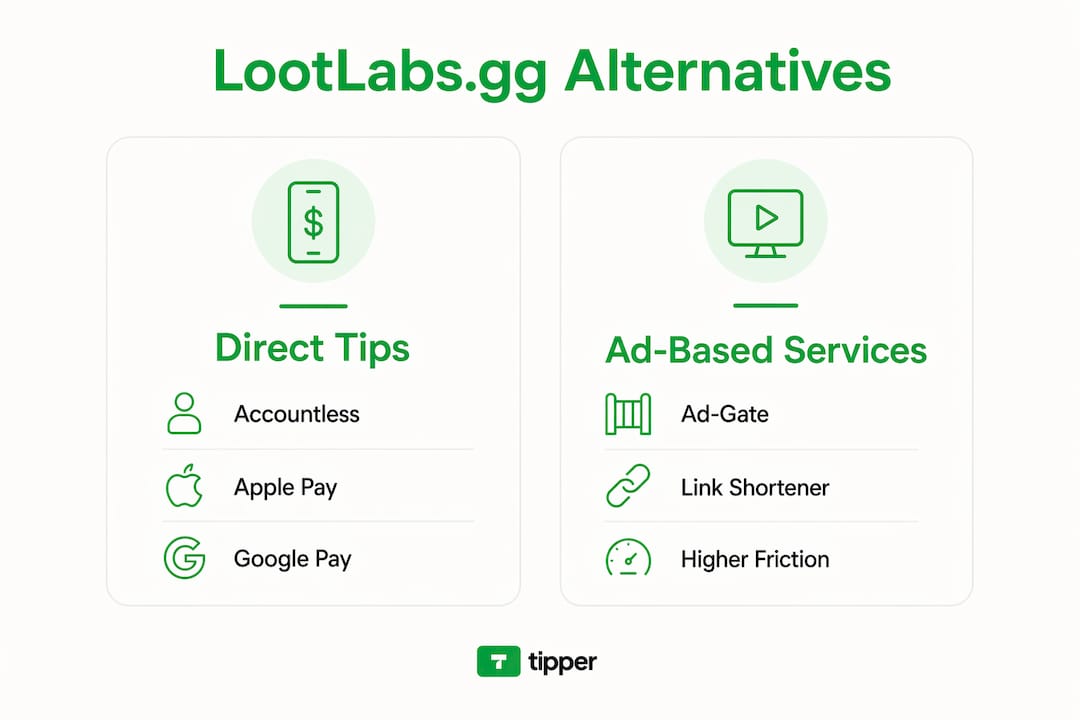
How to pick the right LootLabs.gg alternative for your audience
Prioritize payment reliability and low donor friction over theoretical CPM. High-CPM ad platforms require scale and favorable demographics that most mid-size creators don’t have. A loyal audience of a few thousand engaged fans generates steadier income through direct tipping than through ad-gate flows that frustrate them.
Work through this checklist before committing to any platform:
- Payment methods: Does it support Apple Pay, Google Pay, and major cards? Friction at checkout kills conversions.
- Payout schedule: Is it on-demand, weekly, or monthly? What’s the minimum withdrawal?
- Fee transparency: Are fees shown before a supporter completes a tip? Hidden fees erode trust.
- Donor account requirement: Does your supporter need to create an account to send money? If yes, expect drop-off.
- Platform integrations: Can you drop the link directly into Twitch panels, YouTube descriptions, and Discord? Check for native embed support.
- Customization: Can you brand the tip page, add a QR code for in-person use, and send a thank-you note or video?
- Geographic and currency support: Are your supporters in the US? Confirm USD payouts and US-based payment processor support.
- Dispute resolution: Is there a clear support channel and a published policy for failed or disputed payments?
Red flag: Any platform that can’t show you a published payout schedule, a named payment processor, and a support contact before you sign up is not ready to handle your revenue.
What does each alternative category actually offer?
Tipper
Tipper lets you create a personalized tipping link or QR code in minutes. Supporters pay via Apple Pay, Google Pay, or card with no account required on their end. You customize the tip page with your branding, set suggested tip amounts, and send a thank-you note or video after each tip. Payouts go directly to you, with only a small payment processing fee deducted per transaction. For creators who want a tip-based revenue model that doesn’t depend on traffic volume, this is the cleanest setup available.

Direct tipping platforms (general category)
Beyond Tipper, this category includes platforms like BuyMeACoffee and YouPay.co. BuyMeACoffee supports one-time tips and recurring memberships; it’s well-known and trusted, though some flows require the sender to create an account. YouPay.co focuses on gifting and payment links. The common thread: voluntary, direct payments from supporter to creator. Check each provider’s fee page carefully, since platform cuts vary and some charge both creator and sender.
Link-shortener payout services (BinBucks, xut.io style)
These services pay you when someone clicks your shortened link and views an ad before reaching the destination. BinBucks and xut.io operate in this space. Income depends entirely on click volume and ad CPM, which fluctuates. Ad-supported link monetizers often use forced ad-viewing loops that can permanently damage brand trust. Check the provider’s payout page for minimum withdrawal thresholds, which are often $5–$10, and confirm payment processor options before relying on them.
Ad-gate and ad-tech networks (Outbrain, Chartboost)
Outbrain and Chartboost operate at the network level, connecting advertisers to publishers. These platforms suit large gaming channels or content sites with substantial monthly traffic. The audience experience involves ads or sponsored content before reaching the creator’s material. For smaller creators, the revenue rarely justifies the friction imposed on supporters.
Link-in-bio aggregators (Linktree style)
Tools like Linktree organize multiple links on a single branded page. They’re useful for directing audiences to your tip link, merch store, and social profiles simultaneously. Native payment processing is limited, so you’d still need a separate tipping platform. Think of them as a distribution layer, not a monetization layer.
Integration with streaming and content platforms
Tipper’s personalized link drops into any text field: Twitch bio panels, YouTube channel descriptions, Discord server announcements, and Instagram bios. For cross-platform tipping, the QR code format works especially well during live streams displayed on-screen. Ad-gate platforms typically require a redirect chain that breaks native embed flows on Twitch and YouTube.
Switching from LootLabs: a quick setup checklist
Getting a new tipping link live takes under an hour. Here’s the order that works:
- Create your Tipper account and verify your email.
- Configure your payout method (bank transfer or supported processor) before you share any link.
- Build your personalized link and QR code, set suggested tip amounts, and write your thank-you message.
- Test it yourself: send a $1 tip through your own link and confirm receipt in your dashboard.
- Add the link to your Twitch panel, YouTube description, Discord, and any other active profile.
- Promote it during a live session or content drop when engagement is highest.
Pro Tip: Run a 7-day A/B test: keep your LootLabs link in one location and place your Tipper link in another. Compare tip count, average value, and audience complaints. Practitioners recommend this exact approach to measure whether audiences prefer a direct tip over an ad-gate flow.
Quick validation checklist before going fully live:
- Payout method confirmed and verified
- Test tip received and visible in dashboard
- Thank-you message or video uploaded
- Link tested on mobile (Apple Pay and Google Pay flow)
How to verify a platform’s payouts before you rely on it
Always confirm transparent payout policy and payment security before routing any recurring revenue through a new platform. Payment reliability is a primary concern across the creator monetization space, and the platforms that fail creators most often are the ones with vague or unpublished payout terms.
Look for these signals before committing:
- Published payout schedule with specific timelines (weekly, on-demand, etc.)
- Named payment processors: Apple Pay, Google Pay, Stripe, PayPal, or major card networks
- PCI compliance or tokenization statements on the platform’s security or FAQ page
- Public reviews on independent sites confirming on-time payments
- A real support channel with a response time commitment and a dispute resolution policy
The most common reliability failure: creators discover a platform’s payout minimum or processing delay only after they’ve accumulated earnings. Send a small test payment first, confirm it clears, then scale up.
Key Takeaways
Tipper is the strongest LootLabs.gg alternative for creators who need instant, accountless tips with transparent fees, direct payouts, and zero donor friction.
| Point | Details |
|---|---|
| Prioritize donor friction | Accountless, one-tap payment (Apple Pay, Google Pay) drives higher conversion than ad-gate flows. |
| Category beats name | Map features by category (tipping, ad-gate, link-shortener) before picking a specific platform. |
| Verify payouts first | Confirm published payout schedule, named processors, and PCI compliance before going live. |
| Test before switching | Run a 7-day A/B test comparing your LootLabs link and your new tipping link side by side. |
| Tipper as starting point | Tipper offers instant tips, no sender account required, Apple Pay/Google Pay, and direct payouts. |
Why accountless tipping matters more than CPM right now
The shift away from ad-gate monetization is real, and it’s being driven by creators who got tired of watching their audiences bounce off intrusive ad loops. The conventional wisdom says “chase the highest CPM.” That’s wrong for most creators reading this.
Here’s what that advice misses: CPM is a lagging indicator. It tells you what your audience was worth to an advertiser last month. A direct tip tells you what your audience values you at, right now, voluntarily. Those are different signals, and the second one compounds. A supporter who tips once and gets a personal thank-you video is more likely to come back, share your content, and tip again than someone who clicked through an ad they resented.
The platforms that win long-term for small-to-mid creators are the ones that reduce friction to near zero and let the creator-fan relationship do the work. Accountless tipping, mobile-native payment methods, and a branded experience aren’t nice extras. They’re the mechanism.
Tipper: instant, accountless tips for creators
Every ad-gate and link-shortener alternative in this article trades your audience’s patience for revenue. Tipper trades none of it. You get a personalized tipping link your supporters can pay through in seconds, no account on their end, no ad to sit through. Apple Pay, Google Pay, and card payments are all supported. You keep your earnings minus payment processing, with no subscription or monthly fee to maintain your account.
Set up takes under an hour. Drop your link into every profile you own, run the A/B test against your old LootLabs link, and watch the conversion difference. Create your free Tipper account at tipper.app and have your first tipping link live today.
Useful sources and further reading
- LootLabs Company Profile and Competitors, Tracxn: market intelligence on LootLabs and its competitive set, including Outbrain and Chartboost.
- Top 15 LootLabs Alternatives, eBool: category-level review of LootLabs substitutes with audience-experience analysis.
- LootLabs Alternatives, SaaSHub: practitioner-focused comparison with payout reliability notes and A/B testing recommendations.
- Digital Tipping Platforms Comparison, Tipper Blog: feature checklist and comparison framework for creators evaluating tipping platforms.
- How Instant Tips Replace Ad Revenue, Tipper Blog: explains when tipping outperforms ad-driven models for small-to-mid audiences.
Always check a provider’s payout page and support policy directly before routing real revenue through any platform. Terms change, and a published policy today may differ from what you read in a third-party review.
FAQ
What is the best free LootLabs.gg alternative for creators?
Tipper is free to create and maintain an account; you only pay a modest payment processing fee when a tip is sent. That makes it the lowest-cost entry point for creators who want instant, accountless tipping without a monthly subscription.
Do LootLabs alternatives work without the sender creating an account?
Most ad-gate and link-shortener alternatives don’t involve sender accounts at all, since they’re ad-based. For direct tipping, Tipper specifically allows supporters to send tips without creating an account, using Apple Pay, Google Pay, or a card.
How do I know if a tipping platform pays reliably?
Look for a published payout schedule, named payment processors (Stripe, PayPal, Apple Pay), PCI compliance statements, and independent reviews confirming on-time payments. Send a small test payment first and confirm it clears before scaling up.
Can I use a LootLabs alternative on Twitch, YouTube, and Discord?
Yes. Tipper’s personalized link works in any text field, including Twitch bio panels, YouTube channel descriptions, and Discord announcements. The QR code format is also useful for on-screen display during live streams.
What fees do LootLabs alternatives charge creators?
Fee structures vary by category. Ad-gate networks pay a revenue share per impression. Link-shortener services pay per click. Direct tipping platforms like Tipper charge a small payment processing fee per transaction, with no platform cut taken from your earnings beyond that.
Recommended

Real-Time Supporter Contribution Tools for Creators
TL;DR:
- Using wallet-enabled payment links with stream overlays provides low friction for supporters and builds supporter data. Native platform tips are easy but limit data control, while third-party tools enable campaign management and automation. Combining native tipping with independent links maximizes revenue and long-term supporter engagement.
The five main types of real-time supporter contribution tools are: native in-platform tipping, payment links with one-click wallet checkout, third-party fundraising platforms, text-to-donate and chatbot triggers, and overlay/stream-integration tools. For most creators, the fastest path to consistent tips is a wallet-enabled payment link paired with an on-screen overlay, with native tools layered in for impulse moments. The core trade-off is simple: native tools reduce friction but surrender your data; independent links cost a little more setup but give you the supporter relationship.
Table of Contents
- What counts as a real-time supporter contribution tool?
- 1. Native in-platform tipping: YouTube, Twitch, Instagram, and more
- 2. Payment links and one-click wallet tipping
- 3. Third-party fundraising and donation platforms
- 4. Text-to-donate, SMS, and chatbot-triggered contributions
- 5. Overlay and stream-integration tools
- How to pick the right tool for your stream
- Practical ways to increase real-time contributions
- After the tip: turning one-off tippers into repeat supporters
- Fees, payouts, privacy, and a U.S. tax reminder
- Key Takeaways
- What actually works for creators
- Tipper: instant, no-signup tips for creators
- Sources and further reading
- FAQ
What counts as a real-time supporter contribution tool?
A real-time supporter contribution tool is any mechanism that lets a supporter send money to a creator during or immediately after live or synchronous content, with confirmation visible to both parties within seconds. That covers in-chat payments, external tipping links, SMS short codes, and stream overlays. It does not cover delayed invoicing, subscription billing, or post-event crowdfunding campaigns where the money moves days later.
Creators who benefit most from these tools include:
- Livestreamers on YouTube, Twitch, and Instagram
- Podcasters running live recording sessions or listener Q&As
- Performers hosting virtual concerts or ticketed shows
- Influencers running community AMAs or content drops
- Nonprofits and creator-led fundraisers running charity marathons
1. Native in-platform tipping: YouTube, Twitch, Instagram, and more
Native tipping is built directly into the platform where you stream. YouTube Super Chats, Twitch Bits, Instagram Stars, and Facebook’s donate button all work this way. A supporter taps a button inside the app, pays through the platform’s checkout, and the tip appears in your chat or feed within seconds.
The friction here is genuinely low. No redirect, no new tab, no account creation. That impulse moment converts well precisely because nothing gets in the way.
The catch is control. The platform owns the transaction data, the supporter’s contact information, and the payout schedule. Fees vary by platform and region, and payout minimums can hold funds for weeks. You also get limited branding: the tip looks like a platform feature, not your brand.
Quick setup checklist:
- Enable the tipping or monetization feature in your creator dashboard
- Link a verified bank account or payout method
- Configure chat moderation so tip alerts surface cleanly
- Set up on-screen alerts through the platform’s native tools or a third-party overlay
| Factor | Native tipping | Independent link |
|---|---|---|
| Friction for supporter | Very low | Low (with Apple/Google Pay) |
| Creator data ownership | Platform retains | Creator captures |
| Branding control | Minimal | Full |
| Payout speed | Platform schedule | Varies by tool |
2. Payment links and one-click wallet tipping
A payment link is a short URL or QR code that opens a pre-configured checkout. With Apple Pay or Google Pay enabled, a supporter taps once and the tip goes through. No account, no form, no friction worth mentioning. In-chat or one-click payments consistently outperform tools that redirect supporters to external forms.

This is where Tipper fits. A creator sets up a personalized Tipper link, shares it in their bio, pins it in chat, or displays it as a QR code on stream. Supporters pay with Apple Pay or Google Pay without creating an account, and the creator keeps 100% of the tip. Real-time notifications confirm each tip as it arrives.
How to get a one-click link running:
- Create your account and personalized link
- Set a suggested tip amount or leave it open
- Add a thank-you note or video for post-tip delivery
- Pin the link in your stream chat and bio
- Connect a webhook or Zapier integration to push tip events into your CRM or email list
The cross-platform advantage is real. The same Tipper link works in a YouTube chat, a Twitter/X bio, a Discord server, and a printed QR code at a live event. You are not locked into one platform’s ecosystem, and you capture the supporter’s contact info when they opt in, which native tools rarely allow. For a deeper look at how these mechanics play out, how real-time tips work covers the technical side in detail.
Pro Tip: Pre-fill a suggested amount (say, $5) rather than leaving the field blank. Supporters given a default convert at higher rates than those facing an open-ended input.
3. Third-party fundraising and donation platforms
Full-featured fundraising platforms go well beyond a single tip link. They offer campaign pages, team fundraising, recurring gift options, donor CRM, and built-in stream overlays. Third-party tools often include donation goals, real-time alerts, and customizable thank-you journeys that native platform configurations lack.
These platforms make sense when:
- You are running a month-long campaign with a public goal tracker
- Multiple hosts or team members are each raising funds toward a shared target
- You need donor receipts, recurring gift management, or nonprofit compliance features
- The event is a charity marathon where donor stewardship matters beyond the stream itself
The trade-off is setup time and, sometimes, higher platform fees. For a solo creator running spontaneous streams, the overhead is usually not worth it. For a structured campaign or charity event, the donor data and automation tools justify the extra work.
4. Text-to-donate, SMS, and chatbot-triggered contributions
Text-to-donate works like this: you display a short code on screen, a viewer texts it, and they receive a payment link or a one-time charge confirmation by reply. Chatbot triggers follow a similar path inside platforms like Discord or Messenger.
The appeal is mobile reach. Supporters who are watching on a second screen and not actively in your chat can still contribute without switching apps. Automation paired with CRM integrations helps convert one-time tippers into long-term supporters by moving them into follow-up sequences after the initial gift.
Drawbacks to plan around:
- Requires phone number capture, which adds a compliance step (opt-in language is mandatory under TCPA rules)
- Carrier fees can reduce the net amount received
- The flow has more steps than a one-click wallet payment, so conversion rates tend to be lower for impulse moments
- Best suited to post-stream nurturing rather than peak-moment conversion
5. Overlay and stream-integration tools
Overlays are browser sources you add inside OBS, Streamlabs, or a similar encoder. They display recent donors, progress bars toward a goal, and trigger on-screen effects when a tip arrives. Donation-triggered actions like soundboard effects, live poll changes, and custom alerts make contributions feel immediately impactful, which increases the rate at which other viewers follow.
Integration paths include:
- Browser source URLs from your donation platform dropped into OBS or Streamlabs
- Native Twitch or YouTube extensions that surface alerts without a separate encoder
- Webhook or REST API connections that push tip events to custom overlays or Discord bots
The production requirement is real. You need a stable enough stream setup that a donation alert does not spike your CPU and drop frames. Low-latency confirmation matters: if a tip confirmation is delayed by several seconds, donors sometimes abandon the action mid-session.
Pro Tip: Pre-configure your donation-triggered interactions (sound effects, poll unlocks, shout-out templates) and run a 10-minute rehearsal before going live. Discovering a broken webhook on air kills the moment and the conversion.
For a practical walkthrough of alert configuration, instant tip notification setup covers the steps in detail.
How to pick the right tool for your stream
Run through this checklist before committing to a setup:
- Audience device mix: Mobile-heavy audiences need one-tap wallet checkout or SMS; desktop audiences tolerate a short redirect
- Friction tolerance: Impulse moments need native tipping or a one-click link; structured campaigns can absorb a multi-step form
- Data needs: If you want to email supporters after the stream, you need a tool that captures contact info or exports it via webhook
- Fee sensitivity: Compare the platform cut on native tipping against the processing fee on an independent link
- Integration requirements: Does the tool connect to your email platform, Discord bot, or CRM via Zapier or a native API?
- Cross-platform plans: Multi-platform consolidation tools simplify acknowledgement when you stream to YouTube and Twitch simultaneously
A hybrid approach — native tipping for impulse moments, an independent link for data and retention — is what experienced creators typically land on.
Practical ways to increase real-time contributions
- Pin your tip link in chat at the start of the stream and re-pin it after every milestone
- Announce a timed match window (“next 15 minutes, every tip gets a shout-out”) to create urgency
- Display a visible progress bar so viewers can see how close you are to a goal
- Use pre-filled amounts to remove the decision friction of an open input field
- Trigger an immediate on-screen reaction for every tip, even a small one, so the crowd sees it pays off
Track donations per minute, the conversion rate on your pinned link, average tip size, and repeat donor rate. Those four numbers tell you which tactics are actually working.
After the tip: turning one-off tippers into repeat supporters
The tip is the start of the relationship, not the end. Capturing contact info at the moment of tip and wiring it into your marketing stack is what separates creators who build communities from those who just collect one-time payments.
Immediate post-tip actions:
- Send an automated, personalized thank-you (note or short video)
- Deliver any promised digital reward (exclusive content, Discord role, early access)
- Invite the supporter to your community space
| Workflow step | Tool example | Goal |
|---|---|---|
| Tip event fires | Webhook / Zapier | Capture contact and tip amount |
| Automated thank-you | Email platform / CRM | Acknowledge within minutes |
| Community invite | Discord bot | Move supporter into inner circle |
| Recurring gift prompt | Email sequence (Day 3) | Convert to monthly supporter |
Track donor retention rate, lifetime value, and next-action conversion (did they join your community or upgrade to a recurring gift?). Those metrics reveal whether your follow-up is working.
Fees, payouts, privacy, and a U.S. tax reminder
Most independent tipping tools charge a processing fee in the range of a percentage of the transaction plus a small fixed amount per transaction. Native platforms take a larger cut, often 20–50% of the gross tip depending on the product (Twitch Bits, for example, pay out at roughly $0.01 per Bit after the platform’s share). Payout minimums and hold periods vary widely.
On data ownership: native platforms retain the direct supporter relationship. You get the money; they keep the contact. Independent tools that integrate with a CRM via webhooks give you both.
U.S. tax reminder: Tips received through any of these tools are reportable income. Track gross receipts by platform, keep records of payout reports, and categorize tip income separately from other revenue. The IRS treats tips as ordinary income regardless of the payment method. Consult a tax professional for your specific situation.
Key Takeaways
A wallet-enabled payment link combined with a stream overlay is the most effective setup for creators who want low-friction tips and long-term supporter data.
| Point | Details |
|---|---|
| Lowest friction wins | One-click wallet checkout (Apple Pay, Google Pay) converts better than any multi-step form. |
| Hybrid approach works best | Combine native tipping for impulse moments with an independent link for data capture and retention. |
| Data ownership matters | Native platforms keep supporter contact info; independent tools with webhooks let you build your own list. |
| Follow up immediately | Automated thank-yous and community invites sent within minutes of a tip drive repeat support. |
| Tipper as a starting point | Tipper’s no-signup, wallet-enabled link lets creators keep 100% of tips and integrate with overlays and CRM tools. |
What actually works for creators
The biggest mistake creators make is treating the tip as the finish line. They set up a Super Chat or drop a link in bio, collect a few dollars, and move on. The creators who build real tip-based revenue treat every tip as an entry point into a relationship.
The hybrid model works because it meets supporters where they are. Native tipping captures the viewer who will not leave the chat for anything. An independent link captures the viewer who wants to tip more than the platform’s micro-payment ceiling allows, and it hands you their contact info in the process. Overlays close the loop by making every tip visible to the whole room, which triggers more tips.
The one thing most guides skip: rehearse your donation triggers before you go live. A broken overlay or a silent webhook on a big stream night is a conversion killer. Spend 10 minutes the day before. It is the lowest-effort, highest-return prep step in live fundraising.
Tipper: instant, no-signup tips for creators
Every creator who has spent time building a native tipping setup knows the frustration: the platform takes a significant cut, you never get the supporter’s email, and the whole thing stops working the moment you stream somewhere else.
Tipper is built around a different premise. You get a personalized link that works anywhere, supporters pay with Apple Pay or Google Pay without creating an account, and you keep 100% of the tip. Real-time notifications confirm each payment as it lands, and webhook support means every tip can trigger a thank-you email, a Discord role, or a CRM entry automatically.
It takes minutes to set up, and the link travels with you across platforms. Whether you pin it in a YouTube chat, drop it in a Twitter/X bio, or display it as a QR code at a live event, the checkout experience stays the same. Start receiving tips at tipper.app.
Sources and further reading
- In-Stream Social Media Donations: A Complete Guide — covers friction reduction and in-chat payment mechanics; supports the native tipping and one-click link sections
- Interactive Fundraising: Live Content That Converts — hybrid strategy, overlay triggers, and multi-platform consolidation; used in the overlay and how-to-choose sections
- Livestream Fundraising: How to Host a Charity Stream — latency, donation-triggered actions, and conversion tactics; supports the overlay and best-practices sections
- Virtual Fundraiser Tech Stack — third-party platform features and multistreaming setup; used in the fundraising platforms and checklist sections
- Daisychain automation — SMS and CRM automation for post-tip follow-up; supports the text-to-donate and post-tip workflow sections
- Supporter Experience Platform (Thread Fundraising) — data ownership and CRM integration; used in the post-tip workflow and fees sections
FAQ
What is the lowest-friction real-time tipping option?
A one-click wallet payment link supporting Apple Pay or Google Pay is the lowest-friction option outside native platforms. Supporters complete the tip in a single tap without creating an account.
Do tips count as taxable income in the U.S.?
Yes. The IRS treats tips received through any payment tool as ordinary income. Track gross receipts by platform and keep payout records for tax filing.
How do I capture supporter contact info from tips?
Use an independent tipping tool that supports webhooks or Zapier, then route tip events into your CRM or email platform. Native platforms typically retain supporter contact data themselves.
What is a donation overlay and do I need one?
A donation overlay is a browser source added to OBS or Streamlabs that displays tip alerts and progress bars on screen. It is not required, but donation-triggered on-screen effects increase contribution velocity by making tips visible to the whole audience.
Can I use multiple types of contribution tools at the same time?
Yes, and most experienced creators do. A common setup combines native tipping for in-platform impulse moments with an independent link like Tipper for cross-platform reach and data capture.
Recommended

Acknowledgment Message After a Tip: Templates for Creators
The best acknowledgment message after a tip is short, personal, and sent within minutes: name the supporter, thank them sincerely, mention what the tip supports, and add one human detail that shows you actually noticed. That’s it. No pitch, no paragraph, no delay.
Every strong post-tip reply shares five elements:
- The supporter’s name or handle (never “hey there”)
- A direct, specific thank-you (“that tip means a lot right now”)
- What the tip goes toward (“helps me keep the stream going”)
- One personal touch (reference their comment, a shared joke, or the content they tipped on)
- An optional next step (“new video drops Thursday — hope you catch it”)
Example: “Hey @JordanM, seriously — thank you. That tip goes straight toward better audio gear for the podcast. Really appreciate you showing up the way you do. ️”
Send it within five minutes of the notification landing. Reciprocity research shows that even small personalized acknowledgments shift how supporters feel about a creator long-term.

Table of Contents
- What should your acknowledgment message after a tip say?
- Tone, wording, and etiquette that actually builds loyalty
- When and where should you send your reply?
- How do you personalize at scale without sounding robotic?
- Privacy and tax basics creators need to know
- Short video scripts and recording tips for quick thank-you clips
- Key Takeaways
- Why thoughtful acknowledgments actually change your community
- Tipper helps you put this into practice
- Useful sources
- FAQ
What should your acknowledgment message after a tip say?
Good templates do the heavy lifting. Copy one, swap two tokens, send. Below are tiers by tip size and tone, plus short video scripts.
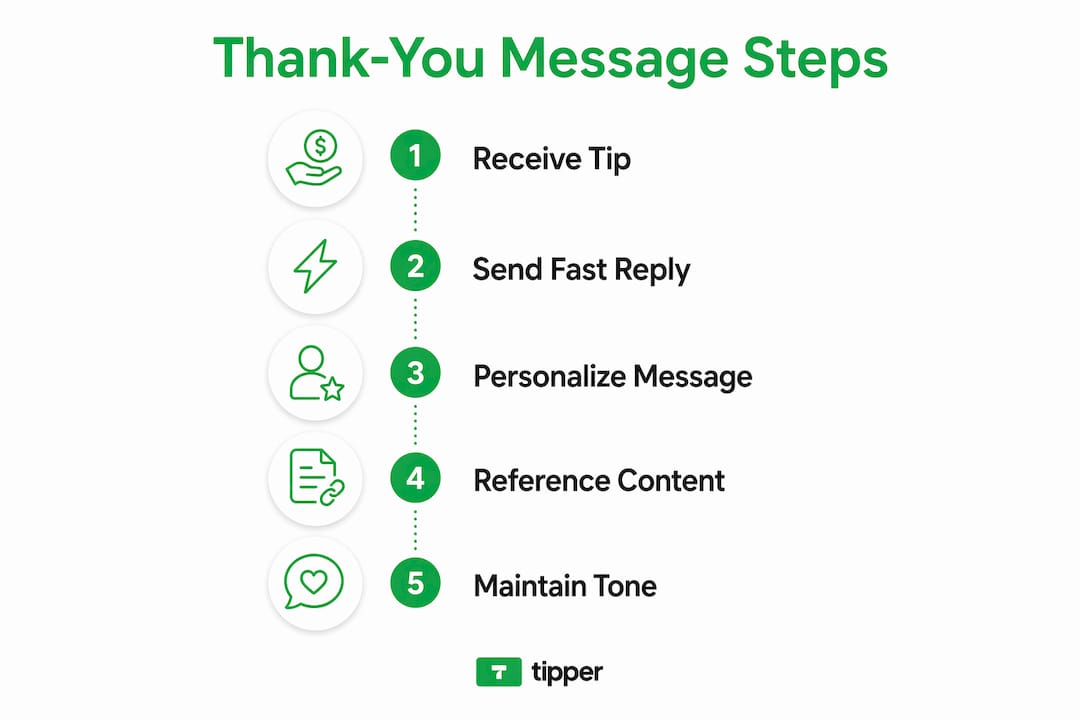
Text templates by tier
Micro tip (under $5)
Regular tip ($5–$25)
Large tip (over $25)
Pro Tip: Swap [specific use] for something real and current — “the lighting rig I’ve been saving for” lands better than “my content.” Tailored phrasing consistently outperforms generic replies.
15–30 second video scripts
Casual (15 sec):
Face camera, relaxed setting, natural light.
“Hey [Name], just wanted to say — thank you. That tip seriously made my day. I’m putting it toward [use]. You’re awesome, and I’ll see you in the next one.”
Professional (20 sec):
Neutral background, good lighting, steady frame.
“Hi [Name], I wanted to take a moment to personally thank you for your support. Your contribution helps me continue creating [content type], and I genuinely appreciate your generosity.”
Celebratory (30 sec):
Energetic delivery, can include a quick reaction.
“Okay, [Name] — you just made this whole week. Thank you so much for that tip. I’m going to put it toward [goal], and I want you to know that supporters like you are literally why I do this. More coming soon — stay tuned.”
Small-edit checklist before sending:
- Replace [Name] with the actual handle or first name
- Fill in [use/goal] with something specific and current
- Add one emoji or reference that matches your brand voice
Tone, wording, and etiquette that actually builds loyalty
Authenticity is the foundation of any thank-you that sticks. A message that sounds like it came from a person beats a polished template every time.
Do:
- Use the supporter’s actual name or handle
- Keep it brief — three sentences is plenty
- Reference the specific content or moment they tipped on
- Match your usual voice (if you’re casual on stream, be casual here too)
- Maintain clear boundaries — warm, not intimate
Don’t:
- Use pet names (“sweetie,” “hun”) — they read as either too familiar or condescending
- Drop slang that doesn’t match your brand (“no cap, fam”)
- Tack on a promo (“…and check out my Patreon while you’re at it!”) — that undercuts sincerity immediately
- Share the tip amount publicly without the supporter’s consent
- Send nothing because you couldn’t find the perfect words
Before/after example:
Before: "omg tysm for the tip babe!! ur the best!! check out my merch btw "
After: “Thank you, @Alex — that tip genuinely caught me off guard in the best way. Means a lot that you support what I’m building here.”
Pro Tip: The Emily Post Institute recommends referencing a specific detail in every thank-you note. For creators, that means naming the stream, the video, or the moment — not just the money. It’s the single move that separates a real acknowledgment from a form letter.
When and where should you send your reply?
Timing and channel matter as much as wording.
| Channel | Best for | Pros | Watch out for |
|---|---|---|---|
| In-platform note/video | Immediate micro-ack | Fast, native, expected | Short character limits on some platforms |
| Private DM | Personalized follow-up | Feels exclusive, builds loyalty | Can feel intrusive if unsolicited |
| Public shoutout | Community recognition | Visible appreciation, encourages others | Never reveal tip amounts; get implicit consent |
Recommended timeline:
- Within 5 minutes: Send a short in-platform note or auto-ack (name + thank-you + one line)
- Within 24–72 hours: Follow up with a personal DM for notable tips or recurring supporters
- Public shoutout: Only when the supporter has already engaged publicly or you have a standing practice they opted into
Quick decision rule: If you’re under time pressure, default to the in-platform note. It’s fast, expected, and never wrong. Save the DM for supporters who tip regularly or at a level that warrants extra attention. Tip notifications that surface instantly make the five-minute window realistic — set yours up before you need them.
How do you personalize at scale without sounding robotic?
The answer is a tiered workflow, not a single template blasted to everyone.
Three-tier system:
- Auto micro-ack (all tips): triggered instantly via platform tools — includes merge tags for {first_name} or {handle}, a fixed thank-you line, and one dynamic field for content reference
- Semi-personal follow-up (tips above your threshold, e.g., $10+): a slightly longer message written in batches, referencing the supporter’s history or the specific content they tipped on
- Manual VIP outreach (recurring supporters, large tips): written individually, sent within 24 hours, may include a short video
Merge-tag tokens to use:
{handle}or{first_name}{content_title}(the video, stream, or post they tipped on){last_gift_context}(e.g., “last month’s Q&A” for recurring supporters)
Where to never automate:
- Responses to personal messages or emotional disclosures
- Refund or dispute conversations
- Tax receipt requests or payment questions
- Any message where the supporter is clearly expecting a human
Scaling acknowledgments works best when automation handles the speed and humans handle the depth. Community managers on larger creator teams should own the VIP tier personally.
Privacy and tax basics creators need to know
A few non-negotiable rules before you hit send.
- Never share tip amounts publicly without the supporter’s explicit consent — even a casual “shoutout to @Jordan for the $50 tip!” can embarrass someone who tipped privately
- Receipts: Tipper generates receipts automatically; for other platforms, confirm the tip processed before acknowledging it, and offer “receipt available on request” if a supporter asks
- Tax basics: In the U.S., tips received as income are generally taxable. Keep records of all tips received, especially if they’re recurring or large. Consult a tax professional for your specific situation — this article is general information, not tax advice
- Payment details: Never repeat card types, last-four digits, or transaction IDs in any public or semi-public message
Digital tipping mechanics vary by platform, but the privacy principle is consistent: the supporter’s generosity is between you and them unless they choose otherwise.
Short video scripts and recording tips for quick thank-you clips
Video acknowledgments feel more personal than text, and they’re faster to produce than most creators expect.
Three plug-and-play scripts:
Casual: “Hey [Name], just a quick thank-you for the tip — it genuinely made my day. More [content type] coming soon, and I’m grateful you’re here for it.”
Professional: “Hi [Name], I wanted to personally thank you for your generous support. It helps me continue producing [content type], and I truly appreciate your contribution.”
Celebratory: “[Name]! That tip just made this whole week. Thank you so much — I’m putting it toward [goal], and I can’t wait to share what’s coming next.”
Recording checklist (3 steps, under 30 seconds):
- Face a window or soft light source — avoid overhead lighting
- Hold the phone at eye level, not below your chin
- Record one take, keep it under 30 seconds, send it raw (no editing needed)
Pro Tip: Send video for tips above your regular threshold or from recurring supporters. Text is fine for micro-tips. A 20-second clip sent within an hour beats a polished video sent three days later.
When to use video vs. text: video for high-value or repeat supporters, text for speed and volume. On platforms that support video notes (Tipper included), attach the clip directly to the tip thread so the supporter sees it in context.
Key Takeaways
A sincere, fast acknowledgment message after a tip — one that names the supporter, references the content, and skips the pitch — is the single habit that turns one-time tippers into loyal community members.
| Point | Details |
|---|---|
| Send within 5 minutes | A fast micro-ack beats a perfect message sent hours later. |
| Name the supporter | Use their handle or first name — never a generic greeting. |
| Skip the promo | The acknowledgment is for gratitude only; upsells kill sincerity. |
| Use a tiered workflow | Auto-ack for all tips, personal follow-up for notable ones, manual outreach for VIPs. |
| Tipper makes it easy | Tipper supports instant tips via Apple Pay and Google Pay, plus notes and video replies so you can acknowledge supporters without leaving the platform. |
Why thoughtful acknowledgments actually change your community
The creators who build the most loyal communities aren’t necessarily the ones with the best content. They’re the ones who make supporters feel genuinely seen. A timely, specific thank-you note does something a like or a heart never can: it proves you noticed. Not the tip amount, but the person behind it.
When a supporter receives a real reply — one that names them, references the moment, and sounds like a human wrote it — they’re far more likely to come back. Not because you asked them to, but because the interaction felt worth repeating. That’s the whole game. Start with one saved template and one habit: reply before you close the notification.
Tipper helps you put this into practice
Creators who receive tips through Tipper can acknowledge supporters without any friction. Supporters tip instantly using Apple Pay or Google Pay, no account required, and creators keep 100% of what they receive. The platform supports notes and short video replies attached directly to each tip, so your acknowledgment lives right where the generosity happened.
That means no copy-pasting between apps, no chasing down who tipped what, and no awkward delay. Set up your personalized Tipper link, save two or three of the templates from this guide as quick replies, and you’re ready the next time a tip lands. Start accepting tips and send your first acknowledgment today.
Useful sources
- Zendesk customer experience guidance — authenticity and professional etiquette for thank-you messages: Zendesk thank-you note examples
- Emily Post Institute — recommendations on thoughtful, specific digital thank-you notes: Emily Post thank-you note guide
- Tipper blog: community bonds — how acknowledgments build loyalty and platform-specific workflow examples: How Tip Acknowledgment Builds Community Bonds
- Tipper blog: tip notifications — notification workflows and recommended acknowledgment timelines: How Tip Notifications Work for Content Creators
- Tipper blog: tipping etiquette — templates and etiquette examples for service providers and creators: Service Business Tipping Etiquette Examples for 2026
- Reciprocity research — behavioral evidence for why personalized acknowledgments increase long-term support: How a Simple Thank You Note Can Boost Tips
- Template library — 45+ thank-you message examples for different tip sizes and tones: Thank You for the Tip Messages
FAQ
What should an acknowledgment message after a tip include?
Name the supporter, thank them directly, mention what the tip supports, and add one personal detail. Keep it under three sentences and send it within five minutes.
Is it okay to publicly thank someone for a tip?
Only if the supporter has engaged publicly or you have an established practice they opted into. Never disclose the tip amount without their explicit consent.
How do you personalize thank-you messages when tips come in fast?
Use a tiered workflow: an auto-ack with merge tags for all tips, a semi-personal follow-up for larger ones, and a manual message or video for recurring VIP supporters.
Can Tipper help me send acknowledgments with notes or video?
Yes. Tipper lets creators attach notes and short video replies directly to each tip, so supporters see your acknowledgment in the same place they sent their support.
Are tips taxable income in the U.S.?
Generally, yes. Tips received by creators are typically considered taxable income. Keep records of all tips and consult a tax professional for guidance specific to your situation.
Recommended

What Is a Streamer? The 2026 Guide to Live Streaming
What is a streamer, exactly?
A streamer is someone who broadcasts live video content online, engaging an audience in real time through platforms like Twitch, YouTube, or Facebook Live. Unlike a YouTuber who edits and uploads finished videos, a streamer performs in the moment, responding to chat, reacting to events, and building a relationship with viewers as it happens. That live interaction is what separates streamers from most other content creators.
According to the Cambridge Dictionary, a live streamer is “someone who makes videos that show them playing computer games, talking about products, or doing other activities, and streams them at the same time as they are being made.” The definition has expanded considerably since then.
Key traits that define a streamer:
- Live broadcasting: Content goes out in real time, unedited
- Audience interaction: Viewers participate through live chat, polls, and donations
- Platform presence: Primarily Twitch, YouTube Live, or Facebook Live
- Content range: Gaming, lifestyle, commentary, cooking, fitness, and more
- Community identity: Regular viewers often form tight-knit communities around a channel
Table of Contents
- How streaming went from niche hobby to mainstream career
- What types of streamers are out there?
- How streamers build real communities
- How streamers make money in the U.S. right now
- Key Takeaways
- FAQ
How streaming went from niche hobby to mainstream career
Streaming did not appear overnight. It grew out of the mid-to-late 2000s video culture on YouTube, where creators posted Let’s Play videos and gaming commentary. The leap from recorded video to live broadcast changed everything. Suddenly, viewers could talk back.
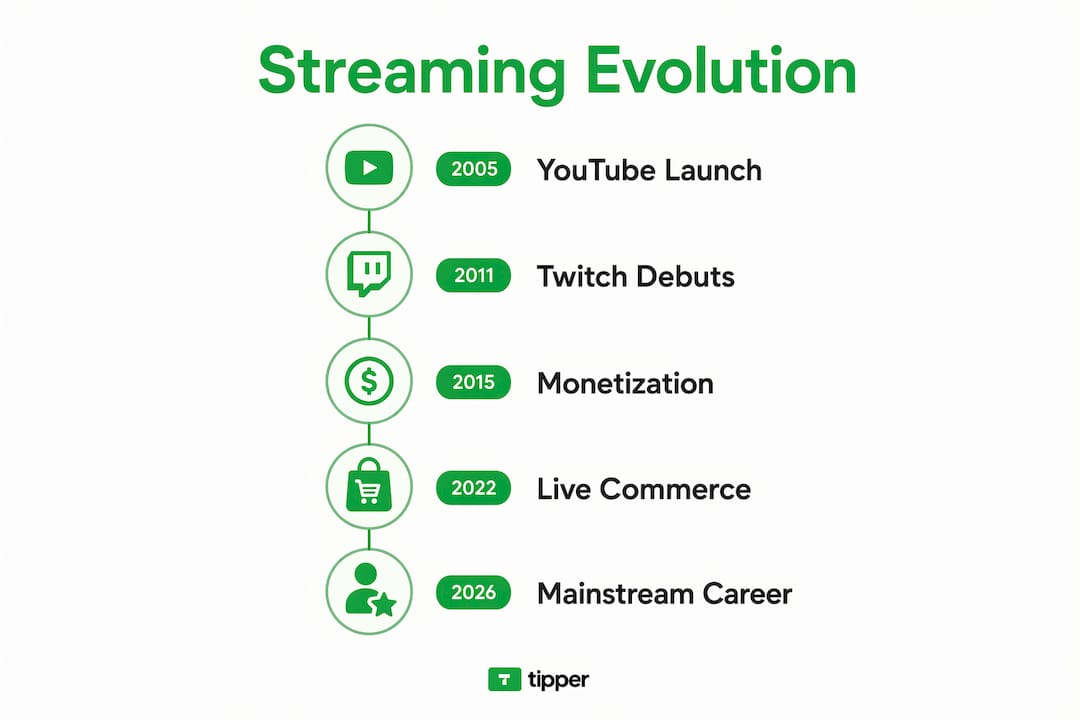
| Year | Milestone |
|---|---|
| — | YouTube launches; video creators build early audiences |
| — | Twitch launches as Justin.tv spinoff focused on gaming |
| — | Amazon acquires Twitch |
| — | YouTube Gaming launches as a dedicated streaming platform |
| — | Facebook Live opens to all users globally |
| 2020 | Pandemic drives record streaming growth; non-gaming content surges |
| — | Live commerce begins gaining serious traction in the U.S. market |
| 2026 | Multi-platform streaming and AI-assisted content repurposing become standard |
Innovations like video clipping, channel subscriptions, and pay-for-play features turned streaming into a real income source for thousands of creators. Non-gaming content, from cooking to political commentary to fitness, expanded the audience well beyond the original gaming base.
What types of streamers are out there?
Streaming has fractured into dozens of subcultures. The categories below cover the main ones, though the lines between them blur constantly.
- Gaming streamers: The original format. Let’s Plays, speedruns, competitive play, and game reviews. Still the largest category on Twitch by viewership hours.
- IRL (In Real Life) streamers: Broadcast daily life, travel, cooking, fitness routines, or tutorials. Think of it as a reality show where the audience shapes what happens next.
- VTubers: Creators who use animated virtual avatars instead of showing their face. Over 10,000 active VTubers were counted as of 2020, with the number growing sharply since.
- Commentary and reaction streamers: Watch and respond to news, other videos, or live events. Often overlap with political or entertainment commentary.
- Educational streamers: Teach coding, language learning, art, or music live. Viewers ask questions; the streamer answers in real time.
- Live commerce streamers: Sell products directly during a broadcast, blending entertainment with shopping. This format is growing fast in the U.S.
- Fitness and wellness streamers: Lead live workouts, meditation sessions, or nutrition coaching with real-time audience participation.
- Music and performance streamers: Perform live concerts, DJ sets, or collaborative jam sessions for online audiences.
Pro Tip: If you are starting out, pick one content type and own it for at least six months before branching out. Audiences follow consistency more than variety.
How streamers build real communities

The chat window is where streaming lives or dies. A streamer who ignores their chat is essentially broadcasting into a void. The most successful creators treat their live audience like guests at a dinner party, not passive viewers.
That insight holds up in practice. Average concurrent viewers and retention time are the metrics that actually predict long-term success, not raw subscriber counts.
Community-building tools that work:
- Chat moderation: Appointing trusted moderators keeps conversations civil without the streamer having to police every message
- Discord servers: Give the community a place to connect between streams, share content, and organize events
- Email lists: Building an email list from day one protects against algorithm changes that can wipe out a channel’s reach overnight
- Consistent scheduling: Viewers plan around streams they can count on; irregular schedules bleed audiences slowly
Moderation is also an ethical responsibility. Streamers who let harassment run unchecked in chat lose viewers and damage their reputation. Most platforms offer automated moderation tools, but human moderators remain the most effective solution for active channels.
How streamers make money in the U.S. right now
Streaming income is real, but it is not simple. The gap between the top and the middle is wide: the top 1% of streamers earn over $10,000 per month, mid-tier creators typically bring in $2,000–$4,000, and most earn less than $500 monthly from platform payouts alone. Diversification is not optional at any level.
The seven main revenue streams:
- Tips and donations: Direct viewer support, often the most immediate income for smaller streamers. Accepting multiple payment methods such as Apple Pay, Google Pay, CashApp, Venmo, and PayPal can increase tip revenue, influenced by U.S. viewers’ payment preferences. Platforms like Tipper let viewers send tips instantly through a personalized link, with no account required and creators keeping 100% of what they receive.
- Channel subscriptions: Monthly recurring revenue from loyal viewers on Twitch or YouTube. Predictable, but platform-dependent.
- Ad revenue: Scales with viewership. Volatile and often the smallest slice for mid-tier creators.
- Sponsorships: Brand deals for product mentions or dedicated segments. Rates vary enormously by niche and audience size.
- Merchandise: Branded apparel, accessories, or digital products sold to the community.
- Affiliate marketing: Commission from products recommended during streams, using tracked links.
- Content repurposing: Clipping highlights into short-form videos for TikTok, YouTube Shorts, or Instagram Reels to reach new audiences and generate additional ad revenue.
U.S. live commerce is a category worth watching closely, with expectations of substantial market growth and notable conversion rates. Streamers who can blend entertainment with product sales are positioning themselves at the intersection of media and retail.
The financial side carries real responsibilities. Streamers are independent contractors in the U.S., which means no employer withholding taxes, no employer-sponsored health insurance, and no paid leave. Experts recommend setting aside roughly 30% of earnings for taxes and private health insurance. The transition from part-time to full-time streaming generally takes multiple years, and having a financial safety net is important for new streamers.
Tipper makes tipping frictionless for streamers. Viewers send tips through your personalized link using Apple Pay or Google Pay, no account needed, and you keep every dollar. Set up real-time tip alerts that fire the moment a tip lands, turning viewer appreciation into live on-stream moments. It takes minutes to start.
Key Takeaways
Streamers who build engaged communities and diversify across multiple revenue streams are the ones who turn live broadcasting into a sustainable career.
| Point | Details |
|---|---|
| Live interaction defines streaming | Real-time chat and audience response separate streamers from standard video creators. |
| Income varies sharply by tier | Top 1% earn over $10,000/month; mid-tier earn $2,000–$4,000; most earn less than $500 from platforms alone. |
| Diversification is necessary | Tips, subscriptions, sponsorships, merch, and content repurposing all contribute to stable income. |
| Live commerce is growing fast | U.S. live commerce is growing fast, with notable conversion rates. |
| Community beats follower count | Engaged viewers with strong retention sustain careers better than large passive audiences. |
FAQ
What is a streamer?
A streamer is a person who broadcasts live video content online in real time, typically through platforms like Twitch, YouTube, or Facebook Live, engaging viewers through chat and interactive features.
Is a streamer the same as an influencer?
Streamers function similarly to influencers but rely on live interaction rather than polished, pre-edited content. The real-time format creates a different kind of audience relationship.
How do streamers make money?
Streamers earn through tips, channel subscriptions, ad revenue, sponsorships, merchandise, affiliate marketing, and content repurposing. Most full-time streamers combine several of these rather than relying on any single source.
Who are the most famous streamers?
Ninja (Tyler Blevins) and Pokimane are among the most recognized names in U.S. streaming, with audiences built primarily on Twitch and YouTube. Both have expanded beyond gaming into broader entertainment and brand partnerships.
Recommended

Twitch Monetization Guide for Creators in 2026
What is Twitch, and why does it matter for monetization?
Twitch is Amazon’s live-streaming platform, launched in 2011, and it remains the dominant destination for gaming and real-time creator content. Over 2 billion hours are watched on the platform every month in 2026. That audience scale makes it one of the most direct paths from content to cash for creators who understand how the monetization system actually works.
The platform runs two formal monetization tiers:
- Affiliate: Requires reaching certain follower counts, broadcast minutes, unique broadcast days, and average concurrent viewers over a rolling 30-day window. Unlocks subscriptions, Bits, and ad revenue.
- Partner: Requires higher thresholds of average concurrent viewers, stream hours, and unique stream days over 30 days. Adds higher revenue share, priority support, and sponsorship access.
Beyond subscriptions and ads, direct tipping is the fastest revenue signal on the platform. Viewers send tips in real time, with no waiting period, and the money reflects genuine appreciation rather than a passive ad impression. Growth strategists consistently position Twitch as bottom-funnel retention, with TikTok, YouTube Shorts, and Discord handling discovery and community building upstream. Tipper fits directly into this model, letting any viewer send an instant tip through a personalized link without creating an account.
Table of Contents
- How to engage and retain your Twitch gaming community
- Technical setup that keeps viewers from leaving
- How instant tipping works and why it drives creator revenue
- How Tipper makes Twitch tipping work harder for you
- Legal and tax considerations for Twitch income
- How to promote tipping without alienating your audience
- Using Twitch analytics to track tipping and engagement
- Common tipping pitfalls and how to avoid them
- Key Takeaways
- FAQ
How to engage and retain your Twitch gaming community
Retention is what the Twitch algorithm actually rewards. The platform weights consistent scheduling and chat engagement density far more than raw hours streamed. A channel that goes live three times a week at the same time will outrank one streaming fifteen hours randomly, because predictable slots train both the algorithm and your viewers.
The most underrated engagement tactic is giving chat a job. Lightweight prompts like “type your pick before I decide” or community challenges that require a response pull lurkers into active participants. Viewers who type once are dramatically more likely to return. Offering meaningful interactive roles in chat improves retention beyond relying on streamer personality alone.
A few practices that consistently move the needle:
- Address viewers by name in chat responses, especially new arrivals.
- Set moderation rules early so the chat feels safe and welcoming rather than chaotic.
- Build a Discord server as your off-platform retention engine, where community members stay connected between streams.
- Use Twitch tags (capped at 5 per stream) to describe your language, playstyle, and content type accurately.
- Cross-post stream clips to TikTok, YouTube Shorts, and Instagram Reels to drive new traffic back to your live channel.
Pro Tip: Schedule a recurring segment at the same point in every stream, like a “viewer challenge” at the 45-minute mark. Regulars will start showing up specifically for it, and new viewers get a clear reason to return.
Technical setup that keeps viewers from leaving
Dropped frames kill streams faster than any content mistake. Twitch’s broadcasting guidelines are explicit: a stable stream beats a high-resolution one every time. Pushing 1080p60 on an unstable connection will lose viewers; a clean 720p60 stream holds them.
Viewers will tolerate lower video quality, but poor audio drives them away immediately. A USB microphone like the Blue Yeti or an entry-level XLR setup is a higher priority than a camera upgrade. Get the audio right first.
Core technical checklist before every stream:
- Upload speed: Aim for at least moderate upload speed for stable streaming.
- Bitrate: Recommended bitrates vary based on resolution and frame rate to balance quality and stability.
- Encoder: NVENC (NVIDIA GPU) for performance; x264 on CPU-only setups, starting at the “veryfast” preset.
- CBR over VBR: Constant bitrate prevents the buffering spikes that disconnect viewers during high-action moments.
- Software: OBS Studio for full control and plugin support; Twitch Studio for a faster first-stream setup; Streamlabs Desktop for integrated alerts.
- Pre-stream test: Run a 5-minute private test stream to confirm audio sync, mic levels, and scene transitions.
Modern hardware supports AV1 and HEVC encoding with GPU offload, which preserves stream stability at lower bitrates on NVIDIA RTX cards and newer AMD GPUs.
How instant tipping works and why it drives creator revenue
Instant tipping is a direct, real-time payment from a viewer to a creator, separate from subscriptions or ad revenue. On Twitch, viewers can send Bits (Twitch’s virtual currency), but Bits carry a platform fee and require a Twitch account. Third-party tipping tools remove both barriers, letting anyone pay immediately without logging in anywhere.

The psychological driver is simple: a viewer who feels something in the moment, a clutch play, a funny reaction, a personal connection, wants to act on it immediately. Delayed payment flows break that impulse. Instant tipping platforms integrated with Twitch increase creator income by enabling immediate audience-to-creator payments without account barriers.
Tipping frequency also functions as a content quality signal. When tips cluster around specific moments, that data tells you exactly what your audience values most. Tipping frequency correlates strongly with content success metrics, signaling audience satisfaction and enabling smarter monetization decisions.
Twitch supports tipping visibility through on-screen alerts, channel point integrations, and chat notifications. Each alert reinforces a social norm: tipping is something this community does. Creators who set up alerts early build that norm faster than those who treat tipping as an afterthought.
How Tipper makes Twitch tipping work harder for you
Tipper is built for exactly the friction point that kills tipping momentum: the requirement to create an account. With Tipper, any viewer clicks a personalized link and pays instantly using Apple Pay or Google Pay. No sign-up, no friction, no abandoned payment flow.
Creators keep 100% of every tip. There is no platform cut taken from the transaction, which means a $10 tip stays $10. Tipper also supports thank-you notes and video responses, letting creators close the loop with supporters in a personal way that a generic subscription confirmation never does. Tipping alerts and thank-you messages increase audience connection and tip frequency significantly.
What makes Tipper work well inside a Twitch stream:
- Personalized link in stream panels and chat commands so viewers can find it without asking.
- On-stream alerts triggered by incoming tips to create a public acknowledgment moment.
- Thank-you video responses that deepen the creator-supporter relationship beyond a chat message.
- Apple Pay and Google Pay support that reduces the payment steps to two taps on mobile.
Pro Tip: Place your Tipper link in a pinned chat command like !tip and mention it once per hour during natural breaks, not during high-action moments. Viewers who are already engaged are the ones most likely to act.
Real-time tips work best when the creator acknowledges them live, by name, within seconds of the alert firing. That 10-second interaction is worth more for retention than any overlay graphic.
Legal and tax considerations for Twitch income
Twitch income, including tips, subscriptions, and ad revenue, is taxable in the United States. The IRS treats it as self-employment income, which means creators owe both income tax and self-employment tax on net earnings. Twitch requires US-based creators to complete a W-9 form during Affiliate onboarding; international creators submit a W-8BEN.
Tips received through third-party platforms like Tipper are also taxable income, even when no 1099 is issued. The threshold for a 1099-K from payment processors has shifted in recent years, but the IRS position is clear: all income is reportable regardless of whether a form arrives. Track every tip received, the date, and the amount.
Practical steps to stay clean:
- Open a separate bank account for creator income to simplify recordkeeping.
- Set aside roughly 25–30% of gross income for taxes each quarter.
- File quarterly estimated taxes if you expect to owe more than $1,000 for the year.
- Deduct legitimate business expenses: microphone, lighting, internet service used for streaming, and software subscriptions.
Consult a CPA familiar with creator income if your revenue grows past a few hundred dollars monthly. The self-employment tax alone adds 15.3% on top of income tax, and most new creators miss it in their first year.
How to promote tipping without alienating your audience
The fastest way to kill tipping culture on your channel is to ask for it constantly. Viewers who feel pressured stop watching. The goal is to make tipping feel natural and community-driven, not transactional.
Mention your tip link at natural transition points: after a big moment, at the start of a new game, or during a scheduled break. Never interrupt gameplay to ask. When a tip comes in, acknowledge it warmly and specifically. “Thanks, Alex, that means a lot” lands better than a generic “thanks for the tip.”
Frame tipping as optional support, not payment for content. Phrases like “if you want to support the stream, the link is in the panels” carry a completely different tone than “please donate.” The former invites; the latter pressures. Creators who use tipping links effectively treat them as a community feature rather than a revenue lever.
Using Twitch analytics to track tipping and engagement
Twitch’s Creator Dashboard provides real-time and historical data on average concurrent viewers, unique viewers, chat messages per hour, and follower conversion rate. These four numbers tell you whether your growth problem is discoverability, first-minute retention, or lurker engagement.
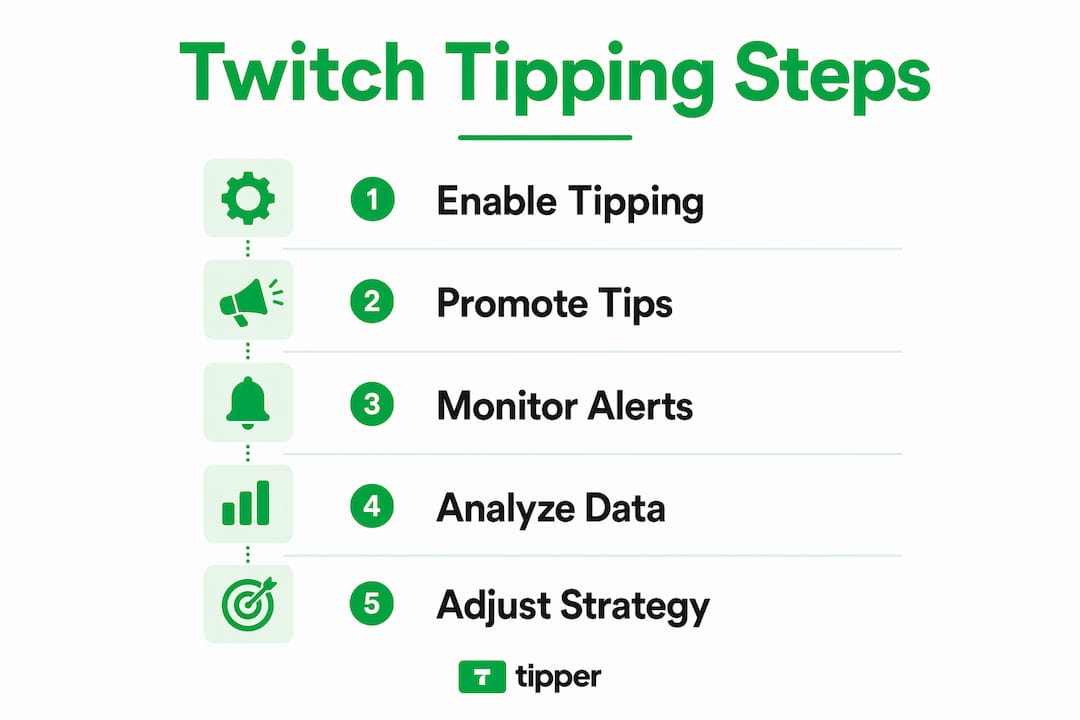
For tipping patterns, track which stream segments generate the most tips. If tips cluster during a specific game or segment type, that is direct audience feedback on what they value. Pair Twitch’s native analytics with Tipper’s tip history to build a complete picture of when and why viewers convert from watchers to supporters.
Track three numbers after every stream: average concurrent viewers, new follows per hour, and tip count. Adjust one variable at a time, whether that is the stream title, the segment structure, or the tip callout timing, and measure the result over four streams before drawing conclusions.
Common tipping pitfalls and how to avoid them
The most common mistake is setting up a tip link and never mentioning it. Viewers do not go looking for ways to pay you. The link needs to be visible in your panels, in a pinned chat command, and mentioned verbally at least once per stream.
A second pitfall is ignoring tip alerts. When an alert fires and the creator keeps talking without acknowledging it, the tipping viewer feels invisible. That viewer rarely tips again. Acknowledge every tip by name within seconds, even briefly.
Creators also underestimate the impact of a thank-you follow-up. A short video message sent after a stream to a viewer who tipped creates a connection that no subscription benefit can replicate. Tipper’s thank-you video feature exists precisely for this. Direct tipping engagement strengthens creator-supporter relationships in ways that passive monetization tools simply cannot.
Finally, do not rely on tipping as your only revenue stream. Subscriptions, ad revenue, and brand sponsorships each serve a different audience segment. Tipping captures the moment; subscriptions build recurring income. Both belong in a mature creator’s revenue mix.
Tipper lets you collect instant tips from any viewer, no account required, with 100% of every tip going directly to you. Set up your personalized link at tipper.app and start turning live moments into real income.
Key Takeaways
Twitch monetization works best when tipping, subscriptions, and consistent scheduling operate together as a system rather than as separate tactics.
| Point | Details |
|---|---|
| Affiliate thresholds | Reach 50 followers, 500 broadcast minutes, 7 stream days, and 3 concurrent viewers in 30 days. |
| Stability over resolution | A stable 720p60 stream retains more viewers than an unstable 1080p60 broadcast. |
| Audio is non-negotiable | Viewers leave immediately when audio quality is poor, even if video looks fine. |
| Instant tipping removes friction | Account-free tipping via Apple Pay or Google Pay captures impulse support before it fades. |
| Track three post-stream numbers | Monitor average concurrent viewers, new follows per hour, and tip count to guide weekly adjustments. |
FAQ
What does Twitch Affiliate require in 2026?
Affiliate requires 50 followers, 500 broadcast minutes, 7 unique broadcast days, and 3 average concurrent viewers, all within a rolling 30-day window. Channels that stream consistently three times per week typically reach Affiliate within 60 days.
Are Twitch tips taxable income in the US?
Yes. Tips received through Twitch or third-party platforms are self-employment income and must be reported to the IRS regardless of whether a 1099 form is issued. Set aside 25–30% of gross tip income for federal taxes each quarter.
How does Tipper differ from Twitch Bits?
Tipper lets any viewer send an instant tip without creating an account, using Apple Pay or Google Pay, and creators keep 100% of the amount. Twitch Bits require a Twitch account and carry a platform fee before the creator receives their share.
What streaming software works best for Twitch beginners?
Twitch Studio is the fastest starting point because it auto-configures your sources and logs in directly. Switch to OBS Studio after your first few streams for plugin support, custom alerts, and AV1 encoding options.
How often should creators mention their tip link during a stream?
Once per hour at natural transition points is the right frequency. Mentioning it during high-action moments or more than twice per hour shifts the tone from community to sales pitch, which reduces both tips and viewer retention.
Recommended
Creator Guide: Monetize Your Content With Instant Tips
What is a creator and how do you get paid instantly?
A content creator produces digital media, including video, audio, writing, and graphic design, to inform, educate, or entertain an audience across online platforms. You might work as a freelancer choosing your own clients, or in-house as part of a brand’s marketing team. Either way, the core job is the same: make content people want to consume, then build a sustainable income around it.
The term digital creator narrows that definition slightly. Where a content creator might also produce print ads or magazine spreads, a digital creator works entirely online, building an audience and a brand around web-based content. Both roles overlap heavily in practice.
Instant tipping is one of the fastest-growing ways to monetize that work. Platforms that support Apple Pay and Google Pay let your audience send a tip the moment they feel appreciation, with no account creation required on their end. That frictionless experience converts passive viewers into paying supporters in seconds.
Common content formats tied to instant tipping:
- Short-form video (TikTok, YouTube Shorts, Instagram Reels)
- Long-form video tutorials and vlogs
- Written newsletters and blog posts
- Podcasts and audio content
- Digital art, photography, and design templates
- Live streams and real-time Q&A sessions
How do you know if you’re a professional creator or just a hobbyist?
The line between hobbyist and professional comes down to intent. Professionals treat content as a business product and build brands deliberately, while hobbyists create for personal satisfaction without a monetization plan.
Brands have caught on to this distinction. Businesses increasingly prioritize audience trust over raw follower counts when choosing creator partnerships, which means a professional with 5,000 loyal subscribers can outperform an account with 500,000 passive followers in a sponsorship deal.
What separates a professional creator from a casual one:
- Consistent publishing schedule, not sporadic posts
- Clear niche and audience persona
- Tracks performance metrics and adjusts strategy
- Treats presentation quality as non-negotiable
- Actively builds owned channels like email lists
- Diversifies income rather than relying on one platform
How creators monetize digital content in 2026 using instant tipping
Successful creators stack multiple income streams rather than betting on a single source. Brand sponsorships, ad revenue, digital product sales, memberships, affiliate marketing, and instant tips each play a role in a sustainable income model.

Instant tipping has moved from novelty to core revenue method. The key advantage is zero friction: a supporter clicks your personalized link, taps Apple Pay or Google Pay, and the payment lands immediately. No signup, no waiting, no platform taking a cut of your earnings.
Practical monetization methods for creators in 2026:
- Instant tips via a personalized link (no account needed for supporters)
- Brand sponsorships and long-term ambassador deals
- Digital product sales: courses, templates, presets, eBooks
- Paid memberships and subscription newsletters
- Affiliate commissions on recommended products
- Platform ad revenue from YouTube, TikTok, and similar
Pro Tip: Set up your tipping link in your bio across every platform. A supporter who finishes your video already has their phone in hand. One tap to Apple Pay is the difference between a tip and a forgotten intention.
Best practices for building trust and earning more tips
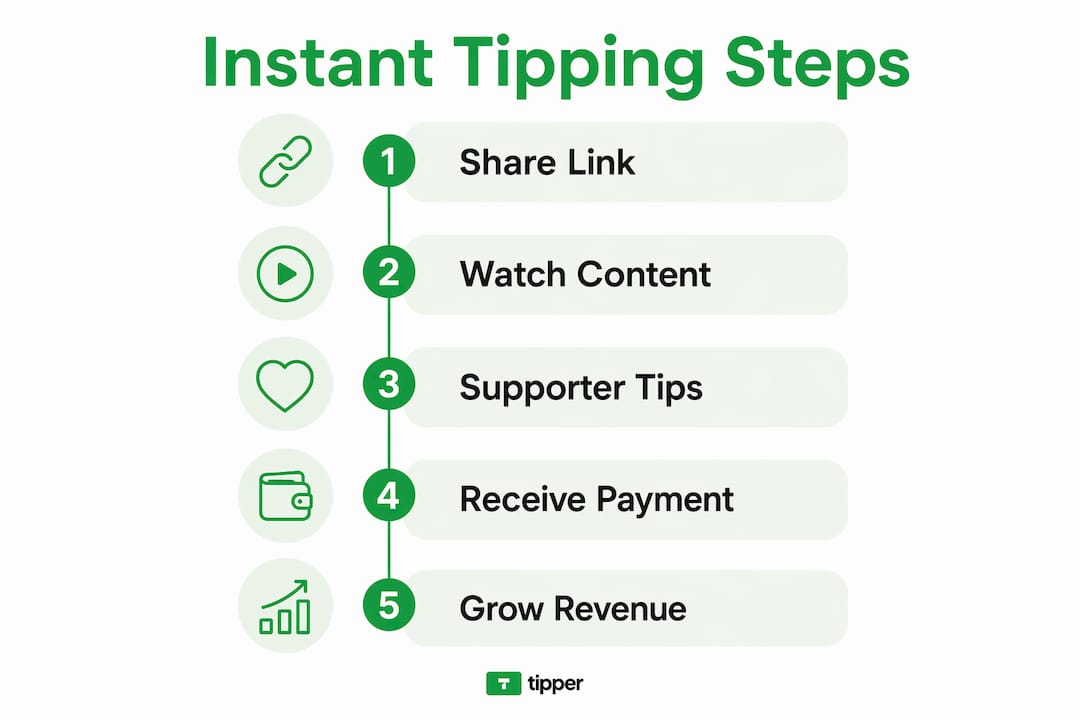
Consistency is the single most critical factor separating creators who grow from those who stall. Publish on a predictable schedule so your audience knows when to expect you, and they will keep coming back.
Building an owned email list alongside your social presence gives you a direct line to your audience that no algorithm can take away. A small, engaged list typically converts to tips and product sales far better than a large but passive social following.
When someone tips you, respond personally. Personalized thank you notes or short video replies deepen the creator-supporter connection and drive repeat contributions. It takes two minutes and turns a one-time tipper into a regular supporter.
Core best practices:
- Publish on a consistent schedule your audience can rely on
- Build and grow an email list you control
- Reply to tippers with a personal note or video
- Use platform analytics to identify your best-performing content
- Balance free content with gated or exclusive offers to incentivize tips
Why Tipper is changing how creators get paid
Tipper was built around one idea: getting paid should never require your audience to jump through hoops. Anyone can send a tip through your Tipper link using Apple Pay or Google Pay, with no account registration and no friction standing between their appreciation and your earnings.
Creators keep 100% of what they earn. That alone sets Tipper apart from platforms that take a percentage before passing anything along. The instant tip payment model also supports spontaneous generosity: a viewer who finishes a video feeling grateful can act on that feeling immediately, rather than navigating a signup flow that kills the impulse.
What Tipper brings to creator monetization:
- Personalized tipping link shareable across any platform
- No account required for the person sending the tip
- Apple Pay and Google Pay support for instant, secure payments
- Thank you notes and video replies to strengthen supporter relationships
- 100% of earnings go directly to the creator
- Privacy-focused design that builds audience trust
Ready to turn appreciation into income? Start tipping today with Tipper and keep every dollar your audience sends.
The creative and analytical sides of successful content creation
Content creation is both a craft and a numbers game. The role is inherently creative and analytical, using trends in audience behavior to produce media that connects people to a brand or personality. You need the creative instinct to make something worth watching, and the analytical discipline to know whether it actually worked.
Creators who use audience data to refine their content consistently outperform those who rely on gut feel alone. Check which videos get watched to completion, which newsletter subject lines drive opens, and which posts generate comments versus passive likes. Those signals tell you exactly what to make more of.
Analytics tools built into YouTube Studio, Instagram Insights, and TikTok Analytics give you this data for free. The creators who read those dashboards weekly and adjust their approach are the ones who compound their growth over time.
How to grow and engage your audience
Growth comes from giving people a reason to return, not just a reason to click once. Collaborating with other creators in adjacent niches exposes your work to audiences who are already primed to care about your topic.
Engagement beats reach every time. A comment reply, a poll, or a direct question at the end of a video signals to both your audience and the platform’s algorithm that your content is worth amplifying. Salesforce research shows that 53% of customers prefer to engage digitally, and creators who meet that preference with genuine interaction build the kind of trust that converts followers into tippers and buyers.
Cross-promote across platforms, but funnel everyone toward one owned channel, whether that is an email list or a community you control. Social platforms change their algorithms; your email list does not.
Common challenges creators face and how to get past them
Burnout is the most common reason creators quit. Publishing consistently while also managing promotion, analytics, and monetization is genuinely hard work, and the pressure to perform on every post accelerates exhaustion. The fix is batching: record or write multiple pieces of content in one session, then schedule them across the week.
Algorithm changes can wipe out reach overnight. Creators who depend entirely on one platform’s organic traffic are one policy update away from losing their audience. Owning your email list and diversifying across two or three platforms reduces that risk considerably.
Monetization often takes longer than expected. Most creators underestimate how long it takes to build an audience large enough to generate meaningful income from ads alone. Instant tipping sidesteps that problem by letting even a small, loyal audience contribute directly, turning genuine appreciation into real-time revenue from day one.
Legal considerations every creator needs to understand
Copyright protects your original content the moment you create it, but it does not protect you from accidentally infringing someone else’s work. Using unlicensed music, stock footage, or images in your content can result in takedowns or demonetization, even if the use was unintentional. Stick to royalty-free libraries like Pixabay or licensed music platforms built for creators.
Contracts matter for every brand deal, no matter how small. A written agreement should specify deliverables, usage rights, payment terms, and revision limits. Without one, a brand can use your content in ways you never agreed to, including repurposing it for paid ads.
Content ownership on social platforms is governed by each platform’s terms of service, which typically grant the platform a broad license to use your content. That is another reason to publish on owned channels alongside social media: your website and email list are yours in a way that Instagram and TikTok are not.
Tools and resources for tracking your earnings and analytics
YouTube Studio, Instagram Insights, and TikTok Analytics cover platform-level performance at no cost. For a consolidated view across channels, tools like Google Analytics track traffic to your website or link-in-bio page and show you where your audience comes from.
For earnings tracking, a simple spreadsheet categorizing income by stream (tips, sponsorships, products, affiliates) gives you clarity that a single bank statement cannot. Knowing which stream generates the most revenue per hour of effort helps you decide where to focus.
Explore the full range of digital tip jar tools available to creators in 2026 to find the setup that fits your workflow and audience size.
Key Takeaways
Instant tipping converts audience appreciation into direct revenue with no platform cut and no friction for the supporter.
| Point | Details |
|---|---|
| Professional vs. hobbyist | Professionals treat content as a product and build audience trust deliberately, not just follower counts. |
| Diversify income streams | Stack tips, sponsorships, digital products, and memberships rather than relying on one revenue source. |
| Own your audience | An email list you control monetizes more reliably than any social following subject to algorithm changes. |
| Zero friction tips | Tipper lets supporters pay instantly via Apple Pay or Google Pay with no account required, and creators keep 100% of earnings. |
| Analytics drive growth | Weekly review of platform data reveals which content earns the most engagement and repeat tips. |
FAQ
What is a digital creator?
A digital creator produces original online content, including videos, writing, design, and audio, to build an audience and generate income. Unlike a hobbyist, a digital creator treats content as a product with a monetization strategy behind it.
How do creators make money with instant tips?
Creators share a personalized tipping link, and supporters send payments instantly via Apple Pay or Google Pay with no account required. Platforms like Tipper pass 100% of those earnings directly to the creator.
Do you need a large audience to earn tips?
No. A small, engaged audience often generates more tip revenue than a large passive following, because genuine connection drives spontaneous support more reliably than raw reach.
What legal basics should every creator know?
Copyright protects your original content automatically, but you need written contracts for brand deals and should avoid unlicensed music or images. Platform terms of service grant broad usage rights to your content, which is why owning a website and email list matters.
Which analytics tools should creators use?
YouTube Studio, Instagram Insights, and TikTok Analytics cover platform performance for free. Google Analytics tracks cross-channel traffic, and a simple income spreadsheet by revenue stream gives you the clearest picture of where your time pays off most.
Recommended

What Is an Online Creator and How to Become One
TL;DR:
- Online creators produce content across platforms like YouTube, TikTok, and podcasts to engage audiences and earn income. Building a niche, developing skills, and using AI tools help creators grow their audience and diversify revenue streams. The creator economy is expanding, with increasing advertiser investment and options like tipping boosting creator earnings.
An online creator is a digital professional who produces and shares content across platforms like YouTube, TikTok, Instagram, blogs, and podcasts to engage audiences and often earn income from their work. The role spans a wide range: a solo travel vlogger, a freelance copywriter managing brand social accounts, and a podcast host are all online creators. What unites them is the act of producing content with intention, whether for personal brand growth, audience connection, or direct monetization.
Common content forms include:
- Videos and short-form clips (YouTube, TikTok, Instagram Reels)
- Written content (blogs, newsletters, long-form articles)
- Images and graphics (photography, designed posts)
- Livestreams and podcasts (real-time and audio-first formats)
Gen Z creators have particularly excelled at managing multiple platforms simultaneously, acting as the primary communication voice for their brand or the companies they represent. A digital content creator can work as a solo freelancer, as part of an in-house marketing team, or as a founder running a full creative agency.
How to become an online creator in 2026
Getting started as a content creator is less about having the right gear and more about making deliberate choices early. The core steps are consistent: pick a niche, build skills, create a portfolio, and grow an audience over time.
- Choose a focused niche. A narrow focus attracts a specific audience faster than broad, general content. If you want to cover personal finance for freelancers, own that lane completely before expanding.
- Develop technical skills. Video editing, graphic design basics, SEO, and social media management are the skills that separate creators who grow from those who stall. Platforms like Coursera and LinkedIn Learning offer structured paths.
- Build a digital portfolio. Even if you have no paid clients yet, create sample work for fictional brands. A portfolio signals professionalism before you have testimonials to back it up.
- Use accessible tools. Free AI-powered platforms like Invideo AI let beginners produce professional-quality videos using templates, without needing advanced editing skills.
- Network with intention. Tag brands you want to work with, comment on creators in your niche, and attend industry events. Pitching directly to brands for sponsorships works better than waiting for inbound opportunities.
- Post consistently. Consistency beats perfection. A realistic posting schedule you can maintain for six months outperforms a burst of daily uploads followed by silence.
- Give it real time. Adobe’s career guidance suggests giving yourself at least six to eight months of active effort before expecting meaningful results.
Pro Tip: Batch your content production. Record or write several pieces in one session, then schedule them across the week. Combined with AI-assisted templates, this approach cuts production time and protects you from burnout.
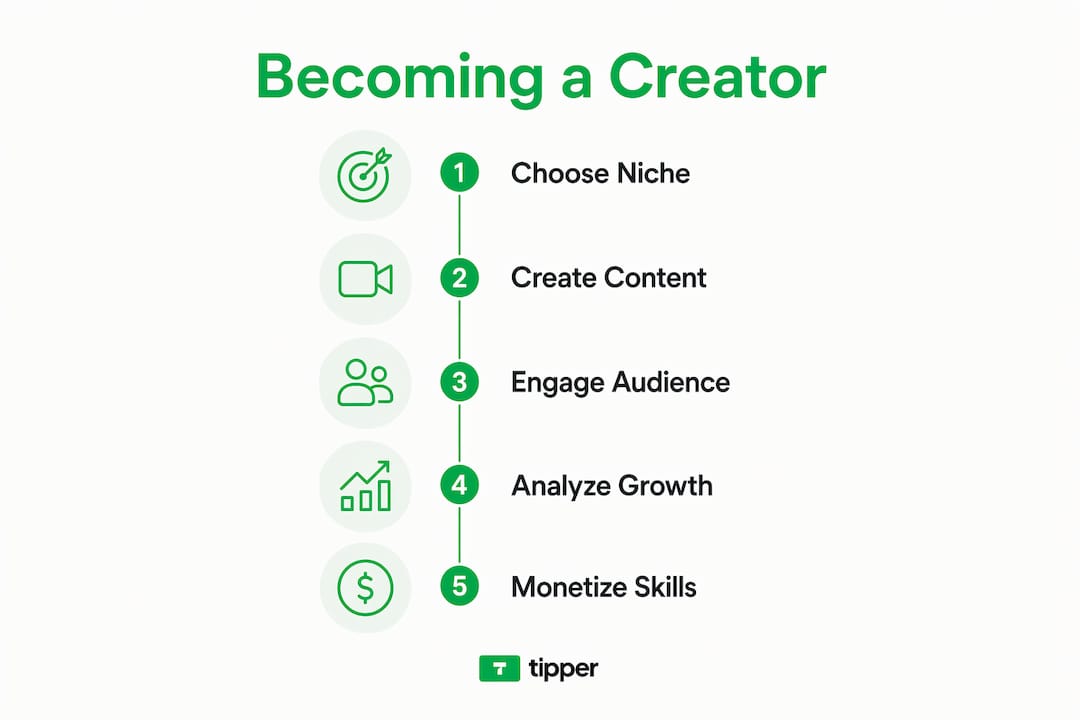
Which tools and platforms do online creators actually need?
The tools that matter most depend on your content format, but a few categories apply to nearly every creator.

Social media platforms are where audiences live. YouTube suits long-form video; TikTok and Instagram Reels favor short, high-energy clips; Facebook still reaches older demographics effectively; podcasts are growing fast, with the US podcasting audience on track to surpass 110 million listeners by 2029.
Content production tools range from free to professional-grade. Adobe Express offers design templates for graphics, social posts, and marketing materials without requiring design experience. Invideo AI handles video creation through AI-generated scripts and pre-built scene templates. For audio, Audacity remains a free, capable starting point for podcast editing.
SEO and analytics tools are non-negotiable for growth. Google Trends helps you identify what people are actively searching for, so you can align your content with real demand. Platform-native analytics on TikTok, Instagram, and YouTube tell you who your audience is and which content they actually watch.
Scheduling and productivity tools like Buffer or Later let you plan posts in advance, freeing up time for creation rather than daily manual publishing.
AI-assisted workflows are now a genuine advantage. Adopting AI tools and template libraries reduces the technical workload, letting creators focus on the creative decisions that actually differentiate their content.
What does the creator economy look like right now?
The market signal is hard to ignore: 44% of advertisers planned to increase their investments in creator-generated content by 2024, according to the Interactive Advertising Bureau. That shift reflects a broader recognition that audiences trust creators more than they trust traditional advertising.
Career paths in this space follow a recognizable arc. Most creators start as hobbyists, posting without a monetization strategy. Those who stick with it and treat the work seriously eventually move into freelance arrangements, brand partnerships, or salaried content roles. The next stage, for those who scale, involves building a team and running what amounts to a small media company.
That long-game mindset is backed by real data on creator careers. Sustainable success typically requires a decade of experimentation, community-building, and adaptation, not a single viral moment.
Monetization options have expanded well beyond ad revenue. Sponsorships, affiliate marketing, digital products, memberships, and direct audience support through tipping platforms all contribute to a creator’s income mix. Tipping, in particular, has grown as a direct revenue stream. Tipper lets creators receive instant tips through a personalized link, with supporters paying via Apple Pay or Google Pay without needing an account. Creators keep 100% of what they earn, and supporters can attach a thank-you note or video, which deepens the audience connection. You can explore how tip-based revenue works as part of a broader income strategy.
Challenges are real. Platform moderation policies directly affect how content is distributed and monetized, with account warnings or suspensions capable of cutting off a creator’s income overnight. Copyright issues are equally complex: using unlicensed music or images in a video can trigger demonetization or content removal. Understanding these rules before they become a problem is part of treating content creation like a business.
Start earning with Tipper
Tipper gives creators a direct, friction-free way to receive support from their audience. No platform fees, no account required for supporters, and payments through Apple Pay or Google Pay take seconds. Whether you’re a freelance creator just starting out or a full-time digital content creator looking to diversify income, start with Tipper and keep everything you earn.
Key Takeaways
Building a sustainable career as an online creator requires niche focus, consistent output, the right tools, and multiple income streams, including direct audience support through tipping.
| Point | Details |
|---|---|
| Define your niche early | A focused content niche attracts a specific audience faster and builds credibility more reliably than broad content. |
| Invest in core skills | Video editing, SEO, and social media management are the skills that drive real audience growth. |
| Use AI tools to stay consistent | Platforms like Invideo AI reduce production time, helping creators maintain output without burning out. |
| Advertiser demand is growing | A 2024 IAB report found many advertisers planned to increase investment in creator content. |
| Diversify your income | Combining sponsorships, ads, and direct tipping through platforms like Tipper reduces reliance on any single revenue source. |
FAQ
What does an online creator actually do?
An online creator produces digital content, such as videos, blogs, podcasts, or social posts, to engage an audience and often earn income through ads, sponsorships, or direct support like tipping.
How do you become an online creator with no experience?
Start by choosing a niche, building sample work for a digital portfolio, and using free tools like Invideo AI to produce content. Consistency over six to eight months matters more than starting with professional equipment.
Can you build a free website as an online creator?
Yes. Platforms like WordPress.com, Wix, and Squarespace offer free tiers that let creators publish written content and showcase a portfolio without upfront costs.
Which free AI tools help creators make content?
Invideo AI handles video creation through templates and AI-generated scripts at no cost for basic use. Adobe Express offers free graphic design templates. NightCafe provides free daily credits for AI-generated images.
How long does it take to earn income as a creator?
Most career guides suggest allowing at least six to eight months before expecting consistent results, and creator Katie Steckly notes that sustainable success in the field typically takes 10 or more years of building an audience and refining your approach.
Recommended

Content Creator: What It Is and How to Become One
A content creator produces and distributes original media, including video, text, audio, and images, to inform, entertain, or inspire an audience across digital platforms. The role combines creative storytelling with data analysis to build engagement and support brand presence. Think YouTube tutorials, Instagram reels, long-form blog posts, and branded podcasts. All of it counts.

What separates a working creator from a casual poster is the combination of creative instinct and analytical discipline. Those who ignore data analysis struggle to scale. The ones who treat every post as a data point, adjusting headlines, pacing, and format based on what the numbers show, are the ones who build lasting careers.
Key attributes and roles of a content creator:
- Produces media across formats: video, written articles, photography, audio, and graphics
- Publishes across platforms including social media, blogs, YouTube, and podcasts
- Builds and engages a specific audience through consistent, relevant output
- Supports brand messaging, either independently or for a company
- Analyzes performance data to refine content strategy
- Monetizes through brand deals, ad revenue, affiliate marketing, and direct audience support
- Collaborates with brands, other creators, and marketing teams
One distinction worth knowing: all influencers are creators, but not all creators are influencers. Influencers specifically aim to shape audience opinions and buying decisions. Creators focus more broadly on engagement and brand presence.
What platforms do content creators actually use?
Platform choice shapes everything from content format to audience size to income potential. Each major platform has a distinct culture and content type that rewards different skills.
- YouTube: Long-form video and tutorials. The YouTube Partner Program lets creators earn ad revenue once they hit eligibility thresholds. Best for educational, entertainment, and review content.
- TikTok: Short-form vertical video, typically 15 seconds to 3 minutes. Discoverability is high, making it one of the fastest platforms for growing a new audience.
- Instagram: Visual content including photos, Reels, and Stories. Strong for lifestyle, fashion, food, and brand partnership content.
- Twitch: Live streaming, primarily gaming and entertainment. Audience interaction happens in real time through chat and direct tips.
- Podcasting platforms (Spotify, Apple Podcasts): Audio-first content for interview, commentary, and educational formats. Lower production barrier than video.
- LinkedIn: Professional and B2B content. Written posts, articles, and short video perform well for career, business, and thought leadership niches.
- Blogs and personal websites: Long-form written content with strong SEO value. Owned media, meaning no algorithm can take it away.
Multi-platform strategies work well once a creator has a core channel established. Repurposing a YouTube video into a short TikTok clip and a written blog post, for example, extends reach without tripling the workload.
Five practices that separate successful creators from the rest

1. Publish on a consistent schedule
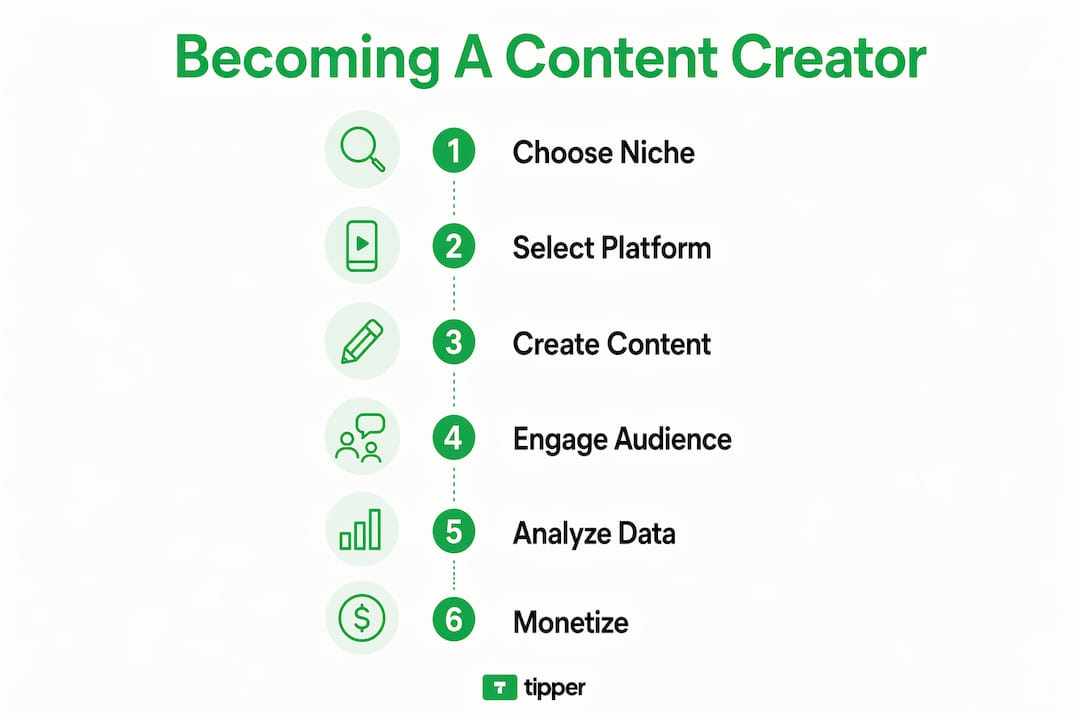
Consistency outperforms infrequent high-quality hits. Audiences build habits around creators who show up reliably. Batching content production, recording or writing multiple pieces in one session, helps maintain that schedule without burning out.
2. Treat every post as a data point
Top creators analyze engagement continuously, using platform analytics to test headlines, thumbnails, video pacing, and posting times. A video that underperforms tells you something. One that spikes tells you more. The feedback loop between publishing and analyzing is what separates professionals from hobbyists.
3. Build authentic community connections
Responding to comments, asking questions, and acknowledging your audience by name builds the kind of loyalty that survives algorithm changes. Creators who maintain authenticity and provide genuine utility build longer-lasting audiences than those chasing viral moments.
4. Diversify content formats
A creator who only posts one format is one platform update away from irrelevance. Mixing written posts, short video, long-form video, and audio keeps the audience engaged and opens new discovery channels.
5. Build a brand, not just a following
Chasing platform trends produces short-term spikes and long-term instability. The creators with durable careers build a recognizable niche and a consistent point of view that audiences trust, regardless of what the algorithm favors that week.
How to become a content creator: practical steps
Pro Tip: Start creating now, with whatever equipment you have. Experts consistently recommend gaining experience over waiting for perfect conditions or gear.
-
Identify your niche. Pick a topic you know well or are genuinely curious about. Specificity helps. “Personal finance for freelancers” attracts a more loyal audience than “money tips.”
-
Choose your primary platform. Match the platform to your content type. Writers go to blogs or LinkedIn. Visual storytellers go to Instagram or TikTok. Educators often do well on YouTube.
-
Develop core skills. Storytelling, basic video editing, SEO fundamentals, and reading analytics are the four skills that matter most early on. Certifications like Google Analytics Individual Qualification or YouTube Certified can accelerate the learning curve.
-
Build a portfolio. Launch a channel, blog, or account and publish at least 10–15 pieces before pitching brands or applying for roles. Quality matters, but volume builds the range that shows what you can do.
-
Publish consistently. Set a realistic schedule and stick to it. Two posts a week you can sustain beats five posts a week you abandon after a month.
-
Engage your audience. Reply to comments, ask for feedback, and participate in your niche community. Early engagement signals to platforms that your content is worth distributing.
-
Promote across channels. Share content on secondary platforms, use relevant hashtags, and collaborate with other creators to expand reach beyond your existing audience.
-
Consider formal education selectively. Degrees in digital marketing, communications, multimedia, or graphic design provide useful foundations, but they are optional. Many working creators are self-taught.
-
Monetize strategically. Once you have a consistent audience, layer in revenue streams. Start with one method, learn it well, then add others.
How content creators in the US earn money
In 2024, 44% of advertisers planned to increase investments in creator content, according to the Interactive Advertising Bureau. That shift reflects how central creators have become to brand marketing budgets.
Some influencers may charge high fees for single sponsored posts, especially those with large, highly engaged audiences. That ceiling is reserved for creators with large, highly engaged audiences, but the range of income options is wide enough that creators at every level can build real revenue.
| Monetization channel | How it works | Key consideration |
|---|---|---|
| Brand partnerships | Sponsored posts, product reviews, long-term ambassador deals | Requires audience trust; rates scale with reach and engagement |
| Affiliate marketing | Earn a commission when your audience buys through your link | Low barrier to entry; income depends on conversion rates |
| Platform ad revenue | YouTube Partner Program, podcast host ads | Requires meeting platform eligibility thresholds |
| Direct audience support | Tips, memberships, subscriptions | Highly loyal audiences convert best; no middleman needed |
| Digital products | Courses, presets, templates, e-books | High margin; requires upfront creation time |
Diversifying income streams early protects against platform changes and sponsorship volatility. A creator who relies entirely on one brand deal or one platform’s ad program is exposed. Layering tips, affiliate income, and a digital product alongside brand deals creates a far more stable base.
Tipper fits directly into the direct support category. Creators share a personalized link, and supporters tip instantly using Apple Pay or Google Pay, with no account required. Creators keep 100% of what they receive, and supporters can add a thank-you note or video, which strengthens the connection between creator and audience. For creators building a loyal community, real-time tipping adds an income layer that requires no brand approval and no platform eligibility threshold.
Legal basics every content creator needs to know
Copyright is the first legal concept creators need to understand. Any original work you create, whether a video, article, or photograph, is automatically protected by copyright the moment it is fixed in a tangible form. That protection runs both ways: your work is protected, and using someone else’s work without permission can expose you to infringement claims.
Fair use is a legal doctrine that allows limited use of copyrighted material for commentary, criticism, education, or parody, but it is not a blanket permission. Courts weigh four factors, including the purpose of the use and the effect on the market for the original work. When in doubt, license the material or create your own.
Music is a common trap. Using a popular song in a YouTube video without a license can result in the video being muted, monetized by the rights holder, or taken down entirely. Royalty-free music libraries like Epidemic Sound and Artlist exist specifically to solve this problem.
Beyond copyright, creators who earn income need to understand their tax obligations. Freelance and self-employed creators in the US typically pay self-employment tax on net earnings and must make quarterly estimated tax payments to the IRS. Sponsored content and affiliate income both count as taxable income. The Federal Trade Commission also requires creators to clearly disclose paid partnerships and sponsored content to their audiences.
Platform terms of service add another layer. Violating community guidelines can result in account suspension or demonetization, which directly affects income. Reading the terms for each platform you use is not optional if content creation is your livelihood.
Building and engaging an audience that actually sticks
Audience growth follows a predictable pattern: early growth is slow, then compounds once a creator establishes a consistent presence and a clear point of view. The mistake most new creators make is optimizing for follower count before optimizing for connection.
Engagement rate matters more than raw numbers, especially for brand partnerships. A creator with 10,000 highly engaged followers often commands better deals than one with 100,000 passive ones. Respond to comments, ask questions in your posts, and create content that invites a response rather than just passive consumption.
Collaborating with other creators in your niche is one of the fastest ways to reach new audiences who are already primed to care about your topic. Cross-promotion, guest appearances on podcasts, and joint videos all work because the trust transfer is built in. Your collaborator’s audience already trusts them, and that trust extends to you by association.
Email lists and owned channels provide a safety net that social media cannot. Algorithms change. Platforms rise and fall. An email list is yours regardless of what any platform decides to do next.
Ready to add direct audience support to your income mix? Tipper lets your supporters tip you instantly, no account required, with 100% of every tip going directly to you. Share your personalized link and start receiving real-time appreciation from the people who value your work.
Key Takeaways
Building a sustainable content creation career requires combining consistent publishing, data-driven iteration, diversified income streams, and direct audience engagement from the start.
| Point | Details |
|---|---|
| Consistency beats perfection | Publishing on a reliable schedule outperforms sporadic high-quality posts for audience growth. |
| Data analysis is non-negotiable | Creators who treat each post as a data point and refine based on analytics build scalable careers. |
| Diversify income early | Layering tips, affiliate income, brand deals, and digital products protects against platform shifts. |
| Advertiser investment is growing | 44% of advertisers planned to increase creator content investment in 2024, per the IAB. |
| Own your audience relationship | Email lists and direct tipping channels give creators income stability no algorithm can remove. |
FAQ
What does a content creator do?
A content creator produces digital media, including videos, written articles, podcasts, and graphics, for distribution across platforms like YouTube, Instagram, and blogs, with the goal of engaging a specific audience and building a brand.
Do content creators make money?
Yes. Creators earn through brand partnerships, affiliate marketing, platform ad revenue, digital products, and direct audience support like tips. Some influencers earn up to $25,000 for a single social media post, though income varies widely by audience size and niche.
How do I start being a content creator?
Pick a niche, choose one platform that fits your content type, and start publishing immediately. Experts recommend starting now with whatever equipment you have rather than waiting for ideal conditions.
What is the difference between a content creator and a social media influencer?
All influencers are content creators, but not all creators are influencers. Influencers specifically aim to shape audience opinions and buying decisions, while creators focus more broadly on engagement, storytelling, and brand presence.
Recommended

Why Creators Need Tipping Links: A 2025 Guide
Why tipping links are essential for creators
Tipping links give creators a direct revenue stream that requires no product, no paywall, and no brand deal. A supporter clicks a link, sends $5, and the creator gets paid. That simplicity is the whole point.
The benefits of tipping for creators go beyond the dollar amount. Creators who add an active tip jar to their monetization mix generate 8–15% more monthly income than those who rely solely on ads or affiliate links. For many creators with smaller audiences, this translates to supplemental income that can meaningfully support their work. Not a salary replacement, but real money that compounds as an audience grows.
What makes tipping links different from sponsorships or memberships is the absence of obligation. Supporters give because they want to, not because they signed up for something. That voluntary nature creates a different kind of relationship. When a fan tips, they’re signaling genuine appreciation, and that signal tends to strengthen the creator-audience bond more than a passive subscription ever could.
Here is what tipping links actually do for creators:
- Direct monetization without intermediaries, ad networks, or brand approvals
- Low barrier for supporters since no account creation or subscription is required
- Complementary income that stacks on top of memberships, sponsorships, and ad revenue
- Community signal that shows which fans are most engaged and invested
- Scalable support that grows naturally as audience size and loyalty increase
The importance of tipping links also shows up in how they deepen engagement. When a creator publicly acknowledges a tip, that moment of recognition encourages repeat giving and signals to the broader audience that tipping is welcome. Tipping is, at its core, a social act, and the platforms that understand this have built features specifically around that dynamic.
What are the best tipping platforms for creators in 2026?

The U.S. market has no shortage of options. The right platform depends on where your audience lives, how they prefer to pay, and how much friction you’re willing to accept. Here’s how the major players compare.

| Platform | Best for | Payment methods | Fees / earnings share | Engagement features | Ease of use |
|---|---|---|---|---|---|
| Show Love | Fan-driven tipping with engagement | Cards, digital wallets | Varies by plan | Custom tip amounts, multi-platform integration | Easy |
| Buy Me a Coffee | Flexible tipping + memberships | Cards, PayPal | 5% platform fee | Social sharing, membership tiers | Very easy |
| Tip Jar | One-time supporter contributions | Cards, multiple options | Varies | Simple link sharing | Easy |
| Twitter Tips | Twitter-native monetization | Cards, Cash App, Venmo, Patreon, Strike | No Twitter fee; processor fees apply | In-app tipping via profile | Easy |
| TikTok Tips | TikTok influencers, live streams | TikTok Coins | TikTok takes a cut | Real-time gifting during streams | Easy within TikTok |
| Zink | Quick, borderless tipping | Apple Pay, Google Pay | Low; instant payouts | Instant payment confirmation | Very easy |
| Linktree | Consolidating tips + links in one bio | Stripe, PayPal | Free tier available; Pro at $9/month | Customizable tip buttons | Easy |
| Tip Jar (Twitter Tips) | Twitter-integrated tipping | Cards, Venmo, Cash App | No Twitter fee | Direct social tipping via tweets | Easy |
| Clubhouse Payments | Live audio creators, podcasters | Cards | Clubhouse takes a cut | Native listener interaction | Easy within Clubhouse |
| Instagram Badges | Live-streaming creators | In-app purchase | Instagram takes a cut | Real-time badge visibility during Lives | Easy within Instagram |
| Patreon | Subscription-based community building | Cards, PayPal | 5–12% depending on plan | Tiered membership rewards, community posts | Moderate |
| Twitch Tips | Live streamers | Cards, PayPal, Bits | Bits: Twitch takes ~29%; direct tips vary | Viewer badges, interactive tools | Easy within Twitch |
| YouTube Super Chat / Tips | YouTubers monetizing live streams | Cards, Google Pay | YouTube takes 30% | Highlighted messages, pinned chats | Easy within YouTube |
A few things stand out when you look at this list as a whole. Platforms native to a specific app, like TikTok Tips, Instagram Badges, and YouTube Super Chat, are frictionless for audiences already on those platforms but lock you into that ecosystem. Standalone tools like Buy Me a Coffee, Zink, and Linktree work across platforms and give creators more control.
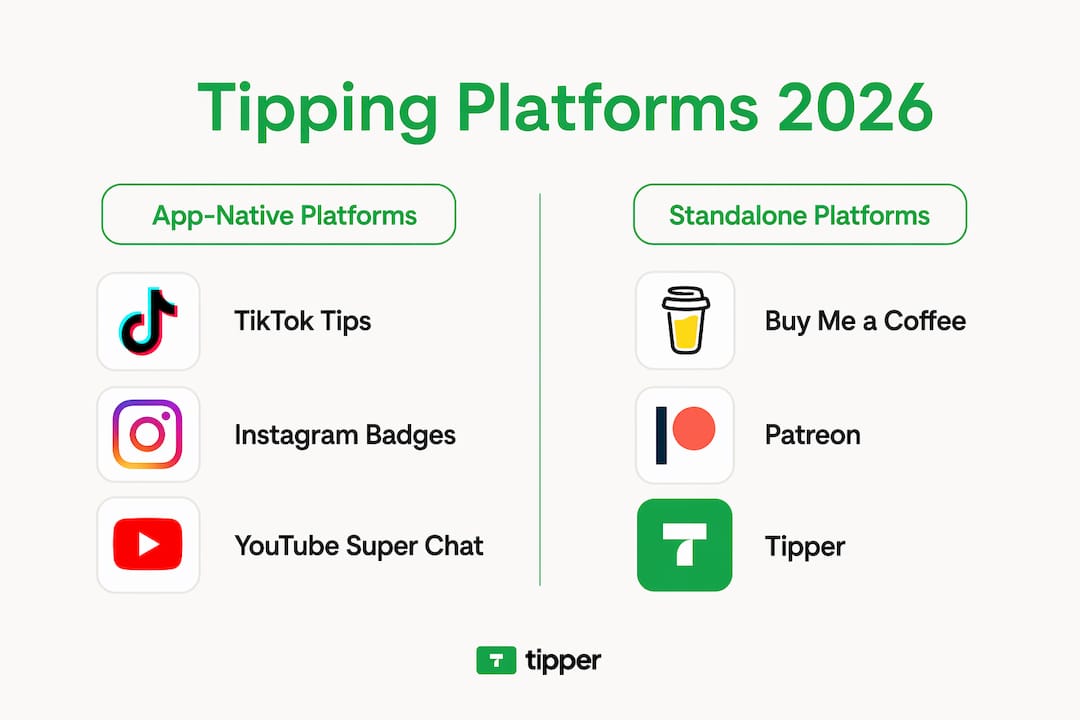
Buy Me a Coffee is the most popular standalone option for creators who want a clean, low-effort setup. The 5% fee is transparent, the UI is genuinely simple, and the social sharing features make it easy to promote. Patreon sits at the other end of the spectrum: more infrastructure, more community features, and a higher fee that only makes sense if you’re building a subscription layer on top of tipping.
YouTube Super Chat deserves a closer look. YouTube takes 30%, but for creators with active live streams, the engagement mechanics are hard to beat. Highlighted messages and pinned chats create a visible incentive for viewers to tip, and top streamers earn over $50,000 monthly from Super Chats alone. The 80/20 reality applies here too: roughly 80% of fan funding comes from the top 20% of tippers, so building relationships with your most engaged viewers matters more than chasing volume.
Twitch Tips works similarly for live streamers, with Bits adding a gamified layer that casual viewers find approachable. Clubhouse Payments and Instagram Badges are solid within their native apps but have limited utility outside them.
For creators who want a full platform comparison before committing, the fee structure and payout speed differences across these tools can meaningfully affect monthly take-home.
How do you integrate tipping links into your monetization strategy?
Choosing a platform is the easy part. Getting supporters to actually use it takes a bit more thought.
Start with your audience’s geography and payment habits. If most of your followers are in the U.S., platforms that support Apple Pay, Google Pay, Venmo, and Cash App will convert better than those requiring a credit card form. For creators with a significant European audience, the fee dynamics shift: Wero is the cheapest processor for micro-tips under €5 in Europe, while Stripe handles larger tips and international fans more cost-effectively. A hybrid setup captures both.
Placement matters more than most creators expect. A tip link buried at the bottom of a bio gets ignored. Put it in your top three links, directly under your primary call to action. The copy around the button determines whether people click. Phrases that imply reciprocity (“buy me a coffee so I can keep making this”) outperform generic “donate” language. Effective tip jar copy centers on reciprocity and a light tone, not obligation.
Promotion should be consistent but not aggressive. A monthly thank-you post naming recent tippers, a brief verbal mention at the end of a video, or a pinned comment on a popular post keeps the link visible without feeling like a hard sell. Fans who want to support you will find the link; your job is to make sure it’s easy to find.
Tipping links work best as part of a broader monetization mix, not as a standalone income source. They complement memberships by capturing supporters who want to give without committing to a subscription. They complement sponsorships by providing direct community revenue that doesn’t depend on brand relationships. And unlike both, they require no new content, no deliverables, and no negotiations.
Pro Tip: Test two or three different copy templates for your tip link over 30 days and track which one gets clicked most. Something as small as changing “support my work” to “buy me a coffee” can double conversion rates. Small copy changes compound over time.
What does research say about the psychology of tipping?
Tipping is not purely economic. Cornell researcher Michael Lynn, whose forthcoming book covers decades of tipping studies, describes tipping as “a complex social ritual shaped by psychology, social norms, economics and even national personality traits.” For creators, that framing is useful. It means your audience’s decision to tip is influenced by factors you can actually shape.
Research from Tel Aviv University identifies two main types of tippers: “appreciators,” who tip to genuinely reward quality, and “conformists,” who tip because social norms make it feel expected. Appreciators tend to tip above average; conformists match whatever the prevailing norm appears to be. Over time, appreciators pull conformists upward, which partly explains why U.S. tipping rates have risen significantly over recent decades.
For creators, this dynamic has a practical implication. When you publicly acknowledge tips and make tipping visible in your community, you create a social norm around it. Conformist supporters see that others tip and adjust their behavior accordingly. The creator who reads every Super Chat aloud and thanks the tipper by name isn’t just being polite; they’re actively building a tipping culture.
The income impact of acknowledgment is concrete. Creators who acknowledge every tip earn 2–4 times more revenue from fan funding than those who let messages pass unnoticed. Recognition is the single strongest driver of repeat tipping, and it costs nothing.
Tipping also doesn’t correlate strongly with content quality alone. Bill size, payment method, and group dynamics often matter more than the quality of the service or content itself. That means a creator with a mid-size but highly engaged audience can out-earn a larger creator who never acknowledges supporters.
Tipping creates direct-to-creator revenue independent of ads, sponsorships, or paid content, requiring no external partnerships or product creation.
What are the tax and legal rules for creators using tipping links?
Tips received by creators are taxable income in the United States. The IRS treats tips as ordinary income regardless of whether they come through YouTube Super Chat, Buy Me a Coffee, Patreon, or a standalone tipping link. If you receive tips through a third-party payment platform, that platform may issue a 1099-K form once your earnings cross the reporting threshold. Creators should track all tip income throughout the year, not just at tax time.
The Department of Labor addresses tipping primarily in the context of employees, but the core principle applies to self-employed creators: tips are compensation and must be reported. As a self-employed creator, you’ll also owe self-employment tax on net earnings, which covers Social Security and Medicare contributions.
A few practical points worth knowing. Platforms that process payments, including Stripe and PayPal, are required to report transactions to the IRS above certain thresholds. Keeping a separate business account for tip income simplifies bookkeeping and makes quarterly estimated tax payments easier to calculate. If you have international supporters, currency conversion doesn’t change your tax obligation; the dollar value at the time of receipt is what gets reported.
For creators with audiences in Europe, GDPR rules apply to any personal data collected during the payment process. Processors like Stripe handle most of this compliance automatically, but creators should review the privacy terms of any platform they use.
Tax rules change, and the specifics depend on your income level, state of residence, and business structure. Consulting a tax professional who works with self-employed creators is the most reliable way to stay compliant as your tip income grows.
Key Takeaways
Tipping links generate 8–15% more monthly income for creators who use them actively, and acknowledging every tip drives 2–4 times more repeat support than ignoring them.
| Point | Details |
|---|---|
| Tipping links add real income | Creators with active tip jars earn 8–15% more monthly income than those without one. |
| Acknowledgment multiplies revenue | Publicly thanking tippers by name drives 2–4 times more fan funding over time. |
| Platform choice depends on audience | Match your platform to where your audience pays: native tools for single-platform creators, standalone tools for cross-platform reach. |
| Tips are taxable in the U.S. | The IRS treats all tip income as ordinary income; track it year-round and report it on your return. |
| Tipper keeps 100% for creators | Tipper lets supporters tip instantly via Apple Pay or Google Pay with no account required, and creators keep every dollar. |
Tipper is worth a look before you commit to a platform
Most tipping platforms take a cut. Buy Me a Coffee charges 5%, YouTube keeps 30% of every Super Chat, and Patreon’s fees run 5–12% depending on your plan. Those percentages add up fast once your tip volume grows.
Tipper takes a different approach. Creators keep 100% of every tip, and supporters don’t need an account to send money. They pay with Apple Pay or Google Pay in seconds, which removes the biggest friction point in the tipping flow. Tipper also lets creators send a thank-you note or video back to the supporter, which reinforces the personal connection that drives repeat tipping. If you want a tipping setup that’s genuinely frictionless for both you and your audience, Tipper is worth setting up alongside whatever platform-native tools you already use.
FAQ
Should I tip a content creator?
Tipping a creator is entirely voluntary, but it’s one of the most direct ways to support someone whose work you value. Unlike subscriptions, a tip carries no ongoing commitment and goes straight to the creator.
Does Linktree have a tip jar?
Yes. Linktree supports tipping through integrations with Stripe and PayPal, letting creators add a customizable tip button to their bio link page.
Why do so many creators ask for tips?
Tipping links give creators direct income that doesn’t depend on ad revenue, brand deals, or platform algorithms. For most creators, tips are supplemental income that helps sustain their work without requiring new products or partnerships.
Is a 10% tip considered low for a creator?
In the context of digital creator tipping, there’s no fixed percentage norm the way there is in restaurants. Any voluntary contribution is appreciated; what matters more is the acknowledgment the creator gives in return, which research shows is the strongest driver of repeat support.
How do tipping links affect creator income over time?
Creators who actively promote their tip links and acknowledge supporters consistently tend to see income grow as their audience scales. The 8–15% income boost from an active tip jar compounds as follower counts and engagement rates rise.
Recommended

Tip Income Business Model: Creator’s Guide for 2026
TL;DR:
- The tip income business model involves customers voluntarily paying service providers or creators directly, outside fixed wages. It is taxable income, and creators must track and report all tips, with a legal deduction of up to $25,000 available through 2028. Digital tips are also taxable and require daily recordkeeping, but platforms like Tipper simplify collection and reporting efforts.
The tip income business model is a system where customers voluntarily pay service providers or creators directly, outside of any fixed wage or price, as a reward for quality work or content. This model operates across restaurants, salons, live streaming, and content creation. The IRS classifies all tips as taxable income, which means creators and workers must track and report every dollar received. The 2025 law introduced a deduction of up to $25,000 annually for qualified tip income, making this business model more financially attractive than ever. Tipper is one platform built specifically to help creators collect tips without friction, keeping 100% of earnings for themselves.
What is the tip income business model and how does it work?
The tip income business model is formally defined as a revenue structure where income comes from voluntary, discretionary payments made by customers or supporters directly to a worker or creator. Industry professionals often call this a “gratuity-based” or “voluntary payment” model. Both terms describe the same core mechanic: the customer decides the amount, and the provider receives it as supplemental or primary income.

This model differs from a subscription or product sale because no fixed price is set in advance. The customer pays what they feel the service or content is worth. That dynamic creates both opportunity and unpredictability. A restaurant server earns a base wage plus tips. A live streamer on a content platform earns tips from viewers who click a button during a broadcast. The mechanics differ, but the economic relationship is identical.
The IRS treats all tips as employee or self-employment income. All cash and non-cash tips are taxable regardless of how they are received. That includes cash left on a table, digital tips sent through an app, and gift cards given as gratuities.
Tax reporting rules every creator must know
The reporting threshold is clear: tips over $20 per month per employer must be reported to your employer by the 10th of the following month. Self-employed creators report tips directly on their tax return. That $20 threshold is not a tax-free allowance. It is simply the point at which formal reporting to an employer becomes mandatory.
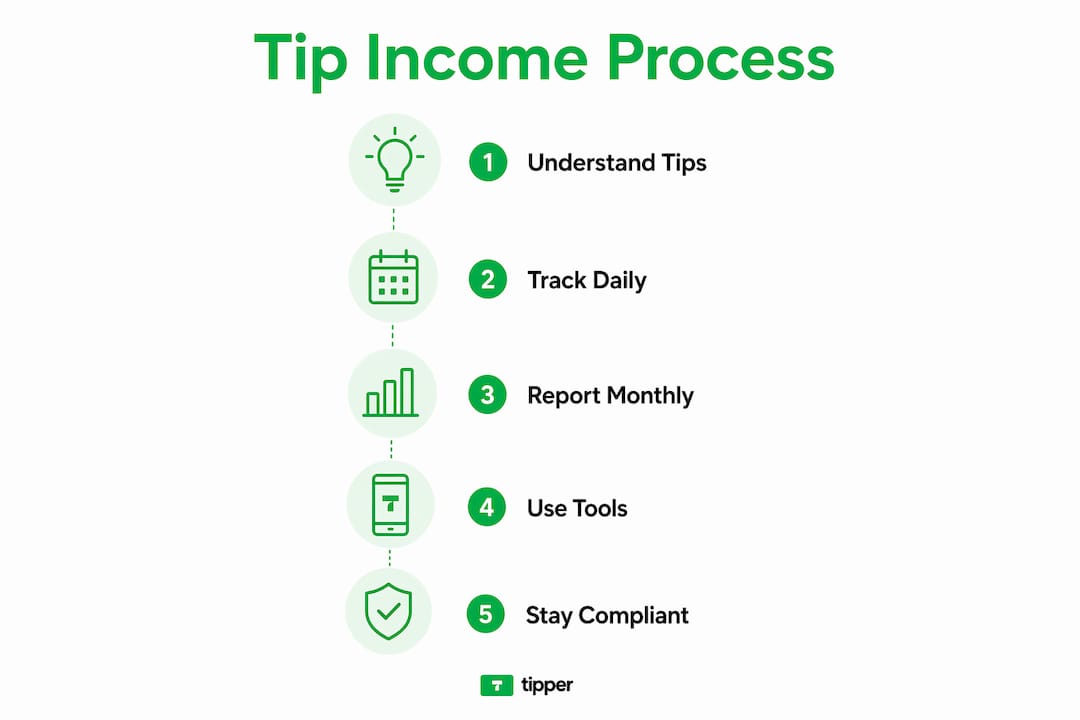
The 2025 law, active through 2028, allows a deduction of up to $25,000 for qualified tip income. The phase-out begins at $150,000 MAGI for individuals and $300,000 for joint filers. That means most working creators and service workers qualify for the full deduction. The deduction reduces income tax only. Payroll taxes still apply to tip income, so the savings are real but not total.
Key tax facts for tip earners:
- All tips, cash or digital, count as taxable income from the moment you receive them.
- Report tips over $20 per month to your employer using IRS Form 4070.
- Self-employed creators report tip income on Schedule C or Schedule SE.
- The 2025 deduction covers up to $25,000 of qualified tip income through 2028.
- Payroll taxes (Social Security and Medicare) still apply even when the income tax deduction is claimed.
Pro Tip: Keep a daily tip log. The IRS recommends recording the date, amount, and source of every tip you receive. A simple spreadsheet or notes app works fine. Daily logging prevents gaps that trigger audits.
What business models use tips beyond traditional tipping?
Traditional tipping is not the only way to structure a tip-based business. Six alternative models exist for businesses that want to move beyond the standard tip credit system: inclusive tip pooling, service charges, revenue sharing, transparent hourly wages, hourly leadership pay, and increased base rates.
Each model solves a different problem. Tip pooling distributes gratuities across the whole team, which reduces wage gaps between front-of-house and back-of-house staff. Service charges replace voluntary tips with a mandatory fee set by the employer. That fee is employer-controlled income, not a tip, and it carries different tax accounting rules. Misclassifying a service charge as a tip is one of the most common errors that triggers an IRS audit.
| Model | How it works | Best for |
|---|---|---|
| Inclusive tip pooling | Tips collected and shared across all staff | Restaurants, cafes, team-based services |
| Service charges | Mandatory fee set by employer, not a tip | Hotels, large event venues |
| Revenue sharing | A percentage of total revenue distributed to staff | Salons, spas, boutique studios |
| Transparent hourly wages | Higher base pay replaces tip income entirely | Fast-casual dining, retail |
| Hourly leadership pay | Senior staff earn a premium hourly rate | Skilled trades, senior servers |
| Increased base rates | Wages rise to eliminate customer tipping | Tech-forward food service |
Many service employers are shifting toward higher base wages and away from tip credits. This trend improves wage stability for workers and reduces the tax complexity that comes with variable tip income. For creators, the equivalent shift is moving from pure tip income toward a hybrid model that combines tips with subscriptions or flat-rate services.
Traditional tipping also creates economic inefficiencies and wage disparities that push businesses toward these alternatives. Understanding which model fits your audience and service type is the first real decision in building a sustainable tip income strategy.
How do creators monetize content through digital tipping?
Digital tipping is the online equivalent of leaving cash on a table. A supporter clicks a button, enters an amount, and the payment goes directly to the creator. The creator receives the money in real time, with no intermediary holding funds for days. Platforms like Tipper make this possible through a personalized link that anyone can use without creating an account.
Digital tips are taxable income and must be recorded and reported exactly like cash tips. The common misconception that digital tips are “donations” and therefore tax-free is wrong and carries real compliance risk. The IRS does not distinguish between a $5 bill left on a counter and a $5 payment sent through Apple Pay or Google Pay.
The best practices for digital tip collection include:
- Use a dedicated platform that generates a transaction record for every tip received.
- Log each tip daily, including the date, amount, and payment method.
- Connect your tipping platform to accounting software so records stay current.
- Separate tip income from other revenue streams in your bookkeeping.
- Review your total tip income monthly to estimate quarterly tax payments.
Tipper supports Apple Pay and Google Pay, which means supporters can tip in seconds without entering card details manually. That low-friction experience directly increases the number of tips a creator receives. You can learn more about how digital tipping works and why it outperforms traditional cash collection for online creators.
Pro Tip: Add your Tipper link to every content platform you use: your YouTube description, Instagram bio, podcast show notes, and email newsletter footer. The more places your link appears, the more tips you collect without any extra effort.
Creators need to proactively track digital tips using dedicated systems to avoid compliance issues at tax time. Waiting until april to reconstruct months of tip records is the fastest way to make errors.
Practical steps to implement a tip income model as a creator
Setting up a tip income system takes less than an hour. The bigger challenge is maintaining compliance and growing tip volume over time. These steps cover both.
-
Choose a compliant tip collection platform. Select a tool that records every transaction automatically and supports major payment methods. Tipper generates a unique link that works with Apple Pay, Google Pay, and standard card payments. No supporter account is required, which removes the biggest barrier to tipping.
-
Set up daily recordkeeping from day one. Digital tip income requires daily tracking for accurate reporting. Use a spreadsheet, accounting software, or the export function in your tipping platform. Record the date, amount, and source for every tip.
-
Report tip income monthly. If you work for an employer, submit your tip total using IRS Form 4070 by the 10th of each month. If you are self-employed, add tip income to your quarterly estimated tax payments. Employers must also report all tip income they receive from workers and withhold appropriate payroll taxes.
-
Claim the 2025 tip income deduction. If your modified adjusted gross income falls below $150,000 as an individual, you qualify for the full $25,000 deduction on qualified tip income. Work with a tax professional to confirm your tips meet the IRS definition of “qualified” under the new law.
-
Communicate your tipping option clearly to your audience. Creators who explain why they accept tips and what the money supports consistently earn more than those who simply post a link. A short sentence in your content description or a 10-second mention in a video is enough.
-
Balance tip income with stable revenue. Tips are variable by nature. Pair your tip income strategy with at least one predictable revenue stream, such as a monthly membership or a flat-rate service offering. That combination protects your income during slow periods. You can explore cashless tipping setup options designed for small businesses and solo creators.
-
Review and adjust quarterly. Track which content or services generate the most tips. Double down on those formats. If a particular video or service type consistently earns tips, that is direct audience feedback about what they value most.
Key Takeaways
The tip income business model generates real, taxable income that requires daily tracking, monthly reporting, and proactive tax planning to maximize its benefits.
| Point | Details |
|---|---|
| Tips are always taxable | All cash and digital tips count as income; the $20 monthly threshold triggers employer reporting, not tax exemption. |
| 2025 deduction opportunity | Creators earning under $150,000 MAGI can deduct up to $25,000 in qualified tip income through 2028. |
| Six alternative models exist | Businesses can replace traditional tipping with pooling, service charges, revenue sharing, or higher base wages. |
| Digital tips need daily logging | Recording each digital tip on the day it arrives prevents compliance gaps and simplifies quarterly tax estimates. |
| Low friction drives more tips | Platforms that skip account creation and support Apple Pay or Google Pay consistently generate higher tip volume. |
Tipping has changed. Here’s what that means for creators.
Tipping used to be simple. You left cash, someone picked it up, and everyone moved on. The tax rules existed but enforcement was loose and the amounts were small. That era is over. Digital tipping has moved gratuities into a fully traceable, fully taxable system where every transaction leaves a record.
The 2025 tip income deduction is genuinely useful for working creators. But the new law also creates distortions between workers in tipped occupations and those doing similar work without the tip classification. A freelance writer who charges flat fees gets no deduction. A creator who earns the same income through tips might deduct up to $25,000. That gap will likely prompt more creators to restructure how they charge for their work.
My honest view: the creators who will benefit most from the tip income model are those who treat it like a real business system, not a passive bonus. That means daily recordkeeping, quarterly tax estimates, and a clear communication strategy with their audience. The tax savings are real, but only if you claim them correctly.
The shift away from tip credits in the restaurant industry also signals something broader. Voluntary tipping as a compensation system is under pressure from all sides: regulators, workers, and customers who are fatigued by tip prompts everywhere they go. Creators who build a hybrid model now, combining tips with subscriptions or flat-rate offers, will be better positioned when that pressure reaches the digital space.
— Tipper
Tipper makes collecting tip income simple
Creators who understand the tip income model still need a reliable way to collect payments. Tipper gives you a personalized link that supporters can use to send tips instantly, with no account required on their end.
Supporters pay through Apple Pay, Google Pay, or a standard card in seconds. You keep 100% of every tip you receive. Tipper also lets supporters send a thank-you note or video with their payment, which builds a stronger connection between you and your audience. Every transaction is recorded automatically, which makes monthly reporting straightforward. If you are ready to start collecting tips without the complexity of traditional platforms, Tipper is built for exactly that. You can also read about how businesses share tipping links to increase their tip volume from day one.
FAQ
What is the tip income business model?
The tip income business model is a revenue structure where customers make voluntary payments directly to a service provider or creator as a reward for their work. It operates alongside or instead of fixed wages and applies to both traditional service workers and digital content creators.
Are digital tips taxable income?
Yes. Digital tips are taxable income and must be reported exactly like cash tips. The IRS does not treat digital payments as donations, and failing to report them creates compliance risk.
How much of my tip income can I deduct in 2026?
The 2025 law allows a deduction of up to $25,000 on qualified tip income for individuals with a MAGI below $150,000. The deduction reduces income tax only; payroll taxes still apply to all tip income.
What is the difference between a tip and a service charge?
A tip is a voluntary payment made by the customer. A service charge is a mandatory fee set by the employer. Service charges are employer-controlled income and follow different tax rules. Misclassifying a service charge as a tip can trigger an IRS audit.
How often do I need to report my tips?
Employees must report tips over $20 per month to their employer by the 10th of the following month using IRS Form 4070. Self-employed creators include tip income in their quarterly estimated tax payments and annual tax return.
Recommended

How Instant Tips Replace Ad Revenue for Creators
TL;DR:
- Instant tipping allows creators to earn directly from fans in real time, replacing unreliable ad income. It encourages small, immediate payments from engaged audiences and mitigates delays and dependence on ad platforms. Combining tipping with other revenue streams creates a diversified and stable income model for creators.
Instant tipping is a direct payment model where fans send money to creators in real time, bypassing ad networks entirely. Understanding how instant tips replace ad revenue matters now more than ever, because ad income is fragile: algorithm changes, RPM drops, and platform cuts can erase months of earnings overnight. Tipping flips that equation. Instead of monetizing eyeballs for advertisers, you monetize appreciation from the people who actually care about your work. Platforms like Tipper make this possible with zero signup friction, Apple Pay and Google Pay support, and a 100% revenue share for creators.
How instant tips replace ad revenue: the core mechanics
Ad revenue pays creators based on impressions, not on value delivered. A video with a million views can earn less than $1,000 after platform cuts, while the same creator’s most loyal 500 fans could tip far more if given a frictionless way to do it.
The math behind tipping is more favorable than most creators expect. Engaging just 1%–5% of your audience through direct tipping can match or exceed traditional ad revenue, especially for niche content with a highly engaged following. That means a podcast with 10,000 listeners only needs 100–500 people to tip regularly to outperform what ad slots would pay.

Direct payments also remove the delays that plague ad-based income. Traditional platforms impose minimum payout thresholds and processing windows that can stretch up to 15 days. Instant settlement systems fix that cash flow problem entirely, putting money in your hands the moment a fan sends it.
Crypto tipping takes this further. Sending a $5 tip costs under $0.01 in gas fees and settles within minutes on-chain. That near-zero transaction cost means more of every dollar reaches the creator, not a payment processor.
- No minimum thresholds. Tips pay out immediately, regardless of amount.
- No advertiser dependency. Revenue does not drop when ad markets soften.
- Higher per-dollar yield. Direct payments skip the platform revenue split that ad networks take.
- Real-time cash flow. Freelancers can budget around predictable, daily income rather than monthly ad checks.
Pro Tip: Set up a real-time tip dashboard so you can see exactly when tips arrive and from which content. That data tells you which videos or posts your most supportive fans love most.
What alternative monetization strategies work alongside tipping?
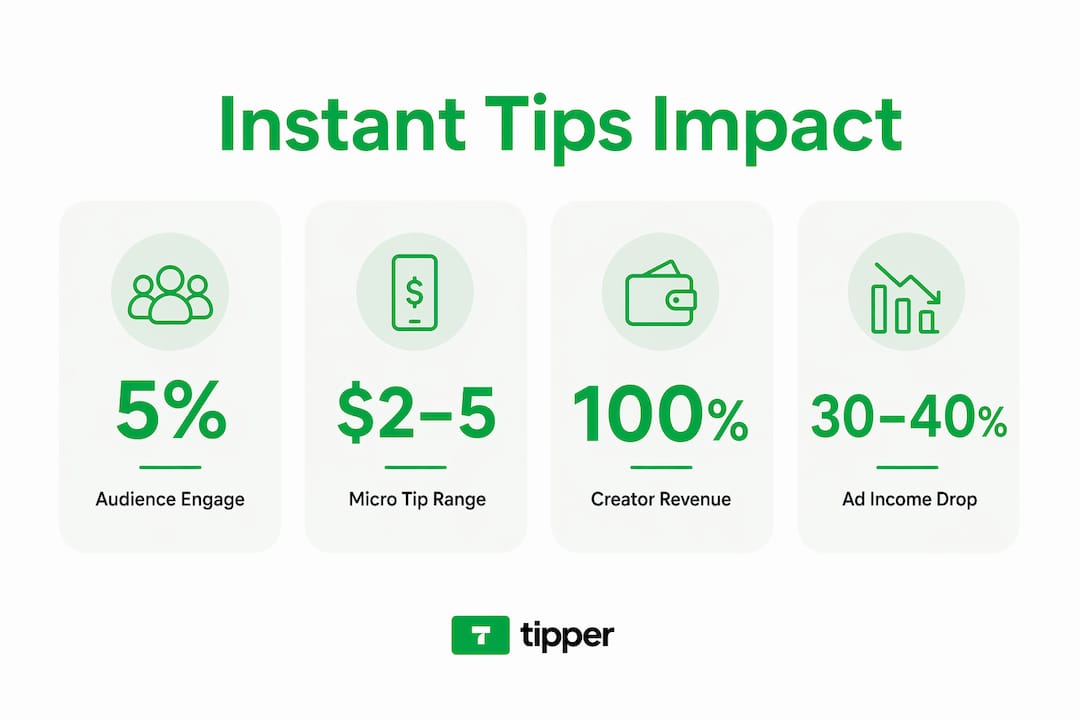
Tipping works best as part of a diversified income mix, not as a solo replacement for every revenue stream. The strongest creator businesses treat monetization like an investment portfolio: spread across multiple sources so no single platform can collapse your income.
A recommended 2026 revenue structure uses a diversified mix of 35% subscriptions, 25% sponsorships, and 20% affiliate commerce, with the remaining 20% split between licensing and services. The rule of thumb is that no single source should exceed 50% of total income. That cap protects you when ad RPMs fall or a sponsorship deal ends.
Tipping fits naturally into this structure as a direct audience support layer. It captures revenue from fans who love your work but do not want a subscription commitment. Subscriptions, by contrast, work best for creators who publish on a reliable schedule and can promise recurring value.
Here is how the main alternative monetization strategies compare in practice:
| Strategy | Best for | Revenue predictability |
|---|---|---|
| Instant tipping | Engaged niche audiences | Variable but immediate |
| Subscriptions | Regular publishing schedules | High and recurring |
| Sponsorships | Large or growing audiences | Medium, deal dependent |
| Affiliate marketing | Tutorial or review content | Low to medium |
| Digital products | Skill-based creators | High once built |
Hybrid community models that combine tipping with memberships and sponsorships give audiences multiple ways to support you. A casual viewer tips $3 after a great video. A superfan pays $10 per month for a membership. A business pays for a sponsorship slot. All three paths coexist without conflict.
The creators who struggle with monetization are those who wait for one stream to scale before building the next. Start layering early, even when your audience is small.
How to use instant tips effectively as a creator
Setting up tipping is the easy part. Getting your audience to actually use it requires a clear, low-pressure approach that respects the people who cannot or choose not to pay.
-
Choose a frictionless platform. Your tipping tool must work without requiring fans to create an account. Any extra step cuts conversion sharply. Tipper lets supporters pay via Apple Pay or Google Pay through a single personalized link, which removes nearly all friction from the process.
-
Offer micro-tipping amounts. Successful creators promote micro-tips of $2–$5 alongside larger options. Micro-tips engage the roughly 90% of your audience who will never commit to a subscription but are happy to send a small amount after a piece of content genuinely helps them.
-
Be transparent about why you tip. Tell your audience exactly what tips fund: better equipment, more research time, or simply keeping the content free for everyone. Transparency builds trust and removes the awkwardness around asking for money.
-
Promote tipping at the right moment. The best time to mention tipping is immediately after delivering real value, not at the start of a video or post. A creator who says “if this helped you, a $3 tip keeps me going” at the end of a tutorial converts far better than one who leads with a pitch.
-
Use multiple payment paths. Managing multiple payment platforms protects you from payout minimums and cash flow gaps. Do not rely on a single tool or payment method.
Pro Tip: Add your Tipper link to every piece of content you publish: video descriptions, newsletter footers, podcast show notes, and your social media bio. Visibility drives tips far more than any single ask.
What challenges come with replacing ad income through tips?
Tipping is not a perfect system, and creators who treat it as a complete ad replacement without understanding its limits will be disappointed. The honest picture is more nuanced.
The biggest reality check is audience payment willingness. Most of your audience will never tip, and that is normal. Tipping works best as a low-friction complement to other revenue streams, not as a full replacement. The goal is to capture incremental revenue from the fans who want to support you, not to convert every viewer into a paying customer.
Pay-to-play dynamics are a real risk. If you gate content behind tips or make non-paying fans feel like second-class members of your community, you erode the trust that makes tipping work in the first place. The most effective tipping setups keep all content free and frame tips as optional appreciation.
Other challenges creators face include:
- Audience size dependency. Small audiences produce small tip volumes. Tipping scales with engagement, not just follower count.
- Inconsistent income. Tips spike after popular content and drop during quiet periods. Budget accordingly.
- Technical friction. Payment tools that require account creation or redirect fans through multiple steps lose most potential tippers before checkout.
- Platform risk. Relying on a single tipping tool creates the same dependency problem as relying on a single ad network.
Top creators see ads drop below 30%–40% of income as they shift to memberships, products, and tips. That shift does not happen overnight. Expect a transition period of several months before tipping income becomes meaningful.
Key Takeaways
Instant tipping replaces ad revenue most effectively when creators combine frictionless payment tools, micro-tip options, and a diversified income strategy that no single platform can disrupt.
| Point | Details |
|---|---|
| Tipping beats ad math | Engaging 1%–5% of your audience through tips can match or exceed ad revenue. |
| Instant settlement matters | Direct-to-wallet payments eliminate the 15-day delays common in ad platforms. |
| Micro-tips capture the majority | Offering $2–$5 options reaches the 90% of fans who will never subscribe. |
| Diversify beyond tipping | No single revenue source should exceed 50% of your total creator income. |
| Friction kills conversion | Tipping tools that require account creation lose most supporters before payment. |
Why tipping is the most honest monetization model I know
The ad model has always been a strange bargain. You create something valuable, a platform sells attention around it to advertisers, and you get a fraction of what that attention is worth. The creator is the last person in that chain to get paid, and the first to get cut when algorithms change.
Tipping inverts that completely. The person who found your content useful sends you money directly. No intermediary decides what your work is worth. No algorithm determines whether your video qualifies for monetization. The audience votes with their wallets in real time, and the signal is unambiguous.
What I find most compelling about direct tipping is what it does to the creator-audience relationship. When someone tips you $5 after a tutorial, they are not just paying for content. They are telling you that your work changed something for them. That feedback loop is more valuable than any CPM report.
The realistic expectation is that tipping will not replace all your ad income on day one. It builds gradually as your audience learns that the option exists and trusts that their money reaches you directly. Creators who stick with it for six months consistently report that tipping income becomes one of their most stable revenue lines, precisely because it is not tied to platform algorithms or advertiser budgets.
The creators who will thrive in 2026 are the ones who own their audience relationship. Tipping is one of the clearest ways to do that.
— Tipper
Tipper: collect tips without the complexity
Tipper gives creators a personalized tipping link that supporters can use in seconds, with no account required on either side.
Fans pay with Apple Pay or Google Pay, tips settle instantly, and creators keep 100% of every dollar. There are no minimum payout thresholds and no waiting periods. Whether you create videos, write newsletters, produce podcasts, or freelance, Tipper fits into your existing workflow without adding steps. Add your link to your bio, your content descriptions, and your email footer, then let your audience support you on their terms. Start collecting tips today and see what direct audience support actually feels like.
FAQ
How do instant tips replace ad revenue for small creators?
Engaging 1%–5% of a small audience through direct tipping can match or exceed what ad revenue pays, especially for niche content with highly engaged fans. Tips also pay out immediately, unlike ad platforms that impose minimum thresholds and long delays.
What is the best micro-tip amount to suggest to fans?
The most effective range is $2–$5, which captures revenue from the large portion of your audience who will never commit to a subscription but are willing to send a small amount after genuinely useful content.
Do I need to stop running ads to use instant tipping?
No. The strongest creator revenue models combine tipping with ads, subscriptions, and sponsorships. A diversified income mix where no single source exceeds 50% of total income protects you from platform volatility.
How does Tipper differ from traditional donation platforms?
Tipper requires no account from the supporter, accepts Apple Pay and Google Pay, and passes 100% of each tip directly to the creator with no minimum payout threshold.
When is the best time to ask for tips during content?
Ask immediately after delivering clear value, such as at the end of a tutorial or after a key insight. Asking at the start of content, before the audience has received anything, converts far less effectively.
Recommended

Benefits of Tip-Based Revenue Models for Creators
TL;DR:
- Tip-based revenue models allow supporters to pay creators directly, boosting loyalty and real-time feedback. These models thrive with transparent, frictionless payment options, but tips alone are volatile compared to stable memberships. Combining recurring income with tips creates a more resilient and personalized creator support system.
Tip-based revenue models are defined as voluntary gratuity systems where supporters pay creators directly for content, services, or experiences they value. The benefits of tip-based revenue models go beyond simple income. They create real-time feedback loops, deepen audience loyalty, and generate income without locking creators into rigid subscription structures. Platforms like Tipper have made this model accessible to any creator with a link, no account required from supporters. When tipping is transparent and optional, 73% of users voluntarily tip, which shows just how powerful the right setup can be.

1. How do tip-based revenue models increase income and audience engagement?
Voluntary tipping works because it taps into a specific psychological trigger: reciprocity. When a creator delivers real value, supporters feel a natural pull to give something back. That impulse is strongest when the tipping process is visible, frictionless, and clearly optional.
Transparent tipping systems consistently outperform opaque ones. The 73% voluntary tip adoption rate tied to transparent, optional models proves that removing pressure actually increases giving. Supporters tip more freely when they feel in control of the decision.
Tipping also changes how audiences relate to creators. A supporter who tips is no longer a passive viewer. They become an active participant in the creator’s work. That shift in identity drives repeat engagement, higher comment rates, and stronger word-of-mouth referrals.
- Supporters who tip once are more likely to return and tip again
- Public tipping moments (live streams, comment sections) create social proof that encourages others
- Personalized thank-you messages from creators reinforce the emotional reward of giving
Pro Tip: Send a short video thank-you to every first-time tipper. That one gesture converts a one-time supporter into a repeat contributor more reliably than any automated email.
2. What technological innovations drive higher tipping rates?
Friction kills tip conversion. Every extra tap, login screen, or app download reduces the chance a supporter follows through. NFC tap solutions reduce tipping time to 2 seconds, which directly increases tip frequency by removing the hesitation window.
Modern digital tipping platforms solve this with app-less flows, QR codes, and one-tap payment via Apple Pay or Google Pay. Tipper uses this exact model. A supporter clicks a personalized link, taps their preferred payment method, and the tip lands instantly. No account creation. No friction.
Beyond speed, digital tipping platforms increase average gratuity through suggested tip amounts. When a platform shows three preset options ($3, $5, $10), supporters anchor to the middle or high option rather than defaulting to the minimum. That single design choice raises average tip size without any extra effort from the creator.
Analytics dashboards add another layer of advantage. Creators can see which content generates the most tips, what time of day supporters are most generous, and which audience segments convert best. That data turns guesswork into a repeatable income strategy.
- App-less tipping via NFC or QR code removes the biggest conversion barrier
- Suggested tip amounts anchor supporters toward higher giving
- Real-time dashboards show which content and timing drive the most revenue
- Contactless tip collection increases frequency by meeting supporters where they already are
Digital tipping systems increase guest service scores by 14%, which reflects how ease of tipping improves the overall experience for both sides. A supporter who tips easily feels good about the interaction. That positive feeling attaches to the creator’s brand.
3. What are the limitations of tip-based revenue models?
Tips provide immediate income but no predictable floor. A creator who earns $800 in tips one month may earn $200 the next, depending on content performance, algorithm changes, or audience mood. That volatility makes financial planning difficult when tips are the only income source.
Tips provide immediate gratification but lack a predictable income floor. Memberships, by contrast, lock in recurring revenue regardless of whether a specific piece of content performs well. The psychological difference matters too. A member has made a commitment. A tipper has made a one-time decision.
The most resilient income architecture combines both. Memberships serve as the foundation, providing stable monthly revenue. Tips serve as the variable upside, rewarding exceptional content and live moments. Membership income outperforms tip-only income by 2–4x after 6–12 months due to retention and lower churn. That gap is significant for any creator planning long-term.
| Income type | Predictability | Upside potential | Audience commitment |
|---|---|---|---|
| Tips only | Low | High | Low |
| Memberships only | High | Medium | High |
| Hybrid model | Medium-high | High | High |
Pro Tip: Set a monthly membership goal that covers your fixed costs. Then treat every tip as profit. That mental separation removes financial anxiety and lets you create without pressure.
4. How do tip menus and structured tipping strategies enhance participation?
A tip menu is a structured list that links specific tip amounts to defined actions or content. Instead of asking supporters to “tip what you feel,” a tip menu tells them exactly what each amount unlocks. That clarity removes hesitation and converts passive viewers into active participants.
Structured tip menus convert passive viewers and gamify tipping through clearly mapped amounts and tiered goals. A creator might offer $5 for a shoutout, $20 for a custom photo, and $100 for a personalized video. Each tier gives the supporter a concrete reason to choose a higher amount.
Goal-driven tipping adds another layer. When a creator sets a visible tip goal (“$500 to fund next month’s video series”), supporters can track progress in real time. That progress bar creates urgency and community. Supporters who tip toward a shared goal feel invested in the outcome.
- Tip menus reduce decision fatigue by giving supporters clear options
- Tiered rewards encourage higher tip amounts through perceived value
- Visible progress goals create a community dynamic around shared outcomes
- Frictionless tipping paired with a clear menu maximizes both conversion and average tip size
5. What are the best practices for implementing tip-based revenue models in 2026?
The single most important factor in tip adoption is simplicity. If a supporter has to create an account, download an app, or enter card details manually, most will abandon the process. The best tipping setups require zero steps from the supporter beyond choosing an amount and tapping pay.
Communicate openly with your audience about how tips support your work. Supporters give more generously when they understand the impact. A creator who says “your tips fund my editing software and studio time” gives supporters a concrete reason to contribute. Vague calls to “support my work” underperform specific ones.
- Use a personalized tipping link that works on any device without an app
- Display suggested tip amounts to anchor supporters toward higher giving
- Explain publicly what tips fund, whether equipment, time, or future content
- Integrate tipping into your existing content flow, not as a separate ask
- Send personalized thank-you messages within 24 hours of receiving a tip
- Track which content generates the most tips and produce more of it
- Combine tipping with a membership tier for stable income plus variable upside
Data nudges in digital tipping platforms raise average tip amounts and give creators analytics to refine their approach over time. Treat your tipping setup as a system to test and improve, not a static link you post once.
Key takeaways
Tip-based revenue models work best when paired with transparent communication, frictionless technology, and a hybrid income structure that includes recurring memberships.
| Point | Details |
|---|---|
| Transparency drives adoption | 73% of users tip voluntarily when tipping is transparent and optional. |
| Friction is the biggest barrier | NFC and app-less tipping reduce transaction time to 2 seconds, raising conversion rates. |
| Tips alone are volatile | Membership income outperforms tip-only income by 2–4x after 6–12 months. |
| Tip menus increase average size | Structured menus with tiered rewards convert passive viewers and raise per-tip amounts. |
| Hybrid models are most resilient | Memberships provide the income floor; tips provide the variable upside. |
Tipper’s take on tip-based income
Tip income feels good in a way that subscription revenue does not. There is something immediate and personal about a supporter choosing to give you money right now, for this piece of work. That dopamine hit is real. But I have watched creators build their entire income strategy around that feeling, and it rarely ends well.
The volatility is the part most creators underestimate. A bad month on social media does not just hurt your views. It can cut your tip income in half overnight. Memberships do not behave that way. A member who committed in january is still paying in march, even if your last three posts underperformed.
The creators I have seen build genuinely sustainable income treat tips as a bonus layer, not a foundation. They use digital tipping platforms to capture spontaneous generosity from their audience, while memberships cover the baseline. That architecture gives you the emotional reward of tipping and the financial security of recurring revenue. Both matter.
The psychological dimension of tipping also builds community in a way that subscriptions do not. A supporter who tips publicly is making a statement. They are telling other viewers that this creator is worth paying for. That social signal is free marketing. Use it.
— Tipper
How Tipper makes tip collection effortless
Collecting tips should not require your supporters to jump through hoops. Tipper gives you a personalized link that works instantly on any device. Supporters pay with Apple Pay or Google Pay in seconds, with no account creation required.
You keep 100% of every tip. Tipper’s dashboard shows you which content drives the most revenue, so you can make smarter decisions about what to create next. Thank-you notes and video responses let you build real connections with your most generous supporters. If you are ready to add gratuity-based income to your creator toolkit, Tipper is the fastest way to start collecting tips today.
FAQ
What are the main benefits of tip-based revenue models?
Tip-based revenue models generate immediate income, strengthen audience loyalty, and create real-time feedback on content value. They work best when tipping is transparent, optional, and frictionless.
How do tip-based models work for content creators?
Creators share a personalized tipping link or display a tip menu, and supporters pay voluntarily using digital payment methods like Apple Pay or Google Pay. Platforms like Tipper process the payment instantly with no account required from the supporter.
Are tips a reliable primary income source?
Tips are not reliable as a sole income source because they lack a predictable floor. Membership income outperforms tips by 2–4x after 6–12 months, making a hybrid model the stronger long-term strategy.
What is a tip menu and why does it matter?
A tip menu links specific dollar amounts to defined actions or content, giving supporters a clear reason to choose a higher tier. Structured tip menus convert passive viewers and increase average tip size through gamification.
How does reducing friction improve tip revenue?
Removing steps from the tipping process directly raises conversion rates. App-less NFC tipping reduces transaction time to 2 seconds, which eliminates the hesitation that causes most supporters to abandon the process before completing a tip.
Recommended

Direct Tipping Engagement Benefits Influencers in 2026
TL;DR:
- Direct tipping enhances creator-fan relationships through immediate support and emotional bonds. It often forms a significant part of income when integrated with memberships and structured strategies. Success relies on engaging audiences with high-quality interaction, preset tip amounts, and personalized responses while avoiding overasking.
Direct tipping is a monetization method where fans send money directly to a creator as real-time appreciation, a reward for content, or access to exclusive perks. The direct tipping engagement benefits influencers receive go well beyond a simple cash transfer. Tipping strengthens the emotional bond between creator and audience, creates immediate income, and builds a community culture that sponsorships and ad revenue simply cannot replicate. The size of your following matters less than you might think. Engagement quality drives tipping success far more than raw follower count.
1. How direct tipping fits into a creator’s revenue mix
Direct tipping works best as one layer in a diversified income model, not a standalone strategy. Sponsorship deals take weeks or months to close and pay out on brand timelines. A tip arrives the moment a fan feels moved to send one.
In high-engagement niches, tips can form 40%–60% of a creator’s gross monthly income. That share rises sharply when creators use structured tip menus rather than open-ended donation boxes. Tipping also insulates income against algorithm changes. Ad revenue collapses when a platform adjusts its recommendation logic. Tips do not.
- Tips provide cash flow the same day content goes live.
- Tipping reduces dependence on seasonal brand cycles and ad CPM swings.
- Fan loyalty built through tipping carries over to other revenue streams, including merchandise and paid communities.
- Direct tipping captures consumer surplus by letting fans pay above the standard price, creating a high-margin income channel when managed well.
Pro Tip: Track your tip revenue separately from sponsorship and ad income for at least 90 days. The pattern will show you which content types trigger the most tips, and that data is worth more than any brand brief.
2. What metrics signal you are ready to enable tipping
Enabling tipping before your audience is ready produces silence, not income. Creators should reach 5,000–10,000 followers with engagement above 3% before activating tipping features. Below that threshold, the audience mass needed to generate consistent tips simply does not exist.
Platform rules add another layer. On TikTok, for example, creators need 100,000 followers on a personal account to access native direct tipping. That requirement makes third-party tipping links, like those offered through Tipper, a practical alternative for mid-size creators who cannot yet access platform-native tools.
Engagement quality matters more than follower count. A creator with 8,000 highly active followers who comment, share, and reply will generate more tips than one with 50,000 passive subscribers. Watch these signals before you flip the switch:
- Average comment rate per post exceeds 2%.
- Followers reply to Stories or short-form video prompts consistently.
- Direct messages include unsolicited praise or requests for more content.
- At least a small segment of followers has already purchased merchandise or paid content.
- Your audience skews toward a niche with a history of fan spending, such as gaming, fitness coaching, or creative arts.
3. Top strategies to boost tipping engagement
The most effective influencer tipping strategies treat tipping as a social ritual, not a transaction. Creators who frame tips as community support rather than payment see higher adoption rates, particularly among Gen Z audiences. Framing tipping as community support rather than a payment improves fan sentiment and reduces the awkwardness that kills conversion.
-
Use preset tip menus with integer amounts. Preset amounts like $1, $3, $5, $10, and $20 outperform open-ended fields. Odd numbers like $7.99 create mental friction and reduce conversion. Clean integers feel like a natural choice, not a financial decision.
-
Gamify with shoutouts, badges, and leaderboards. Gamification drives habitual, smaller, more frequent tips rather than sporadic large ones. A public leaderboard of top supporters turns tipping into a social status signal for fans, which is a far stronger motivator than gratitude alone. Learn more about how gamified tipping drives engagement at the community level.
-
Integrate tipping calls-to-action into natural conversation. Hard sells kill the mood. Mentioning your tipping link during a genuine moment, like after sharing a personal story or finishing a tutorial, converts far better than a scripted pitch.
-
Respond personally to every tip. A short video thank-you or a personalized note turns a one-time tipper into a repeat supporter. Tipper’s platform supports thank-you messages through notes and videos, making this response loop easy to maintain.
-
Build a dual-layer system. Memberships typically outperform tips 2–4x over a 6–12 month period. The strongest revenue model pairs tipping for immediate superfan bonuses with a membership tier for steady monthly income.
“Tipping should be seen as social recognition. Gamification drives habitual, smaller, more frequent support rather than sporadic large donations. Creators who build micro-milestones around tips outperform those who treat every tip as a windfall.”
— GoldStars Analyst Report on TikTok Tipping
Pro Tip: Send a personalized thank-you within 24 hours of every tip. Creators who respond quickly report significantly higher rates of repeat tipping from the same fans.
4. Tipping features that affect earnings and engagement

Not all tipping tools work the same way. The features a platform offers directly affect how much you earn and how deeply fans engage. The table below compares key feature categories to help you evaluate your options.
| Feature | What it does | Impact on earnings |
|---|---|---|
| Preset tip amounts | Removes friction with fixed integer choices | Higher conversion rates |
| Tip menus with rewards | Links tip amounts to specific perks | Increases average tip size |
| Live tip notifications | Alerts creator and audience in real time | Boosts social proof and repeat tips |
| Shareable tipping link | Lets fans tip from any platform | Expands reach beyond native apps |
| Personalized thank-you tools | Notes or video replies to tippers | Drives repeat support |
| No-account-required tipping | Fans tip without signing up | Reduces drop-off at checkout |
| Creator keeps 100% of earnings | No platform cut on tips received | Maximizes net income per tip |
Platforms vary significantly in payout speed, tipping caps, and analytics depth. Entry-level tools often lack real-time reporting. Enterprise-level creator platforms offer detailed dashboards but take a percentage cut. Understanding how tipping links work across platforms helps you pick the right setup for your niche and audience size.
5. When direct tipping works best and when to be careful
Direct support for influencers through tipping performs strongest in niches where fans feel a personal connection to the creator. Gaming, adult content, fitness coaching, ASMR, and personal finance education all show high tipping rates because the content feels intimate and the creator-fan relationship is ongoing.
Tipping loses effectiveness when creators ask too often or too aggressively. Excessive tip prompts cause notification fatigue and erode the goodwill that makes tipping feel voluntary. Excessive notifications cause anxiety, so setting clear boundaries around how and when you ask protects your community culture.
Watch for these situations where tipping may underperform or backfire:
- Your content is broad and impersonal, with no clear superfan segment.
- You ask for tips in every post without offering a specific reward or reason.
- Your platform restricts tipping to account types or follower thresholds you have not yet reached.
- You have not set up a personal response system, so tips go unacknowledged.
- Your audience skews toward passive consumption rather than active community participation.
Tipping frequency signals content success over time. If tips slow down, that is a data point worth acting on, not ignoring.
Key takeaways
Direct tipping builds stronger fan relationships and more resilient income when creators pair it with a structured tip menu, a personal response system, and a complementary membership tier.
| Point | Details |
|---|---|
| Engagement quality drives tipping | Creators with 3%+ engagement outperform larger but passive audiences in tip revenue. |
| Preset integer amounts convert better | Clean amounts like $1, $3, $5, and $10 reduce friction and increase tipping rates. |
| Gamification builds habit | Shoutouts, badges, and leaderboards turn one-time tippers into repeat supporters. |
| Dual-layer revenue is most stable | Pairing tips with memberships creates both immediate and recurring income. |
| Personal responses multiply tips | Acknowledging every tip with a note or video significantly increases repeat support. |
Tipping as a long-term engagement strategy, not a quick cash grab
Tipping transformed how I think about creator revenue. Early on, I treated tips as a bonus, a nice surprise when they arrived. That mindset left serious money and genuine connection on the table.
The creators who earn the most from tipping treat it as a conversational mechanism, not a donation box. Conversationally integrated tipping can account for 60%–80% of revenue in top-performing accounts. That number sounds extreme until you see how it works in practice. Every tip becomes an opening for a real exchange, a thank-you video, a personalized note, a shoutout that makes the fan feel seen. That loop is what converts a casual supporter into a loyal one.
The creators I respect most also know when to pull back. Tipping culture collapses when it feels extractive. Asking once per stream, once per post, with a clear reward attached, keeps the ask feeling generous rather than desperate. Burnout is real on both sides of the screen.
Data tracking changed everything for me. Watching which content types triggered the most tips, and adjusting my output accordingly, turned tipping from a passive income stream into a feedback engine. Your fans are telling you what they value most every time they tip. Listen to that signal.
— Tipper
Tipper makes direct tipping simple for creators
Creators who want to start earning through tipping do not need a massive following or a complex setup. Tipper gives you a personalized tipping link that fans can use instantly, without creating an account, using Apple Pay or Google Pay.
Tipper supports preset tip menus, instant payments, and personal thank-you messages through notes or videos. You keep 100% of every tip you receive. The platform works across niches and audience sizes, making it a practical choice whether you have 5,000 followers or 500,000. If you are ready to turn fan appreciation into real income, start with Tipper and see how fast a well-placed tipping link changes your engagement numbers. You can also learn more about frictionless tipping and why removing barriers is the single biggest lever for increasing tip volume.
FAQ
What are the main engagement benefits of direct tipping for influencers?
Direct tipping strengthens the creator-fan relationship by making support feel personal and immediate. Fans who tip are significantly more likely to comment, share, and return to future content than passive followers.
How many followers do you need before enabling tipping?
Creators should aim for 5,000–10,000 followers with engagement above 3% before activating tipping. TikTok’s native tipping feature requires 100,000 followers on a personal account, but third-party tipping links work at any follower count.
What tip amounts convert best?
Preset integer amounts like $1, $3, $5, $10, and $20 convert better than open-ended fields or odd numbers. Clean round numbers reduce the mental effort required to decide, which directly increases the rate at which fans complete a tip.
How does gamification increase tipping frequency?
Shoutouts, badges, and public leaderboards turn tipping into a social status signal for fans. This approach drives smaller, more frequent tips rather than rare large ones, which produces more consistent income over time.
Should tipping replace subscriptions or memberships?
Tipping works best alongside memberships, not instead of them. Memberships provide stable recurring income, while tips capture immediate superfan spending. Over 6–12 months, memberships typically outperform tips by 2–4x, but the two together outperform either alone.
Recommended